A little while ago, I wrote a post outlining the things I didn’t like about my Mac, and while most of the issues I pointed out are still affecting my iMac, I have to really thank one of the people who left a comment, by the name of Howard Dratch. He pointed me to a great app for video encoding and compression on the Mac, called ffmpegx. I was a little skeptical, but hey, it was free, so I gave it a shot. After the first compression, I was amazed! The compression is fast, clean and very, very good. I can barely notice the difference between the original and the compressed copy. I highly recommend it. It’s one of the best applications I’ve ever used, and I don’t think I exaggerate when I say that it’s probably the best video encoding/compression tool on both the Mac and the PC platforms. Granted, there is no Windows version, but still, I’m hard pressed to find its equivalent there.
What sets it apart is not only the ease of use (though there are tons of options to choose from) or the speed of encoding (although it’s among the fastest I’ve used) or the fact that it’s free (because it is — well, shareware anyway), but it’s all of these things together. It’s a great, all-in-one, wonderful package.
Now, before you think I use it for illegal purposes, I don’t. I’ve never downloaded illegal moves from BitTorrent or anywhere else on the Internet. I’ve never shared movies illegally, and I don’t intend to. I use ffmpegx or any other of my video tools for legitimate purposes, and I encourage you to do the same. When I use tools like these, I use them so I can edit and compress my movies, and fit more of them on my hard drive.
One of things I like to do is to use a PVR (a Tivo-like device for the Mac), and schedule it to record my favorite shows and movies. I happen to like shows like Cartoon Alley on TCM, and I like old movies (made from the 20s through the 60s). So in order to help you learn how to use ffmpegx, I took a few screenshots of a typical movie encoding that I do.
First the main screen. I love its simplicity. You have the original movie on one side, and the compressed movie on the other.

I prefer to encode with the H.264 codec, but I use the mencoder H.264 flavor. The Apple H.264 codec, also available through ffmpegx, is much slower and the resulting file isn’t as small. As you can see, the basic properties of each file are summarized in the columns. Now let’s have a look at the next screen, listing the Video options:

Here you can adjust the bitrate, fit the movie size to a particular archival disc (if you’re so inclined), and adjust its size. If you’re encoding a DVD, you can select which title, chapters and angle you want to encode. What I really like is using the Best button to let it select the best bitrate for the video size. Now let’s have a look at the Audio options:

Here you can select the codec, and the audio parameters. If the movie you’re encoding has more than one audio track, you can select the one you want here, and you can even amplify it if so desired. If this is a silent movie, you can add your own track, or if you’re doing a mash-up video, you can add your own voice-overs or soundtrack.
The Filters screen is where things get really, really interesting. Can you see why?

Forget all the other cool options, what I really like is the Crop option! Although the Autocrop only works sometimes, because the opening credits or sequences may confuse it, it’s a really cool button. If there are extra portions of screen estate taken up by nothing but fuzz or black space, you can take them out through a crop. Remember how wide-screen movies were letterboxed when shown on TV? Well, you can cut away the letterbox and be left with only a nice, widescreen movie! It’s a fantastic option! Oh, and in case the Autocrop button doesn’t work, you can also specify your own crop settings, and preview them by clicking on the Preview button. A white border will indicate the crop settings.
The Options screen lets you adjust the encoder parameters even further, and of course, lets you specify 2-pass encoding if you want extra quality.

The Tools screen has a bunch of sub screens that let you play with the video options even more. There are a lot of features squeezed in there!

Oh, let’s not forget the Progress window:

Finally, if you should need more instructions on how to use ffmpegx, there’s a great how-to section right on their site.
In case you’ve been wondering just what I’ve encoded as I took the screenshots, it’s a lovable and joyous little movie called Luxury Liner (1948). It stars Jane Powell, one of my favorite actresses, Lauritz Melchior, the famous tenor of that time, and George Brent, one of my favorite actors, who also starred in Honeymoon for Three (1941). Incidentally, he was married to Ann Sheridan (his co-star in that movie and another of my favorite actresses) when Honeymoon for Three was filmed. See, now aren’t you glad you read this post to the end? You just learned something new! 🙂

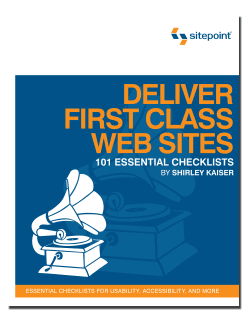 Deliver First Class Web Sites, released by SitePoint Press, is an informative and compact book, but don’t let its size fool you. By using the checklist format, a whole lot of information was packed into this book. Rather than being an instruction manual, this book is a review guide. If you’re not familiar with today’s web design, you’ll be a bit confused. This is a book written for web designers and developers who want to produce quality web sites, not for novices. That’s how the book size was kept down while a staggering amount of instruction on all sorts of topics was squeezed in.









 Raoul Pop