Reviews

Flash Player 10 breaks teh internets

Shortly after upgrading to Adobe’s new Flash Player, version 10, I noticed I could no longer upload photos to my blogs. And I also noticed that FriendFeed’s image uploader didn’t work the same way. I didn’t relate that to the Flash Player upgrade at first, and tried to rule out problems on my own machine. Then I did a bit of research and discovered that others were in the same boat.

Quoting from this thread on the WP forums:

“The new Flash version 10 is incompatible. The latest version 9 of Flash is what you want. There will be a workaround (ugly hack) for this in WordPress 2.7. But since the problem is actually with Flash 10 itself, stick with Flash 9 for the time being. Hopefully, WordPress 2.8 will get rid of the Flash altogether, since Adobe has made it clear that they consider this problem to be a security fix.”

On FriendFeed (FF), people complained about image uploader issues as well. In that same FF thread, I found out that Adobe archives their old versions of the Flash Player, something which is not readily apparent on their site, nor easy to find. I also found that I need to uninstall Flash Player before downgrading — should I decide to do it — using Adobe’s Flash uninstaller.

Now, we’re faced with an issue: stay with Flash 10 and a non-working image uploader on WP sites, or downgrade to Flash 9? I’ll let each of you decide what to do about that. Since there appears to be a security issue in Flash 9, it’s not something you should take lightly, but at least you’ll have options.

You may think I’m joking in my post title when I say that the new Flash Player broke the internet. Not necessarily. When you consider that there are about 3.8 million blogs at WordPress.com, and at least a few hundred thousand self-hosted WP installs from WordPress.org, that makes over 4 million websites whose WP Image Uploader broke when Flash 10 was released. I’m not sure how many FriendFeed (FF) users there are, but there should be 100,000 or more by now.

The FF developers came up with an alternate image uploader fairly quickly when they discovered the problem with Flash Player 10. WP is going to release a workaround in WP 2.7, then possibly do away with Flash for the Image Uploader in WP 2.8. WP also has an alternate way to upload photos, through the old, form-based browser uploader, where you can only do one photo at a time. That’s what I’ve been using while I wait for the new version of WP to come out.

Still, when you consider that over 4 million internet users were negatively impacted by this new version of the Flash Player, that’s not a number to take lightly. I do wish Adobe had worked with WordPress ahead of time to make the transition smoother or to offer them some sort of workaround. I found out about this the hard way, and my guess is you did, too. That’s not the ideal way to do business when you’ve got Silverlight nipping at your heels.
Standard
Reviews

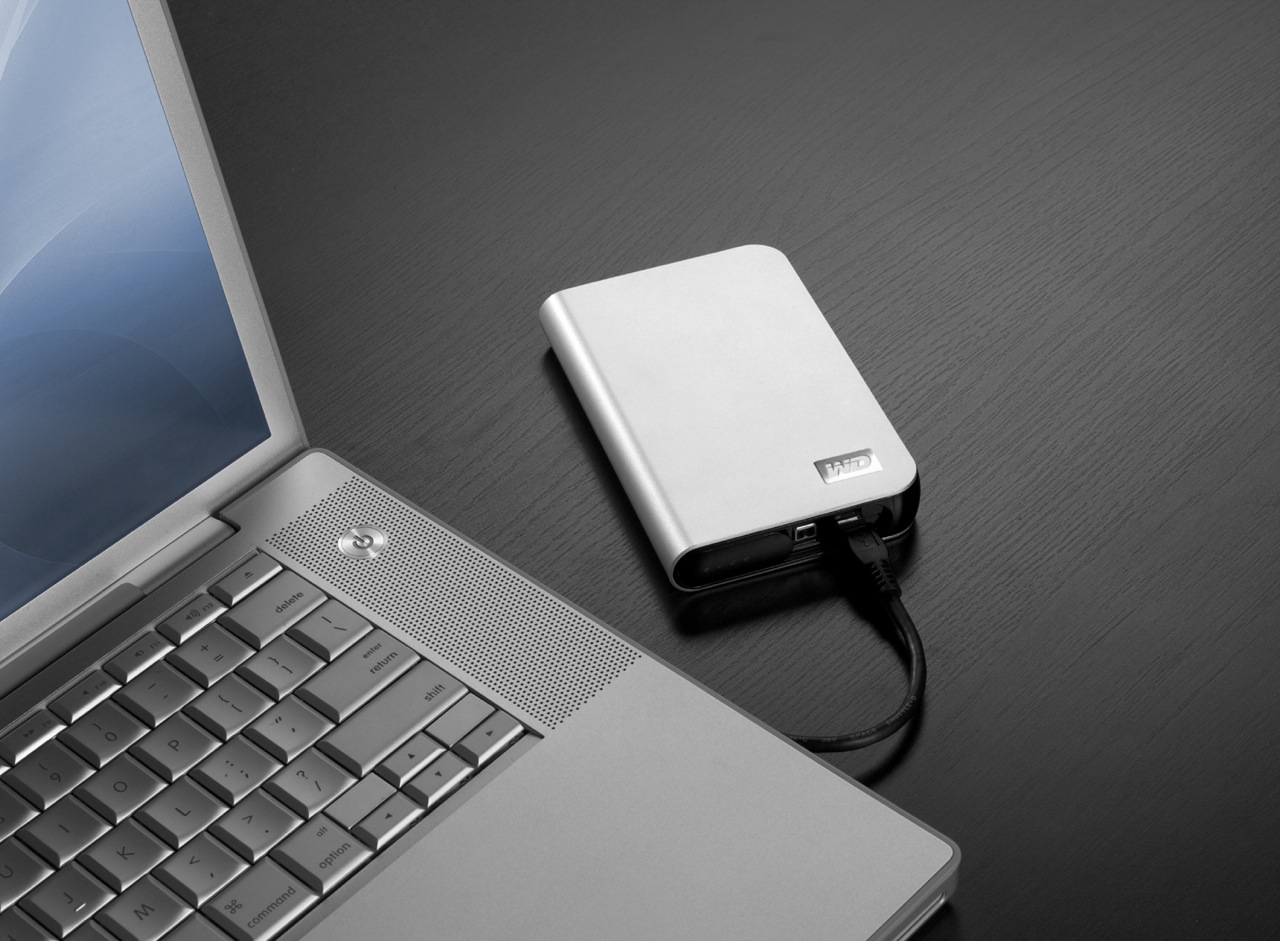
Hardware review: WD My Passport Studio

While the WD My Passport line of portable drives is a couple of years old, their My Passport Studio models are new, and their specs and capacities were greatly improved recently. The My Passport Studio line is meant for Mac users and comes formatted in HFS+, although the drives can be used just as well with Windows machines if they are reformatted to NTFS or FAT32.

On 10/30/08, WD introduced Firewire 800 connections and new capacities (400GB and 500GB) for these wonderful little drives. The base capacity was upgraded to 320GB, and the 250GB size was phased out. These latest drives feature triple interfaces (USB 2.0/Firewire 400/Firewire 800), which is something one normally sees only on external desktop hard drives (the 3.5″ size).

Technology moves fast, doesn’t it? Just a few months ago, the My Passport Studio models featured USB 2.0 and Firewire 400 connections. The top capacity was 320GB. I myself have a 1st generation My Passport drive, a 160GB model with a USB 2.0 connection. I bought it in February of 2007, and it’s worked great ever since.

The more recent models from the My Passport line have something that my 1st gen My Passport drive doesn’t have: an external capacity gauge. I think it’s neat to see how much space is used up on the drive at a glance. These latest drives also have something I haven’t seen before: turbo drivers for faster data transfers. The drivers are available for Mac computers only. I haven’t used the drive yet, but when I get it, I’ll be sure to test out data transfers with and without the drivers, to see if there’s an improvement between the two modes. I hope the drivers are well-developed and won’t introduce any sort of OS stability issues. I’ll also test data transfers between USB, FW400 and FW800.

I’m really looking forward to getting a 500GB Studio drive, because of its unbelievable capacity. It is double the size of my MBP’s hard drive, which is 250GB. I’m going to be able to store lots of photos and videos on it when I’m traveling, and use it to back up important files from my MBP and my iMac. I also think the My Passport line of drives are some of the best-designed portable hard drives on the market.

I can’t find the 500GB model in any online stores yet. Newegg still lists the Firewire 400 models, albeit at reduced prices, and Amazon only has the 400GB model. B&H Photo also only lists sizes up to the 400GB model. I don’t think I need to worry, since it’s very likely that by the end of November or sooner, the 500GB model will be available in most stores.

Photos used courtesy of Western Digital Corporation.

Standard
Reviews

Google launches video chat, ignores PowerPC Macs

A few days ago, Google launched something that a lot of people had wanted for some time: the ability to do a video chat, right from Gmail. Everyone got really excited, and for good reason. I was very happy too, until I discovered that PowerPC Macs were out of the picture. Why?

Here’s what I get when I access the Google Video Chat site from my Intel MBP:

And here’s what my wife gets when she accesses that very same site:

So while she gets to see this when I’m away from home:

I’ll still only get to see this, which makes me sad:

Why, Google, why?

Standard
Reviews

Netflix Watch Instantly comes to the Mac

On October 27 (last month), Netflix started testing a new way to stream movies for its Watch Instantly feature. They began using Microsoft’s Silverlight player, which is platform-independent and can still handle the DRM that movie studios love so much. This meant that Mac users were no longer left out of the picture, and could finally watch Netflix streaming movies on their machines.

On October 31, they finished their first round of testing and allowed all Netflix customers to opt into the new feature. They cautioned users that there might still be some bugs and lower-than-expected quality on some movies. I started using the new feature immediately, and after having watched a few movies, here are my impressions:

  • Streaming quality is indeed a bit lower than expected on some movies, and during some scenes. Not sure why, but it’s not prevalent, and will likely be addressed soon.
  • PowerPC Macs are left out of the picture, not due to Netflix, but Microsoft, who have not released a version of Silverlight for PowerPC Macs — I doubt they will, unfortunately. This means our iMac G5, which now works great (after repeated trips to the Apple Store for repairs), will never be able to stream Netflix movies. I think that’s pretty sad.
  • Silverlight doesn’t come with any preference pane for Macs where its various options can be adjusted. This means that unless certain of its built-in options are adjusted “from the factory”, so to speak, your Mac’s screen will go dim and your screensaver will come on while you’re watching a movie on full screen. Your Mac might even go to sleep. Every time the screensaver comes on, Silverlight exits full screen mode. This gets old pretty quickly, as you can imagine, and it’s not ideal by any measurement.
  • Movies cache and play much quicker than before.
  • Netflix will remember where I stopped watching a movie, and will bring me back to that exact point when I log on again and hit play on a title. I watched a portion of The Adventures of Baron Munchausen while logged onto Netflix from Safari, then went to bed; the next day, I logged on through Firefox, clicked on Play, and almost instantly, the movie started playing from the very spot where I’d stopped watching.
  • Did I mention we can watch streaming movies on our Macs, finally? This is incredibly cool!

I couldn’t be happier with Netflix. As a service, I think it’s one of the best business ideas that was ever put into practice. It fulfills a customer need at a reasonable price, and (at least for now), that price includes the ability to watch a LOT of streaming movies at no extra charge. I say “for now” because, let’s face it, there are costs associated with licensing and serving streaming movies (copyrights, hardware, bandwidth, overhead, etc.), and at some point, I think Netflix will have to adjust its prices to reflect this. I don’t think the price changes at that point will be big, but as more and more people start using the Watch Instantly feature, the extra usage will need to be taken into account.

I also believe that long-term, Netflix intends to emphasize its movie streaming service and slowly phase out its DVD mailers. It won’t happen until they can ensure a ubiquitous streaming experience for its customers, and that means flawless streaming for TVs and computers alike. They’ve already made incredible inroads with Roku, Xbox 360, and with Tivo, which can all stream Netflix movies directly to TVs. Now that you can watch streaming movies on both Macs and PCs, things are looking better and better, and Apple TV looks more hamstrung than ever.

Standard
Reviews

Synkron and I don't see eye to eye

I’ve been using Synkron lately to keep several directories synced up across a couple of external drives — a backup of sorts, just in case one of the drives decides to kick the bucket. I’ve also been cleaning up my drive, and something drove me bonkers: I couldn’t figure out why, in spite of my best efforts to clean up the drive, I couldn’t get 100GB free or more on my MBP (total HD size is 250GB). It just didn’t make sense; after all, I’d been able to do it just a couple of months ago, before I filled up my drive with photos from Austria and Romania. Why couldn’t I do it now?!

I decided to download Disk Inventory X, a drive space analysis tool based on WinDirStat, which I’d already used on a couple of Windows machines. What do you think was the biggest culprit on my MBP’s hard drive? The Synkron cache.

It was eating up 30.6GB of my space, without me even realizing it…

Look, Synkron, you may have a nice, shiny icon, and you may be able to put a nice GUI on rsync or subversion (not sure which you’re built on), but I’m sorry, when you can’t clean up after yourself or at least take up less space on my drive, you’re no good to me — into the Trash you go.

If you’re using Synkron as well, and you’ve noticed your free space shrinking inexplicably, you may want to give Disk Inventory X a try, and to consider whether another utility to sync your files may be a better option. I’m not ruling out Synkron completely, and I hope that its developers decide to fix this cache issue at some point.

Standard