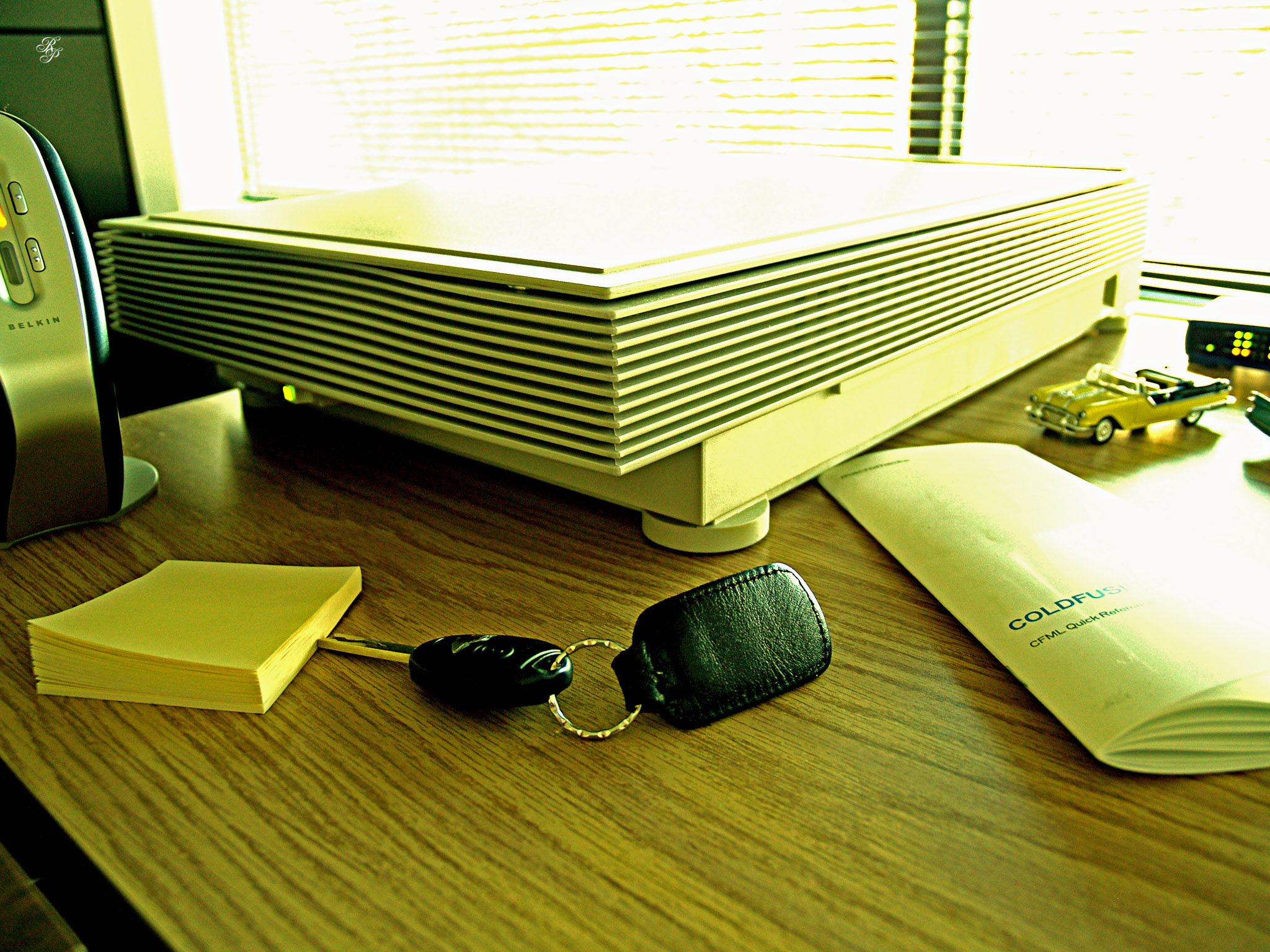
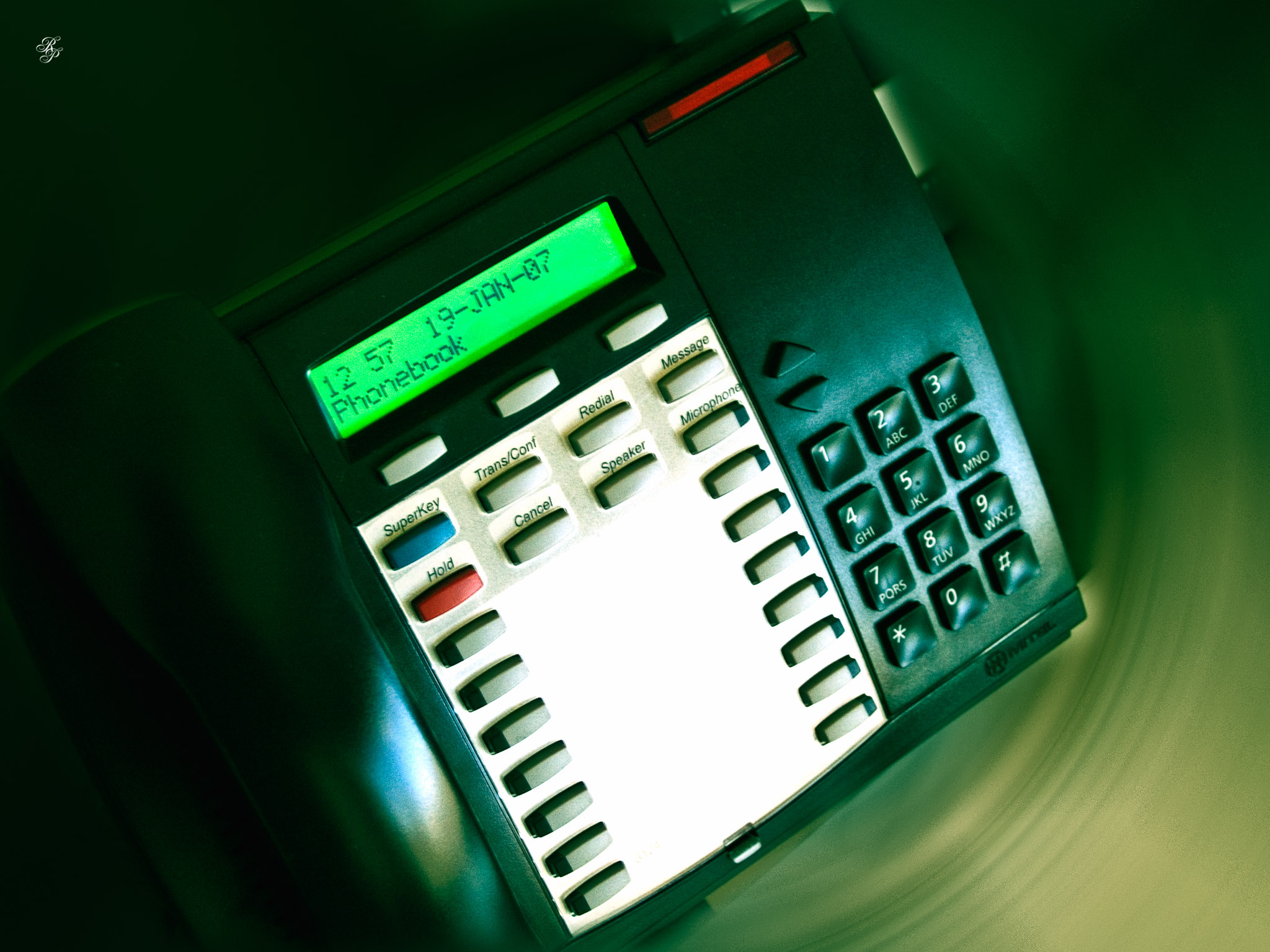
Here are a few photos of objects around my office, taken a few years ago. One of the photos has the exact date and time when it was taken written on it, but not in the typical way, where the camera imprints the text in the corner. I’ll let you see it for yourselves. Enjoy!
See the ColdFusion handbook in this photo? ColdFusion (by itself, without the Java layer recently shoehorned into it by Adobe) was and is the best programming language. It’s so high-level that a few lines of code can do what would otherwise take pages of low-level code in other languages. I find that very elegant.
A few months ago I bought a Nokia X3-02 “Touch and Type” cellphone, and I’m sorry to say that I’m disappointed with it. I’ve been gradually let down by it over time, and in the end, it’s just not what I’d hoped it would be. In the store, I was dazzled by its small, thin design (I love thin phones). I loved its metal shell as well. It felt the proper weight as it sat in my hand.
After I took it home, I started to see the defects. This was a brand new phone mind you, and already one of its clamshell latches (on the back) refused to close properly. And the more I used its touch screen, the less I liked it. I’m accustomed to working with quality touch devices like the ones on the iPod Touch, the iPad and the Magic Trackpad. The touch screen on the Nokia X3 is just not as good. It feels like a sad, cheap imitation of a great original.
Granted, this is Nokia’s first touch-and-type device, as they say in their intro video for the phone.
But they have other touch screen devices in their product line-up. They’ve had time to perfect their touch screens. Why launch a phone with an inferior touch screen?
Once you ask that question, then you have to ask a bunch of other questions as well:
Why are they using so many versions of their operating systems on their phones?
Can they come up with common design elements and aesthetics on their phones, to make them seem like they’re part of the same product line-up? Because right now, if you were to look across the whole Nokia line-up, you wouldn’t know all the phones are from the same company unless you looked at the logo.
Can they reduce their product line-up to something more manageable? Why have a gazillion phones? What’s the point of that? I understand the need for targeting products at various audiences and at different price points, but do you need tens/hundreds of phones to do that? Why not have at most 10 phones in the line-up?
Why launch the phones with lackluster features? As an example, the X3 has a 5 megapixel camera, but it’s a sad facsimile of the 5 megapixel camera on my old Nokia N95, which was launched in 2007. And there are less in-software options available on the phone, so it’s even harder to get better photos out of the camera. It also doesn’t have a flash.
Another thing I quickly discovered about the X3 is its annoying sleekness. Normally, a sleek phone is a good thing, but somehow, the X3 has the annoying characteristic of being very likely to slip out of your hand. You’re afraid to hold it by its top half, because you’ll press the on-screen buttons. You can’t hold it by its lower side, because that’s where the keypad is. So you hold it by the sides, but they’re rounded and thin, so the phone slips right out of your hand and falls to the ground. To its credit, it’s pretty sturdy and unless it’s going to fall on bare concrete, it’ll probably be fine, but the design was not well tested before it was launched.
Another problem which I discovered, and I’m not sure if this happens on just my phone or on all the Nokia X3 phones, is a software bug that lets the built-in @Mail application access the internet when the phone is on a WiFi connection, but will not let it access the internet over WAP or GPRS. I’ve sent the phone in for service and it remains to be seen what Nokia will do with it (if anything).
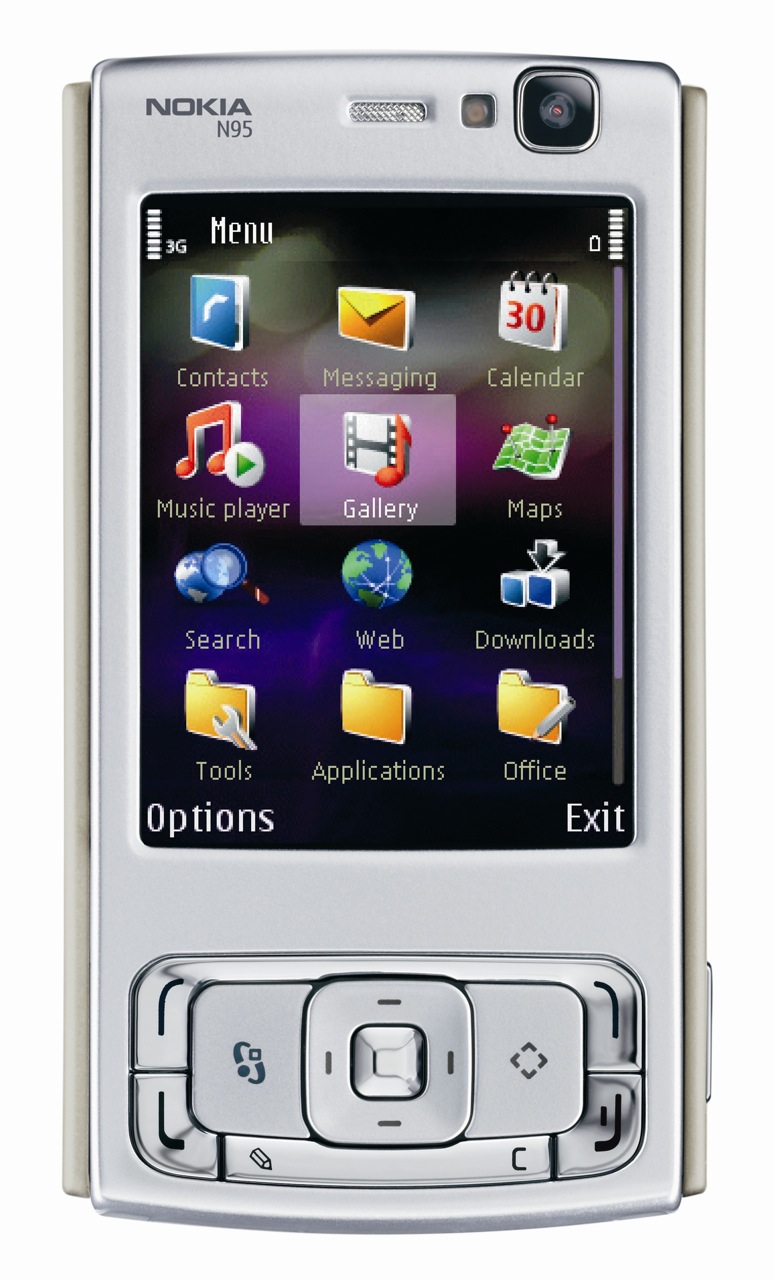
I can’t help comparing the phone with my Nokia N95, which as I mentioned above, was launched in 2007.
I bought it in 2008, brand new, unlocked, and have been using it ever since. I’ve used it, by my count, on four different mobile networks, one in the US and three in Romania. It worked just fine on all of them, did what it was supposed to do and it has served me well. I’ve recorded more video and shot more photos with it than I remember, and some of those videos and photos came out quite nicely. I still use it today, though it’s now my backup phone.
The N95 is Nokia at its best (for its time). It was compatible with a ton of cell networks, was even capable of 3G speeds, could use WiFi networks, had a 5 megapixel camera with a built-in flash, a ton of options for manipulating the photo software, recorded video at 640×480 resolution in stereo sound, it could play music and movies, it had Bluetooth, Infrared and USB 2.0 connections, it could use MicroSD cards, it had a second camera for video calls or video conferencing and best of all (for me) was the ability to sync it with my Mac using iSync and tether it to my MBP via Bluetooth.
The only things I didn’t like about the N95 were its operating system, which was (still is) a bit wonky, and the incredibly expensive apps (at the time) on the Nokia (now known as Ovi) Store.
Fast forward four years, and what has Nokia done since then? The software for their phones is still wonky and still looks the same, I’m still confused about where to find certain phone or system options when I look for them, their new phones still only have 5 megapixel cameras (some still sell with 2 megapixel cameras, like my wife’s new C3), most of their phones record almost unusable 3gp video with crappy sound (the X3 is a prime example) instead of mp4 or mov files, and I’m sure I could keep adding to this litany of complaints if I tried. Meanwhile, other phone manufacturers are doing unbelievable things with their phones.
One other thing comes to mind: Nokia Maps. In recent years, Nokia keeps advertising this app and the fact that their maps are free, but what they fail to mention is they’re not really usable. Sure, the maps are free. You can download them from the Nokia website at any time. But the maps are no good without an extra internet option on your phone’s monthly plan, and more importantly, you also have to pay extra in order to get the driving instructions (the voice guidance files and the step-by-step turns). So really, all the maps are good for is to give you general guidance about your whereabouts. But they won’t tell you how to get to your destination unless you pay more. Sure, you could futz around with your mobile phone, zoom in and out of the maps and eventually figure out how to get there, but that’s not going to be possible if you’re driving.
To be fair, I haven’t used today’s equivalent of the N95, which would be the N8 (or the E7). How much do you want to bet the Maps app has the same shortcomings on those devices as well? They’re supposed to be better. Unfortunately for them, they’re still using the Symbian OS, which from my experience is wonky and ill-organized, as mentioned above. I’ve heard Nokia plans to launch a new smartphone this year that uses a new and better OS. We’ll see how that works out.
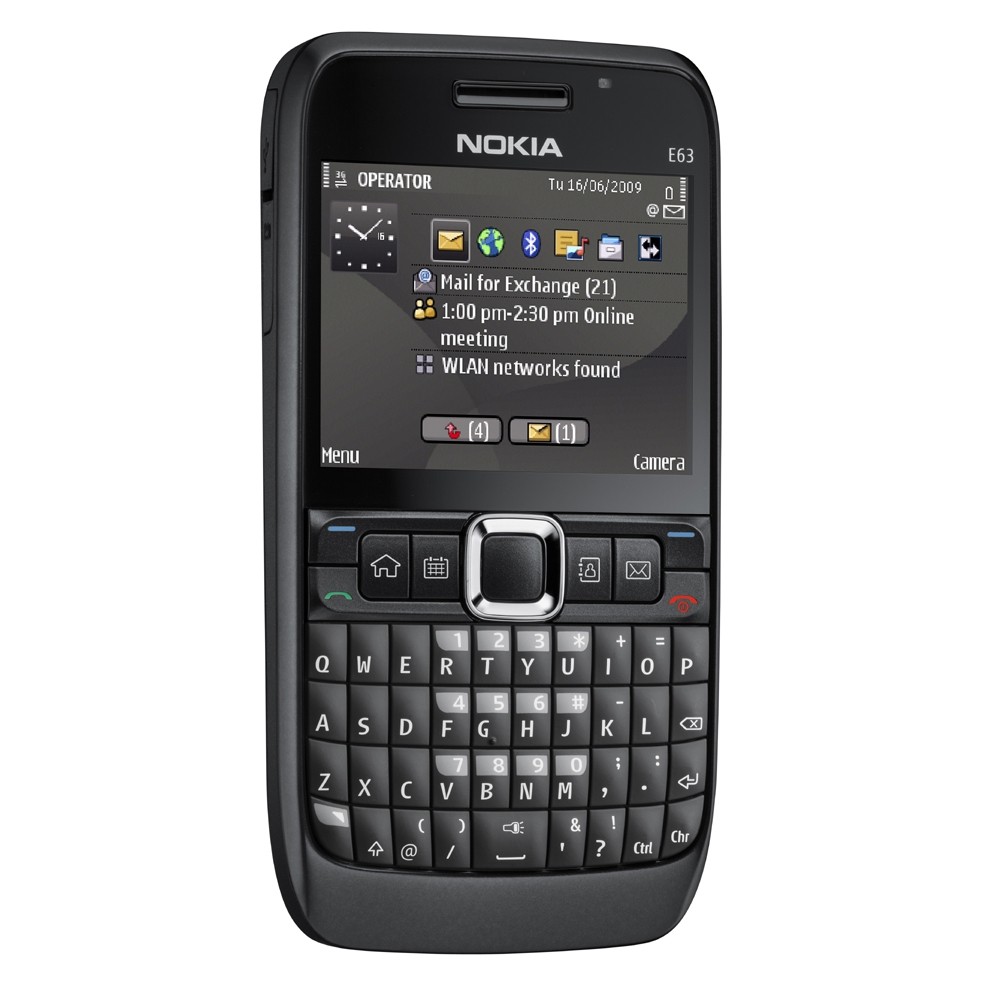
There is a saving grace for Nokia though. Do you know what my favorite phone right now is? I’m using it and I love it. It’s the Nokia E63. Yes, I know it’s old, and it’s actually a hand-me-down phone (I bought it for my wife about 1 1/2 years ago), but I love it.
It’s got a surprising amount of options (if you keep digging through the OS screens). The camera is only 2 megapixels and the video camera only records at 320×240 pixels, but as far as the rest is concerned, it has the same options as my Nokia N95, and it has the incredible bonus of an actual keyboard. Of course, I can sync it to my Mac, just like the N95 (and unlike the X3, which still has no official sync plugin).
I never realized until now how useful an actual keyboard is on a phone. Sure, the virtual keyboard on an iPod Touch or iPhone is nice, but there’s something wonderful about pressing actual rounded buttons. I was so frustrated with buttoning on keypads and using predictive text (which sucks for anything other than simple messages). Now I can easily send emails and text messages from my phone at any time. It’s made my communication so much easier!
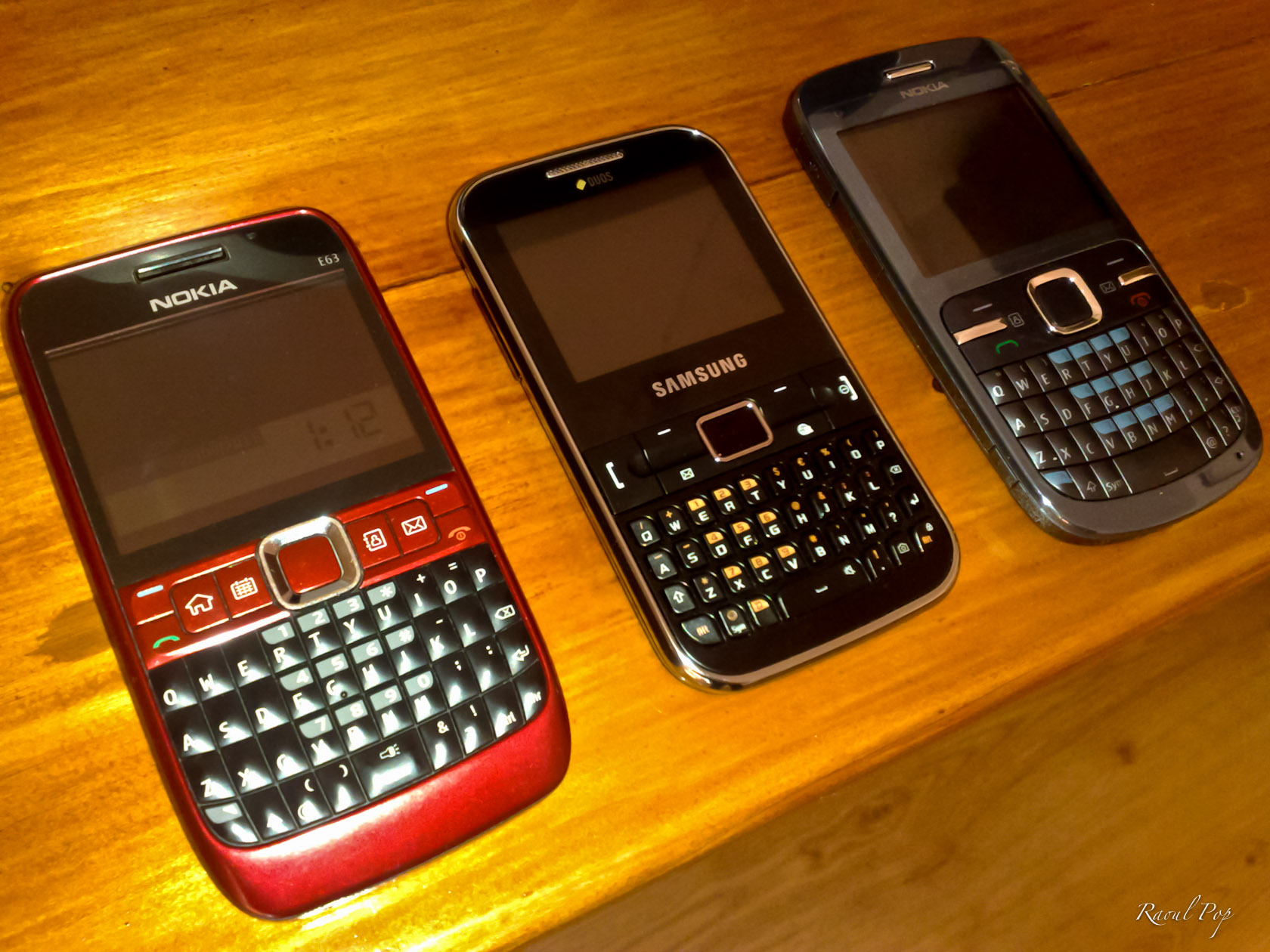
As a matter of fact, do you know what our current phone line-up is? It’s this: a Nokia E63, a Samsung Ch@t GT-C3222 and a Nokia C3. Notice something common across all of them? They all have keyboards. I think the Nokia keyboards are better designed. The buttons have rounded edges so it’s easier to press them. But there’s no mistaking the productivity gain from having an actual keyboard on a phone.
So what’s the point I’m trying to make? The point is this: phones with keyboards are awesome. Nokia should focus on them. If they’ve got to use their kludgy old Symbian OS, then simplify it and put it on nice phones with nice keyboards and nice cameras. That will work well and won’t disappoint. And if Nokia’s bent on imitating Apple and putting touch screens on their phones, they should work on the quality of those touch screens. They should make sure they’re just as good or better than what Apple’s got. I know that’s a hard standard to beat, but if they shoot for that, they’ll probably end up with 80% of what Apple’s got in terms of touch screen functionality, and that’ll do just fine.
I’ll end on a final note, with a pet peeve of mine. If all these phones from Nokia have Nokia Maps and access geo satellites, why in the world aren’t they geotagging the photos I take with them? This has been bothering me ever since I bought the N95. It started as a nagging wish on the back burner, but now it’s a full blown pain in the derriere kind of thing. The iPhone’s doing it. Now consumer-grade digital cameras, cheap ones, come with built-in GPS chips. Here Nokia’s had this in their phones for 4 years or more, and they still haven’t bothered to do it right. It’s not even a hardware upgrade. It’s just a software upgrade that checks for an internet connection, goes out, gets the geo coordinates when the camera app is activated, and applies them to the photos. And if there’s no internet connection, then the photos don’t get geotagged. How hard can it be? Sadly, this is yet another example of Nokia’s inefficiency.
At the start of 2009, when I left the US to spend most of the year abroad, I was an avid Netflix subscriber, and I looked forward to being one even as I lived abroad. There was a loophole in the Netflix protocols which allowed my wife and I to watch movies from outside the US (see this post), but they plugged it very quickly — within three days after I wrote about it.
I was, needless to say, very disappointed. Here I was, a US citizen, with a US mailing address, a US bank account and a US credit card, wanting to watch movies legally instead of downloading them from torrent websites, not able to do it, just because my IP address happened to be from another country. This was not fair. I cancelled my subscription. In hindsight, my anger was unnecessary. The situation is probably a result of certain stipulations in their contracts with the movie studios.
Still, there’s obviously a need for a legal way to watch movies online, right? And until Netflix (or another company) decides to open up their servers to paying customers from all over the world (which I hear might happen), here’s how to watch Netflix from abroad, right now.
You’ll need:
A US credit card and a US mailing address. If you’re from the US but you happen to be abroad, great, you’re in luck, because you probably still have both of these. If you’re not from the US, see if you can make some arrangements with friends in the US.
A VPN connection that will give you a US IP address, or a DNS Proxy Service subscription which will make Netflix and other US streaming sites think you’re based in the US.
A computer that’s compatible with Netflix Streaming. At this time, I believe only Mac and Windows computers can do it. The last time I tried it, a Linux machine wasn’t compatible. You could get a Netflix-compatible device or media appliance but if you want to keep things simple, stick with a computer.
That’s all you’ll need.
The DNS Proxy Service is a fairly new offering and is, in my opinion, the easiest way to configure your device to watch Netflix from abroad, without installing any additional software or configuring a custom VPN connection. You simply change the DNS servers for your network card (see these instructions).
Now let me talk a bit about the VPN service. In the two years I’ve spent abroad, I’ve used two services: AceVPN and HideMyNet. I’m currently using HideMyNet for my VPN service, and I’ve been using them for the past four months. Both cost about the same, but from my experience, HideMyNet has faster, more reliable service.
I started out with AceVPN but after several months, I started getting a lot of buffering messages when watching Netflix (you know, where you wait for it to load up the movie). It would take minutes, sometimes 5-10 minutes to load up a movie, and toward the end of my subscription with them, the movie would stop playing multiple times as we watched it, and we had to wait for it to rebuffer. It was annoying, particularly when the movie stopped playing during a gripping scene. Who knows, perhaps they were experiencing growing pains or temporary issues with their servers…
Out of the blue, the folks from HideMyNet contacted me to see if I wanted to try their service and write about it. Disclaimer: they offered me a 1-year subscription to give an honest opinion about their service. I told them I would, but that I’d need to try out their service thoroughly before I spoke about it, and if I found anything negative, I was going to reveal that as well. That was back in April of this year. It’s now August, four months later, and after all this time, I can definitely recommend them.
I do have a few pieces of advice for you:
If you’re not sure how to set up a VPN connection as L2TP or PPTP on your Mac, go with OpenVPN and Tunnelblick. Check out their setup instructions for the details. If you’re on Windows, setting up an L2TP connection is super easy and takes only a few minutes.
Make sure to ask their Tech Support which of their servers would be faster for you. Here’s some general advice I got from them on this issue: “Generally you want to connect to whichever server is closest to you [geographically]. If you’re in the EU you should try our DC and NYC servers. If you’re in Asia you should try the Seattle or LA servers. If you’re in South America you should try the Dallas and LA servers.”
They currently have a limit of two simultaneously connected devices, so keep that in mind. I believe Netflix has the same limit, but if you were, for example, watching Netflix on one computer and browsing the internet on another, both through their VPN service, you wouldn’t be able to, for example, connect a third device (computer or phone) through the VPN service until you disconnected one of other two.
So there you have it. That’s how you can watch Netflix from abroad. It’s simple, it’s easy and it’s legal.
On a side note, I can’t understand why movie studios prefer to hang on to costly and outdated ways of distributing content, and thus encourage piracy, instead of promoting lower-cost, easily available methods of renting or purchasing their content, for any customer, anywhere. There are many people who would rather pay than use torrents, but the cost is either too high, or there’s no way to pay even if they wanted to. Thank goodness for VPN technology, otherwise I’d start thinking about using the torrents as well.
I’ve been a proponent for telecommuting for years, and I’m glad to see more proof — such as this article, which presents research from Sweden, where they’ve found that long commutes (around 45 minutes) make you 40% more likely to divorce, and also re-inforce gender-based stereotypes, where the man will usually have the better job and do the long commutes, while the woman is forced to take a lower-paying job closer to home.
According to the study, 11 percent of Swedes have a journey to work that consists of a 45-minute commute or longer. Many commuters have small children and are in a relationship. Most are men.
The risk of divorce goes up by 40 percent for commuters and the risk is the highest in the first few years of commuting.
And more Swedes are travelling farther distances to work.
“The trend is definitely pointing upward. Both the journey to work and the working hours are getting longer, “ Sandow told The Local.
The study was based on statistical data from two million Swedish households between 1995 and 2000.
This article in The Economist echoes the research, and offers additional arguments:
Ms Lowrey ends up running through the whole litany of traditional commuter complaints—that it makes us fat, stresses us out, makes us feel lonely, and literally causes pain in the neck—and finds research to prove that the moaners are, more often than not, right. “People who say, ‘My commute is killing me!’ are not exaggerators,” she concludes: “They are realists.”
A recent Akamai survey, which I shared here and here, ranked US in the 33rd spot (globally) when it came to broadband internet connections above 2 Mbps. Sure, it moved up two spots compared to last year, but it’s still lagging behind countries such as Monaco, Slovakia, South Korea, and believe it or not, Romania — which is where I’m living these days.
That’s sad. It’s very sad because a country such as Romania, with fewer resources than the US, and with a LOT more corruption at every level, has managed to provide better Internet services than the US. It just goes to show you how much pork barrel legislation and ridiculous lobbying can slow down an entire country’s Internet access. Why, every time a company tried to improve the way broadband worked in the US, it was eventually bought out or dragged down and kept down for the count.
Remember Telocity? It was one of the first companies to offer DSL service in the US, ahead of Ma Bell. Even though it was paying hefty amounts of money for the right to transport Internet traffic on Ma Bell’s lines, they had enormous problems with the same Ma Bell, due to problems that would somehow just happen to crop up on the same wires or the switching equipment. Then they’d have to pay more money so Ma Bell could fix their own equipment, which they’d say Telocity broke, etc., ad nauseam, and so on and so forth.
That’s just one example. Another was the more recent push to restructure the way cable services are provided (both TV and internet). One of the efforts was the a-la-carte programming initiative, and another was the push for faster and more reliable cable Internet services. You wouldn’t believe the advertising, PR and lobbying blitz the cable industry started and kept up for several months — actually, I’m fairly sure you saw their ads on TVs and buses everywhere, particularly in the Washington, DC area.
Or what about when they got together in late 2007 and 2008 to ask for an Internet tax? Remember the tiers of traffic they wanted to create? They wanted all the big websites to pay them for the traffic, as if they weren’t already getting enough money from the customers for their slow and unreliable services. They also wanted large chunks of money from the federal government in order to upgrade their infrastructure. No matter how much money they make, they’re so greedy they always want more, more, more.
What I’d like to know is how all these other countries, including Romania, can manage to offer faster and more reliable Internet services without asking for money from their countries’ government, without charging big websites for their traffic, and also by charging less per month for better broadband? How is that possible? Could it be that these companies actually know how to run their businesses while their counterparts in the US are filled with lazy, greedy idiots?
I still vividly remember an incident which happened while I was a director of IT at a Florida hospital, several years ago. A BellSouth technician had been called in to check the phone boards, and my network and servers kept going down and coming back up. The Medical Records system kept giving errors when employees wanted to access forms to fill in patient data, not to mention that other network services, like file sharing and printing, kept going on the fritz. I checked every one of the servers and they were fine. I finally walked into the switch room, at my wits’ end, only to find the moronic BellSouth employee with his fat, lazy butt on our UPS, jiggling it back and forth as he chatted with someone back at BellSouth HQ, plugging and unplugging the power supply that fed one of the main network switches. I went ballistic, grabbed him by the collar and threw him out of my switch room. Was he that stupid that he didn’t know where he was sitting? Was he such a pig that he couldn’t feel the plugs underneath him as he sat on them? He didn’t even want to apologize for taking out an entire hospital’s network during daytime hours. That’s BellSouth for you.
I don’t know how the US can get better broadband, unless it’s legislated. An ultimatum must be given by the government, one that can’t be overridden by any lobbyists or CEOs shedding crocodile tears in front of Congress. These companies simply will not get their act together until they, too, are grabbed by their collars and shaken about. They’ve gotten used to the status quo, they like it, and they’re clinging to it with all their might.
Meanwhile, here’s a sample of the Internet plans you can get in Romania right now. For comparison purposes, 1 Euro is worth about $1.4 these days.
Romtelecom (the main phone carrier, provides ADSL services):
The lowest internet access plan in Romania is 2 Mbps. Cellular modems are advertised at speeds up to 3 Mbps. Meanwhile, in the US, you can still find 512 Kbps plans at prices twice or three times as much as the 2 Mbps plans in Romania. That’s the price of complacency and excessive lobbyism.














 Raoul Pop