Thoughts

A 27 GB hard drive for $276?

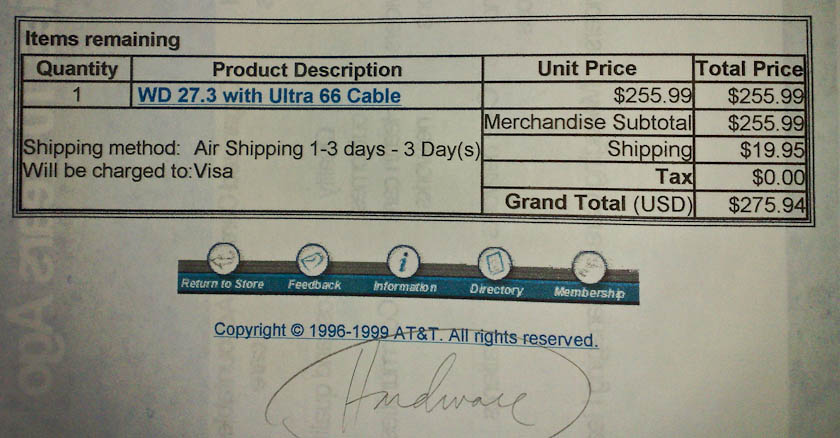
While cleaning up old paperwork, I ran into a receipt from late 1999, for a WD 27.3 GB hard drive with an Ultra 66 Cable. The price for that thing was $275.94 with taxes. Nowadays, I can get a 2 TB hard drive (that’s 2,000 GB) for less than $150. How times have changed!

Standard
Reviews

Hardware preview: Apple iPad

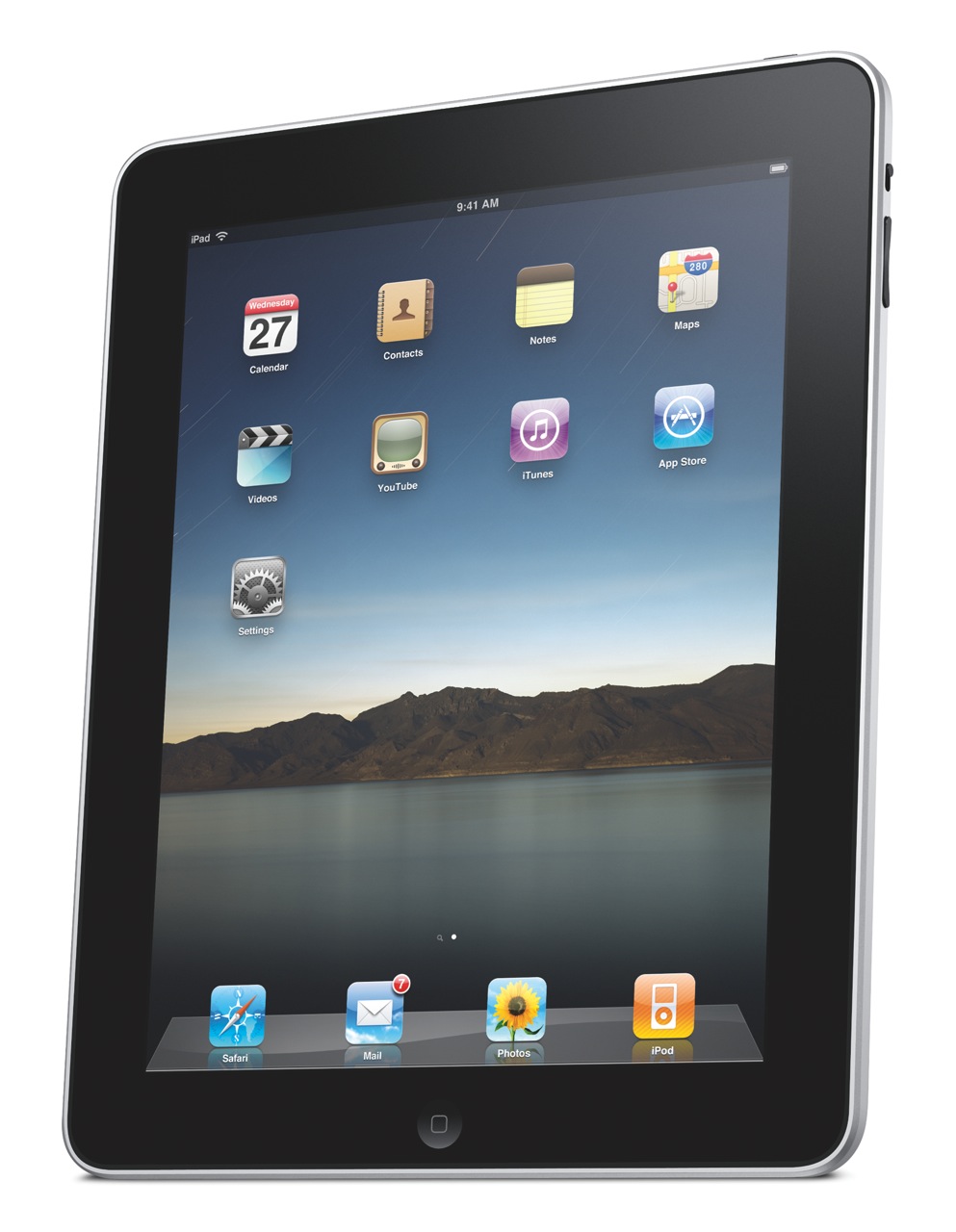
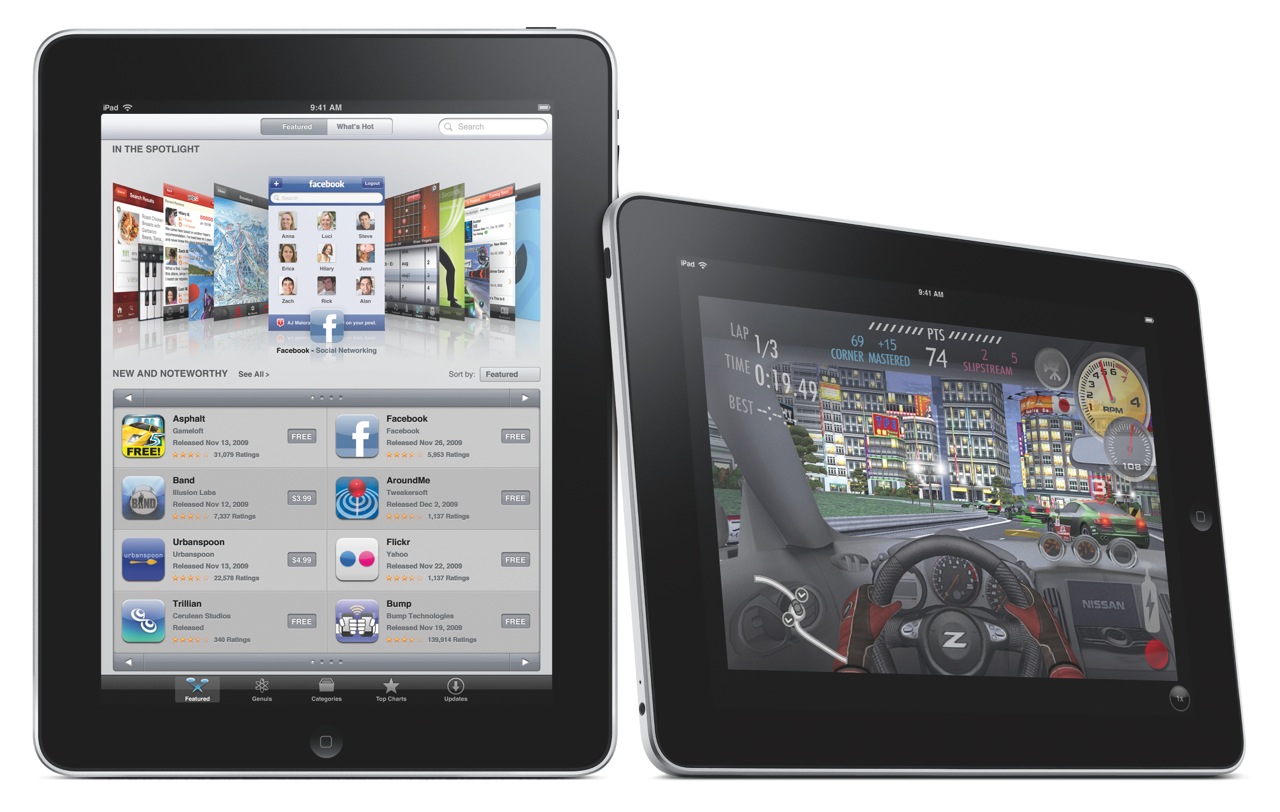
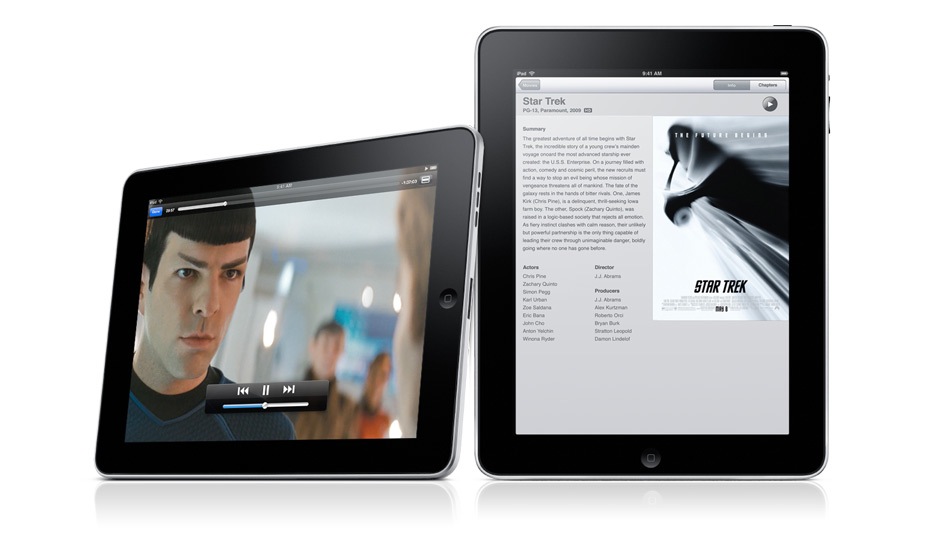
Today, Apple launched the iPad, their long-awaited version of the tablet computer. In spite of the failures of their predecessors, I think Apple will pull this off. I think the iPad will be very successful. In case you haven’t gotten your iPad fix yet, grab a cup of tea and sit down, this post is loaded with photos of the iPad and its accessories.
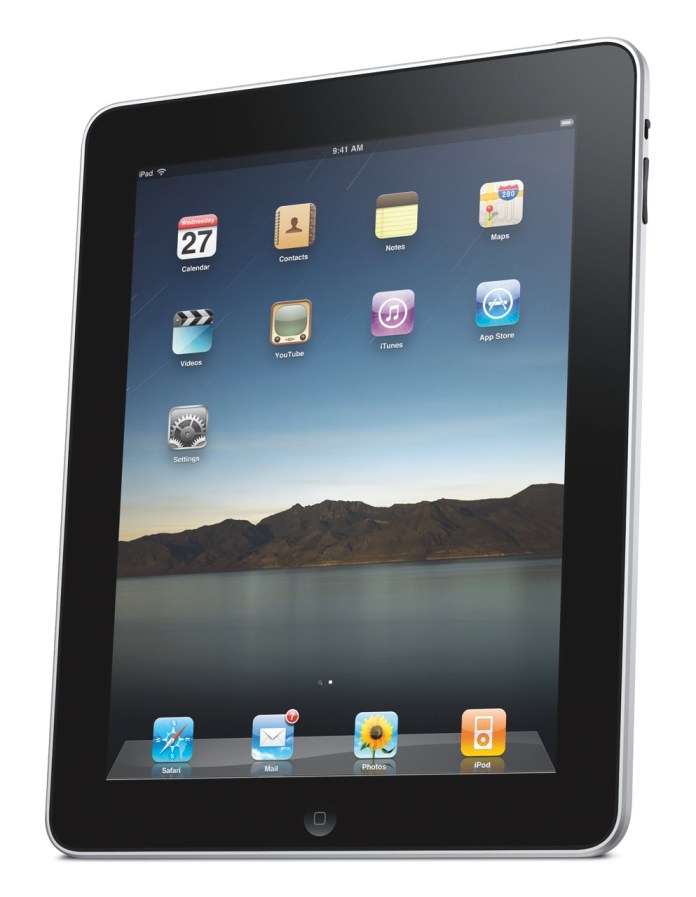
As I mentioned yesterday, I wrote a post in September of last year, where I unwittingly described the functionality of the iPad. I was actually focusing on the need for what I called a portable Apple TV, a device that bridged the gap between an iPod and a laptop, and that’s exactly what the iPad is. Let me quote myself:

Clearly, Apple has the technological know-how to put together a really nice Apple TV that’s not yet another box tethered to a TV in the living room, but a display with integrated speakers and the circuitry that allows it to get on my network and access media from various drives, or to play the media I sync to it through iTunes, or to download media from the Internet.

Just think, with a nice LED screen of about 13-17 inches, a touch screen, plenty of onboard storage, a good battery, WiFi, Bluetooth, and speakers, they could have an amazing device that I could take with me wherever I decide to sit in the house or in the yard. I could take it in bed and watch movies without draining my already tired laptop battery, I could take it outside on the patio at night to watch stuff there, etc.

Apple already has all of this technology. Why don’t they put it together?

Wouldn’t you know it, someone at Apple must have seen my post… I’m kidding, naturally — the iPad has likely been in development for at least a year, so it’s not like I had much to do with the iPad’s invention — but it’s nice to see that my hunch, or at least my perception of a need in the marketplace for a product like the iPad, was right.
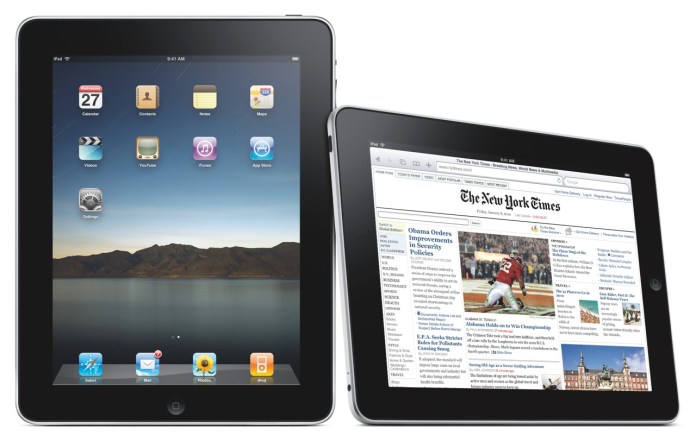
What does the iPad do? It can:

  • Browse the web
  • Read and send email
  • Enjoy photos
  • Watch video
  • Listen to music
  • Play games
  • Read e-books
  • Basically, anything but any real work 🙂
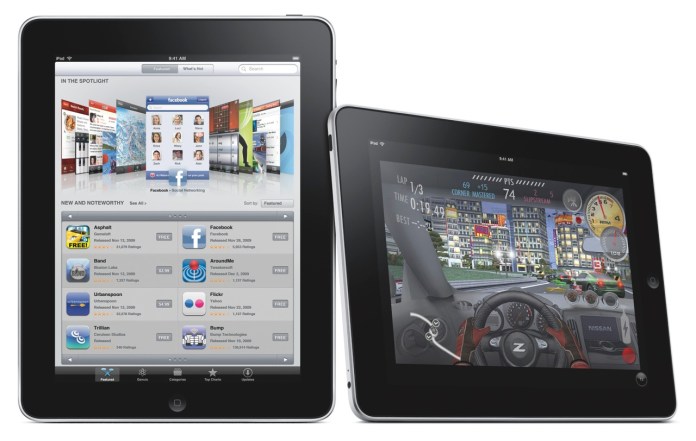
I may be wrong about that last capability though. Here’s what Apple says:

“Apple also introduced a new version of iWork® for iPad, the first desktop-class productivity suite designed specifically for Multi-Touch. With Pages®, Keynote® and Numbers® you can create beautifully formatted documents, stunning presentations with animations and transitions, and spreadsheets with charts, functions and formulas. The three apps will be available separately through the App Store for $9.99 each.”

So who knows, we may be able to get some work done on the iPad after all, if we’re not too tempted to watch movies or read books on it.

Before we get too awestruck with all of the awesome things the iPad can do, it’s important to note two of its capabilities. I’ll let Apple explain:

“iPad is powered by A4, Apple’s next-generation system-on-a-chip. Designed by Apple, the new A4 chip provides exceptional processor and graphics performance along with long battery life of up to 10 hours. Apple’s advanced chemistry and Adaptive Charging technology deliver up to 1,000 charge cycles without a significant decrease in battery capacity over a typical five year lifespan.”

Apple has not only developed new battery technology which is already in use on its laptops and now, on the iPad, but, and I think this is huge, they’ve now developed a new chip, called the A4. Since when do they have the technology to develop computer chips? I thought they always outsourced that function, to Intel, and before that, to PowerPC. Now they’re making chips? Wow. And since this new chip is called the A4, are we to assume there’s an A3, or A2, or A1, or more importantly, an A5, or an A6, or A7? Where were they used, and where will they be used?

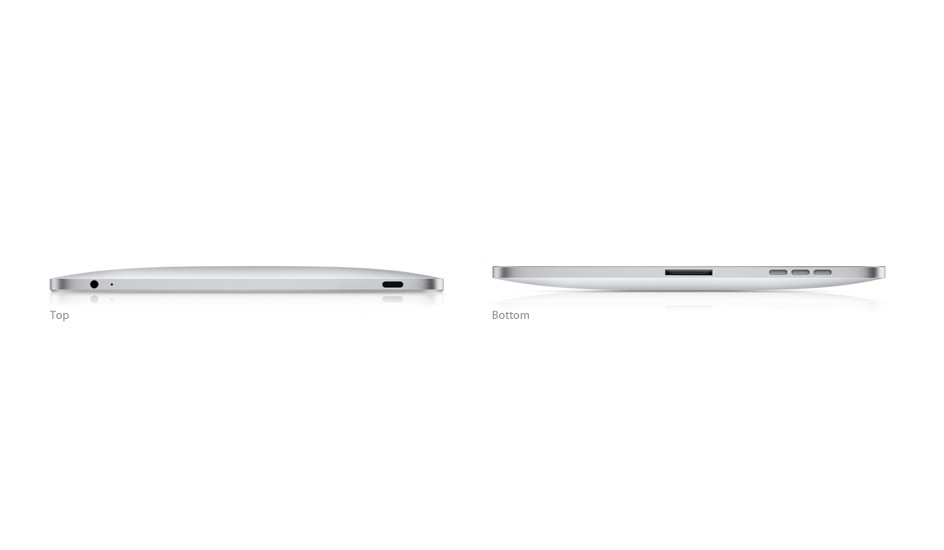
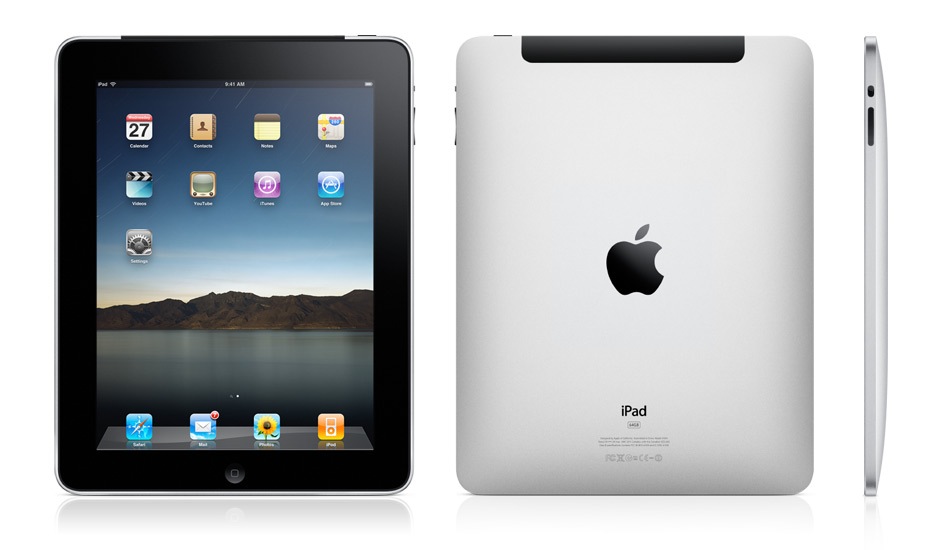
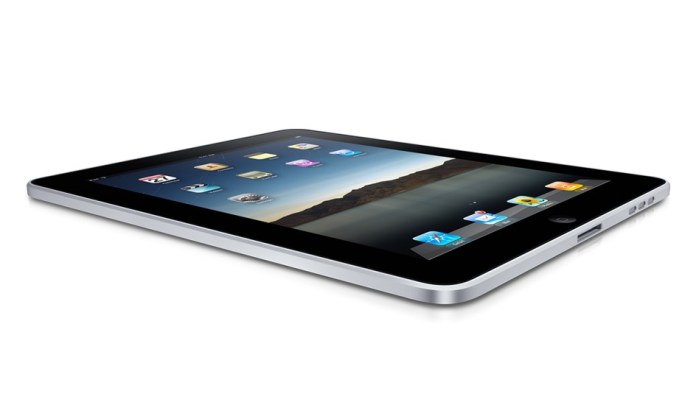
Let’s look at the iPad’s exterior. It is a gorgeous device, incredibly thin, made of aluminum and glass.
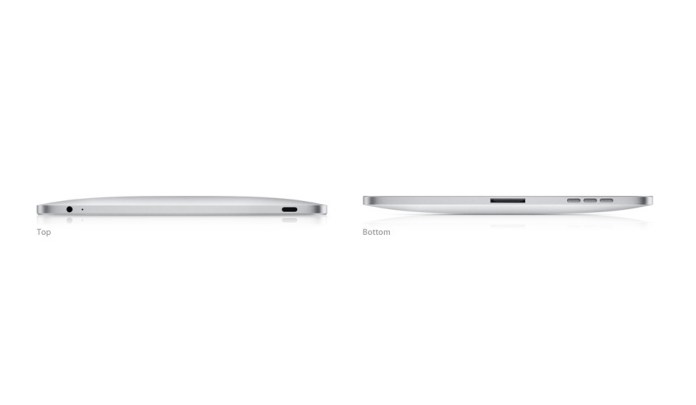
It comes in two models: Wifi-only, and WiFi + 3G. The only difference (on the exterior) between the two models is a bit of extra weight for the 3G model (1.6 lbs. vs 1.5 lbs.), and the presence of the 3G antenna, which looks like a black strip at the top.

Height: 9.56 inches (242.8 mm)
Width: 7.47 inches (189.7 mm)
Depth: 0.5 inch (13.4 mm)
Weight: 1.5 pounds (.68 kg) Wi-Fi model; 1.6 pounds (.73 kg) Wi-Fi + 3G model

One thing I’m not clear on is whether the 3G version of the iPad will require the AT&T network, or whether it will be “unlocked” for use on any 3G network. I’m certainly not keen to use AT&T’s network, for reasons with stem directly out of my personal experiences and my parents’ personal experiences with their horrible customer service.

Let’s move on and look at the display. I was hoping to see a larger-size device, but as things stand, the screen is 9.7″ across, at 1024 x 768 resolution. What does compensate for the somewhat smaller screen is the ppi (pixels per inch) spec, which is 132 — almost double the 72 ppi of standard displays. The display uses a technology called IPS (in-plane switching) which allows for a wide, 178° viewing angle.
When I look at the TV and Video specs, I’m glad to see that it will also output 1024 x 768 to an external display with the aid of a dock to VGA adapter, and that it will output SD and better-than-SD video (480i/480p and 576i/576p) to a TV with an Apple Composite A/V cable. More than that, it can play 720p (HD) video, which was expected and was the right thing to do.

“H.264 video up to 720p, 30 frames per second, Main Profile level 3.1 with AAC-LC audio up to 160 Kbps, 48kHz, stereo audio in .m4v, .mp4, and .mov file formats; MPEG-4 video, up to 2.5 Mbps, 640 by 480 pixels, 30 frames per second, Simple Profile with AAC-LC audio up to 160 Kbps, 48kHz, stereo audio in .m4v, .mp4, and .mov file formats. “

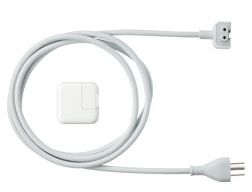
The iPad’s power adapter is rated at 10W according to the specs, which is great in my book. It means it’s a very efficient device. Think about it, what you basically get with the iPad is an HD TV which you can take to bed with you, and which only consumes 10W when plugged in. Have you even looked at your HDTV’s power usage lately? Even the most efficient LCD displays consume more than 100W, and if you look at how much plasma displays consume, you’ll want to run away.
The iPad can open most of the usual file formats, as is expected since it will have its own version of iWork, but does that mean we’ll get a Finder, with a Home folder for our account? After all, if we’re going to work with documents, we’ll need a place to save them and access them.

“Viewable document types: .jpg, .tiff, .gif (images); .doc and .docx (Microsoft Word); .htm and .html (web pages); .key (Keynote); .numbers (Numbers); .pages (Pages); .pdf (Preview and Adobe Acrobat); .ppt and .pptx (Microsoft PowerPoint); .txt (text); .rtf (rich text format); .vcf (contact information); .xls and .xlsx (Microsoft Excel).”

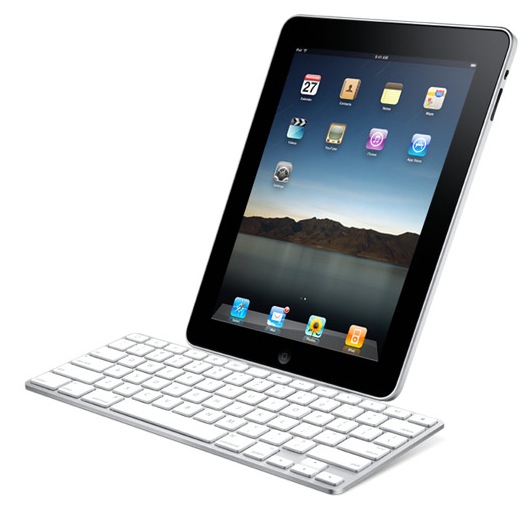
This becomes an even more important question if we consider the iPad accessories, among which we find the Keyboard Dock, which clearly allows one to use the iPad as a lightweight computer. If it’s going to be used as such, we’ll definitely need a Home folder, with a Documents folder and other such usual amenities to keep our stuff. And will these documents get synced with the documents on our home machine? Furthermore, if we’ll download our emails onto it, will they automatically get synced with Mail on our laptops and desktops?
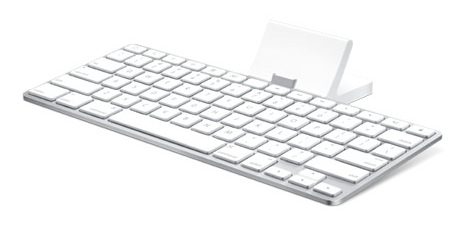
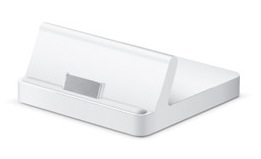
There’s also a regular dock, which lets the iPad charge and holds it upright, so you can watch movies unhindered.
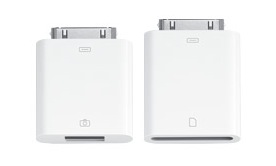
I like the camera connection kit, which lets you download photos from your digital camera either through a USB cable, or with an SD card reader. That’s a smart and elegant solution.
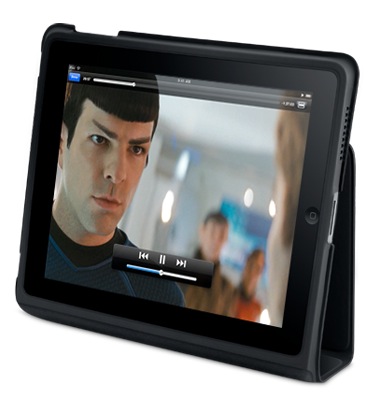
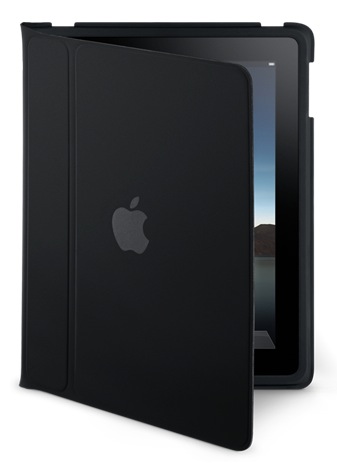
The iPad case is great, too. It’s wonderful for carrying the iPad about, and for travel, as it turns into a stand that lets you watch movies without needing to hold the iPad in your hand.
All of this exterior beauty wouldn’t be much without interior smarts and looks that match it to a tee. Here’s where Apple’s advantage really comes into play. Since they make both the hardware and the software, they can marry the two so well that they act as one. There’s never any doubt that a button you press on an Apple machine doesn’t do what it’s supposed to do, because it was made specifically for that reason and there’s a part of the code on the machine written specifically for it. On the iPad, I can see that significant thought and effort was put forth to design the software UI around the look of the hardware, to make the two act as one, and it’s a success. Have a look at how well each of the iPad’s purposed uses is represented by the software written for those uses.

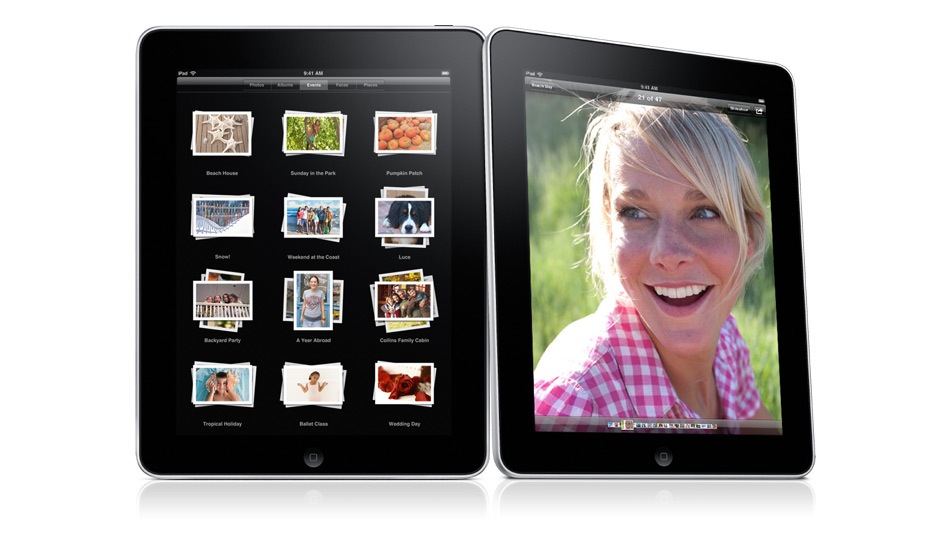
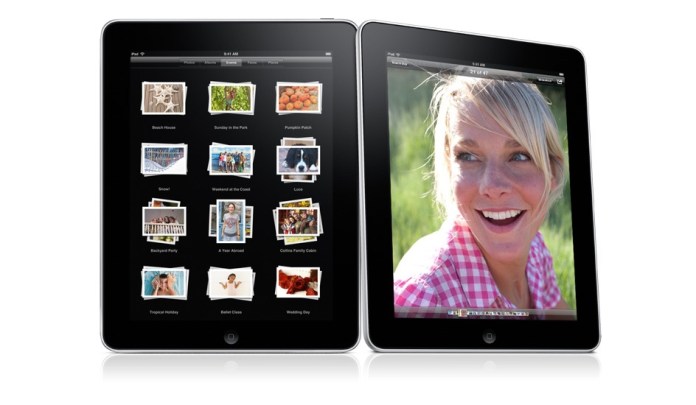
Photos on the iPad:
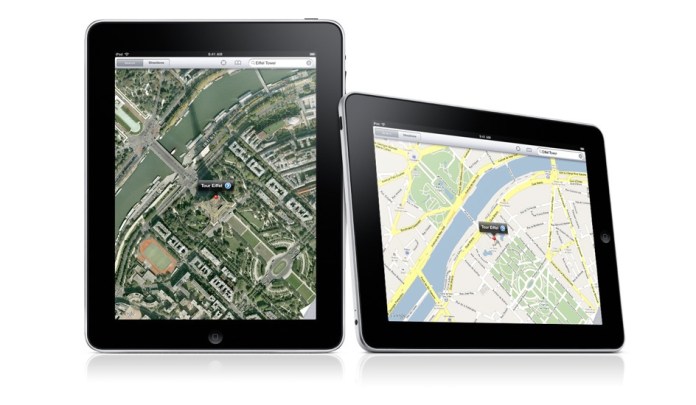
Maps on the iPad. Can you believe how gorgeous those maps look on the iPad, and how cool it is to manipulate them (zoom, pan, annotate) on that large multi-touch display?
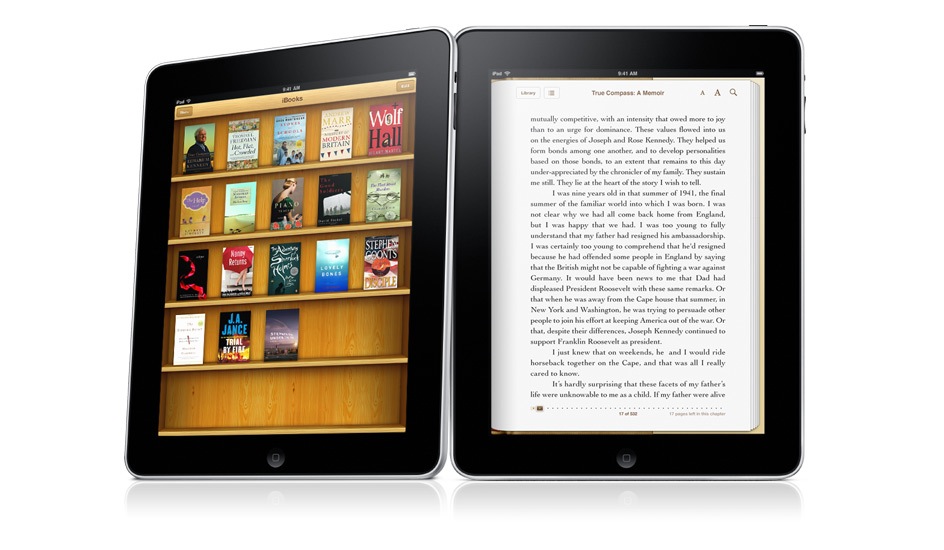
iBooks on the iPad. The Kindle’s battery may last longer, but can you argue with color?

iCal on the iPad. It’s just gorgeous, much more than its counterpart in OS X. Why doesn’t it look this good on my MBP?

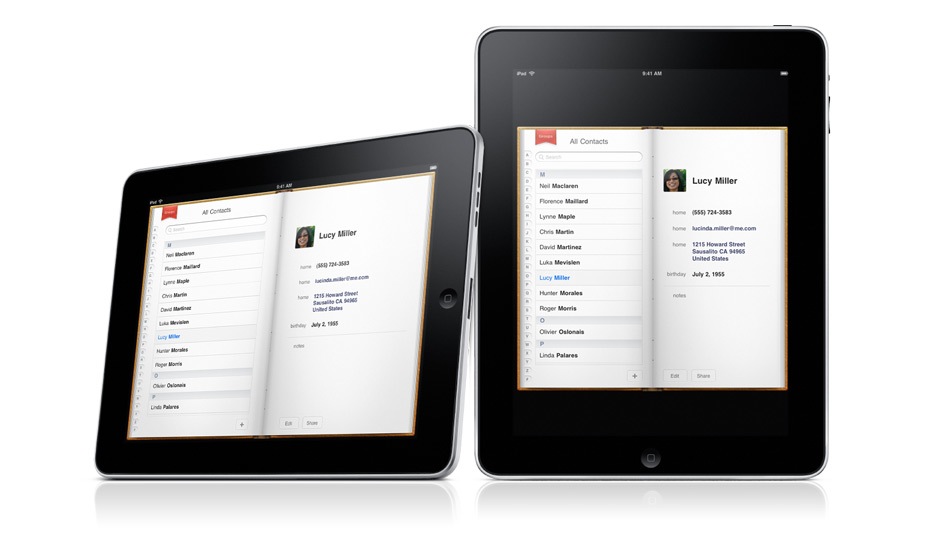
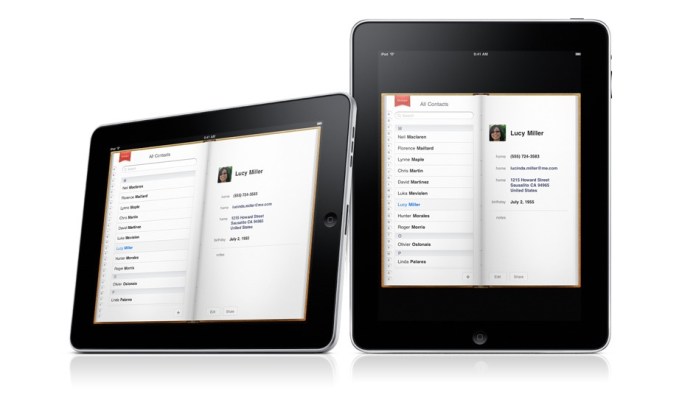
Contacts on the iPad. Very cool.
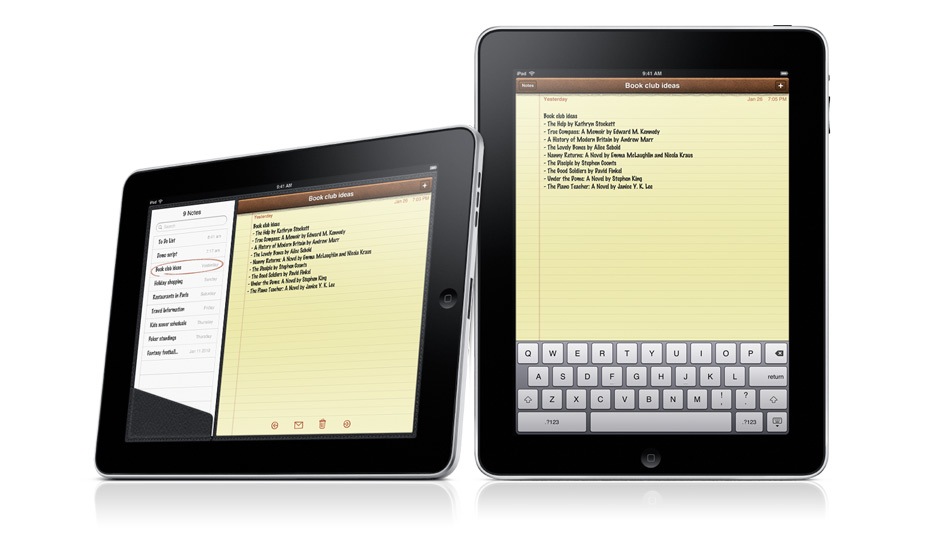
Notes on the iPad. I’m going to love taking notes now, even more so than on my iPod Touch.

There is one disappointment. I expected an iSight video camera on the iPad, and there isn’t one. I’m not sure why. Possibly for the same reason the iPod Nano got a video camera last year instead of getting it one or two years prior to that. It’s very likely the next gen iPad will have a video camera, and it will have iChat as well.

Still, the iPad is a fantastic device, and it exceeded my expectations in many ways. I’d love to know what you think of it.

iPad will be available in late March, worldwide, for a suggested retail price of $499 (US) for the 16GB model, $599 (US) for the 32GB model, and $699 (US) for the 64GB model. The Wi-Fi + 3G models of iPad will be available in April in the US and selected countries for a suggested retail price of $629 (US) for the 16GB model, $729 (US) for the 32GB model and $829 (US) for the 64GB model. International pricing and worldwide availability will be announced at a later date.

The video from the Keynote iPad launch is available here, and the iPad overview video is available here.

Photos used courtesy of Apple.

Standard
Reviews

Hardware preview: DroboElite

Drobo Pro side

➡ Updated 1/14/19: I have revised my opinion of Drobo devices. After experiencing multiple, serious data loss events on multiple Drobo models, even recent ones, I no longer consider them safe for my data.

Today, November 23, 2009, the new DroboElite becomes available from Data Robotics. It’s the top of the ladder when it comes to their product line: it’s the fastest, biggest, most configurable SAN they’ve got, and it eats terabytes for breakfast. It’s got multi-host support, dual Gigabit Ethernet ports, and it can have up to 255 Smart Volumes.

Background

Data Robotics launched the original Drobo in mid-2007, then upgraded that to what we call the Firewire Drobo toward the end of 2008, introduced the DroboPro in April 2009, and now they’re launching the DroboElite, which you can see here, and the Drobo S, addressed in a separate post, also published today.

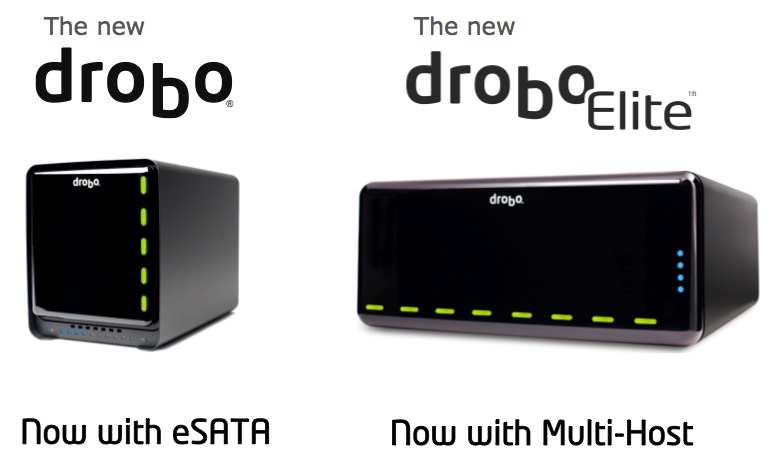
drobo-s-and-droboelite

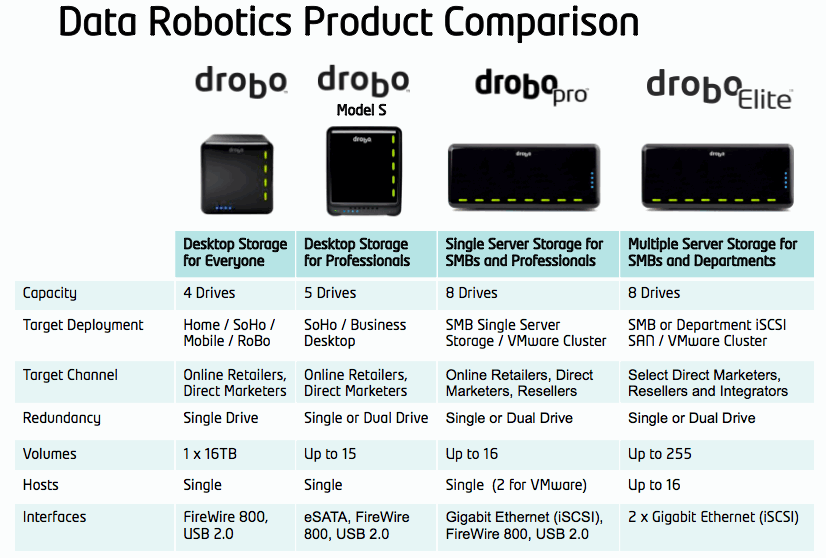
This means the company now has four great pieces of hardware in their product line, geared toward different groups of consumers, starting with the desktop storage needs of the media-heavy consumer and going all the way to companies’ server rooms:

  1. Drobo,
  2. Drobo S,
  3. DroboPro and
  4. DroboElite

Design

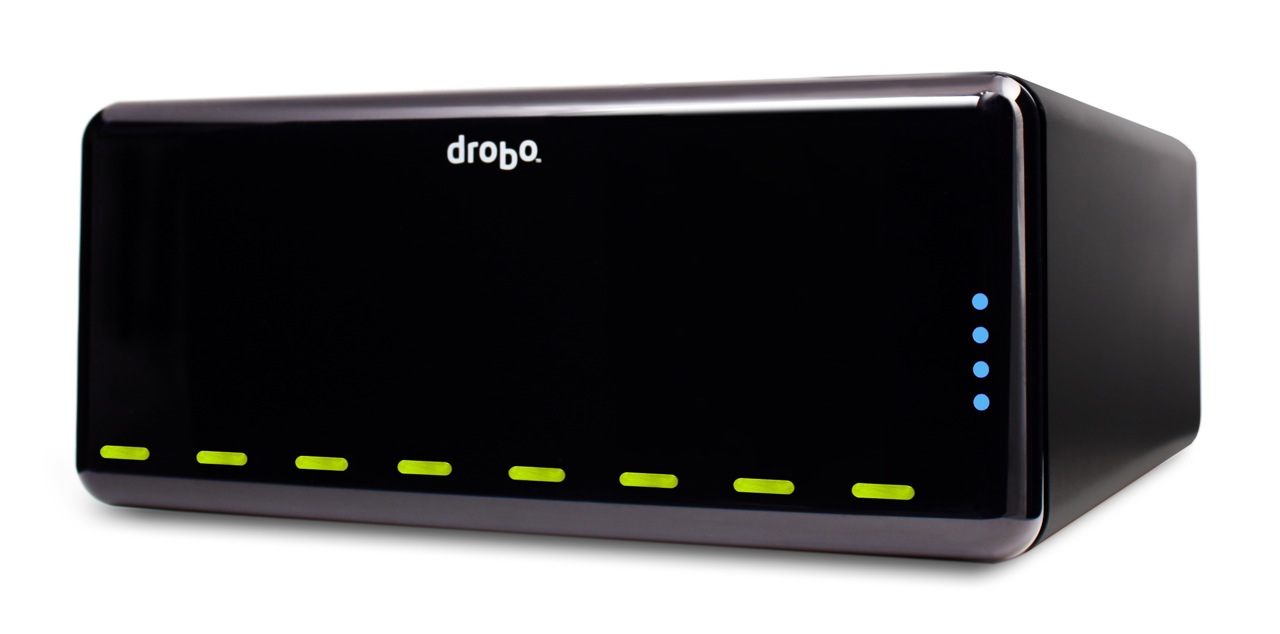
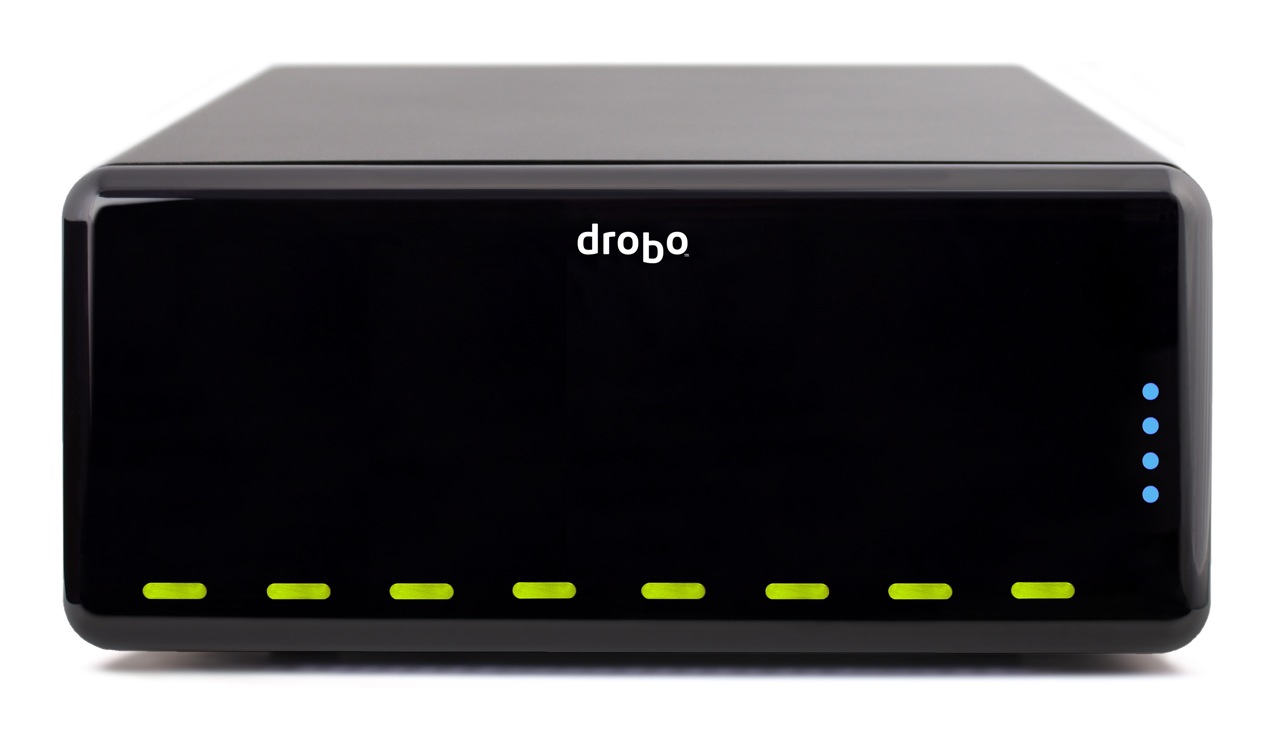
The front of the DroboElite is identical to that of the DroboPro. The dimensions are the same — and they’d have to be, since it needs to fit into a 3U rack space and take the same rack mounting kit as the DroboPro. The weight is also the same: 16 lbs. 3 oz.

Drobo Pro top

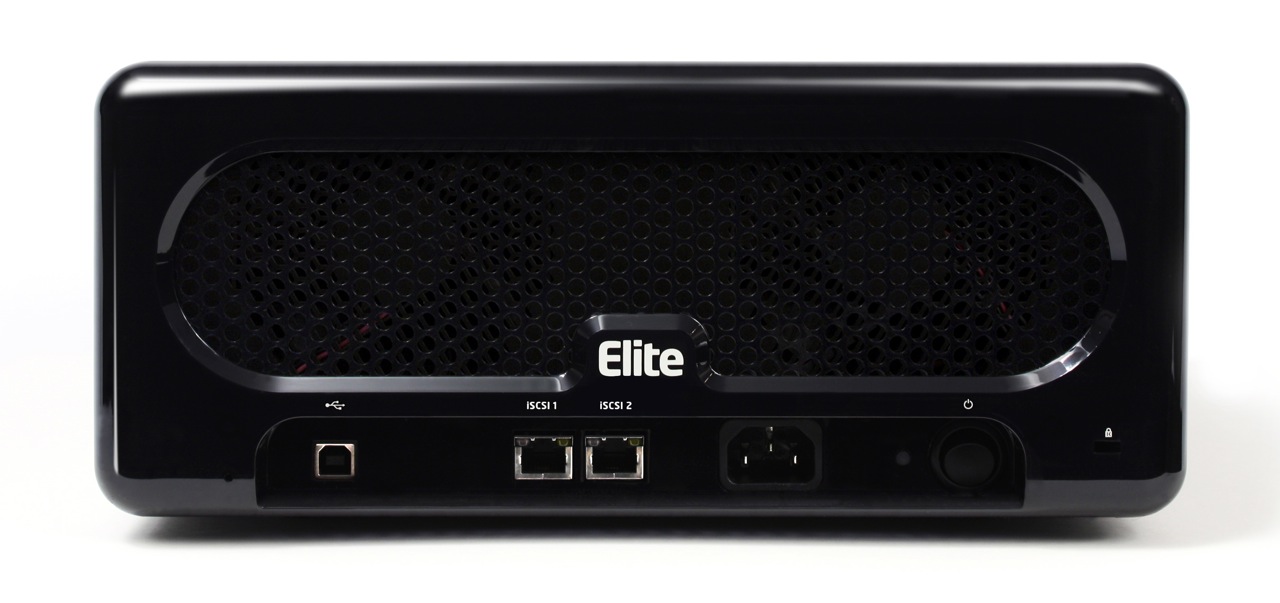
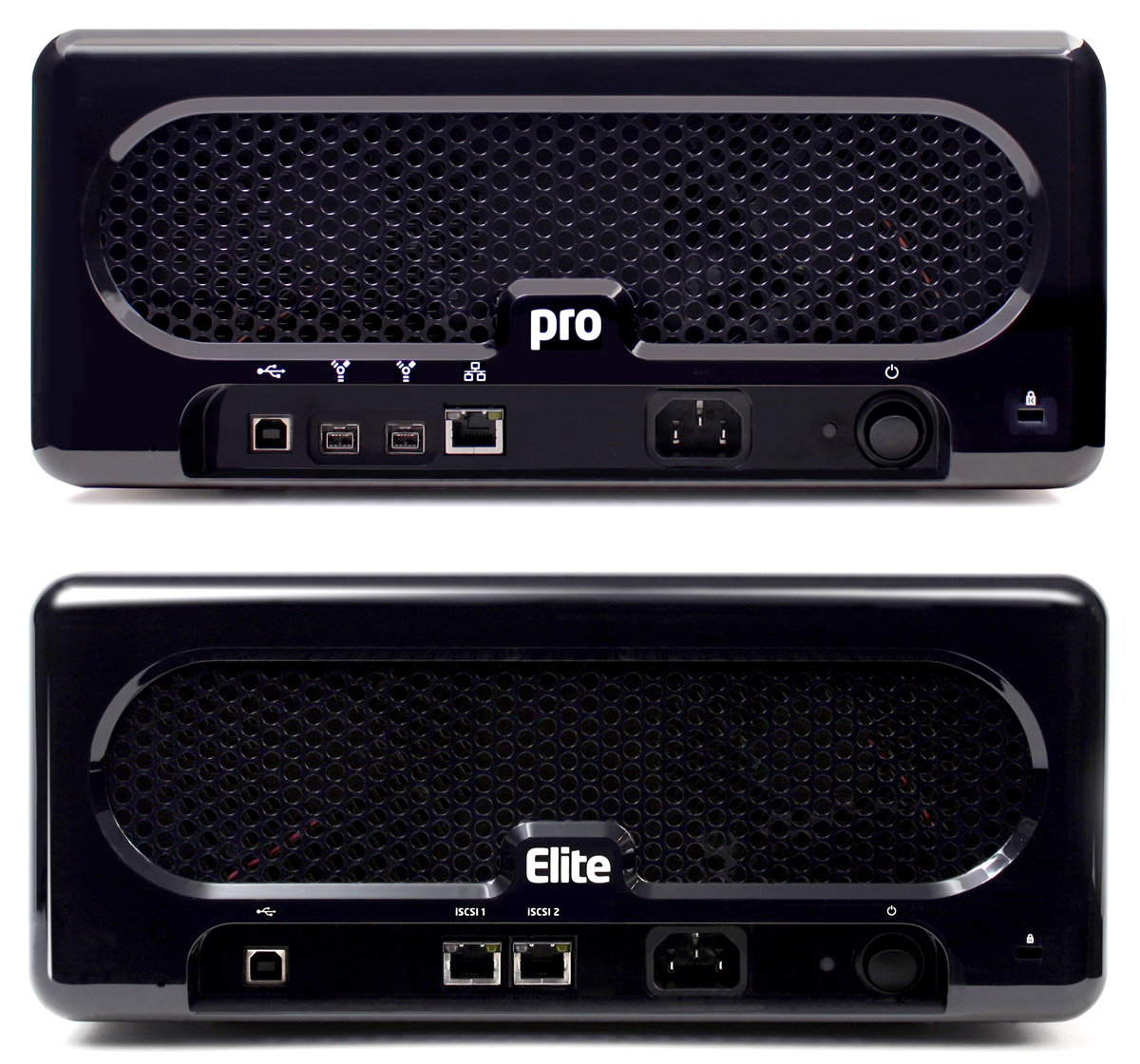
Things are different in the back though. What you’ll see there is a lack of Firewire and the addition of a second Gigabit Ethernet port. The USB port has also been downgraded to the role of diagnostics. As you’ll see in a bit, there’s a reason for this change.

A side-by-side comparison of the backs of the DroboPro and the DroboElite makes the changes even clearer.

drobo-pro-and-drobo-elite

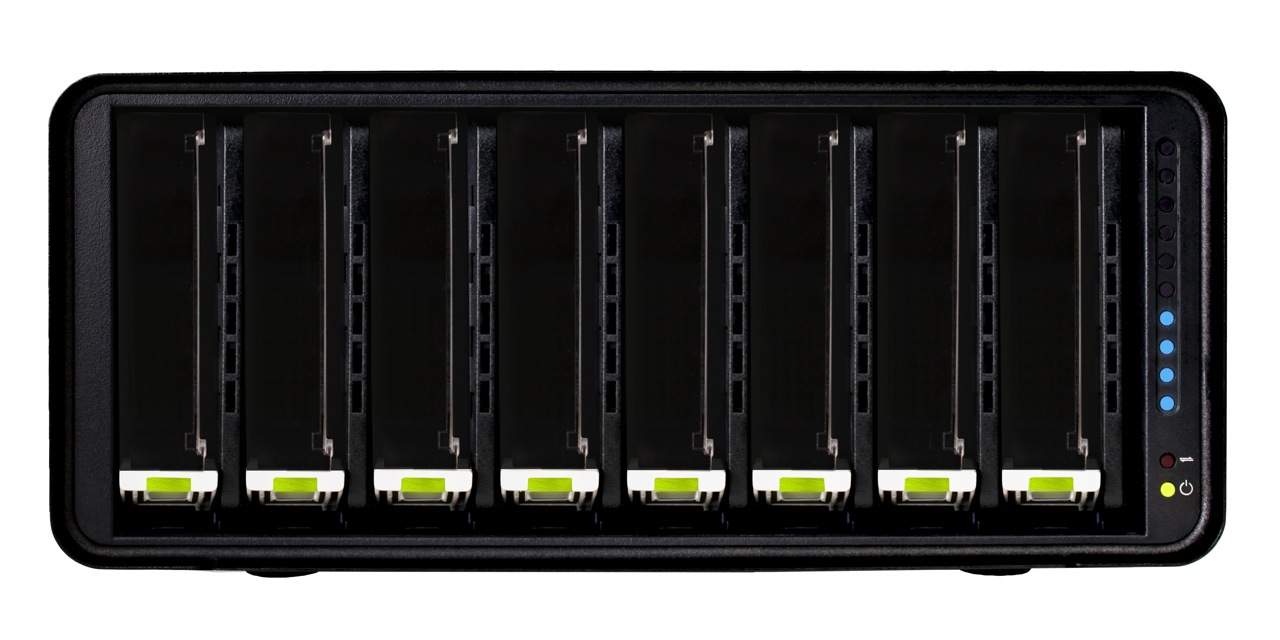
The inside of the DroboElite is once again identical to that of the DroboPro. There are eight drive slots, arranged vertically, plus the usual power, activity and action indicator lights.

Drobo Pro cover off

Performance

The DroboElite, like the DroboPro, is aimed toward SMBs, who are facing increasing data storage and virtualization needs, increasingly complex systems and limited budges. Also like the DroboPro, the DroboElite aims to make reliable storage dead simple. The eight-drive array in these two devices is self-managing and self-healing, and can be configured in single or dual-drive redundancy. It’s scalable, and with Smart Volumes, incredibly flexible. There’s no need for partitioning or file system expansion — a serious problem with traditional SANs.

droboelite-thin-provisioning

Having dealt with the problem of rigid LUN configurations, which lead to frequent and cumbersome free space issues, the Drobo’s ability to use a common drive pool for its Smart Volumes, and to reclaim deleted data blocks without any intervention from system admins is a Godsend.

For those of us familiar with the Drobo, it’s easy to overlook its amazingly easy upgrade path, where SATA drives of any capacity and brand can be added at any time, resulting in lower costs and no time and effort lost for needless data migrations.

If you’ve looked at the DroboPro, and now you wonder what the DroboElite brings to the table, there are three significant advantages to the latter:

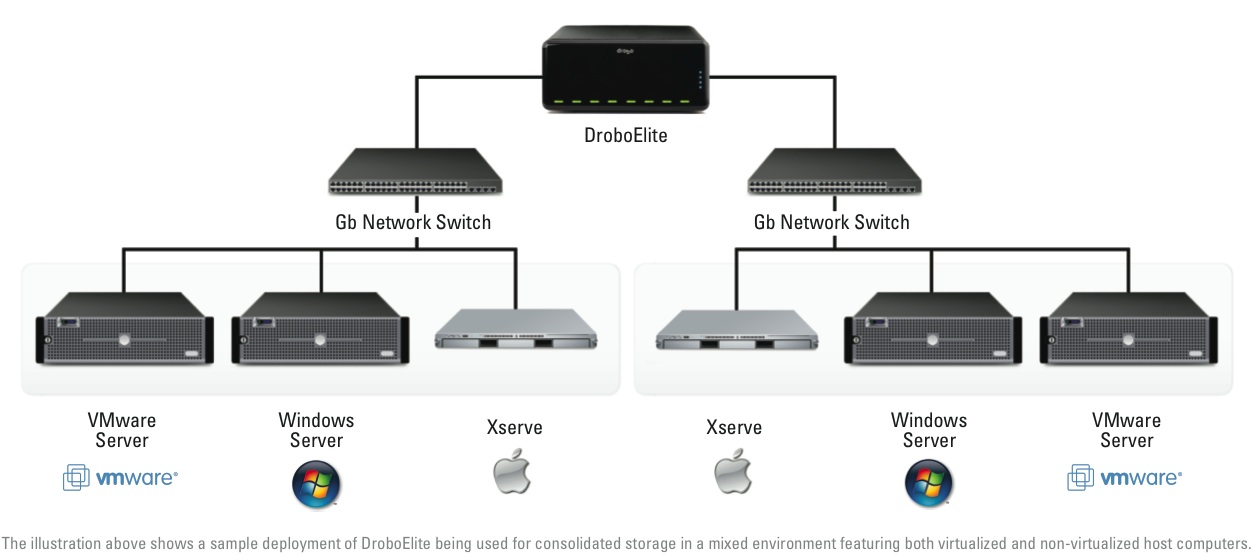
  1. Multi-host connectivity: whereas the DroboPro could only be connected to a single host (two if using VMware), the DroboElite can connect to 16 different hosts.
  2. Higher performance: thanks to its dual Gigabit Ethernet ports, a host of advanced capabilities were put in for the express purpose of speeding up its bandwidth. The DroboElite offers up to 50% faster throughput than the DroboPro. That’s also the reason the FireWire interface was dropped, and the USB interface was downgraded to diagnostics-only. This machine was built to run on a fast Gigabit network and to give you the most speed possible through it, up to 200 MB/sec, as a matter of fact, which trumps any other sort of current interface, by far.
  3. More Smart Volumes: the Drobo Pro can only accommodate up to 16 SVs, but the DroboElite will let you configure up to 255 SVs, all of them using a common drive pool and automatically reclaiming deleted disk space.

droboelite-consolidated-storage

If we look toward the future and other possible improvements to the DroboElite, perhaps Light Peak might play a role in that (see my Drobo S review for more on Light Peak and the Drobo). Still, since this is a network device, and networks are still Gigabit at best, even if direct DroboElite-to-host connections are made with Light Peak, there’s still the Ethernet bottleneck. It’ll be interesting to see how this gets resolved over time, and I’m sure plenty of people are already at work on this problem already.

Pricing and Availability

The DroboElite has a suggested price of $3,499 by itself, or $5,899 with an 8×2 TB drive bundle, for a total capacity of 16 TB. Because it’s a more specialized product, it will only be sold through select direct marketers, resellers and integrators such as Synnex, Bell Micro and Ingram Micro. It is available for purchase immediately, provided initial stocks aren’t sold out.

The DroboElite is also available with a rackmount kit, just like the DroboPro. The whole assembly will take up 3Us in a standard 19″ server rack.

Drobo Pro rackmount kit

drobo-pricing-and-availability

The DroboElite is available for purchase from Amazon or B&H Photo and other retailers.

Images used courtesy of Data Robotics. Side-by-side comparison shots were created by me, using press images from Data Robotics, so please obtain my permission if you’d like to use them elsewhere.

Standard
Reviews

Hardware preview: Drobo S

Drobo_S_Right_Hi

➡ Updated 1/14/19: I have revised my opinion of Drobo devices. After experiencing multiple, serious data loss events on multiple Drobo models, even recent ones, I no longer consider them safe for my data.

Today, November 23, 2009, the new Drobo S says hello to the world. It’s a supercharged, triple interface version of the 2nd-generation (FW800) Drobo, with eSATA, FW800, USB 2.0, a faster processor, 5 drive bays and dual drive redundancy. It combines the best of both worlds — the smaller form factor of the regular Drobo with the larger capacity, speed and data protection of the DroboPro. Data Robotics summarizes this as “more capacity, more protection and more performance”.

Excuse my little pat on the back here, but when I first heard that Data Robotics was getting ready for a new product launch, an eSATA interface was the first thing that came to my mind. I’m glad to see I was right.

Background

Data Robotics launched the original Drobo in mid-2007, then upgraded that to what we call the Firewire Drobo toward the end of 2008, introduced the DroboPro in April 2009, and now they’re launching the Drobo S, which you can see here, and the DroboElite, addressed in a separate post, also published today.

drobo-s-and-droboelite

This means the company now has four pieces of hardware in their product line, geared toward different groups of consumers, starting with the desktop storage needs of the media-heavy consumer and going all the way to companies’ server rooms:

  1. Drobo,
  2. Drobo S,
  3. DroboPro and
  4. DroboElite

data-robotics-product-comparison

Design

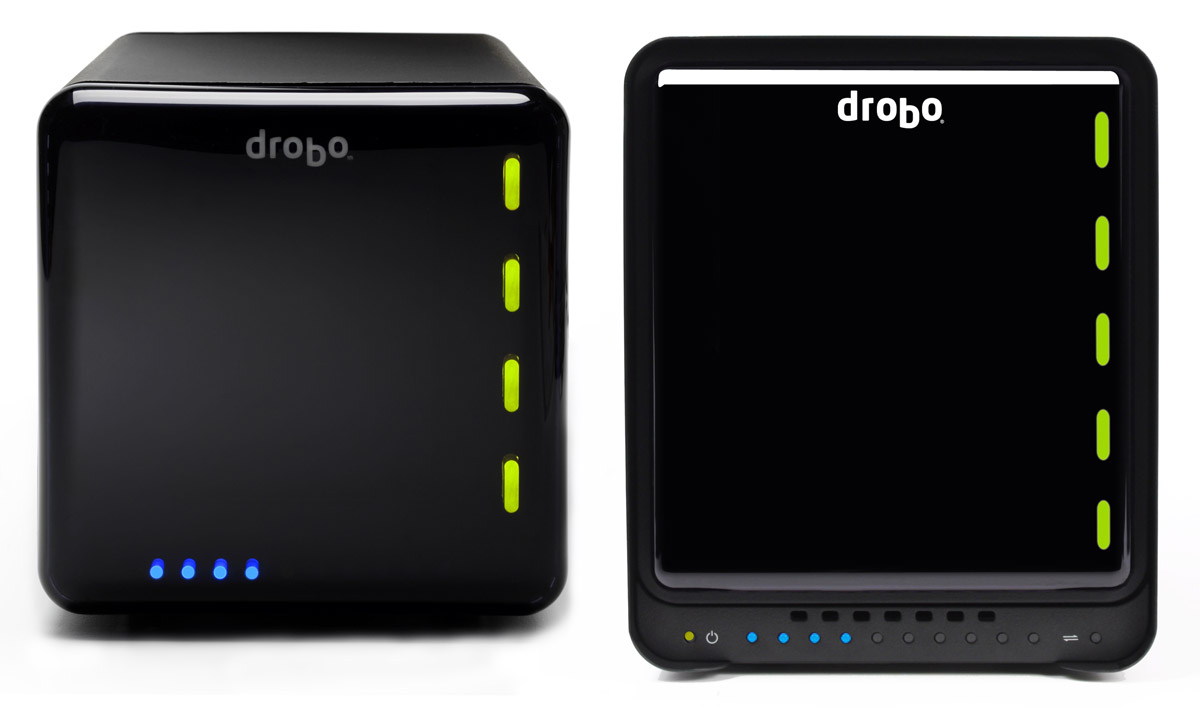
Let’s first look at the exterior of the new Drobo S, to see what’s changed there. On its front side, you’ll notice the bezel is different. Whereas the trademark magnetic cover was flush with the metal bezel of the enclosure, now it’s recessed and no longer covers the entire front surface. The capacity meter was kept at the bottom of the enclosure, but it’s no longer underneath the plastic cover, which was kept square rather than made rectangular, to fit the now-taller Drobo. The power and transfer lights were also made visible and placed inline with the capacity meter. A row of vents was added above the capacity meter, to pull in cool air for the drive bays.

The new dimensions are 5.9″ wide x 7.3″ tall x 10.3″ long, as compared to the regular Drobo’s 6.3″ wide x 6.3″ tall x 10.7″ long. This makes the new Drobo S thinner and shorter than the regular Drobo, in spite of its 5 drive bays and the new eSATA interface. It is taller, though only by a single inch (2.54 cm). That’s an achievement in my book, and I’m sure the Drobo engineers spent quite a bit of time planning out the hardware layout. Kudos to them. The differences are made readily apparent when we look at the regular Drobo and the Drobo S side-by-side. Keep in mind the scale may be a bit off in real life, since I took two separate images and put them together in Photoshop for this article. This image isn’t an official one from Data Robotics, though the individual images are.

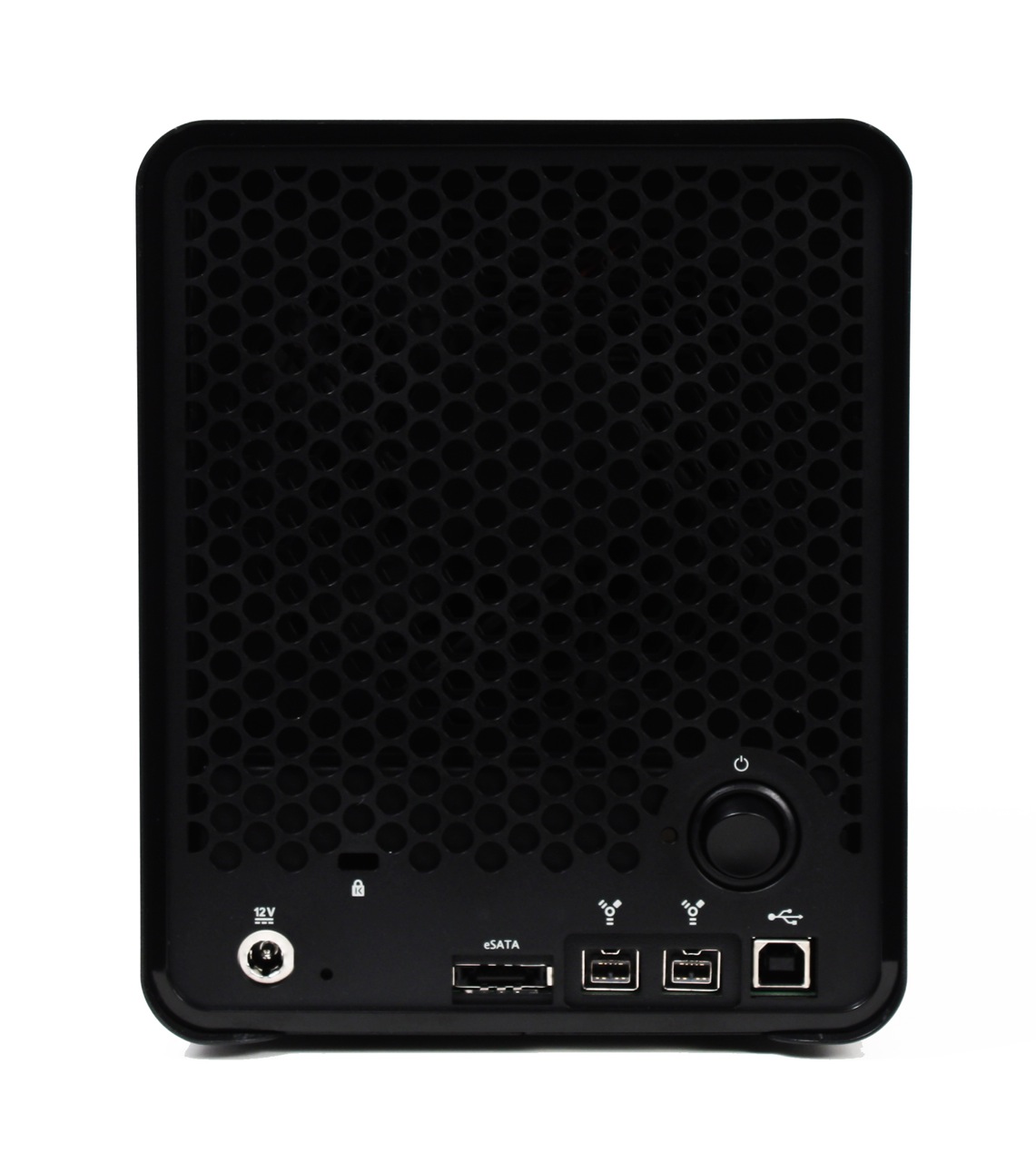
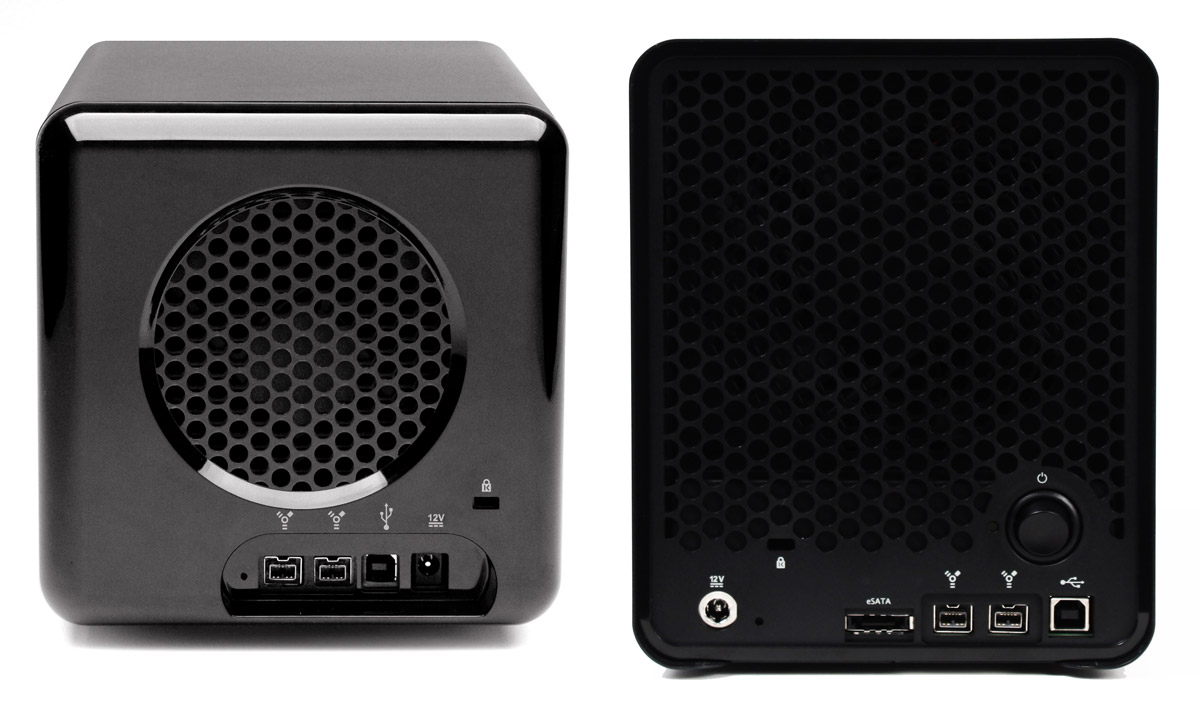
On the back of the new Drobo, we can see a much larger cooling grille, which makes sense given what we’ve discussed above. We also see something new, something which I’ve only seen on the DroboPro so far: a power switch. Then we see the rest of the stuff we expected, like the power connection (which is now marked by a shiny metal circle), the reset switch, the cable lock slot, and, of course, the triple interfaces: eSATA, Firewire 800 and USB 2.0.

Let’s look at a side-by-side comparison of the backs of the Drobo S and the regular Drobo, so we can see the differences in the design.

drobo-and-drobo-s-back

When I look at the Drobo S from all these angles, I’d say its design is much sleeker and more streamlined than that of the regular Drobo. There’s no doubt about it, I love it. I felt from the start that Drobo made storage sexy. There are very few storage enclosures on the market that look really good, and Drobo has looked great from the start. When you combine those looks with its amazing capabilities, the result is well worth my money.

You know what else? I think a future iteration of the regular Drobo’s enclosure will include the design elements of the Drobo S. I also believe at some point this same, newer design philosophy will be carried forward to the DroboPro and the new DroboElite.

Let’s look behind the front cover, to see how things look over there.

Drobo_S_Open_Hi

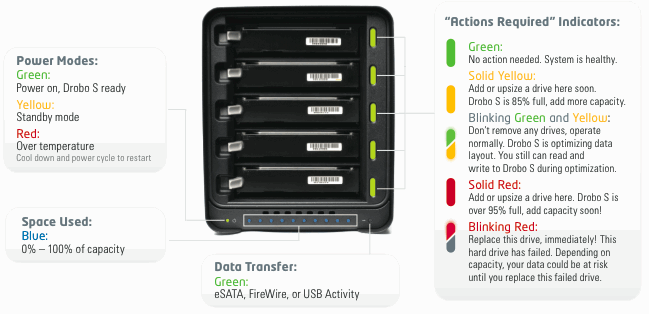
The five drive bays are clearly visible here, as well as the five action indicator lights, as Data Robotics calls them. On the Drobo S, the indicator lights give more status messages than on the regular Drobo, because each light is capable of displaying two colors at the same time. You can see what I mean by looking at this indicator scheme.

drobo-s-lights

Performance

Now let’s talk about performance. Clearly, with an eSATA port, the new Drobo S must also have the capability to stomach all that data that comes at it. It must be able to process all of it and write it to the drives fast enough to make the new interface worth getting. I haven’t tested the Drobo S in person (yet?) but Data Robotics says the new eSATA interface is “up to 50% faster than FireWire 800“. On the Drobo S, the FireWire 800 interface is also faster than on previous hardware, “up to 25% faster“. All these speeds are due to a new, faster processor that can crunch all of those data bits just as quickly as they get to it, writing each of them across the five drive bays.

In my phone conference with Mark Fuccio from Data Robotics, I asked him why Data Robotics hadn’t included a Gigabit Ethernet interface so that Drobo S could also be a NAS device. He explained that the direct-attach market is 4x bigger than the NAS market, so DRI will always go for that market first, and second, the eSATA interface on the Drobo S is faster than is possible going through file sharing protocols like Windows SMB or Apple’s AFP. The Drobo S has “performance ranges between 70-90 MB/sec or approximately 80-90% of the performance of the DroboPro’s iSCSI connection”.
I also asked him what he thought about Light Peak, and if we might see that in the Drobo as another interface next year. He didn’t say no, but he also didn’t promise anything, which was expected. He said it’s likely that DR will build it into the Drobo when and if Intel finalizes the specs and starts to make it available to companies.

It’s important to mention two features of the Drobo S which are just plain wonderful. One is the dual-drive redundancy, which is a feature borrowed from the DroboPro and is so important for those of us who absolutely must protect our data, or else. You can switch back and forth between single-drive and dual-drive redundancy at any time, but keep in mind there’s a capacity trade-off in dual-drive redundancy mode — that is, you get less available free space since the Drobo must now make sure your data is protected against two drive failures.

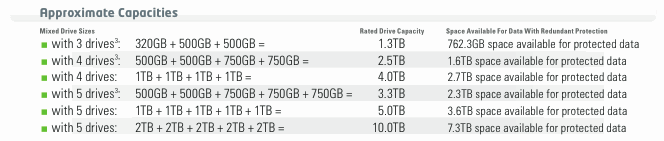
Dual drive redundancy is something Data Robotics was able to offer because it included five drive bays on the Drobo S. It would have been overkill on a four-drive unit, because it would have meant even less available space. Another effect of this dual drive redundancy is more capacity, up to 10 TB, as a matter of fact, given current hard drive specs. With five 2 TB drives in the Drobo S, you would indeed have 10 TB of space, but only 7.3 TB would be available for your data; the rest would be kept for data redundancy. Consult the handy chart below to see approximate capacities given typical drive combinations.
drobo-s-capacity

The second feature worth mentioning is the self-healing technology included with the Drobo S (also available in the DroboPro and DroboElite), which works as follows:

Even when sitting idle, Drobo S will continually examine the blocks and sectors on every drive, flagging questionable areas. This preemptive “scrubbing” helps ensure your data is being written only to the healthy areas of your drives, and that your data is always safe. Even if a drive fails, Drobo S keeps your data in the safest state possible, utilizing the available space on the remaining healthy drives.

I’d like to know if you get that with any other storage device on the market today. Compare it with RAID 0, where even if your drives don’t fail, any hardware or processor mistake in writing the correct bit sequences to the stripes will cause data corruption, leading to data loss.

Drobo_S_Left_Hi

Pricing and Availability

I was told the Drobo S will be available right away, as of today. It’s possible that initial supplies will be sold out, but more units will become available later. Suggested retail price is $799 for the Drobo S itself, or $1,799 for the Drobo S loaded with 5×2 TB drives. Although the price may seem high, keep in mind that at 10 TB capacity, it’s only 18 cents per GB for the Drobo S and the drives, together.

The Drobo S is available for purchase from Amazon or from B&H Photo.

Images used courtesy of Data Robotics. Side-by-side comparison shots were created by me, using press images from Data Robotics, so please obtain my permission if you’d like to use them elsewhere.

Standard
Thoughts

It’s no surprise broadband internet sucks in the US

A recent Akamai survey, which I shared here and here, ranked US in the 33rd spot (globally) when it came to broadband internet connections above 2 Mbps. Sure, it moved up two spots compared to last year, but it’s still lagging behind countries such as Monaco, Slovakia, South Korea, and believe it or not, Romania — which is where I’m living these days.

That’s sad. It’s very sad because a country such as Romania, with fewer resources than the US, and with a LOT more corruption at every level, has managed to provide better Internet services than the US. It just goes to show you how much pork barrel legislation and ridiculous lobbying can slow down an entire country’s Internet access. Why, every time a company tried to improve the way broadband worked in the US, it was eventually bought out or dragged down and kept down for the count.

Remember Telocity? It was one of the first companies to offer DSL service in the US, ahead of Ma Bell. Even though it was paying hefty amounts of money for the right to transport Internet traffic on Ma Bell’s lines, they had enormous problems with the same Ma Bell, due to problems that would somehow just happen to crop up on the same wires or the switching equipment. Then they’d have to pay more money so Ma Bell could fix their own equipment, which they’d say Telocity broke, etc., ad nauseam, and so on and so forth.

That’s just one example. Another was the more recent push to restructure the way cable services are provided (both TV and internet). One of the efforts was the a-la-carte programming initiative, and another was the push for faster and more reliable cable Internet services. You wouldn’t believe the advertising, PR and lobbying blitz the cable industry started and kept up for several months — actually, I’m fairly sure you saw their ads on TVs and buses everywhere, particularly in the Washington, DC area.

Or what about when they got together in late 2007 and 2008 to ask for an Internet tax? Remember the tiers of traffic they wanted to create? They wanted all the big websites to pay them for the traffic, as if they weren’t already getting enough money from the customers for their slow and unreliable services. They also wanted large chunks of money from the federal government in order to upgrade their infrastructure. No matter how much money they make, they’re so greedy they always want more, more, more.

What I’d like to know is how all these other countries, including Romania, can manage to offer faster and more reliable Internet services without asking for money from their countries’ government, without charging big websites for their traffic, and also by charging less per month for better broadband? How is that possible? Could it be that these companies actually know how to run their businesses while their counterparts in the US are filled with lazy, greedy idiots?

I still vividly remember an incident which happened while I was a director of IT at a Florida hospital, several years ago. A BellSouth technician had been called in to check the phone boards, and my network and servers kept going down and coming back up. The Medical Records system kept giving errors when employees wanted to access forms to fill in patient data, not to mention that other network services, like file sharing and printing, kept going on the fritz. I checked every one of the servers and they were fine. I finally walked into the switch room, at my wits’ end, only to find the moronic BellSouth employee with his fat, lazy butt on our UPS, jiggling it back and forth as he chatted with someone back at BellSouth HQ, plugging and unplugging the power supply that fed one of the main network switches. I went ballistic, grabbed him by the collar and threw him out of my switch room. Was he that stupid that he didn’t know where he was sitting? Was he such a pig that he couldn’t feel the plugs underneath him as he sat on them? He didn’t even want to apologize for taking out an entire hospital’s network during daytime hours. That’s BellSouth for you.

I don’t know how the US can get better broadband, unless it’s legislated. An ultimatum must be given by the government, one that can’t be overridden by any lobbyists or CEOs shedding crocodile tears in front of Congress. These companies simply will not get their act together until they, too, are grabbed by their collars and shaken about. They’ve gotten used to the status quo, they like it, and they’re clinging to it with all their might.

Meanwhile, here’s a sample of the Internet plans you can get in Romania right now. For comparison purposes, 1 Euro is worth about $1.4 these days.

Romtelecom (the main phone carrier, provides ADSL services):

  • 2 Mbps, 2084 kbps/512 kbps, 4.88 Euro/month
  • 4 Mbps, 4096 kbps/512 kbps, 7.02 Euro/month
  • 6 Mbps, 6144 kbps/512 kbps, 9.40 Euro/month
  • 8 Mbps, 8192 kbps/768 kbps, 14.16 Euro/month
  • 20 Mbps, 20480 kbps/1024 kbps, 24.87 Euro/month

[source]

Birotec (provides fiber optic services, all plans include phone line with varying amount of minutes based on plan price):

  • 3 Mbps up/down, 10 Euro/month
  • 4 Mbps up/down, 15 Euro/month
  • 6 Mbps up/down, 20 Euro/month
  • 8 Mbps up/down, 29 Euro/month
  • 10 Mbps up/down, 49 Euro/month

[source]

RDS (provides fiber optic, cable, cellular modem and dial-up access — prices not readily available on website):

  • Fiber optic access up to 2.5 Gbps
  • Cable access up to 30 Mbps

[source]

The lowest internet access plan in Romania is 2 Mbps. Cellular modems are advertised at speeds up to 3 Mbps. Meanwhile, in the US, you can still find 512 Kbps plans at prices twice or three times as much as the 2 Mbps plans in Romania. That’s the price of complacency and excessive lobbyism.

Standard