Lists, Reviews

Cameras I’ve used so far

Updated 11/16/12 with new cameras. 

I thought it’d be fun to go through the meta-data for my photos in Lightroom and see what cameras and lenses I’ve been using since 2006, when photography became more than an occasional hobby for me — indeed, it became an obsession, and now it’s my daily occupation.

There are 30 cameras listed below, in reverse chronological order. I’ve provided a photo for each camera. If I’ve written reviews for them, they’re linked.

I’m doing this in order to share my experience with you. Perhaps you’ve used some of the same cameras, or are using one of these cameras now, and I’d love to hear your thoughts. I also believe it’s important to use a variety of cameras, because that expands our photographic horizons and improves our craft.

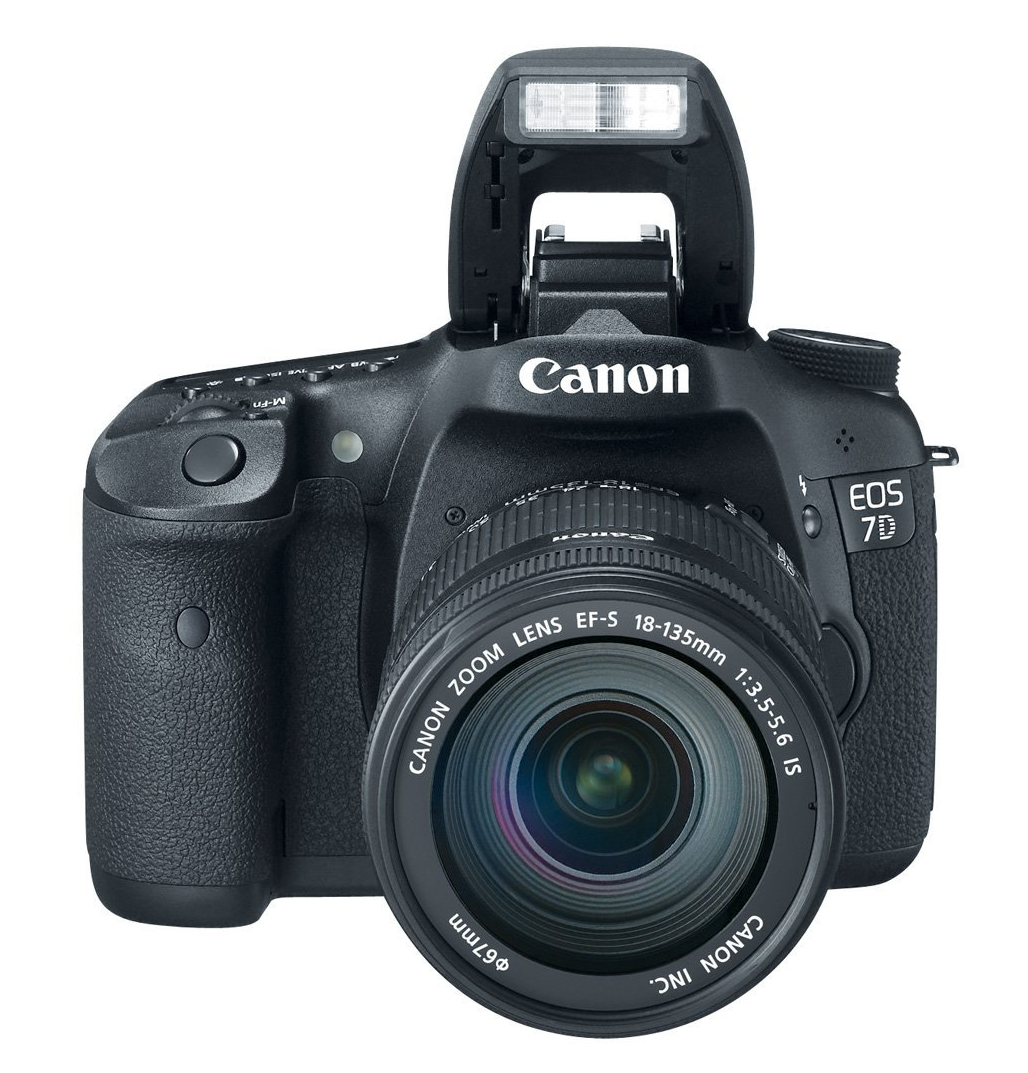
Canon EOS 7D: this is my current field camera. It truly is a beast: fast frame rate, sturdy, rugged, heavy — a camera I can truly rely on. In addition to photographs, I also record video with it. It’s the secondary studio camera for our web shows.
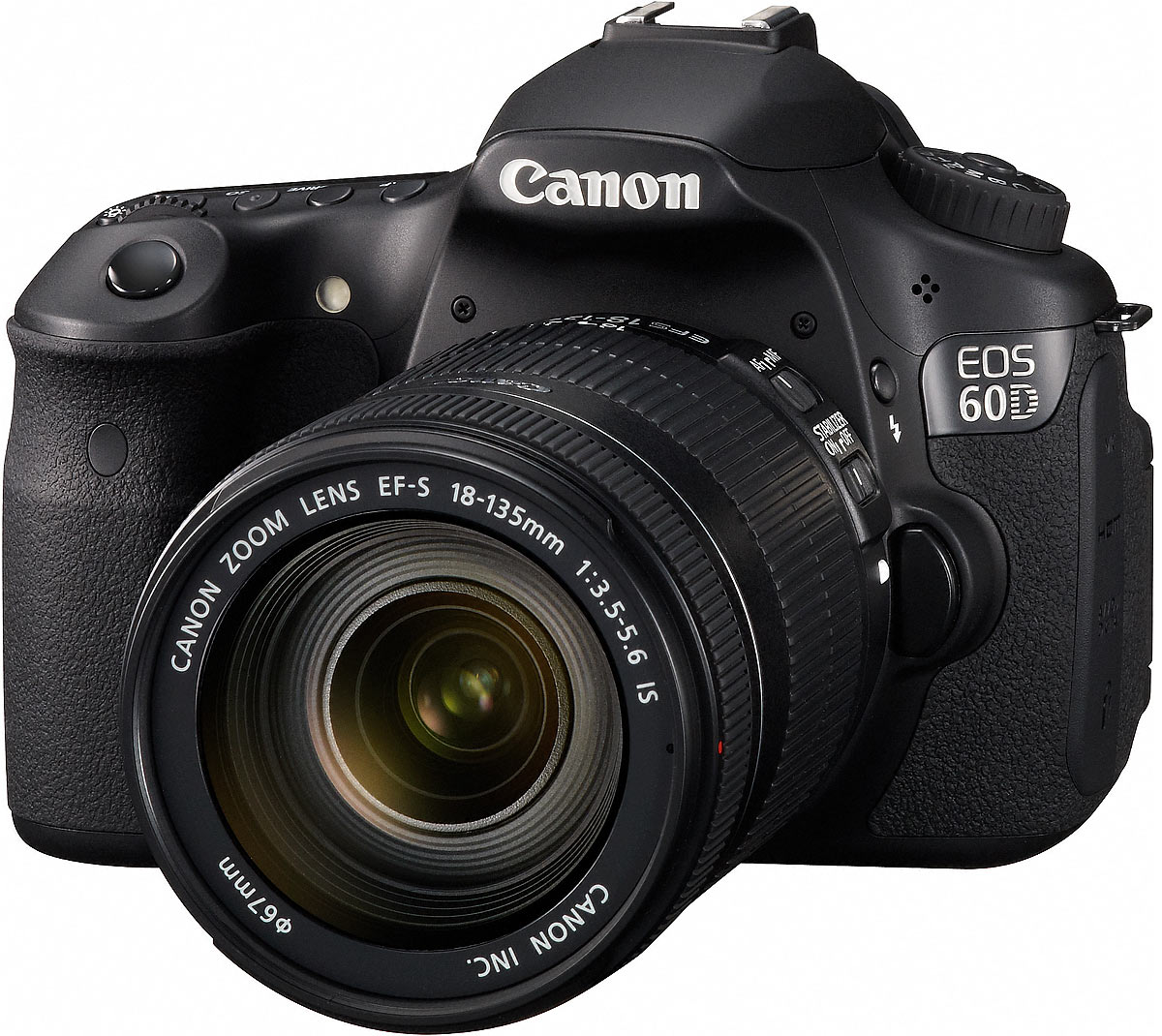
Canon EOS 60D: this is my current studio camera. I use it as the main video camera for our award-winning web shows (Ligia’s Kitchen, Romania Through Their Eyes and Quilling). I also take photos with it, also mainly in the studio. I like it because it’s lightweight, has the same video quality as the 7D, has a flippable display and because it’s not weather-sealed, it doesn’t tend to overheat when shooting video for long periods of time.
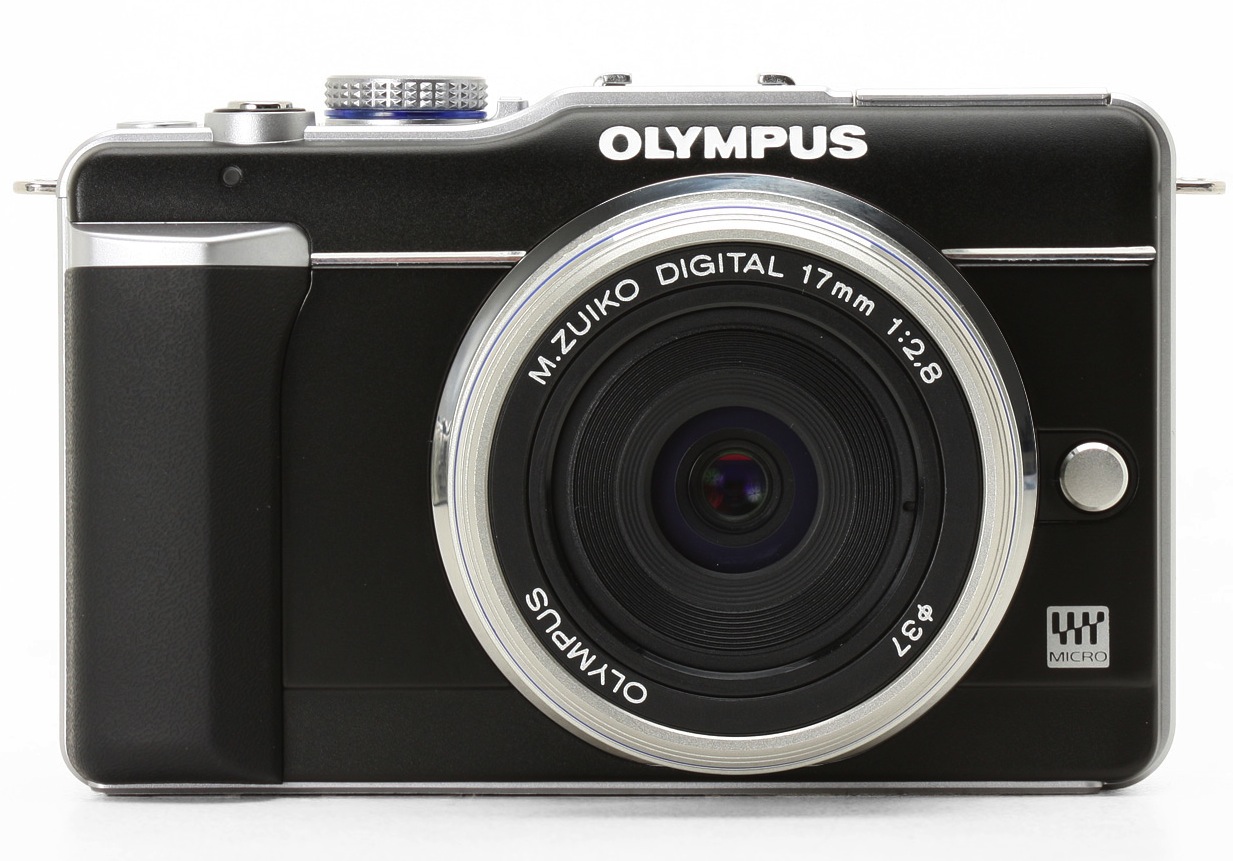
Olympus PEN E-PL1: a very portable mirrorless camera from Olympus with a resolution of 12.2 megapixels. I have two lenses for it, the 14-42mm and the 40-150mm. I carry it with me pretty much everywhere I go, because the whole kit (camera plus two lenses) is so light it’s cinch, even on long hikes in the mountains.
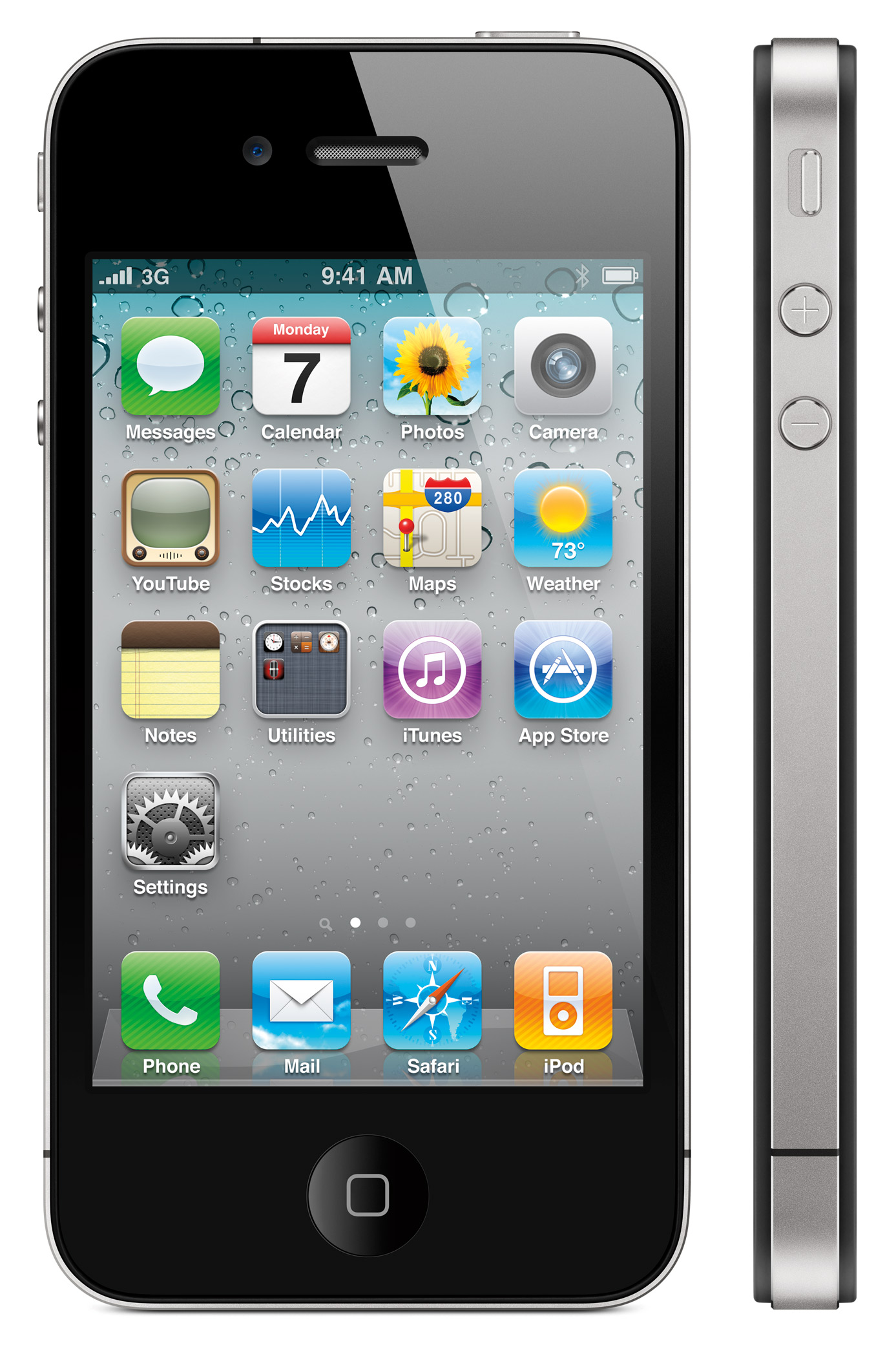
iPhone 4: my current phone. Not sure what I could say about it other than what you already know. It’s a great phone, so I take it everywhere and therefore I also use it to take photographs and record video. If you know its strengths, then you can get pretty good photos. And the key thing to remember about video with the iPhone 4 is that it should definitely be stabilized on a tripod and you should avoid panning with it so that you don’t get the “jellocam” effect.
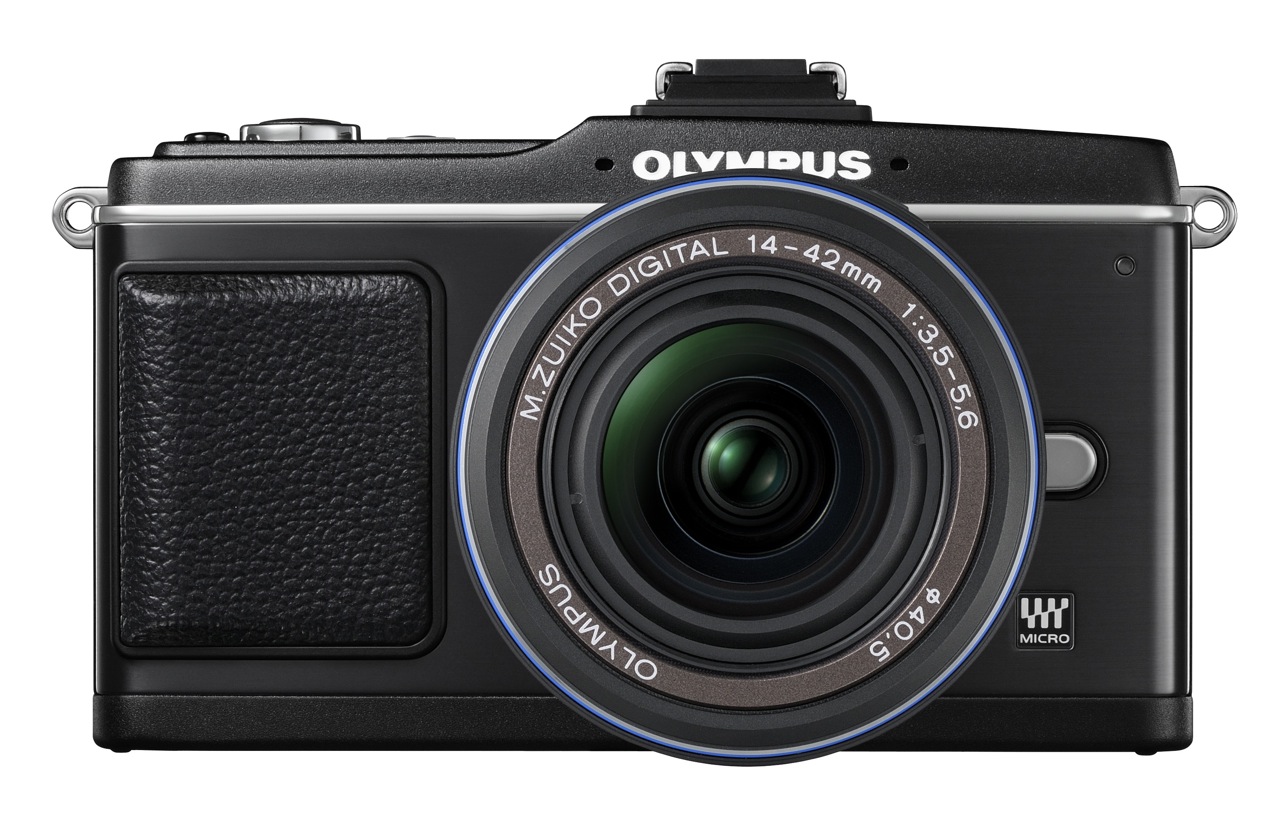
Olympus PEN E-P2: a superb, small DSLR from Olympus with a resolution of 12.2 megapixels, which followed up on the company’s film PEN series of cameras. I loved using it, loved its small size, loved its low light performance. Reviewed it in March 2010. Took over 900 photos with it.
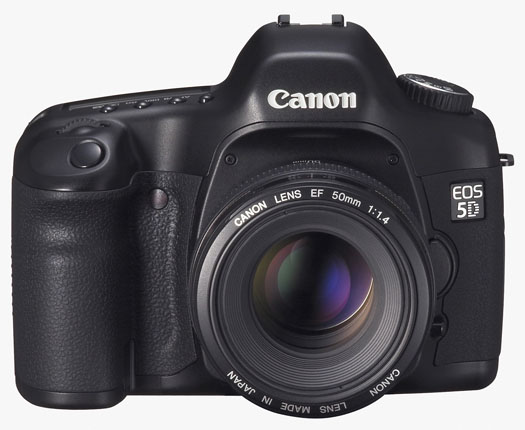
Canon EOS 5D: this used to be my main camera, a wonderful full frame, 12.8 megapixel DSLR, which I purchased in 2007. More than three years later, and after two repairs, it works. Being a full-frame DSLR, the depth of field and picture quality is amazing, but the downside is that the lenses cost a pretty penny. I’ve taken over 50,000 photos with it, and I still enjoy using it.
Minolta Hi-Matic 9: I got this as a gift from a distant relative (without an instruction book) sometime in 1991-92. It’s a classic rangefinder camera from Minolta that uses 35mm film. Sometime after 1998, I found an instruction book for it on the internet, figured out how to use it, and I love it. The photo quality is wonderful, and it’s got a ton of features for a classic camera, including a built-in self-timer.


Image credit: The Camera Site

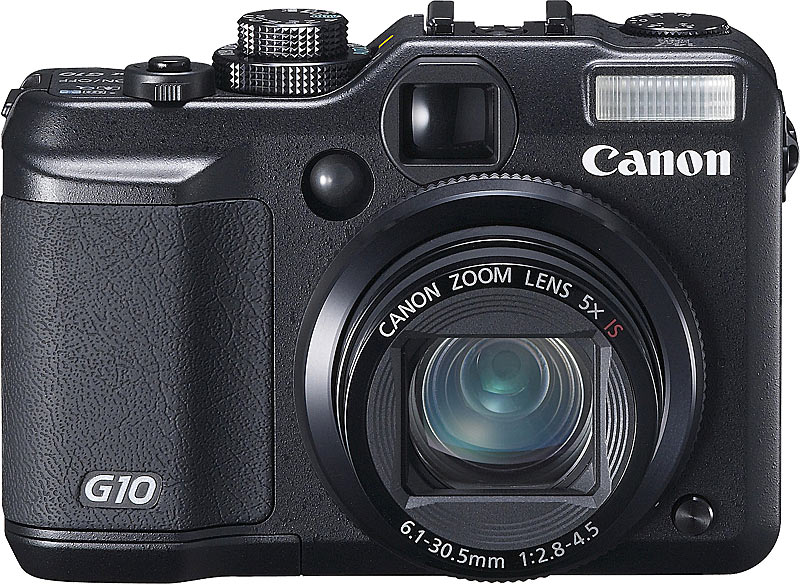
Canon PowerShot G10: a prosumer digicam. Is resolution is 14 megapixels, picture quality is pretty good, but the lens is slower (f/2.8) than in the G3 and the bokeh isn’t as pretty. The movie quality (SD) is pretty nice though. I’ve taken over 1,200 photos with it.
Canon EOS 30D: this was the first semi-pro DSLR I used. I was blown away by its image quality — I compared it to digicams at the time — and by its low noise at high ISO settings. I reviewed it in April of 2007, and considered buying it instead of the EOS 5D, which was more than double its price, but settled on the 5D in the end. I don’t regret my decision. The 30D was a good DSLR, and were the market expectations the same today, I’d still recommend it to others. I took over 3,500 photos with it.

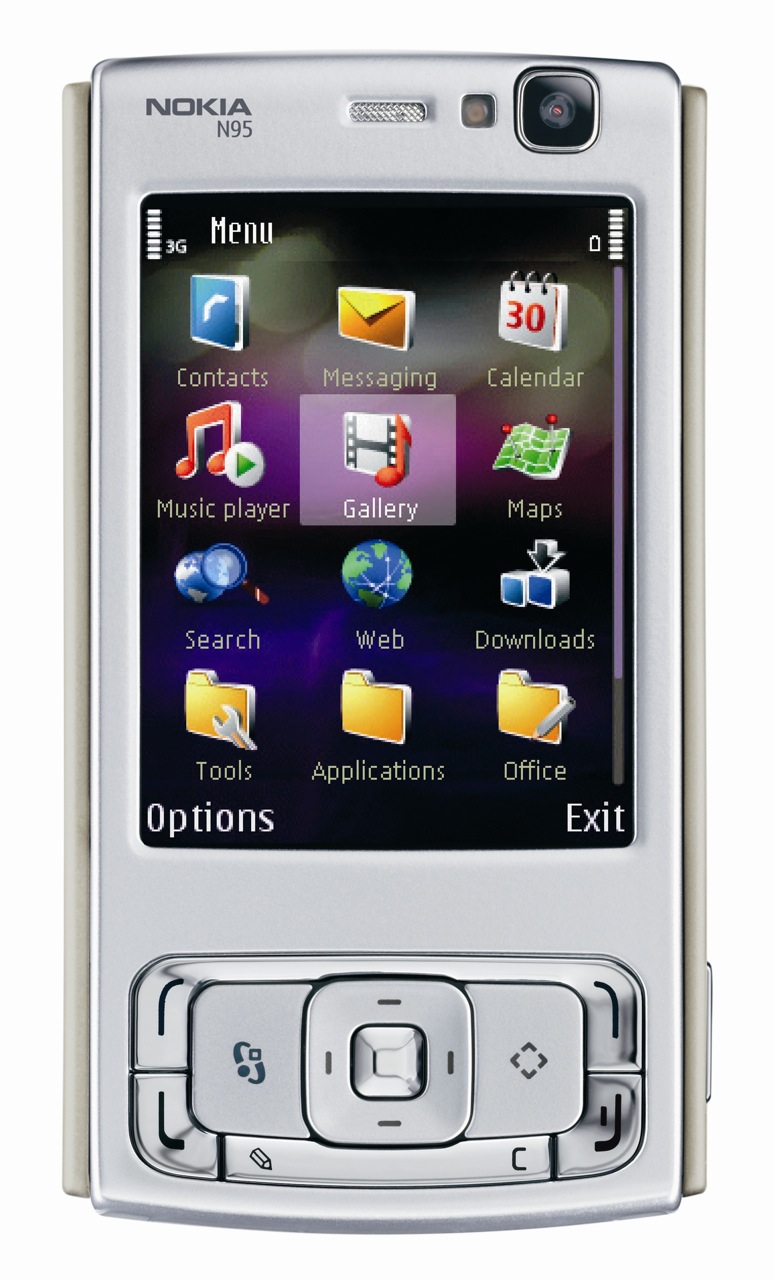
Nokia N95: my mobile phone for a few good years. I loved it. It had a 5 megapixel camera with flash, and it recorded SD video. It was small, versatile, I took it with me pretty much anywhere, and I depended on it when I didn’t have my main camera with me. The picture quality was pretty good, even in low light, provided you knew how to handle it. You could even do some in-camera photo and video editing. I’ve taken over 1,900 photos with it, and I must have recorded well over 50 hours of video with it.
Olympus C770UZ: even though it was made in 2004, and its resolution is only 4 megapixels, I still use this digicam because it has a 10x optical zoom, a fast lens (f/2.8), in-camera resolution doubling (turns a 4 megapixel photo into an 8 megapixel photo), quality SD video, and a superb macro mode, which allows me to get photos and video of minuscule things. And oh yeah, it has a microphone input, and a hot shoe. I’ve taken almost 2,500 photos with it.

Canon EOS Rebel XTi: a great beginner DSLR, which I reviewed in November of 2007. It had the same 1.6x crop as the 30D, the picture quality was about the same, but the noise at high ISO seemed to be a little higher than on the 30D. I took over 300 photos with it.

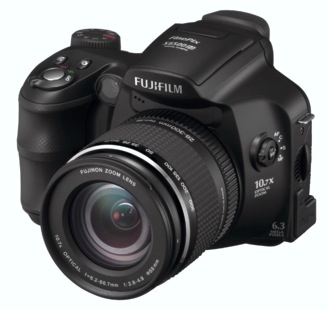
Fuji FinePix S6500fd: a 6.1 megapixel, 10x zoom prosumer digicam from Fuji. The “fd” stands for face detection, which was a new technology at the time. The camera would find a face (or faces) in a photo and focus primarily on them, to make sure the people were always in focus. A friend loaned it to me. I took about 30 photos with it.
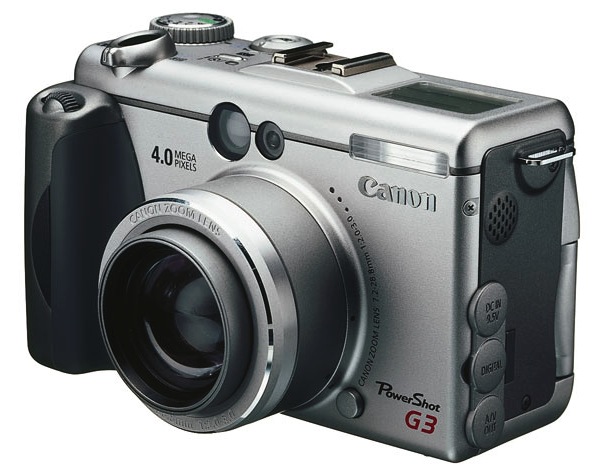
Canon PowerShot G3: one of the first prosumer digicams from Canon’s PowerShot G line. It was slow, its resolution was somewhere between 3 and 4 megapixels, but it had a really nice, fast lens (f/2.0), which meant you could get really creamy bokeh if you focused just right. And it shot in RAW. I have over 100 photos taken with it in my photo library.
Fuji FinePix S9100: a similar camera to the S6500fd, but with a resolution of 9.1 megapixels and the same 10x zoom. When I tried it, I didn’t like it because of the high noise and poor performance in low light, but it is otherwise a wonderful and versatile camera. It used AA batteries, which was a plus, it had a manual zoom that didn’t eat into the battery life, a super macro mode, and neat physical controls on the camera body. Since then, I’ve found out that the noise would have been brought down significantly if I had used the Fuji software that came with it instead of using Lightroom to process the photos. I took over 50 photos with it.

Olympus SP560UZ: an 18x, 8 megapixel prosumer digicam from Olympus. While the picture quality suffers somewhat from the combination of the extra long zoom and small sensor, the camera is really well designed, the body has a nice, premium feel to it and as a plus, it uses AA batteries. As long as you stay away from the very long end of the focal range, you’ll get nice, usable photos, and low light performance is decent. I reviewed it in February of 2008, and took over 500 photos with it.

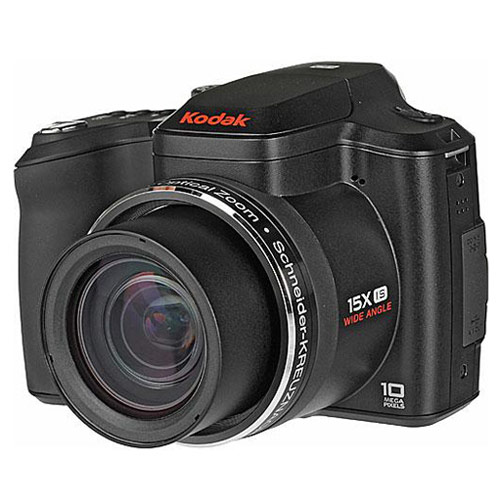
Kodak Z1015 IS: a 10 megapixel, 15x zoom prosumer digicam from Kodak which should have had better photo quality, but sadly, I got mostly soft and fuzzy photos and videos from it, particularly toward the long end of its focal range. It also had 720p HD video capabilities, but the video was not only fuzzy but full of compression artifacts. I had to return it to the store after a few days. I took over 300 photos with it.
Olympus EVOLT E-510: the follow-up prosumer DSLR to the E-500, it had a resolution of 10 megapixels, a smaller, lighter body, a nicer interface, better quality at higher ISO but still not clean enough for low light use. I took over 1,100 photos with it.

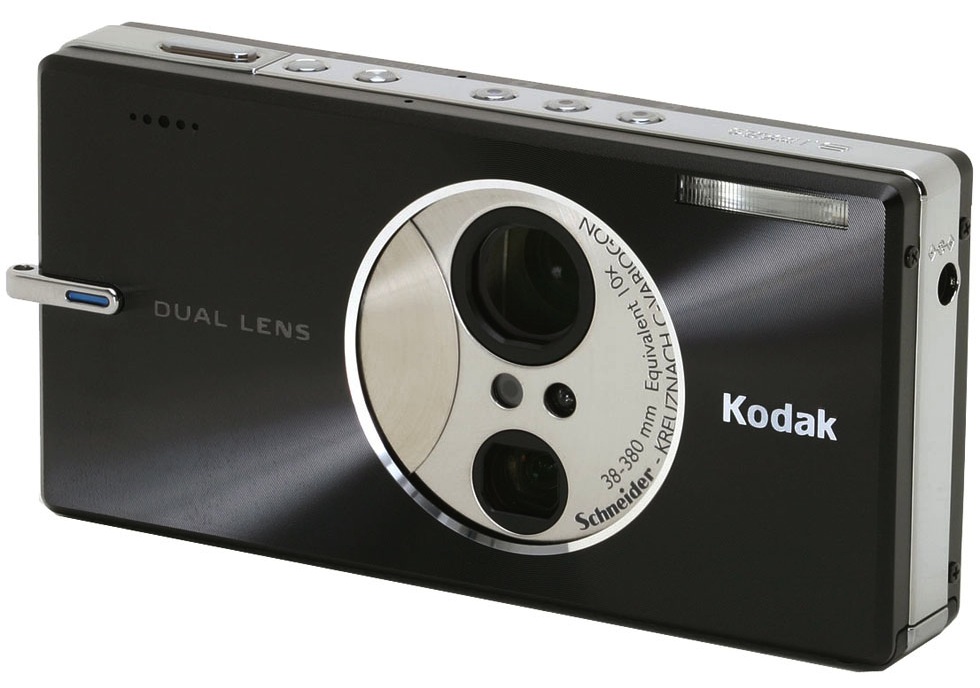
Kodak v610 Dual Lens: a neat camera from Kodak with 10x zoom, featuring two lenses, one for 1-5x and one for 5-10x, so to speak. The camera switched between them. Interesting, small, light and versatile, but with its limitations, such as poor low light performance and lack of IS, which made it really hard to get good shots at long focal distances. Battery life was also not so good. Still, I used this camera for quite some time and depended on it, though I’d end up deleting a lot of photos I took with it for the reasons mentioned above. I took over 4,200 photos with it.
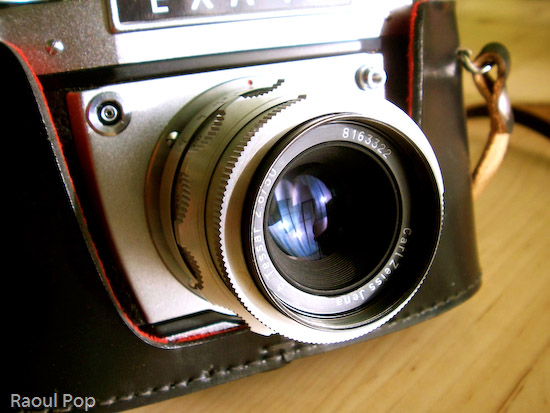
Exakta EXA Ia: this beautiful analog camera was given to me by a close friend along with a full kit of viewfinders, lens extension tubes and filters. It’s a fully manual camera made in the 1960s. It was a pleasure to use, and there was a certain three dimensional quality to the photos I got with it that made it worthwhile to use. Still, after I got my 5D, the camera sat unused in the closet, so I gave it to someone who would use it more frequently.
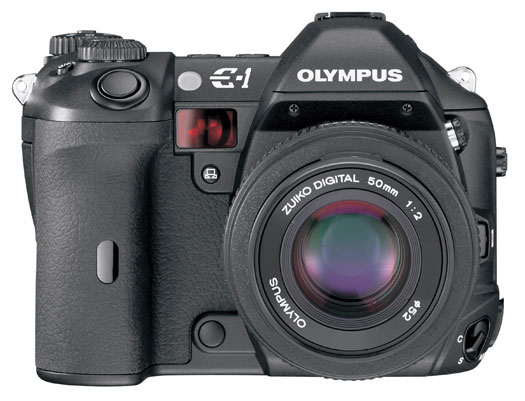
Olympus EVOLT E-1: the first flagship DSLR from Olympus, with a resolution of 5 megapixels. A friend loaned it to me. Picture quality was wonderful, as was to be expected from a pro DSLR. I loved the shutter sound. The ruggedized body also felt great in my hand. The grip was nicely made. Good physical controls. I took 30 photos with it.
Olympus EVOLT E-500: a prosumer DSLR from Olympus, with a resolution of 8 megapixels. I reviewed it in February of 2007. Picture quality was wonderful, noise at high ISO not so wonderful, battery life was pretty nice, loved the self-cleaning sensor. I took over 1,500 photos with it.

Nikon CoolPix L12: a little digicam from Nikon with pretty good picture quality for its diminutive size. The in-camera processing renders some pretty nice colors in the photographs. The resolution is 7.1 megapixels. I’ve taken less than 10 photos with this one.
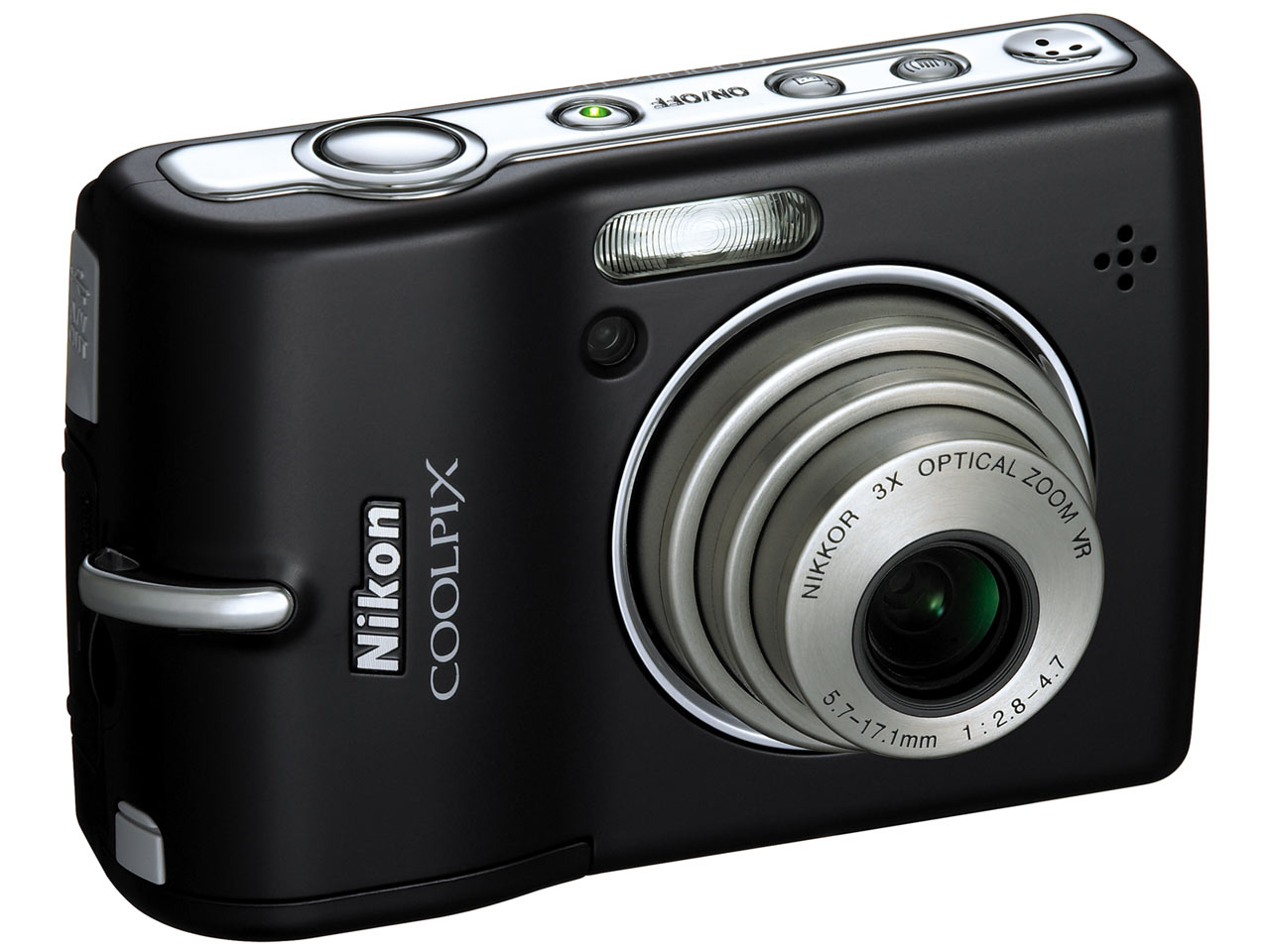
Nikon CoolPix S210: another little digicam from Nikon with pretty good picture quality. Its resolution is 8 megapixels. It has a nice macro mode. I’ve taken less than 10 photos with this one, but I liked using it.

Panasonic DMC-FZ20: a wonderful 5 megapixel digicam from Panasonic with a 12x Leica zoom lens. Picture quality was superb, handling was great, lens was great, battery life not so great, noise at high ISO not so great. I really enjoyed using it, but sadly the zoom mechanism must have either gotten some dust in it or broken, because it stopped working properly, so I gave it up. I took over 1,800 photographs with it.

Gateway DC-M50: a 5 megapixel digicam from Gateway which I ended up returning. Poor interface, slow, poor picture quality. I’ve taken over 40 photographs with it.

Kodak CD33: I used this 3.1 megapixel camera for a short while before returning it to the store. It just didn’t suit my needs. The resolution was too low, the performance and controls too meager. I took over 70 photos with it.
Olympus C3000Z: this was the first quality digital camera I used. Its resolution was 3.3 megapixels, but compare to the stuff I’d used before (1 megapixel or lower) it was heaven. To this day, I’m amazed by the picture quality when I look at photos taken with it. I’ve taken over 2,500 photos with it.

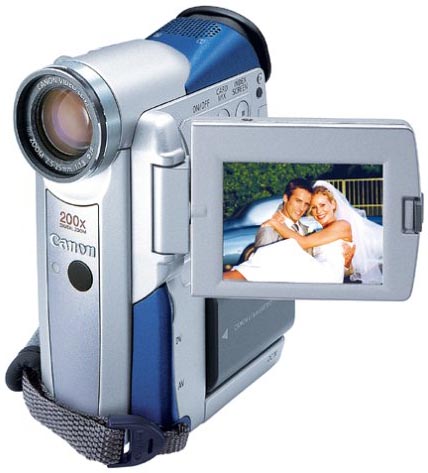
Canon Elura 40MC: this was the first generation Elura camcorder made by Canon. It was diminutive in size, shot better-than-SD (720×540) video on DV cassettes, had a nice optical zoom and also took 1 megapixel stills, but the photo quality was fairly poor. I used it for years, mainly for video, and I loved it. It was incredibly portable and very useful at a time when all the other camcorders were much bigger and heavier. It still works, but I no longer use it, because the cassette mechanism fails sometimes. I’ve have over 200 photos taken with it in my photo library.
Canon Elph APS: the 1st generation APS film Elph camera from Canon, this little baby was my first real, modern camera. I got it sometime in 1996-97. I loved its diminutive size, its ease of use, the great photos I got with it, and its beautiful design. I used it for a good amount of time. I was still taking photos with it in 2003. Over time, the inside of the lens surface somehow got covered in dust, and this became more and more visible in the photos, so I had to stop using it. One of these days, I’ll open it up and clean it. And if I’ll still be able to buy APS film and find a place to develop it, I might just take some more photos with it.
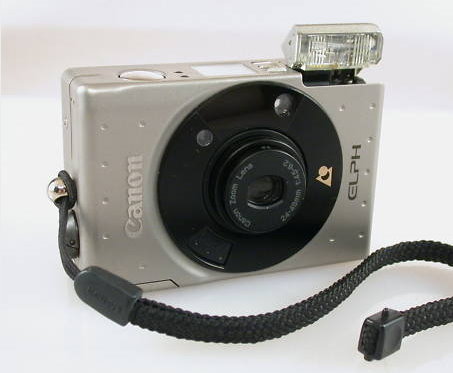

Image credit: Granger Meador

I have no way of telling (short of approximating) how many photos I took with each of my analog cameras, so I’ll just say that I have about 3,300 scanned photos in my library. I’ve used a few other analog cameras, but I’ve forgotten the model names, so I haven’t listed them here.

The photo totals you saw listed next to each camera above don’t represent the total number of photographs taken with each camera, because I delete about 10-20% of the photographs I take.

Feedback, questions?

Standard
Reviews

Field video test with the Olympus PEN E-P2

Here’s a HD (720p) field video test I recently did with the PEN E-P2, the diminutive DSLR from Olympus. I shot it in South Florida, and it features tropical plants and flowers. No additional equipment beside the camera and the 14-42mm kit lens was used. The sound you hear is from the in-camera microphone. The DSLR was hand-held, and I had motion-stabilization turned off.

When I edited the video, I tweaked the colors just a little bit, but the images are pretty much right out of the camera. No software motion stabilization was used, either. You’ll see that the kit lens is quite capable of macro shots and it gives beautiful bokeh under the right conditions. There’s even a surprise shot at the end. Try to guess what it is.

You can watch the video on YouTube. And if you haven’t yet read my full review of the E-P2, you might want to check it out.

Standard
Reviews

Camera review: Olympus PEN E-P2 Micro Four Thirds Mirrorless

The folks at Olympus sent me a PEN E-P2 for me to review and I got to use it for about a month. As I usually do with the cameras I review, the E-P2 became my primary camera. I took it everywhere with me and I shot both photos and video with it. A succinct description of my thoughts on the camera goes as follows: superb design, diminutive, well-made, clearly thought out, reliable and a joy to use.

Details

This camera made me think seriously about switching to it permanently, and using it as my primary camera all the time. I loved it so much I didn’t want to give it back (I had to give it back in the end). I loved everything about it. Even its few flaws pale in comparison with the advantages it gives you. I’m not the only one who raves about it. My wife loved it too. Other photographers loved it. People on the street would stop me to ask about it. And it’s no surprise, because it looks really good.

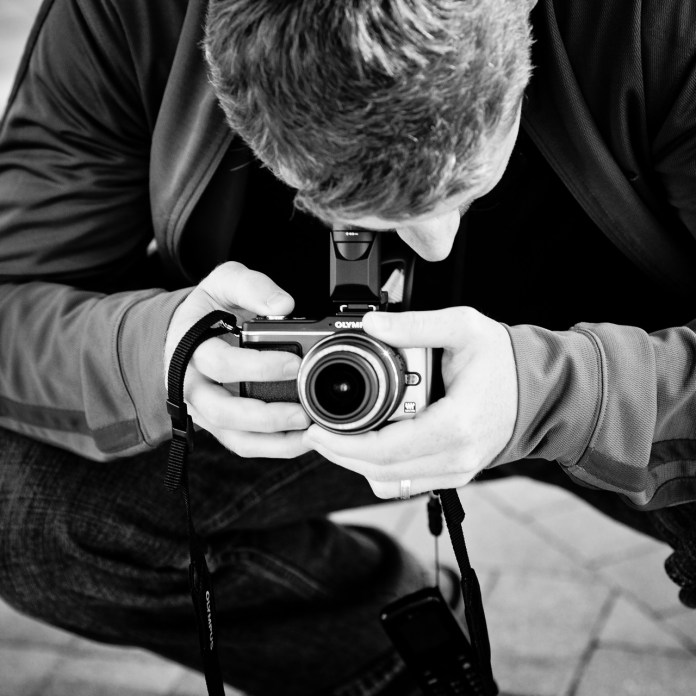
Raoul, using the Olympus PEN E-P2. Photographer: Thomas Hawk.

All that wonderful design and the overall good looks wouldn’t mean much without actual performance, and boy, this camera really delivers! The photos are superb, wonderfully well exposed, details are great at 1:1 (100%), low light performance is beautiful, even with the fairly slow (f/3.5-5.6) kit lens, and auto white balance is right on the money (not too cool in low light, which was the case with earlier Olympus cameras, and not too warm, either).

The PEN E-P2 isn’t perfect. There are a few sticking points. The two you’re likely to notice are battery life and autofocus failure in low light.

I’m used to battery life that hovers around 500-700 shots per charge. Perhaps that’s why I usually take that many photos when I visit a place. Or perhaps it’s just a coincidence, I don’t know. I do carry a spare battery when I shoot with my usual camera, so that means I can usually take 1200-1500 shots before I’m out of juice. The E-P2’s battery runs out around 250-350 shots, and it may run out faster if you take a lot of photos in rapid succession. That was a bit of a surprise to me, and since I didn’t have an extra battery, it did limit the amount of shots I could take. So, my advice to you is to get an extra battery (or two) depending on your shooting habits.

In low light (and I mean fairly low light, with little contrast between lighter and darker colors) the E-P2 will keep searching, trying to focus, and it will finally give up after a few seconds. You can overcome this if you use a faster lens, or if you switch to AF+MF or MF. That way you can choose to focus manually after the camera says it can’t do it, or you can start focusing manually right away.

Expecting the E-P2 to shine all around is a mistake. No camera is going to be perfect. In every camera ever made, some features were taken out, or couldn’t be put in at all. I look at the E-P2 as I look at my MINI Cooper S. It’s diminutive, the design is gorgeous, and the performance is great for my needs. I didn’t buy my MINI expecting it to perform like a Hummer, and by the same token, you don’t buy a PEN E-P2 expecting it to work like a Nikon D3X or a Canon EOS 1D Mark IV. They’re different cameras, designed for different purposes. When you buy an E-P2, you expect it to be light, versatile, stay out of the way, take good photographs (great photographs, actually), and to shoot HD video. It does all those things beautifully, and more.

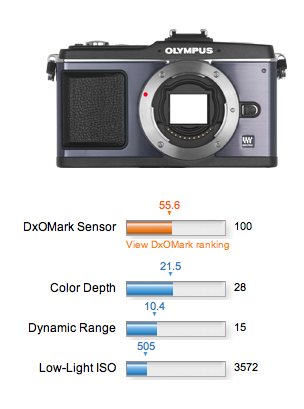
I thought I’d place some weight on the DxOMark ratings for the E-P2 after I saw them, but in the end, it wasn’t a concern. It’s like the iPad, you see. You don’t get it until you hold it in your hands. Then it clicks. It’s the same with the E-P2. After you begin using it, you get it, and you don’t want to let go of it, because you know you can get great pictures with it, and you love the way it works, and the way it feels.

Even my wife, who doesn’t like taking photos with my Canon 5D, because she thinks it’s too much work to get the camera set up and adjusted, and doesn’t like it even when it’s on full auto, loved the PEN E-P2 and was able to take great photos with it. That showed me that Olympus was able to strike a great balance between a DSLR that will cater to the needs of a pro through its many buttons and manual settings, and will also please the amateur by assisting them unobtrusively as they use it.

We’d do well to remember a few things about Olympus here:

  • First company to come out with a self-cleaning sensor for a DSLR
  • First company to come out with Live View for a DSLR
  • First company to come out with magnified view for TTL MF on a DSLR
  • First company to come out with the idea of capturing video and photos with same DSLR sensor. I call it the “idea”, because what they did was to capture Live View video shown on the camera’s display via the main sensor, and the leap from that to recording video from the sensor is a fairly small one.
  • First company to come out with the smallest DSLR on the market. The E-420 was the first one, and now the PEN picks up Olympus’ famed lineage of analog cameras and takes it digital.

Even though larger companies like Canon and Nikon are reaping the benefits of implementing things like self-cleaning sensors and live view and magnified focus assist, and HD video, it’s really Olympus who did the hard work to bring these features to the market. Their implementation of these features may not be the flashiest or the loudest, but they were first.

I’m going to repeat a few things I wrote in August 2008, in an article entitled “DSLRs and video to converge“, after the Nikon D90, the first DSLR that could also shoot video, had been launched:

As good as the [Nikon] D90 is though, it will soon be eclipsed. Why? Market forces. How long do you think it will be before we’ll have a DSLR that can record 1080p HD video? Or how about an even smaller and thinner DSLR than currently possible? How about a DSLR that looks and weighs about the same as a point-and-shoot, but gives you photo quality that’s equivalent to (or exceeds) today’s DSLRs? It’s all coming.

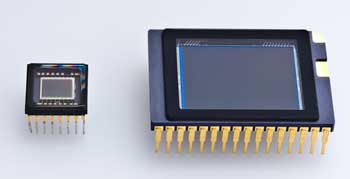
Keep in mind the time when I wrote those things, and what came afterward. Just a few short months later, the Canon 5D Mark II came on the market, and it could record 1080p video. The floodgates had opened. And now we have a smaller and thinner DSLR than ever thought possible (Olympus PEN), one that looks and weighs about the same as a point-and-shoot camera (Olympus PEN), but gives you photo quality that exceeds that of other DSLRs. And there’s a huge difference in sensor size between that of a typical digicam and that of a PEN camera, as you can see below. (The sensor of the PEN camera is on the right.)

Here’s what else I said back then…

You know where else I’ll be proven wrong? Back when I attended the Olympus E-3 launch party, I talked about the camera’s (somewhat) limited 10 megapixel resolution, and I thought they had reached the limitations of the Four Thirds 2x cropped sensor. I thought the sensor’s surface area was too small to get more resolution out of it. But now that Canon has proven you can get 16 megapixels out of a 1.6x cropped sensor, I don’t see why you can’t get 12 megapixels or more out of a 2x cropped sensor.

I had my doubts about whether or not the Olympus engineers would be able to squeeze proper low light performance out of the four thirds sensor while increasing resolution, given the sensor’s size when compared to a full 35mm sensor, but they’ve done it! The PEN E-P2 goes up to 6400 ISO if you want it to, and the photos taken at 1600 ISO are definitely usable. Even the ones taken at 3200 ISO look pretty good to me. I’d reserve 6400 ISO for daylight use, such as when you want to take a high-speed photograph. Nighttime photos taken at 6400 ISO were fairly grainy, but then again, I was using the slower kit lens, whose aperture stops at f/3.5.

One last quote:

Wait, it gets even better. The current aspect ratio of Four Thirds cameras is 4:3. The aspect ratio of Micro Four Thirds cameras will be 16:9. That’s the same aspect ratio used in movies. Where do you think that’s going? It means your photos and your videos will have the same aspect ratio, and the line between photography and videography will get even more blurred, and it’s quite possible that in the near future, we’ll have 1920×1080p HD video recorded by a tiny little DSLR with a tiny little lens on it.

Okay, I was wrong about that one. Things are even better now. The PEN E-P2 will let you shoot at the following aspect ratios: 4:3, 3:2, 16:9 and 6:6. It shoots 720p HD video at 16:9, and it’s only a (short) matter of time before the PEN will be able to shoot 1080p HD video, as predicted. Keep in mind it will still be the tiniest little camera with a fairly large sensor and a mechanical shutter on the market, with a tiny little interchangeable lens on it, and that will make all the difference.

While I’m on the subject of video, do you want to know what else sets the PEN apart from other DSLRs that can shoot HD video? The fact that you can choose between several auto-focus modes, or image stabilization modes, or adjust both aperture and shutter speed, and apply live art filters to the videos, in-camera. I don’t know of another DSLR that lets you do this. As a matter of fact, you can shoot video in P, A, S or M modes, and you can adjust the aperture live, as you’re shooting. You can adjust the zoom, and if you have AF tracking enabled, your subject will continue to stay in focus. And you can see or preview all of the adjustments you’re making, on the screen or in the viewfinder, instantly.

Hands-on Video Review

I put together a hands-on video review of the E-P2, which includes the unboxing, a run-down of the camera’s exterior and its accessories, initial impressions and sample photos and video taken with it.

Olympus PEN E-P2 Hands-on Review

Specifications

While you can find all the specs you’d want and more on the Olympus PEN website, I’ll point out the more important ones here:

  • 12.3 megapixels resolution (4032 x 3024 pixels)
  • SSWF (Super Sonic Wave Filter) dust reduction system
  • Micro four thirds mount (of course)
  • 17.3 mm x 13 mm LCD screen, 3 inches across, 230,000 dots, 100% FOV
  • 11-area AF System: Imager Contrast AF (S-AF, C-AF, S-AF+MF, MF, C-AF+TR)
  • Shutter, 60 – 1/4000 sec or up to 30 min in bulb mode
  • 3 fps drive, up to 10 sequential RAW images or 12 sequential JPG images
  • TTL Image Sensor Metering: 324-area multi-pattern metering, center-weighted or spot-metering, EV 0-18
  • Flash synchronization: 1/30 – 1/180
  • Photo ISO: Auto 200-6400 or Manual 100-6400 in 1/3 or 1 EV Steps
  • Movie ISO: Auto or Manual 160-1600
  • Color Space: sRGB, AdobeRGB
  • RAW, JPEG, RAW+JPEG for photos
  • AVI for videos, 30 fps, limited to 2 GB per file, 720p HD (1280 x 720 pixels), 480p SD (640 x 480 pixels), max recording time 7 min for HD, 14 min for SD video
  • Wave Format Base Stereo PCM/16-bit, 44.1 kHz for sound
  • SDHC memory card recommended (can use older SD cards, but they’re not recommended for HD video)
  • Live View, 100% FOV, 7x or 10x magnification assist for MF
  • Image Stabilizer for photos: 3 modes (2D, Vertical and Horizontal), up to 4EV steps compensation
  • Image Stabilizer for videos: shifting electronic image (aka Digital IS)
  • Aspect ratio: 4:3, 3:2, 16:9, 6:6
  • Battery life: up to 300 shots
  • Dimensions: 4.74in (W) x 2.75in. (H) x 1.37 in (D) / 120.5 mm (W) x 70mm (H) x 35mm (D) (excluding protrusions)

  • Weight: 11.1oz/335g (body only), 13.6/385g (body, battery and media)

Sample Photos and Videos

I took the camera with me to the Flagler Museum and The Breakers in Palm Beach, to the Morikami Museum and Japanese Gardens in Delray Beach, to the Boardwalk on Hollywood Beach, where I met with Thomas Hawk, and to the Vizcaya Museum in Miami. If I had gotten it sooner, I’d have taken it with me to Las Vegas as well. I also used it heavily inside and outside the house. I shot photos and video with it in all sorts of light conditions — like this video on shaving. After an initial winnowing process, I have 954 photos taken with it in my photo library, and 2½ (149 minutes) of HD video recorded with it.

I didn’t get the chance to edit and publish all of the photos and video clips taken with the camera yet, but I will get to all of them in the near future, and will post them here on my blog, so stay tuned for that. Until then, here’s a good selection of what I’ve already edited.

This first photo shows what you can get right out of the camera. I set the E-P2 on i-Auto, and as you can see, the light is a mix between strong daylight and shadows. With other cameras, you’d get more contrast between the light and dark areas, and you wouldn’t see so much detail on the tree bark, for example. But the E-P2 was able to keep the sky blue and still give me vibrant, light greens and browns in the shadowy areas, which is great.

Notice again how it was able to render great detail in the shadowy areas, even when shooting directly into the sun.

Notice the fine detail and soft bokeh in this macro photograph of a palm frond. This was taken with the 14-42mm kit lens. Even though the lens is said to focus properly only from 0.25 m/0.82 ft to infinity, when the camera was set to Macro mode, it could focus much closer, up to a couple of inches away from the subject. Keep in mind this is not a point-and-shoot digicam that you can set to Macro and be done with it, but a DSLR with an interchangeable lens, which is much more complicated and normally has limitations on what it can do. After all, that’s why these lenses are interchangeable, because they’re built for specific purposes. Yet this kit lens proved to be much more versatile than I thought.

These are colors obtained right out of the camera. If you’d like to see the specifics of a photo, feel free to download it and view the EXIF data, it’s included in each sample photograph.

This next photo is unedited once more. It’s what the camera gave me at 14mm (28mm effective) and 1600 ISO. It was a fairly dark room, and I shot this against a bright window with early afternoon daylight (2 pm) coming right at the camera. Notice the detail and lack of noise in the darker areas.

This was a particularly dark room. It appears well lit only because I shot this at 1/20th of a second and 1600 ISO. Notice once more how vibrant the colors are, and how good the auto white balance is.

This next photo shows that you can get some neat bokeh effects if you play with the manual focus. The photo is unprocessed, as the camera made it.

Another reason to like the PEN E-P2 is that I can take great portraits with it. Yes, you’ve got to love the bokeh you can get with really fast lenses like the Canon EF 50mm f/1.4, but you’ve also got to love the clarity of an Olympus camera. The whole face is in focus, and every minute detail can be seen if you zoom in. It feels like you can almost touch the skin of the person whose portrait you’ve taken. It’s a great characteristic, and I noticed this way back when I was shooting with the Olympus C-3000Z, as you can see in this photo from 2005. The photo you see below is of my wife, Ligia, and once again, it’s right out of the camera. It’s incredible how brilliant the colors are.

Here are a few more portraits I took of her with the PEN E-P2. I love this camera.

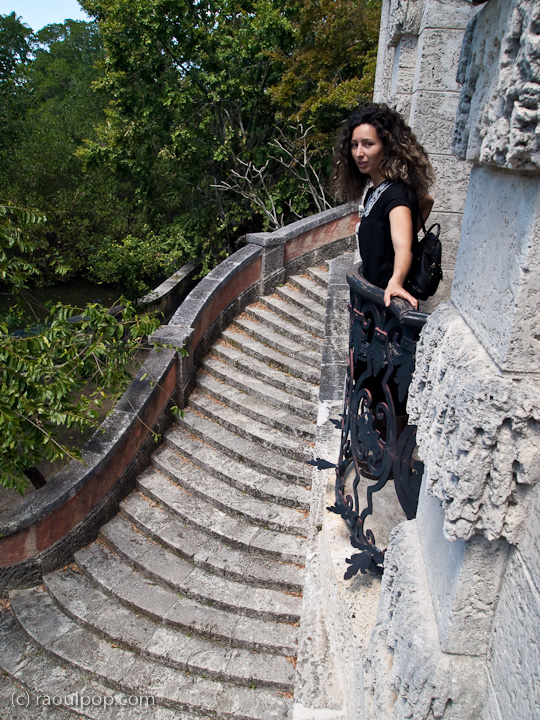
Here are a few more sample photos taken at Vizcaya, in Miami.

A few sample videos (shot in 720p HD) are embedded below. There are more on the way, as mentioned above. I used software motion stabilization on a fair number of the clips, as I shot them handheld, without a tripod or any other sort of external stabilization device, and I foolishly forgot to activate the in-camera stabilization.

Tea Ceremony – Morikami Museum

On the Beach at The Breakers

A Tour of the Morikami Museum and Japanese Gardens

Accessories

When you buy the PEN E-P2, I recommend you definitely get the following accessories:

  • Li-Ion battery (PS-BLS1) — get an extra one or even two of these, depending on how many shots you need to take per session
  • MMF-2 Four Thirds to Micro Four Thirds Adapter — this is a must-have accessory, as it lets you mount any four thirds lens onto any PEN camera
  • 16 GB SDHC Card — get whatever brand you like, but make sure it’s SDHC
  • VF-2 Electronic Viewfinder — if you didn’t get this in a kit with your PEN camera, it’s really worth getting, as it will pivot up and act as a WLF (Waist Level Finder); you can see me using the PEN E-P2 with the VF-2 mounted onto it and pivoted upward in the second photo from the top of the article.

These next accessories come down to personal preference. Get these if you like them:

The current selection of micro four thirds lenses is somewhat slim, but it’s growing. And the beauty of having adapters like the MMF-2 I listed above is that you can use any regular four thirds lenses with PEN cameras, so you don’t have to buy extra micro four thirds lenses if you don’t want to.

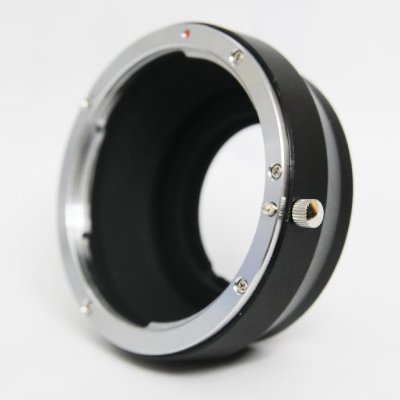
But what if you’re heavily invested in Canon or Nikon gear, and would love to get a PEN camera? That’s okay too, because there’s a Canon lens to Micro Four Thirds mount adapter. It’s the same if you’re a Nikon shooter. There is an adapter that will let you use Nikon lenses with a PEN camera.

Two companies out there make these kinds of adapters: Novoflex, a German company, and Fotodiox, an American company. Since I’m heavily invested in Canon EF lenses, I called Fotodiox and asked them what they have for me. They have a specific Canon EF lens to Micro Four Thirds mount adapter, but it does not let you control aperture, so you’ll be shooting wide open. They did tell me they’re working on a specific adapter for Canon EF lenses that will let you mount them to PEN cameras and control aperture and auto-focus, just like you would with a normal lens. They said the price for it would be around $300 when it comes out later this year. That would be a very cool adapter, if it indeed delivers on its promise!

Then I called Novoflex and asked them whether they have a Canon EF to Micro Four Thirds adapter, but they don’t. They do have a Canon FD to Micro 4/3 adapter, which if I’m not mistaken will let you mount EF lenses as well, but you’ll be shooting wide open, without the ability control aperture, and of course you’ll be focusing manually.

I also found out that Canon makes a nice, simple metal EF lens to Micro Four Thirds mount adapter, and it’s only $40! So if you don’t mind shooting wide open and using manual focus, then definitely get this adapter, because it looks sturdy and it’s inexpensive.

Summary

It’s time to wrap things up. What can I say, other than what I’ve already said? I’m in love with this camera!

A number of significant design and engineering ideas from Olympus came together beautifully in the digital PEN: diminutive size, great sensor, beautiful design, IS, SSWF, Micro Four Thirds, HD video, light and capable lenses, a whole host of features design to make things easier for the photographer, and beyond the hardware, a tangible sense of soul, a certain something that binds you to the camera as you begin to use it.

Just like the analog PEN revolutionized the way people thought of cameras and of how they took photos, the digital PEN is a wonderful continuation of the PEN legacy, a beautiful leap through time, from film to the digital world of today.

Images of PEN E-P2 used courtesy of Olympus. The PEN E-P2 can be purchased from Amazon or B&H Photo.

Standard
Reviews

Camera preview: Canon EOS-1D Mark IV DSLR

Canon EOS-1D Mark IV - 1

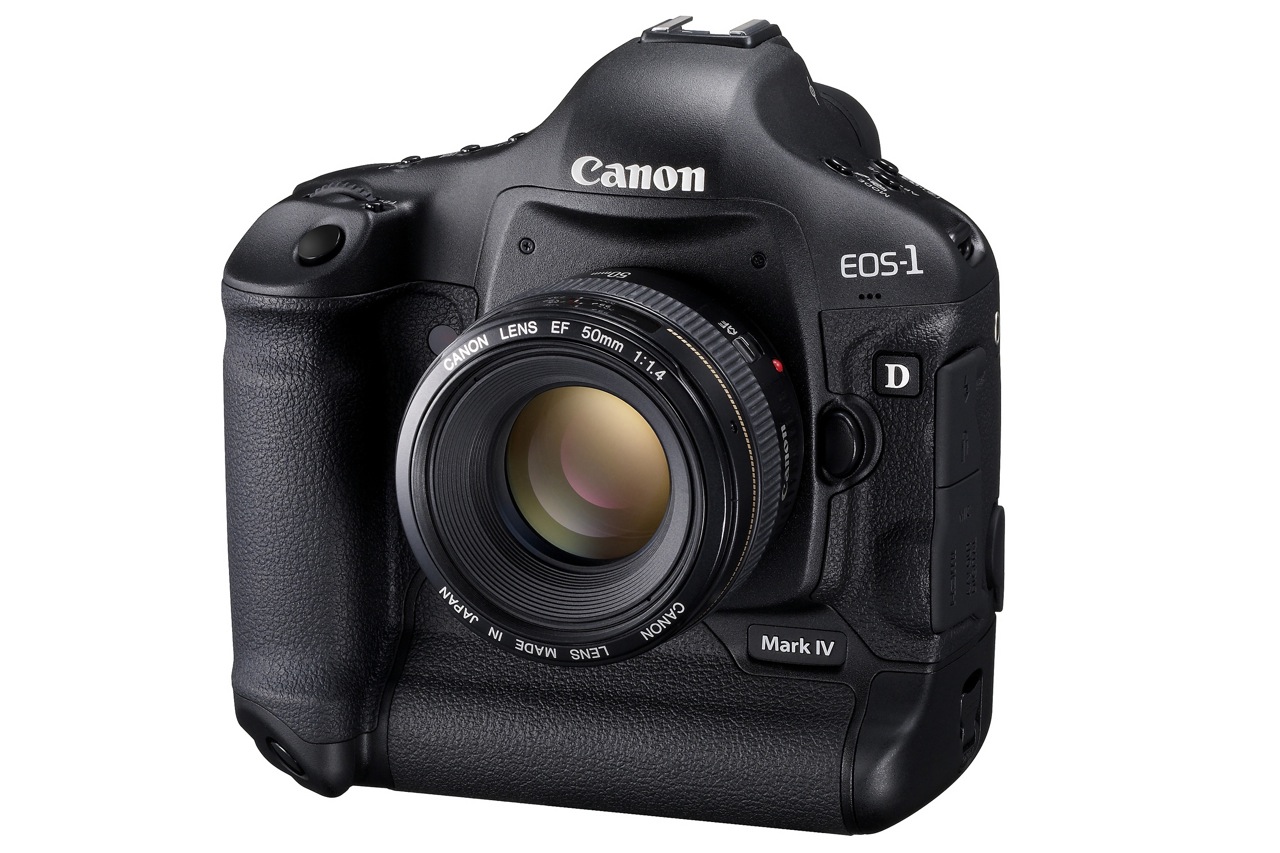
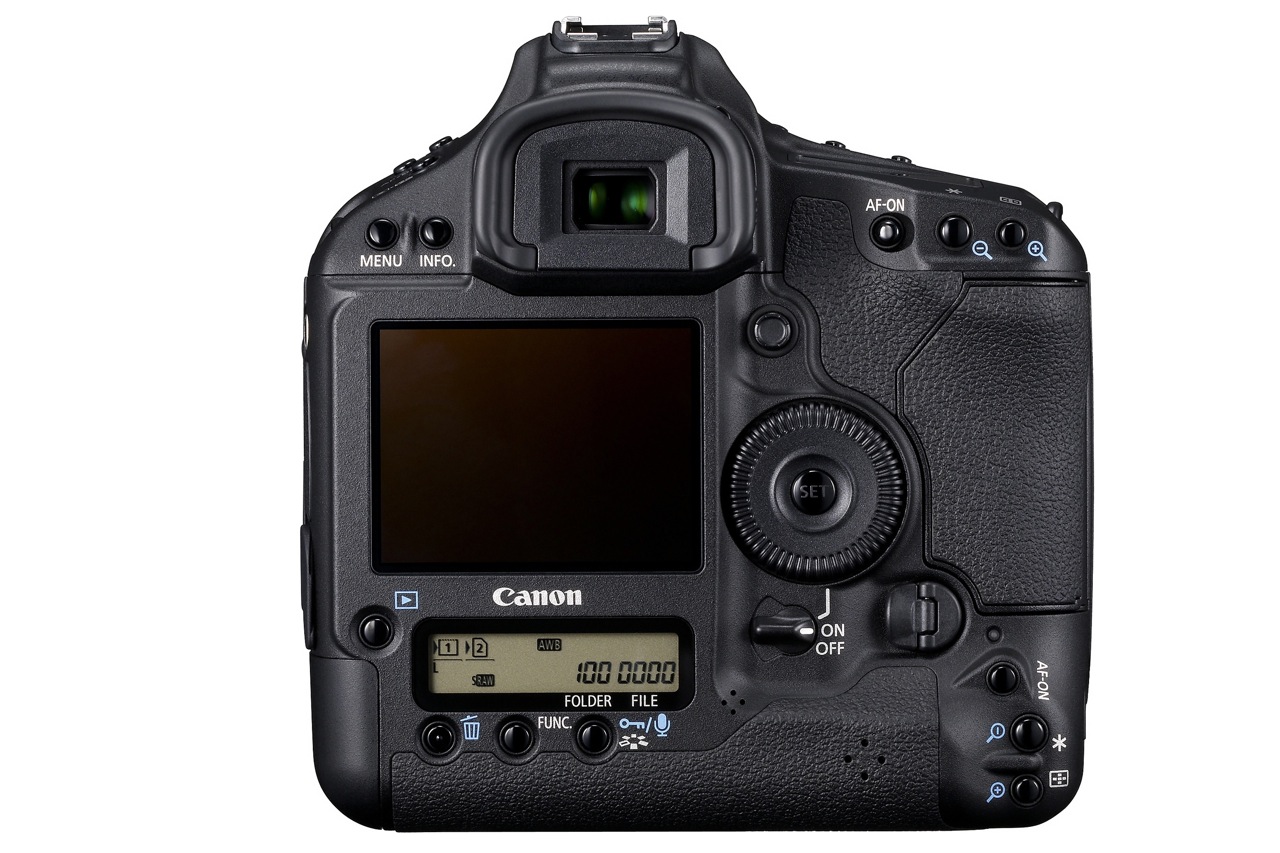
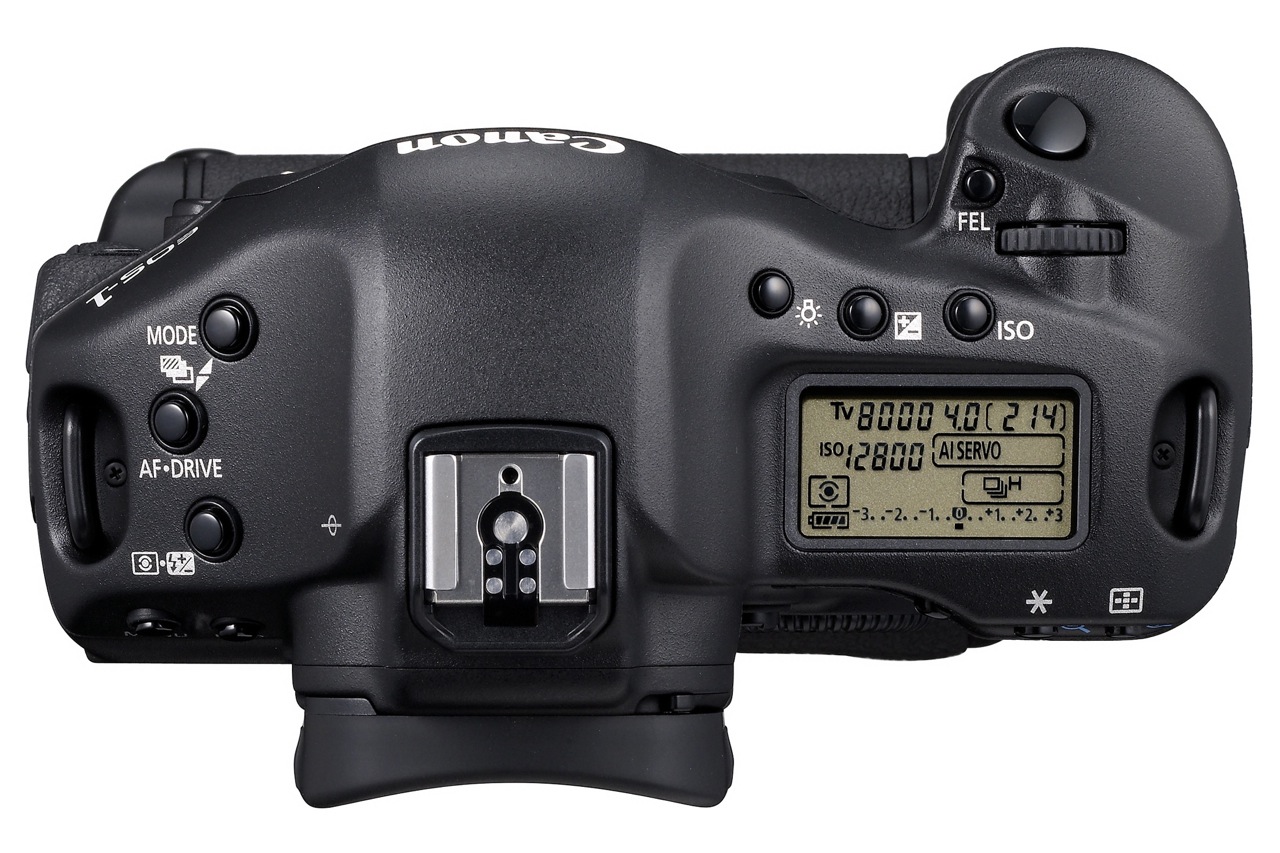
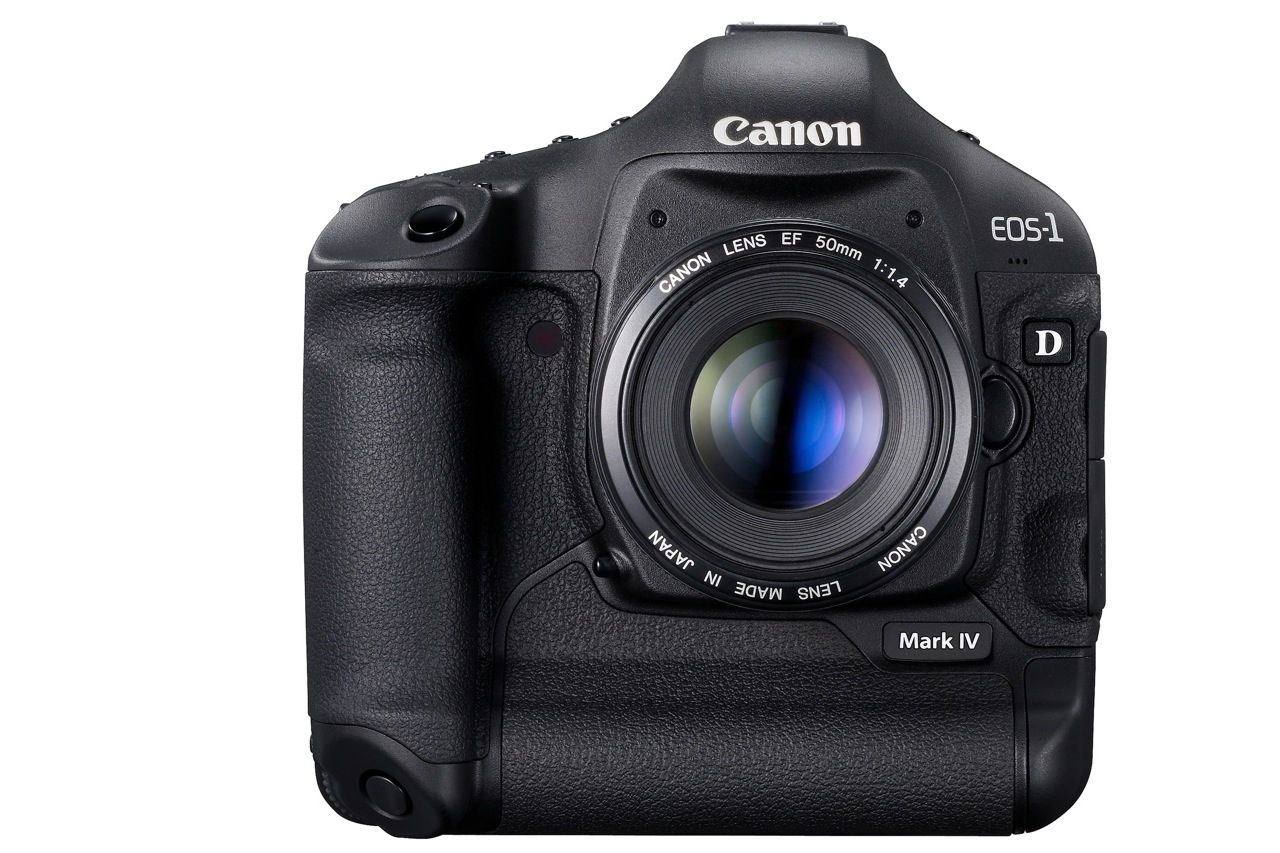
The Canon EOS-1D Mark IV pro DSLR was officially announced by Canon today, October 20, 2009. The specs are really good and they show Canon’s been hard at work on a solid response to Nikon’s latest DSLRs.

Many photographers were disappointed with Canon because of their 2008-2009 DSLR product releases, which didn’t seem to keep up with the competition and fell short in many areas of common interest, such as auto-focus, high ISO performance and image quality. I’m glad to see Canon listened to their customers’ concerns and put out a camera that offers what people want to see.

Let’s have a look at what sets this camera apart. The EOS-1D Mark IV has:

  • A 16-megapixel Canon CMOS sensor
  • Dual DIGIC 4 Imaging Processors
  • 14-bit A/D data conversion
  • 10 frames-per-second (fps)
  • The widest ISO range Canon has produced to date (50 to 102,400)
  • 1080p Full High-Definition video capture at selectable frame rates
  • A new 45-point auto-focus system with 39 high-precision cross-type focusing points

Canon EOS-1D Mark IV - 4

New autofocus system

Given the auto-focus problems with the 5D Mark II and other high-end cameras like the 1D Mark III and 1D-s Mark III, I for one am very glad Canon put out a new AF system. The newly redesigned AF system…

  • Can track fast moving subjects, such as athletes or wildlife accurately, even when shooting at full 10 fps bursts
  • Can detect subjects much better than the previous AF system
  • Can focus accurately with the new AI Servo II AF predictive focusing algorithm
  • Has twice as many cross-type focusing points as the EOS-1D Mark III
  • New AF sensor construction that improves performance in low light and with low contrast subjects

Not having used the camera yet, I can’t vouch for the accuracy and speed of the new AF system, but it shouldn’t be long before those who’ve had the chance to use the camera in real-world scenarios chime in with the results.

New 16.1 M CMOS sensor

I like Canon’s new 16.1-Megapixel CMOS sensor. I’m glad to see they focused on image quality and low light performance, not megapixels. Don’t get me wrong, extra resolution is always good, but gratuitous resolution is useless unless the resulting images prove their quality when viewed 1:1.

The sensor has improved photodiode construction to enhance dynamic range, and gapless microlenses that are positioned closer to the photodiodes for improved light gathering efficiency. The transmissive quality of the color filter array has been enhanced to improve sensitivity. Canon has also upgraded the sensor circuitry to improve noise reduction before the image data is exported from the CMOS sensor to the rest of the image processing chain.

In order to process all the extra raw data from the sensor at up to 10 fps, Canon put two Dual DIGIC 4 Image Processors inside. The 1D Mark IV has approximately six times the processing power of DIGIC III, for full 14-bit A/D conversion at 10 fps.

Full HD video capture

I’m also glad to see that Canon has put 1080p HD video on this camera, which means that for them, HD video is here to stay on all their DSLRs. It really is a new era for HD video when it becomes a standard feature on professional DSLRs; wonderful things are in store for those interested in blending photography with videography.

The 1D Mark IV has full HD capture and full manual exposure control, plus selectable frame rates. Its new APS-H image sensor is similar in size to a Super 35mm motion picture film frame. The camera allows for three video recording resolutions…

  • 1080p Full HD, 16:9
  • 720p HD, 16:9
  • 640×480 SD, 4:3

… and multiple selectable frame rates…

  • Full HD at 1920 x 1080 in selectable frame rates of 24p (23.976), 25p, or 30p (29.97)
  • 720p HD or SD video recording at either 50p or 60p (59.94)

SD video can be recorded in either NTSC or PAL standards. Sound is recorded either through the internal monaural microphone or via optional external microphones connected to the stereo microphone input.

Canon EOS-1D Mark IV - 3

Other good features are:

  • Auto Lighting Optimizer (ALO) system. When enabled, Canon’s ALO automatically adjusts the image for optimal brightness and contrast on the fly during in-camera image processing, reducing clipped highlights while keeping shadowed areas as clear and detailed as they actually appear. Canon says that “demanding professional photographers who tested ALO clearly stated that this one feature will reduce their post-production image optimization process by more than 75 percent”. It’ll be interesting to see what others will say about this.
  • Highlight Tone Priority, which takes maximum advantage of the camera’s extensive dynamic range to preserve detail in highlight areas of the image.
  • Improved white balance algorithm making colors more accurate when shooting under low color temperature light sources such as household tungsten lamps.
  • Peripheral Illumination Correction function, which corrects darkening that can occur in the corners of images with most lenses when used at their largest apertures. When activated, it is automatically applied to JPEG images and video clips as they are shot. For RAW images, it can be applied in DPP software. Personally, I like the vignetting effect that occurs with some lenses, so I don’t really plan on using this very much.
  • A large, 3-inch Clear View II LCD screen with 920,000 dot/VGA resolution (finally) with a wide 160-degree viewing angle for enhanced clarity and more precise color when reviewing images and shooting video.
  • In-camera copyright information feature (hooray) helps professionals secure control over images by setting copyright data directly into the camera and appending that information to each image file in the Exif metadata.
  • A fluorine coating on the Low Pass Filter to further repel dust and enhance the EOS Integrated Cleaning System (less dust spots is always a good thing).

Finally, the 1D Mark IV’s body, chassis and lens mount are completely weather-resistant and 76 gaskets and seals surround all buttons and seams. The body covers and internal chassis, including the mirror box, are constructed with magnesium-alloy, and the lens mount is constructed with stainless steel. When used with Canon’s Speedlite 580EX II and/or most current L-series lenses, the entire camera system remains fully weather resistant.

Comparing this camera with the Nikon D3s, which has similar specs but retails for about $100 more, I have to ask, what makes the Nikon DSLR better? Other than niceties like better exposure compensation control (±5 EV vs. ±3 EV) and more physical buttons for manipulating the settings, this Canon matches or bests the Nikon on all major specs, like fps (10 vs. 9), ISO (same), resolution (16 vs. 12) and HD video (1080p vs. 720p).

The new WFT-E2 II A wireless file transmitter, available exclusively for the EOS-1D Mark IV Digital SLR camera, is quite interesting in its capabilities. It offers connectivity through IEEE802.11a/b/g and Ethernet. The new Camera Linking feature allows a single photographer to simultaneously fire up to 10 cameras remotely. The updated WFT Server mode lets you remotely use Live View, control settings, and fire the EOS-1D Mark IV over the internet from anywhere in the world using a standard Web browser or many Web-enabled smart phones. Additionally, geotagging is now possible via Bluetooth, using compatible GPS devices to append coordinate data to the images. Given that the previous wireless transmitter, WFT-E2A, costs $1,200, you can be sure this new one will cost a bundle, but for those who need it and can afford it, I’m pretty sure it’ll do a good job.

Canon EOS-1D Mark IV - 2

The Canon EOS-1D Mark IV Digital SLR camera is scheduled to be delivered to U.S. dealers in late December, and will be sold in a body-only configuration at an estimated retail price of $4,999. Final pricing and availability for the Canon WFT-E2 II A wireless file transmitter will be available later this year.

Full specs for the camera are available here. Demo videos produced by Canon specifically for this camera are available here. There’s a section on the camera, with more information, at the Canon Digital Learning Center.

You can buy the Canon EOS-1D Mark IV from Amazon or B&H Photo.

Images used courtesy of Canon.

Standard
Reviews

A Canon repair experience

As I mentioned previously, my Canon 580EX II speedlite hadn’t been working properly with my Canon EOS 5D DSLR since March of 2008. I’d set it in the hot shoe on top of the 5D, as usual, but it would cause the camera not to work at all. The 5D would give me a strange error message where it would display some random settings for the aperture and shutter speed, and the shutter button would not fire.

canon-580exii-speedlite

I tried turning the camera and speedlite on and off. I tried disconnecting and reconnecting the battery. I tried resetting the speedlite in the hot shoe, which sometimes did the trick. Finally, I gave in and sent it into Canon for repairs. That repair ended up costing me a little over $100 plus shipping. The Canon technicians wrote back on the receipt that they’d replaced some cracked part inside the speedlite. Since I never dropped the speedlite or banged it against anything, perhaps that part had been cracked from the get-go, who knows…

Once I got the speedlite back and tried it out, I realized the problem not only hadn’t gone away, but had gotten worse. Now my 5D refused to fire with the speedlite in the hot shoe no matter what lens I used. This was not good, but what puzzled me is that the 5D and 580EX II worked just fine when I used them with the Canon STE-2 wireless transmitter, which sits on the hot shoe and sends a radio signal directly to the speedlite. In other words, the speedlite and camera didn’t work when connected directly, but worked if connected through the wireless transmitter.

I contacted Canon a second time, and was transferred through to advanced support on that call. Once the tech asked me a few questions to pinpoint the problem, he told me this was a fairly common occurrence with the 5D and 580EX II. Apparently, the hot shoe insert for the 580EX II was made just a wee bit thinner than normal, and after normal use of the hot shoe on the 5D, the 580EX II will sometimes not make proper contact with the camera, and will cause it not to fire. That’s why the camera worked with the wireless transmitter, which has a thicker hot shoe insert.

He offered to send me a pre-paid shipping label so I could send both the camera and the speedlite in for repairs, which would now be covered under the previous charge for the repair of the speedlite, as a recurring issue. I sent them in, and when they came back, they both worked as they should, thank goodness. My 5D hot shoe wasn’t replaced though — it was likely just taken off the camera and tightened a bit, which means the problem could re-occur at some point in the future.

I have three bones to pick with Canon about this whole thing:

  1. Why didn’t they make the hot shoe insert for the 580EX II speedlite the right size from the get-go? Why do we, as Canon customers, have to go through this whole thing where we send them in for repairs when it’s not really our fault? I don’t think I’m the only one who’s had this problem. Why not issue a recall where either the hot shoe of the 5D is replaced or tightened, or the hot shoe insert of the 580EX II is replaced?
  2. Related to #1 above, why do we have to pay for this? If it’s a known issue, caused by faulty design, and it happens quite often through normal use of the camera and speedlite, why pay at all? I might be willing to put up with a token fee that covers shipping and handling, but I should not have to pay the regular repair fee for something that was designed to go wrong, so to speak.
  3. Why did my 580 EX II come back from the repairs with what looks like Coke stains on the catchlight panel (see photograph below)? I can only assume the tech that worked on it opened his soda can right next to my speedlite, stained it, and didn’t bother to clean it. I thought the conditions were supposed to be kept sterile in the labs. What’s up with that?

580EX II Speedlite with stains on catchlight

Keep this in mind if you have the same issue with your Canon DSLR. It may not be that the speedlite is defective, it could simply be that it’s not making proper contact with the hot shoe, in which case your options are as laid out above.

Standard