Thoughts

My photographic portfolio

Updated 8/16/09: I now have an entirely new standalone photo catalog with e-commerce enabled, which means you can instantly purchase prints (in varying sizes and finishes) or digital downloads (at varying resolutions according to your needs) of each of my published photos. The link is the same as below: raoulpopphotography.com. See this page for more details.

A few weeks back, I announced my portfolio site, Raoul Pop Photography, and I got positive feedback about it, which was nice.
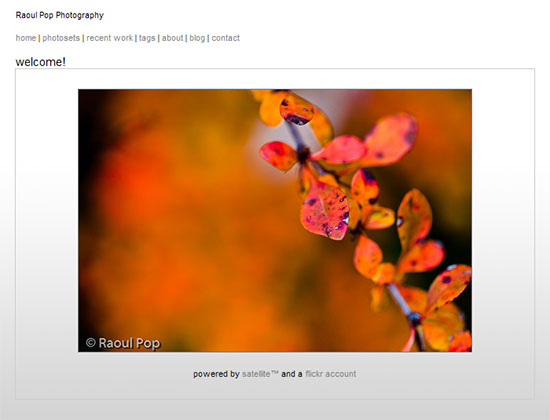
Raoul Pop Photography

Updated 1/12/09: Since I wrote this, I worked to create a standalone photo catalog, outside of my Flickr photo stream, and that’s what you’ll find when you visit my photography site. I’m leaving the thoughts you see below for historical reference, but keep in mind they no longer apply.

Now I’ve gone through an extensive process of sorting, winnowing and re-organizing the photos I’ve posted to Flickr, and I’m happy to announce that my portfolio site is all the better for it. You see, my portfolio site feeds directly from my Flickr account via Satellite. The big advantage is that every time I make a change to my photos and sets on Flickr, the change is reflected instantly on my portfolio site.

On the whole, my photos look significantly better now, because I deleted many, many photos that I didn’t think were good enough any more. Going through my photos has made me think hard about the sorts of photographs I take, and categorizing them into sets and collections has given me a new and deeper understanding of what makes me tick as a photographer. It’s all pretty interesting stuff to me, and I think you can tell it’s gotten me excited. 🙂

Also not to be missed, if you’re interested in that sort of thing, is my list of photos taken with each camera I’ve used over time. These photos are grouped into sets, and they’ll give you a good idea of the sorts of images you can get with each camera. Don’t read too much into it though. Short of various differences that can be limiting or advantageous between camera models and brands, a camera is only a tool. While it’s important that the tool perform as expected and be flexible enough to capture the photo, there are three more parts to a good photo: there’s the photographer, who’s got to know what he or she is doing, then there’s the quality of the light, which can make or break a photo, and finally, the post-processing, to make the photo stand out.
Standard
Thoughts

How I handle contacts at Flickr

When you add me as a contact on Flickr, you may notice that I may not add you back. Please don’t think I’m ignoring you. It’s just that I handle contacts differently at Flickr.

I like to go through all of my contacts’ photographs. I try to view every photo they’re posting. I know that’s a rarity, but I consider it my responsibility. I’m not going to be a false contact that jumps on someone’s photo stream once in a while and comments on a couple of photos, then you don’t hear from them again for 6-12 months, if ever.

Since my time is limited, and I do try to go through every photo that my contacts post, I can only have a limited number of contacts. I’ve found out that I can handle about 100 or so contacts.

I also look for photographs that inspire me. I look for a high concentration of artistic or creative photographs in someone’s photo stream.

I also encourage my contacts to do the same with me. If you’re not inspired by my photos, take me off your contact list. There’s no reason for you to be frustrated with the photos I post. Life’s too short to be frustrated with things you can change.

Does that mean I forget about the people who’ve added me as a contact? No. I go through my Recent Activity regularly, and when I see that people who aren’t on my contact list have taken the time to interact with my photos, I return the favor.

I hope this explains my stance, and I also hope that those of you who’ve added me as a contact don’t feel offended. Feel free to contact me at any time through whatever means I’ve provided to you (phone, email, blog).

If you’d like to get to know me, a good place to start would be this blog, which is where I spend most of my time. Read my work, comment on it, start a dialogue, etc. Life is one big et caetera. It’s not limited to a contact list on one social networking site.

Standard
Places

Walking out on hope

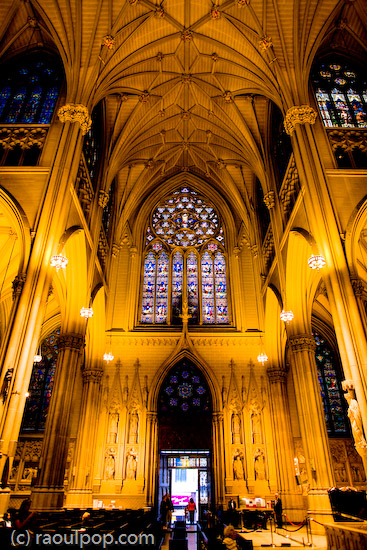
The story behind this photo is a bit interesting. Ligia and I were visiting St. Patrick’s Cathedral in New York when I took this photo. I didn’t have a tripod with me, so this was taken handheld with my 24mm lens. This is why I love fast lenses and cameras that have very little noise.

Three weeks later, close friends of ours were visiting, and I had a gift for them. I asked them to go through the photos I took in Manhattan and pick out one they liked best. I’d then postprocess and print it on the spot. They picked this one and I did my part. A day or so later, I uploaded it to Flickr, and it made it to Explore within 12 hours.

Why the title? Because more people seemed to walk out than walk in.

Walking out on hope

Standard
Reviews

The Flickr XP Uploader

For the past week, I’ve been using the Flickr XP Uploader to publish my photos, and I like it more than jUploadr. Since I add titles and keywords to all my photos in Lightroom, I like it when they are read and transferred automatically to the site when the photos get uploaded. For some reason, jUploadr always managed to lose my titles. It managed to transfer the keywords okay, but not the titles.

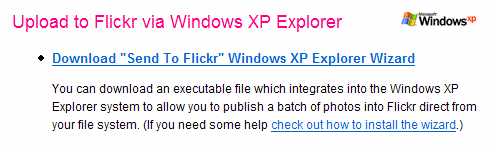
The Flickr XP Upload Tool

With the Flickr XP Uploader, everything gets transferred as it should, and it works with the built-in capability of Windows XP. It’s so easy! The install involves a simple registry entry. When I want to use it, I select the photos I want to transfer in Windows Explorer, click on Publish to Web, select Flickr, and upload. Within minutes, my photos are up on Flickr with the titles and keywords intact. I love the ease of use and the time savings. If you’re working on Windows XP, give it a try!

Standard
Reviews

Flickr tightens up image security

Given my concern with image theft, I do not like to hear about Flickr hacks. A while back, a Flickr hack circulated around that allowed people to view an image’s full size even if the photographer didn’t allow it (provided the image was uploaded at high resolution.) The hack was based on Flickr’s standard URL structure for both pages and image file names, and allowed people to get at the original sizes in two ways. It was so easy to use, and the security hole was so big, that I was shocked Flickr didn’t take care of it as soon as the hack started to make the rounds.

It’s been a few months now, and I’m glad to say the hack no longer works. I’m not sure exactly when they fixed it. Since it’s no longer functional, I might as well tell you how it worked, and how they fixed it.

D

First, let’s look at a page’s URL structure. Take this photo of mine (reproduced above). The URL for the Medium size (the same size that gets displayed on the photo page) is:

http://flickr.com/photo_zoom.gne?id=511744735&size=m

Notice the last URL parameter: size=m. The URL for the Original size is the same, except for that last parameter, which changes to size=o. That makes the URL for the original photo size:

http://flickr.com/photo_zoom.gne?id=511744735&size=o

Thankfully, that no longer works. If the photographer disallows the availability of sizes larger than Medium (500px wide), then you get an error that says something like “This page is private…”

Second, they’ve randomized the actual file names. So although that image of mine is number 511744735, and it stands to reason that I would be able to access the file by typing in something like http://farm1.static.flickr.com/231/511744735_o.jpg, that’s just not the case. Each file name is made up of that sequential number, plus a random component made up of letters and numbers, plus the size indicator. So the actual path to the medium size of the image file is:

http://farm1.static.flickr.com/231/511744735_b873d33b12_m.jpg

This may lead you to think that if you can get that random component from the URLs of the smaller sizes, you can then apply the same URL structure to get at the larger size, but this is also not the case. It turns out that Flickr randomizes that middle part again for the original size. So although it stays the same for all sizes up to 1024×768, it’s different for the original. For example, the URL for the original size of that same photo is:

http://farm1.static.flickr.com/231/511744735_d3eb0edf2d_o.jpg

This means that even if you go to the trouble of getting the file name for one of the smaller sizes, you cannot guess the file name of the original photo, and this is great news for photographers worried about image theft.

While I’m writing about this, let me not forget about spaceball.gif, the transparent GIF file that gets placed over an image to discourage downloads. It can be circumvented by going to View >> Source and looking at the code to find the URL for the medium-size image file. It’s painful, but it can be done, and I understand there are some scripts that do it automatically. The cool thing is that after Flickr randomized the file names, it became next to impossible to guess the URL for a file’s original size. The best image size that someone can get is 1024×768, which might be enough for a 4×6 print, and can probably be blown up with special apps to a larger size, but still, it’s not the original.

Perhaps it would be even better to randomize the file name for the large size as well, so that it’s different from the smaller sizes and the original size. That would definitely take care of the problem. Still, this is a big step in the right direction.

Standard