Thoughts

Gmail, please stop messing with my contacts

When I sync my Gmail Contacts with my Mac’s Address Book, I always discover “uninvited guests” — occasional people with whom I converse but who don’t need to be in my Address Book. What happens is that Gmail will identify people to whom I reply and insert them in my Contacts automatically.

It used to be that it couldn’t be helped, and it was called a “feature”… Now these contacts are grouped together in a separate section called “Suggested Contacts”. Unfortunately, when I run a sync operation, these suggested contacts appear in my Address Book. I don’t want them there. I believe one’s Address Book ought to involve positive effort — effort put toward adding in contacts as they’re needed — not negative effort — effort put toward removing unneeded contacts because software can’t leave things well enough alone.

Gmail's Suggested Contacts

I run the sync operation via my iPod Touch. The sync option is otherwise unavailable to Mac owners, which is unfortunate. There’s something I call the entry tax for being able to run this sync: either you buy an iPod Touch or an iPhone, or you pay for Mobile Me. I don’t like it, but there it is, that’s Apple for you.

There is a company called Soocial which will also let you do this, as well as letting you sync your phone’s contacts with the Address Book. They were in Beta when I looked at them. By now they’ve opened their website to the general public.

At any rate, the problem with Suggested Contacts lies with Gmail, which presents those contacts as part of the normal set of Contacts to the sync software. It should store them separately, aside from the normal contacts, so that the sync software never sees them.

Standard
Reviews

Google launches video chat, ignores PowerPC Macs

A few days ago, Google launched something that a lot of people had wanted for some time: the ability to do a video chat, right from Gmail. Everyone got really excited, and for good reason. I was very happy too, until I discovered that PowerPC Macs were out of the picture. Why?

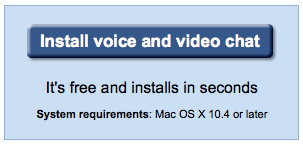
Here’s what I get when I access the Google Video Chat site from my Intel MBP:

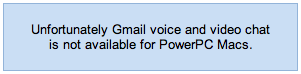
And here’s what my wife gets when she accesses that very same site:

So while she gets to see this when I’m away from home:

I’ll still only get to see this, which makes me sad:

Why, Google, why?

Standard
How To

Cannot change WP theme if Turbo mode is enabled

I’ve been wondering what sort of bug I’ve had in my WP installs for the last few weeks, and only now figured out what’s going on.The Turbo mode for WP is done through Google Gears. There’s a bug in the Turbo mode that will not allow you to change your blog’s theme. It works by not displaying the “x” (Close) or the “Activate …” options in the DHTML layer that opens up when you preview a theme.

Try it out if you want. Enable Turbo mode, then go to Design >> Themes and click on a theme that you’d like to preview and possibly activate. It’ll open as a full page instead of opening in a separate layer above the regular page, and the option to activate it will not display. In essence, you’re locked out of switching themes. You have to hit the Back button to get back to the Admin panel, else you’re stuck in a Live Preview mode.

This has nothing to do with file permissions, as I originally thought, or with corrupt theme files. No, it has everything to do with Turbo/Google Gears and the way WP implemented this. It’s a bug that needs to get fixed. The only way to enable theme-switching for now is to disable Turbo mode. After that, things work just fine.

This bug is present even in the latest WP version, 2.6.3. I hope it gets fixed soon.

Standard
How To

Google finally merges YouTube accounts

I was tipped off by this FF thread started by Bwana McCall. Google is finally allowing YouTube users to link their Google accounts with their YouTube accounts. You can do this right now. Simply go to YouTube, sign out if you’re signed in, and once you go to the Sign In page, you’ll see an option to log in with your Google account. Choose it, then you’ll be given the choice of linking the two accounts. See the screenshot below — that’s what it looks like.

If the link is successful, you’ll get the following message with black text on a green background, at the top of the page, right below the search box: “YouTube & Google accounts have been linked successfully.”

This was long overdue, and I’m glad to finally see it happen.

Standard
Reviews

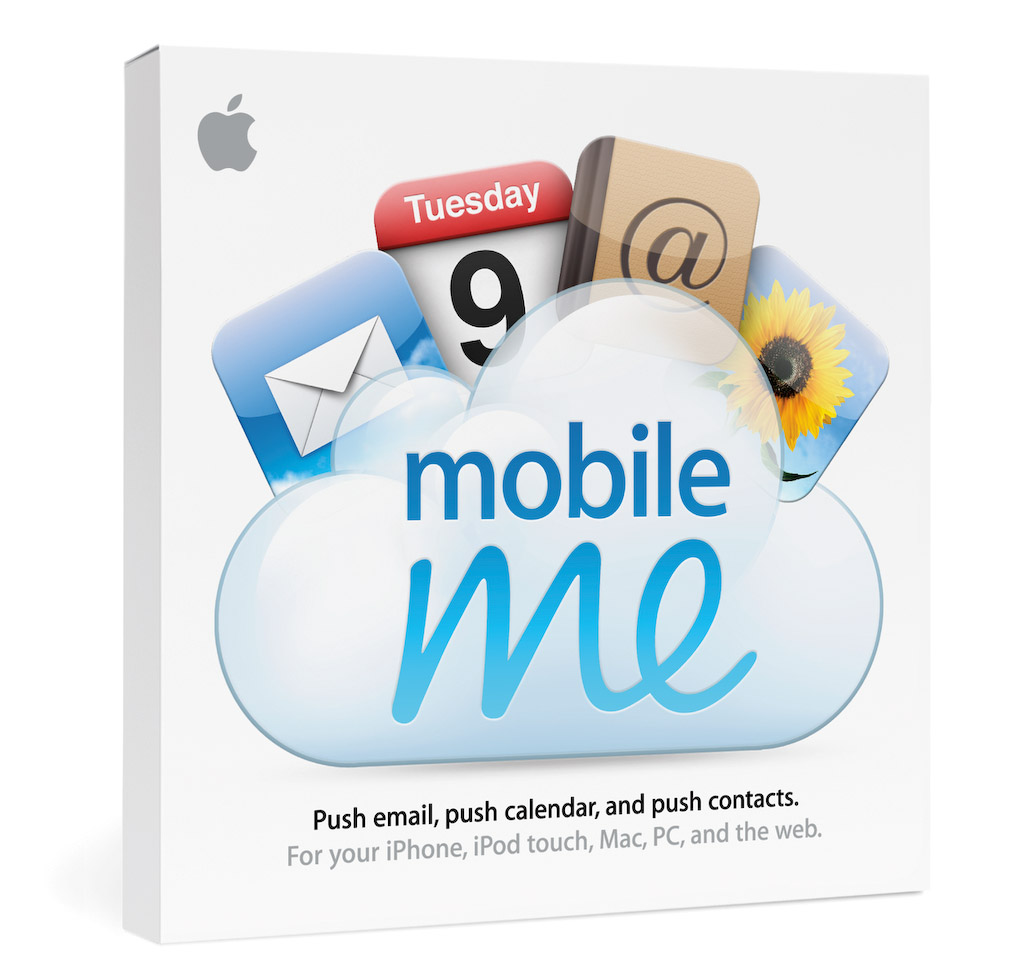
Meet the replacement for .Mac: MobileMe

I mentioned in yesterday’s iPhone 3G announcement that Apple had secretly purchased the domain me.com for an undisclosed sum of money (in the neighborhood of 11 million). It came as no surprise to Apple fans when we found out that MobileMe was the replacement for .Mac. Users had griped for years about .Mac’s lackluster performance and puny space available (1GB for $99/year last I used it).

So, other than the new domain name (personally, I liked the .Mac domain), how’s the new service different?

  • More space: 20GB for the same price ($99/year for individuals and $149/year for a family pack). Additional space is $49/year for another 20GB or $99/year for another 40GB.
  • Push… everything: Apple has upgraded their .Mac email service and calendar and contact syncing to “push” technology. I don’t really see what’s different here when I compare it to .Mac, except the syncing is seamless and faster. And oh, now it works with PCs/Exchange as well.
  • Great web interface: Apple outdid itself here. .Mac had a web interface as well, but it was slow and kludgy. The new web interface behaves like desktop applications and looks really, really nice. Not sure how fast it loads on regular broadband connections, but we’ll find out soon, won’t we?

That’s about it, really. The bulk of the effort went into the better, cross-platform syncing and the innovative, beautifully-designed web interface. The additional space was long overdue.

Existing .Mac members will be upgraded automatically to MobileMe, and their existing subscriptions will be transferred over to the new service when it becomes available on July 11.

What’s the draw to MobileMe? For me, it’s the Back to My Mac service, which was introduced alongside iChat Screen Sharing in Leopard. It wasn’t enough to get me back when .Mac was overpriced and underfeatured, but it may be enough now that MobileMe has more space and is better designed. For iPhone users, it’s the obvious integration and contact/calendar syncing between the phone and the computer(s).

In terms of web storage space, the 20GB isn’t really that big of a deal for me. There are PLENTY of companies out there that offer more space. ADrive, for example, offers 50GB for free, and they’ve worked reliably for the past several months that I’ve used them. Dropbox, although it offers less space for free, has incredibly nice integration between Macs and PCs, and lets me share files seamlessly from computer to computer, or with my friends.

What I have to wonder about is Gmail. Given the partnership between Apple and Google, I’d have hoped that Google products would be better integrated into MobileMe somehow. It seems they’ve still been left by the wayside. They work, but not quite. I still can’t sync my calendar appointments properly from Gmail to iCal, and still can’t sync my contacts properly from Addressbook to Gmail (unless I have an iPhone or iPod Touch). Even Gmail’s IMAP interface in Mail leaves a lot to be desired. After using it for a few months, I switched back to POP3.

That’s annoying. I suppose it may have had something to do with Apple’s desire to keep building on their existing products and to develop an Apple-designed web interface (which is quite different from the spartan design of Google’s products).

Images used courtesy of Apple, Inc. More information about MobileMe can be found in Apple’s original press release, or on the MobileMe website.

Standard