Thoughts

How about a real Apple TV (an Apple tablet)?

Ligia and I were watching cartoons in bed this morning, on my laptop, and I realized Apple still hasn’t capitalized on the opportunity to create a real Apple TV. Here I was, after having ejected my external drives, disconnected the laptop from its peripherals, taken it off its stand and put it on our bed, when all of this could be handled very simply with a larger iPod — a combination iPod/Apple TV/Apple Cinema Display.

Try as I might, I just can’t watch movies or video content on my iPod. The screen is too small, even though I have an iPod touch. It has no speakers, so I have to use headphones. Clearly, Apple has the technological know-how to put together a really nice Apple TV that’s not yet another box tethered to a TV in the living room, but a display with integrated speakers and the circuitry that allows it to get on my network and access media from various drives, or to play the media I sync to it through iTunes, or to download media from the Internet. And yet, it’s content to charge people for small fry (iPods, hamstrung Apple TVs, etc.) when it comes to personal entertainment devices.

Just think, with a nice LED screen of about 13-17 inches, a touch screen, plenty of onboard storage, a good battery, WiFi, Bluetooth, and speakers, they could have an amazing device that I could take with me wherever I decide to sit in the house or in the yard. I could take it in bed and watch movies without draining my already tired laptop battery, I could take it outside on the patio at night to watch stuff there, etc.

Apple already has all of this technology. Why don’t they put it together?

They have the LED displays already, in their laptops and in their Cinema line.
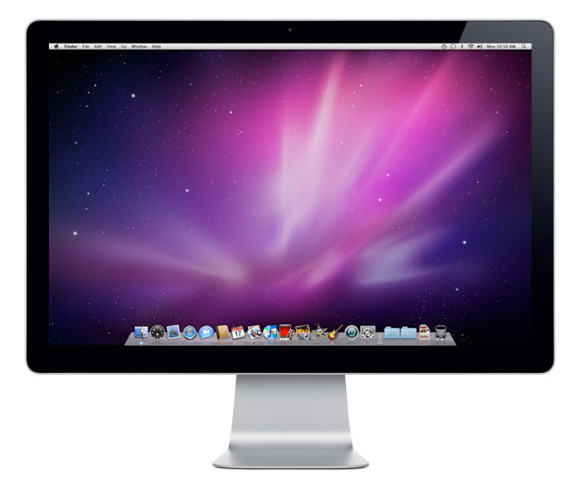
led-cinema-display

They have the touch screen capabilities, from the iPod and iPhone.

ipod-touch

They have the media playback capabilities and other circuitry from the Apple TV.

Apple TV

They have the amazing batteries from the MacBook Pro line.

new-apple-batteries

The speakers are also from the MacBook Pro line, and they’re some of the best small speakers on the market, if not the best.
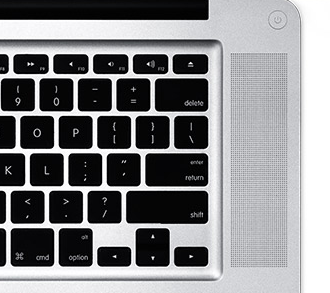
macbook-pro-speakers

People talk about an iTablet, but I’m not really sold on the idea. Yes, if you put all of these components together, you could have an iTablet, but what I want is a larger iPod, or rather a usable, untethered Apple TV with a nice, built-in display and decent battery life. It could look something like this (and no, this isn’t a rendering, it’s a screenshot from Apple’s own website).
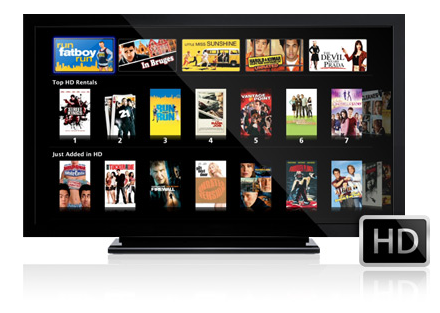
itv

Take away the stand, and imagine a nice iPod-like bezel around it, so you can grab it in your hands and hold it. Perhaps it could have some sort of leg that folds out to let it stand on its own, too. This is what I’m looking for. An iPod I can actually watch, anywhere.

Images used courtesy of Apple.

Standard
Thoughts

Why not, Apple?

Finally got around to watching the Apple Special Event from 9/9/09, and was very glad to see Steve Jobs back at the helm. As I mulled over what I’d seen, two questions came to mind:

  1. If Apple could place a niftly little camera in the new iPod Nano, why couldn’t they do it sooner for the iPhone? Why so much hedging on that issue? After all, it’s not like video cameras in smartphones were such an exotic item, even back when the first generation iPhones came out.

    ipod-nano

  2. If the iPod touch and the iPhone are such great gaming platforms, and they run a pared down version of OS X, why can’t I play those same games on my MacBook Pro or my iMac? Granted, I could understand they’re not made for the higher resolutions of a laptop or desktop machine, but still, they’d be running on much better hardware, so they should be screaming fast. Apple’s always had a bad rep for not being a good gaming platform. Seems to me like an easy flick of the switch to let people run those same iPod touch and iPhone games on their Macs and get more bang for their bucks. Or is this coming down the pike in the near future?

    ipod-touch-games

Images used courtesy of Apple.
Standard
Reviews

Hardware review: CableJive's iStubz cable for iPod and iPhone

In May, I mentioned CableJive’s new iStubz sync cable in my review of their SoundDock cable, which I’d purchased last year, and I was contacted by Zack, one of the folks at CableJive, who offered to send me an iStubz cable for review. In the interest of full disclosure, please know that the cable I received was a review sample that I got to keep.

Would I have bought one otherwise? Yes. I think that at $7.95 for the 7cm size or at $8.95 for the 20cm size, these cables are a great deal. They fulfill a real need for those of us with iPods and iPhones — namely the need the declutter our desks. They’re much shorter than the standard sync cable that ships from Apple, they work just as well, they’re made from the same materials — thus, they’re perfect for quickly connecting our Apple peripherals to our laptops.

I got my cable in late May, and have been using it ever since. I opted for the 20cm size. I packed my old sync cable and put it away from the very first day after that. It’s useless to me now. The iStubz cable is much more convenient to use, and in terms of design, it comes closer to Apple’s design philosophy than Apple’s own cable.

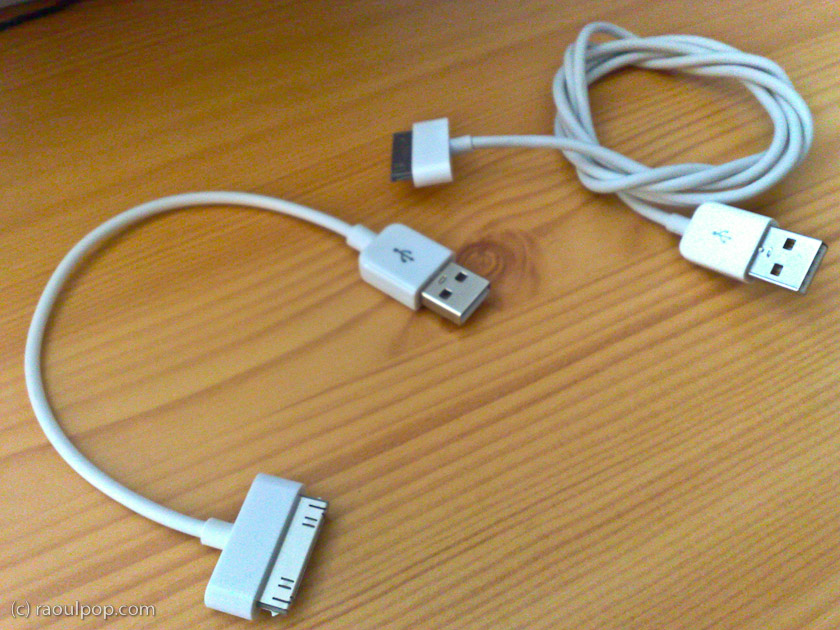
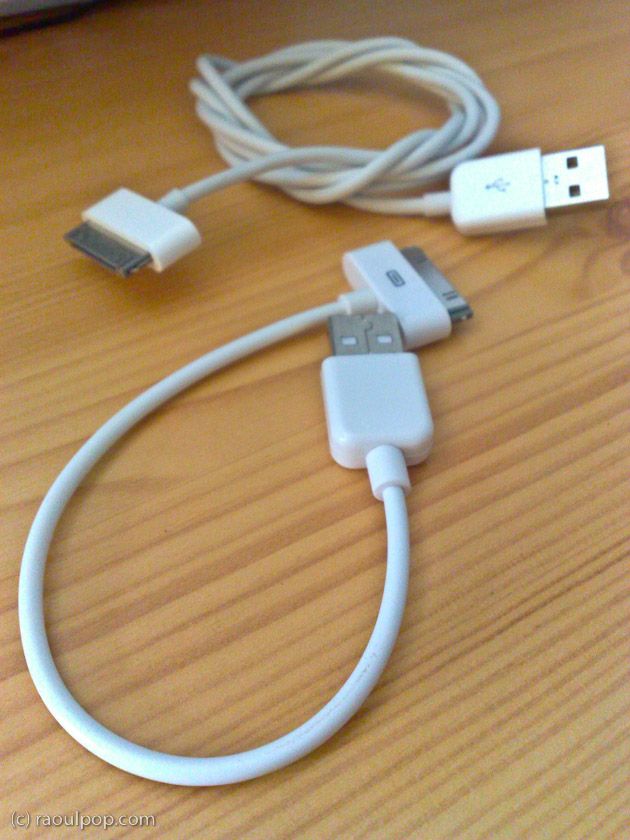
The cable I have can be seen the right side of the picture shown above, or in the two photos shown below. The longer cable, the one used to connect the iPhone to the laptop, is the 20cm one, and the shorter cable, the one used to connect the iPod to the laptop, is the 7cm one.

I had some issues with the sturdiness of my 1st gen SoundDock cable, as you can see if you read my review of it, but these iStubz cables are nothing like it. These are mass produced and very likely made to the same quality standards as the Apple sync cables. I wouldn’t be surprised if they’re made by the same manufacturer.

I took a couple of photos of my own to show you the difference between the iStubz cables and Apple’s standard sync cable. While I’ll agree that sometimes it’s better to use the standard sync cable, such as when you have a desktop computer with USB ports on the back, in most situations, the iStubz cable is all you need to connect your iPod or iPhone to your laptop.

CableJive's iStubz cable

CableJive's iStubz cable

If you want to buy the iStubz cable, you can get it directly from CableJive.

Standard
How To

Connect two Drobo units to your computer at the same time?

➡ Updated 1/14/19: I have revised my opinion of Drobo devices. After experiencing multiple, serious data loss events on multiple Drobo models, even recent ones, I no longer consider them safe for my data.

One of my readers asked me a little more than a month ago if I could post some screenshots of the Drobo Dashboard with two Drobos connected at the same time. Sure, no problem. It’s easily doable, and the Dashboard software automatically differentiates between each of them and displays the proper stats for each, even if they’re name the same. I haven’t tried it yet, but you could probably connect three Drobos at the same time if you wanted to.

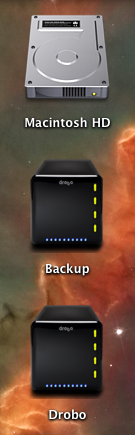
Here’s what the drive icons look like on my MBP’s desktop.

mbp-drive-icons

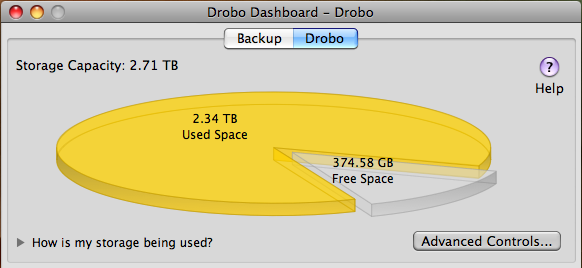
The main screen inside the Drobo Dashboard software will display buttons for each connected Drobo, allowing you to switch between them as needed.

drobo-dashboard-drobo

drobo-dashboard-backup

As you can see, I need to either free up some space on my main Drobo or get some new drives. Using the Drobolator, it turns out I’d need to get two new drives (either 1.5TB or 2TB each) in order to see any increase in the available space.

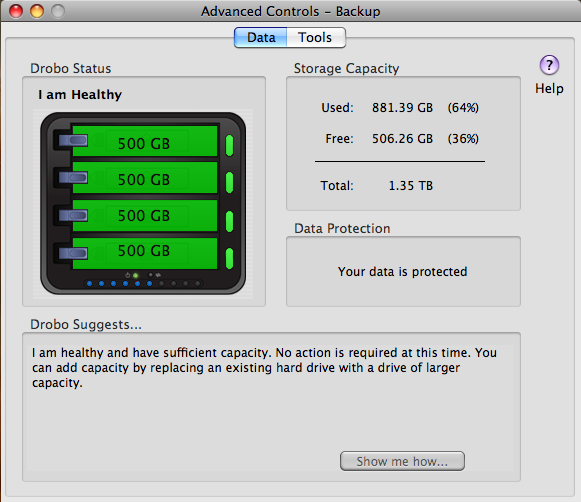
The Advanced Controls screens inside the Drobo Dashboard show the drive layouts inside each Drobo.

advanced-controls-drobo

advanced-controls-backup

I’d like to point out a possible bug in the Drobo Dashboard software while I’m at this. As you can see on the following screenshot, when I click on the Check for Updates button to see if there’s a firmware upgrade for my Backup Drobo, which is a USB-only unit, I get a message which tells me both the Dashboard and the firmware are up to date, when I know that the firmware is out of date, as you can see from the firmware version itself. I’ve often had to perform manual firmware upgrades to my Drobos, because I keep getting this message in error. I hope this bug can be resolved at some point.

drobo-dashboard-check-for-updates-error

Other than that, the Drobo Dashboard software works as expected, and can work with multiple Drobo units as well. No problems there.

Update: After doing a manual upgrade to firmware version 1.2.4, the automatic check for updates from within the Drobo Dashboard worked, and when my Drobo rebooted, I was prompted to upgrade to 1.3.0. After an initial unsuccesful attempt, I was able to upgrade just fine. One less item on my to-do list. Good.

drobo-dashboard-new-firmware-notice

Standard
Thoughts

The iMac: not so great long, long after

I received an email from Apple a couple of days ago, advertising the new iMac. The title of the ad was: “Amazing right out of the box. And long, long after.”

imac-ad

I disagree with that characterization. Perhaps it’s true of the new iMac, but it’s not true of our iMac. First, let me get something out of the way. I’m a Mac guy. I love Macs, I use a Mac all day long, I love their design and performance, and I love OS X. Unfortunately, my long-term experience with the Mac hardware, particularly when it comes to our iMac, isn’t so positive.

You see, we purchased an iMac G5 in late 2006, with an Apple Care plan. Thank goodness we did that, because we had problems with it from the get-go. A year after owning it, I wrote a post where I detailed the problems I’d been having. At the advice of some of the readers, I took it into an Apple Store to have it checked out. They replaced the motherboard and did a couple of other things. The repair experience was problematic in itself. Then, a short while afterward, the computer died again. This time we took it into a different store, where they replaced the motherboard again and did some other repairs.

Although that second repair experience was more positive, I had to take it into the store once more in 2008, for related issues. I can’t find the repair receipt at the moment, so I don’t know the date and I don’t know what they fixed, but yeah, that was the third time I had related repairs done to it, very likely for the same problems.

Then, inconveniently, about two months after the Apple Care plan expired in September 2009, our iMac died, just as it had died a couple of times before. It refused to boot up altogether. When I’d plug it in and press the power button on the back, nothing would happen. But, if I was extremely lucky, every once in a while, some noises would be heard in the back of the machine, as the cooling fans and hard drive started rotating, only to die a second or so later.

When this last hardware failure occurred, we were packing for an extended stay in Romania. I took the iMac along, since we had data on its hard drive that we needed. Once here, I was able to open it and retrieve the data from the hard disk. Unfortunately, the computer itself is still dead. What’s worse, I’m nowhere near an Apple Store. There are no official Apple stores in Romania. None at all. Where do I take it for service? And will I have to pay for the repair? A logic board replacement on an iMac G5 is somewhere around $900, and that’s only for the parts. It hardly seems fair to pay for a lemon repair, because that’s basically what I have — a lemon. Our iMac G5 has had repeated hardware failures of the same parts (at least three failures) while the Apple Care contract was still valid. The right thing for Apple to do would have been to replace it with an equivalent model, or to offer me a significant rebate on a newer model, allowing me to upgrade as painlessly as possible to more stable hardware. But none of that happened, and now I’m stuck with dead hardware.

So yeah, I don’t think the iMac is so great, long, long after. I’m sorry I spent our money on it, actually, and sorry it never worked as it should have, from the get-go.

Standard