
- Brightest Ideas in Lamps & Light Bulbs http://tinyurl.com/2zfs3y #
- U.S. Army Installing Apple Computers http://tinyurl.com/29dpzw #
- Cabin Dweller http://tinyurl.com/yqyw9u #
- Canon U.S.A. Introduces The VIXIA Family Of High-Definition Camcorders http://tinyurl.com/2hqvup #
- How to surf the web even if Internet Explorer is disabled – Download Squad http://tinyurl.com/ywvqmd #
- Antarctica Condition 1 Weather – Snotr: Scary stuff. http://tinyurl.com/243bc5 #
- Comcast hints it will announce open cable standards tomorrow http://tinyurl.com/2jhl7y #
- Lunchtime at the Glassworks: 1908 http://tinyurl.com/3blr9s #
- Panasonic president unveils 150-inch wireless ‘life screen’ http://tinyurl.com/39tfhq #
- New Passport Cards Available Soon http://tinyurl.com/ynpav9 #
- Who Writes Cartoons? http://tinyurl.com/379a6w #
- Panasonic develops 32GB SD card with Class 6 speed http://tinyurl.com/33lw62 #
- Dangerous Things You Should Let Your Kids Do http://tinyurl.com/2lw9fk #
- Hiding in Plain Sight: Why Cycling Is The World’s Most Popular Underground Activity http://tinyurl.com/2xf5ve #
Tag Archives: information
Condensed knowledge for 2008-01-06
- Dan Heller’s Photography Business Blog: Follow-up: Creative Commons and Photography http://tinyurl.com/27k6kc #
- How do redirects work with websites? http://tinyurl.com/39o6be #
- Random Chipmunk Notes http://tinyurl.com/22qrrf #
- THIS JUST IN: Danish power outlets! http://tinyurl.com/2yyg2d #
- Best Faces of 2007 http://tinyurl.com/36vapo #
- DXG USA announces $149.99 HD camcorder http://tinyurl.com/24u4m5 #
Thomas TimberWolf

Back in 2001, you could see some wonderful and innovative cartoons on the Internet. I’m talking about Thomas TimberWolf, an (unfortunately) short series made sometime in 2000-2001 by Chuck Jones and company. This series is possibly the last animation work of Chuck Jones, who died in 2002. This was about the same time that you could see some truly crappy cartoons on TV — not that things have improved much nowadays. But let’s get back to the good stuff…
One of the wonderful things about Thomas TimberWolf is that the series was done in Flash. While some of the smooth movement and art of hand-drawn cartoons was lost, what we gained was a small file size (about 2.8 MB for 5-6 minutes of fun) and vector art. Vector art?! Oh yeah. It means you can scale any of these cartoons up to whatever size you want, and the lines will still be smooth and crisp. No pixelation, no blurriness, only clear lines and colors. Wonderful!
Let’s also not forget that the cartoons themselves are great. I mean, c’mon, we’ve got an intellectual timber wolf with a tragi-comic flaw: every time he says the word “Timber!”, trees fall on him. He spends his days trying to avoid falling trees and not entirely succeeding. How can you not be entertained by that? 😀 What’s even better is that Chuck Jones’ signature style was retained during the computer animation process. We’ve got the same minimalistic gags, the familiar, endearing character art, and that wonderful, non-specific warm and fuzzy feeling that you get when you watch quality stuff. I can’t describe it, but any cartoon aficionado will probably know what I’m talking about.
Thomas TimberWolf was released on the Internet in 2001, and it seems that a short while after the series ended, the Flash files became easily accessible on various sites, without copyright restrictions. I’m not sure entirely sure about that, so don’t quote me on it, but that seems to be the case. At any rate, I believe I downloaded the episodes from this same site several years ago. They’re still up and available there, so that’s a good thing.
Although only 13 episodes got released to the public, there are about 6 more episodes available, and that’s straight from the horse’s mouth. Stephen Fossati, who created, directed, wrote and co-produced the series, said it sometime in 2005. Stephen Fossati is Chuck Jones’ only living protege and worked closely with him for about 10 years. Their collaboration culminated with the Thomas TimberWolf series. I would love to see the other episodes, and I wonder where they are. If anybody has information about them, please let me know.
If for some reason the site where the episodes are posted goes down, I have them and can post them here. I’m not sure about the legality of it. If someone can give me the all clear on it, I’ll gladly put them up.
So, while they’re still available, go download all of the episodes, and keep them safely on your hard drives. They should be preserved for posterity.
More information
- Chuck Jones (IMDB)
- Chuck Jones (Wikipedia)
- Stephen Fossati (IMDB)
- Download Thomas TimberWolf Episodes 1-13
Camera review: Canon Rebel XTi DSLR
Released on August 24, 2006, the Rebel XTi is Canon’s newest entry-level prosumer DSLR. It’s an update on the popular Rebel XT, and it’s different from it as follows:
- Slightly thinner body, heavier (2.56in vs. 2.63in and 510g vs. 485g)
- Newer, re-designed sensor with higher resolution (10 megapixels vs. 8.2 megapixels)
- Sensor cleaning technology (dust shaken off the sensor with ultrasonic waves)
- Bigger display (2.5in vs. 1.8in)
I only listed the significant differences above. You’re welcome to compare the detailed specs if you’d like, right on Canon’s website. Go to the More Information section at the end of this post and use the links listed there to get the full specs.

In my reviews of other DSLRs, like the Canon 30D, the Olympus E-510, or the Olympus E-500, I criticized the Rebel XTi’s small grip, and I still think I’m right. It’s much too small to be held comfortably in a man’s hand, and that’s unfortunate, because the camera is great in every other aspect.
In spite of the camera’s small grip, I was pleasantly surprised by the quality of the photos it produced, and I wanted to share my findings with you. I avoided reviewing it until now on purpose — as I said, I was displeased with its body design — but after using it, I’m happy to say I would recommend it.
I made a video review of the XTi, which should help you get a better idea of the its dimensions. I discussed the camera at length in the video, and also did a side-by-side comparison between it and my Canon 5D. You can watch it below, or scroll past it to read the rest of my review. You can also watch it here, or download it if you like.
I should also mention I goofed in the video. I talked about the XTi having the DIGIC III processor, but it turns out it still has the DIGIC II processor. What I said about the differences between it and the 5D and 30D with respect to exposure value settings is still correct, so don’t disregard that. You may or may not be aware that when you do not adjust the EV settings on a 5D or 30D, and you shoot outside in bright light, the processor will overexpose the shot. The quick fix is to dial down the EV by 1/3rd, and that usually does the trick. But that’s not right. Shots shouldn’t be overexposed, and I’m glad to see the XTi doesn’t suffer from that bug. It exposes shots beautifully, and you’ll see what I mean when you look at my sample photographs below.
Even though the overall design of the camera is similar to that of the larger DSLRs that Canon makes, certain differences are there, and they are caused both by the price and size of the camera. For example, being used to the 5D, I missed the small at-a-glance display on top of the camera. On the 5D, it lets me know what my settings are without having to consult the LCD screen. I also missed the large settings dial next to the LCD that’s a staple on every other Canon prosumer and pro DSLR. I love that dial/wheel, and I miss it on every non-Canon camera I use.
The exposure value adjustment button, along with the drive settings button, are located next to the display instead of the top of the camera. There is no jog controller for the focus point selection, either. But you can’t have everything. The Rebel XTi is an entry-level DSLR, so you can’t have features that are normally found on the more expensive DSLRs. Plus, its body size makes it impossible to have the same button arrangement.

Despite my gripes, I liked the size of the body, and I liked the feel of the buttons. They had a soft, glossy surface that made it a joy to press them. The small body of the camera makes it possible to hold it very comfortably in the palm of your hand, and that’s a huge plus, because you can stabilize shots a lot better that way.
I really liked the quality of the photos from the XTi. I shot in RAW format, and I was very pleasantly surprised to see how well exposed the photos were, and how accurate the color reproduction was. I’ll show you some photos very shortly where I made no adjustments in post-processing other than adding meta-data, and I think you, too, will find it hard to believe that those were RAW shots straight from the camera.
I can tell you this: the RAW files made by the XTi have better exposure and color, right out of the camera, than the RAW files made by my 5D. It’s a shocker, yes, but it’s true. I suppose that’s to be expected. The 5D uses technology developed in 2005, while the XTi uses technology developed in 2006. But still, I had to see it with my own eyes to believe it, and being a 5D owner who’s shot tens of thousands of photos with the 5D, this was a hard pill to swallow. Having said this, would I give up my 5D for a Rebel XTi? I’m tempted, but no. 🙂
On to the photos. These are two that I took in early afternoon light, which was bright and unforgiving. I shot in RAW and developed the photos in Lightroom. I had to do very little exposure adjustment. Can you believe how well the XTi exposed the photos and reproduced the colors? Can you believe the dynamic range of the sensor? I didn’t expect this from the XTi.
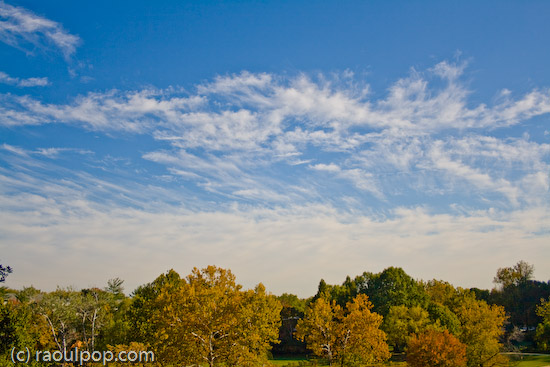

Here’s another photo that shows off the dynamic range of the camera. I shot this with the wonderful 18-55mm kit lens. If you’re confused by my characterization of that lens, watch the XTi’s video review, and I think you’ll understand.
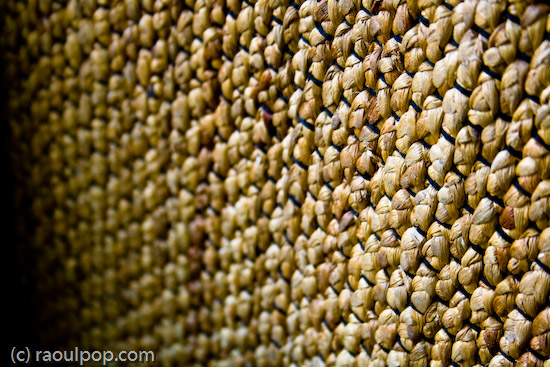
Here’s a macro shot I took with the same 18-55mm kit lens. I was pleasantly surprised with the low noise at 800 ISO.

I said it before, and I’ll say it again. I love the colors that I get out of this camera! Have a look at these two photos to see what I mean.


I thought I’d put in a dog photo for good measure. This happy pooch posed for me in downtown Alexandria this past summer. I used Keith McCammon‘s XTi for the shot.

What else can I say? If I’ve missed anything, let me know in the comments. The Canon Rebel XTi is a great prosumer DSLR. You won’t have to try very hard to get wonderful photos with it, and its affordable price will help make your decision a little easier.
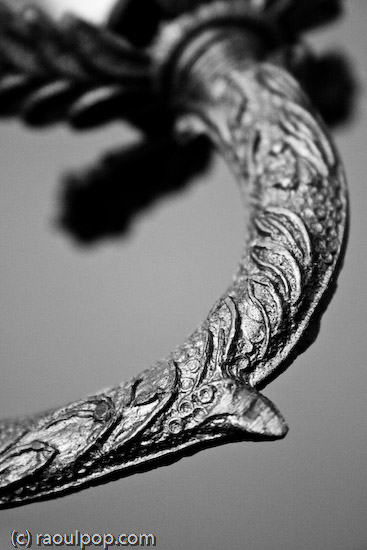

Buy the XTi
- Canon Rebel XTi specifications
- Canon Rebel XT specifications
- Canon Rebel XTi (Amazon)
- Canon Rebel XTi (B&H Photo)





The Olympus E-3 Launch Party
Back on August 15, I wrote about the “new E-1”, the Pro DSLR from Olympus that would replace the existing E-1. I had the wonderful opportunity to attend the launch party for that new DSLR, officially called the E-3, on October 16. The party was held at the Museum of Natural History in NYC, and it started at 5:30 PM EST.
This post is rather long, so I thought I’d summarize it for your benefit:
- First part: my thoughts on the event and the E-3, with photos of the camera
- Second part: video from the event
- Third part: my photos from the event
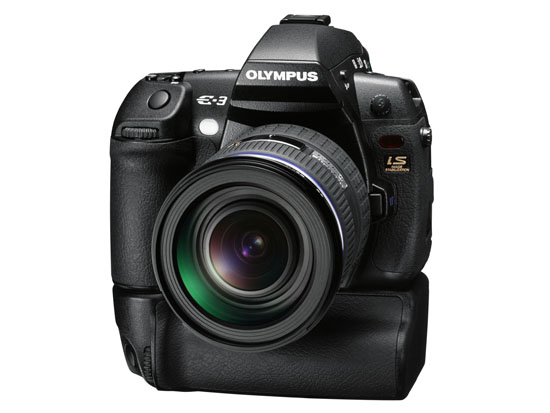
I was impressed with the quality of the event. Olympus rented an entire wing at the Museum of Natural History, and set up stations where we could talk with specially-chosen pro photographers about the E-3 and try out beta units of the camera. (The firmware isn’t yet finalized, so actual review units weren’t available.) There were food and drink bars (the cheese was fantastic) and all sorts of other goodies were spread all around (like a timeline display of all of the representative Olympus digital cameras, starting with their first model, and ending with the E-3). The event went nicely according to plan, and there was even a drawing where a lucky winner got an E-3 Pro Package (camera, speedlite, lenses, etc.) plus an all-expenses paid trip to India with one of the Olympus pros. I didn’t win it, unfortunately.
The atmosphere wasn’t one of hard sell. I could chat at ease with photographers and relax while looking at slideshows of photos taken by the pros or snacking on food. Ligia and I enjoyed ourselves. The weather was gorgeous. It had been sunny all day, and as evening descended on the city, the sky stayed clear, and a cooler breeze made it feel like a proper autumn night.
The E-3 surprised me in several ways:
- It didn’t differ much from the concept photos I’d seen earlier, which was interesting. It means Olympus had been working on it for a long time, pretty much had the form factor down, and were simply perfecting it.
- It was bigger and heavier than I expected. Having worked with the E-500, E-510 and E-410, I expected the body to be lighter and smaller. It wasn’t. The weight of the E-3 is exactly the same as the weight of my Canon 5D: 810 grams. It’s also as big as my 5D – actually, a little taller.
- It felt very solid. When I gripped it, there was no mistaking it: I held a Pro DSLR in my hand.
- The ISO sensitivity went all the way to 3200. What’s more, the camera’s Auto ISO function also varied the ISO from 100 to 3200. That’s a rarity. There’s usually an upper limit (something like 800) to Auto ISO on other cameras.
- The camera uses an 11-point AF system. I complained about the 3-point AF on the E-510, and it looks like that’s not a problem on the E-3. It could focus very fast in lower light conditions, even at f/4.
- The CMOS resolution is 10.1 megapixels. I honestly expected it to be 12 megapixels, just because everyone is pushing the envelope on resolution these days. I have a feeling this may be a limitation of the sensor’s surface area. The more megapixels one crams onto a sensor, the more chance there is for noise in lower light. It’ll be very interesting to watch and see how Olympus deals with the need for increased resolution in their Four-Thirds system.
- The LCD screen swivels out, just like on the E-330.
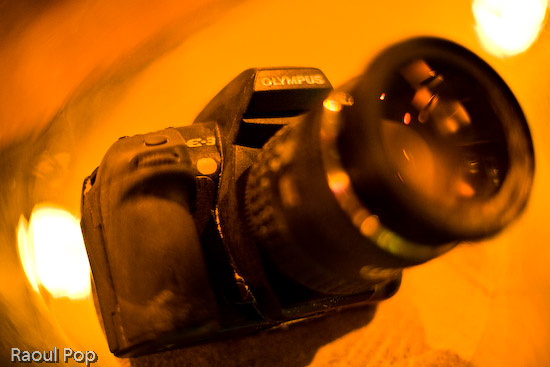
Here are some more photos of the E-3, from various angles. The E-3 was launched with a brand new lens, the 12-60mm f/2.8-4. The effective focal range of this lens is 24-120mm, because of the 2x crop factor of the Four-Thirds system sensors.


Olympus E-3


I didn’t get a chance to play too much with the controls on the camera. One thing to say here is that Olympus built in a lot of buttons to allow for one-touch access to the camera’s most-used functions. I did find it a bit awkward to change the mode and ISO settings. To change the mode, I had to press the Mode button on the camera’s top left side, then rotate the back dial. To change the ISO, I had to press the ISO button on the top right of the camera, then rotate the front dial (located underneath the ISO button). Both movements felt odd, and I wondered how this would work out in the field.
To be fair, I don’t know if that was the right or only way to change those settings, and I can’t really judge the placement and ergonomics behind the controls after only a few minutes of trying out the E-3. I did like the idea of having two dials, one for the thumb and one for the index finger. I look forward to trying out a review unit for my usual 30 days, and then deciding if the controls work well or not.
I took a few photos at high ISO (1600 and 3200) and was pleasantly surprised by the low noise visible on the camera’s LCD screen, even at f/4. Since I used my own CF card to take the photos, I really looked forward to examining those photos closer when I got home. Unfortunately, one of the Olympus representatives present at the event saw me do it and erased my card. His reasoning was that the camera’s firmware is not yet final, and he didn’t want me to get the wrong impression about the E-3’s capabilities. Sounds logical, and he apologized profusely, but I still couldn’t help feeling it was a pretty stinky thing to do to me, right after I’d talked with an Olympus engineer from Japan who had no problem whatsoever with the photos I’d taken, and who actually encouraged me to go home and have a look at them on my computer. I have to say I was pretty disappointed about that, but I didn’t let it ruin my evening.
Olympus launched three new lenses with the camera. Two were new (12-60mm f/2.8-4 SWD and 14-35mm f/2.0 SWD), and one was re-engineered (50-200mm f/2.8-3.5 SWD). They also launched a re-engineered FL-50 speedlite. I realized once more the big advantage of the Four-Thirds system when I looked at their lens line-up, which was on display at the event. They have a 150mm f/2.0 lens, and a 300mm f/2.8 lens. You may not think that’s much until you realize their crop factor is 2x. That means that they’ve really got a 300mm f/2.0 lens and a 600mm f/2.8 lens. Let that sink in for a bit. That’s pretty spectacular. No one has lenses with that focal reach and at that large aperture on the market. To think that you can get f/2.8 at 600mm effective focal length is mind-boggling to me. Wow.
Overall, the E-3 is truly the new flagship camera from Olympus. It represents the culmination of their efforts in many areas: the Four-Thirds system, AF, durability, ruggedness, optics and image processing. Now that it has arrived, I’m sure many people, including myself, can’t wait to try it out and see what it can do.
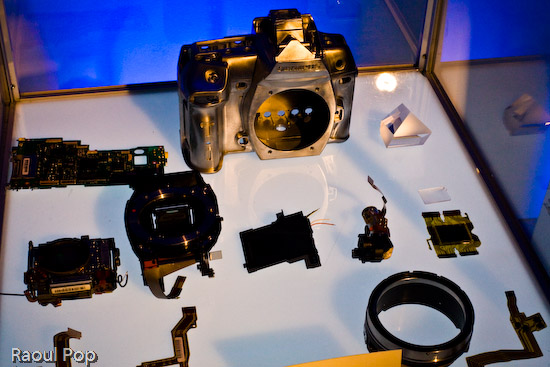
I put together a short video (about 4 minutes) of the party. It ends with the lens line-up and a cross-section of the E-3 with the 12-60mm lens mounted on. It’s pretty cool, and it gives you a unique look at the camera from the inside out. You can watch it below or here.
I’ve also got more photos from the event below. They were not taken with the E-3 (for the reason given a few paragraphs above). They were taken with my Canon 5D.
There were some really, really cool ice sculptures on display at the event. There was even a bar made out of ice, with the Olympus logo embedded in it.



The guts of the E-3 were on display.
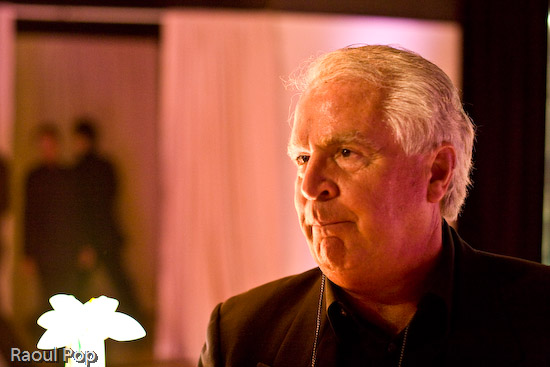
Gene Hirschel of Internet News was there. I met him at the previous Olympus PR event, which announced the E-510 DSLR.

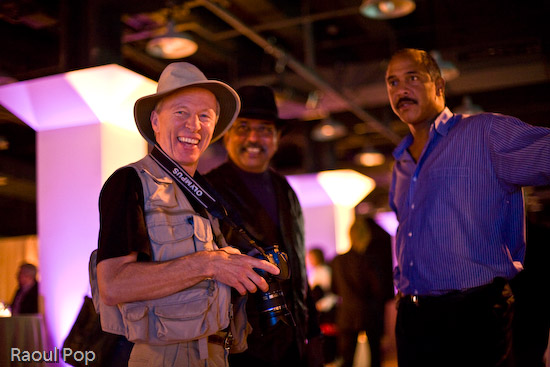
John Isaac is one of the Olympus Pro photographers, and he’s currently specializing in wildlife. He worked at the UN for 30 years as an official photographer.

The man below is the sculptor of the many amazing crystal figures on display at the event. I have a photo of one of them below, and they’re also featured in the short video I made. I’m terrible with names and I didn’t catch his.

Guess who took this photo of us? It was Anne Day, and she used my 5D. I consider it a privilege, especially after I saw some of the other people whose photographs she’s taken. Have a look at her site and see what I mean.
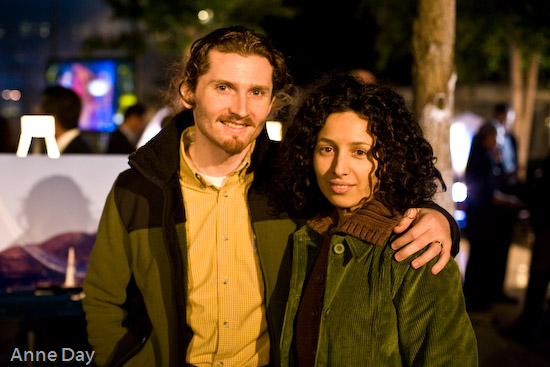
Here’s Anne Day in person:

I took this as I rested on a table, watching slideshows of travel photography. The blue light of the LCD projected reflected in my glass of tonic water.

I caught Ligia thinking about something when I took this.

If you thought Ligia’s photo was out of focus, you’re going to get a real surprise out of the next one. The thing is, I LOVE out of focus photographs. There’s a certain sweet spot that varies with lighting, distance and focal length, but if you get it just right, the colors really pop, and the shapes become very interesting. These are people at the launch party. I’m probably going to share more of my out of focus photographs in the near future. I’ve been accumulating a lot of them within the past several months.

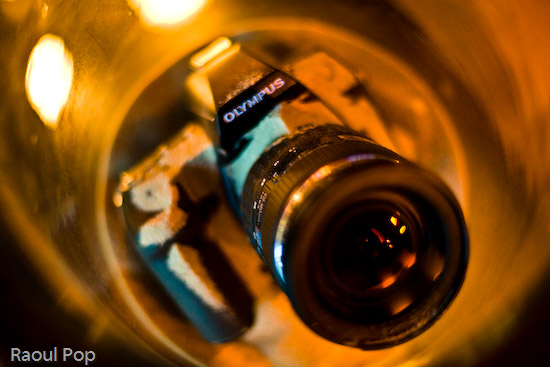
To demonstrate the E-3’s dust proofing, they buried two cameras in sand. They’re supposed to still work without any problems after this happens to them. I didn’t try them out, but it’s very likely that they worked just fine afterwards.
Gary Kralle (one of the other Olympus Pros), John Isaac and a friend were talking when I took this photo. Gary came up to me afterwards and we chatted a bit about cameras.
I love abstract shots that emphasize bokeh. Here are a few that I took at that night.



When we left, there were swag bags ready for us. Here’s what was inside: a travel document holder, a pen, a paperweight, a coaster, and lots of details on the E-3. All were emblazoned with the Olympus logo. Pretty nice!
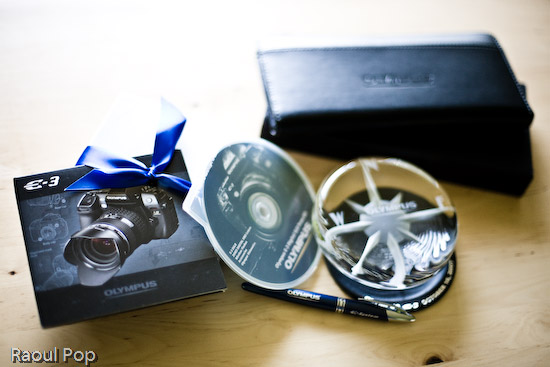
Michael Bourne, thank you very much for the invite! I look forward to reviewing the E-3 properly when it becomes available.
More information:
 Raoul Pop
