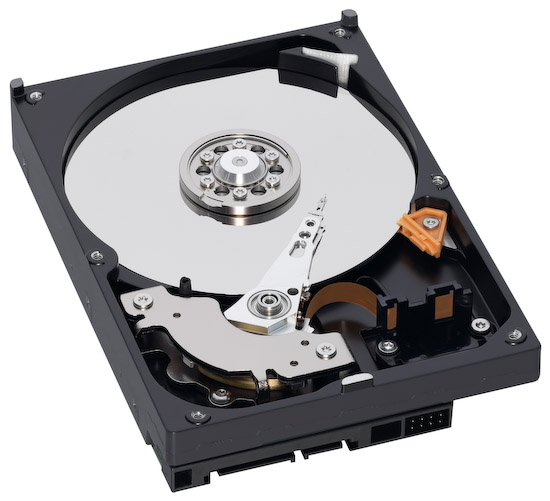
In January of 2009, I mentioned the price of storage had just dropped below 9 cents per gigabyte. I see now that 2 TB drives are selling below $150 (they’re $140), so it’s time to update my figures. At $139.99 for a 2 TB (2,000 GB) SATA hard drive, that comes out to less than 7 cents per GB. That’s a great deal, and it goes without saying that it’s the lowest price for data storage consumers have ever seen.
Updated 4/19/10: Micro Center is selling 2 TB Seagate SATA drives for $119.99. It’s an in-store special, with a one drive per household limit, but still, that makes it 6 cents per gigabyte. What can I say — expect the price to keep dropping…
On the downside, it seems hard drive manufacturers have hit a ceiling with 2 TB drives. I haven’t heard talk of 3 or 4 TB drives, or anything larger than that. Perhaps I haven’t been keeping up with storage news properly, so if you’ve heard some good news, do let me know!
The folks at Data Robotics put together a short video that showcases Drobo owners talking about what they store on their Drobos, and asked their Twitter followers what’s on their units.
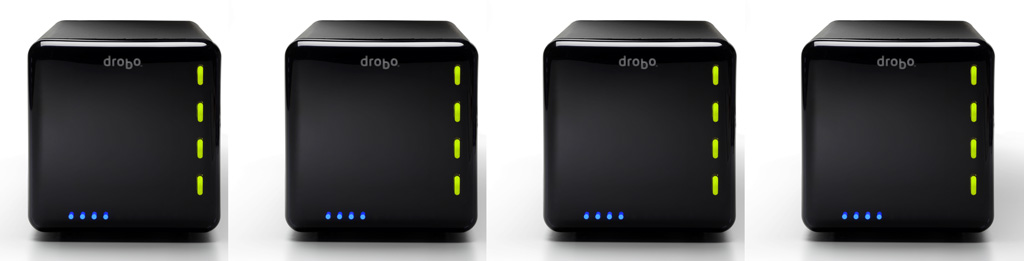
That got me thinking about what I store on my Drobos. I have four Drobos in total: three 1st Gen Drobo units (USB 2.0 only) and one 2nd Gen Drobo (Firewire 800 + USB 2.0). Perhaps that makes me a bit unusual. Most people have one or two units, not four. But there’s reason to the seeming excess.
For one thing, I have a huge photo library. (You can find the photos I edited and published here.) For another, my wife and I have a huge video library. These are movies and cartoons we had on VHS tapes, which we digitized, or on DVDs, which we archived for easy viewing, or TV shows and movies that we recorded from TV. We’re big fans of classic movies and cartoons from the 1920s, 30s and 40s, and we collect all the ones we like. We also digitized most of our old paperwork. My medical records are all digital. So are my dental records. So are a bunch of our other documents. I scanned all the stuff I could scan, and now when I need to look something up, it’s right there at my fingertips. I’ve also started shooting video more intensively this past year, in SD and HD. (You can find my published videos here or here.) All that stuff takes a fair amount of space — terabytes to be more precise. And to top off this whole list, we live our life on two continents (North America and Europe).
Here’s what I do to make sure I don’t lose my data:
I keep a Drobo with my parents, at their place. On it, I store a backup of my photo library and our video library, along with their files. I back up my live photo library to it using CrashPlan, a piece of software that will let you back up your data to a friend’s machine. I’ve actually just started using it, and while I’ve been able to back up just fine with both machines on the same network, being able to do it from thousands of miles away will be a litmus test of the software’s capabilities. I’ll be sure to write about it if it proves workable. The video library gets backed up every once in a while in a pretty simple manner: I carry movies and videos to them on a hard drive and copy them onto the Drobo. Updated 4/21/10: CrashPlan does indeed work as advertised!
I keep two Drobo units at our home. On one of them, I keep our video library, and an extensive, historical file archive. On another, I keep a mirror copy of my live photo library, which is currently stored on a WD Studio drive, because it’s smaller and easier to transport than a Drobo, and I do a fair bit of traveling. I mirror my photo library with an app called Synkron, which works great. I switched to the WD Studio when I started traveling extensively and realized the Drobo couldn’t always fit safely into my luggage. (Where oh where is that Drobo carrying case I wrote about last year?)
I gave the fourth Drobo to my brother, who needed a solid data storage device to begin to archive his ever-growing library of ethnological videos. He’s a documentary filmmaker who travels around Romania studying and recording religious and secular customs, which are being forgotten and buried along with the old folks. He wants to preserve these things for posterity. You can learn more about what he does at his website, called ORMA.
So that’s how I use my Drobos. However, I’ll have another logistical issue to deal with in the near future. I’m running out of space on the WD Studio drive, which has 2 x 1 TB drives in it. I run it in RAID 1, and in another month or two, it’ll be completely full. I’ll need to start using one of my Drobo units as my primary photo editing/storage device again. This means I’ll shuffle all my data around once more. A possible new arrangement will see me using the 2nd Gen Drobo for the storage and editing of my photos and videos, and the other for the storage and retrieval of our video library and historical file archive, while the WD Studio drive will see some backup duty or be relegated for travel-only purposes.
The current drive distribution among the three Drobos I use actively is as follows:
2 x 2 TB drives + 2 x 1 TB drives in the Drobo that stays with my parents
4 x 1 TB drives and 4 x 500 GB drives, respectively, in the two Drobos that are with us
I can’t speak for my brother, but I believe he’s using 4 x 1 TB drives in his Drobo
I’d love to hear how you are using your Drobo. Perhaps you have some ideas for me?
Image and video used courtesy of Data Robotics. The 2nd Gen Drobo is available for purchase from Amazon or B&H Photo. The 1st Gen Drobo has been discontinued as of 2009. Be sure to also check out my reviews of the Drobo S, DroboPro and DroboElite.
Most people will likely tell you the Fountains of the Bellagio Hotel and Casino are easily the coolest thing in Las Vegas. I agree. They are spectacular. I have never seen excess put to better use — and let me tell you, a huge lake that shoots water hundreds of feet in the air, in the middle of the Nevada desert, where any water demands a high premium, is excessive. These fountains left me breathless, awestruck, every time I saw them, and we made sure to catch several shows while we were there.
This is one of those shows, filmed by me at night, from the Northeast corner of the lake, at the intersection of Las Vegas Blvd and Flamingo Rd. The fountains danced to a famous tune crooned by Frank Sinatra, called “Luck Be A Lady”. Enjoy!
Last month, I wrote about CFLs and LED light bulbs, and today, I found a great video from Economist magazine, which not only talks about a new technology called quantum dots, but also does a great job of explaining the differences between incandescents, CFLs and LEDs when it comes to the light spectrum and lumens they emit.
It turns out a company in Massachusetts called QD Vision is among a handful of companies that are developing quantum dot filters for LED bulbs. These filters improve the spectrum emitted by LEDs to make the light less harsh, warmer, and closer to the spectrum of incandescent light bulbs, which ultimately makes it more pleasing to the eye. Personally, I think their filters make the light slightly redder than it needs to be, but still, it’s a step in the right direction.
When did TechCrunch make the move to WordPress.com? I took a look at the top WP.com blogs today, and it was listed there, which means it’s no longer self-hosted, it’s literally at WP.com, under their VIP hosting program.
I did a quick search of their site, but they say nothing about their migration. I can imagine it was a grueling piece of work given the sheer size of the site and their various content embeds, like CrunchBase. With Google’s help, I saw that CenterNetworks wrote a post on 2/8 where they asked and got confirmation that TC is indeed hosted at WP.com, so it looks like they migrated sometime in late January or early February 2010.
I completed my own migration to WordPress.com (albeit not under their VIP program) on January 31st, and support from WP was very hard to come by during my migration. Perhaps they were busy at work on the TC migration?
Back when TechCrunch was a smaller operation, they were hosted at Media Temple, and were continually running their banners on the site. Then they moved to the RackSpace cloud, presumably after they outgrew Media Temple’s Nitro service. Apparently RackSpace no longer sufficed, for whatever reason.
What I do know is that WP’s own VIP hosting program is a compelling choice for those who need that kind of horsepower. Pricing begins at $500/month, with a one-time setup fee of $1,500, and your site will pretty much be able to handle any kind of traffic that comes its way.


 Raoul Pop