For the past month, I’ve been testing out the E-500 DSLR from Olympus. It’s an entry-level DSLR with impressive specs for its class. These past 30 days or so, it has been my primary camera. It’s been everywhere with me, every day. I’ve used it in all sorts of conditions (indoors, outdoors, daylight, nights, cold, warm, wet and dry), and I’ve taken over 3,000 photos with it. So what I’m about to write carries a bit of weight — at least the sort conferred by such use. After you read my review, you’ll get to see sample photographs that I took with the camera. They’re at the end, so you may jump there right now if you’d like.
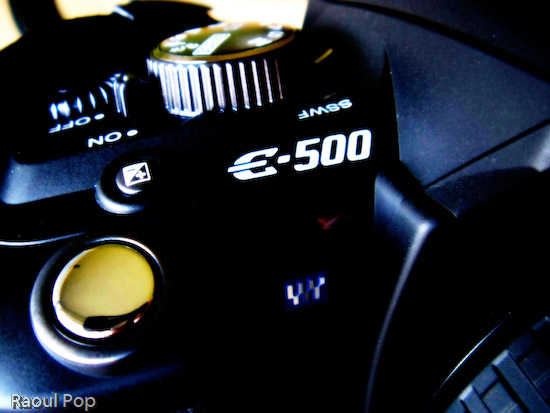
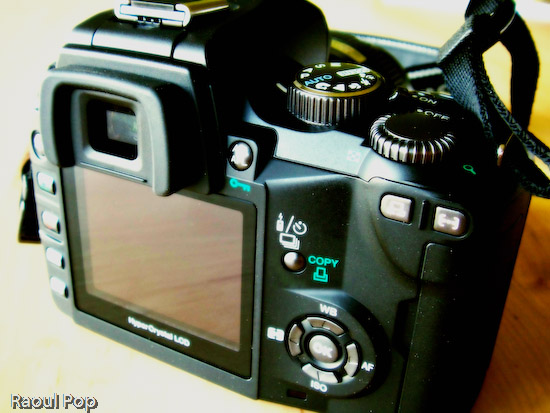
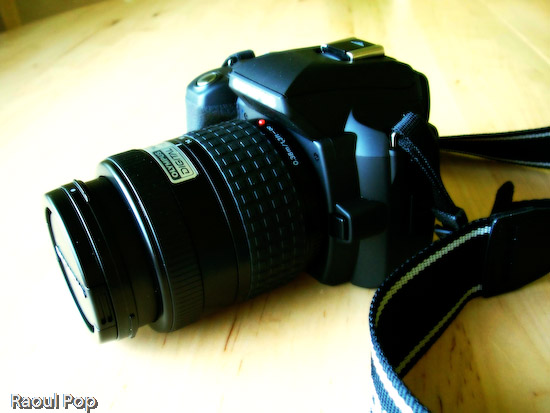
The E-500 feels good in the hand. It’s light (about 435 grams for the body, plus another 75-100 grams or so for the lens). It has a great grip. It just feels right when I hold it in my hand. One of my complaints with the Canon Rebel XT, another DSLR in the same class as the E-500, is that it’s too small. It feels like it was made for a woman’s hand. I can’t quite grip it right. Not so with the E-500.
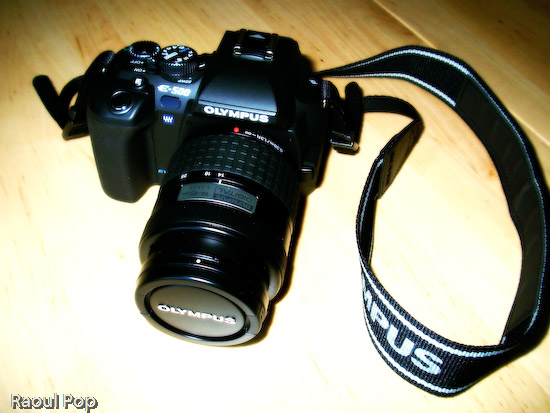
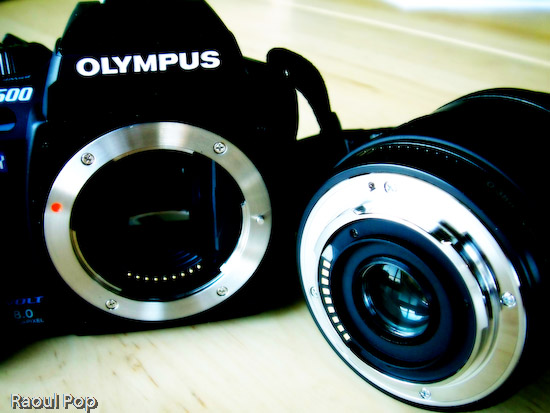
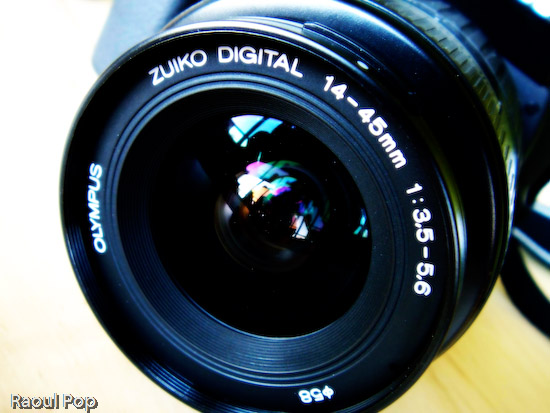
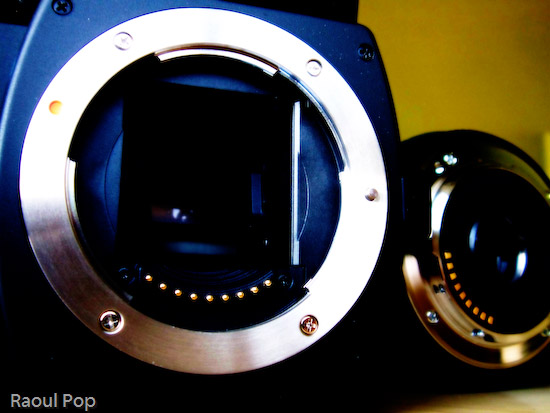
My test model came with a 14-45mm, 1:3.5-5.6 kit lens. Given the sensor size and optics, this is equivalent to a 28-90mm lens on the 35mm system. While the aperture specs of the lens aren’t impressive, its optics and construction are. I’ve held other kit lenses in my hand, and they felt pretty flimsy. This one doesn’t. It has weight to it, and it’s solid. The mount is made of metal, and it feels like a quality product over all. Yes, in order to make the lens affordable, Olympus needed to pare down the specs, but they didn’t skimp on materials and optics, and I’m very glad for that.
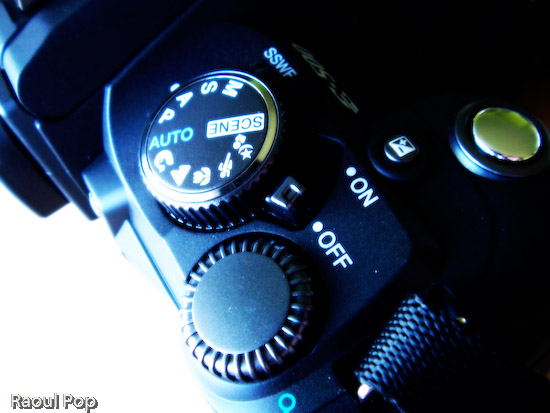
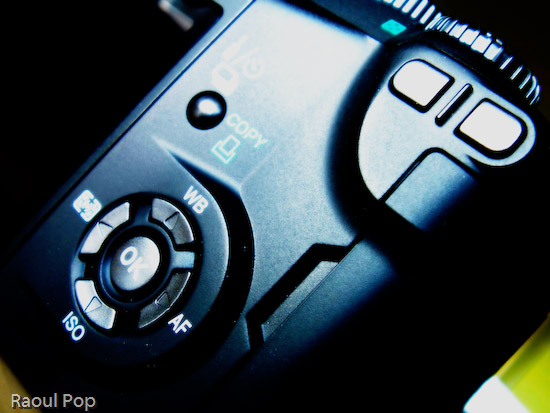
The controls of the camera are easy to use and well-organized. It’s interesting to see how each camera manufacturer designs the interface they think is best for their cameras. Olympus chose to group most of the controls within easy reach of the right hand fingers. There is a main mode dial which can be rotated with the thumb and index finger, and a control dial right next to it that can be rotated with the thumb. Once I got used to the controls, and it took very little time, everything I needed to use frequently could be adjusted easily, and I liked that. My only gripe here is with the White Balance button, which I think is a bit close to the thumb rest and can be accidentally pressed as the camera is held. But as I used the E-500 more, my thumb learned to rest away from this button and things were fine. Incidentally, it would have been nice if the thumb rest were rubberized.
The user manual is great. I like the way the E-500 manual is laid out. It’s organized by sections and indexed well, so I can refer to specific topics right away. Things are also clearly explained, and I know all too well that’s not always the case with other user manuals.
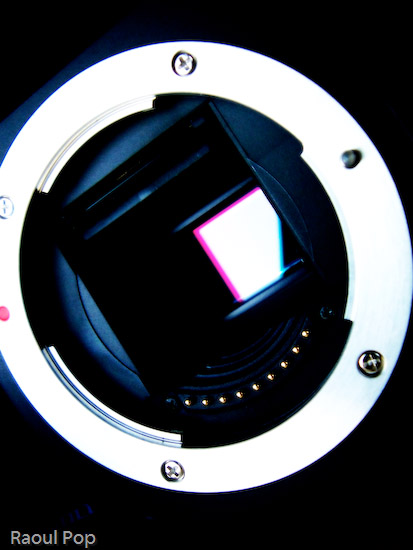
The E-500 has some surprising features for an entry-level DSLR. I was impressed most of all with the supersonic wave filter (SSWF) sensor cleaning. Olympus was the first company to introduce this feature on its DSLRs a couple of years ago, and other companies such as Sony, Pentax and Canon have only more recently followed suit. The SSWF uses ultrasonic vibrations to shake dust off the sensor every time the camera is turned on. This reduces (and may even eliminate) the need to to clean the sensor, though your mileage may vary. It all depends on how much you’ll switch lenses, and how careful you are when you do it. In case you’re worried, the camera has a sensor-cleaning mode that lets you gain access to the sensor for manual cleanings.
I was pleased to see the camera had four bracketing modes: AE (exposure), WB (white balance), MF (manual focus) and flash. These modes let you vary (or bracket, hence their names) those characteristics when used. For example, AE bracketing will let you take three shots with varying exposures (dark, medium, light). You then choose the best one and delete or keep the others, as you wish. The other modes work the same, and they vary the other characteristics. This is useful for those situations when you’re not quite sure what will give you the best shot possible. Realize though that flash bracketing can get to be pretty annoying for your subjects if they’re people. No one likes being flashed repeatedly. So find the flash intensity that works, do it quickly, then stick with it.
The 2.5-inch LCD screen was a great addition to the E-500. It’s clear, big and displays photos very well, and for its time (2005), fairly unique. Olympus also spent time organizing the menu functions well, and after a short learning period, things are easy to find. The viewfinder is a different story, at least as far as I’m concerned. I found the display of the aperture and shutter information to be hard to read, because it was off to the side instead of at the bottom of the shot. Apparently, I’m not the only one to notice that shortcoming. I also noticed the eyecup (the little rubber piece around the viewfinder) was a little shallow for my eyes, and ambient light distracted me from my shots, particularly in daylight. Thankfully, I see that Olympus offers a bigger eyecup for folks like me.
The battery life was surprisingly good. I don’t know if my experience was a fluke, but I managed to get over 1,600 shots on a single charge, and over 400 of those shots were with flash. That’s impressive! I should clarify that on the first charge, I got only 350 shots. But then first charges on all rechargeable batteries don’t last that long. So after I drained the battery that first time and recharged it, the second charge lasted for over 1,600 photographs. And when the camera refused to take more shots because of the depleted battery, I turned it off, then back on, and squeezed more shots. I did this four times, and got an additional 30 shots with a battery that was supposed to be dead. Again, I don’t know if my experience was the norm, but if so, this would be a fantastic selling point. Yet I don’t see battery life mentioned anywhere in the Olympus literature or on their website.
I tried out the Olympus Master software included with the camera, and was less than impressed with its features. I stuck with Adobe Bridge and Photoshop for post-processing my photos thereafter. Incidentally, I wouldn’t advise you to download the photos from the camera to your computer by connecting the two with a USB cable. (This is true for just about any recent DSLR, by the way.) It’ll take forever, particularly if you shoot in RAW format. Because camera manufacturers haven’t updated their USB connectivity hardware, the most you’ll get is the equivalent of USB 1.1 speed. Get a card reader and use that instead. The speeds will be USB 2.0, and you’ll be happy.
I was disappointed to find that the camera’s ISO range only went from 100-400 natively. Yes, the sensitivity can be boosted up to 1600 in whole steps or 1/3 steps, but still, given that other cameras in its class (such as the Nikon D50 and Canon Rebel XT) offer native ISO up to 1600, the E-500 should do so as well. I should note that two noise reduction features are included on the camera. They are useful when using higher ISO settings. One is a noise filter that can be coupled with the ISO boost and works automatically, and another is a noise reduction feature that can be turned on and off as needed, regardless of the ISO setting. Although the noise filter did a good job at 400 and 800 ISO, it couldn’t help much at 1600. The noise reduction feature also wasn’t very helpful unless one used it with long exposures.
Time and time again, as I used the E-500, I found myself wishing for better low-light capability. I tend to take lots of shots in low light conditions, and I prefer not to use the flash, because it’s either disruptive or annoying. When I took photos of people, I found my friends covering their eyes or squinting. And of course, it’s not practical or desired to use the flash when doing street photography at night. Flash would ruin a neon sign, and would shed a harsh light on details best lit by ambient light. Maybe I’m just spoiled in wanting to do handheld night or low-light photography, but those are my expectations.
The autofocus works well and is fast given that it’s only a 3-point AF. That’s important because manual focus is too tedious to use by itself, unless you’re dealing with subjects that won’t move for some time. I also found that the focus ring on the kit Zuiko lens was best used for fine focus adjustments, not for everyday focusing tasks. There were, however, some occasions when the AF didn’t quite work, including daylight conditions. I was never quite sure why, but those times were few and far between. Autofocus was slower in low light, and at times, undesirably slow, by a factor of 3-7x when compared to daylight AF speeds. On the E-500, there is an option to use the flash as an autofocus illuminator (as on other DSLRs), but I didn’t find it useful. It didn’t cut down on the autofocus time at all, and only introduced a strobe-like light that preceded the shots and annoyed my friends even more. So I’d recommend that you plan for long AF times in low ambient light, and realize that you’re going to miss some photo ops because of it.
On the other hand, the built-in flash is surprisingly strong, and that’s good news for those occasions when it does need to be used. I was shocked to see it that it filled a room of 20’x20′ and provided ample light for most shots. Like other reviewers, I was surprised to see that I could not get red eyes in my subjects even if I wanted to, and even when not using the red-eye preflash.
The E-500 has a nice calendar feature built into the photo review mode that lets you view the shots you took on a particular day. I liked that a lot. I also found myself wishing for a bulk delete feature for a particular day. Here’s the scenario: say you take lots of shots, then download them to your computer, and you take more shots the next day, without realizing that you haven’t deleted the other shots first. With a bulk delete feature, you can select all of the shots from the previous day and delete them en masse, without needing to go through and selecting each by hand. But this is just wishful thinking and not a vital feature on an entry-level DSLR.
For those who need it, the E-500 has a mirror lock function that’s called Anti-Shock in the camera menu. It allows you to eliminate the minor vibration caused by the mirror movement as you press the shutter, and it’s useful for macro or night photography.
A surprising feature on this camera was the presence of two custom reset modes. Ever used a car where you could set your seat and steering positions, plus other settings, then store them? This is the same concept. You can choose to adjust certain camera functions, then store them into one of the custom resets. When you want to use those settings, you simply select that reset mode from the menu, and all other settings but yours are wiped out. This can prove useful for day/night photography, when you’d want features like the noise reduction turned off or on, respectively. Or for multiple users of the same camera.
Even though the camera is not dust and splash proof, I can tell you from direct experience that it is a sturdy camera that will work in some pretty harsh conditions. The stated operating temperature of the E-500 is supposed to be 32-100 degrees Fahrenheit. I’ve used it in temperatures as low as 10 degrees Fahrenheit, and it worked great. The user manual says the transitions between temperatures and humidities shouldn’t be sudden. Well, they were sudden, and the lenses didn’t fog up. They worked fine, and what’s more, the camera worked fine. I used it once while it was snowing. Snow accumulated on the camera and lens body, and when I got inside, it melted, leaving drops of water everywhere. I wiped them off, and the camera continued to work just great. I didn’t have a chance to use the camera in dusty or excessively warm conditions, but I certainly put it through its paces here in Washington, DC, and it hardly missed a beat.
I want to talk about the four-thirds standard for a bit (also see the Wikipedia entry for this). The E-500 is built on this standard, so a little background information will help you understand the differences between it and other DSLRs a little better.
As you may know if you own a DSLR, once you’ve bought it and invested in the various accoutrements that go along with that camera body, you’re stuck with the brand, so to speak. You’ve spent thousands of dollars on extra lenses, and if you want to switch to another brand, you’ll need to spend money not only on a new camera body, but on another set of lenses as well. That’s not fun, and most people can’t afford to switch brands, especially if they’ve invested heavily in lenses and other camera accessories like speedlights, batteries, etc. Hence, camera manufacturers are pretty happy (financially speaking) that lens lines aren’t inter-compatible (unless you use special mounts that may or may not work or give you the same image quality), because they have long-term, guaranteed customers.
Olympus came up with the four-thirds standard so they could make lenses that are interchangeable, and can be used by any other camera back built on the four-thirds standard, and they wanted to design them specifically for use in digital photography. But according to Wikipedia, the four-thirds standard isn’t entirely an open standard:
“Four Thirds is not an Open Standard, however, as it does not meet the “allowing anyone to use” criteria commonly accepted as the definition of an open standard. It also does not meet the criteria that the standard itself and any associated intellectual property be available on a Reasonable And Non-Discriminatory basis.“
So while the standard is good, Olympus needs to be more open about its use in the industry. There also seems to be a drawback. According to Wikipedia, even though the smaller sensor size allows for smaller and lighter lenses, it’s also to blame for the high noise I experienced when taking shots at higher ISO settings. Apparently the sensor just isn’t big enough to function well in low light. Whether that’s accurate, or whether this issue can be solved through creative engineering, I don’t know. What I do know is that I’m not happy with the performance of the E-500 in low light, particularly when shooting without flash, at shutter speeds above 1/25 seconds. But again, my needs are probably more stringent than those of the entry-level DSLR user.
This next point is entirely subjective, but I find the 4:3 aspect of the photographs I took with the E-500 more pleasing to the eye than the more prevalent 3:2 aspect found in most photographs. (The 3:2 aspect carries over from film photography.) Have a look at your computer monitor or TV. Chances are (unless you have a wide screen monitor or TV) that you’ve been looking at images made for the 4:3 standard for quite some time, and you didn’t even know it. This aspect ratio has been in use in that medium for decades.
The 3:2 aspect helps the photographer frame a landscape shot a little better, because it’s wider, but when I look at a vertical shot taken with that aspect, it seems as if one side is lopped off. As I said, this is entirely subjective, so I invite you to make up your own minds about it. I ask you to leave brand loyalty aside, and to judge which aspect looks better in each mode. I prefer 4:3 in portrait mode, and I’m on the fence between 4:3 and 3:2 in landscape mode.
So, given all of this camera’s features, capabilities and limitations, does it allow its user to take good photographs? I think so. I was pleased with the color reproduction and image quality. And I’m willing to let you judge this for yourselves as well. As I mentioned, I took over 3,000 photos with the camera, and I posted several of them below, at the end of my review.
Enough talking, let’s wrap things up. Overall, the E-500 is a solid DSLR. It’s sturdy, has a good grip, it’s got good battery life, and the image quality is great. I like the 4:3 aspect of the photos, and I like the fact that the lenses and body are interchangeable with other brands, although currently only Olympus, Panasonic and Leica make DSLRs and lenses based on the standard. That’s about five camera backs altogether, at widely varying prices, so there’s not a whole lot of choice, although that could change in the future. The sensor’s performance in low light is not up to my expectations, and that could or could not be related to the four-thirds standard. Time will tell. I think that it’s a bargain for its class. The current market price hovers around $650 for the body and two lenses, the one I tested and another, the 40-150mm f/3.5-4.5 zoom. I hear that’s a great lens. Bottom line: if I weren’t so bent on being able to use it in low light situations, I’d get one myself.
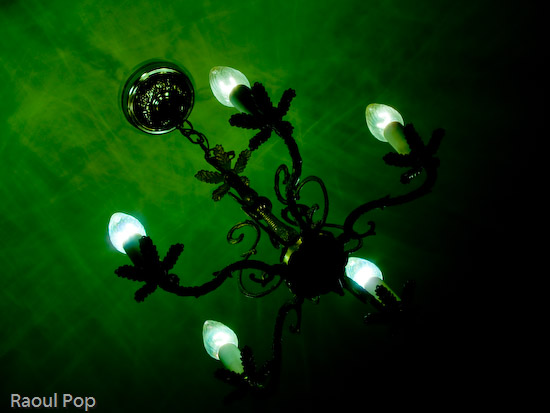
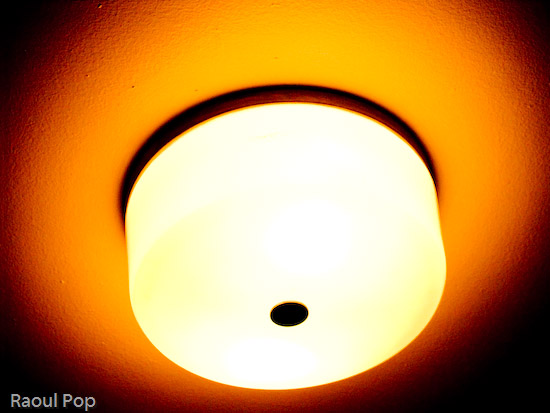
Here are the sample photographs, as mentioned above.












 Raoul Pop