
The latest video from TheFullGinsburg, a bunch of guys out to make fun of “the unholy alliance of politics and TV”. Can’t wait for Lesson #2.
The latest video from TheFullGinsburg, a bunch of guys out to make fun of “the unholy alliance of politics and TV”. Can’t wait for Lesson #2.
If you use Adobe Lightroom and want to apply a tiltshift effect to your photos, you can spend hundreds of dollars on expensive Photoshop plugins, or you can do it for free, with an Adobe AIR app called TiltShift.
If you’ve used TiltShift before, you know you can open any photo in it and apply tiltshift effects to it, but did you know you can do this right from Lightroom? Here’s how.
In Lightroom, open up the Export window and add a new Export Preset. See the screenshot below. I called mine TiltShift, so I can easily remember it. Adjust any of the settings, like color space, sizing, sharpening, etc. They don’t really matter, although it’s better to keep the image smaller so TiltShift can work faster with it.
The really important option is in the post-processing section — the very last one in the Export window. There, you’ve got to make sure you tell Lightroom to “Open [your photo] in Other Application…”, then click on the Choose button and browse to find the TiltShift app. This is pretty much it.
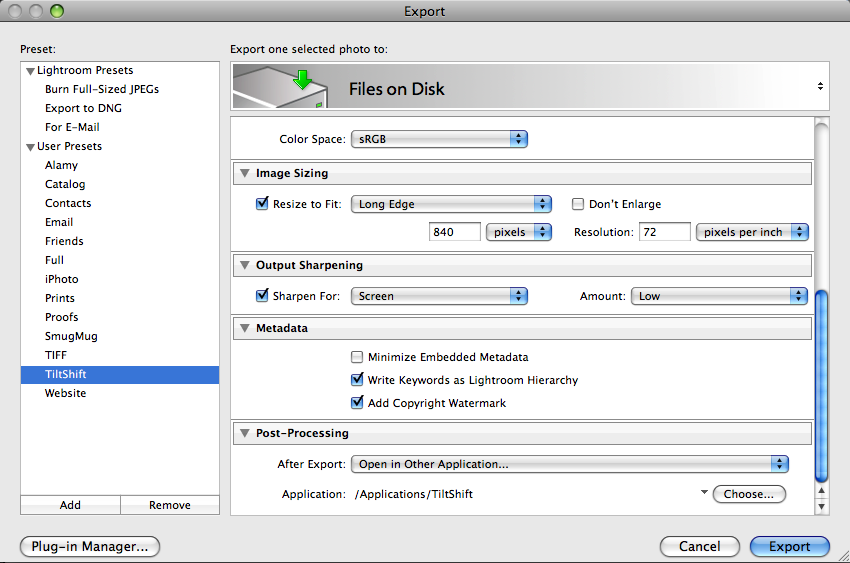
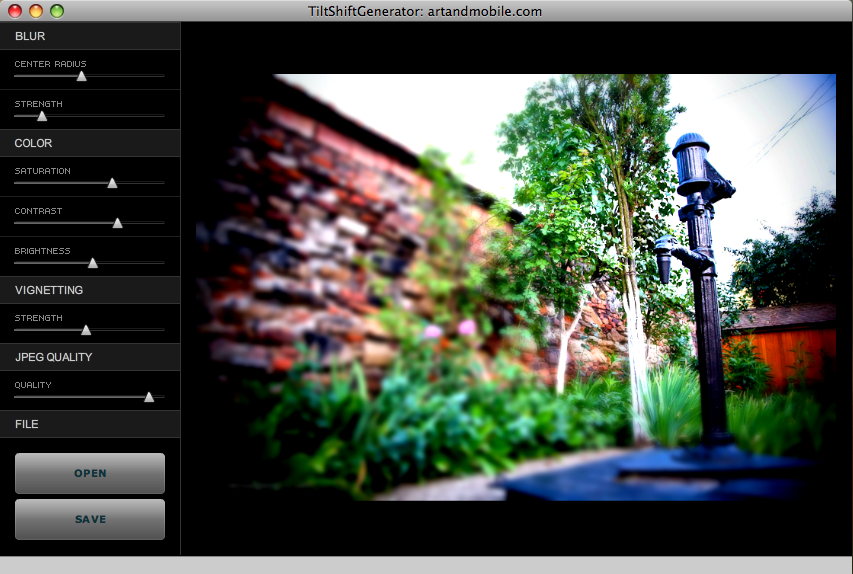
Lightroom will automatically pass your image to TiltShift, which will open it and allow you add tiltshift effects to it, to your liking. For example, I initially processed this image of a medieval water pump found on the streets of Medias, Romania, in Lightroom.

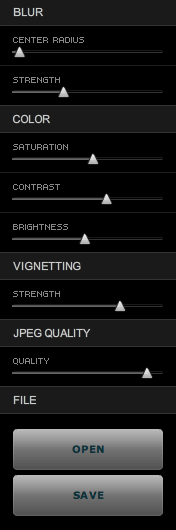
Then I exported it into TiltShift using the export preset set up as described above, and adjusted the settings there to get the effect I wanted. This is how the controls and the image looked inside TiltShift.
Once I did that, I saved the photo and uploaded it here. This is how the final image looks.

It couldn’t be easier, and again, let me remind you TiltShift is a free app.
Takayuki Fukatsu has created a free Adobe AIR app called TiltShift, which runs on any OS that supports AIR (namely Mac, Windows and Linux). It will allow you to easily apply tilt-shift effects to any photograph. Best of all, the price is right: it’s free. Even if this app cost $10 or $20, I’d still rather buy it than some Photoshop plugins that cost hundreds of dollars and do pretty much the same thing.
In less than a couple of minutes, I was able to open a photograph of my wife and niece, walking on the streets of Medias, Romania, and add tilt-shift effects to it. Here’s what it looks like now.

Sure, the tiltshift effect isn’t what you’d get with a LensBaby or with a real tilt-shift lens like the Canon TS-E 24mm f/3.5L (or any of the other professional tilt-shift lenses made by camera manufacturers), but still, it’s better than no effect at all, and it’s free. TiltShift’s controls are really slider-based and really easy to use. You’ll be making tiltshift photos in no time flat. Give it a go and see how you like it.
I mentioned TiltShift initially in one of my Condensed Knowledge posts, back in May.
This is a summary of articles I read and found interesting during this past week. The list is shared from among my feed subscriptions:
In May, I mentioned CableJive’s new iStubz sync cable in my review of their SoundDock cable, which I’d purchased last year, and I was contacted by Zack, one of the folks at CableJive, who offered to send me an iStubz cable for review. In the interest of full disclosure, please know that the cable I received was a review sample that I got to keep.
Would I have bought one otherwise? Yes. I think that at $7.95 for the 7cm size or at $8.95 for the 20cm size, these cables are a great deal. They fulfill a real need for those of us with iPods and iPhones — namely the need the declutter our desks. They’re much shorter than the standard sync cable that ships from Apple, they work just as well, they’re made from the same materials — thus, they’re perfect for quickly connecting our Apple peripherals to our laptops.
I got my cable in late May, and have been using it ever since. I opted for the 20cm size. I packed my old sync cable and put it away from the very first day after that. It’s useless to me now. The iStubz cable is much more convenient to use, and in terms of design, it comes closer to Apple’s design philosophy than Apple’s own cable.
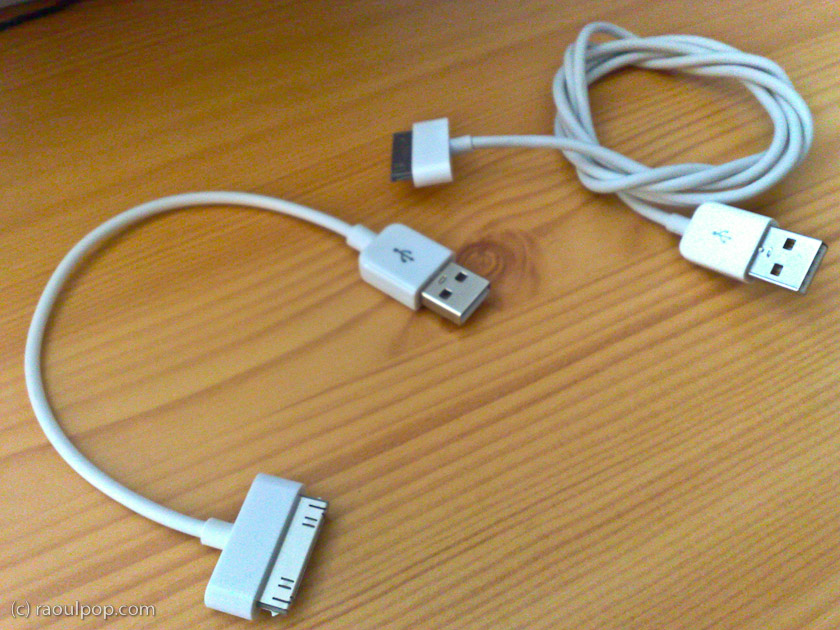
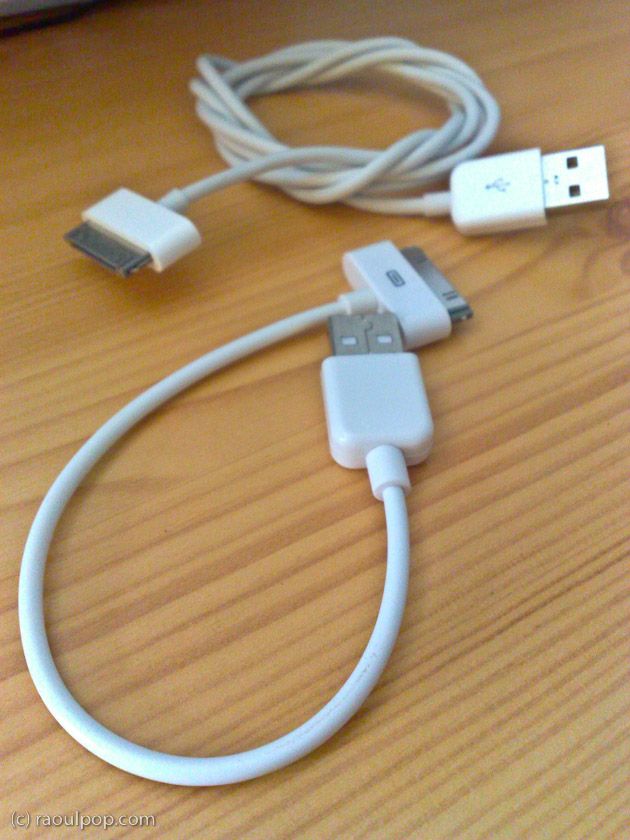
The cable I have can be seen the right side of the picture shown above, or in the two photos shown below. The longer cable, the one used to connect the iPhone to the laptop, is the 20cm one, and the shorter cable, the one used to connect the iPod to the laptop, is the 7cm one.
I had some issues with the sturdiness of my 1st gen SoundDock cable, as you can see if you read my review of it, but these iStubz cables are nothing like it. These are mass produced and very likely made to the same quality standards as the Apple sync cables. I wouldn’t be surprised if they’re made by the same manufacturer.
I took a couple of photos of my own to show you the difference between the iStubz cables and Apple’s standard sync cable. While I’ll agree that sometimes it’s better to use the standard sync cable, such as when you have a desktop computer with USB ports on the back, in most situations, the iStubz cable is all you need to connect your iPod or iPhone to your laptop.
If you want to buy the iStubz cable, you can get it directly from CableJive.
 Raoul Pop