Reviews

Once again, Apple design is best

I recently bought an Apple Battery Charger. It’s a diminutive device that charges two batteries at a time, within a few hours, and it comes neatly packaged in a paper box that can be easily opened. It does NOT come in that filthy plastic packaging that cuts you when you try to open it and takes up extra space. It comes in a rectangular package that can be stacked perfectly in boxes, taking up less space during shipping, storage and on retail shelves.
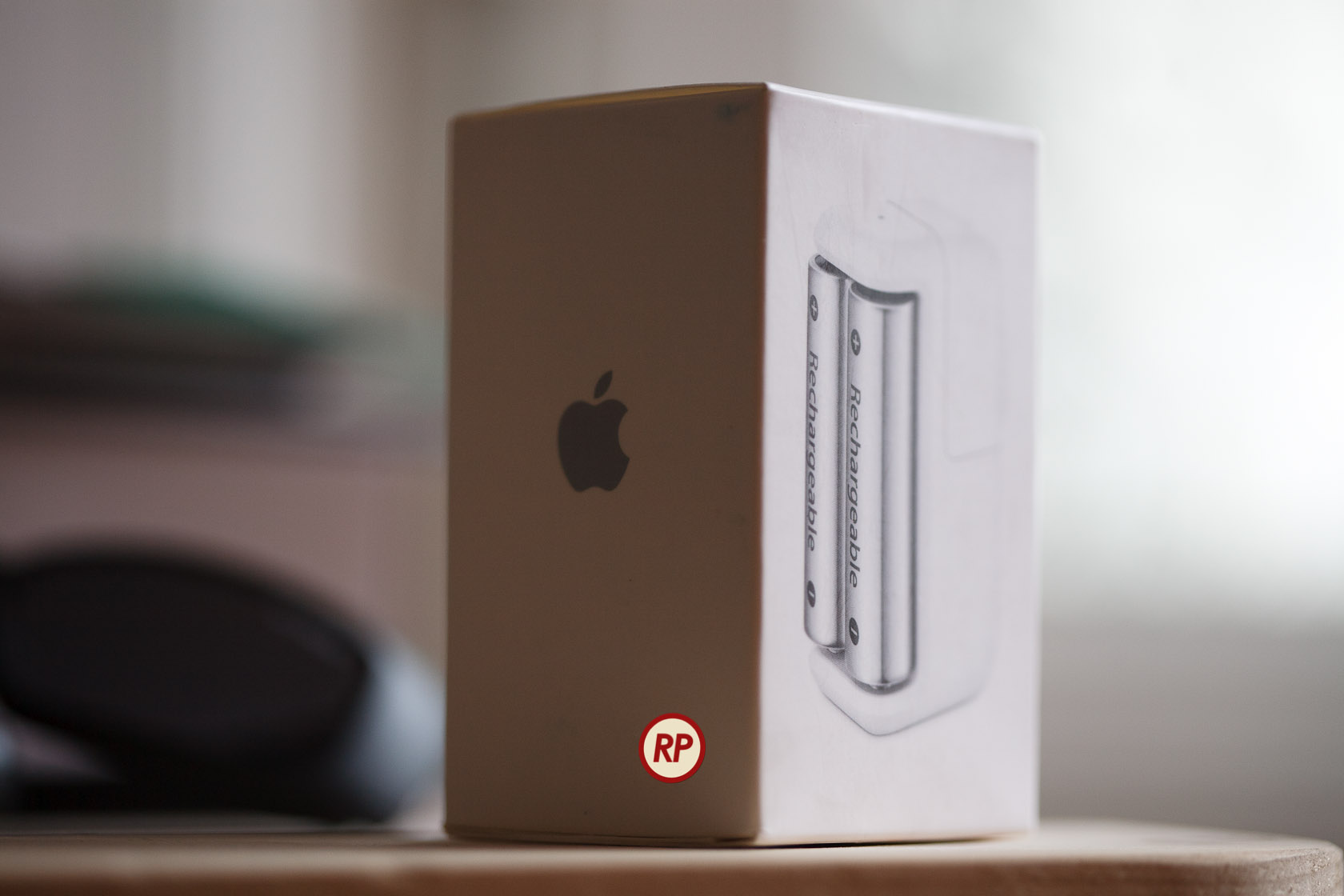
Now why can’t other companies do this? Why can’t they have smart design, instead of wasteful, stressful design? Have you taken a look at your battery charger lately? I have four other battery chargers from three different companies, and none of them are as well designed and thought out as the Apple battery charger.
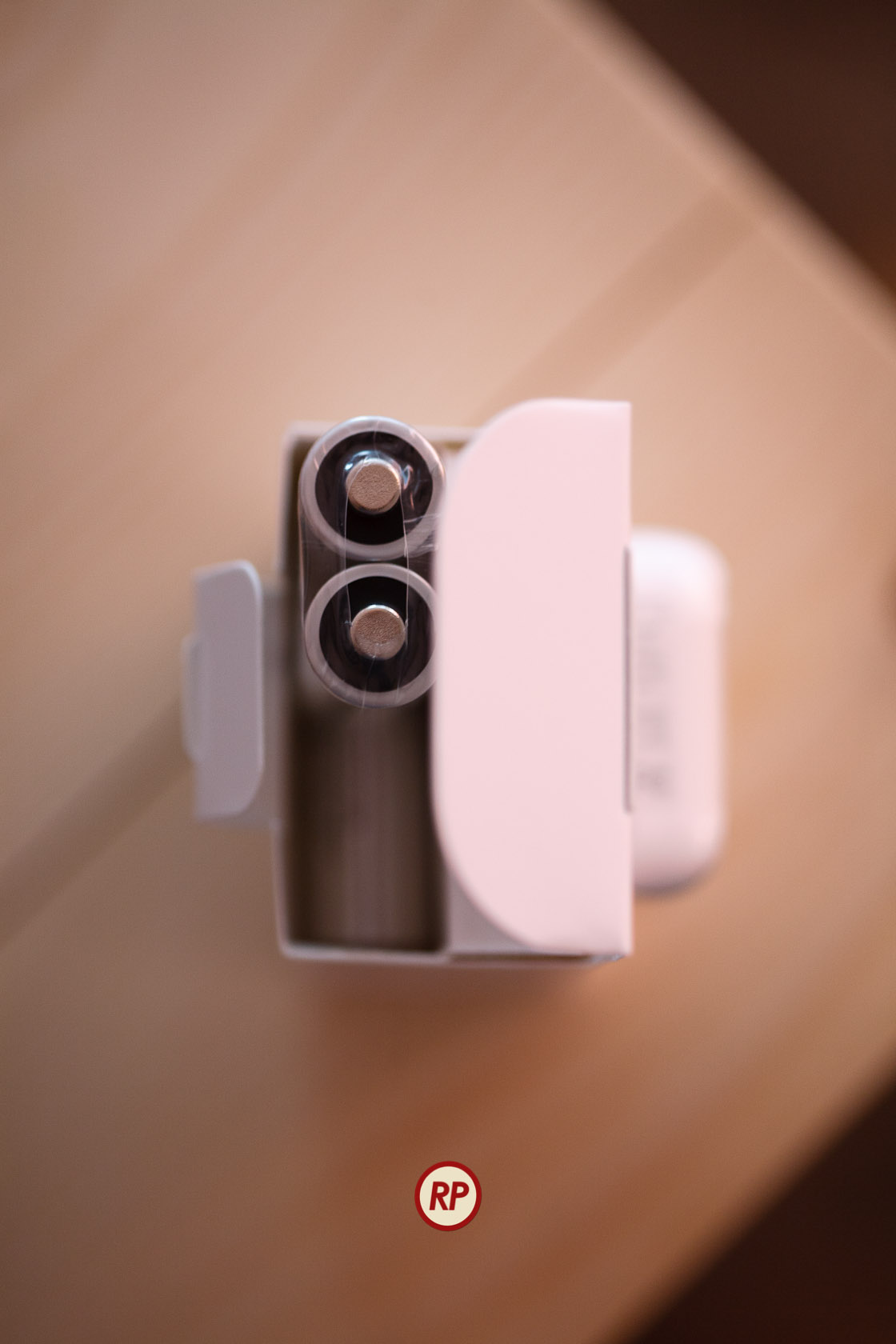
It is clear to me that a lot of thought went into the design of the charger and of its packaging, much more thought than has ever gone into the design of another battery charger on the market. Somehow, Apple was able to fit the charger and six batteries into that little box.
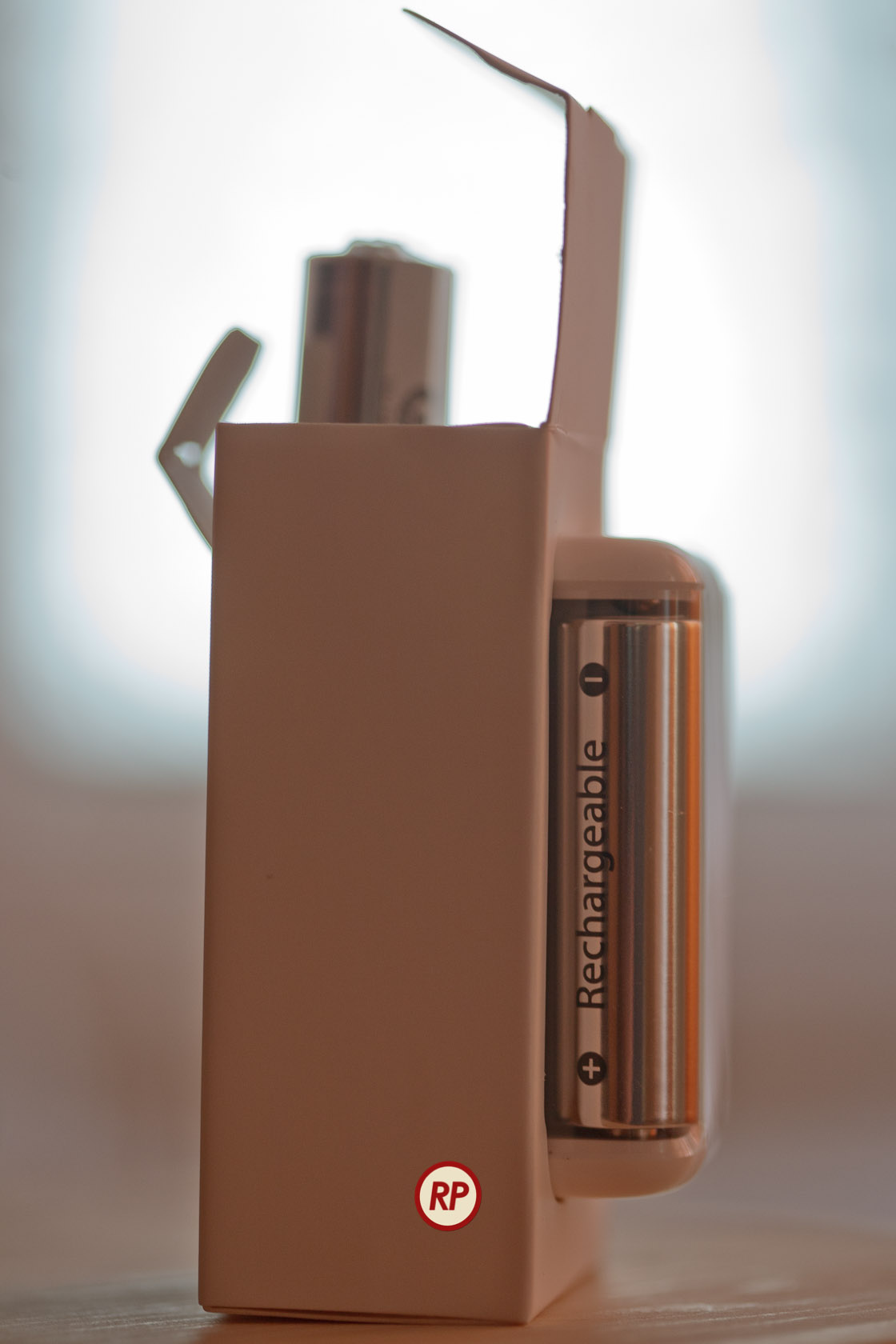
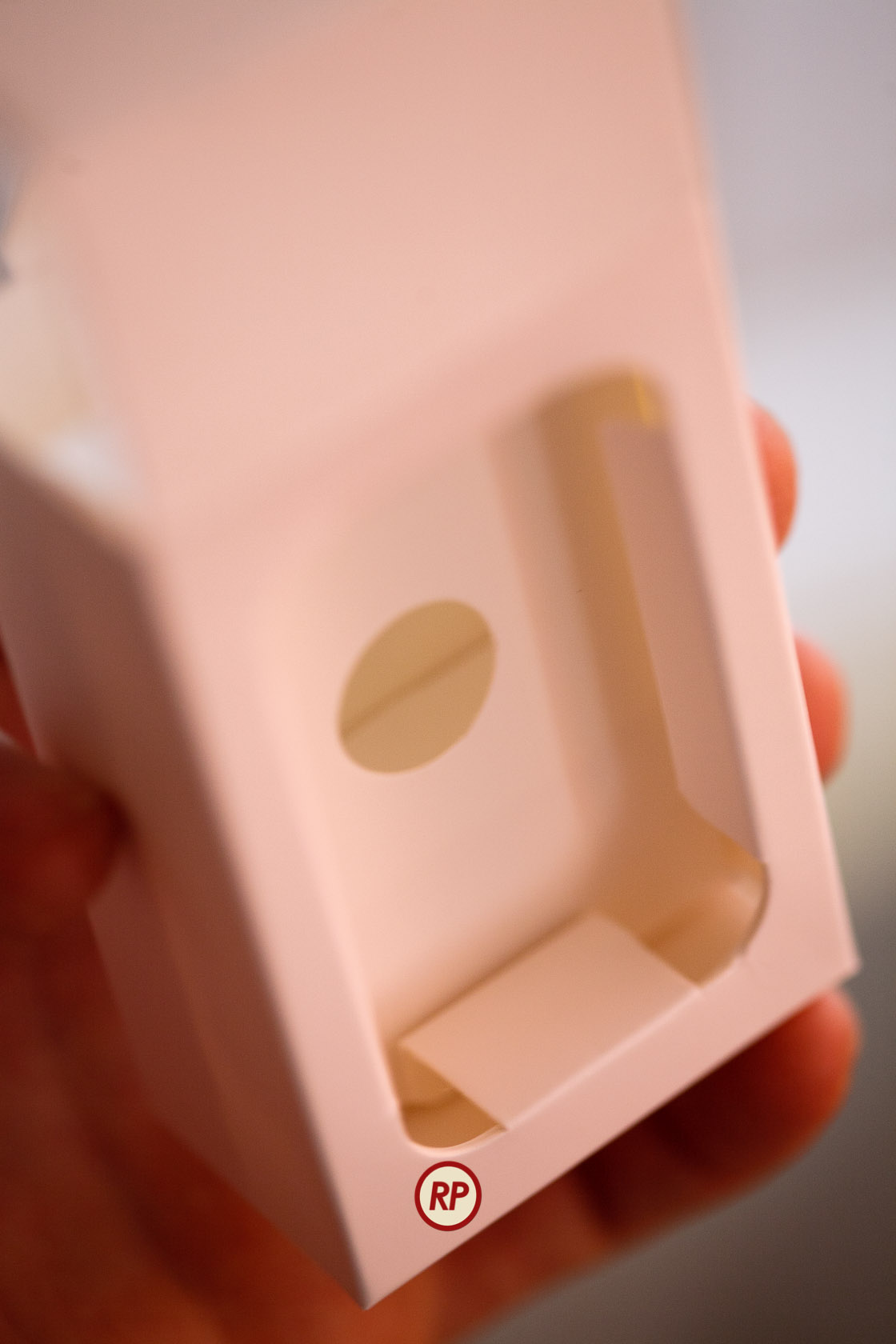
Not only that, but there’s even a bit of empty space left inside, which was thoughtfully filled with a fold of the paper package, to ensure a snug fit for the batteries. Look through the round opening in the middle wall to see the top of the paper fold.
Did I mention the Apple Battery Charger works on both 120V and 220V current? How many other battery chargers do this? I brought a few chargers with me from the States, and they’re useless to me in Romania without a converter. Similarly, I bought a charger here, and it’d be useless to me back in the States, because it only runs on 220V current.

Once again I have to ask — why can’t other companies do this? I can’t help but admit out loud that almost anything else on the market appears crude when compared to Apple. It’s fascinating how much of an anomaly Apple is when you look at it this way.
Standard
Reviews

Hardware preview: Apple iPad 2

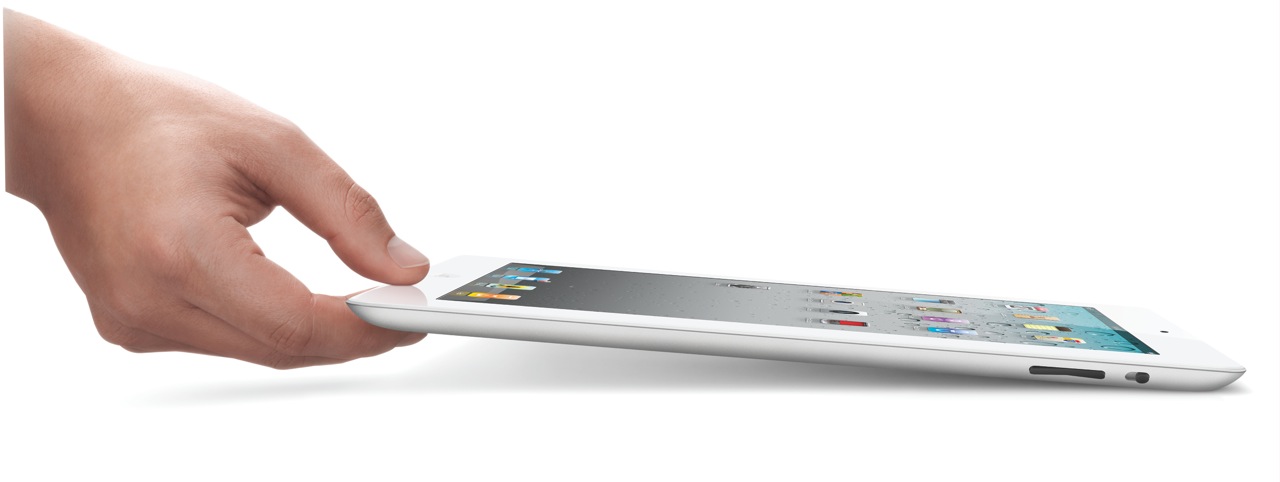
Apple iPad 2

The new iPad 2 will become available on March 11th (see a neat video from Apple introducing it). In my post about the original iPad, I said the following:

“In spite of the failures of their predecessors, I think Apple will pull this off. I think the iPad will be very successful.”

I’m glad to see that I was right. Not that I had anything to do with the success of the device. The credit goes entirely to Apple, and to the people who bought it and used it so well.

I got to watch the March 2 keynote today (a few days later). Much to my surprise, Steve Jobs was on stage to present it. I was very glad to see him able to stand up and hold a meeting, given all the tabloid rumors about him — though I have to say he was skinny as a board. Thank goodness he’s still around. I hope he gets better, and continues to be around for a few more decades.

Here’s a quick summary of the salient features of the iPad 2:

  • 33% thinner than the original iPad (0.34″), and lighter (1.33 lbs)
  • Comes in both black and white finishes
  • Dual-core A5 chip, up to 2x faster
  • Graphics are up to 9x faster
  • Same great 10-hour battery life
  • Same 1024×768 display
  • 2 cameras (front and back) for video or photos, in HD
  • Magnetic smart cover designed specifically for it
  • Instant on
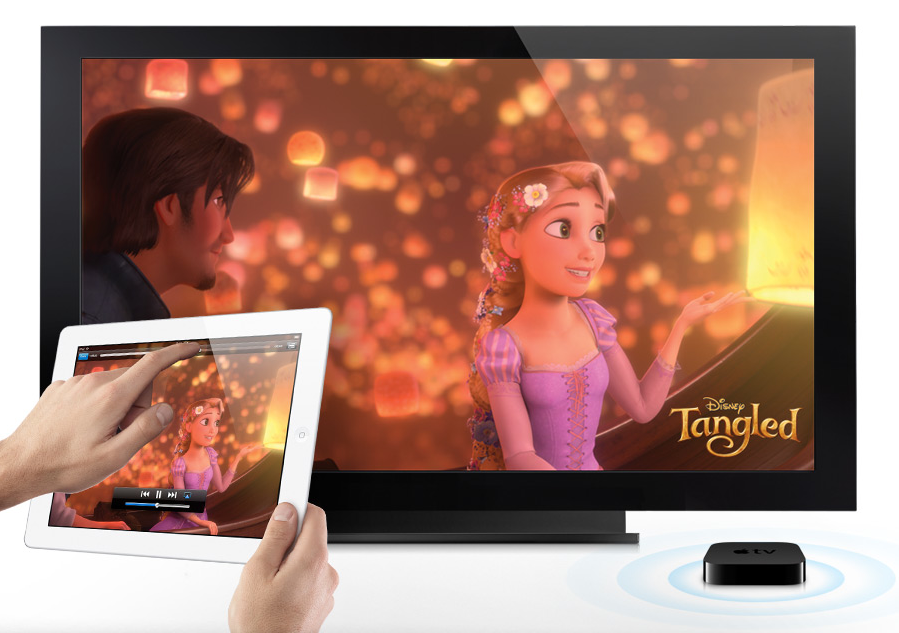
  • AirPlay to your TV via Apple TV
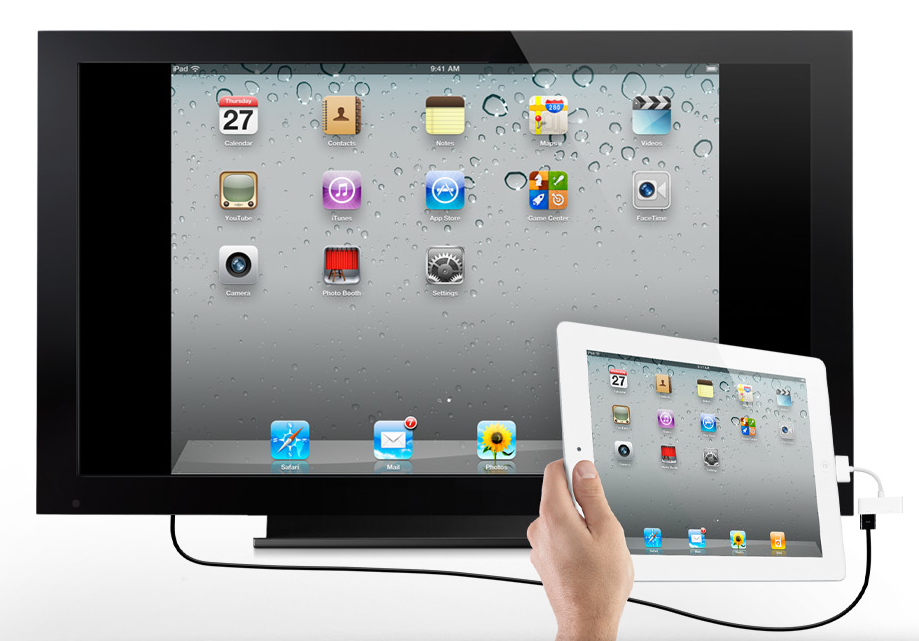
  • Video mirroring (up to 1080p) via $39 cable
  • AirPrint

My only disappointment with the iPad 2 is that it doesn’t have a Retina Display. Word on the grapevine is that they’re still difficult to make in that size. Who knows… It would have been nice if this iPad had it. Still, I believe iPad 3 will have a Retina Display.

iPad 2 Measurements

iPad 2 A5 Chip

I am however very glad to see that the iPad 2 does have a video camera — and not just one, but two. In my review of the original iPad, I said this:

“It’s very likely the next gen iPad will have a video camera, and it will have iChat as well.”

Glad to see I was right on that count as well. It was, after all, a logical step.

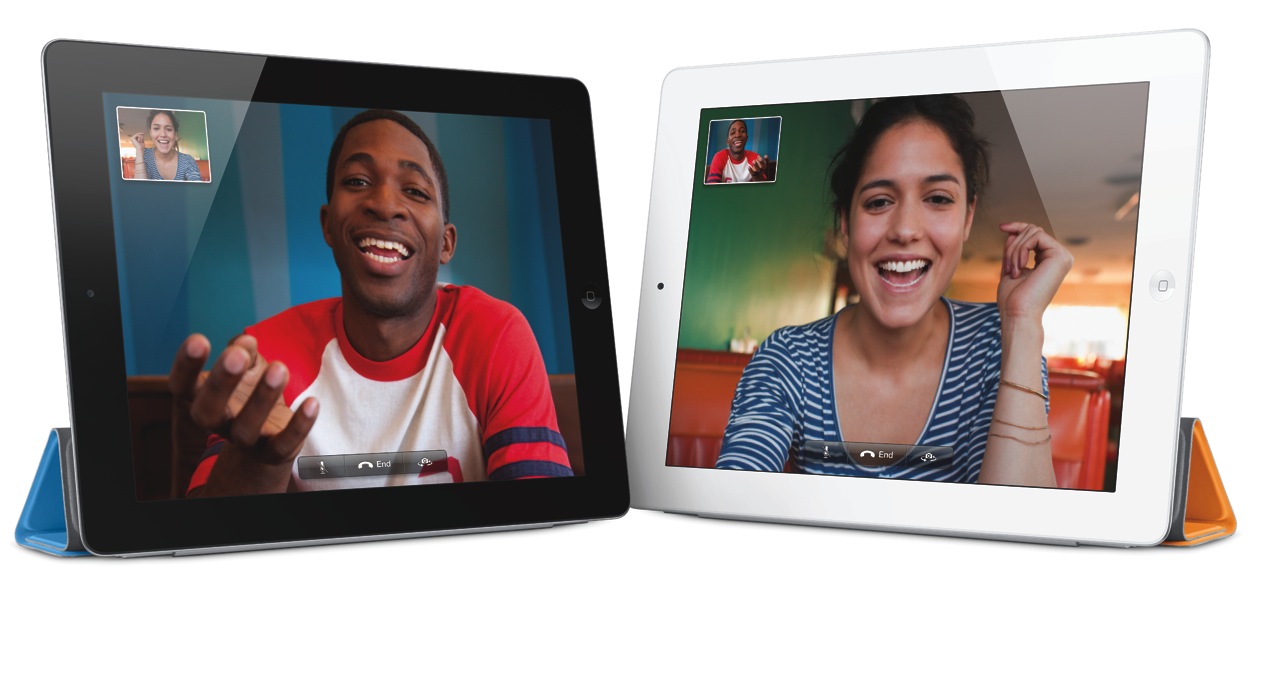
Facetime on iPad 2

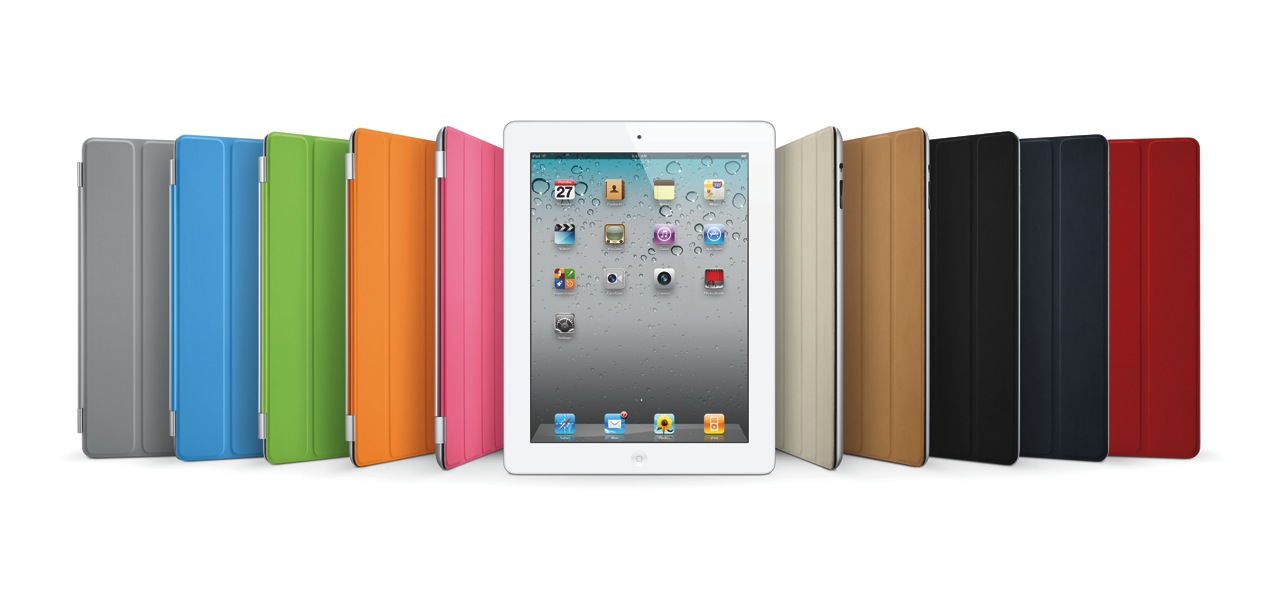
iPad 2 Smart Cover Line-up

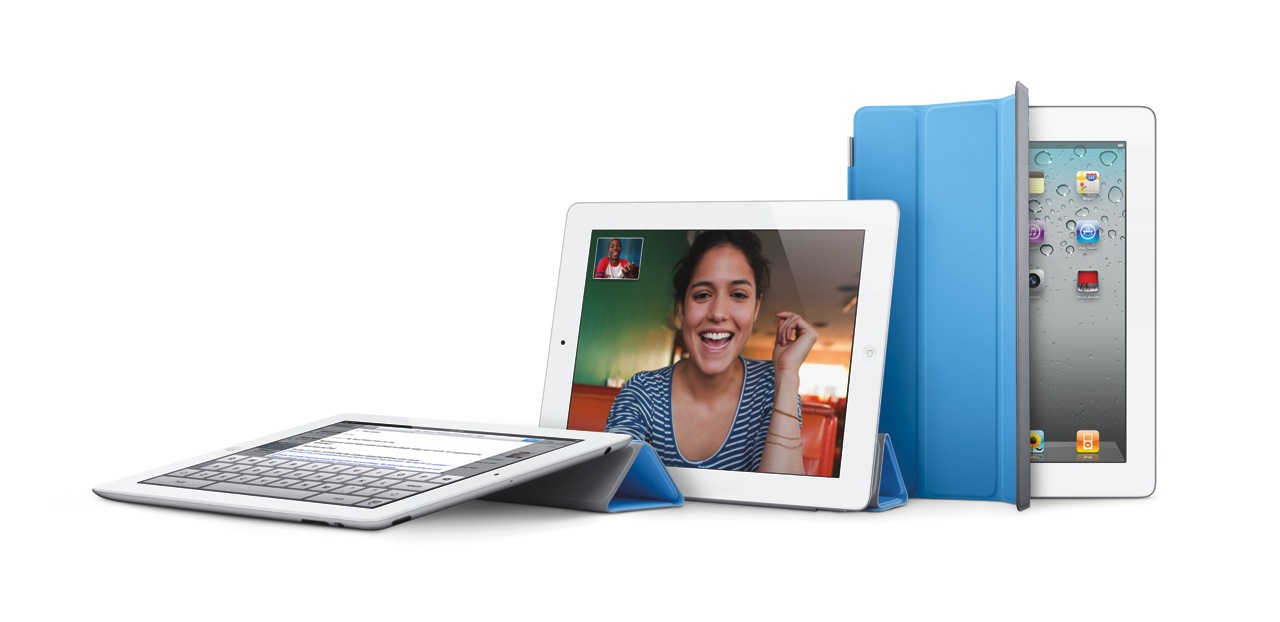
Smart Cover for iPad 2

There are some new accessories for the iPad 2, which will be offered in addition to the ones designed for the original iPad.

  • The Smart Cover, naturally, which comes in 10 colors, 5 of them polyurethane and 5 leather, as seen above (see the Smart Cover in action in this video)
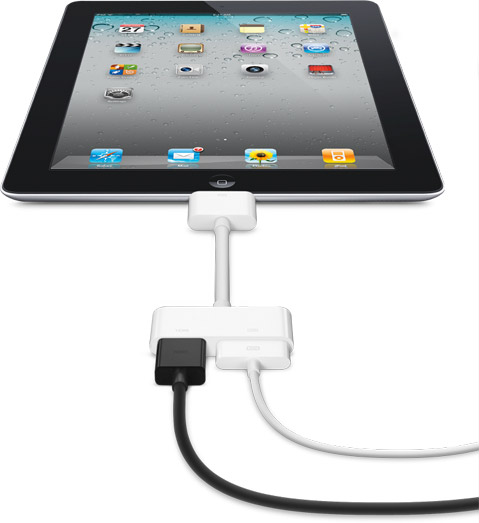
  • The Digital AV Adapter provides an HDMI-out port with video and audio routed to it, in addition to a 30-pin connector which lets you charge the iPad while playing content to an HDTV
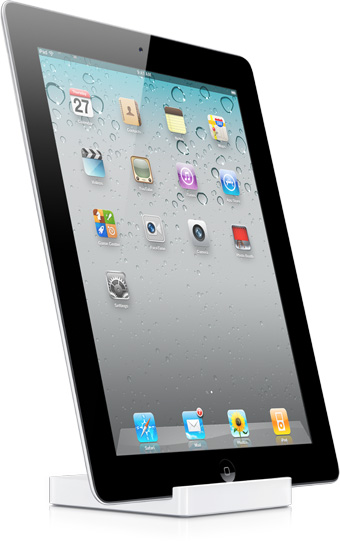
  • The iPad 2 Dock is designed for the thinner iPad 2, and also works with Digital AV Adapter

iPad 2 Dock

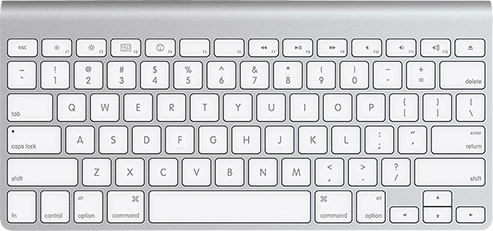
Of course, given that the iPad has Bluetooth, you can stick it in a dock and use the Apple Wireless Keyboard to type on it.

Apple Wireless Keyboard

The Smart Cover is so nicely designed.

iPad 2 Smart Cover (1)

iPad 2 Smart Cover (2)

iPad 2 Smart Cover (3)

The Digital AV Adapter will make it so easy to display content from the iPad on an HDTV.

iPad 2 Digital AV Adapter

iPad 2 Video Mirroring

iPad 2 Airplay

The iPad 2 will come in 16GB, 32GB and 64GB models, as well as WiFi-only or WiFi+3G (GSM or CDMA) models. My guess is that iPad 3 will have a combined 4G GSM/CDMA chip, eliminating the need to offer separate 3G models. The pricing grid for the various models (there are 18 possible models, given that there are two color finishes and two 3G providers), goes as follows:

  • WiFi-only: $499/16GB, $599/32GB, $699/64GB (black or white finish)
  • WiFi + 3G: $629/16GB, $729/32GB, $829/64GB (black or white finish, AT&T/Verizon)

Images used courtesy of Apple Computer, Inc.

Standard
Reviews

Hardware preview: the ioSafe Rugged Portable

I’m a fan of ioSafe‘s rugged hard drives, which you can trust with your data through very rough conditions. I was glad to write about the ioSafe Solo (their first product), and the ioSafe SSD, because no other company on the market offered such unparalleled protection from destruction.

Now they’re launching a new model, the ioSafe Rugged Portable — their first drive made for travel.

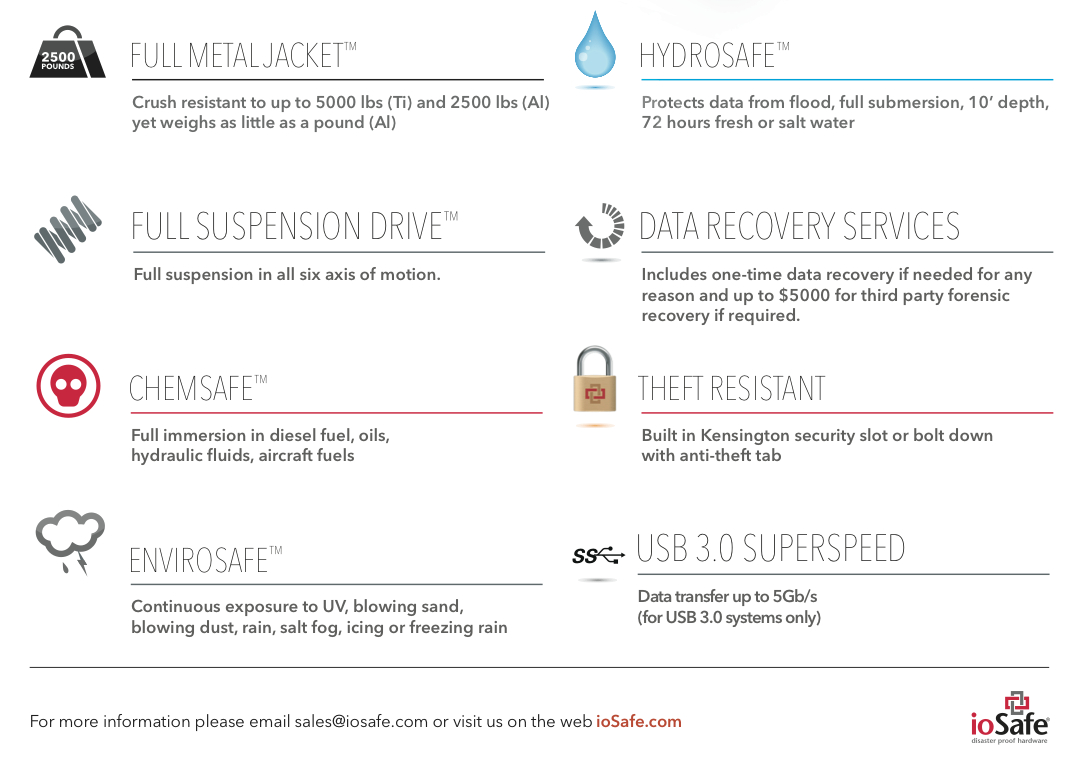
As you can see, they’re using a new design, with a machined Aluminum or Titanium enclosure that can withstand up to 5,000 lbs (Ti) or 2,500 lbs of pressure (Al). The drive is suspended on all six axes of motion, and can withstand a drop from 20′ (SSD version) or 10′ (HDD version).

Of course, the drive can still withstand immersion in water — up to 10′ (Al) or 30′ (Ti), both up to 3 days in duration. And it’s got a whole other bunch of protections built in as well:

  • ChemSafeTM Technology – Full immersion in diesel fuel, oils, hydraulic fluids, aircraft fuels, 12” depth for 1 hour with no data loss per MIL-STD-810G Method 504
  • EnviroSafeTM Technology – Continuous exposure to UV, blowing sand, blowing dust, rain, salt fog, icing or freezing rain, 24 hours with no data loss per MIL-STD-810G Methods 505.4, 506.4, 509.4 and 510
  • AltiSafeTM Technology – High altitude operation. 15K ft. (Alum.) and 30K ft. (SSD and Ti.) rated altitudes per MIL-STD-810G Method 500.4
  • Theft Resistant Kensington® Lock compatible slot solid metal construction – theft protection

As you’ve no doubt gathered so far, there are multiple flavors of the drive, with HDDs or SSDs inside, and Aluminum or Titanium enclosures. And it ships with USB 3.0, FW800 and USB 2.0 connections — your choice.

Possibly the best feature — given the drive’s title — is its weight, which comes to 1 lbs for the Al enclosure and 1.5 lbs for the Ti enclosure.

Standard
Reviews

2010 in review

The stats helper monkeys at WordPress.com mulled over how this blog did in 2010, and here’s a high level summary of its overall blog health:

Healthy blog!

The Blog-Health-o-Meter™ reads Wow.

Crunchy numbers

Featured image

The Louvre Museum has 8.5 million visitors per year. This blog was viewed about 340,000 times in 2010. If it were an exhibit at The Louvre Museum, it would take 15 days for that many people to see it.

In 2010, there were 194 new posts, growing the total archive of this blog to 1716 posts.

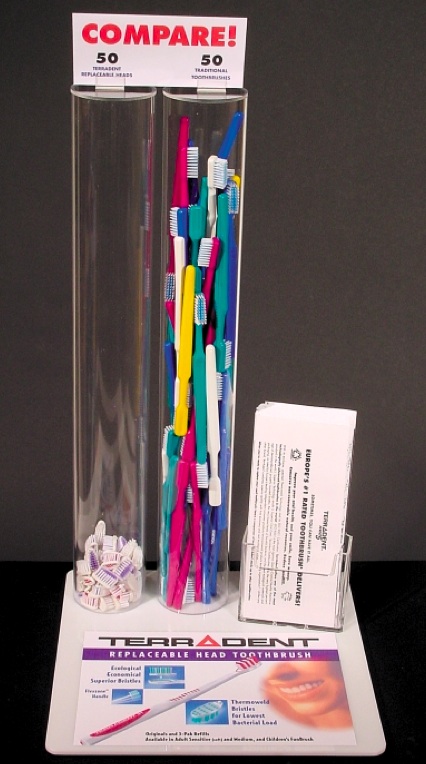
The busiest day of the year was May 8th. The most popular post that day was Reduce your waste with a toothbrush? Yes.

Where did they come from?

The top referring sites in 2010 were stumbleupon.com, ligiapop.com, wordpress.com, google.com, and forums.macrumors.com.

Some visitors came searching, mostly for tussionex, ipad, edit exif data, beatrix potter, and drobo review.

Attractions in 2010

These are the posts and pages that got the most views in 2010.

1

Reduce your waste with a toothbrush? Yes. May 2010
66 comments

2

Automatic redirect from HTTP to HTTPS August 2007
52 comments

3

Don’t play with Tussionex May 2009
91 comments

4

Hardware review: WD My Book World Edition II June 2007
228 comments

5

Editing EXIF data in photos November 2006
27 comments

Standard
Reviews

Drobo S gets USB 3.0 upgrade

➡ Updated 1/14/19: I have revised my opinion of Drobo devices. After experiencing multiple, serious data loss events on multiple Drobo models, even recent ones, I no longer consider them safe for my data.

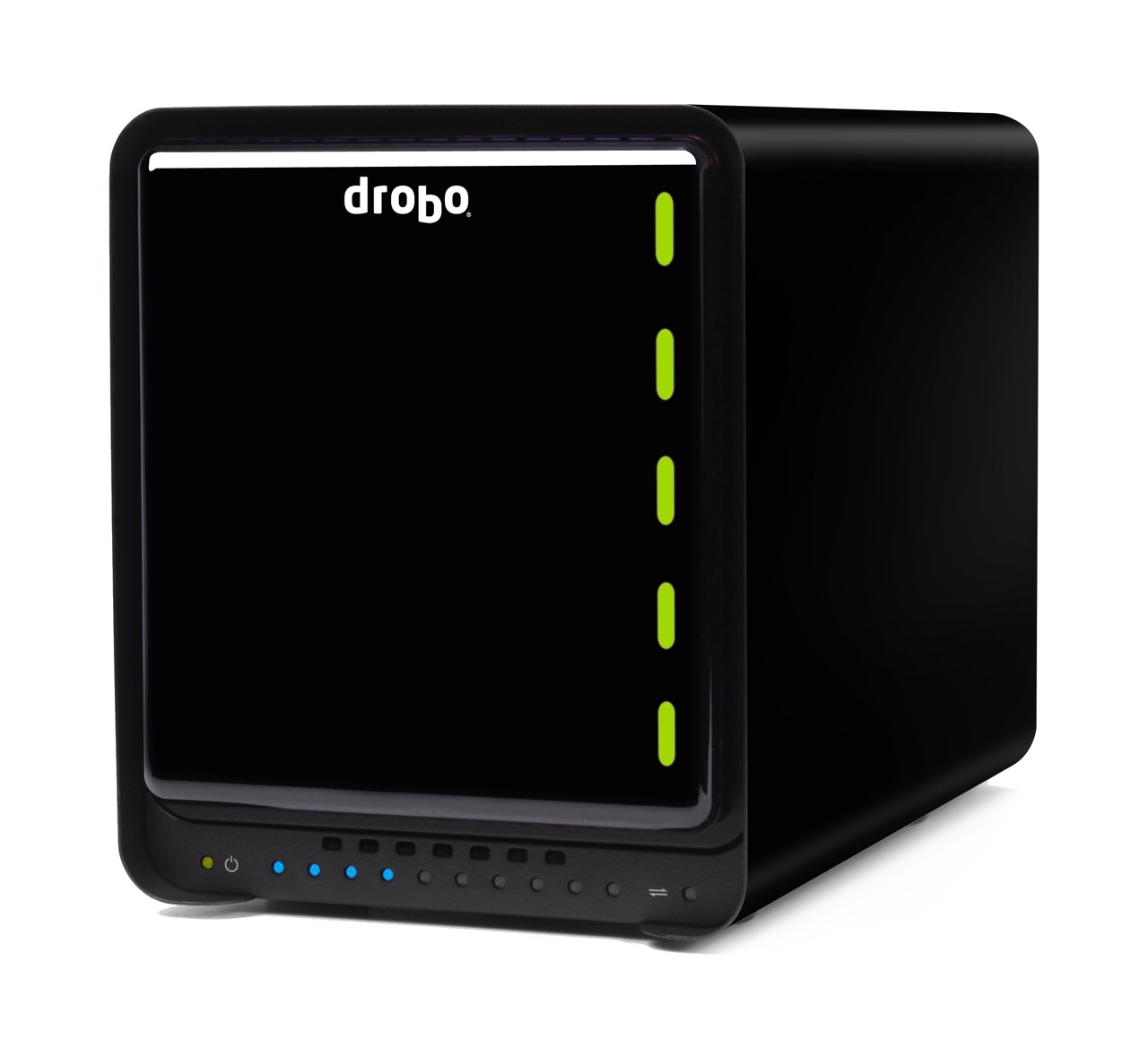
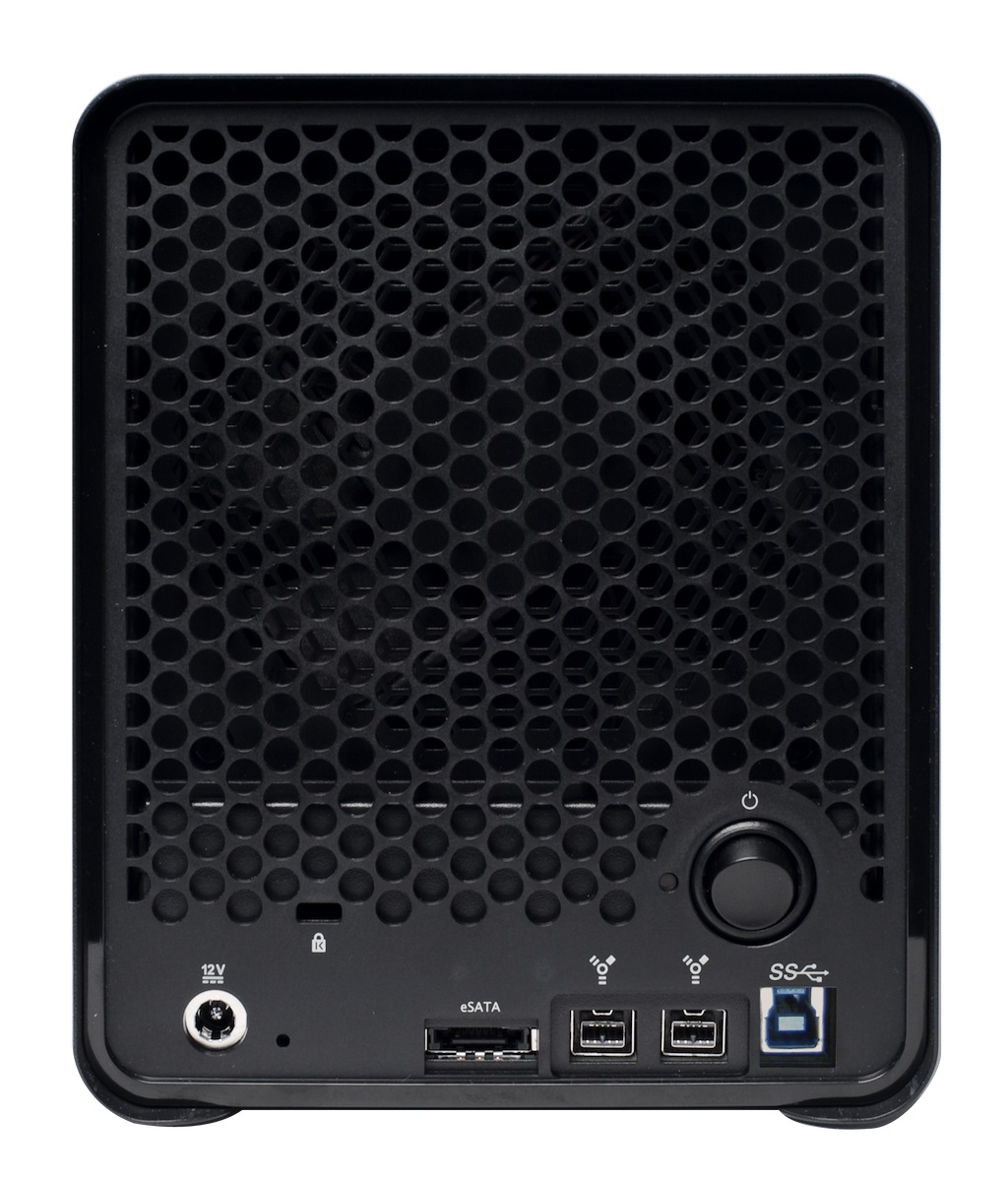
Drobo S, the 5-bay, 3-interface storage array from Data Robotics got a neat upgrade to USB 3.0 today. Instead of USB 2.0, it will now have eSATA, FW800 and USB 3.0 ports on its back. This is a hardware refresh, which means the USB 2.0 model has been phased out. You should expect it to be “up to 50% faster than FW800” when using the USB 3.0 port, according to Data Robotics.

During the press briefing, I asked Mark Fuccio (Data Robotics) whether the 4-bay Firewire Drobo will get a USB 3.0 upgrade as well. He said they have no plans to upgrade it. It will stay as is. Apparently its bandwidth maxes out at FW800 speeds, and adding USB 3.0 to it would be superfluous. Data Robotics recommends that folks get the Drobo S if they want heavy-duty performance.

In other Drobo news, Drobo Sync, the nifty disaster recovery software that was announced for the DroboPro FS, is now available. If you were wondering how Data Robotics is doing these days, they’re growing. And HP has just begun selling Drobos, which is great for them and useful for us. You’ll be able to go online and get a performance HP desktop to help you zoom through your photo or video processing, and also get a Drobo S to help you safely store all those terabytes of data.

The upgraded Drobo S will be available from all the usual retailers like Amazon and B&H Photo, and of course, HP Small Business Direct.

Standard