Reviews

New Skype for Windows 2.5

Skype has just released version 2.5 for Windows 2000 and XP. This new version includes the following cool features (on top of existing ones):

  • Send SMS messages directly from Skype to contacts’ cellphones.
  • View and call your Outlook contacts directly from Skype. This is really cool!
  • Auto updates: Skype will automatically update itself – no more downloads and installs.
  • Purchase SkypeOut credit directly from Skype – users won’t have to log onto the site and do it there. Nice!
  • Quick and easy overseas calling: pick the country and dial the number.

Those were the advertised features. Here are the unadvertised ones:

  • In their bid to get more profits, I see they’ve made it much easier for people to purchase ringtones right within Skype. Go to Tools > Rington > Get Latest Ringtones.
  • Similarly, they’ve made it easier for people to purchase accessories. Go to Help > Get Headset.
  • They’ve introduced Contact Groups, which allow you to place your contacts in pre-defined or custom groups – this means less clutter on the Contacts List.
  • The changes made to country codes have also spread to the Edit My Profile window, where the country of your phone number for home, office and mobile is now selected by clicking on the little flag next to the number, and choosing your country from the drop-down menu. This is pretty cool after all.

Now for some problems:

  • My existing list of Skype contacts disappeared after the upgrade. Suddenly, I had no contacts! Where did they go? I really don’t feel like entering them in there again. Five minutes later: decided to sign out of Skype and come back in. Bingo! My contacts re-appeared out of thin air… Strange!
  • The “view your Outlook contacts” feature didn’t work as expected. First, it’s not automatic, you have to import contacts. When I tried it, I had to allow Skype access to Outlook through the dialog box that came up during the Import operation. Then, the contacts didn’t display in Skype. I had to select the View > View Outlook Contacts feature in order to view them.

And some things that worked as advertised:

  • Tried the international calling with the keypad. Sure enough, they placed a drop-down menu listing the country codes right there. It’s helpful for those folks who don’t know how to dial international codes. I’m not sure how helpful it is for me, but I guess they’ve made it foolproof.
  • Sent an SMS to a cellphone in Romania, and it worked. Cost near 13 cents for the message, and when I pressed Send, the status changed to Pending, then after 15-20 seconds, changed to a checkmark, indicating it was sent.

And some things that worked but weren’t advertised:

  • My photo always disappeared after I upgraded to a new version of Skype. I’m relieved to see they’ve finally managed to fix that problem. My profile’s photo was still there when I checked my profile.
  • I see the Video feature is still in Beta. I wish they’d take it out of Beta already and make it available on the Mac as well. The video quality is really good when compared to any other messaging app out there (other than iChat).

Overall, this is a solid upgrade. I like this new version. But then I guess I’m biased toward Skype, and I’ll tell you why. The benefits are clear when one uses the application: great audio, great video, reliable connections, and, my biggest pet peeve, NO ADS, thank God!

I abhor the MSN, Yahoo and AOL Messengers for that very reason: I can’t stand their ads. They stick little banner ads everywhere, bombarding me with them. They flash, they pop up, and they’re completely annoying and distracting. I am truly grateful that Skype hasn’t succumbed to that disgusting practice, and I hope they never do!
Standard
Reviews

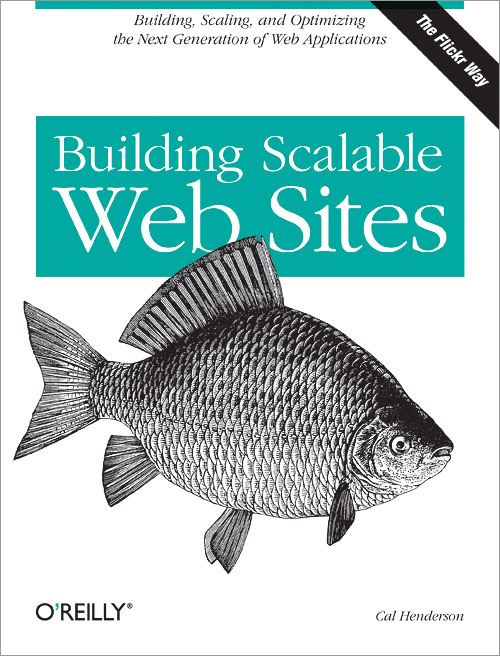
Building Scalable Web Sites, by Cal Henderson

I love this book! There, I’ve given away the clincher already.

Truth is, the writing is addictive. Once I picked it up, it was hard to tear myself away. Perhaps it’s because I’m fascinated with the subject matter, but boy, the writing style ain’t too shabby either. It’s easy on the eyes, and easy on the brain. You just start reading, and go on reading. There are no stumbling blocks, just nice, smooth writing that encourages you to keep moving on as you’re reading.

Let’s face it, which web developer out there doesn’t want to find out how to build scalable websites? Don’t we all dream that our sites or web apps will hit it big, and we’ll have to start planning how to expand? Well, this book will show you how. No, this book won’t show you how to code such sites. There are so many languages out there, it’d be impossible to do that in a book. And besides, code and its structure varies wildly based on the application you’re building. The load imposed on the server varies as well, based on the nature of your application. Some require more RAM, others crave more disk space, others are cuckoo for I/O… you get the point.

What this book will do is to set you straight: what is scalability, and how it’s done, from scratch to finished product, from hardware planning to software planning. It’s all laid out, and it’s easy to understand. Oh heck, Cal even explains what a web application is. And he’ll shatter a few myths, such as this: scalability and performance aren’t the same thing. And, PHP can be used in scalable applications. What?! The heresy! Only Java is scalable, right? Nope.

You’ll also learn things such as… Which scaling (vertical or horizontal) is more cost and resource-effective? How do you load balance with both software and hardware? What in the world is involved when exposing web services? Well, it’s not about nerds flashing in the server room, that’s for sure. How should you react when someone pulls an RPC on your XML? Should you wash it with SOAP, or should you cry API Abuse? Is a data cache a good thing? Should you worry about your database slaves? Should you buy cheap machines like Google, or should you spend your cash on real servers? Read the book, and find out the answers to all these captivating questions.

By my estimate, most people interested in the subject will manage to read the book in less than a week, and that’s with leisurely reading in the evenings. That’s more than I can say about many tech books, where you get bogged down trying to understand the code and what it’s doing. This book is instructive, entertaining, and intellectually enriching. Cal has a lot of knowledge in building scalable websites, and there’ll be no mistaking that when you pick up the book. This fellow speaks from personal experience. Do yourself a favor, and don’t build a hamstrung site. Read this book first!

Standard
Reviews

Some really cool news and products

Wired News is running a great FAQ on Intel’s Dual Core processors – what’s on the market now, and what’s going to get here pretty soon. Bottom line – if you’d like some fast laptop processors, wait until the Merom line gets on the market, which will be late August. Perhaps some laptop makers (Apple included) will allow us to pre-order?

The Economist has an insightful article on the history of the PC and what awaits us in the future. Bottom line: some of the basic PC functions, like email and the web, are being relegated to other devices/appliances. The PC’s functions are changing, but that’s not to say its popularity is diminishing.

Western Digital has put out a new mini-HD called the Passport Pocket, at 6GB for $100, that can automatically sync itself to certain folders on your computer, will automatically encrypt the data, and will allow you to enter contact and reward info that will be useful in case you lose it. Only this information will be visible to strangers. Nice!

Merriam Webster has come out with a USB Dictionary and Thesaurus that they’re storing on a 256MB hard drive. The tool comes with a few freebies as well: a phonetic spell correction, a grammar guide, confusable word alerts, and a crossword puzzle solver. Alright!

You’ll finally be able to use that RDS function (RD-what?!) on your radio, with the Kensington iPod FM Transmitter with RDS. What this means is your car’s radio will now be able to display the artist and song info, so you won’t have to endanger yourself and others on the road by squinting at the iPod screen. Very, very nice!

Standard
Reviews

Meet LaserMonk in Chief

You wouldn’t think a monastery deep in the western woods of Wisconsin would be involved with re-manufactured laser printer cartridges, but there they are, a multimillion dollar business, up to their necks in profits… See, the monastery was in dire financial straits, and Father Bernard McCoy, now the Chief Operating Monk, struggled to keep it afloat. One day it struck him as he searched for a way to save on toner cartridges. Why not tell others about the great deal he got? And why not act as the middle man and purchase these cartridges for them?

The monastery’s initial investment of $2,000 turned into $2.3 million in sales in 2005, and is expected to double this year. The monastery is out of the pits, and can now afford a private plane and a horse stable, among other perks. How do they manage the profits? The monks are all volunteers working for the monastery, and take no salary. LaserMonks is a non-profit. To top it off, Father Bernard has high plans. He wants to take over the toner market. With this sort of a business model, they’re a real threat to their competitors. I have to wonder about the scalability and sustainability of their business, but only time will tell.

Standard
Reviews

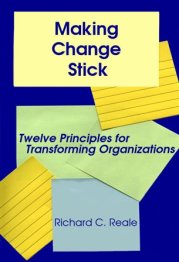
Making Change Stick: Twelve Principles for Transforming Organizations by Richard C. Reale

Making Change Stick: Twelve Principles for Transforming OrganizationsTwo figures stand out when reading this book: twelve and twenty. What do they have in common? The same man, Richard C. Reale. For twenty years, he’s studied why change fails and why it succeeds. Then he boiled down his knowledge base into twelve principles that are absolutely necessary if change is to happen correctly and last in an organization. The amazing thing is that these principles will not only ensure the success of a transformation, but will pay dividends in the long run, by having made an organization more change-capable.

So what’s missing? What’s causing organizations to fail when implementing change? The most common reason is the “failure to consider the human side of change.” It’s easy enough to draw the roadmap. The hardest part is the execution, the fulfillment of that plan. If you don’t believe it, just look at the last time you resolved to do something. What was harder: making the decision and putting some thought into how to best achieve it, or actually doing what you planned?

The twelve principles outlined in this book allow organizational leaders to focus on the people, and to empower them to bring change to fruition. It’s about setting down the right process for change, and following along closely, making sure change is proceeding as planned. It’s about walking the talk, and encouraging people to do the same by praising their efforts to change, and setting them up for success. It’s about monitoring the right metrics, the ones that will tell you how you’re really doing. In theory, it doesn’t sound hard, but in practice, it’s another story. Fortunately, the author explains every one of the twelve principles in detail, and the examples he gives clearly illustrate the point. Inspirational quotes from notable personalities are also provided, to help drive home the point.

This book is a wonderful resource. Twenty years of “on-the-job” experience can’t be wrong. The author’s expertise shows, and will help guide the book’s readers toward that great goal of organizational change, which is a hard goal to achieve indeed. If individual change is hard, organizational change is orders of magnitude harder – but this book will show you how to do it successfully. Get it, and achieve lasting change!

Standard