Reviews

Two Tickets to Broadway (1951)

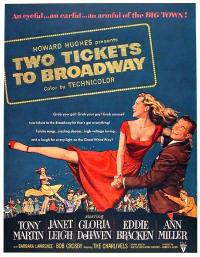
Two Tickets to Broadway (1951)The story of this movie is simple, and normally bankable: small town girl makes good in big city. This is a story with plenty of room for nice little twists and turns that make a movie worthwhile. However bankable the story is, the movie feels fake all the way through. Granted it’s a musical, and they’re always a little fake, but still, it’s terrible, and I can point exactly to what’s ruining it: the screenplay. Who wrote this pickle of a screenplay, anyway? Yikes! It’s just not grounded, it goes all over the place and tries to do too much. They should have used it for toilet paper instead of filming it.

It’s a shame, too, because the actors were good, and the singing was good, even great at times. Bugsby Berkeley’s choreography was surprisingly toned down, and it sort of fit in with the atmosphere of the movie. I say sort of, because Bugsby’s stuff never really fits in, it always stands out. When he steps into a movie, it changes. Thank goodness there were none of his usually outlandish dance numbers here, although I have to say the American-Indian dance was too weird. It was just insulting, and I bet it wouldn’t get done nowadays, in our more relaxed culture. What were those people thinking when they left that number in?

Things to watch for if you want to kill some time watching this movie: Janet Leigh is great all the way through, Tony Martin sings beautifully, Ann Miller is her usual self, dancing all over the place and baring her long legs as usual, and the reparte between Charles Dale and Joe Smith, as Leo and Harry, the owners of the deli, is just plain funny.

Standard
Reviews

Hasselblad H2D-39: A 39-megapixel DSLR!

The Hasselblad H2D-39 DSLR Camera

Hold the presses, because I’ve just stumbled onto an amazing DSLR. I used to think 22-megapixels was really something, but this puppy cooks up 39-megapixels! It records in RAW format, and the photos are so big that it comes with an external 80GB hard drive. You can even connect it directly to your Mac or PC and transfer the images as you take them.

Of course, if you yearn for mobility, it also writes to CF cards. I can’t imagine how big they’d need to be or how many you’d need for a typical commercial photo shoot, but hey, it’s your call, right?

It comes with a rechargeable Li-ion battery that will let you take up to 250 photos, or “captures”, as they call them in 4 hours. Needless to say, you won’t be able to put it in your pocket: the camera plus battery and CF card comes in at 2,175 grams, a little over 2 kilos, or 4 pounds.

So how much will all this megapixely goodness cost you? $29,995 seems to be the going price, although I’ve seen it listed on Froogle for as high as $32,973. I can’t say that I’ve got a burning need to get one, but I suppose if my livelihood depended on delivering really high quality pics, it’d be on my shopping list. Read up on it right here.

Standard
Reviews

Two great bargains: HP Pavilion dv2000 and dv6000 series laptops

As detailed in my last post, I’ve been scouring the market looking for laptop deals, and I found two that were really good. After I compared the specs for these two laptops with similarly equipped laptops, I found them to be hundreds below comparable models, and on top of that, well-made – at least when it came to their exterior.

The HP Pavilion dv2000 and dv6000 series laptops are part of HP’s re-design of its Pavilion laptop line. They feature upgraded hardware and beautiful exteriors. I can’t speak about their reliability, since I only got the chance to use them for a few minutes at a computer store, but when it comes to looks and features, they’ve got it! From the moment I touched the keyboard and used the trackpad, I could tell HP invested serious attention to detail when they made these laptops. If you’ve ever used a Dell laptop, then you know what I’m talking about. The keys are so thin, that your fingers sometimes get pinched inbetween them. Not on these two HP laptops! The keys are thicker, smoother, and have better action. The trackpad is responsive, and the left and right mouse buttons are soft to the touch. I thought the travel could be shortened a bit, but other than that, it’s a very good experience. The lines are well defined, the color tones are well chosen, the overall thickness is kept to a minimum (around 1″ height for either one) – what can I say, they look good!

A well-equipped dv2000 series laptop features Windows XP Pro, a dual core Intel 2.0 GHz processor, a 14.1″ BrightView wide screen, integrated 802.11 a/b/g and Bluetooth, an integrated webcam with dual noise-cancelling microphones, a 120GB SATA hard drive, a 128MB NVIDIA(R) GeForce(R) Go 7200 video card, 2GB of RAM, a LightScribe Super Multi 8X DVD +/- RW with Double Layer drive, a 12-cell battery that lasts up to 8 hours, a 2-year HP Accidental Damage with Express Repair extended service plan, a credit-card sized remote control for the InstantOn feature that lets you play DVDs and CDs without turning on the laptop, an HP Silver Messenger Bag, HP Mobile Noise Cancelling headphones, a retractable phone, ethernet and USB cord kit, and a FREE printer. The price for the whole set is $2,051.93 ($1801.93 without the extended service plan). Try matching these specs with another laptop (Lenovo, Sony, Dell, Acer, Asus) and see if it’s still that low. Go ahead, I’ve done it, and it isn’t.

How about the dv6000 series? A well-equipped dv6000 includes the following: Windows XP Pro, a dual core AMD 1.8 GHz processor, a 15.4″ wide screen, a 256MB NVIDIA(R) GeForce(R) Go 7200 video card, integrated 802.11 a/b/g and Bluetooth, an integrated webcam with dual noise-cancelling microphones, a 120GB SATA hard drive, 2GB of RAM, a LightScribe Super Multi 8X DVD +/- RW with Double Layer drive, a 12-cell battery that lasts up to 8 hours, a 2-year HP Accidental Damage with Express Repair extended service plan, a credit-card sized remote control for the InstantOn feature that lets you play DVDs and CDs without turning on the laptop, an HP Silver Messenger Bag, HP Mobile Noise Cancelling headphones, a retractable phone, ethernet and USB cord kit, and a FREE printer. The price for the set is just $2.111.94 ($1,861.95 without the extended service plan). Again, I dare you to match these specs and see if you can get a similar price.

I have only two bad things to say. I haven’t heard good things about HP reliability from my friends and contacts. I also know from personal experience that once HP decides to discontinue a product, their interest in supporting it goes downhill, and it’s basically forgotten. Perhaps that’s changed now that they’ve re-designed their laptops, but still, I’d recommend getting the extended support plan. The one I mentioned above includes two years (there are 1 and 3 year options as well) of Accidental Damage (in case you drop it or spill something on it) and Extended Repair (when your hardware just plain fails). I would actually recommend getting an extended support plan for any laptop or desktop you purchase, because you don’t want to be left stranded when you’re in a bind.

The second thing is more like a wish, and that is for the dv6000 line to include dual core Intel processors. It currently doesn’t. Although AMD may beat out Intel with its recent line-up of dual core processors, the Core Duo 2 line of processors, code-named Merom, that Intel will come out with in August, are already beating AMD’s line-up. Plus, they’re readily interchangeable with the current dual core Intel chips. That means you can get a laptop now, and upgrade your processor to a screaming fast Merom chip when the price for those goes down.

At any rate, I can’t find a better deal for the specs and looks that these two laptops, so if you’re in the market for a Windows laptop, get your hands on one of these!

Standard
Reviews

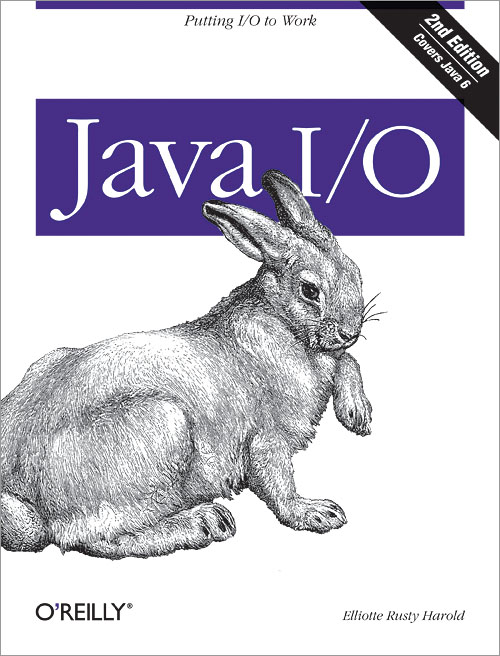
Java I/O 2nd Edition by Elliotte Rusty Harold

Java I/O discusses in great detail a subject that is, in many ways, the bread and butter of Java: input and output. Given the expanded capabilities introduced with Java 1.4, 1.5 and 1.6, this book’s attention to them is timely and on target.

Here are some techniques that the book teaches:

  • Reading and writing files
  • Communicating over network sockets
  • Filtering data
  • Interpreting a wide variety of formats for integer and floating-point numbers
  • Passing data between threads
  • Encrypting and decrypting content
  • Calculating digital signatures for streams
  • Compressing and decompressing data
  • Writing objects to streams
  • Copying, moving and renaming files and directories
  • Choosing files from a GUI
  • Reading and writing non-English text in a variety of character sets
  • Talking directly to modems and other serial port devices
  • Controlling printers and other parallel port devices
  • Managing and communicating with USB devices
  • Transmitting data wirelessly with Bluetooth
  • Communicating with the outside world from small devices such as cellphones and PDAs

The book has 25 chapters, divided into the following logical parts:

  • Basic I/O, or the stream
  • Data Sources, such as files and networks
  • Filter Streams, or processing data as you read or write
  • New I/O, which deals with the changes made in Java 1.4
  • File System: moving, deleting, renaming and choosing files
  • Text: reader and writer streams
  • Devices: the Java Communications API, USB, J2ME and Bluetooth

Java I/O isn’t for everyone. It’s an in-depth book that assumes you already have a basic familiarity with Java, and you know its syntax. You should already know object-oriented programming, and you should already have written simple applications and applets. Although the examples given in the book are straightforward, you will quickly be overwhelmed if you’re a Java beginner, so you may want to pick up another book such as Learning Java or Java in a Nutshell first.

Elliotte Rusty Harold put a lot of hard work and detail into making Java I/O understandable and usable, and it shows. This book will prove an invaluable resource to the Java programmer interested in strengthening his or her I/O knowledge.

Standard
Reviews

The Art of Raw Conversion by Uwe Steinmueller & Jurgen Gulbins

The Art of Raw ConversionAesthetically speaking, this book is beautiful – inside and out – which is as it should be, since it deals with the art of photography. The covers are glossy and beautifully designed, the title font choice reminiscent of a DSLR viewfinder. The next thing that one notices is the detailed Table of Contents. A good TOC is a must have for a good instructional book, and a great TOC, one that breaks topics down to their essential line items and makes it easy to find just what you’re looking for, is a joy to behold.

The TOC shows one more thing: the authors were thorough in their writing. They set out to discuss the art of RAW conversion with the tools currently on the market, and by golly, they accomplished it. Each chapter is well put-together and it deals with the topic at hand. The writing is focused and easy to understand. The illustrations are plentiful and do a good job of helping to explain the more difficult concepts.

The first two chapters are dedicated to preparing the reader for implementing a RAW conversion workflow. The next six chapters discuss the features of the RAW converters currently on the market. Finally, the last six chapters teach the reader specialized skills, such as correcting images in Photoshop, doing batch RAW processing, the new DNG format, photo metadata, custom camera profiles, converter calibration and RGB to B/W conversion. A wonderful glossary is included as well, explaining specialized terms.

Whether you are a skilled photographer knowledgeable about using RAW images, or a hobbyist who is just getting to know the RAW format, this books is great, because it will help you find out why you should shoot in RAW, and, more importantly, how to manipulate these images once you’ve transferred them to your computer. Yes, RAW conversion packages for both major desktop platforms (Mac and PC) are discussed, in relevant detail, no more, no less.

If you read this book, you will gain a tremendous amount of knowledge about RAW photography, and you will know how to use the features of the RAW format to your best advantage. In the end, your photos – your end product – will be much better for it.

This book is a must-have. Not only does it deal with a unique subject, about which little quality information is to be found in print or on the Internet for that matter, but it also does it thoroughly and skillfully.

Standard