Places

Italian road trip – Day 1 – Pisa

This slideshow requires JavaScript.

Our Italian road trip started in Pisa on February 18th.
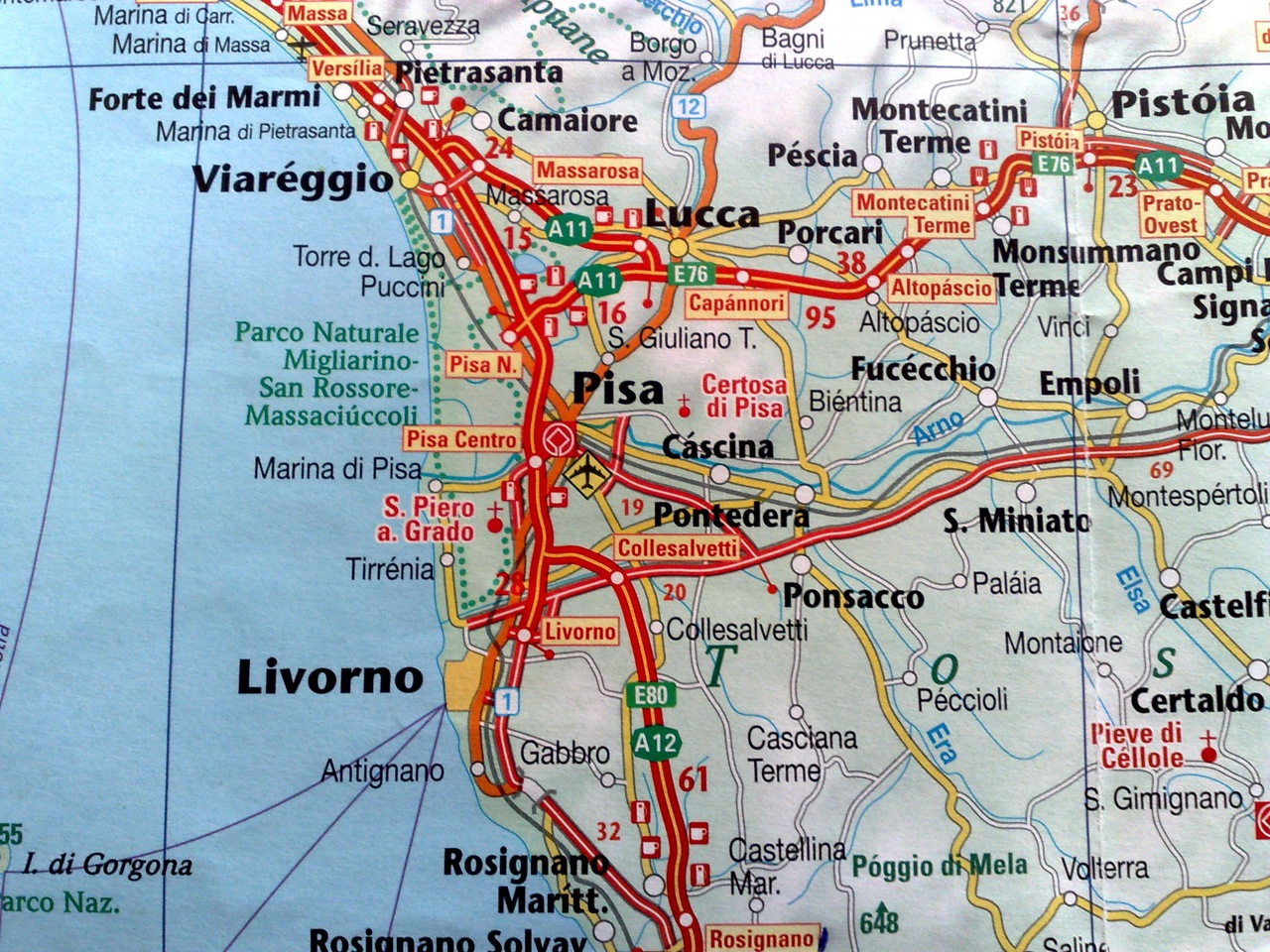
Map of Pisa

A map of Pisa and the surrounding region.

We arrived at Pisa Airport via Ryanair around 11 am. The airplane passed Pisa, then circled back over Livorno and landed.

High above the clouds.

High above the clouds.

On a Ryanair flight above the city of Pisa, in Tuscany, Italy. The Mediterranean Sea is visible in the upper left.
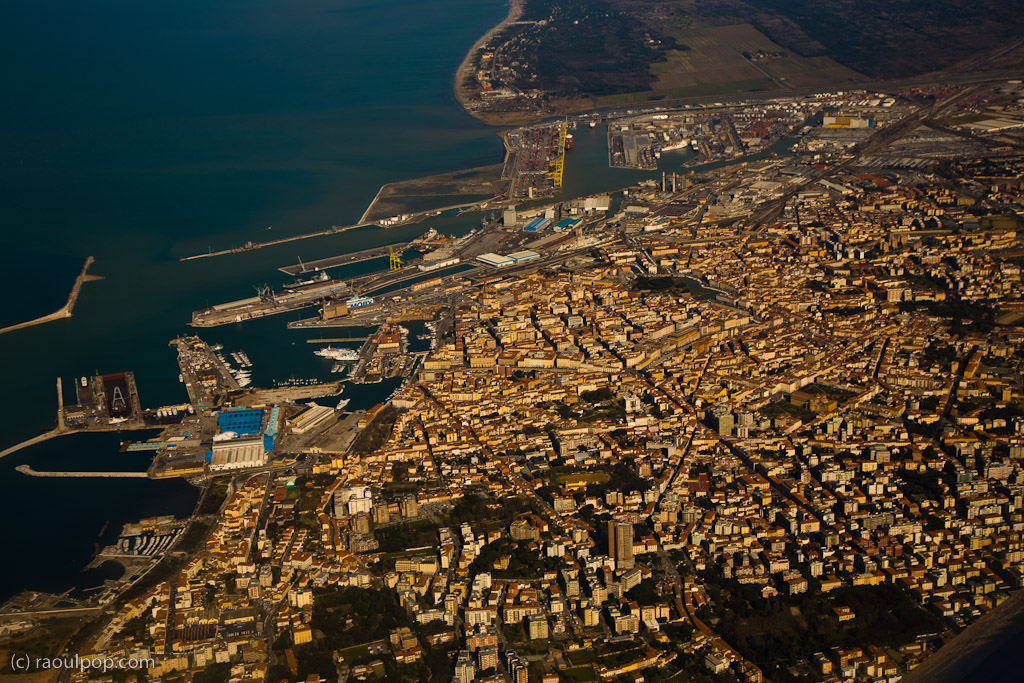
On a Ryanair flight above the city of Pisa, in Tuscany, Italy. The Mediterranean Sea is visible in the upper left.

On a Ryanair flight above the city of Livorno, in Tuscany, Italy.

On a Ryanair flight above the city of Livorno, in Tuscany, Italy.

It was around noon that we got our luggage and rental car sorted out and left. On our way out, we took a wrong turn and found ourselves in the industrial zone outside the city. As long as we were there, we stopped to have lunch. The food was good, but the prices were the same as in downtown restaurants. I don’t know about you, but if I’m going to pay the same price, I’d rather have my food in a nice place, not in a hole in the wall near a bunch of warehouses. We left after asking someone for directions, and were soon inside the city. We stopped at the intersection you see below to find our way around.

An intersection in Pisa.

An intersection in Pisa.

We needed to find the leaning tower, and thankfully, there were signs to guide us along the way. Once in the old town center, we found a nice area and decided to stop and visit for a while. We found the parking lot you see below, and parked there.
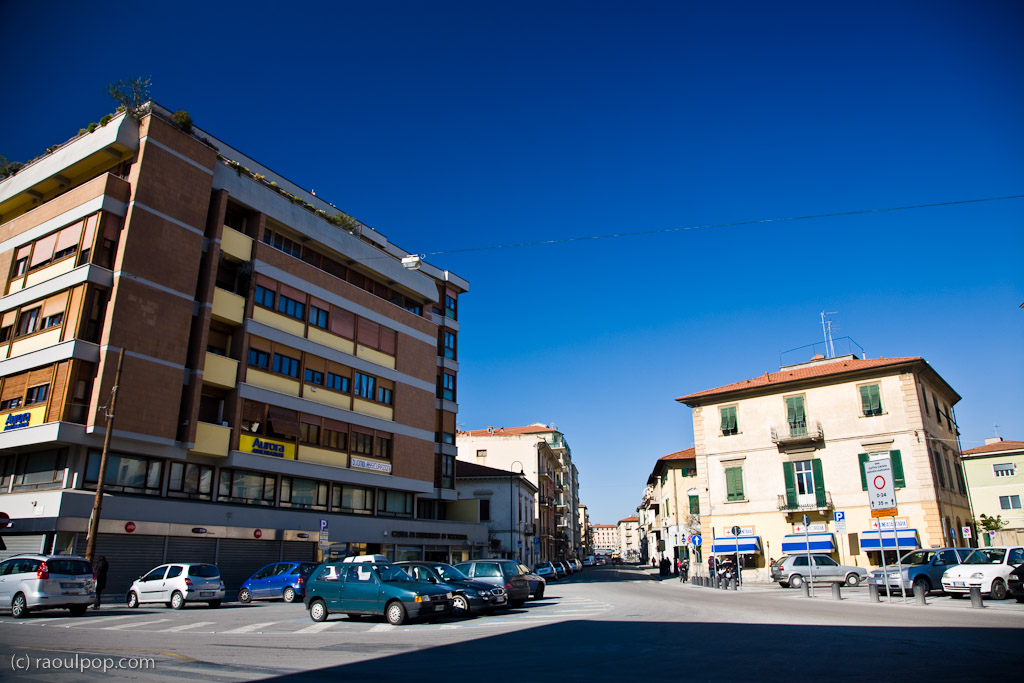
Downtown somewhere

We stopped here to visit the old town center.

In this photo, you can see the same building visible in the lower right corner above, but from nearby. We parked our car a little ways down this street. The ZTL (Zona Traffico Limitato) sign, marked by a round red circle, can be seen here. Make sure to obey these signs while you’re driving in Italy. They mark specific areas where traffic is limited during certain days and hours. You can incur hefty fines if you drive through one of these areas when you’re not supposed to do it.
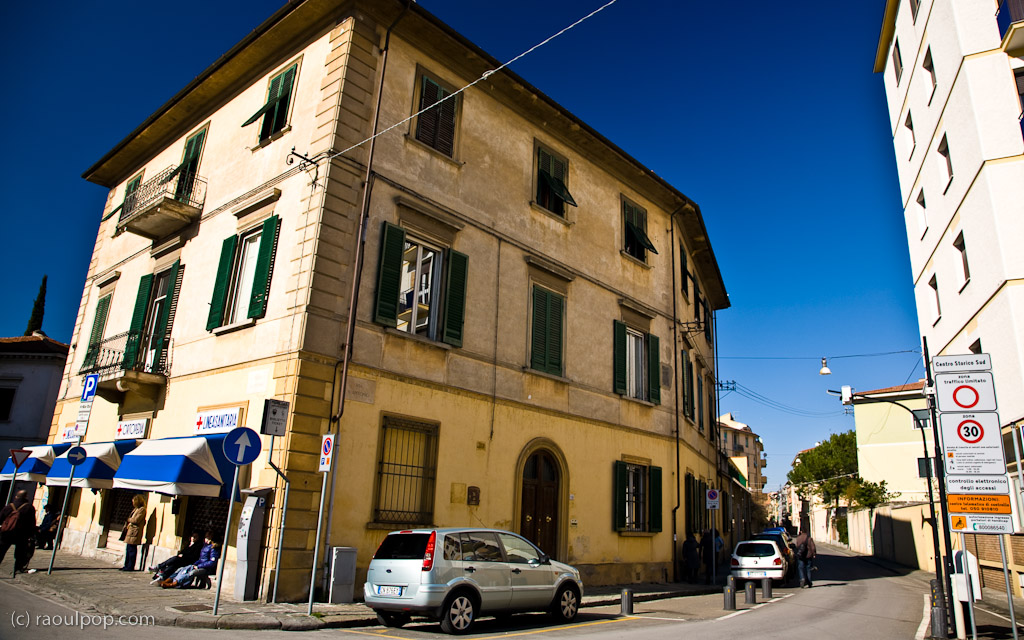
We found a parking spot on this street.

We found a parking spot on this street.

We started to walk around, taking photos of interesting buildings and spots we saw. Nearby, there was this building with a cross on the roof. It appeared to be a church, but was unmarked and not open to the public.

A building that appears to be a church, yet is without any name and cannot be entered. Pisa, Italy.

Not sure what this is, but I liked the facade.

This building appears to have once been a villa for a wealthy family. Now it’s been converted to a bus depot, called CPT Autoservizi Lazzi. There are ticket counters inside and behind it, there’s a large parking lot where people wait to board the buses.

CPT Utoservizi Lazzi

CPT Autoservizi Lazzi

This is the back of the villa from the previous photo. As you can see, a few smaller buildings are huddled next to it, and what’s left of the old city wall abuts the villa on its left side.
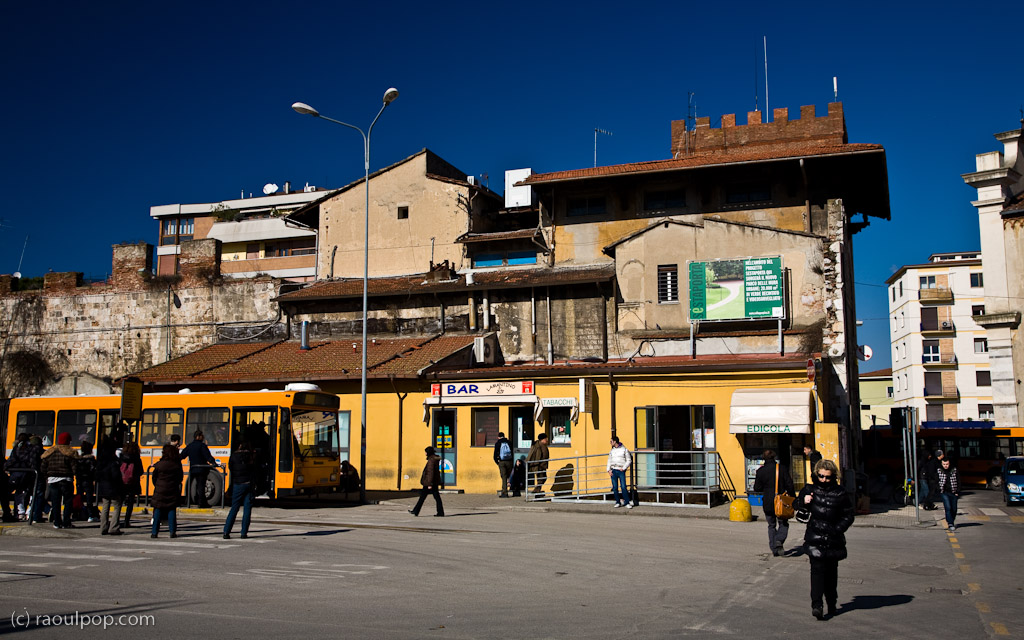
Edicola

Transfer point for the CPT Autoservizi Lazzio.

The villa itself was built to last, with plenty of attention to detail. Notice the wonderful ironwork protecting the windows, and the late Gothic columns that divide the window openings.

Wrought iron arches

Wrought iron arches

Guess what I found on the other side of the old city wall? The headquarters for the Asociazione Radioamatori Italiani, Sezione di Pisa (Italian Amateur Radio Association, Pisa Club). Glad to see ham radio folks are still around. While Romania was under the clutches of communism, amateur radio was one of the very few ways people could communicate with foreigners. They used to build their own radio equipment, at risk, and try to get in touch with folks in Western Europe. Some would keep in touch with their families, who’d already fled the country, some would do it for camaraderie, and others to keep their hopes up by knowing they had a line to the free world.
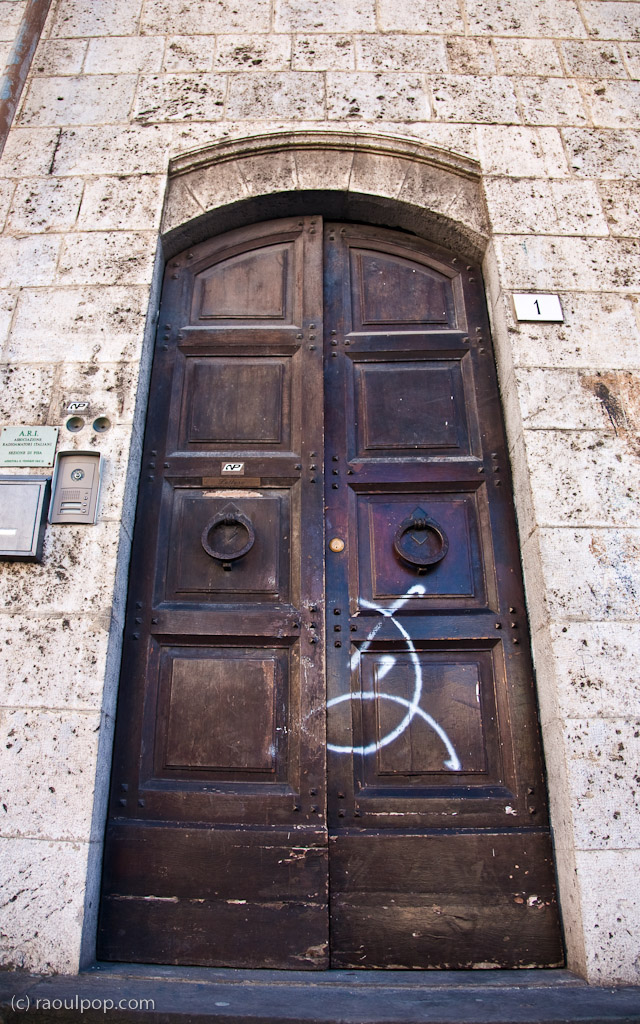
Associazione Radioamatori Italiani

Asociazione Radioamatori Italiani, Sezione di Pisa

I liked the juxtaposition of these buildings and their rooflines.
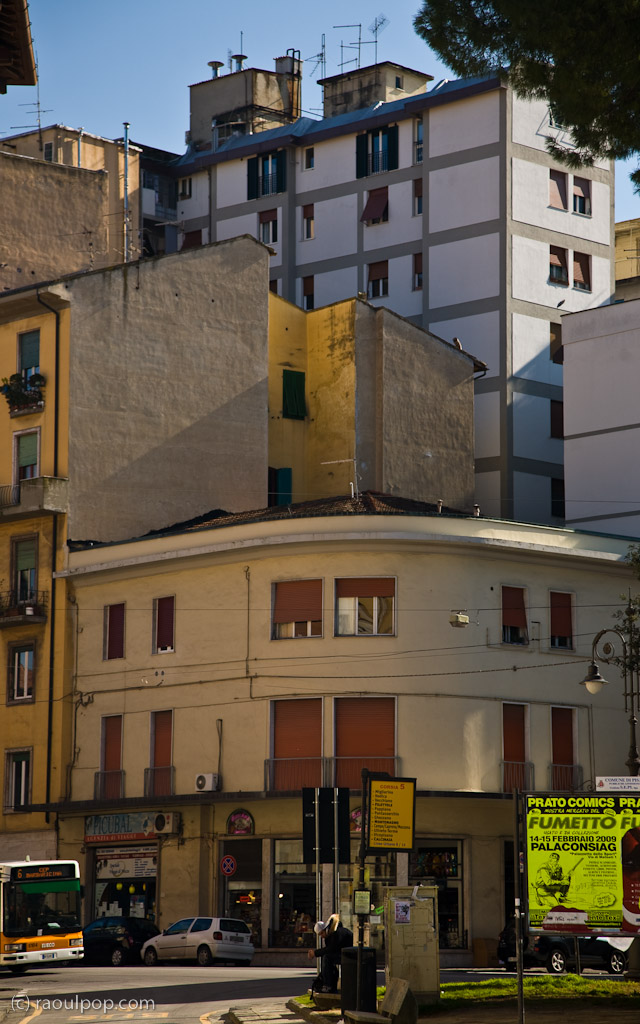
Corsia 5 bus station

Corsia 5 bus station

The sign in the photo below says “Area di atessa sicura”. I’m not exactly sure what it refers to: perhaps that’s a bus waiting area, or a place where you can wait in peace — for what, I don’t know. At any rate, if you’ll look up at the roofline, you’ll agree with me that it’s an unusual corner. I haven’t yet seen a broken roofline at the corner of a building.
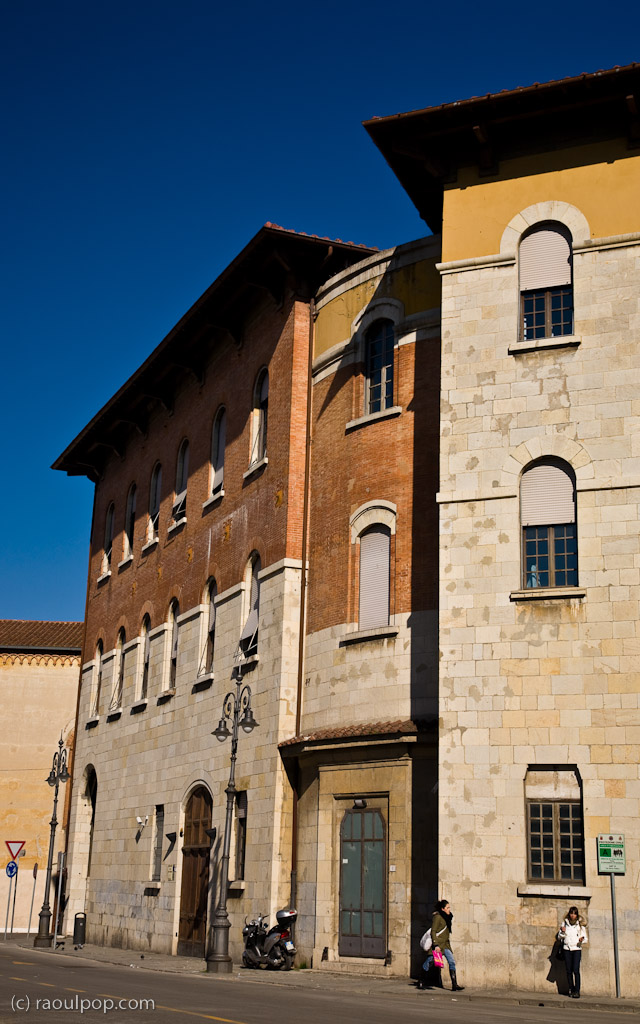
Area di atessa sicura

Area di atessa sicura

A building which housed, among other things, one of the restaurants in downtown Pisa.

Ristorante Centrale

Ristorante Centrale

One of the side streets that branched off the main piazza and roundabout that can be seen in this photo.
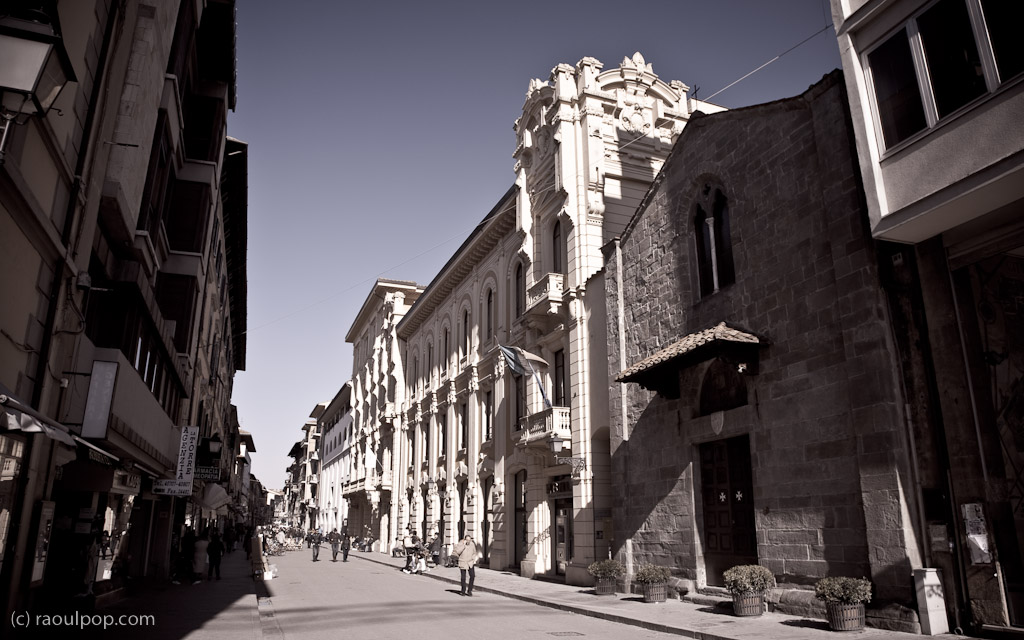
Morning walk

A typical Italian street

There’s a church that’s visible in the photo above. There’s a mural underneath the awning that covers the entrance. This is that mural, which depicts the annunciation, or the scene when the angel Gabriel tells Mary that she’s been chosen to bear the Son of God. I would have liked to go inside the church, but that was unfortunately not possible — it was locked.
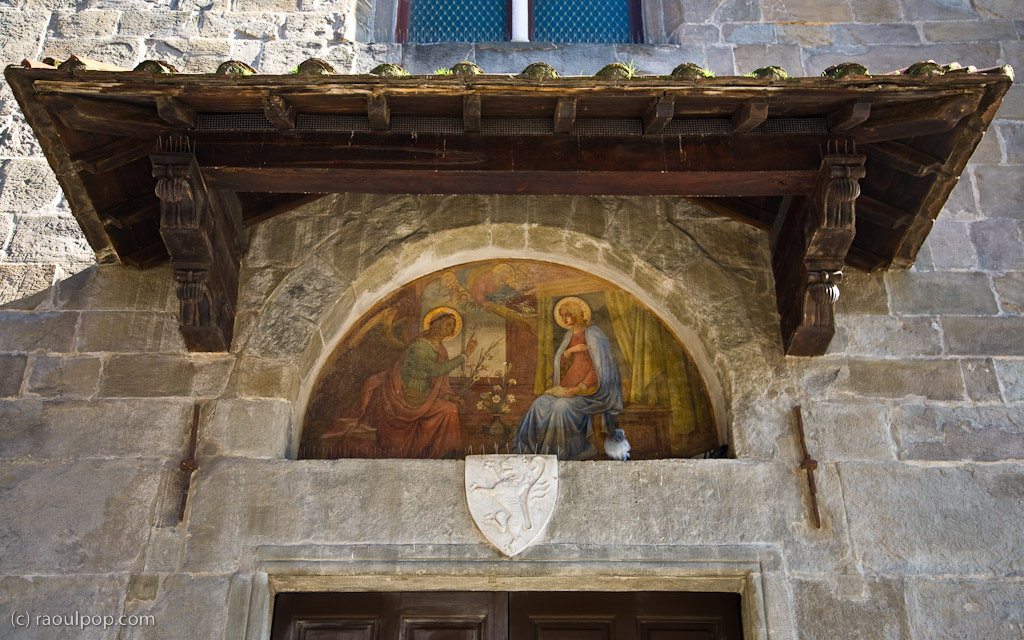
Ave Maria gratia plena

Ave Maria gratia plena

But enough about Pisa’s streets. Let’s get to what everyone wants to see: the Leaning Tower of Pisa. Here it is, as seen from the back entrance to the Piazza dei Miracoli.

Leaning Tower I

The Leaning Tower of Pisa and the Duomo

Here’s another view of the tower, from its back — an angle that’s seldom used, and that’s why you see no people in the foreground. Everyone goes to photograph the tower from the lawn of the Duomo, because that’s where they do all those silly tricks where they pinch the tower between their fingers, or pretend to push it with their hands and feet, or… well, you get the idea.
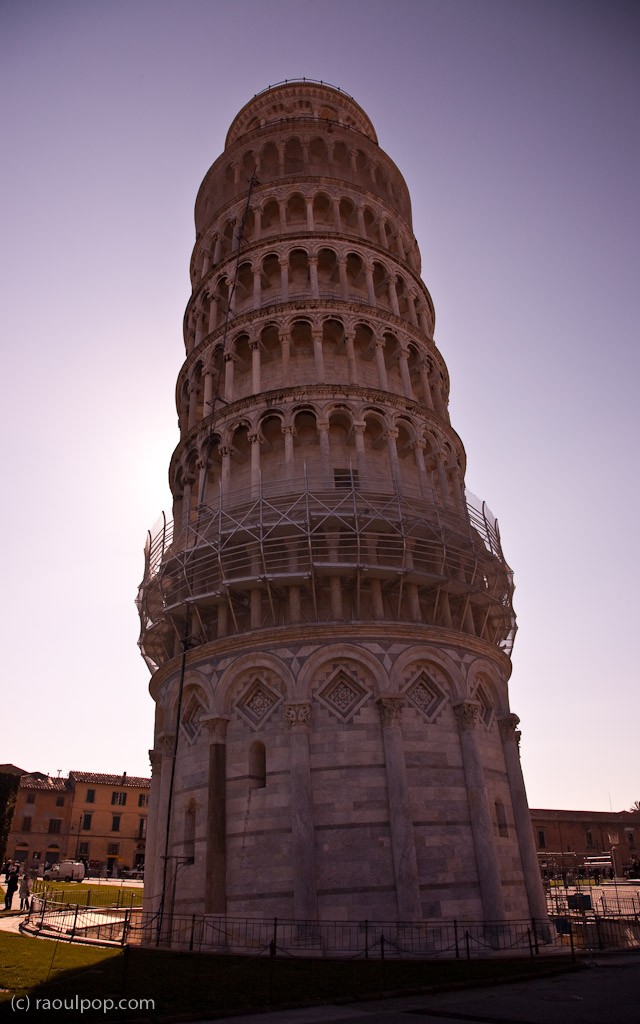
Leaning Tower II

The Leaning Tower of Pisa

Here’s a view of the Duomo from its back. This is actually where the altar is located, so if you’re inside it, it’s the front, but such is the way cathedrals are. The back is the front is the back, depending on whether you’re inside or outside.

Il Duomo I

The Duomo of Pisa

These little guys are holding up some family crest — probably the folks who put up the most amount of money to have the place built. Note the smaller cherubim riding on top of something above the water spout. He looks like he’s peeing inside the bowl — a fairly common theme in these older water fountains.
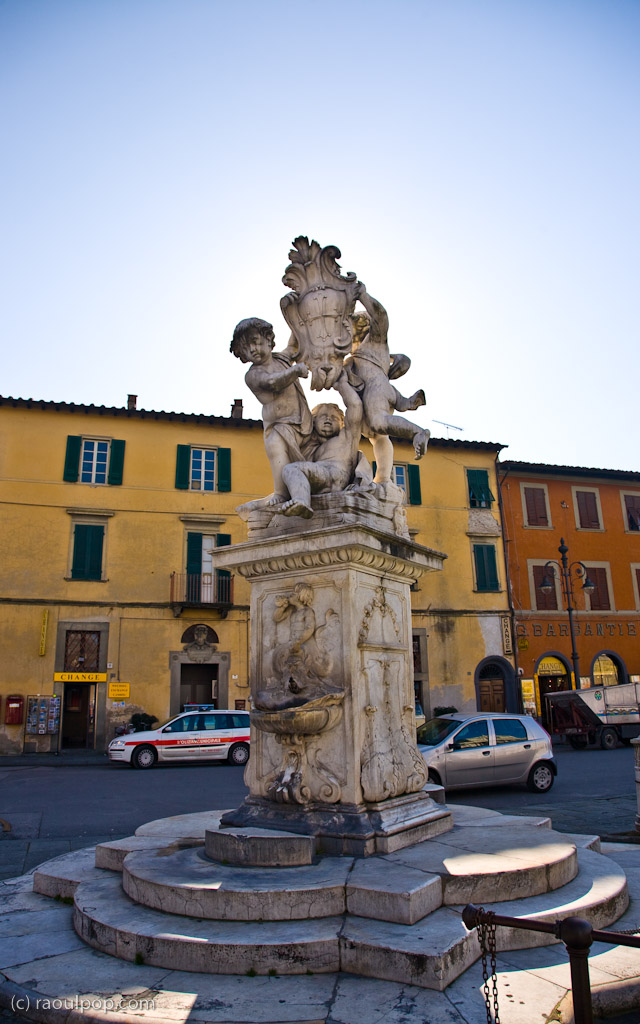
Some cherubim is peeing in the water fountain

Three nice cherubim and one naughty one

Here we go, this is the typical view of the leaning tower, the one that everyone brings back with them.
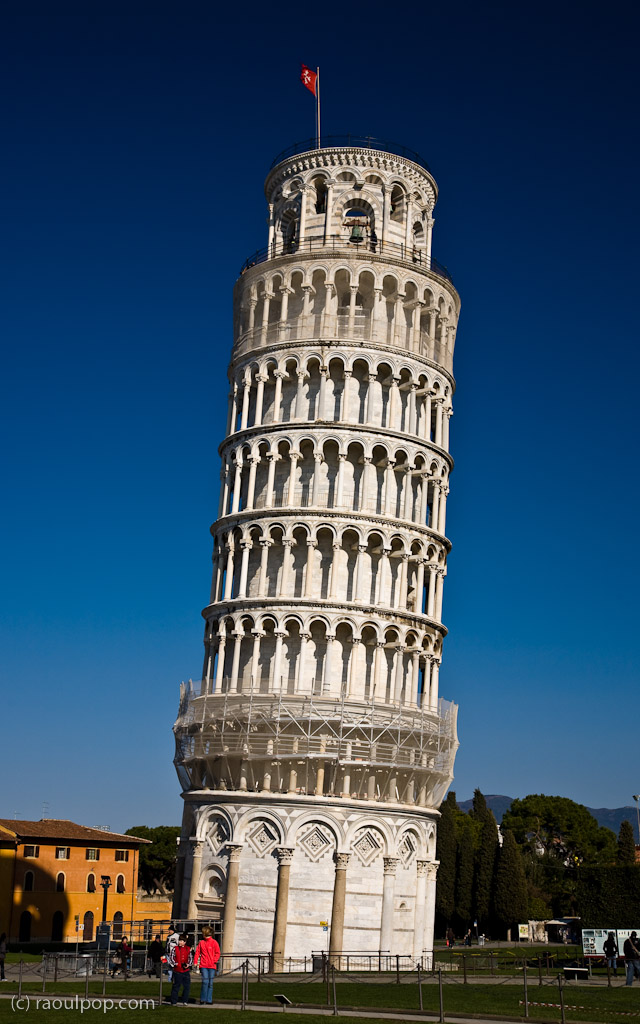
Leaning Tower III

Leaning Tower of Pisa

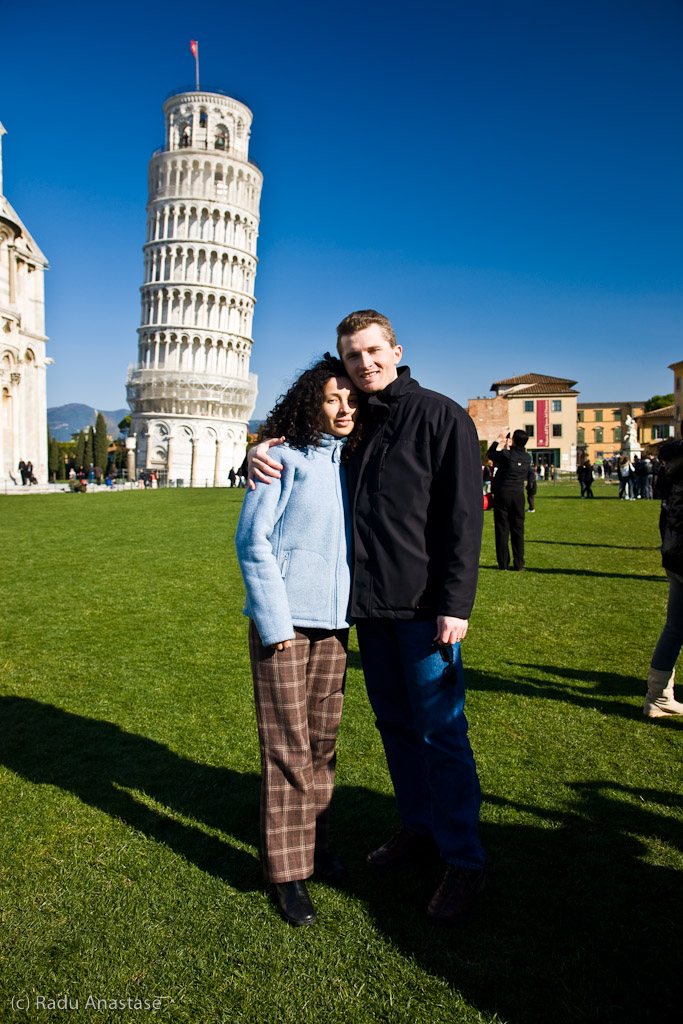
And this is us in front of the tower, doing the typical tourist thing and smiling for the camera with the landmark behind us. As cheesy as I think it looks when I see others doing it, I have to admit that it’s nice to have these photos when I look back at the places I visited. By the way, my brother in law, Radu Anastase, took this photo. He’s a talented photographer who at 19 years of age has already had paid work published in Romanian magazines.
Us, at the Leaning Tower of Pisa

Us, at the Leaning Tower of Pisa

Here’s another view of the Duomo, from the nice, grassy lawn that covers most of the piazza. Shortly after taking this photo, a guard came and shooed everyone off the grass — apparently, they don’t want people trampling on it, which is silly. It’s practically a historical pastime to get on the grass and take photos of the tower. They might as well get over it.

Il Duomo IV

The Duomo of Pisa

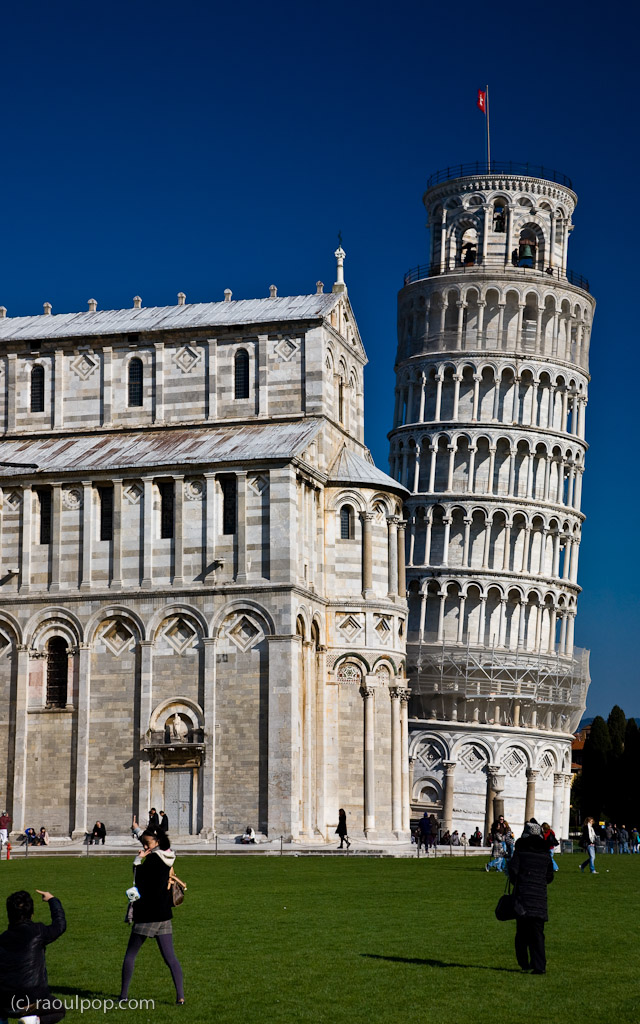
I like this shot of the tower peeking out from behind the Duomo, because it emphasizes the tilt in its vertical axis.
Peekaboo

Peekaboo

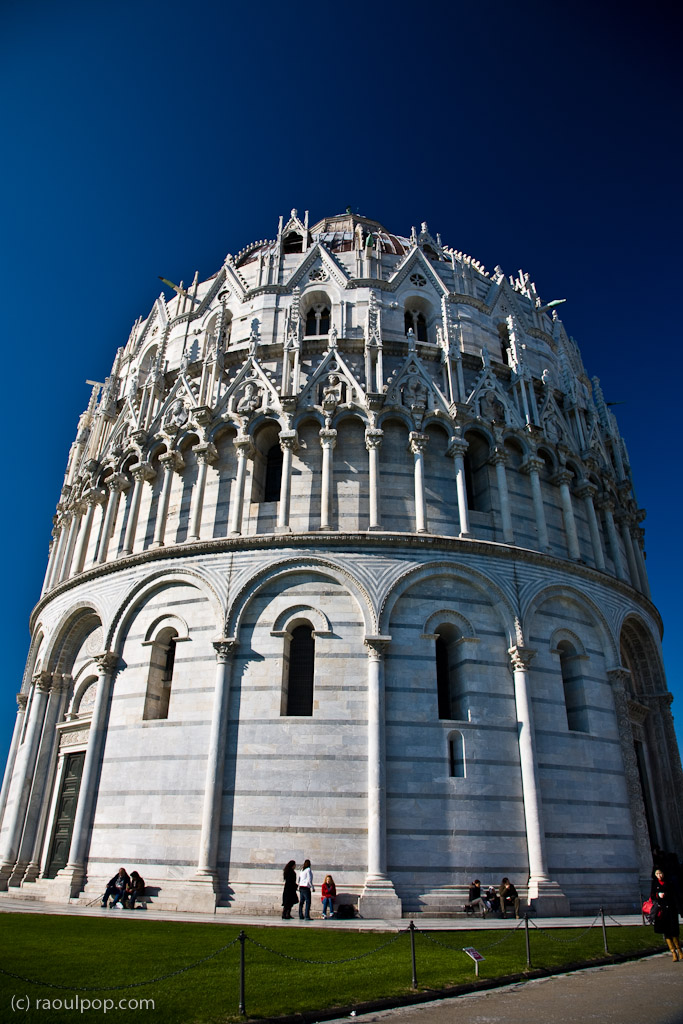
I was impressed with the Baptistry, the round dome next to the Duomo. It’s older than the Duomo, and might even be a few centimetres taller than the Tower, according to Wikipedia.
The Baptistry

The Baptistry

Here’s another view of the Baptistry, from its front entrance.

The Baptistry, from the front

The Baptistry, from the front

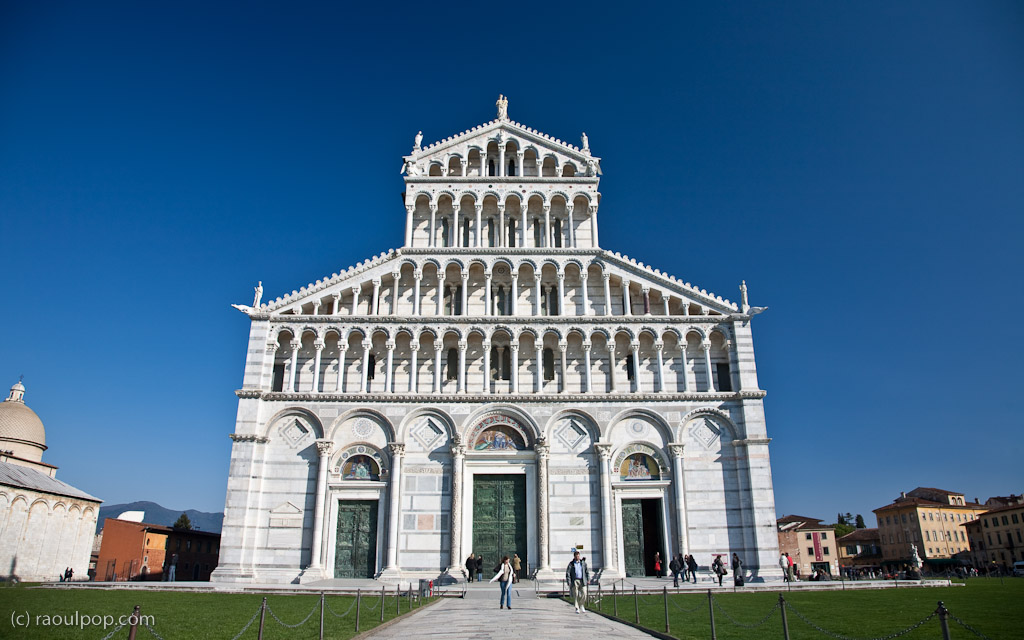
The Duomo’s front is impressive indeed, with all those rows of repeating arches, held up by rows of Corinthian columns.
Il Duomo V

The Duomo of Pisa, main entrance

Notice the bottom row of columns, which is engraved with intricate reliefs. Can you imagine the work that went into making them?

Il Duomo VI

The Duomo of Pisa, from below

The inside was even more impressive. Light streamed in through the windows in the upper level, reflected off the richly adorned ceiling and filtered down to the marble floor.

Inside the Duomo II

Inside the Duomo

This is a panoramic photograph which includes the main altar and main ceiling mural of the Duomo. You can’t appreciate it fully here, but its original resolution is 2835 x 6852, and it’s made up of three individual photographs.

Inside the Duomo VI

A panoramic view of the inside of the Duomo

I chose to process this photograph differently because I thought the subject matter fit this finish better. It’s one of the side walls of the Duomo, the one that faces the Camposanto.

Il Duomo VII

The Duomo of Pisa, side wall

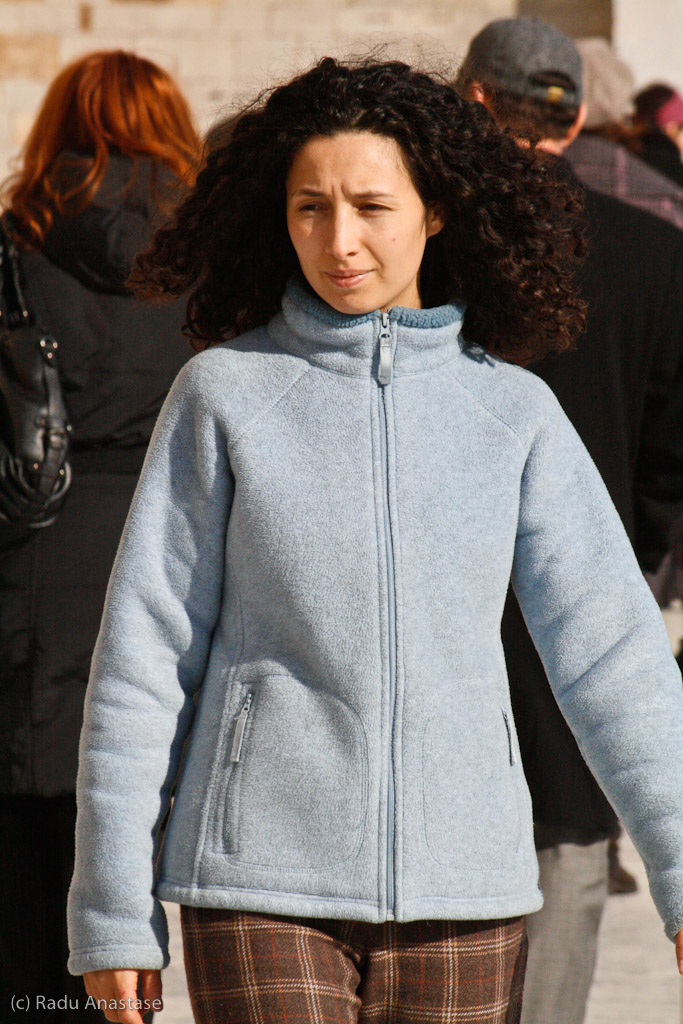
About the same time that I took this photo, Radu (my brother-in-law), took this photo of Ligia. She’s his older sister and my lovely wife, just in case you’re trying to figure out the relationship. She was walking toward us from the Camposanto.
The shadows were getting longer. It was time for us to leave. We needed to arrive in Florence by nightfall. We headed out the same way we came in, through the back entrance, which was less crowded than the alternative.

What you see below is a typical Tuscan landscape. They have those wonderful conifers which grow in the shape of popsicles, and that specific architecture that defines the region. All this photo needs is a few gentle rolling hills and some distance between me and the villas, and it’d be perfect.

Leaving by the back door

Leaving the Piazza dei Miracoli

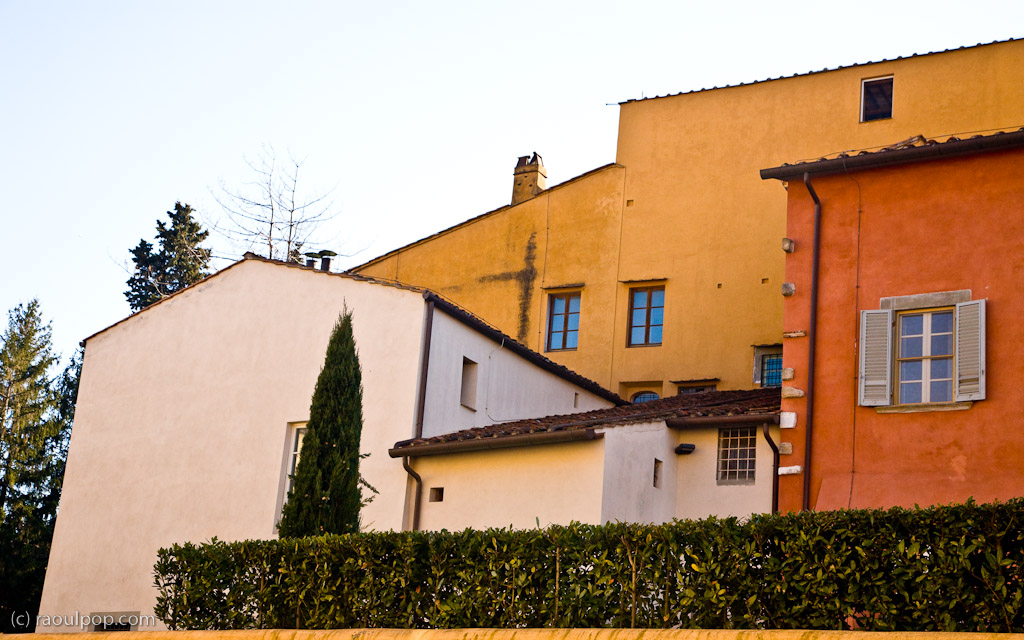
I saw this Tuscan villa on the way to our car, which was parked just down the street from here. I love this kind of architecture.
Tuscan villa

A Tuscan villa in Pisa

I’d have liked to have seen more of Pisa, but when we only had a week at our disposal and our route was already mapped out, I had to stick to the schedule. It was time to leave and get on the highway. Firenze, the next stop on our road trip, awaited.

All of these photographs (and more) are available in larger sizes in the Pisa album in my photo catalog.

Standard
Thoughts

You simply can't depend on computers

Take it from someone with 15 years of experience in Information Technology — me. You cannot depend on computers.

Every single time in my life when I’ve had to depend on a computer to help me do something under a tight deadline, some glitch intervened. Something inevitably went wrong. Something didn’t work. I wasn’t able to get things done.

Generally speaking, it’s Windows computers that are more problematic, particularly when it comes to peripherals like printers or drives or USB sticks or webcams or whatever. Apple computers are slightly less unreliable, but I’d still say the same rule applies: you cannot depend on any computer for anything critical.

Need to print something in a hurry? The printer will inevitably not work, or the computer will slow up all of a sudden, or it won’t recognize the printer, or it’ll clam up, or the editing software will start acting up. Need to get to a document on a USB stick? Somehow, the stick will become unreadable. Or maybe it’ll work, but all of the apps on your machine will become so slow that you won’t be able to make the changes in time for the deadline. Need to edit something online? Your Internet connection will go down; if you’re on WiFi, that’ll go down or start cutting out. Or the remote servers will become unavailable even though other websites work just fine. Need to install an app in a hurry? Something will go wrong. Either you won’t have the right version for your OS, or the installer will freeze mid-install, or the site where you need to get the installer will stop working. Have to do a video chat? Guess what, if it’s an emergency, your webcam won’t work, or the chat will cut out mid-speech, or the sound will become garbled. Something will go wrong. It’s a given.

I don’t care if your computer is squeaky clean. I keep my machines that way, and yet I still have problems. There are no viruses, no spyware, no bloatware on my machines, and yet something always goes wrong when there’s a tight deadline involved.

The only way you can circumvent this rule is to have entire server rooms with IT staff standing by at your disposal. Even then, you can be sure that the weakest link in that chain will give, and right at crunch time, something will go wrong.

Take my word for it. I’ve worked in all levels of IT, from help desk up to the director position, and have put together computers and servers and server rooms. It pains me to say this, but after so many years in IT, I have to face the facts. You cannot depend on computers when you’re in an emergency. Don’t count on it. Computers are for entertainment purposes. They’re nice and they wow you when you’re playing around or doing normal stuff. But when it comes time for them to deliver under pressure, somehow they fail. It’s just the way things are. When they fail, and they will fail, deal with it. Try not to get a headache like the one I have right now. Go outside. Take a walk. Breathe deeply. Remember, it will pass.

Standard
Lists

Gadget Monday – March 2, 2009

Here are this week’s seven cool gadgets. Did you miss last week’s edition?

12V Spotlight

The Spotlight is a small, rechargeable flashlight that plugs right into your car’s 12V outlet, and stays there, ready when you need it. I got a chance to use these little flashlights first hand, and I love them. They come pre-charged, so they’re ready right out of the package. They’re small, lightweight, easy to carry in your pocket, and they pack a mighty light in their tiny package.

They come with accessories as well, like a two outlet splitter that lets you share the 12V plug with some other gadget, or to charge a second spotlight. There’s also a lanyard with a rubber cap that snaps right onto the end of the flashlight. There’s also a small adapter that clips onto the end of the flashlights, just in case your car’s 12V socket is a bit different than usual.

The Spotlight costs $19.95, and the 12V socket splitter, called the Super Socket, is $12.95.

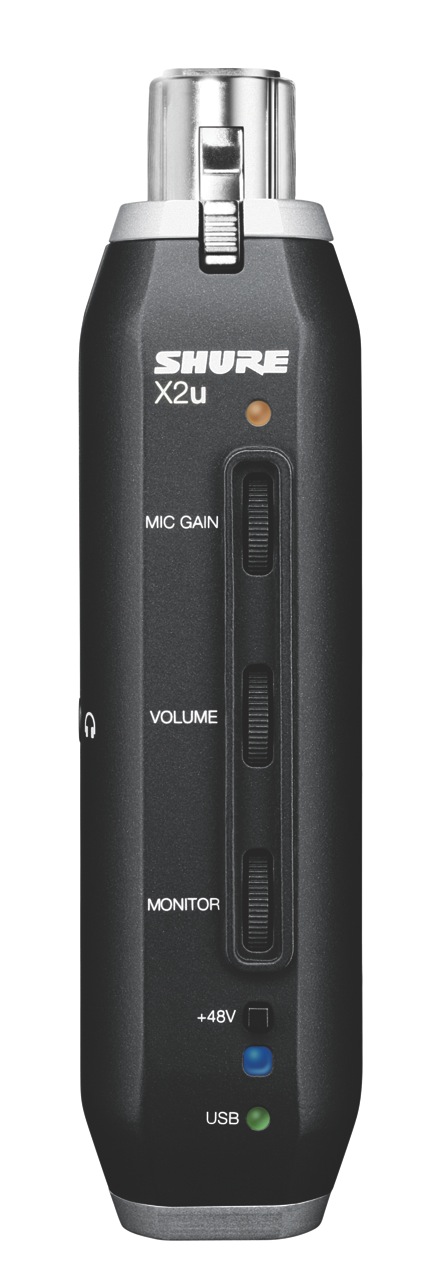
Shure X2u XLR-to-USB Microphone Adapter

The X2u adapter from Shure, which will become available in Spring 2009, will let you use any XLR microphone with your computer, via USB. Until now, we had either USB-connected microphones — whose gamut ranged from the very cheap to those made by Blue — or regular XLR microphones, which needed to be connected through mixing boards.

Shure has made it possible to bypass the mixing board and connect the XLR microphone directly to a computer, allowing us to have much greater choice when it comes to the microphone we want to use for podcasts or other audio recordings. And who’s to stop you from using a professional microphone for audio or video chats via Skype or iChat? I’m sure the sound would be much better than if you used your computer’s built-in microphone.

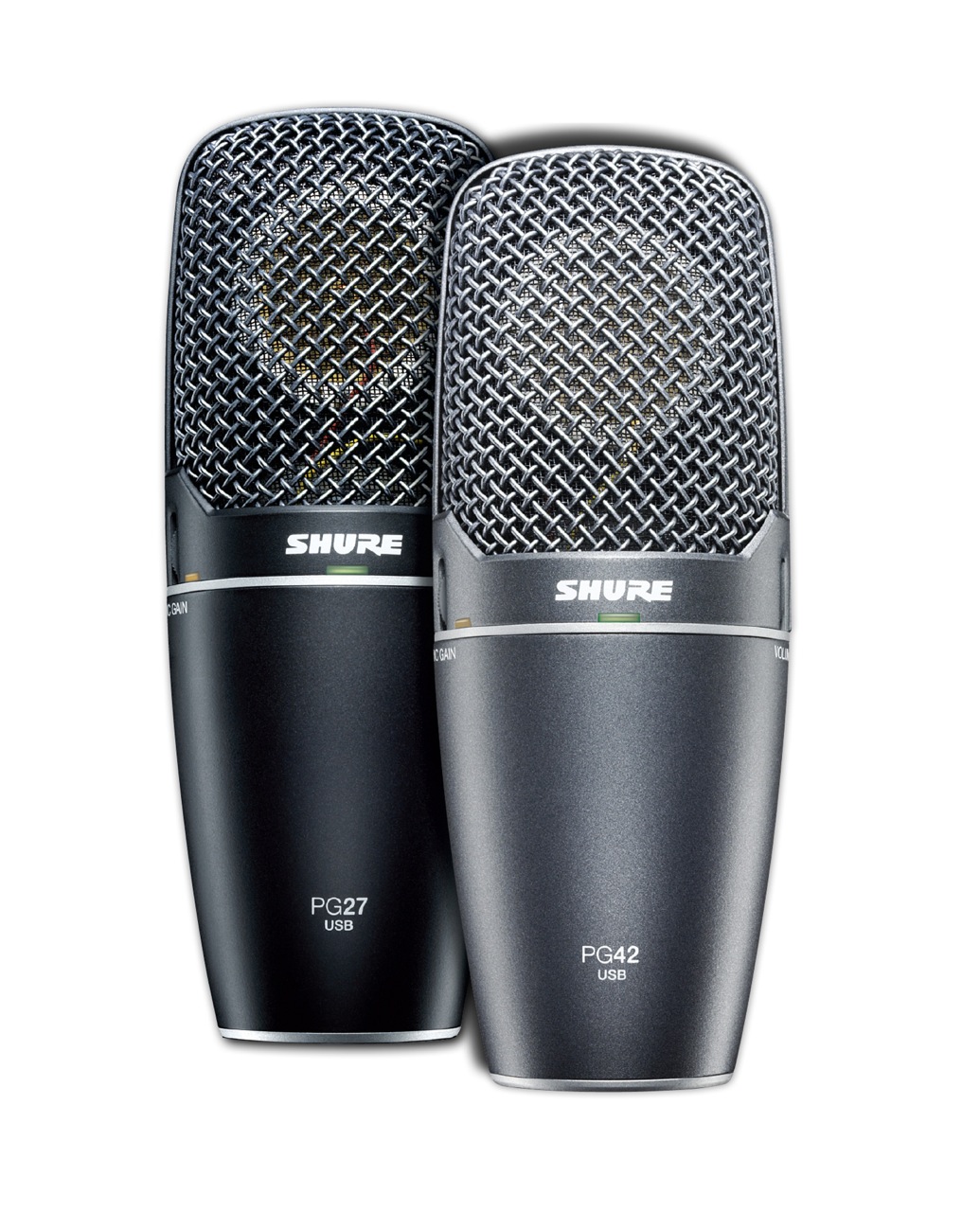
What’s also cool is that they’ve come up with a couple of USB microphones that connect directly to a computer, the PG27 and PG42 models. These are both cardioid condenser microphones with large diaphragm capsules. The PG27 is geared for voice and instruments, and the PG42 is for voice recordings. The PG42 comes with an additional shock mount along with carrying case. The PG27 comes with a stand and zippered carrying pouch.

[via Gizmag and Shure]

Owl 100% recycled backpack

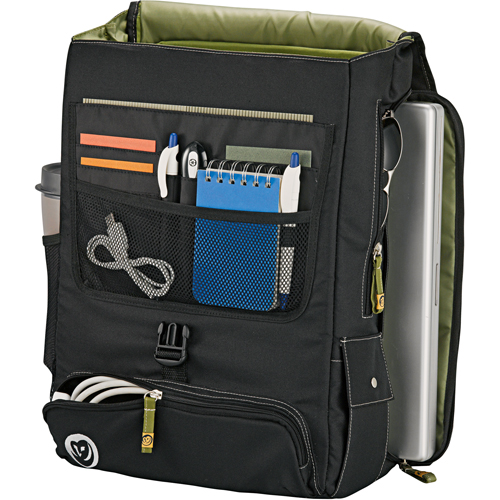
This backpack is made from Cyclotex100, a material made 100% recycled matter. It will not only fit your books and other gear, but will also fit most laptops up to 17″ in size. You can order it blank for $47.80, or you can put a logo or some other design on it, which will bring the price up to $57.36 per item. The price is right for a backpack with such green credentials.

Owl 100% recycled backpack

[via LikeCool and Leed’s]

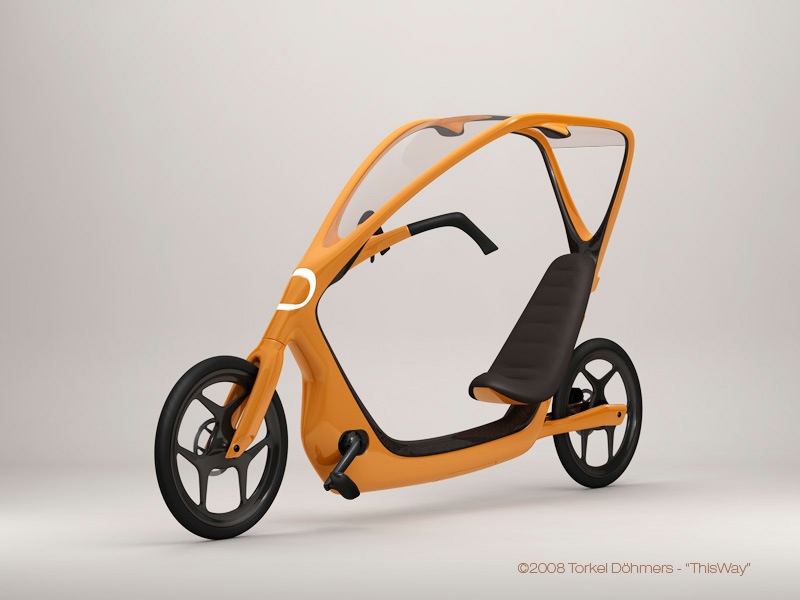
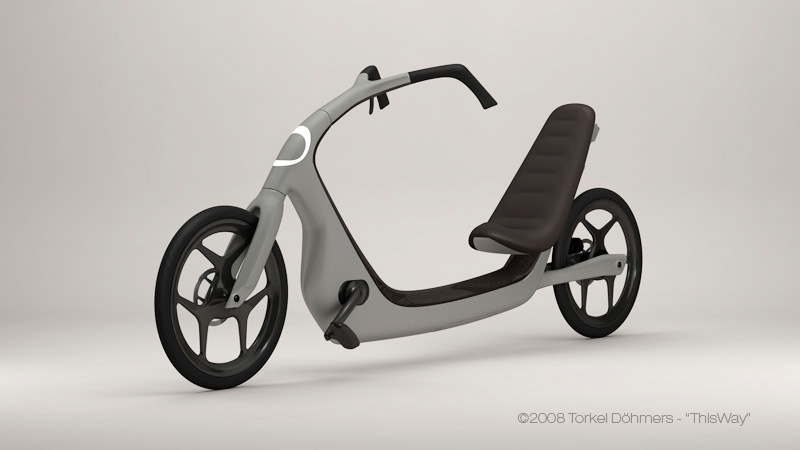
ThisWay Bicycle by Torkel Döhmers

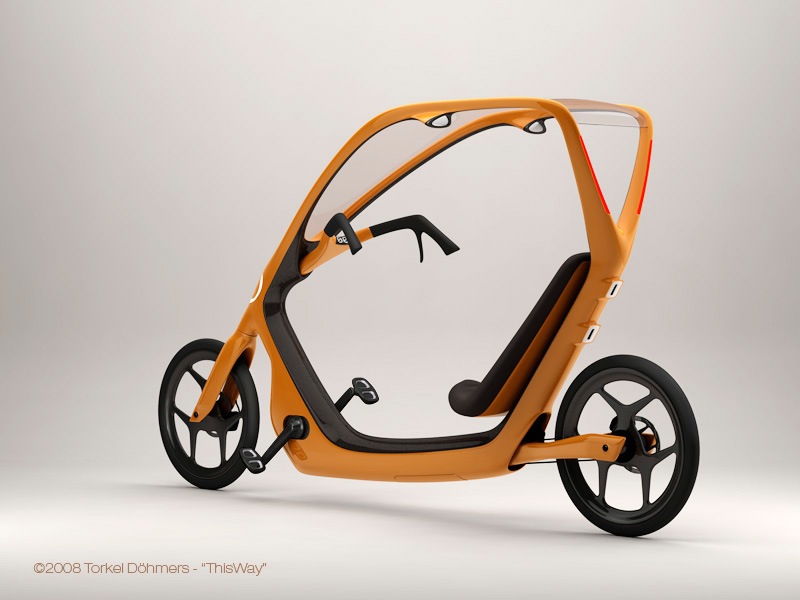
This is one cool bicycle! It’s made of carbon and flax fiber composites and hydroformed aluminum, so it’s very light for its size: only 11-12 kg, or under 24 lbs. It has built-in LED lights for the front and rear, powered by a roof-top solar panel, and built-in rearview mirrors. All of the cables and the chain are hidden inside the frame, which means you won’t snag your clothes onto anything as you ride it. For simplicity, there’s a single brake lever that operates both front and rear disc brakes. The gears shift automatically into high and low settings, allowing you to tackle most roads.

It has a luggage connector in the back. The same connector can be used to plug in a battery pack for a planned hybrid version, which can assist you as you pedal uphill.

ThisWay Bicycle by Torkel Dohmers - 2

[via LikeCool and Torkel Döhmers]

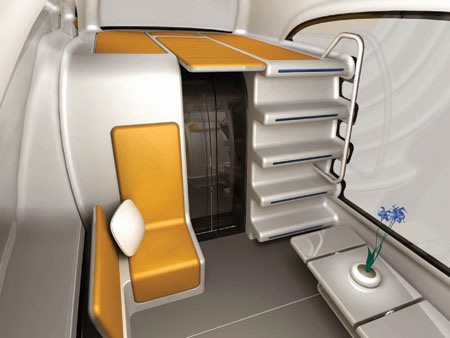
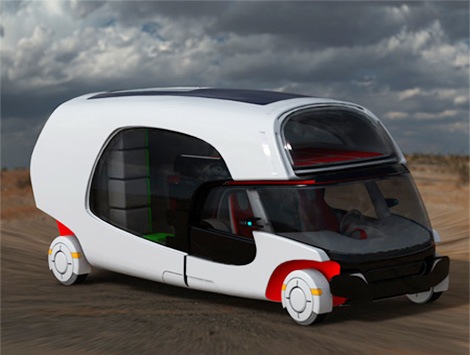
Colim Concept Car by Christian Susana

This car design made the rounds very quickly after it was first published, and I figured so many people knew about it already that it didn’t need to be covered here. However, I couldn’t resist it. It’s so beautiful and functional that I really do hope it becomes a reality in the very near future.

Colim Concept Car by Christian Susana - 1

It’s a detachable motor home that can sleep a family of four. The cockpit, which also seats four, can be fully detached from the caravan and driven around town. The back can be configured to have a kitchen, bathroom, bedroom and seating area, and can be re-configured on the fly through foldable and pull-out shelves and units to fit your daily needs.

Colim Concept Car by Christian Susana - 4

Colim Concept Car by Christian Susana - 5

Colim Concept Car by Christian Susana - 6

I should stress that this is just a design. All we’ve seen so far are computer-generated images. Not even a prototype exists. But if a working prototype were to be built, I’m sure the demand would be great for such a wonderful design.

Colim Concept Car by Christian Susana - 3

Colim Concept Car by Christian Susana - 2

[via LikeCool and Tuvie]

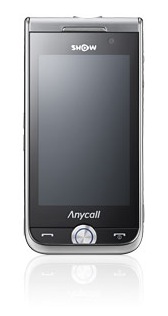
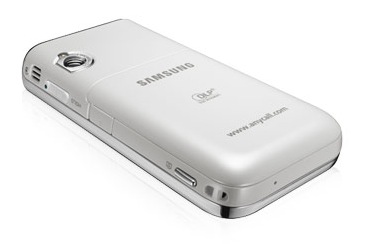
Samsung Show Projector-Phone

The Samsung Show (W7900) cellphone includes a built-in projector that displays bright, colorful 10-lumen video at up to 50 inches in diagonal. (Yes, you read that right.) The video resolution is 480 x 320 pixels. It also has a 320 x 240 pixel OLED display, a 5-megapixel camera, a digital TV tuner, and works on 3G HSDPA networks at up to 7.2 megabits bandwidth. There’s a demo video of the phone on the Pop-Sci website.

Samsung Show SPH-W7900 Cellphone - 1

Samsung Show SPH-W7900 Cellphone - 2

Samsung Show SPH-W7900 Cellphone - 3

Unfortunately, it’s only going to be available in Korea for now, as is to be expected with all the cool new cellphones…

Samsung Show SPH-W7900 Cellphone - 4

[via The Raw Feed, Pop-Sci and Samsung]

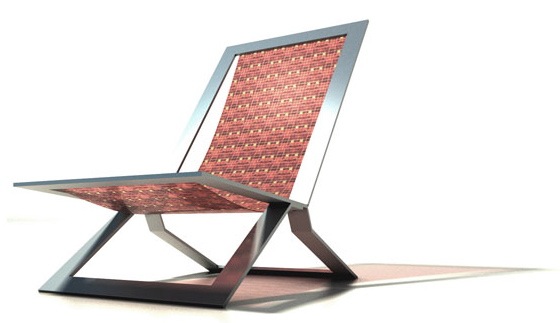
Mosaic Folding Chair

This neat chair doubles up as a room divider when folded. The mesh is made from mosaic tiles embedded in silicon, the frame is aluminum, and it’s designed to fold into a thin vertical surface.I love multi-purpose furniture. It means less clutter, particularly in smaller spaces.

Mosaic Folding Chair - 1

Mosaic Folding Chair - 2

[via The Design Blog and ODA – Architecture]

Standard
Reviews

A Canon repair experience

As I mentioned previously, my Canon 580EX II speedlite hadn’t been working properly with my Canon EOS 5D DSLR since March of 2008. I’d set it in the hot shoe on top of the 5D, as usual, but it would cause the camera not to work at all. The 5D would give me a strange error message where it would display some random settings for the aperture and shutter speed, and the shutter button would not fire.

canon-580exii-speedlite

I tried turning the camera and speedlite on and off. I tried disconnecting and reconnecting the battery. I tried resetting the speedlite in the hot shoe, which sometimes did the trick. Finally, I gave in and sent it into Canon for repairs. That repair ended up costing me a little over $100 plus shipping. The Canon technicians wrote back on the receipt that they’d replaced some cracked part inside the speedlite. Since I never dropped the speedlite or banged it against anything, perhaps that part had been cracked from the get-go, who knows…

Once I got the speedlite back and tried it out, I realized the problem not only hadn’t gone away, but had gotten worse. Now my 5D refused to fire with the speedlite in the hot shoe no matter what lens I used. This was not good, but what puzzled me is that the 5D and 580EX II worked just fine when I used them with the Canon STE-2 wireless transmitter, which sits on the hot shoe and sends a radio signal directly to the speedlite. In other words, the speedlite and camera didn’t work when connected directly, but worked if connected through the wireless transmitter.

I contacted Canon a second time, and was transferred through to advanced support on that call. Once the tech asked me a few questions to pinpoint the problem, he told me this was a fairly common occurrence with the 5D and 580EX II. Apparently, the hot shoe insert for the 580EX II was made just a wee bit thinner than normal, and after normal use of the hot shoe on the 5D, the 580EX II will sometimes not make proper contact with the camera, and will cause it not to fire. That’s why the camera worked with the wireless transmitter, which has a thicker hot shoe insert.

He offered to send me a pre-paid shipping label so I could send both the camera and the speedlite in for repairs, which would now be covered under the previous charge for the repair of the speedlite, as a recurring issue. I sent them in, and when they came back, they both worked as they should, thank goodness. My 5D hot shoe wasn’t replaced though — it was likely just taken off the camera and tightened a bit, which means the problem could re-occur at some point in the future.

I have three bones to pick with Canon about this whole thing:

  1. Why didn’t they make the hot shoe insert for the 580EX II speedlite the right size from the get-go? Why do we, as Canon customers, have to go through this whole thing where we send them in for repairs when it’s not really our fault? I don’t think I’m the only one who’s had this problem. Why not issue a recall where either the hot shoe of the 5D is replaced or tightened, or the hot shoe insert of the 580EX II is replaced?
  2. Related to #1 above, why do we have to pay for this? If it’s a known issue, caused by faulty design, and it happens quite often through normal use of the camera and speedlite, why pay at all? I might be willing to put up with a token fee that covers shipping and handling, but I should not have to pay the regular repair fee for something that was designed to go wrong, so to speak.
  3. Why did my 580 EX II come back from the repairs with what looks like Coke stains on the catchlight panel (see photograph below)? I can only assume the tech that worked on it opened his soda can right next to my speedlite, stained it, and didn’t bother to clean it. I thought the conditions were supposed to be kept sterile in the labs. What’s up with that?

580EX II Speedlite with stains on catchlight

Keep this in mind if you have the same issue with your Canon DSLR. It may not be that the speedlite is defective, it could simply be that it’s not making proper contact with the hot shoe, in which case your options are as laid out above.

Standard
Lists

Condensed Knowledge – March 1, 2009

This is a summary of articles I read and found interesting during this past week. The list is shared from among my feed subscriptions:

Standard