Reviews

Flash Player 10 breaks teh internets

Shortly after upgrading to Adobe’s new Flash Player, version 10, I noticed I could no longer upload photos to my blogs. And I also noticed that FriendFeed’s image uploader didn’t work the same way. I didn’t relate that to the Flash Player upgrade at first, and tried to rule out problems on my own machine. Then I did a bit of research and discovered that others were in the same boat.

Quoting from this thread on the WP forums:

“The new Flash version 10 is incompatible. The latest version 9 of Flash is what you want. There will be a workaround (ugly hack) for this in WordPress 2.7. But since the problem is actually with Flash 10 itself, stick with Flash 9 for the time being. Hopefully, WordPress 2.8 will get rid of the Flash altogether, since Adobe has made it clear that they consider this problem to be a security fix.”

On FriendFeed (FF), people complained about image uploader issues as well. In that same FF thread, I found out that Adobe archives their old versions of the Flash Player, something which is not readily apparent on their site, nor easy to find. I also found that I need to uninstall Flash Player before downgrading — should I decide to do it — using Adobe’s Flash uninstaller.

Now, we’re faced with an issue: stay with Flash 10 and a non-working image uploader on WP sites, or downgrade to Flash 9? I’ll let each of you decide what to do about that. Since there appears to be a security issue in Flash 9, it’s not something you should take lightly, but at least you’ll have options.

You may think I’m joking in my post title when I say that the new Flash Player broke the internet. Not necessarily. When you consider that there are about 3.8 million blogs at WordPress.com, and at least a few hundred thousand self-hosted WP installs from WordPress.org, that makes over 4 million websites whose WP Image Uploader broke when Flash 10 was released. I’m not sure how many FriendFeed (FF) users there are, but there should be 100,000 or more by now.

The FF developers came up with an alternate image uploader fairly quickly when they discovered the problem with Flash Player 10. WP is going to release a workaround in WP 2.7, then possibly do away with Flash for the Image Uploader in WP 2.8. WP also has an alternate way to upload photos, through the old, form-based browser uploader, where you can only do one photo at a time. That’s what I’ve been using while I wait for the new version of WP to come out.

Still, when you consider that over 4 million internet users were negatively impacted by this new version of the Flash Player, that’s not a number to take lightly. I do wish Adobe had worked with WordPress ahead of time to make the transition smoother or to offer them some sort of workaround. I found out about this the hard way, and my guess is you did, too. That’s not the ideal way to do business when you’ve got Silverlight nipping at your heels.
Standard
Reviews

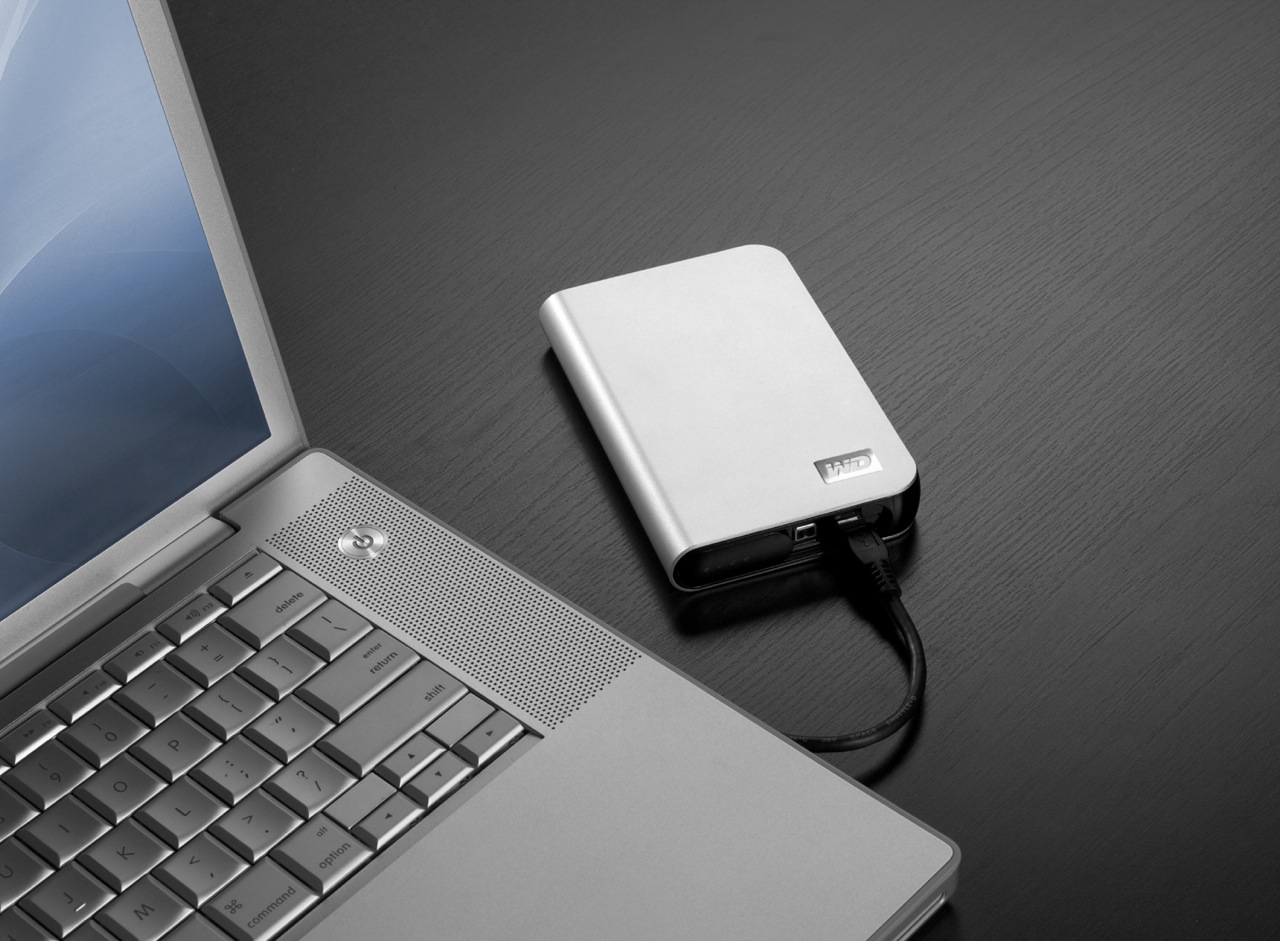
Hardware review: WD My Passport Studio

While the WD My Passport line of portable drives is a couple of years old, their My Passport Studio models are new, and their specs and capacities were greatly improved recently. The My Passport Studio line is meant for Mac users and comes formatted in HFS+, although the drives can be used just as well with Windows machines if they are reformatted to NTFS or FAT32.

On 10/30/08, WD introduced Firewire 800 connections and new capacities (400GB and 500GB) for these wonderful little drives. The base capacity was upgraded to 320GB, and the 250GB size was phased out. These latest drives feature triple interfaces (USB 2.0/Firewire 400/Firewire 800), which is something one normally sees only on external desktop hard drives (the 3.5″ size).

Technology moves fast, doesn’t it? Just a few months ago, the My Passport Studio models featured USB 2.0 and Firewire 400 connections. The top capacity was 320GB. I myself have a 1st generation My Passport drive, a 160GB model with a USB 2.0 connection. I bought it in February of 2007, and it’s worked great ever since.

The more recent models from the My Passport line have something that my 1st gen My Passport drive doesn’t have: an external capacity gauge. I think it’s neat to see how much space is used up on the drive at a glance. These latest drives also have something I haven’t seen before: turbo drivers for faster data transfers. The drivers are available for Mac computers only. I haven’t used the drive yet, but when I get it, I’ll be sure to test out data transfers with and without the drivers, to see if there’s an improvement between the two modes. I hope the drivers are well-developed and won’t introduce any sort of OS stability issues. I’ll also test data transfers between USB, FW400 and FW800.

I’m really looking forward to getting a 500GB Studio drive, because of its unbelievable capacity. It is double the size of my MBP’s hard drive, which is 250GB. I’m going to be able to store lots of photos and videos on it when I’m traveling, and use it to back up important files from my MBP and my iMac. I also think the My Passport line of drives are some of the best-designed portable hard drives on the market.

I can’t find the 500GB model in any online stores yet. Newegg still lists the Firewire 400 models, albeit at reduced prices, and Amazon only has the 400GB model. B&H Photo also only lists sizes up to the 400GB model. I don’t think I need to worry, since it’s very likely that by the end of November or sooner, the 500GB model will be available in most stores.

Photos used courtesy of Western Digital Corporation.

Standard
Reviews

Google launches video chat, ignores PowerPC Macs

A few days ago, Google launched something that a lot of people had wanted for some time: the ability to do a video chat, right from Gmail. Everyone got really excited, and for good reason. I was very happy too, until I discovered that PowerPC Macs were out of the picture. Why?

Here’s what I get when I access the Google Video Chat site from my Intel MBP:

And here’s what my wife gets when she accesses that very same site:

So while she gets to see this when I’m away from home:

I’ll still only get to see this, which makes me sad:

Why, Google, why?

Standard
Thoughts

Mobile version of site now available

If you happen to browse my site via a mobile device like an iPhone or another web-enabled smartphone, you will automatically see an optimized version of the site that downloads and navigates a lot faster than the regular version on your mobile device.

This was made possible by the folks at MobilePress, who’ve put together a wonderful (and free) WP plugin. My thanks go to them, to Digital Inspiration for writing about them, and to Chris Nixon for sharing that post through Google Reader for me. That’s how I found out about it.

Standard
Places

Blackbird sakura

A blackbird rests on a branch in bloom. Taken in Washington, DC, USA, during the 2008 Cherry Blossom Festival.

A blackbird rests on a branch in bloom. Taken in Washington, DC, USA, during the 2008 Cherry Blossom Festival.

Standard