Reviews

More thoughts on computer piracy in Romania

In 2009, I wrote a post entitled “Is it any wonder there’s computer piracy in Romania“. In 2011, after a couple more years in the country, I wrote another post entitled “Rampant piracy in Romania“. The end of 2017 is practically here, I’ve been in the country for nine years and I can now say that my view on the subject has gotten more nuanced. I’ll explain.

Yes, computer piracy is rampant in Romania. When most Romanians think of “getting” a movie, TV show or a popular album, they don’t mean “buy it” online, they mean “get the torrent” for it. Judging by this, the situation isn’t good. And yet it’s not as simple as that.

It’s easy for an expat from the US to look at this in a binary way, but as I’ve lived in the country all these years and have had to conduct business here, I’ve encountered all sorts of barriers that are still in place and do not make it easy for Romanians to go the legal route when acquiring media.

Did you know that when you switch your credit card in iTunes from an American credit card to a Romanian bank card, there are no more movies and TV shows for you to purchase or rent? That’s right, those sections of the iTunes store disappear altogether. You still have music, so I suppose that’s something, but to think that Apple still hasn’t worked out the logistics of providing movies and TV shows to their Romanian customers after all these years is ridiculous.

Even more ridiculous, did you know that already purchased TV shows and movies, ones purchased in the US, also disappear from iTunes when you switch to Romania? So if you haven’t downloaded them to your computer, they’re gone.

Oh, but you have downloaded them? Good, then even though you can’t access them from your Apple TV anymore, you can still open them in Quicktime and Airplay them to your Apple TV, right? Wrong. Can’t do that anymore. The Airplay button doesn’t show up anymore. You can still copy them back into iTunes and from there (and only from there) Airplay them to your Apple TV.

Also bonkers is the fact that the software purchased from the App Store with a US credit card can no longer be upgraded or downloaded once you’ve switched to a Romanian bank card. First you’ll get a message saying that you’ll be switched to the Romanian Store.
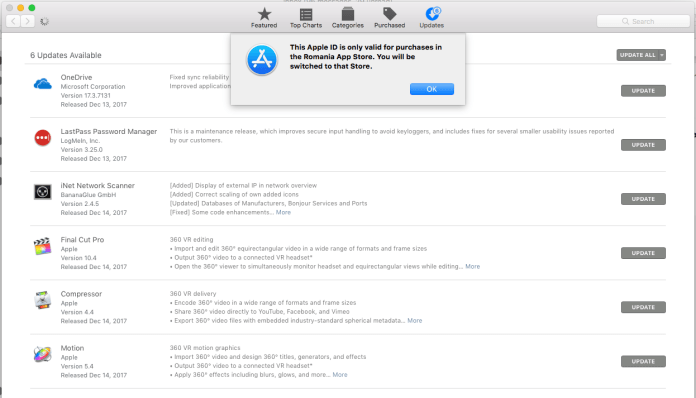
Screen Shot 2017-12-17 at 13.17.02.png

Then you’ll get a message saying the software isn’t available for download anymore.
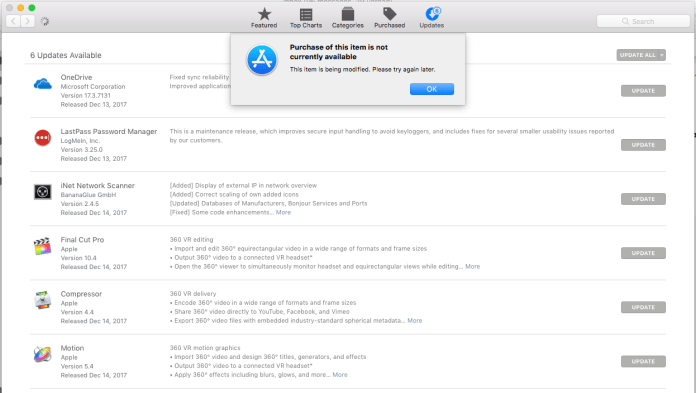
Screen Shot 2017-12-17 at 13.17.33.png

You can go through the song and dance of signing out, signing back in, deauthorizing and reauthorizing your devices, but you still won’t be able to download your software until you switch back to a US credit card.

At this point you’re probably saying, “This is all fine and good Raoul, but these last few things you’re talking about seem to apply only to expats. Boo-hoo for you, but what about the general Romanian population?” Well, they still can’t buy movies and TV shows from the iTunes Store, remember?

Now, some of you may know that three online streaming services have launched in Romania in 2017: Netflix, Amazon Prime Video and HBO Go. This is a great step in the right direction, but it comes with its own set of problems.

The Romanian versions of these services have nowhere near the number of titles available in the US. You get somewhere around 50% of the titles (maybe 60-70%), for about the same price that you pay in the US. You have to keep in mind the average monthly wage in Romania is about $485 (see this), while in the US the average monthly wage is $3396 (see this). That’s a huge difference, and yet Romanians are expected to pay the same prices as the Americans. That sort of ridiculous expectation is found across the board in Romania, for all sorts of products that people need and use.

netflix

Netflix Romania costs me 9.99 Euros a month for HD streaming. There’s also another plan that costs 11.99 Euros a month if you want Ultra HD. And yet the amount of titles available to me are roughly half of those available in the US. I know, because I was able to enjoy the US titles for a number of years after moving to Romania, before Netflix decided to close that access. Now it won’t even work via VPN and I’m stuck having to use their Romanian offering. So in essence, I’m paying double what I’d be paying in the US and most of the stuff I want to watch isn’t available to me. What a great deal they’ve worked out for Romanians, right?

hbo-go.png

HBO Go Romania costs half of what Netflix charges, 19,99 lei a month (that’s 4.29 Euros) but once again, they don’t list all of the titles available in the US. I was able to browse through only a few hundred on their site, while the US site says they have more than 4000 titles. Plus, their service doesn’t work on my Apple TV. It also doesn’t work on my iMac. I get a strange error message when I attempt to play most titles on their website: “failed to load license”. When I contacted their tech support, they told me HBO Go Romania isn’t supported on Apple TVs. It also does not work on my iPad or my iPhone, so I can’t connect them directly to my TV either. (It works just fine on these devices in the US, but when you open these apps in Romania, you get an error saying the service is unavailable.) I was advised to use a browser other than Safari, which once again means I can’t Airplay titles to my Apple TV and am stuck watching them at my desk, which I’m not interested in doing. They suggested I try to Chromecast to my Apple TV. Sure… I’m going to fiddle with workarounds because you couldn’t be bothered to do a proper product launch in Romania…

amazon-prime-video.jpg

Amazon Prime Video costs 2.99 Euros a month for the first six months and 5.99 Euros a month after that. It’s the most affordable streaming service and it’s got several shows I like to watch. But once again, they don’t list all of the titles available in the US. However, it works perfectly on my Apple TV and on my computer, so out of the three, I’m happiest with it.

One way both Netflix and Amazon Prime Video (but mostly Netflix) thought they’d make up for the scarcity of titles in their Romanian offering was to scatter their catalogs with Bollywood movies. Because obviously Romanians like watching Bollywood movies. We’re right next to India and historically speaking, our cultures are pretty much identical… WTH, Netflix and Amazon? We’re in Europe! There are a ton of English, French, Italian and German titles you could have added to your services but you give us Bollywood? And oh, let’s not forget Turkish shows… Because there aren’t enough of them on Romanian TV, and because Romanians just love to watch TV programming from a nation that has invaded them over and over and over, has abducted their children to be used as indentured servants and soldiers, raped their women, pillaged their towns and villages, and installed their own puppet regimes to suck most of the wealth out of the country. This wasn’t too long ago, mind you. Romania gained its independence from the Ottoman Empire in the war of 1877-78 (see this) after hundreds of years of occupation, and they also had to fight them again in WWI.

Let’s look at retail stores now, online or brick and mortar. Say you want to go and buy a movie on Blu-Ray, so you can see it at a proper 1080p resolution. Most of the titles you’ll find in stores are on DVD (that’s 480p resolution) and they cost between 30-50 lei. Who the heck would want to buy DVDs anymore? You can’t even buy a non-HD TV anymore. The cheapest ones you’ll find are at least 720p, so who would buy a 480p movie?

Do you begin to see why piracy is still rampant in Romania? The fastest and easiest way to get an HD movie or TV show in Romania is to download it via a torrent, and not for a lack of trying to get it legally, mind you.
Standard
Thoughts

My thoughts on Apple’s iPhone CPU throttling

Updated 12/29/17: Apple has posted an official response to this issue on their website. It’s the right response.

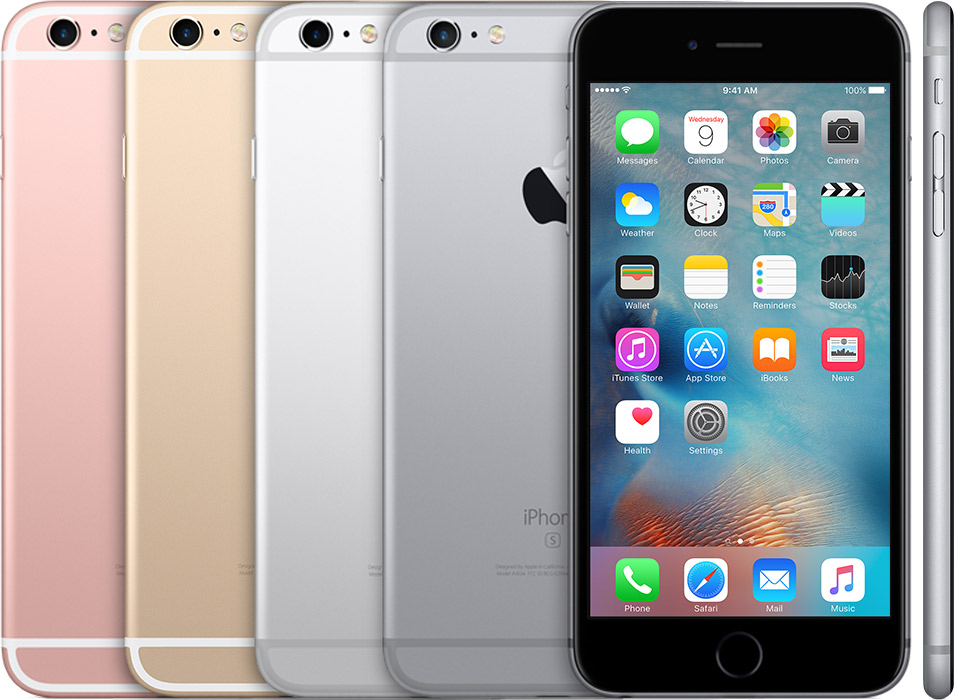
Everyone’s chiming in on this issue so I’m not going to rehash it, but I do have a practical suggestion that addresses it. You know what’s going on: older iPhones with older batteries tend to run slow (see this post). I noticed it as well and thought, like most people, that we (my wife and I) need to replace our iPhones, because they’re getting too old to handle the iOS upgrades and respective upgrades to the mobile apps we use.

As it turns out, Apple has been quietly throttling the CPU speeds of our iPhones in order to compensate for the fact that older Li-Ion batteries can’t sustain the voltages needed for those higher speeds. It was watching out for us, but without explaining it. And as it turns out in life, a lack of communication will cause problems. They only offered the explanation after people got upset — so upset that now several lawsuits have been filed against them (see this post). Only two lawsuits are mentioned in that post, but in another story I read today, the total went up to eight.

I’m not feeling sorry for Apple. They’re big boys, they have plenty of money to handle the lawsuits and their “we know better” attitude toward the customers, as well as their closed system approach to everything they develop, has always engendered a certain amount of anger from its customers. What they can and should do now is to suck it up and offer a good defense in court.

All of this could have been avoided if they’d simply done something similar to the “Low Power Mode” option that’s already offered on iPhones. That is an elegant and caring solution to a problem that users encounter every day.

ios11-iphone7-settings-battery-low-power-mode.png

Something like this, let’s call it a “Battery Lifespan Advisory”, could be a feature launched with the next incremental upgrade to iOS 11, and it might let us toggle the “Automatic CPU Throttling” on or off when the battery nears the end of its projected lifespan. We could get a message on our screens, just like when Low Battery Mode is recommended, that would take us directly to the screen where we read an explanation and get to manage this option.

And that’s about all I have to say on this.

Standard
Thoughts

Idiosyncracies at Apple

Why is iTunes being used as the sync hub for all media and mobile apps?

Do you remember iSync? It was the app that Apple made specifically for syncing devices to their computers. It worked pretty nicely to sync contacts and calendars from the Mac to a mobile phone (this was before the iPhone came out). I used it to sync my Nokia E63 and N95 to my iMac and MacBook Pro.

I wrote about this back in 2011 as well. The problem is still there. Why are we syncing contacts, calendars, movies, TV shows and mobile apps, through an app designed for music and named for music? Why not have an app that’s properly named, where we sync everything we want, through a brand new interface?

What name should we pick for it? The clue is right there in the name for a product recently launched: Apple Music. The central app should be called Apple and it should be available on both desktops and mobile devices. It shouldn’t even have a name, it should just be the Apple icon. We’ll click on it to connect with Apple and sync our devices, purchase apps, music, movies, hardware, etc. That’s right, I’m talking about a unified interface with a single, seamless web presence where we can buy and sync everything Apple and everything made or coded for Apple, which is accessible through an Apple icon from our computers or mobile devices. No more iTunes Store and App Store and a separate Apple Store!

iTunes can remain but it’ll need to be renamed to something else, since we play both movies and music in it. Apple Media perhaps? How about Apple Player?

Why are there two apps for messaging?

We have FaceTime and Messages. What happened to iChat? Let’s put these two apps together again. Apple lost so much ground when someone else (WhatsApp and others) made a unified app that keeps text, media sharing and video chat together. Why would we need two apps (two places we need to check and open up) when one can do the job?

They should marry these two apps and call the new app… Apple Talk. It makes sense and Apple already owns the trademark on it.


Standard
Reviews

Tablets not quite ready for mainstream computing

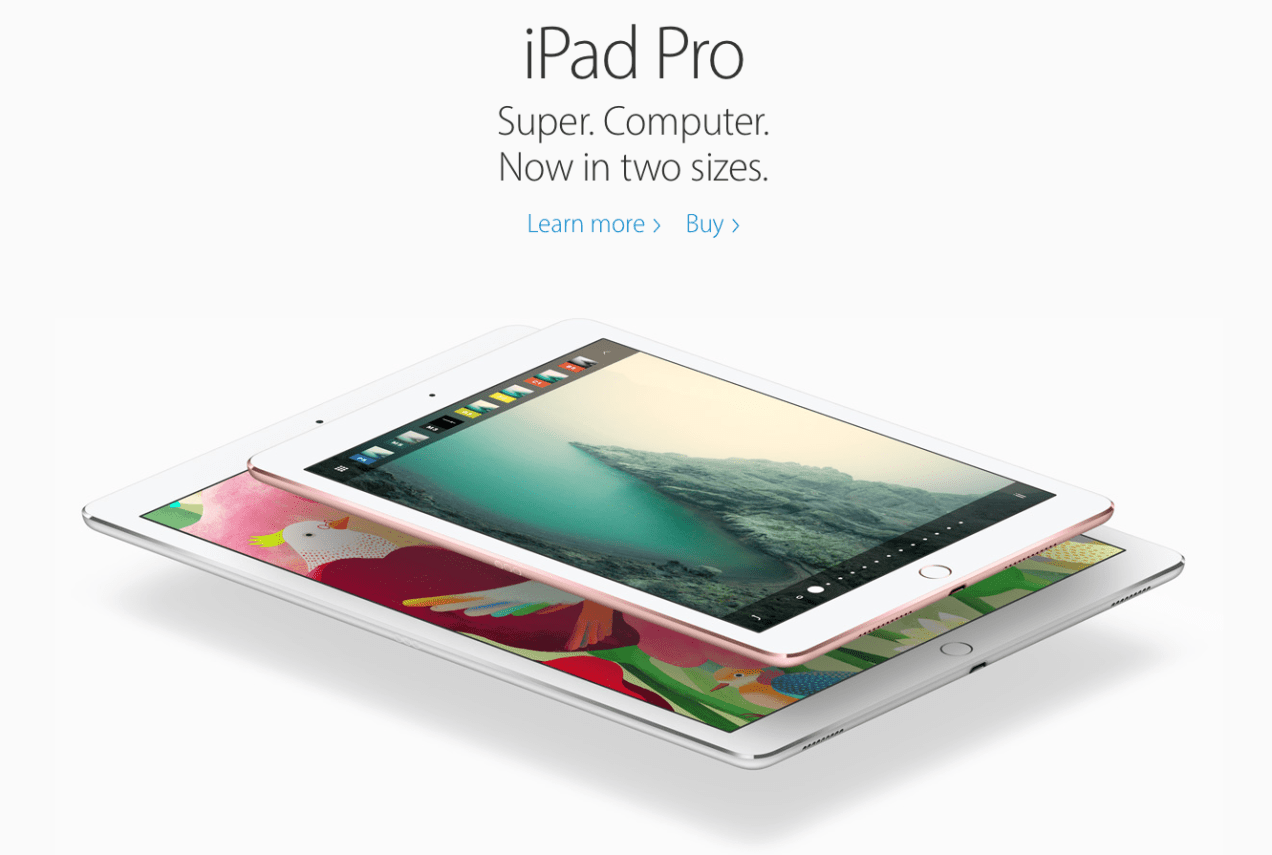
The new tablet from Apple, the iPad Pro, which comes in two sizes as of this year, is quite impressive. I’m sure they’re fast, and the addition of a stylus for more precise control is an interesting and fitting choice (which also hearkens back to the first tablets Microsoft made, years and years ago).

Apple’s push to market them as mainstream computing devices, as replacements for laptops and desktops is also interesting and worthwhile (and it also mirrors Microsoft’s past efforts in this area).

Yet I have to say that the time hasn’t yet come for it. Oh, we’re close — we’re very close — but trying to do all of one’s computing on a tablet is still an exercise in frustration, and it will continue to be so until tablets are robust enough to handle serious computing and more importantly, mobile apps evolve to the point where they offer all of the options of desktop apps. That will involve a concerted effort from both hardware and software makers of all shapes and sizes.

apple-ipad-pro

I’m glad that Apple’s picked up the ball on this and is running with it, but in my book, they haven’t won the game yet. Tablets are still a niche market when it comes to laptop and desktop replacement and let’s face it, most people use them to go on Facebook, YouTube or Netflix (hardly something that qualifies as work).

I’ve tried repeatedly to use an iPad as a desktop replacement, and while it works quite well for dawdling on the websites mentioned in the previous paragraph, even there the options offered by the mobile apps are limited.

For example, the Facebook Pages app doesn’t let me manage my pages the way the desktop version of Facebook lets me do it, because it doesn’t give me all of the options available to me there. So I still have to remember what I can’t do on my tablet and go back to my desktop to do those things. The YouTube app won’t let me access all of my comments and block offensive commenters. So when I’m traveling without access to my desktop, that’s a frustration. But some of you will say, “Why don’t you access those websites through the mobile browser and take care of things that way?” Because I’m automatically directed to mobile versions of those sites and I still don’t have access to the options I need.

I tried editing short videos on my iPad, and while the performance of iMovie app was pretty good, my tablet got pretty warm and ran through the battery as I edited simple clips, making me wonder what would happen if I tried to edit multiple camera angles and longer videos on it. Oh, wait, I can’t do that, because in the mobile iMovie app, there are no such options and of course there isn’t a mobile Final Cut Pro app. There’s no sound to video synchronization, the options for cutting soundtracks in and out are very limited, and the list goes on and on.

But surely you can work on a book on an iPad, right? Well, my wife tried to do that on one of her new books and she couldn’t. It’s just a text file at this point, somewhere between 100-200 pages. The iPad should have been able to work on it just fine but nope, it kept choking on it. The cursor would barely chug along as she typed, forcing her to take frequent breaks and allow it to catch up. The diacritics were all screwed up. After about half an hour of this nonsense, she gave up and went back to her laptop, which is an aged, mostly toothless beast, an 8-year old MacBook Pro with all the speed of a constipated sloth, but it still fares better than a tablet when it comes to editing books.

Well, what about the Photos app? Surely you can at least edit photos on it? Well, I downloaded photos from one of my DSLRs on my iPad (with the aid of this little gadget), and it got hot and ran through half the battery just importing them and generating previews. As I started to browse through them, it would take 5-7 seconds just to let me see a crisp version of each photo. Granted, these were raw files and I have an iPad Air, not an iPad Pro, but I can’t imagine things being too different on the newest, shiniest Pro tablet. I’ll give credit to the Photos app when it comes to editing photos taken with the iPad or the iPhone. It’s plenty fast on those. But the idea of replacing the notebook or a desktop means you’ll be editing photos taken with other cameras as well. And it’s just not there yet.

So where are we? Simply put, tablets are great for fiddling around on the internet but they just aren’t up to par when it comes to replacing notebooks and desktops, at least in my own experience.

That’s not to say I don’t yearn for the day when that happens! I’d love to only have to carry a tablet and a portable keyboard with me as I travel. Even at home there’d be huge benefits in terms of energy use (we’re talking tens of times less than notebooks or desktops), carbon footprint and other aspects. I do hope Apple (and others) continue to push the envelope on this. I particularly want to see mobile apps become full-fledged working apps for power users. Once that happens, hardware is bound to catch up with the needs of the software and we’ll be in business.

Standard
Apple Wireless Keyboard
Thoughts

White keyboards and cleanliness

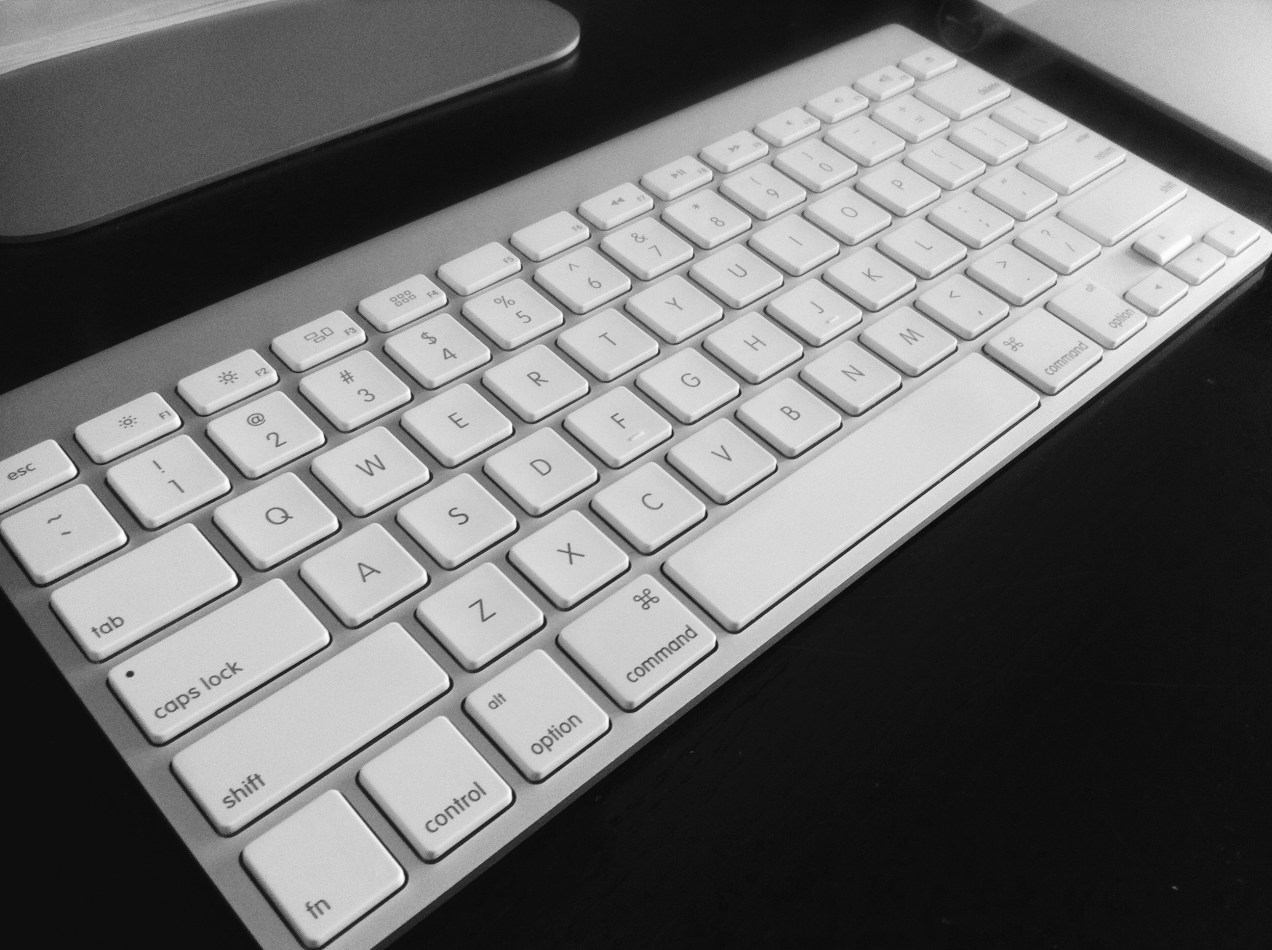
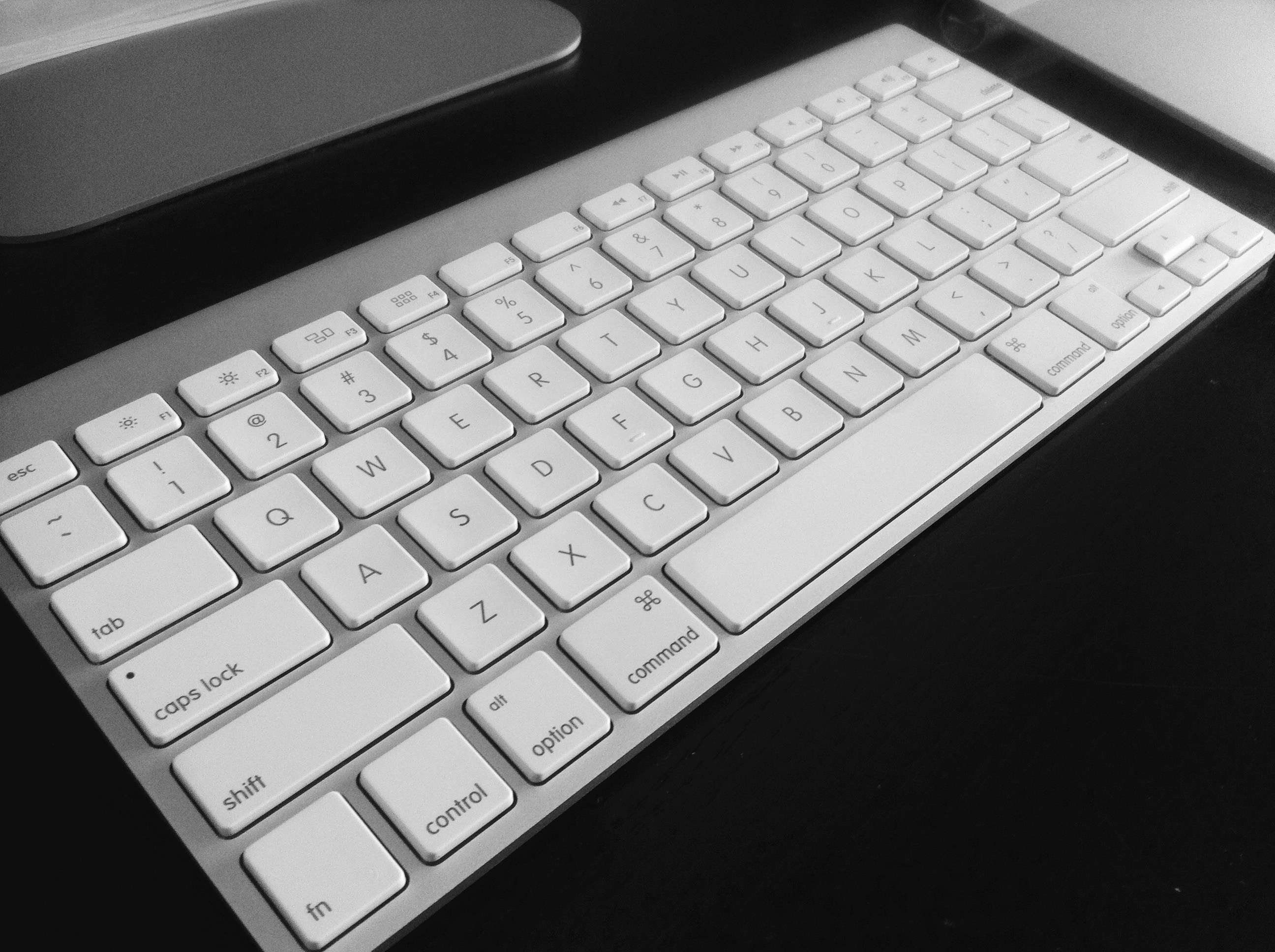
Back when Apple came out with white keyboards, I was annoyed. I appreciated the white aesthetic, the clean design, but they got dirty so quickly. Within a few weeks of normal use with clean hands, there was a visible layer of grime on the keys used most. It was like a heat map drawn with dirt. Yuck. I wash my hands every time I go to the bathroom, so that’s 7-8 times a day or more, and my keyboards still get dirty.

I found myself cleaning my keyboards often, and every time I did it, I asked myself two questions. I kept repeating them like a mantra, annoyed with the amount of time I was spending doing menial stuff:

  1. How could so much grime collect on my keyboards?
  2. Why didn’t they make black keyboards?

A black computer keyboard.

Of course, the answer was staring me in the face, every time I used my keyboard. See this and this. Keyboards and mice are breeding grounds for all kinds of nasty bacteria. And because most of them are black, we don’t see how dirty they are and we don’t clean them often, although we should. I bet that’s exactly why they went with white (beside the fact that their design kick at the time involved a lot of white and silver). They wanted to give us a simple visual reminder of the state of our keyboards and make us clean them, lest we look filthy to our families, friends and co-workers. It was a bit of a pill to swallow, but it was (and is) for our own good.

Apple Wireless Keyboard

In recent times, Apple has gone to black keyboards on their laptops. Rumor has it they’re also going to make black keyboards for their desktops. While I get the practicality of it, I can’t help thinking people are going to just let the filth accumulate on their keys now that the stark visual reminder is gone. Let’s face it, we’re all so damned busy these days (mostly with drivel) that we’re going to forget to clean our keyboards. We won’t do it until they’re sticky, and by that point… yuck.

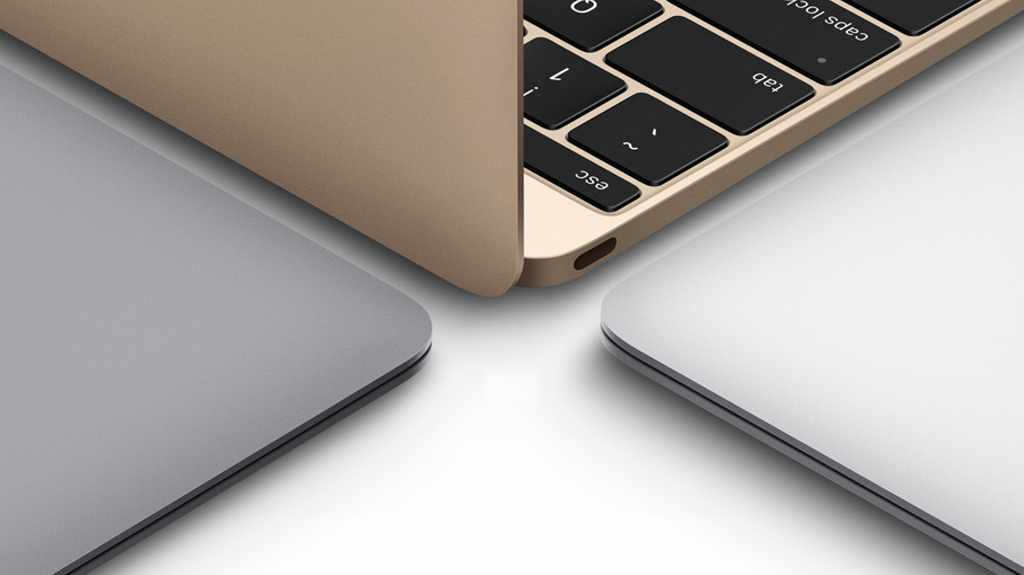
New MacBooks

Just in case you’re wondering how I clean my keyboards, I typically use Q-tips dipped in rubbing alcohol, they work great. In the past, I also came up with more inventive ways to clean them, such as putting the keys in the dishwasher. That method doesn’t work so well with the newer Bluetooth keyboards, it’ll cook the circuitry, because there’s no way to remove the keys unless you pry the case open.

Standard