Lists

Condensed knowledge for 2007-05-06

Here’s the good stuff:

  • Want to watch cheese mature? A company in England wanted to show the process and time involved in making good cheese, so they installed a web cam next to aging cheddar. That hunk of cheese has now become an Internet star.
  • Escape the Meatrix! Watch this movie to find out what it is and how to join the resistance. 🙂
  • Neatorama has a great post on three animals we ate into extinction. Oh, the poor dodo bird, it never stood a chance, even if its meat was gross.
  • This toothless old man from Russia has a really elastic face (and a really long tongue as well). The video is slightly disturbing, and it begs the question, why would you want to lick your own eyes? I can see him now, scaring little kids in his village. The parents, shuddering, will tell their kids, “See, this is what happens if you don’t brush your teeth!”
  • Have you been wondering why no one reads your blog? This post may have the answer.
  • This bird, called the Andean Cock-of-the-Rock, has got to be one of the funniest looking animals I’ve ever seen! 🙂
  • Oh, how I wish I were a boy once more (sans school and homework) and got “The Dangerous Book for Boys” as a birthday present!
  • A fire burned through the historic Eastern Market in DC recently. This Washington Post article has photos.
  • Ever wondered just how our sense of smell works? Well, wonder no more, because Wondermark has the answer.
  • Apparently surgeons have started to perform abdominal surgeries through the mouth (and in women, a certain other orifice)… The advantage is that there’s no external scarring, and the recovery time is much, much better. The patient can go home the same day. Still, I’m pretty grossed out by the whole thing. I would not want bits and pieces of my appendix or gall bladder or other such thing pulled through my mouth. It’s just plain weird.
  • A couple of days ago, I started my browser in the morning and saw that the logo on my Google Home page had changed to iGoogle. For a moment, I thought Google and Apple had merged, but later found out the real explanation.
  • A physician from France wrote Linux drivers for 235 web cams, particularly bargain ones made in China, with no proper drivers and no support whatsoever. And he did this all for free, unrecognized, working from his own home. That’s just plain cool!
Standard
Reviews

The Photoshop Anthology, by Corrie Haffly

I find Corrie Haffly’s book, “The Photoshop Anthology”, to be very useful to me. Being a web developer, involved in all aspects of site design and coding, her book is a great resource as I work on a design. In it, she teaches the readers how to use Photoshop to their advantage, for the specific needs of websites.

She’s wisely chosen not to advise people to use Photoshop to generate the site HTML. Instead, she chose to emphasize Photoshop’s proper role in the web design process, which is to create great graphics, work on site layouts and process/optimize photos for the web.

This book’s not meant to be studied in linear fashion, although one could choose to do so. Instead, it’s indexed and organized in such a way that jumping between subjects is made easy. As you work on a particular project and need to know how to do something, you can look up that task in the table of contents and get right to it. I can see that great thought went into organizing the book properly, and I appreciate that. The author took the time to think about the many tasks a web designer needs to do as he or she builds a site, then laid them out and addressed each of them in this book.

She starts out with the basics, such as using graphics, resizing documents, using masks and layers, and transparent backgrounds, then progresses to buttons and backgrounds (staples on websites), text (for logos or special uses) and using/manipulating images. Finally, she addresses the very real need of working on a site layout in Photoshop, and also talks about some nice advanced techniques such as batch commands, watermarking, web photo galleries and animated GIFs.

If you want to learn how to use Photoshop to design a website, then this book’s for you. If you’re just interested in learning Photoshop, this book’s not for you. Remember, it’s geared for web designers and the specific tasks we perform in Photoshop as we do our jobs. Given its focus, it’s a fantastic resource, and it has found a permanent place in my reference library.

Standard
Reviews

Book review: Digital Photography, Expert Techniques (2nd Edition) by Ken Milburn

This book is meant for “photographers who are serious about producing the highest quality photographs in the most efficient and cost-effective way possible.” That would include anyone from advanced amateur photographers to seasoned pros looking for new and more efficient ways of doing things.

Ken Milburn, the author, is a seasoned pro with lots of paid, published experience. He’s also an accomplished writer of technical works like these, in particular ones dealing with digital photography and Photoshop. What’s more, this book is now in its 2nd edition, which ought to tell you that if it was good enough to be reprinted, it’s probably worth your money.

The book is divided into twelve chapters that take you from prepping for a photo shoot to processing the photos and presenting them to the world. A great emphasis is placed on the workflow, and best practices are presented, and I might say, drilled into the reader. O’Reilly has spoiled me, because they always have good TOCs and indexes, and nice intro sections that are good stepping stones to the headier content, and this book is no different. Each chapter is summarized, so the reader knows where to look for things. What’s more, Ken’s writing is approachable and down to earth. You can tell he’s familiar with the subject matter and is also used to explaining these concepts.

Ken teaches the workflow mentioned above using the Adobe Bridge and Photoshop applications. If nothing else, Adobe applications like these have a wide reach, so you’ll be able to replicate what you learn from the book. I like the explanations that Ken offers for shooting in RAW vs. JPEG mode, and for ensuring that you are always ready to take photos, no matter the conditions. Another nice nugget is the method of eliminating noise from your photos by using Photoshop. The book is worth its price for the extensive photo retouching techniques alone. For example, have you ever wanted to know how to eliminate the bags under someone’s eyes, or take out shadows and imperfections? This is covered in the post-processing sections. As a bonus, panoramic and HDR (high dynamic range) photos are also taught. In the last chapter of the book, you’ll learn the methods of editing your photos’ embedded data (EXIF and IPTC), as well as presenting them to clients and to the world at large. This is more and more important these days as photos get posted online and can be so easily copied. Embedding information is one more way you can prove copyright.

There is one error I noticed, and that is in the recommended specs for desktops and laptops in the beginning chapter. Instead of GB, RAM is indicated in MB, as in “plug at least 1 MB of RAM into the motherboard and move up to 2+ MB as quickly as you can afford it.” I had to chuckle when I read this. It’s obvious Ken refers to GB, not MB, and I’m surprised this typo made it past the editors in the 2nd edition.

I highly recommend this book. Being an amateur photographer myself, I looked forward to reading it, and now it’s a worthwhile addition to my reference library. I learned many useful things from it, and I think you will, too.

Standard
Reviews

Dictionary of Information Security by Robert Slade

Dictionary of Information SecurityHave you ever wondered just what the jargon of information security specialists really means? What are all those arcane words they throw around to scare us into submission as they lock down our computers even tighter? “What do you mean, we can’t even install a screensaver now?! Can I at least use the bathroom without your permission?”
Unfortunately, there are a lot of dumb Information System Security Officers (ISSOs) at corporations and organizations. I’ve known a few myself. These are the folks that barely know what they’re talking about, and go by the latest article they read. Their reaction to a new piece of software is to lock down the system and disallow it even before they research it properly. Case in point: was Skype shut down at your place of business or at a friend’s workplace? That was a dumb ISSO in action. They also know so little that they simply throw words around, and anyone with a little knowledge of computers can tell when they mess up. “No, ROM is not RAM, and no, it’s not a 300 Gigabit hard drive, it’s a 300 Gigabyte hard drive.”

That’s why books like this Dictionary of Information Security really help. We can educate ourselves, and know when they’re wrong. We can tell when they’re BS-ing, and when they’re telling the truth. My experience has been that they BS for 80 percent of the time, and don’t know what they’re talking about for the other 20 percent. “No, RSS doesn’t stand for Really Scary Stuff, it stands for Really Simple Syndication. And yes, it’s okay for us to subscribe to RSS feeds. Really.” Or, “No, this is a perfectly harmless screensaver. It’s not a RAT (Remote Access Trojan). You’re a rat, for all I care.” I could go on and on…

I love this book. Robert Slade did a great job putting it together, and the terms are explained in language that anyone possessing a cursory knowledge of computers can understand. I’m amused by the forewords, acknowledgments and preface. They’re abnormally long for a book this small, but that’s to be expected. This is, after all, the first Dictionary of Information Security, and a precedent has to be established, so to speak. But once you get down to the terms, you forget about all of the beginning sections, because if knowledge is power, this book packs a wallop.

Get it, and read it. I know it’s hard to believe, after all, who’d read a dictionary, but I’d read this one. And keep it around for reference. And when your ISSO gets on your nerves, start encrypting all your emails with PGP if he doesn’t stop scanning them. Or, if he doesn’t stop blocking access to your webmail account, set up a VPN connection to your home network and do all your web surfing through that. That’ll knock his SOCKS off! Let the fun begin!

Standard
Reviews

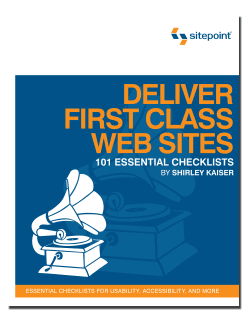
Deliver First Class Web Sites: 101 Essential Checklists, by Shirley Kaiser

Deliver First Class Web Sites: 101 Essential Checklists, by Shirley KaiserDeliver First Class Web Sites, released by SitePoint Press, is an informative and compact book, but don’t let its size fool you. By using the checklist format, a whole lot of information was packed into this book. Rather than being an instruction manual, this book is a review guide. If you’re not familiar with today’s web design, you’ll be a bit confused. This is a book written for web designers and developers who want to produce quality web sites, not for novices. That’s how the book size was kept down while a staggering amount of instruction on all sorts of topics was squeezed in.

The checkpoints and checklists included in the book can be broken down into the following major categories:

  • Initial preparation and planning
  • Site content
  • Usability
  • Color
  • Information architecture
  • Navigation
  • Best coding practices/W3C standards and recommendations
  • Accessibility
  • Web site optimization
  • Search engine optimization
  • Design
  • Testing
  • Launch
  • Follow-up

I found myself drawn by the Color and Information Architecture sections, but all of the sections are worthwhile. They’re thoroughly written, and although most of us already know (or should know) what the author’s talking about, it really helps to have all of this knowledge down on paper, and in checklist format. As we’re building our next great site, or reviewing our current site(s) for a re-design, going through the book helps keep us on the right track by ensuring that our attention stays focused on what’s important. Remember, fluff or eye candy can be always be added as after-thoughts, but nothing can replace proper planning and a good, expandable foundation.

This book is highly recommended for all web designers and developers. Depending on the level of knowledge that each of us possesses, we may get a lot or a little from this book, but whatever we end up with will have been worth our time and money.

Standard