Reviews

Hardware preview: Drobo FS

Updated 1/14/19: I have revised my opinion of Drobo devices. After experiencing multiple, serious data loss events on multiple Drobo models, even recent ones, I no longer consider them safe for my data.

As of today, the Drobo product lineup has a shiny new device: a network version of the Drobo S, called Drobo FS — a NAS device. Its performance is up to 4x greater than that of a DroboShare, which is going to be discontinued. The Drobo FS is a natural at shared file storage, network backup and private cloud applications. You’ll be able to manage it through the Drobo Dashboard application, which will detect it automatically once it’s plugged into your network.

New Drobo Line-up

Here’s how the Drobo product line-up is going to look from now on, sorted in ascending order by US list price (at time of writing):

  1. Drobo, 2nd Gen (2 x FW800, 1 x USB 2.0) $399
  2. Drobo FS (1 x Gigabit Ethernet, AFP/CIFS/SMB) $699
  3. Drobo S (1 x eSATA, 2 x FW800, 1 x USB 2.0) $799
  4. DroboPro (1 x Gigabit iSCSI, 2 x FW800, 1 x USB 2.0) $1,499
  5. DroboElite (2 x Gigabit iSCSI, 1 x diagnostics-only USB 2.0) $3,499

If know which model to get and are looking for a great deal, you can find the Drobo for $335, the Drobo S for $699, the DroboPro for $1,199 and the DroboElite for $3,495. The Drobo FS isn’t listed for sale yet at online retailers.

Details and Thoughts

The Drobo FS is an all-in-one file serving solution — hence the FS moniker. It’s a plug-and-play file sharing system that gives you the performance and self-healing data safety of the Drobo S, in a NAS package. It’s a 5-drive unit with a single Gigabit Ethernet port that supports Jumbo Frames, AFP, and CIFS/SMB, so it’s compatible with OS X, Windows and Linux. It runs on a dual-core processor — the same processor used in the DroboPro. In the Drobo FS, one core does the Drobo BeyondRAID stuff and the second core runs Linux and — this is the neat part — whatever DroboApps you decide to install on it.

It’s simple and safe data sharing, because, just like the Drobo S, it protects against two hard drive failures, not just one. It can also be customized through third-party DroboApps, which can turn it into a remote file sharing solution, a cloud storage solution, a media server or pretty much anything you’d want a NAS device to do.

DroboApps available at launch are:

  • Wake-on-LAN
  • NFS
  • iTunes compatible media server
  • UPnP/DLNA media server
  • BitTorrent client
  • Web/HTTP server
  • FTP server
  • rsync server
  • SSH client
  • DroboApps Admin Utility
  • and more, including this next app…

Data Robotics has partnered with a company called Oxygen Cloud, which has written an app that turns the Drobo FS into a “personal cloud”. No matter where you are in the world, you can map your Drobo FS to your laptop and access the files you’ve placed on it over a WAN connection between you and the Drobo, handled by the OxygenCloud app. You can set varying levels of access and give multiple users the ability to access various file sets. The app promises to be intuitive, easy-to-use, and to provide fine-grained controls for data access. It also provides a gateway for cloud backup to either a second Drobo FS or a cloud storage provider like Amazon, Mozy or RackSpace. The app is still in beta, will be released in May, is going to be free for a single user and will have a licensing cost for multiple users.

Keep in mind though that the quality of the WAN connection depends entirely on the quality of the broadband connection you’re using to connect to the Drobo. If, like me, you’re on a 30 Mbps fiber optic connection, you should have very little latency, but if you’re sitting at a crowded hotspot somewhere, tied into a 2 or 3 Mbps asymmetric connection that only gives you 512-768 Kbps upstream, then you’ll experience a fair share of latency. In other words, you’ll double-click on a file that sits on your remote Drobo, which is on another continent, and it’ll take a bit of time until it’s read and opened by your laptop. Just FYI, so plan accordingly.

On the front and sides, the device is identical to the Drobo S. Of course, I think it’s beautiful. Gorgeous, actually. On the inside, it’s got 5 drive bays, once again, same as the Drobo S.

Only the back is different. Whereas the Drobo S has four interface ports on the back (1 x USB 2.0, 2 x FW 800, 1 x eSATA), plus the power supply connection, the Drobo FS has a single Gigabit Ethernet port and the power supply connection.
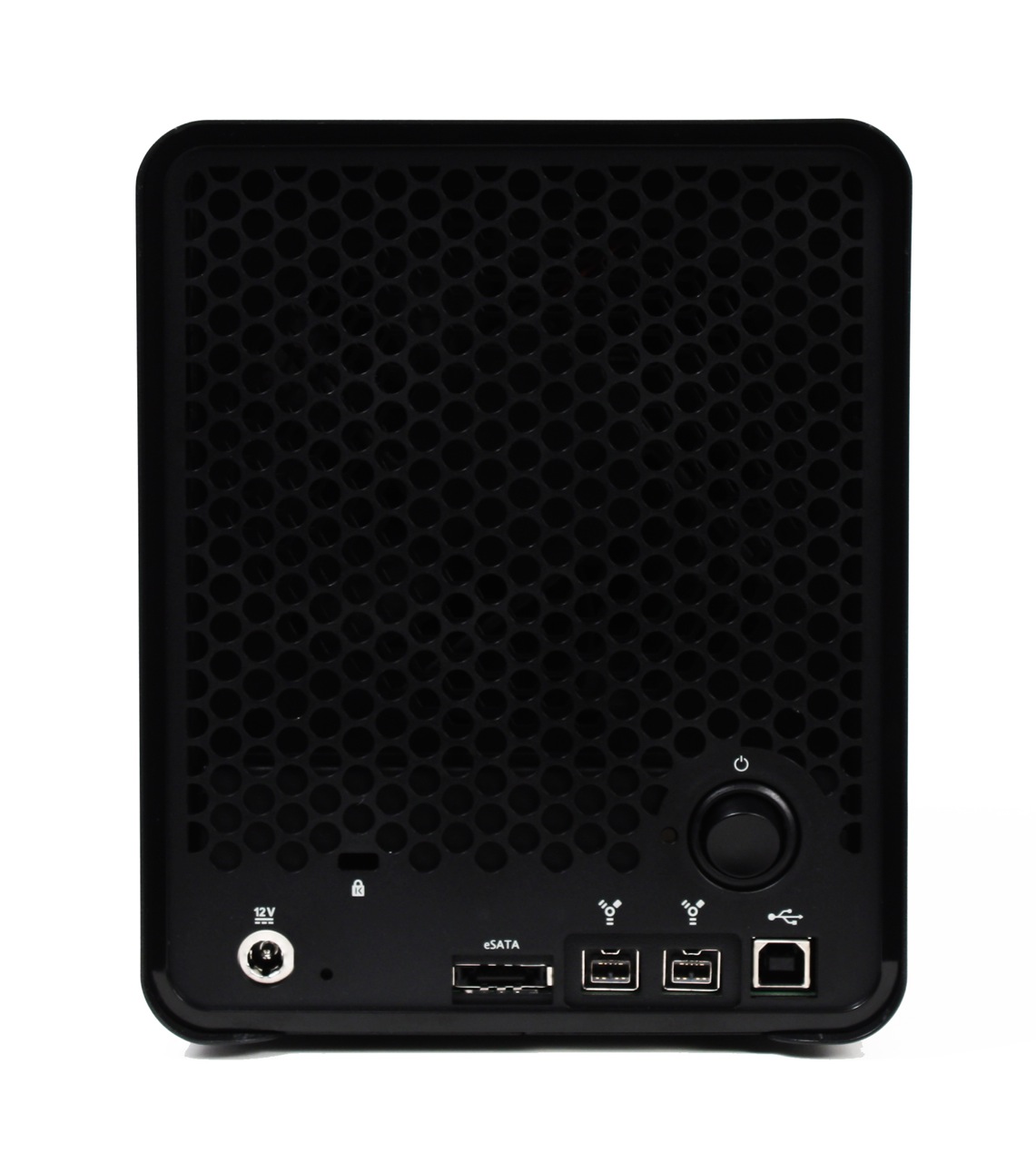
I am very glad to see that it has a power switch. I would have liked to see one on the regular Drobo as well. Who knows, perhaps at some point in the future, it’ll happen. I do think it’s important to have a less expensive, entry-level Drobo, so I hope the base model stays in the lineup for some time to come. I’m also glad that, as I predicted when I reviewed the Drobo S, the same design language was used for the Drobo FS. I like this maturation of the original language, and I look forward to seeing it translated in the enclosures for the DroboPro and DroboElite in the future.

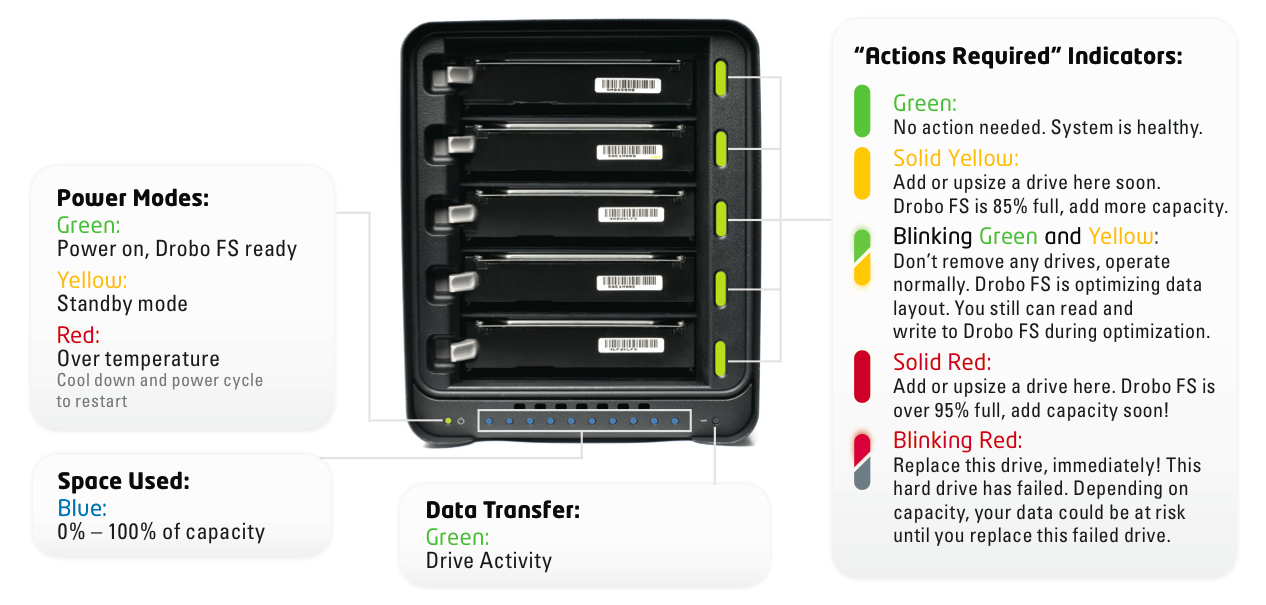
For reference purposes, I’m including the indicator chart for the Drobo FS here. It’s also available in the Drobo FS Data Sheet. It’s standard stuff if you’re already used to the Drobo S, but it differs a bit from the regular Drobo, as that model only has single-light indicators which don’t light up in half-half colors.
The Drobo FS formats the drives using the EXT3 file system, but you won’t need to worry about that. You won’t be asked to format the drives or to choose what file system you want for it, because it’s a NAS device, and it can talk to your Mac, PC or Linux box without any problems. You simply put drives into it, it’ll format them by itself, and share the volume onto your network. Easy as pie.

You can have up to 16 shares on the Drobo FS, and up to 32 users connected to it at any one time, though Drobo recommends up to 16 users as the optimal number for proper performance. This should be plenty for busy professionals or small businesses and workgroups, which together with consumers are its intended target users.

Since it’ll work over both wired and wireless networks (once you plug it into a router, naturally), I asked Data Robotics what sort of typical uses people can expect out of it. File sharing, such as documents, presentations, spreadsheets would be no problems at all, and that goes without saying. I asked, for example, if movie playback would be a problem. Not at all, they said, with one disclaimer: if you’re on a WiFi network, make sure it’s a WiFi-N network. This is not a limitation of the Drobo FS, which can offer maximum read performance of around 50-55 MB/sec (with Jumbo Frames), but a limitation of the bandwidth of a WiFi-G network. So that’s really neat!

There is one use they don’t recommend for it though: editing movies. Because it’s a network device, and certain video codecs have very particular performance requirements, official word from them is that people should get a Drobo S or a DroboPro for that. They say, and I quote, “unless a person is very, very familiar with video codecs and their performance requirements, they should not use the Drobo FS for video editing”. Furthermore, and this is very important, “if you want to use Apple’s ProRes (any of their family of 5 codecs), DO NOT try to edit video on a Drobo FS”. So please keep that in mind.

Performance-wise, it’s much faster than a Drobo + DroboShare combo (about 4 times faster), with sustained throughput of 30-40 MB/s. Data Robotics recommends that new buyers check for firmware updates, as they’ve made a number of improvements to the Drobo FS firmware since preparing the units for the first shipments. For comparison purposes, the sustained throughput you get from a Drobo S is 70-90 MB/s when using the eSATA connection.

The Drobo FS gives you about 75% of the performance of a DroboPro, which uses iSCSI. The extra 25% performance is eaten up by the overhead of translating everything for the file sharing protocols (AFP and CIFS/SMB). That’s not a Drobo-only limitation. That’s what happens on any device that has to deal with typical file sharing protocols — they slow things down.

Another neat feature of the Drobo FS is that it will give people the chance to choose a range of time after which the drives will spin down. Those who are concerned with energy use can opt for something like 5-10 minutes, while those who need performance can opt to only spin them down after 30 minutes or 1 hour of inactivity, or more. With the DroboShare, this option wasn’t available, but there was a DroboApp you could install that would periodically write and erase a few bits of data to the drives in order to keep them from spinning down.

Specifications

  • Drives: Accommodates from one to five 3.5” SATA I / SATA II hard drives of any manufacturer, capacity, spindle speed, and/or cache. No carriers or tools required.
  • Interface: 10/100/1000 Ethernet Port
  • Supported data transfer protocols: AFP and CIFS/SMB
  • Dimensions: 5.9” wide x 7.3” tall x 10.3” long
  • Weight: 8 lbs. (without power supply, hard drives or packaging)
  • Includes: Drobo FS, CAT 6 Ethernet cable, external power supply (100v-240v) with U.S. 110v power cord, User Guide and Quick Start Card (printed), Drobo Resource CD with Drobo Dashboard application, help files, and electronic documentation.
  • System Requirements: Apple Mac OS X 10.5.6 or greater; Microsoft Windows 2003, 2008, XP, Vista, Windows 7; Unix/Linux client that can connect via CIFS/SMB

Pricing

Suggested retail prices for the Drobo FS are as follows:

  • Drobo FS, base configuration: $699
  • Drobo FS + 4.5 TB bundle (3 x 1.5 TB drives): $999
  • Drobo FS + 7.5 TB bundle (5 x 1.5 TB drives): $1,149
  • Drobo FS + 10 TB bundle (5 x 2 TB drives): $1,449

Images used courtesy of Data Robotics. The Drobo FS will be available from major retailers such as Amazon, B&H Photo, NewEgg, CDW, Synnex, Bell Micro, Ingram Micro and datarobotics.com.
Standard
Reviews

The HexaKopter Micro Copter

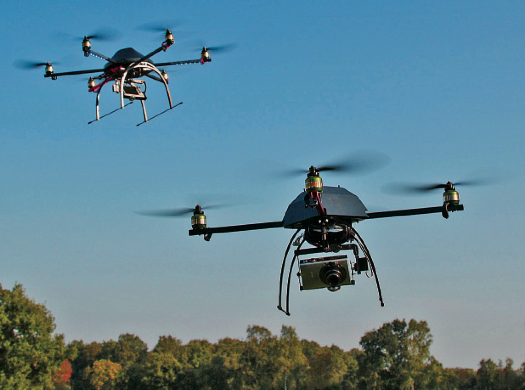
Holger Buss and Ingo Busker are two Germans who have created an online community for micro copter fans in late 2006, called, appropriately enough, MikroKopter. Since then, they’ve come up with several micro copter designs, the plans for which they share freely on their site. One of their latest designs is the HexaKopter — an RC mini-helicopter with six propellers.

It is an amazing design, and the thing is incredibly nimble in the air, as you can see in the test flight video. The weight of the helicopter is 1,200 grams, and its max rated payload is 1,000 grams. In the test video, they loaded it with 1,300 grams (a digital camera used to film flight footage, and a 1 liter bottle of soda), and it did just fine. Flight time is up to 30 minutes with a small payload.

You can probably get some amazing aerial photographs and video with the HexaKopter. What can I say, I love German engineering! Kudos to Holger and Ingo!

Standard
Reviews

Hardware preview: Apple iPad

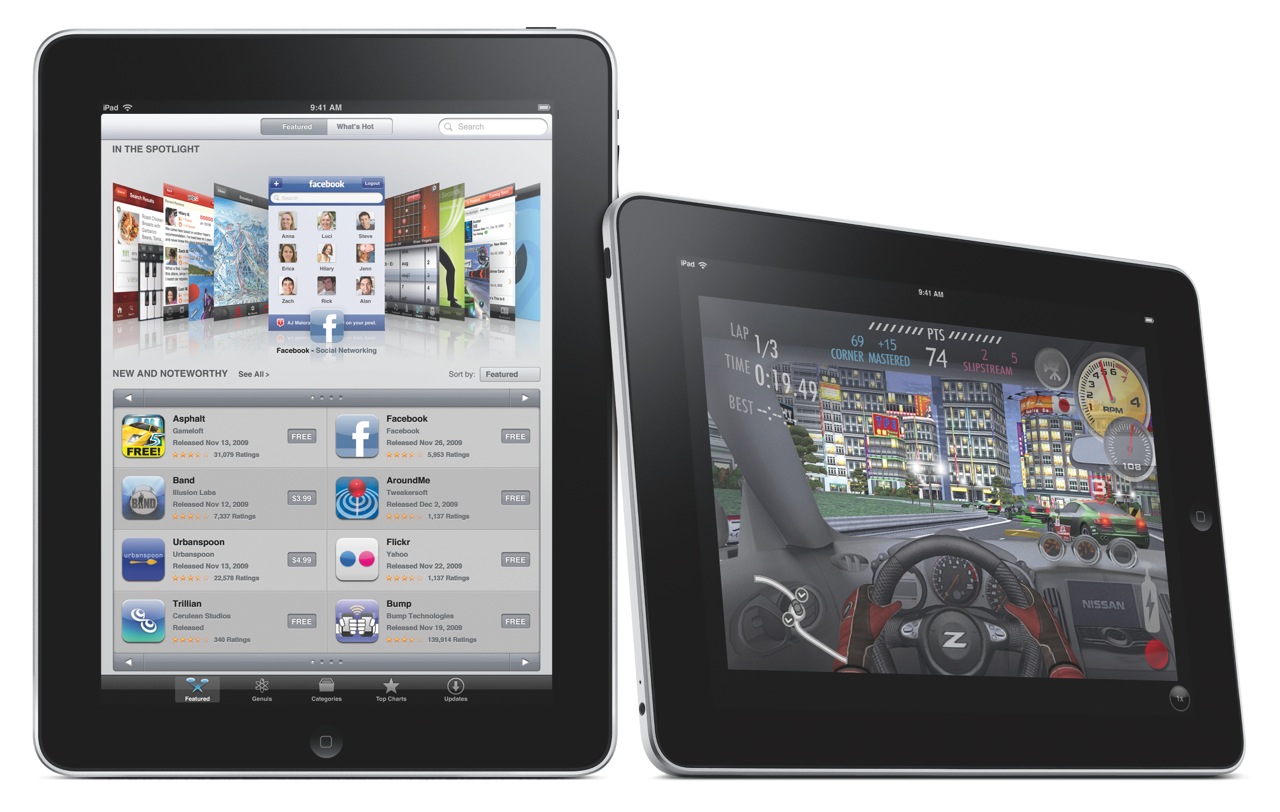
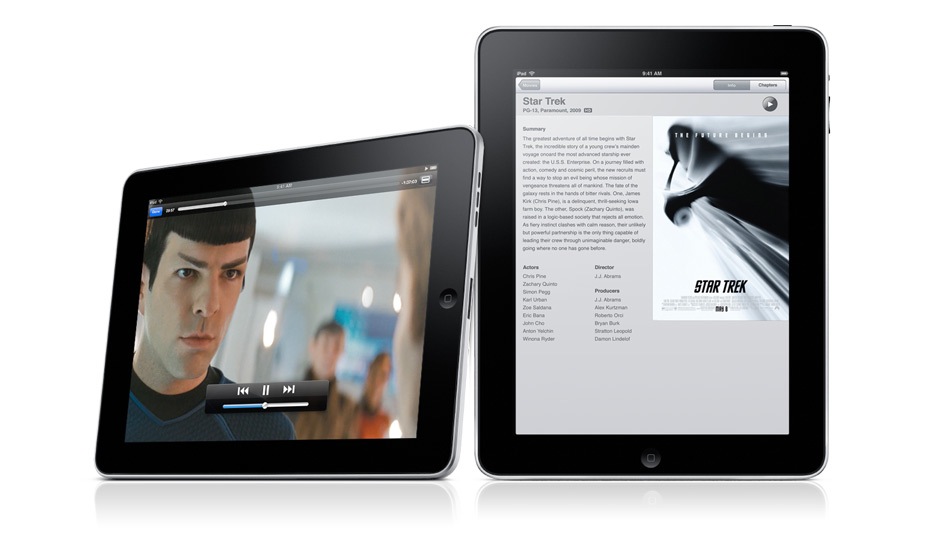
Today, Apple launched the iPad, their long-awaited version of the tablet computer. In spite of the failures of their predecessors, I think Apple will pull this off. I think the iPad will be very successful. In case you haven’t gotten your iPad fix yet, grab a cup of tea and sit down, this post is loaded with photos of the iPad and its accessories.

As I mentioned yesterday, I wrote a post in September of last year, where I unwittingly described the functionality of the iPad. I was actually focusing on the need for what I called a portable Apple TV, a device that bridged the gap between an iPod and a laptop, and that’s exactly what the iPad is. Let me quote myself:

Clearly, Apple has the technological know-how to put together a really nice Apple TV that’s not yet another box tethered to a TV in the living room, but a display with integrated speakers and the circuitry that allows it to get on my network and access media from various drives, or to play the media I sync to it through iTunes, or to download media from the Internet.

Just think, with a nice LED screen of about 13-17 inches, a touch screen, plenty of onboard storage, a good battery, WiFi, Bluetooth, and speakers, they could have an amazing device that I could take with me wherever I decide to sit in the house or in the yard. I could take it in bed and watch movies without draining my already tired laptop battery, I could take it outside on the patio at night to watch stuff there, etc.

Apple already has all of this technology. Why don’t they put it together?

Wouldn’t you know it, someone at Apple must have seen my post… I’m kidding, naturally — the iPad has likely been in development for at least a year, so it’s not like I had much to do with the iPad’s invention — but it’s nice to see that my hunch, or at least my perception of a need in the marketplace for a product like the iPad, was right.

What does the iPad do? It can:

  • Browse the web
  • Read and send email
  • Enjoy photos
  • Watch video
  • Listen to music
  • Play games
  • Read e-books
  • Basically, anything but any real work 🙂

I may be wrong about that last capability though. Here’s what Apple says:

“Apple also introduced a new version of iWork® for iPad, the first desktop-class productivity suite designed specifically for Multi-Touch. With Pages®, Keynote® and Numbers® you can create beautifully formatted documents, stunning presentations with animations and transitions, and spreadsheets with charts, functions and formulas. The three apps will be available separately through the App Store for $9.99 each.”

So who knows, we may be able to get some work done on the iPad after all, if we’re not too tempted to watch movies or read books on it.

Before we get too awestruck with all of the awesome things the iPad can do, it’s important to note two of its capabilities. I’ll let Apple explain:

“iPad is powered by A4, Apple’s next-generation system-on-a-chip. Designed by Apple, the new A4 chip provides exceptional processor and graphics performance along with long battery life of up to 10 hours. Apple’s advanced chemistry and Adaptive Charging technology deliver up to 1,000 charge cycles without a significant decrease in battery capacity over a typical five year lifespan.”

Apple has not only developed new battery technology which is already in use on its laptops and now, on the iPad, but, and I think this is huge, they’ve now developed a new chip, called the A4. Since when do they have the technology to develop computer chips? I thought they always outsourced that function, to Intel, and before that, to PowerPC. Now they’re making chips? Wow. And since this new chip is called the A4, are we to assume there’s an A3, or A2, or A1, or more importantly, an A5, or an A6, or A7? Where were they used, and where will they be used?

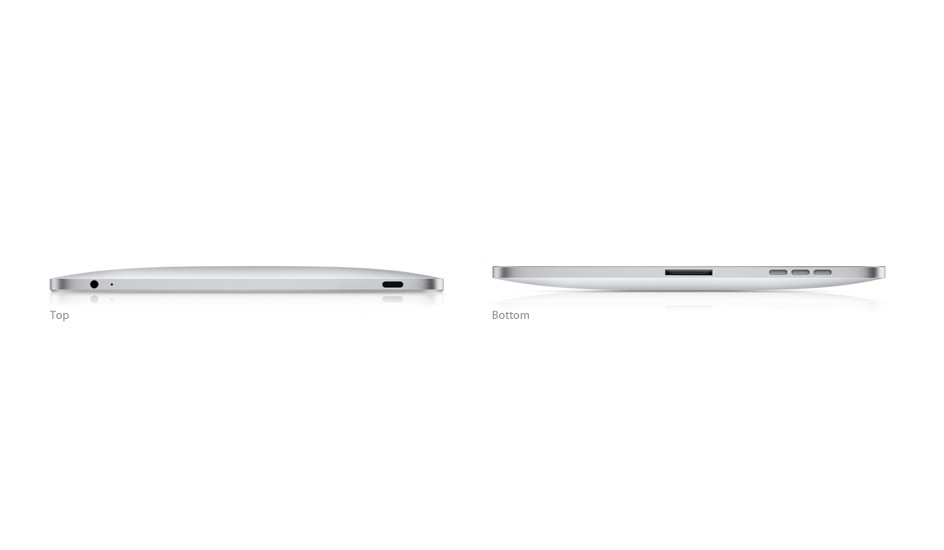
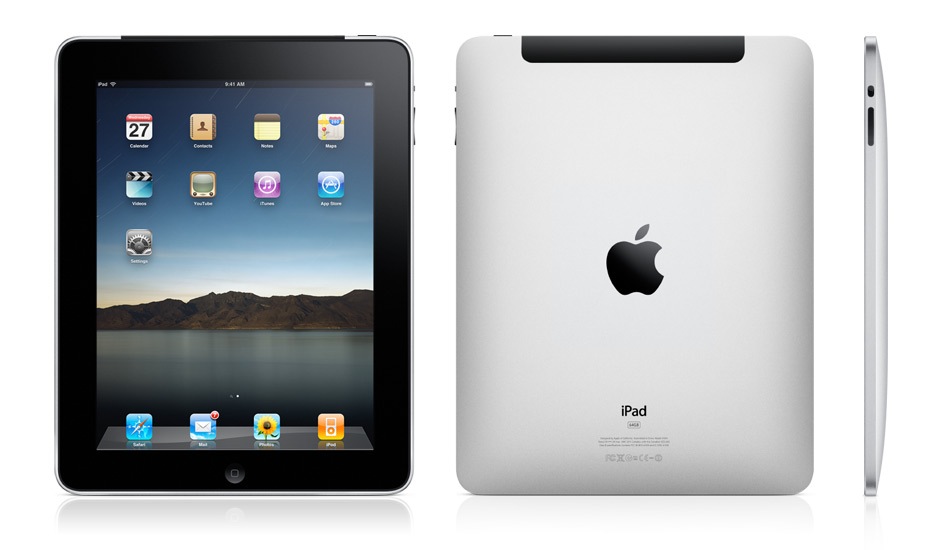
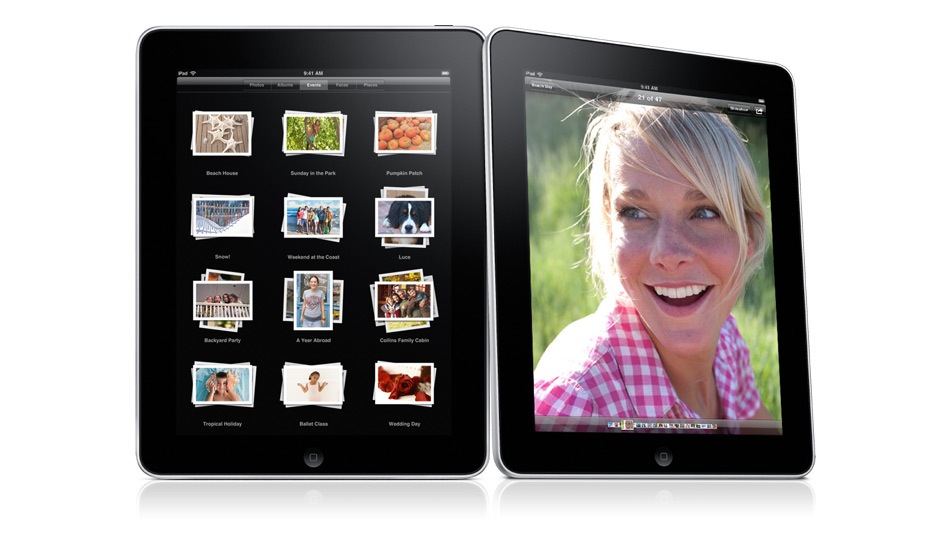
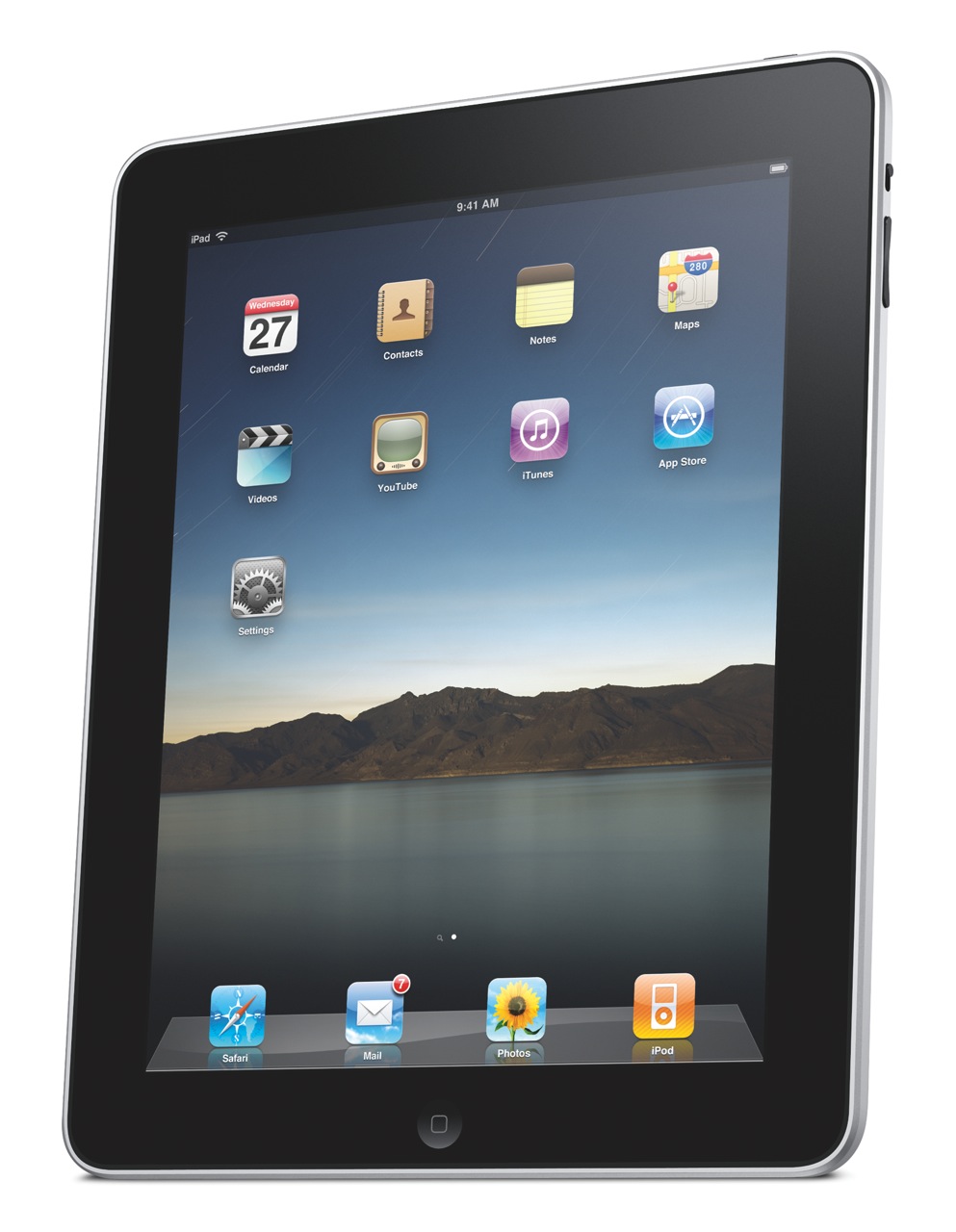
Let’s look at the iPad’s exterior. It is a gorgeous device, incredibly thin, made of aluminum and glass.

It comes in two models: Wifi-only, and WiFi + 3G. The only difference (on the exterior) between the two models is a bit of extra weight for the 3G model (1.6 lbs. vs 1.5 lbs.), and the presence of the 3G antenna, which looks like a black strip at the top.

Height: 9.56 inches (242.8 mm)
Width: 7.47 inches (189.7 mm)
Depth: 0.5 inch (13.4 mm)
Weight: 1.5 pounds (.68 kg) Wi-Fi model; 1.6 pounds (.73 kg) Wi-Fi + 3G model

One thing I’m not clear on is whether the 3G version of the iPad will require the AT&T network, or whether it will be “unlocked” for use on any 3G network. I’m certainly not keen to use AT&T’s network, for reasons with stem directly out of my personal experiences and my parents’ personal experiences with their horrible customer service.

Let’s move on and look at the display. I was hoping to see a larger-size device, but as things stand, the screen is 9.7″ across, at 1024 x 768 resolution. What does compensate for the somewhat smaller screen is the ppi (pixels per inch) spec, which is 132 — almost double the 72 ppi of standard displays. The display uses a technology called IPS (in-plane switching) which allows for a wide, 178° viewing angle.

When I look at the TV and Video specs, I’m glad to see that it will also output 1024 x 768 to an external display with the aid of a dock to VGA adapter, and that it will output SD and better-than-SD video (480i/480p and 576i/576p) to a TV with an Apple Composite A/V cable. More than that, it can play 720p (HD) video, which was expected and was the right thing to do.

“H.264 video up to 720p, 30 frames per second, Main Profile level 3.1 with AAC-LC audio up to 160 Kbps, 48kHz, stereo audio in .m4v, .mp4, and .mov file formats; MPEG-4 video, up to 2.5 Mbps, 640 by 480 pixels, 30 frames per second, Simple Profile with AAC-LC audio up to 160 Kbps, 48kHz, stereo audio in .m4v, .mp4, and .mov file formats. “

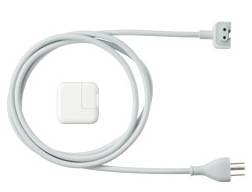
The iPad’s power adapter is rated at 10W according to the specs, which is great in my book. It means it’s a very efficient device. Think about it, what you basically get with the iPad is an HD TV which you can take to bed with you, and which only consumes 10W when plugged in. Have you even looked at your HDTV’s power usage lately? Even the most efficient LCD displays consume more than 100W, and if you look at how much plasma displays consume, you’ll want to run away.

The iPad can open most of the usual file formats, as is expected since it will have its own version of iWork, but does that mean we’ll get a Finder, with a Home folder for our account? After all, if we’re going to work with documents, we’ll need a place to save them and access them.

“Viewable document types: .jpg, .tiff, .gif (images); .doc and .docx (Microsoft Word); .htm and .html (web pages); .key (Keynote); .numbers (Numbers); .pages (Pages); .pdf (Preview and Adobe Acrobat); .ppt and .pptx (Microsoft PowerPoint); .txt (text); .rtf (rich text format); .vcf (contact information); .xls and .xlsx (Microsoft Excel).”

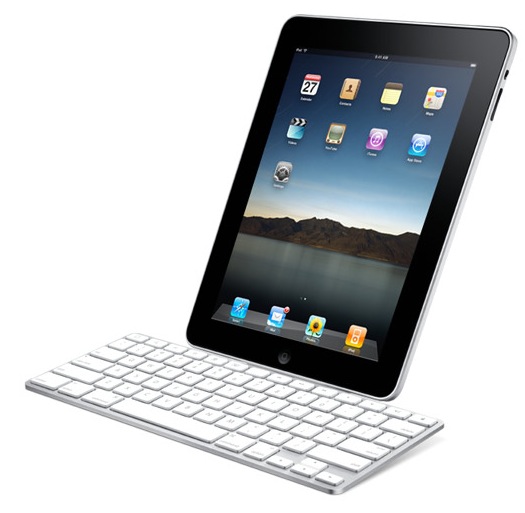
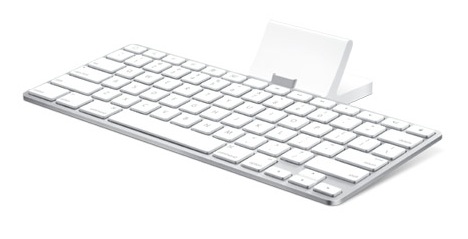
This becomes an even more important question if we consider the iPad accessories, among which we find the Keyboard Dock, which clearly allows one to use the iPad as a lightweight computer. If it’s going to be used as such, we’ll definitely need a Home folder, with a Documents folder and other such usual amenities to keep our stuff. And will these documents get synced with the documents on our home machine? Furthermore, if we’ll download our emails onto it, will they automatically get synced with Mail on our laptops and desktops?

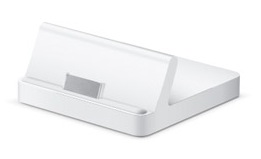
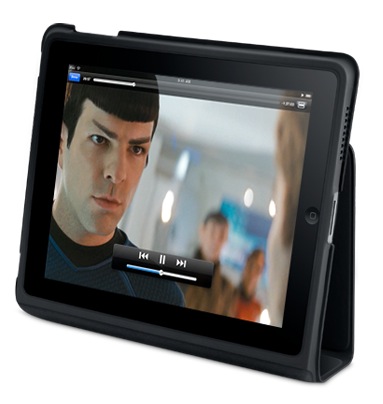
There’s also a regular dock, which lets the iPad charge and holds it upright, so you can watch movies unhindered.

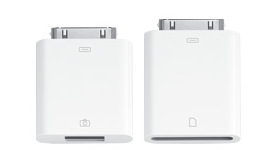
I like the camera connection kit, which lets you download photos from your digital camera either through a USB cable, or with an SD card reader. That’s a smart and elegant solution.

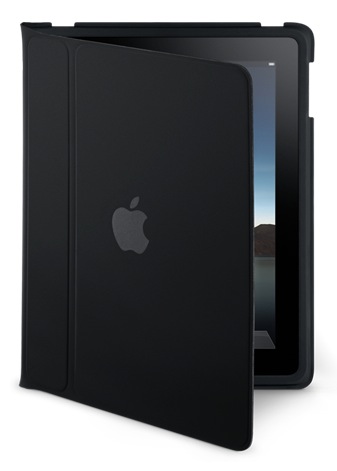
The iPad case is great, too. It’s wonderful for carrying the iPad about, and for travel, as it turns into a stand that lets you watch movies without needing to hold the iPad in your hand.

All of this exterior beauty wouldn’t be much without interior smarts and looks that match it to a tee. Here’s where Apple’s advantage really comes into play. Since they make both the hardware and the software, they can marry the two so well that they act as one. There’s never any doubt that a button you press on an Apple machine doesn’t do what it’s supposed to do, because it was made specifically for that reason and there’s a part of the code on the machine written specifically for it. On the iPad, I can see that significant thought and effort was put forth to design the software UI around the look of the hardware, to make the two act as one, and it’s a success. Have a look at how well each of the iPad’s purposed uses is represented by the software written for those uses.

Photos on the iPad:

Maps on the iPad. Can you believe how gorgeous those maps look on the iPad, and how cool it is to manipulate them (zoom, pan, annotate) on that large multi-touch display?

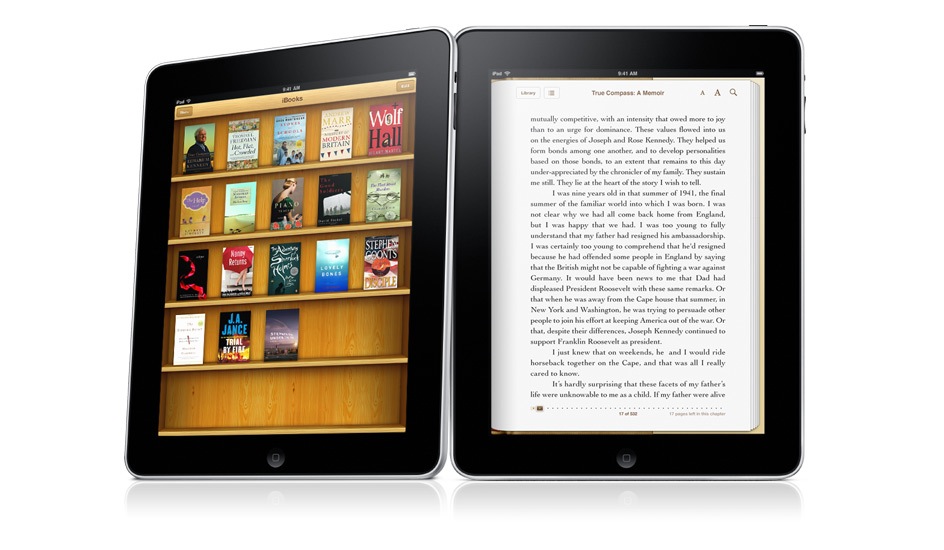
iBooks on the iPad. The Kindle’s battery may last longer, but can you argue with color?

iCal on the iPad. It’s just gorgeous, much more than its counterpart in OS X. Why doesn’t it look this good on my MBP?

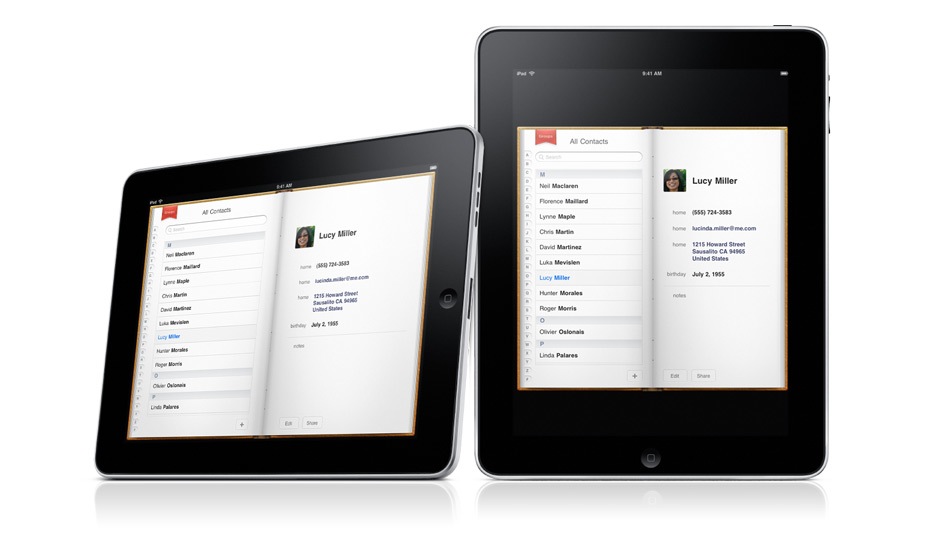
Contacts on the iPad. Very cool.

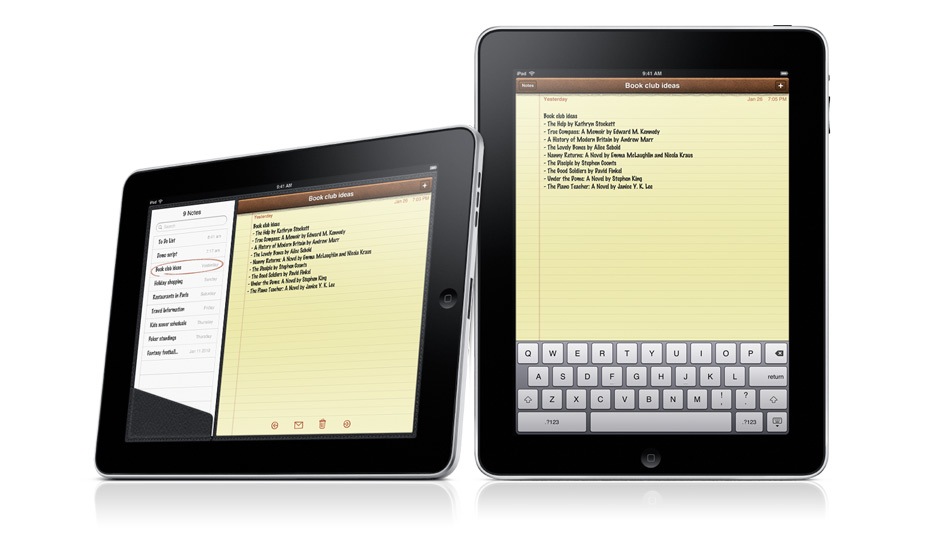
Notes on the iPad. I’m going to love taking notes now, even more so than on my iPod Touch.

There is one disappointment. I expected an iSight video camera on the iPad, and there isn’t one. I’m not sure why. Possibly for the same reason the iPod Nano got a video camera last year instead of getting it one or two years prior to that. It’s very likely the next gen iPad will have a video camera, and it will have iChat as well.

Still, the iPad is a fantastic device, and it exceeded my expectations in many ways. I’d love to know what you think of it.

iPad will be available in late March, worldwide, for a suggested retail price of $499 (US) for the 16GB model, $599 (US) for the 32GB model, and $699 (US) for the 64GB model. The Wi-Fi + 3G models of iPad will be available in April in the US and selected countries for a suggested retail price of $629 (US) for the 16GB model, $729 (US) for the 32GB model and $829 (US) for the 64GB model. International pricing and worldwide availability will be announced at a later date.

The video from the Keynote iPad launch is available here, and the iPad overview video is available here.

Photos used courtesy of Apple.

Standard
Thoughts

Want to have a look at Apple’s new tablet?

If you want to get a good idea of the capabilities and looks of Apple’s new tablet, then have a look at this post, which I wrote last year, in September. At that time, I was thinking about a nice, large iPod — which is basically what the iTablet will be — in addition to much more, of course. But the core idea is the same. It bridges the gap between the desktop or laptop and the iPod. It’s a larger device on which we can consume media (news, photos, videos, music, etc.). And I bet it’ll come with some awesome speakers, just like the MacBook Pro laptops, and it will likely also stream music through AirTunes.

Speculation aside, I can’t wait to see the real thing later this week.

Standard
Reviews

Camera preview: Nikon CoolPix S570

The Nikon CoolPix S570 digital camera is small — just about the same size as the Canon PowerShot SD780 IS camera — so it invites a comparative look. I looked at it side-by-side with the SD780 recently, and here’s what I think.

The design is good, but not as good as that of the SD780. I like the beveled lines and the metal accents, including the protruding camera strap anchor, but I think the CoolPix logo is badly placed, and ruins the clean look of the camera. Think about it, would you want your brand logo to be smaller than the line logo? It makes no sense, yet that’s what Nikon’s done. They’ve emphasized CoolPix over the trustworthy Nikon name. Canon hasn’t made this mistake. Have a look at the SD780 IS and you’ll see they know how to do this right. Another thing that bugs me is the annoying font chosen for CoolPix. Nikon, please, if you’re going to keep using CoolPix as a line name, then please use a decent font or at least make the writing smaller.

When it comes to features, there are more of them overall than on the Canon SD780 IS, but right off the bat, one can see the S570 lacks HD video capabilities. That may or may not be an important criteria for you, depending on your needs. The S70 certainly offers other wonderful selling points, such as a 5x Zoom and a very nice maximum aperture of f/2.7, not to mention that the price is about $50-75 less than that of the Canon SD780 IS.

  • 12.0 megapixels resolution
  • Ultra Thin and Compact
  • 5x Nikkor Zoom Lens
  • Bright, 2.7″ LCD
  • Scene Auto Selector
  • Smart Portrait System with Advanced Face-Priority Technology, Smile Timer, Blink Proof function, Blink Warning, Active D-lighting and the new Skin Softening function
  • 4-way Image Stabilization with Vibration Reduction, Motion Detection, High ISO (up to 3200) and Best Shot Selector
  • Quick Retouch
  • Standard Definition video recording (640 x 480 @ 30 fps)

Other differences between this camera and the Canon SD780 IS include:

  • The new Skin Softening functionality, which offers three levels of in-camera smoothing, allowing you to diminish age lines or imperfections from your subjects’ faces right in the camera
  • Lack of optical image stabilization, which is compensated by the presence of electronic Vibration Reduction and Best Shot Selector (the SD780 includes the equivalent of Motion Detection and also goes to 3200 ISO)
  • Wider field of view (28 mm equivalent vs. 33 mm equivalent on the SD780 IS)

The Nikon CoolPix S570 digital camera can be purchased from Amazon or B&H Photo.

Photos used courtesy of Nikon.

Standard