Thoughts

Canon 5D Mark II soft focus due to camera or lens?

I reviewed the new 5D Mark II back in October of 2008, and my decision back then was to wait until they’ve worked out the bugs. It looks like I did the right thing. I’ve been hearing quite a bit lately about focus issues with the camera. It looks like it can’t focus properly. It’s slow to focus, and when it does focus, the images are soft. See this blog post for an example.

I’m still not sure what lies at the root of the focusing problems. People are comparing photos taken with the 5D Mark II against photos taken with the original 5D, but it’s sort of like comparing apples to oranges. To compare images accurately, you’d need to first downsize the resolution of the images from the 5D Mark II to 12.8 megapixels, to make them equal in pixel depth to those that come out of the original 5D. I have yet to see something like that.

I think what’s going on here is that we’re seeing either the limitations of Canon’s 9-point AF system, or the limitations of their lenses, and this is due to the sensor’s increased megapixel count. In effect, all those extra megapixels have run ahead of the camera’s AF capabilities. It’s like a bodybuilder who’s got huge muscles but hasn’t trained his joints. His tendons have remained weak, and sooner or later he’ll tear something.

The thing is, I’m getting soft images with my original 5D, and I get them quite often. Sure, most of the images I get are in focus, but I bet you that if my 5D were able to output 21 megapixels of resolution, those same seemingly sharp images would be just as soft as those that come out of the 5D Mark II.

It could very well be that the 9-point AF system can’t focus properly. It’s just not that good, and its focusing limitations are seen quite well at higher resolutions. In that case, I have a feeling that the 16 megapixel images that one can get with the EOS 50D would also show some soft focus issues. They wouldn’t be as apparent as those found in the 5D Mark II, since there’s a bit of difference between 16 megapixels and 21 megapixels, but they should be there. It looks like some people are noticing a soft focus with the 50D, so there might be something to my theory.

On the other hand, it could be that my lenses, and the lenses of these people complaining about soft focus with the new 5D, need to be sent in for calibration. There certainly are tons of complains about soft images gotten with Canon lenses of all kinds — that’s nothing new. Who knows, if they and I got to send in our lenses, and they got properly re-calibrated by knowledgeable technicians, the images would be sharper.

So there you have it. I’m not sure what to think. I’m leaning toward the side that says the 9-point AF system needs to grow up, but I’m open to suggestions. Perhaps Canon ought to license the 11-point AF system from Olympus. They put it in their E-3 DSLR, which came out at the end of 2007. It’s supposed to be the fastest and most accurate AF system on the market, and it’s meant to work well even in low light. After all, let’s face it, both Canon and Nikon have borrowed the Live View concept from Olympus — they were the first to come out with it. Why not borrow the AF system as well?

Standard
Reviews

Camera preview: Canon EOS 5D Mark II DSLR

I’m a little late to the table with my thoughts on the new 5D, but I have an excuse: I’ve been traveling abroad (see this, this and this) and only now managed to sit down and think about it. There’s also an advantage to this: I got to read through the other reviews that have come out before I wrote mine.

So, what sources did I consult?

  • The Canon website was the first place I looked. There’s the official press release for the new 5D, and then the 5D Mark II pages. (I looked at the press release back on September 20th, when it came out.) Canon has also published 1080p HD video clips shot with the new 5D on their website, and they’re definitely worth checking out. They make a point to specify that the clips were shot with a pre-production 5D Mark II, so they may not accurately represent the quality of the production camera.
  • Digital Photography Review put together a very detailed review of the new 5D, as usual. Their review was very helpful to me.
  • The Online Photographer talked about the quality of the 5D’s HD video, and he brought up a good point. I’ll mention it here because I felt the same way when I saw Vincent LaForet’s video: it just wasn’t very good in terms of realization. It didn’t tie together, it felt empty… In a way, this was to be expected when there were only two days to write it, produce it, film it and edit it. But the quality of the video from the 5D Mark II was definitely worth seeing.
  • Robert Reichmann from the The Luminous Landscape posted pre-production video shot with the new 5D and gave his first impressions of the camera. He was in a hurry as well, as he was leaving for a trip to Africa and had only 48 hours with the camera. He says that the video is very high quality (so high that MBPs playing the full resolution video will skip frames), and there is no jellocam effect, where you see balooning artifacts due to slow recording of the data by the CMOS.
  • PopPhoto chimed in with a quick preview that did a little feature comparison between the old and new 5Ds.
  • On Taking Pictures had an interesting first reaction. He pointed out that the AF system should have been improved. It’s still the same 9-point AF found on the original 5D, and it has its limitations, as I can attest.
  • Thomas Hawk wrote up his impressions. He’s excited and plans to get one as soon as they’re available.
  • I found out about a new review aggregation site while I was writing this post. It’s called TestFreaks, and it’s one of the places where I looked for other reviews of the 5D. So far, they’ve posted links to four reviews for this camera, out of which an Italian review was worthwhile, particularly their side-by-side comparison of the old and new 5Ds. The rest of the linked reviews simply spewed the press release, which involves no effort or thought whatsoever. But I think the site is useful as a place to check for reviews when you want to learn more about a product.

What about me? Well, I wrote about the original and new 5D back in August 2007, when I took a shot a predicting the features of its new iteration. And I also wrote another article a little over a month ago, on August 28, where I talked about the coming convergence of DSLRs and video, and predicted that after the launch of Nikon D90’s 720p HD video capabilities, 1080p HD video wouldn’t be far off. Amazingly, Canon had already been at work on that very same feature, and launched it with the new 5D shortly afterward.

Let me first indulge myself and see how right (or wrong) I was in my own predictions about the 5D Mark II:

  • EOS integrated cleaning system (YES)
  • Live View (YES)
  • 16 Megapixels (NO, even better)
  • Up to 3200 ISO (NO, even better)
  • Increased battery life (YES)
  • Weatherproofing (YES)
  • AF upgrade (NO, unfortunately)
  • Increased zones for exposure metering (YES)
  • Shutter durability up to 300,000 cycles (NO, but still increased to 150,000 cycles)
  • 3″ LCD (YES)
  • Retail price $3,300 (NO, it’s $600 lower)

What I did as I read through the official specs found on Canon’s website and through the other reviews was to take notes of the interesting differences between the original 5D and the new 5D.

Original 5D 5D Mark II
12.8 megapixels (4368×2912 pixels) 21.1 megapixels (5616 x 3744 pixels)
DIGIC 2 processor DIGIC 4 processor
12 Bit A/D conversion 14 Bit A/D conversion
Pixel size 8.2 μm Pixel size 6.4 μm and reduced microlens gap
Native ISO capabilities 100-1600;
expanded capabilities 50-3200
Native ISO capabilities of 100-6400;
expanded capabilities 50-25600
Frame rate 3.0 fps Frame rate 3.9 fps
Shutter life 100,000 cycles Shutter life 150,000 cycles
Full HD (1080p) movies encoded with H.264 codec and PCM sound;
1080p movie mode (1920×1080) records clips up to 12 minutes;
480p movie mode (640×480) records clips up to 24 minutes;
Single file size (for movie clips) is limited to 4GB
No internal microphone/speaker;
No microphone input socket
Has microphone input socket to record higher quality audio for video files;
internal microphone on front of camera, and built-in speaker on back of camera
Viewfinder coverage 96% Viewfinder coverage 98%
Can use infrared remotes
Battery BP-511A;
up to 700 shots per charge;
1390 mAh
Battery life LP-E6;
up to 850 shots per charge;
1800 mAh
No additional batter info other than remaining charge improved battery status displayed on screen; camera can memorize batteries by their S/N and show you exactly how much power you have in each one.
RAW shooting enabled in Auto mode
Exposure bracketing +/-2 EV Exposure bracketing up to up to +/-4 EV
Creative Auto mode makes depth of field and exposure adjustments easier (for those that don’t bother to learn the basics…)
Auto Lighting Optimizer evens out harsh highlights and strong shadows
Peripheral Illumination Correction minimizes vignetting effects
Can embed copyright info but not intuitive at all Easier embedding of copyright info and photographer name in each photo taken with camera
Accessory shoe painted black, which leads to paint scratches as speedlites are mounted to camera Accessory shoe now left bare (metal-colored), which is better
2.5″ LCD, not very good at all in sunlight, low resolution 3″ LCD, great in sunlight, high resolution
Uses CF Type I and Type II cards Uses CF Type I, Type II, UDMA and CF+ cards
Auto ISO (100-3200);
can be turned on everywhere but in M mode, which is the way it should be
AF microadjustment
Live View with three AF modes: passive (mirror flips down briefly to focus), contrast detection (mirror stays up) and face detection (self-explanatory)
No water resistance, although I have taken my 5D out in the rain and it did fine as long as I didn’t get it completely wet Water resistance (10mm rain in 3 minutes)
Some dust resistance
2.5″ LCD, not very good at all in sunlight, low resolution 3″ LCD, great in sunlight, high resolution
No Quiet Shooting mode;
mirror slap is pretty loud
Quieter shooting mode available;
mirror will either lock up, or it will move slowly to the halfway position and close normally from there, creating less noise

How could the new 5D be even better?

  • AF should have been upgraded to something faster and more accurate
  • RAW files still CR2 format; it would have been nice to standardize on the DNG format
  • Color space options are still only sRGB or AdobeRGB; what about ProPhotoRGB?
  • HDMI Out miniport puts out great video but NO audio, which is unfortunate
  • Hand grip now slightly thicker, but space between grip and lens barrel slightly smaller, which means you may end up jamming your fingernails into the lens as you hold the camera, should you have thicker fingers. This was a point of contention with the 30D, was addressed in the 40D, and now I see it potentially coming back (though to a lesser degree) in the 5D Mark II.
  • No controls for video other than focus and exposure compensation once you start recording. It really does seem like the video mode was grafted onto the camera, as Luminous Landscape puts it in their review. Plus, the microphone input socket isn’t a pro-level socket, but a plastic one that can easily break if you’re not careful.
  • Recording video will drain the battery a LOT faster than shooting photos. And it will take up space. You’ll go through a single 4GB CF card in about 11-12 minutes if you’re shooting video. I guess this is to be expected given that the camera records full HD video on a huge 35mm sensor.

On the plus side, it’s interesting to note that I paid $100 more for my original 5D back in April of 2007 than what the new 5D Mark II will cost at retail when it hits the market. I bought my 5D for $2800 from Costco, and the new 5D will cost $2,700, but it will have all these incredible new features. Something to think about. I suppose I shouldn’t complain, since I did get about 1 1/2 years about of my 5D before it was rendered outdated by its successor.

So, will I be getting one? Not at the moment, no. My original 5D is still very usable, and I don’t have the deeper pockets of some other folks. I’m still without a good zoom lens. Coincidentally, the same great zoom lens that I like (EF 24-105mm f/4L IS) can be bought as a kit lens with the new 5D, so I definitely encourage you to get it if you don’t have it in your inventory. It will prove its versatility over time, and you will be glad you have it.

At some point in the future, I will be glad to buy the new 5D. Perhaps by that time they’ll have made the video mode more streamlined, and integrated it a little better within the menus and external buttons of the camera, not to mention that I’ll have had a chance to save up for it.

If you’d like to get it though, don’t let me stop you:

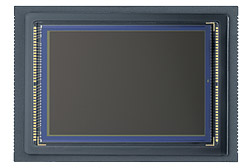
Photos used courtesy of Canon.

Standard
Thoughts

DSLRs and video to converge

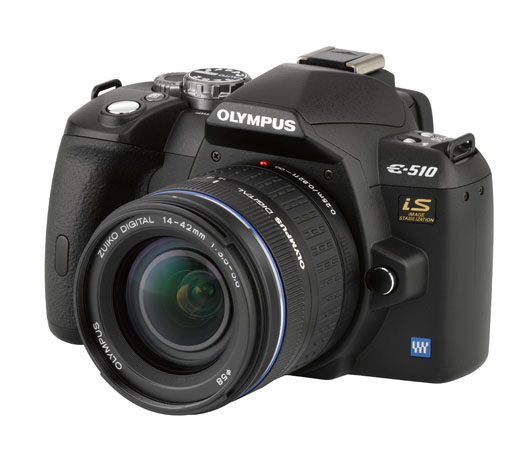
On September 24, 2007, I published my review of the Olympus E-510 DSLR, one of the first prosumer cameras on the market to feature Live View (TTL video preview, directly off the same CMOS sensor used for photographs). Unless people were to jump to conclusions, I wanted to make it clear that it won’t let you record videos — but I knew that market forces were aligning to bring some sort of video capability to DSLRs.

I myself was opposed to that idea. I thought it would bastardize a DSLR to make it record video. After all, a DSLR takes great photos, and it should only do that. I also thought that video camera manufacturers would squeeze photo-taking capabilities into video cameras, which would result in crappy photos being taken by gadgets that should have stayed video cameras. Well, I was wrong. I forgot all about how the market delivers what the consumer wants, and has a way of sometimes exceeding expectations.

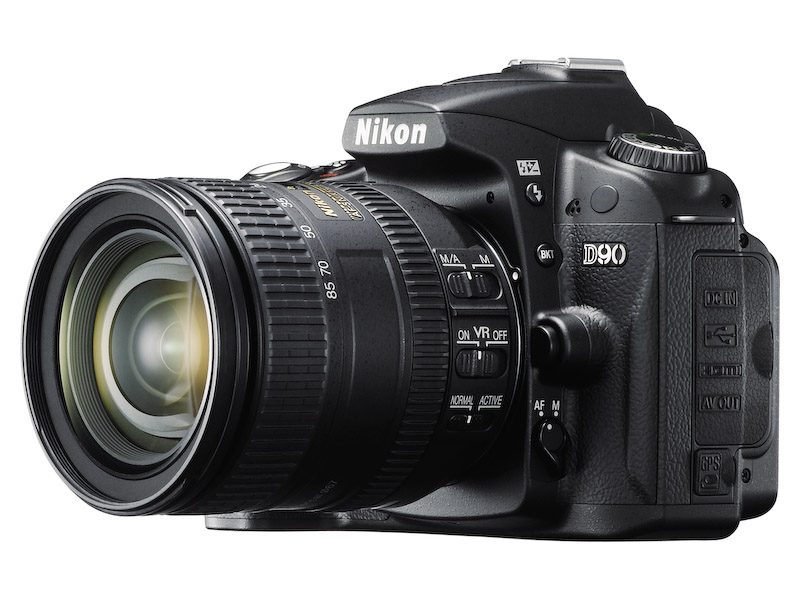
Behold the Nikon D90. It is the first DSLR that takes video, and it’s not some low-res video that you can get from a point-and-shoot digicam; it’s 720p HD video. What’s more, it lets you control depth of field by manually adjusting the focus while shooting. Best of all, you’re already using a sensor that takes great photographs, and the expensive glass you already paid for. You don’t need to spend yet more money on a dedicated video camera. You get the best of both worlds: the interchangeable lenses of a DSLR, and the quality of a decent video camera.

I am truly blown away by the D90’s specs. If I hadn’t already invested in the Canon 5D and Canon lenses, I would be sorely tempted to get the D90. I crave (badly) the ability to take quality photos and video with a single device, but unfortunately, up to this point, that was not possible unless I carried both a DSLR and a video camera.

As good as the D90 is though, it will soon be eclipsed. Why? Market forces. How long do you think it will be before we’ll have a DSLR that can record 1080p HD video? Or how about an even smaller and thinner DSLR than currently possible? How about a DSLR that looks and weighs about the same as a point-and-shoot, but gives you photo quality that’s equivalent to (or exceeds) today’s DSLRs? It’s all coming.

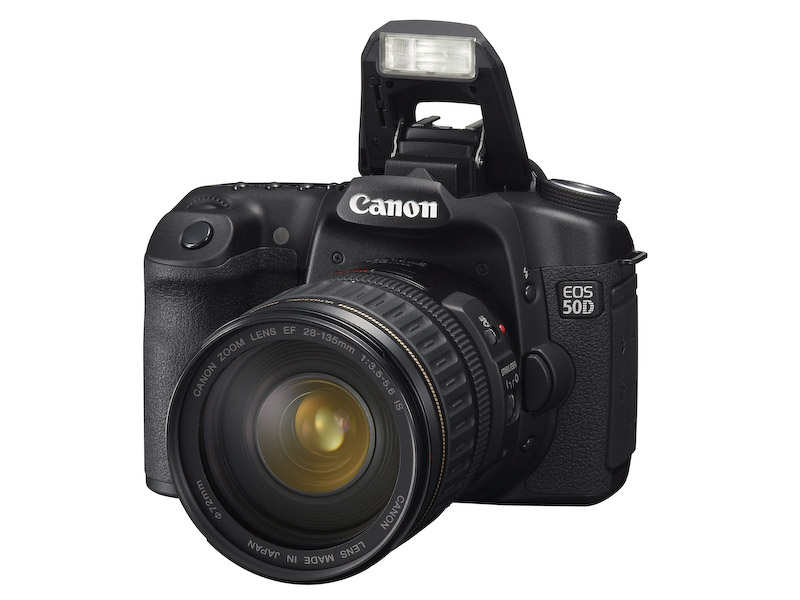
Let’s look at what’s currently available. First, we have the new Canon 50D. You may think it’s been eclipsed by the D90 or the D300, but you’d be wrong. You see, Canon took things further than I thought possible with it, by giving us 15 megapixels in a cropped (1.6x) sensor that also shoots (natively) up to 3200 ISO. I didn’t think that was possible on a cropped sensor. I thought 12 megapixels was the max at that sensor size. I was wrong.

You know where else I’ll be proven wrong? Back when I attended the Olympus E-3 launch party, I talked about the camera’s (somewhat) limited 10 megapixel resolution, and I thought they had reached the limitations of the Four Thirds 2x cropped sensor. I thought the sensor’s surface area was too small to get more resolution out of it. But now that Canon has proven you can get 16 megapixels out of a 1.6x cropped sensor, I don’t see why you can’t get 12 megapixels or more out of a 2x cropped sensor.

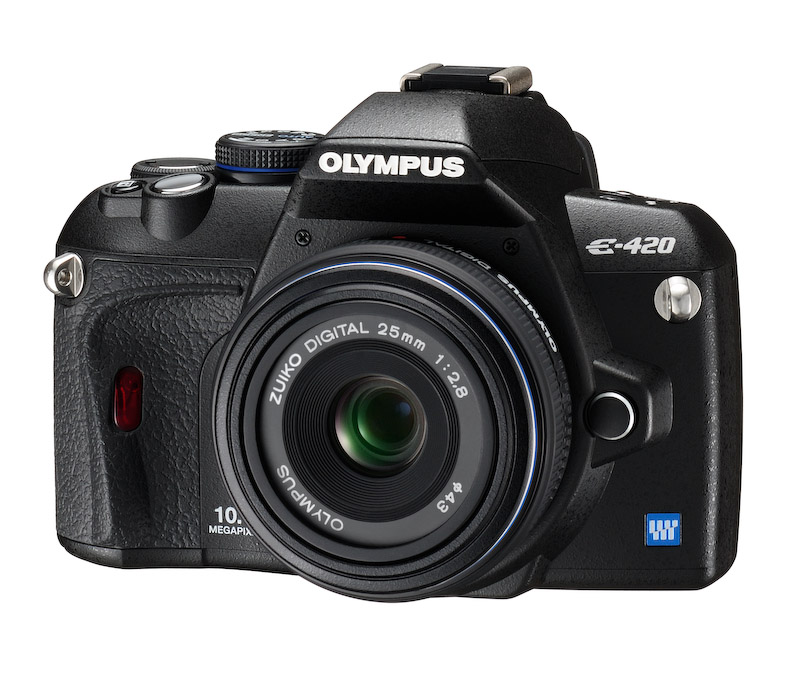
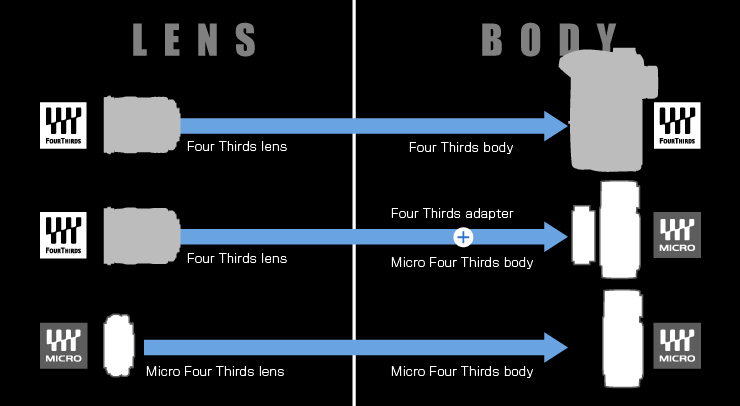
Here’s where I get to the last part, smaller and lighter DSLRs than currently thought possible. Currently, the smallest DSLR on the market is the Olympus E-420, pictured below. Do you know what the Four Thirds consortium has come up with? It’s the Micro Four Thirds standard, which allows for thinner, shorter lenses, and thinner, shorter camera bodies. A Micro Four Thirds camera will look and weigh just about the same as a point-and-shoot camera with a decent zoom lens.

Wait, it gets even better. The current aspect ratio of Four Thirds cameras is 4:3. The aspect ratio of Micro Four Thirds cameras will be 16:9. That’s the same aspect ratio used in movies. Where do you think that’s going? It means your photos and your videos will have the same aspect ratio, and the line between photography and videography will get even more blurred, and it’s quite possible that in the near future, we’ll have 1920x1080p HD video recorded by a tiny little DSLR with a tiny little lens on it.

That’s just what seems logical to me, and I’m a fairly conservative estimator. You wait and see what the market will do. We’ll have some very interesting DSLRs to play with in the next few years.

[Images used courtesy of Canon, Nikon and Olympus. ]

Standard
Reviews

Use an HDTV as my computer monitor?

A couple of months ago, I had a crazy idea, which I thought might just work: get a 1080p HDTV, a really nice one, and use it as my computer monitor. The advantage: cheaper and bigger than 30″ LCD monitors. I also found a model that I thought couldn’t be beat — one that displayed 10-bit color. If you’re unfamiliar with monitor color depth, you might want to have a look at the following:

Basically, you should have a monitor capable of displaying 8-bit color or better. Why? Because DSLRs capture 12-bit, 14-bit and 16-bit color, and you’re going to miss out on a lot if you can’t see all those colors when you’re editing the photos.

Laptops display only 6-bit color and use dithering to make up for the difference between 6-bit and 8-bit. Normal displays, including Apple Cinema Displays, have 8-bit color. The more expensive computer displays out there have 10-bit, 12-bit and even 14-bit color. LaCie and Eizo seem to be the only companies that build these sorts of high-end monitors.

The prices start around $1,000 for a 21″ or 24″ monitor at 10-bit color, and go up from there, to $2,000 or even $3,000. So you can imagine my delight at finding an HDTV at 40″ that could display 10-bit color and cost only $1,300. Granted, the resolution was only 1920×1080, and at that size, a computer monitor would have been at 2560×1920 or more, but you can’t have everything, right?

The particular HDTV I found is made by Sony and is from their Bravia series. It’s no longer being made — Sony keeps changing models every couple of months. Apparently HDTVs evolve so fast these days there’s a need to do that. I’d give you the model number, but it doesn’t matter any more. The specs were great though:

  • Full 1080p
  • 24p True Cinema
  • 10-bit color processing and 10-bit color display
  • Full digital video processor
  • Advanced contrast enhancer
  • An assortment of ports (HDMI, PC, S-Video, component and composite)

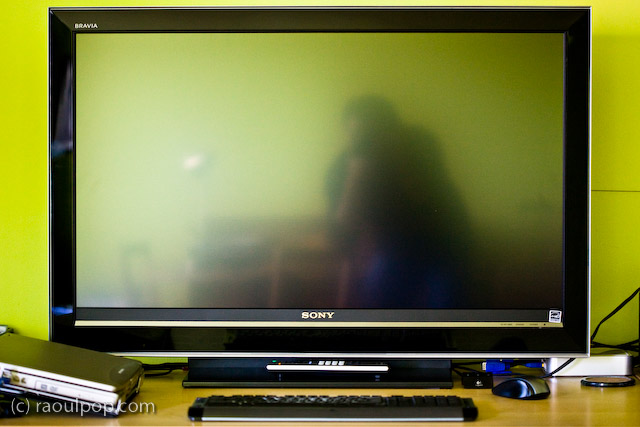
That’s how it looked on my desk. Did it do everything promised in the specs? Yes. Was the quality of the display as I expected? Yes. Editing photos on it was a stunning experience. I was able to see colors like I couldn’t see them before. Believe me, you don’t know what you’re missing until you see your DLSR photos on a high quality display.

So why am I speaking in the past tense about it?! For a single reason: it was much too bright for my eyes. Therein lies the main difference between TVs and monitors. TVs are built to be much brighter, since they’re meant to be viewed from a distance. Monitors are built with a much subtler level of brightness and contrast, since they’re meant to be viewed up close. This didn’t become apparent to me until I had the TV on my desk, about 2 feet from my eyes. I didn’t have a problem with the size of the screen (although it was bigger than expected), but the brightness killed me. Within a half hour, my eyes started to burn and I got a headache. I tried to tune down the brightness and contrast, but I couldn’t get it where it needed to be; I don’t think the TV could go down that low.

After much arguing with myself, and trying all sorts of things, including stepping back from it as much as possible, I had to come to grips with the fact that it wasn’t the fit I needed. Stepping back to an appropriate distance would have defeated the purpose of using it as a monitor, because at that point, it would have become a TV displaying my laptop’s DVI feed. Although it had the display quality I needed — and not a single bad pixel, it was a perfect display — I couldn’t use it.

If you’re in the market for an HDTV, definitely check out the Sonia Bravia line. They’ve got stunning color. They’re amazing TVs. Just don’t try to use them as computer monitors. It won’t work. To their credit, they’re not intended to be monitors. They’re TVs — really good TVs.

Standard
Lists

Condensed knowledge for 2008-03-13

Standard