Thoughts

Unscrupulous customer care at Apple

This is one of those posts I don’t enjoy writing but this must be said.

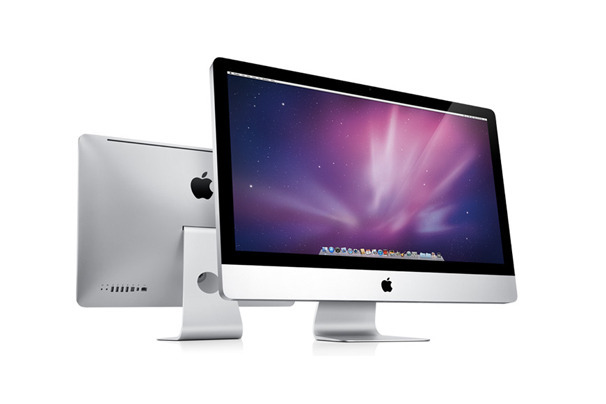
I have a mid-2011 27″ iMac (with AppleCare). It has now broken down three times for the very same problem (its video card goes bad). Other things on it also broke down, like the SuperDrive.

Bottom line: Apple has refused to replace it, although I’ve asked them twice. I think they’re just trying to kick the ball down the road until AppleCare expires. This isn’t the first time, they did it to me with another iMac.

Section 3.1 in the AppleCare agreement says the following:

“Apple will either (a) repair the defect at no charge, using new or refurbished parts that are equivalent to new in performance and reliability, or (b) exchange the Covered Equipment with a replacement product that is new or equivalent to new in performance and reliability, and is at least functionally equivalent to the original product.”

Notice they’re giving no clear rules about when they’ll replace it, although when you speak with Apple technicians, they’ll say three times is when it happens. It’s been three times for me and still no replacement. Not specifying when a defective computer must get replaced in the AppleCare Terms of Service gives Apple lots of backpedaling room, so they can delay that expense as much as possible, perhaps until AppleCare expires.

Here’s what makes this unscrupulous and unacceptable from my point of view:

  • They did this to me before with my iMac G5 (Rev. B). Those of you who owned that computer know it had a lot of issues; most often, its motherboard went bad and needed to be replaced. The board on that iMac broke down three times during its AppleCare coverage. It was in the shop for other issues as well: the Super Drive, the Bluetooth module, the WiFi module, fan speed issues (fans would go on high and stay there permanently). The motherboard broke down for the third time a month or two before AppleCare expired. They fixed it but refused to replace it. Then it broke down a few months after AppleCare expired and by then, it wasn’t their problem anymore.
  • It’s unconscionable for an Apple computer to break down in such a major way, repeatedly, after a little more than a year of use, which is when the problems with my current iMac started. Imagine where I’d be if I hadn’t bought AppleCare for this thing. It’d be sitting in my attic alongside my iMac G5. Essentially, I would have paid about $2,000 (after taking out tax and cost of AppleCare) for a computer that would have lasted a little more than a year. How shoddy was Apple’s quality control when this computer was made?
  • When the video card in my iMac broke down a second time, I was promised by a technician from Apple’s Advanced Support department, that when it happened for a third time, I’d get a replacement. Now they tell me his promise wasn’t documented in the case history so it doesn’t count. Perhaps the technician lied to me at the time to delay the replacement.
  • I’ve been an Apple customer since 1994, when I bought a PowerBook 150, my first Apple notebook. I’ve bought plenty of Apple stuff since then. Is this the way they’re treating long-time customers?
  • Apple has been putting me through all this unpleasantry right around my birthday. They have my birthday on file. No comment here.
  • Apple is one of the richest, if not the richest, companies on earth. They ought to be treating their customers right, because it’s because of them that they are where they are. It’s the right thing to do and they have the wherewithal to do it.

I wrote to Tim Cook, Apple’s CEO. No response from him, but a few days later, I was contacted by one of the people at Apple Executive Relations EMEIA in Cork, Ireland. I thought my situation would then be handled properly. No, just insincere apologies and a refusal to replace it. I wrote to Tim Cook again. No response, instead more of the same from Apple Executive Relations in Ireland. That confirmed it for me: you know what they say, a fish starts to stink from the head down. It looks to me like he’s instructed his people to do everything possible not to replace computers, even when they should be replaced. What other conclusion can I draw but this?

I was asked to accept the repair one last time and was promised that my iMac would get replaced for sure the next time its video card broke down. I asked the woman with whom I spoke to put that promise in writing. She refused point blank. I assume this was yet another lie from Apple to delay the replacement. What else can I assume when a person won’t put their promise in writing?

What complicates matters somewhat in my situation is that I bought the iMac in the States but have since transported it to Romania, which is where we spend some of our time. I can take it into an authorized Apple Repair shop and AppleCare covers its repairs there, so technically, replacements should also work. Not that this is a problem. I’ve told Apple they can ship the replacement to my US address. But I think what’s happening here is that they’re using geography and customs complications as an excuse not to replace my computer.

What should have happened is this: Apple should have replaced my current iMac, no questions asked. And out of embarrassment because of the way they handled the repairs on my iMac G5, they should have offered to at least repair it, if not replace it with its modern-day iMac counterpart.

The AppleCare agreement also says this:

For consumers in jurisdictions who have the benefit of consumer protection laws or regulations, the benefits conferred by the above mentioned plans are in addition to all rights and remedies provided under such laws and regulations. Nothing in this plan shall prejudice consumer rights granted by applicable mandatory laws, including consumer’s right to the remedies under statutory warranty law and to seek damages in the event of total or partial non-performance or inadequate performance by Apple of any of its contractual obligations.

Apple is currently in breach of EU/Romanian consumer protection laws on at least two counts, by my understanding:

  1. European/Romanian consumer protection laws mandate that repairs be made with new parts, not refurbished parts. Apple technicians, including the people from Apple Executive Relations, have admitted that they’ve been using refurbished parts to fix my iMac until now, and only this last time have they used a new replacement video card. The woman from Apple Executive Relations Ireland said that to me during one of our phone conversations… So they’ve been in breach on this point from the get-go.
  2. European/Romanian consumer protection laws further mandate that the customer must be offered the choice of a replacement or repair. The choice rests with them, not with Apple. I asked for a replacement, didn’t get it, they’re in breach of the law.

Since I bought my iMac in Florida, I also put in a request for assistance with the Office of the Attorney General there and I’ll see what they say. If any of you reading this are knowledgeable on the matter, please chime in.

I’d like to quote from a recent ad campaign from Apple. Keep in mind the things you’ve just read above as you see what they’re saying:

This is it.
This is what matters.
The experience of a product.
How it makes someone feel.

Will it make life better?

We spend a lot of time
On a few great things.

How am I supposed to feel after the way you’ve just treated me, Apple? Would you say that you’ve made my life better?

Couple this self-congratulatory ad piece with Tim Cook’s stating during the WWDC Keynote that Apple is #1 in Customer Satisfaction and that it “means so much” to him. If this stuff means so much to Apple, they wouldn’t be doing this to me (and who knows to how many others).

There will probably be some comments about switching to another platform. This isn’t about that. I love my Apple hardware and software. It’s just that quality control seems to be going down the drain and Apple execs seem to be in risk management mode. Apple computers have traditionally been about two things: design and quality. That’s what I’ve been paying for when I bought Apple products. Now it seems they’re about one thing: design.

I want to make it clear that I think what’s now happened to me twice is not the norm of my experience with Apple; that’s why I still buy Apple products. For example:

  • The Powerbook 150 I bought in 1994 lasted about 6 years before the hard drive went bad; if I fix it, I might even be able to boot it up and use it today,
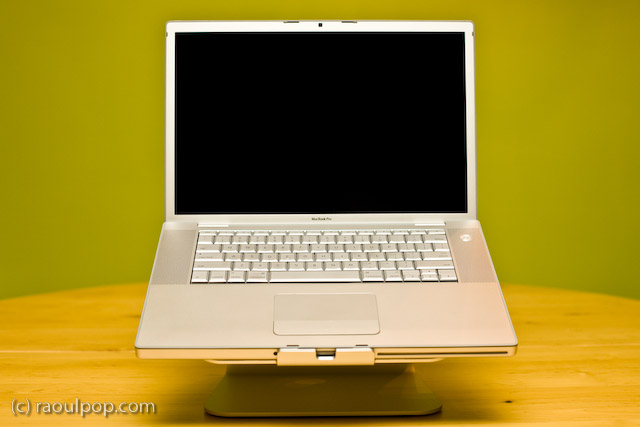
  • The 15″ MacBook Pro I bought in 2008 is still going strong; along the way, I replaced the hard drive and the two cooling fans, but I can still edit HD video on it,
  • The iMac I advised my parents to buy in 2008 is also still going strong. It had a couple of minor issues but they occurred while it was still covered by AppleCare,
  • The 13″ MacBook we bought in 2008 still works; although the video conks out every once in a while, a reboot sets it straight, and
  • My experience with Apple software has been positive from the get-go; I’ve always found it to be stable, a joy to use and easy to live with.

I suppose whatever happened to my two iMacs was inevitable as their volume increased (making more of everything means there will be also be more manufacturing defects) but the way they’re choosing to handle the situation reminds me of PC companies, and I don’t think Apple shareholders and customers want to see it go down that road.

Still, if that’s what’s in the cards for Apple and their stuff is going to become less and less reliable, then I guess they’ll have to convince their customers to buy their stuff for looks alone and for the real work, people might have to build Hackintoshes, where they’ll get to use the Apple software they love and get the reliability, serviceability and upgradeability that we should be getting directly from Apple. With a Hackintosh, we won’t need to pay extra for AppleCare, which now appears to be a band-aid that tides you over with refurbished parts for the three contractual years only to have your computer break down soon afterward. Planned obsolescence and a price premium? Is that the Apple way?

My take-home message for Tim Cook and Apple: this isn’t the way you should be doing business.

Standard
How To

How to create a Fusion Drive on a mid-2011 iMac

Yes, you can enable Fusion Drive on older Macs. I’m not sure how this method will work with Macs older than 2011, but I know for sure that it works on mid-2011 iMacs, and quite possibly on other Macs made since then. I have just completed this process for my iMac and I thought it would help you if I detailed it here.

I like Fusion Drive because it’s simple and automated, like Time Machine. Some geekier Mac users will likely prefer to install an SSD and manually separate the system and app files from the user files which take up the most space, which is something that gives them more control over what works faster and what doesn’t, but that’s a more involved process. Fusion Drive works automatically once you set it up, moving the files that are used more often onto the SSD and keeping the ones that are accessed less often on the hard drive. This results in a big performance increase without having to fiddle with bash commands too much.

The hardware

My machine is a 27″ mid-2011 iMac with a 3.4 GHz processor and 16GB of RAM. I bought it with a 1TB hard drive, which I recently considered upgrading to a 3TB hard drive but decided against, given the fan control issues with the temperature sensor and the special connector used on the factory drive.

imac-basic-specs

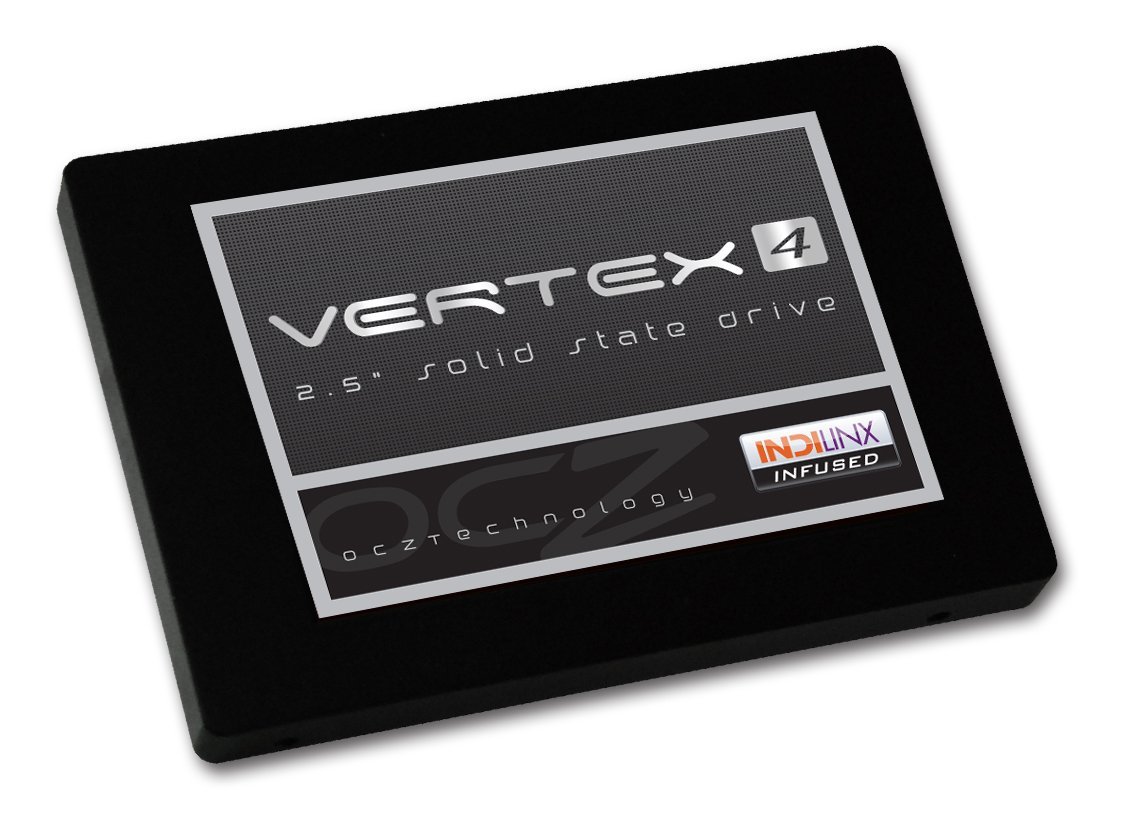
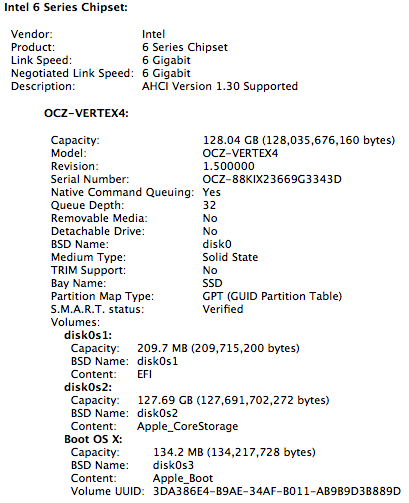
I purchased a 128GB Vertex4 SSD from OCZ. It’s a SATA III (6 Gbps) drive and when I look in System Info, my iMac sees it as such and is able to communicate with it at 6 Gbps, which is really nice.

ocz-vertex4-ssd-128gb

ssd-specs

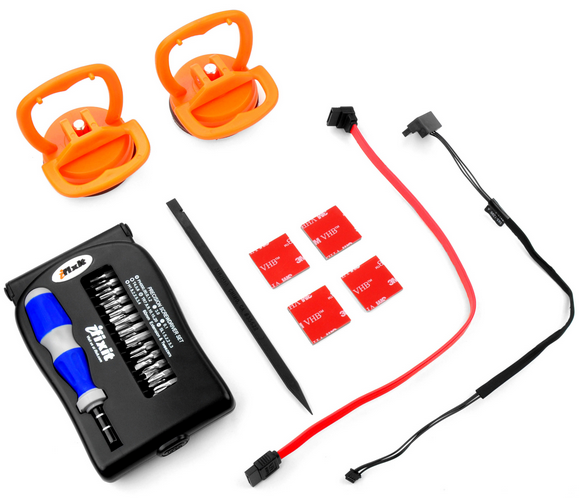
The hardware installation is somewhat involved, as you will need to not only open the iMac but also remove most of the connections and also unseat the motherboard so you can get at the SATA III connector on its back. You will also need a special SATA wire, which is sold as a kit from both OWC and iFixit. The kit includes the suction cups used to remove the screen (held into place with magnets) and a screwdriver set.

2nd-drive-ssd-kit

You can choose to do the installation yourself if you are so inclined, but realize that you may void the warranty on the original hard drive if something goes wrong, and this is according to Apple Tech Support, with whom I checked prior to ordering the kit. Here are a couple of videos that show you how to do this:

In my case, it just so happened that my iMac needed to go in for service (the video card, SuperDrive and display went bad) and while I had it in there, I asked the technicians to install the SSD behind the optical drive for me. This way, my warranty stayed intact. When I got my iMac back home, all I had to do was to format both the original hard drive and the SSD and proceed with enabling the Fusion Drive (make sure to back up thoroughly first). You can opt to do the same, or you can send your computer into OWC for their Turnkey Program, where you can elect to soup it up even more.

The software

Once I had backed up everything thoroughly through Time Machine, I used the instructions in this Macworld article to proceed. There are other articles that describe the same method, and the first man to realize this was doable and blog about it was Patrick Stein, so he definitely deserves a hat tip. I’ll reproduce the steps I used here; feel free to also consult the original articles.

1. Create a Mountain Lion (10.8.2) bootup disk. Use an 8GB or 16GB stick for this, it will allow you to reformat everything on the computer, just to clean things up. Otherwise you may end up with two recovery partitions when you’re done. I used the instructions in this Cult of Mac post to do so. The process involves re-downloading 10.8.2 from the Apple Store (if you haven’t bought it yet, now is the time to do so) and an app called Lion Diskmaker.

2. Format both the original HD and the SSD, just to make sure they’re clean and ready to go. Use Disk Utility to do this, or if you’re more comfortable with the command line, you can also do that (just be aware you can blow away active partitions with it if you’re not careful).

2. List the drives so you can get their correct names. In my case, they were /dev/disk1 and /dev/disk2.

diskutil list

3. Create the Fusion Drive logical volume group. When this completes, you’ll get something called a Core Storage LGV UUID. Copy that number, you’ll need it for the following step.

diskutil coreStorage create myFusionDrive /dev/disk1 /dev/disk2

4. Create the Fusion Drive logical volume. I used the following command:

diskutil coreStorage createVolume paste-lgv-uuid-here jhfs+ "Macintosh HD" 100%

5. Quit Terminal and begin a fresh install of Mountain Lion onto the new disk called “Macintosh HD”.

6. Restore your apps, files and system settings from the Time Machine backup using the Migration Assistant once you’ve booted up. Here’s an article that shows you how to do that. When that completes, you’re done!

The result

Was it worth it? Yes. The boot-up time went from 45-60 seconds to 15 seconds, right away. And over time, the apps and files I use most often will be moved onto the SSD, thus decreasing the amount of time it’ll take to open and save them.

At some point, I expect Apple to issue a utility, like Boot Camp, that will allow us to do this more easily and automatically. Until then, that’s how I set up Fusion Drive on my iMac, and I hope it’s been helpful to you!

Standard
Reviews

Hardware preview: ioSafe N2 NAS

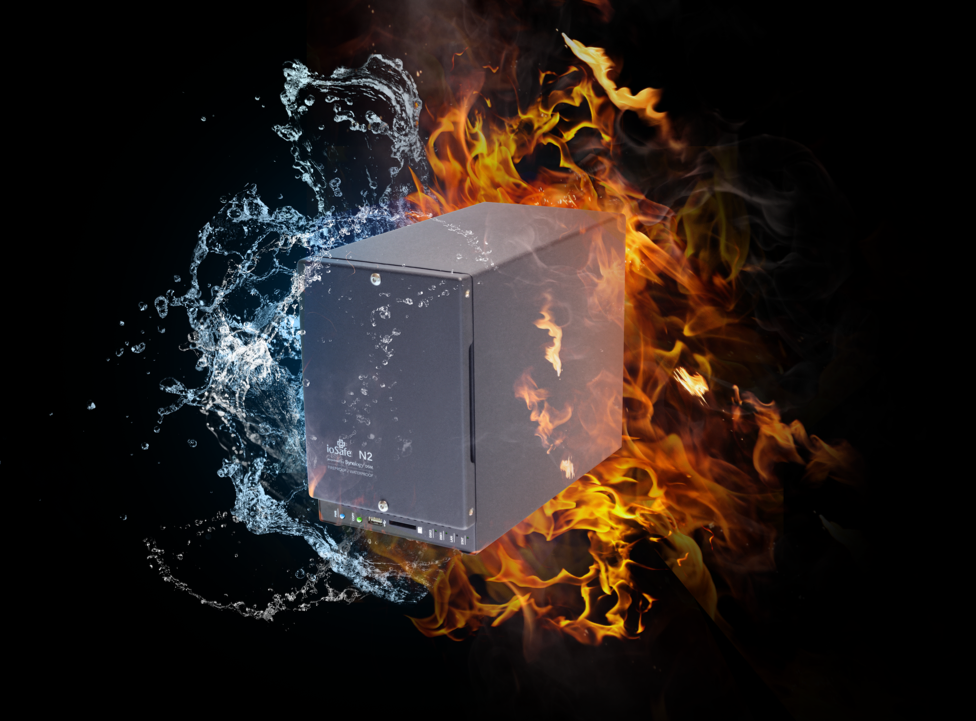
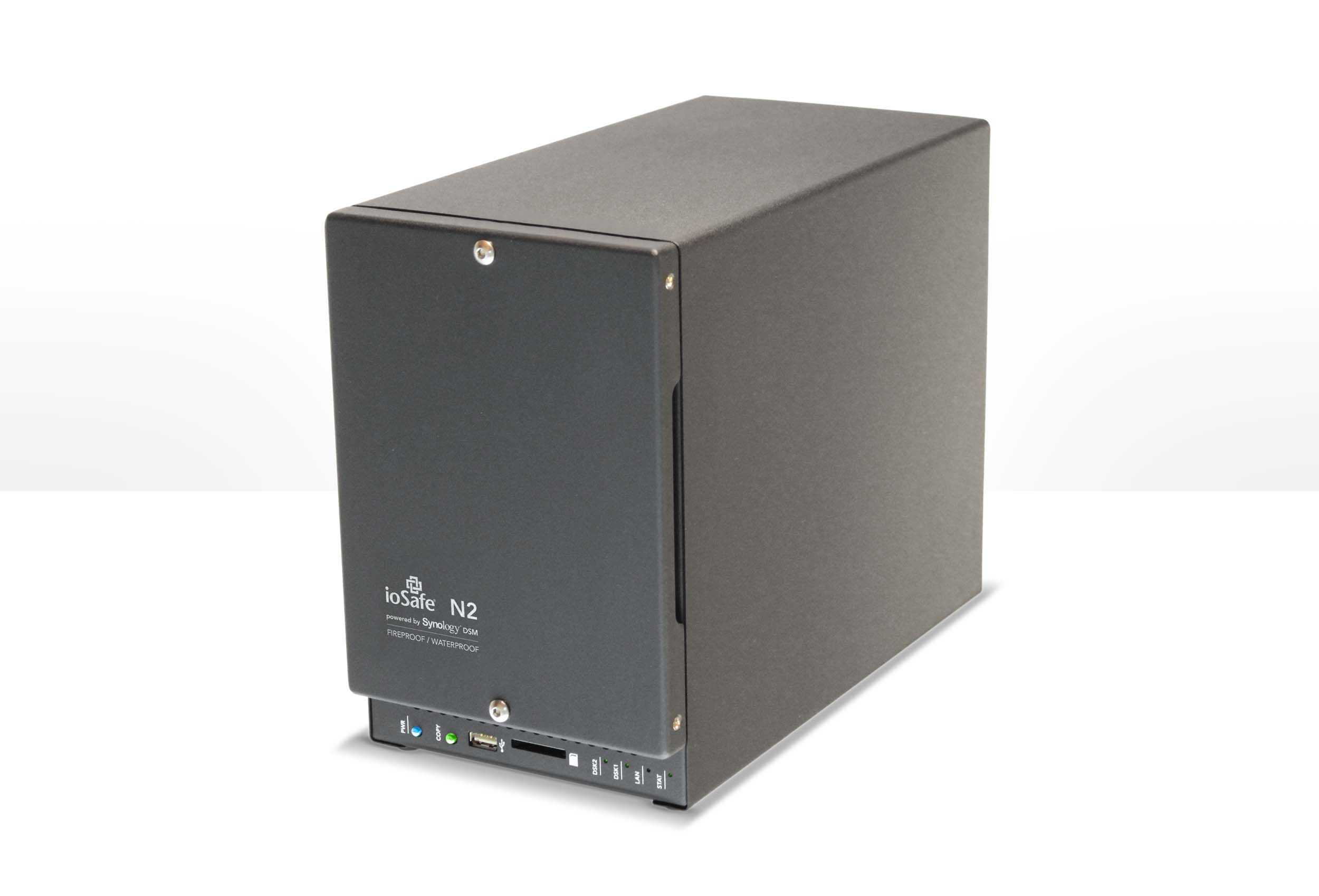
ioSafe, the company famous for its line of rugged external drives that can withstand disasters such as floods, fires and even crushing weight, has come up with a new product: the N2 NAS (Network Attached Storage) device.

The N2 device comes at the right time. The market for NAS devices is maturing and demand is growing. Western Digital has even come out with a line of hard drives, the WD Red, specifically targeted to NAS enclosures. To my knowledge there is no such other NAS device out there, so ioSafe’s got the lead on this.

The N2 appliance is powered by Synology® DiskStation Manager (DSM) and is aimed at the SOHO, SMB and Remote Office Branch Office (ROBO) markets.

The high performance 2-bay N2 provides up to 8TB of storage capacity and is equipped with a 2GHz Marvel CPU and 512MB of memory. The N2 uses redundant hard drives as well as ioSafe’s patented DataCast, HydroSafe and FloSafe technologies to protect data from loss in fire up to 1550°F and submersion in fresh or salt water up to a 10 foot depth for 3 days.

Features:

  • Local and Remote File Sharing: Between virtually any device from any location online
  • Cloud Station: File syncing between multiple computers and N2 (like Dropbox)
  • iTunes Server
  • Surveillance Station: Video surveillance application
  • Media Server: Stream videos and music
  • Photo Sharing: Photo sharing with friends and family
  • Mail Server: Email server
  • VPN Server: Manage Virtual Private Network
  • Download Station: Post files for others to download
  • Audio Station: Stream audio to smartphone (iOS/Android)
  • FTP Server: Remote file transfers
  • Multi-platform compatibility with Mac/PC/MS Server/Linux

Hardware:

  • Dual Redundant Disk, RAID 0/1, Up to 8TB (4TB x 2)
  • 2GHz Marvel CPU and 512MB memory
  • Gigabit Ethernet Port
  • Additional ports for USB 3, SD Memory Card
  • User replaceable drives
  • Protects Data From Fire: DataCast Technology. 1550°F, 1/2 hr per ASTM E119 with no data loss.
  • Protects Data From Flood: HydroSafe Technology. Full immersion, 10 ft. 3 days with no data loss.
  • FloSafe Vent Technology: Active air cooling during normal operation. FloSafe Vents automatically block destructive heat during fire by water vaporization – no moving parts
  • Physical theft protection (optional floor mount, padlock door security – coming Q1 2013)
  • Kensington® Lock Compatible

Support and Data Recovery Service (DRS):

  • 1 Year No-Hassle Warranty (for N2 Diskless)
  • 1 Year No-Hassle Warranty + Data Recovery Service (DRS) Standard (for loaded N2)
  • DRS included $2500/TB for forensic recovery costs for any reason if required
  • DRS and Warranty are upgradeable to 5 years ($.99/TB per month)
  • DRS Pro available includes $5000/TB + coverage of attached server ($2.99/TB per month)

Operating Environment:

  • Operating: 0-35° C (95°F)
  • Non-operating: 0-1550°F, 1/2 hr per ASTM E119
  • Operating Humidity: 20% – 80% (non-condensing)
  • Non-operating Humidity: 100%, Full immersion, 10 feet, 3 days, fresh or salt water

Physical:

  • Size: 5.9″W x 9.0″H x 11.5″L
  • Weight: 28 lbs

The N2 appliance is being brought to market with funding obtained through IndieGogo. I know it’s hard to believe it when you look at their products, but ioSafe only has about 20 employees. Sometimes they have to be creative in the ways they fund their R&D.

The ioSafe N2 will begin shipping in January 2013 and will be available in capacities up to 8TB. Introductory pricing for the ioSafe N2 diskless version is available for $499 on Indiegogo ($100 off the retail price of $599.99) if you want to get your own hard drives.

I’ve also written about ioSafe Solo, the ioSafe Rugged Portable and the ioSafe SSD devices.

Standard
Thoughts

Good stuff coming from IBM

I had lost track of IBM after they spun off their consumer hardware arm (now known as Lenovo). I didn’t get their software offerings, still don’t, so I wrote them off. But then I found out stuff like this, which has reminded me of their great hardware achievements in the past and made me glad they didn’t spin off their hardware R&D.

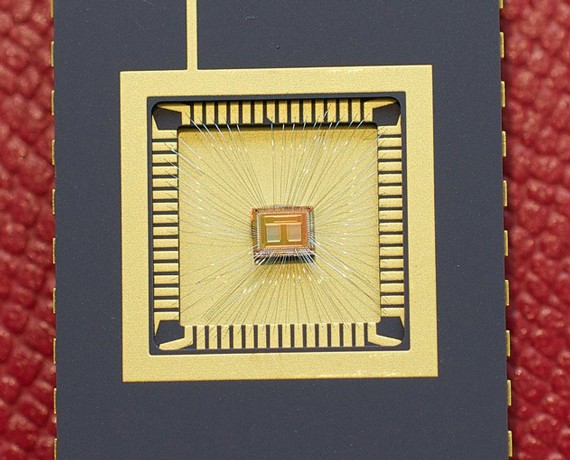
IBM and 3M have just announced 3D semiconductors: layers of silicone chips sandwiched up to 100 chips high with special cooling glue, to form a “brick” chip that’s up to 1,000 times faster than any microprocessor on the market today. ETA for this is 2013, so not that far off.

Now couple this discovery with their super-fast PCM (Phase Change Memory), which they announced back in June. It writes data at speeds up to 100 times faster than any flash memory on the market today.

ETA for it is 2015, so a couple of years after the 3D semiconductors, about the same time as Intel’s Silicon Photonics, a silicon and laser link between devices that enables data transfers at up to 50 Gbps.

Standard
Thoughts

The value of a good backup

While working on the fifth episode of RTTE, I learned first hand the value of a good backup. The hard drive on my editing computer (my MacBook Pro) died suddenly and without warning. Thankfully, my data was backed up in two geographically different locations.

The day my hard drive died, I’d just gotten done with some file cleanups, and was getting ready to leave for a trip abroad. I shut down my computer, then realized I needed to check on a couple things, and booted it up again, only this time, it wouldn’t start. I kept getting a grey screen, meaning video was working, but it refused to boot into the OS. And I kept hearing the “click of death” as the hard drive churned. I tried booting off the Snow Leopard DVD, but that didn’t work either. I’d tested the hard drive’s SMART status just a couple of weeks before, and the utility had told me the drive had no problems whatsoever.

I had reason to worry for a couple of reasons:

  1. The laptop refused to boot up from the OS X DVD, potentially indicating other problems than a dead hard drive. I do push my laptop quite a bit as I edit photos and video, and I’d already replaced its motherboard once. I was worried I might have to spend more than I wanted to on repairs.
  2. All of the footage for the fifth episode of RTTE was on my laptop. Thankfully, it was also backed up in a couple of other places, but still, I hadn’t had reason to test those backups until now. What if I couldn’t recover it?

I had no time for further troubleshooting. I had to leave, and my laptop was useless to me. I left it home, and drove away, worried about what would happen when I returned.

A week later, I got home and tried to boot off the DVD again. No luck. I had to send it in, to make sure nothing else was wrong. In Romania, there’s only one Apple-authorized repair shop. They’re in Bucharest, and they’re called Noumax. I sent it to them for a diagnosis, and a couple of days later, I heard back from them: only the hard drive was defective, from what they could tell.

I was pressed for time. I had to edit and release the fifth episode of RTTE, and I also had to shoot some more footage for it. I didn’t have time to wait for the store to fix the laptop, so I asked them to get it back to me, while I ordered a replacement hard drive from an online store with fast, next-day delivery (eMag).

The hard drive and the laptop arrived the next day. I replaced the hard drive, using this guide, and also cleaned the motherboard and CPU fans of dust, then restored the whole system from the latest Time Machine backup. This meant that I got back everything that was on my laptop a few hours before it died.

I’d have preferred to do a clean OS install, then install the apps I needed one by one, then restore my files, especially since I hadn’t reformatted my laptop since I bought it a few years ago, but that would have been a 2-3 day job, and I just didn’t have the time. Thankfully, OS X is so stable that even a 3-year old install, during which I installed and removed many apps, still works fairly fast and doesn’t crash.

Some might say, what’s the big deal? The laptop was backed up, and you restored it… whoopee… Not so fast, grasshopper! The gravity of the situation doesn’t sink in until you realize it’s your work — YEARS of hard work — that you might have just lost because of a hardware failure. That’s when your hands begin to tremble and your throat gets dry, and a few white hairs appear instantly on your head. Even if the data’s backed up (or so you think) until your data’s restored and it’s all there, you just don’t know if you can get it back.

I’ve worked in IT for about 15 years. I’ve restored plenty of machines, desktops and servers alike. I’ve done plenty of backups. But my own computer has never gone down. I’ve never had a catastrophic hardware failure like this one until now. So even though I’ve been exposed to this kind of thing before, I just didn’t realize how painful it is until now. And I didn’t appreciate the value of a good backup until now.

So, here’s my advice to you, as if you didn’t hear it plenty of times in the past… BACK UP YOUR COMPUTER!

If you have a Mac, definitely use Time Machine. It just works. It’s beautifully simple. I’ve been backing up my laptop with Time Machine to the same reliable drive for years. It’s this little LaCie hard drive.

But the LaCie drive might fail at some point, which is why I also back up my data with CrashPlan. For this second backup, I also send my data to a geographically-different location. Since we live in Romania these days, I back up to my parents’ house in the US, where the backup gets stored on a Drobo. And the backup is also encrypted automatically by CrashPlan, which means it can’t be intercepted along the way.

It’s because of my obsessive-compulsive backup strategy that I was able to recover so quickly from the hardware failure. Thankfully, these days backups are made so easy by software like Time Machine and CrashPlan that anyone can keep their work safe. So please, back up your data, and do it often!

One more thing. You know the old saying, every cloud has a silver lining? It was true in my case. When I ordered the new drive for my laptop, I was able to upgrade from its existing 250GB SATA hard drive with an 8MB buffer and 5400 rpm to a spacious 750GB SATA hard drive with a 32MB buffer and 7200 rpm, which means my laptop now churns along a little faster, and has a lot more room for the 1080p footage of my shows. 🙂

Standard