Reviews

Camera review: Olympus EVOLT E-510 DSLR

Back in August 1st, Olympus PR invited me to attend the Legg Mason Tennis Classic here in DC and shoot with their new DSLR, the EVOLT E-510. I enjoyed myself thoroughly at that event, and my thanks go out to Michael Bourne from Mullen, the agency that handles the PR for Olympus.

When I arrived there, I was given a review kit for the E-510, containing the camera, the FL-36 speedlite, and the two-lens kit (14-42mm and 40-150mm). For my review, I did what I usually do: I used the review unit as my primary camera for a month, taking note of the experience. What you’ll get now are my impressions of the camera, after taking thousands of photographs with it in various light and weather conditions, indoors and outdoors. You can choose to watch it below or here, and to download it as well. My full written review is enclosed below as well.

The E-510 is a prosumer camera made to be portable, affordable and easy to use. The E-510, a 10-megapixel DSLR, is smaller and lighter than its predecessor, the E-500, which I reviewed this past January. Even though it’s smaller, the grip was designed so well that I could hold the camera comfortably, without missing the heft of the E-500 or that of my personal camera, the Canon 5D. (I like my cameras a little chunky, they’re easier to stabilize that way.) The E-510 was even lighter than I thought with a lens mounted on it. The two-lens kit includes two premium lenses designed for travel and portability. They’re incredibly light given their focal range. I expected the 14-42mm lens to be light, but I was blown away by how small and light the 40-150mm lens was. Olympus really did an amazing job with the lenses and the camera when it came to portability. The whole kit (camera, lenses, speedlite and charger) was so light I could carry it anywhere very easily. I could run with it and barely felt its weight — as a matter of fact, I did just that on a couple of hikes through the forest.

The thing to remember when looking at focal lengths with any Olympus DSLR is that they’ve got a 2x crop factor. It’s because they use the 4:3 standard, which specifies a sensor size of approximately half the dimensions of a full frame sensor (17.3 mm vs. 36 mm and 13 mm vs. 24 mm). This means the surface area of the sensor is 1/4th that of a full frame sensor. It also means you need to multiply the focal length listed on each lens by two in order to get the effective focal length. If the math is a bit confusing, just keep remember the crop factor and you’ll do fine.

To illustrate this, let’s look at the two kit lenses. The wide angle zoom, 14-42mm, yielded an effective focal range of 28-84mm. The tele zoom, with a 40-150mm range, yielded an effective focal range of 80-300mm. Now do you understand why I was amazed by how light and small the lenses were? Try finding an 80-300mm zoom lens from another DSLR manufacturer, and I guarantee you that it won’t be this small and light. Olympus can accomplish this because of their sensor’s form factor. It’s a small sensor, 1/4th the surface area of a full frame sensor. That means they need less glass in the lenses, because there’s less sensor to cover with the glass. Because there’s less glass, the lenses are easier to make. You get the same optical quality, but the lenses are cheaper, lighter and smaller.

As long as I’m talking about the sensor, I should mention that it’s a Live MOS, which gives it the ability to do Live View (it lets you compose photos on the LCD instead of the viewfinder). There is a slight delay between the time that you press the shutter button and the photo is taken when using Live View. The advantage is that you can zoom into the photo up to 10x, on screen, and make sure your focus is tack sharp. This is particularly useful for macro photography.

If you’re graduating to the E-510 from a point and shoot, you may say “Big deal, I’ve composed photos on the LCD screen all along. What’s the difference?” Well, the difference is huge. Until Olympus introduced Live View, no other prosumer DSLRs on the market offered it. The mechanisms were much too complicated. Because CCD sensors were in use on most DSLRs until recently, separate CMOS sensors would have needed to be installed in the camera, and light diverted to them with additional mirrors. As a matter of fact, Olympus’ first Live View DSLR, the E-330, functions through that mechanism. Things there are complicated, and the potential for breakdown is increased. But with the introduction of the E-410 and E-510, Olympus switched to CMOS sensors altogether. This allowed them to use the same sensor for both photographs and Live View, dramatically simplifying the mechanism involved. Other camera manufacturers soon followed suit, and now we have both Canon and Nikon DSLRs with the same capabilities. Nikon also switched from CCD to CMOS sensors in their recent DSLRs, the D300 and D3.

To get back to Point and Shoot cameras, they use CCD sensors. That means they have little rinky-dink CMOS sensors hidden away next to the CCD sensor, and they use those to let you compose on screen and record movies. But those tiny sensors have pathetic imaging capabilities, and understandably so. By and large, Point and Shoot cameras are small and inexpensive. Manufacturers can’t afford to cram expensive components in there. Not so in the E-510 and other DSLRs that have Live View or its equivalent. They use the same large, expensive sensor for everything. While they won’t let you record movies, they will allow you to see very accurately what your camera sees, directly through the lens, and will automatically compensate for aperture, shutter speed, ISO and white balance settings so you can see how a photo will look before you press the shutter button.

The camera also features Olympus’ SSWF (Super Sonic Wave Filter) technology, which shakes dust off the sensor. Olympus was the first company to introduce this feature, and other DSLR manufacturers only recently introduced similar technology on their cameras. The SSWF light is located next to the shutter button on top of the camera, and it flashes blue when it’s active. I can tell you that it does work. I did not have to sit there with the Heal tool, removing dust spots from the photos taken with my E-510, whereas I have to do that on a regular basis when I take photos with other DSLRs.

Another important feature built right into the camera is the sensor-shift image stabilization. It stabilizes the image by shifting the sensor on both the X and Y axis (horizontally and vertically). You can hear it working on longer exposures. It works pretty well. But don’t forget to switch it off when you mount the camera on a tripod, otherwise you’ll get blurry photos. This is a pretty common bug with image stabilization technologies, and it doesn’t matter when they’re built into the camera or the lenses. When the camera is kept very stable, they go nuts trying to stabilize what doesn’t need to be stabilized. The end result is a blurry photo. So switch off the IS.

The advantage of in-camera stabilization versus in-lens stabilization is that it’s cheaper over the long term. You can use any sort of compatible lens (older or newer) with that camera, and you’ll be able to take advantage of the image stabilization with every single lens. That’s not the case with in-lens stabilization, which, as its name implies, is located in the lens. That means each of those lenses will cost more, and their cost adds up as you buy more of them. To be fair, it seems that in-lens stabilization works over a greater range of f-stops in real-life use than in-camera stabilization. But you can’t argue with the price difference, and the results are pretty good, too.

The photo you see here was taken at a shutter speed of 1/13th of a second, as I was bent over a brook, looking at a crayfish. If you take photographs yourself, then you know that you can’t keep your body very stable when you’re bent over, unless you’ve stabilized yourself somehow, which was not the case here. Yet that photo came out clear and sharp, even at 100%. The water even managed to look a little oily, which only happens with longer exposures.

Other useful features of the camera are the many scene modes, and the ability to write to CF, Microdive and xD cards. To find two-card slots on other DSLR brands, you have to look to the professional models (over $4,000). Yet Olympus includes that option on the very affordable, prosumer-oriented E-510. That’s a really nice touch.

The E-510 uses the new TruePic III image processor, which gives better colors and more accurate skin tones. I found that to be true as I used the camera. Where I found this image processor similar to the TruePic II (used in the E-500) was in the auto white-balance, which tended to err on the side of colder color temperatures. Thankfully, I shot in RAW, so I was able to adjust the WB in post-processing, but those shooting in JPG mode may want to be aware of this and adjust the White Balance accordingly before using the camera. Personally, I prefer cameras that err on the side of warmer color temperatures (but not too warm, because that can get pretty ugly). My Canon 5D does a great job with the auto white balance. But I expect that from it. It cost three times as much as the E-510.

The autofocus still uses only three focus points, and yes, that makes a difference. I found it to be slower than autofocus on cameras that use more focus points. It tended to hunt sometimes, even in broad daylight. But overall, it worked pretty well, and the focusing delay wasn’t significant.

Battery life is advertised at 650 shots per charge. In practice, I found that I got about 800 shots per charge. Maybe that’s just me. I always seem to get more shots per charge than the specs.

I use Adobe Lightroom to post-process all my photos, regardless of what camera I use. I noticed that RAW files created by Olympus cameras (both the E-500 and E-510 are subject to this), take longer to load fully in Lightroom than RAW files created by Canon cameras. I’m not sure why this is, and whether it occurs with other workflow-oriented applications, like Aperture, but I thought it worth mentioning. Just in case you’re wondering, I did upgrade to the latest version of Lightroom as of this date, which is version 1.2.

Sensitivity to low light was a point of contention in my review of the E-500, where I noted the CCD sensor was prone to lots of chroma noise at higher ISO. Presumably, the Live MOS sensor of the E-510 has better low light performance and generates less noise. In terms of ISO speeds, it goes from 100-1600, like the E-500. I did find less chroma noise when I used it. Luminance noise was about the same, perhaps a little more, but that has to do with CMOS sensors in general.

Basically, I can’t give you a definitive opinion on the camera’s low light performance. The two kit lenses that shipped with my review unit were too slow to properly judge how this camera does in low light situations. The 14-42mm lens was f/3.5-5.6 and the 40-150mm lens was f/4.5-5.6. To judge a camera’s performance in low light, you’d need faster lenses, ones that can open up to at least f/2.0. Ideally, the lenses should open up to f/1.8, f/1.4 or f/1.2. I asked Olympus to send me such a faster lens, but they weren’t able to do that within the review period. As I told them, I’d be glad to test the camera with a fast lens if they can arrange it at some point in the future, and report on my findings.

It wouldn’t be fair if I didn’t also show you some more photos taken with the camera. They’re enclosed in the photo gallery above. You can also view all of my published photos from the Legg Mason Tennis Classic, which were all taken with the E-510.

The E-510 is a great all-around DSLR. It’s light, affordable, packed with features and options, and it will help you get great photos. I would definitely recommend it to someone who’s looking to purchase a DSLR and lens kit for well under $1,000.

More information:

Standard
Reviews

Camera review: Canon EOS 5D DSLR

With the release of the new EOS 40D and EOS-1Ds Mark III, it’s easy to forget the camera that changed the entire market: the EOS 5D. It was the first affordable full-frame sensor DSLR ever. I bought it in April of this year, and I still don’t regret the purchase. As a matter of fact, I love my 5D!

Updated 2/1/09: I’ve also written about the new 5D Mark II.

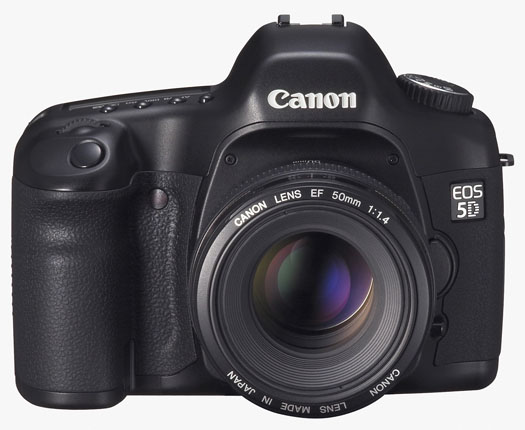
Canon EOS 5D (front)

Yes, the newer models that came out have more resolution and low light sensitivity, in addition to the EOS Integrated Cleaning System, which shakes dust off the sensor. It’s annoying to have to clean my 5D’s sensor with swabs once in a while, and to get out my bulb air blower and make sure there’s nothing inside the sensor chamber, but I don’t mind it that much — except when I have to use the Heal brush to get that dust off my photos. Even then, Adobe Lightroom makes it a breeze with its wonderful Heal/Clone tool.

I went back through Canon’s PR section and dug up the 5D’s original press release. You know how we have a healthy amount of mistrust when we read press releases? Well, read through that one and tell me if anything written there turned out to be untrue.

All these new models make me wonder what Canon will do with the 5D. I don’t think the 5D will go away. It fulfills a very important role in the marketplace and it’s beloved by many photographers. But what will happen come November? Will Canon announce a second-generation 5D? I’d kind of like them to hold off on upgrading the 5D till next spring, and I recognize that I’m entirely biased when I say that.

Whenever they decide to upgrade it, here’s what I think will happen:

  • It will get the EOS Integrated Cleaning system
  • It will get Live View
  • The pixel count will go up, possibly to 16 megapixels, but not much beyond that. If they go up higher, the renowned low light sensitivity of the 5D will suffer. Remember, pixel pitch (the space that each pixel occupies on the sensor) has a lot to do with low light sensitivity. The more pixels you squeeze on that sensor, that harder it is to keep noise in check. The DIGIC III processor should help with this, and putting microlenses over each pixel should also help, but I don’t think the new 5D will get more than 16 megapixels. Keeping all this in mind, I’d really like the new 5D to be able to go up to 3200 ISO natively, and to 6400 ISO with expansion turned on.
  • The battery life will go up slightly
  • The body will get weatherproofing
  • The AF will get upgraded with the new system present on the Mark III cameras
  • Exposure metering will get more zones, possibly as many as the new 1Ds Mark III, or at least as many as the new 40D
  • Shutter durability will be increased to 300,000 cycles from 100,000 cycles
  • The LCD screen will be upgraded to 3 inches
  • The retail price will be around $3,300, just like with the previous model, and the street price will stick pretty close to that for the first few months after the launch

Meanwhile, the existing 5D cameras aren’t outdated by any measurement, and I look forward to using mine for a long time to come. It was a significant investment for me, and I’ll try to get at least 3 years from it before I upgrade.

Buy the Canon EOS 5D

Standard
Reviews

Hardware review: WD My Book Pro Edition II

Less than a month ago, I reviewed the WD My Book World Edition II, a NAS device from Western Digital, and I promised that I’d also review the My Book Pro Edition II, which I also bought. Here are my thoughts.

Updated 12/13/2007: Before I say anything else, I need to discourage you strongly from buying this drive. There are MANY flawed units of this drive on the market. There are serious problems with cooling, which result in excessive fan noise and even random drive shutdowns while in use. Scroll to the end of the review to read the updates and see what sorts of problems I’ve had with the drive.

Design

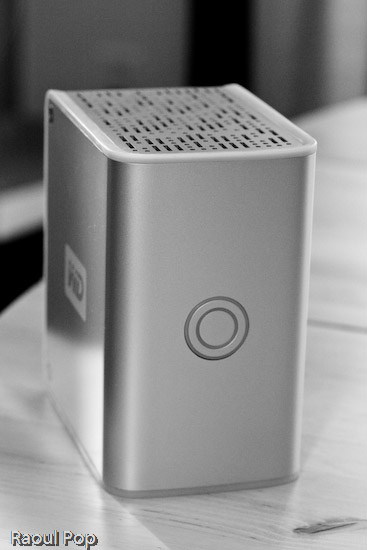
The Pro Edition II should be a better and faster external hard drive than the World Edition II when it comes to working with my photo library, since it connects directly to my computer instead of going through the network. Its exterior design is just as good as that of the World Edition II, and the photos enclosed below will show it.

I have to confess that I’m design-obsessed. If something looks good, I’m willing to overlook the fact that it may not work as expected, which is definitely the case with this device. Of course, if it were truly designed well, it wouldn’t have the serious problems that it has, but at least it looks good on my desk… I suppose I could call it a very expensive paperweight. It’s so unfortunate that Western Digital couldn’t deliver with this product. It looks so nice, and does so poorly…

WD My Book Pro Edition II (front)

The drive has three interfaces: USB 2.0, Firewire 400 and Firewire 800. A nice touch is the inclusion of two Firewire 800 ports. This is probably because most computers have only one Firewire 800 port, and the WD engineers wanted to give us the ability to daisy-chain other devices onto the drive. In terms of the RAID settings, it has RAID 0 and RAID 1. I’m using my drive in RAID 1, to get the data redundancy I need when it comes to my photo library.

Serious problems

I’ve read complaints about the drive being loud, and I agree. I’ll say this: when it works fine, it’s quiet. When it has problems, it’s VERY loud. There are persistent cooling issues with the drive, that have been partially solved through firmware updates, but they keep showing up even on later builds. I think the WD engineers still have a LOT of work ahead of them when it comes to this model. See below for more on this.

My workflow involves working mainly with Adobe Lightroom, and doing the following:

  • Importing and viewing RAW files
  • Winnowing
  • Adding meta data
  • Editing images and
  • Exporting them to JPG files for the web or for clients

The drive is usually fine with this, but if I spend more than an hour (and sometimes, even less than an hour in Lightroom), it’ll start to overheat. Then the fan speed will auto-switch to what I call “medium speed”, and the drive will get a little louder. If after a few minutes or so, I’m still not done working, the drive fan will kick into high gear, something that I and others call “hairdryer mode”. After a couple of minutes at that speed, the drive will either return to “medium speed” or shut off completely, leaving me and Lightroom wondering where the photo library went.

I’ve learned to save my work and exit Lightroom when the drive fan goes into “hairdryer mode”, because I can almost certainly expect the drive to shut off. I called WD Support on this, and I applied a firmware fix a few weeks ago, but the cooling problem is still there. By the way, the drive has to stand vertically at all times, or you’ll have even more serious cooling problems.

Getting support

I need to say that WD Support are responsive, but they live in serious denial. They will agree to an RMA, but they insist that these drives are just fine, which is definitely NOT the case. Speaking from personal experience, WD Support is better than the support I’ve gotten from other tech companies like Microsoft and HP. At least they try to be helpful and polite. This was one of the main reasons I stuck with the drive through serious, repeated problems.

As I stated at the start of this post, I continue to have problems with my drive, even after two replacements. I like the design, and I like the fact that it has three interfaces. But I cannot use it long-term, because, let’s face it, it’s an unreliable piece of crap, and it’s very frustrating to use it when it overheats and crashes my computer. I’ve already bought a Drobo (which I love) for my photo library, and I’m going to re-purpose this drive to store some other files.

Working with the drive

In my review of the My Book World Edition II, I mentioned how I’m in a mixed OS environment at home. I have both an iMac and a Windows laptop. It’s necessary for me to be able to read and write to my external devices from both computers. This is in case I do large file transfers, which are obviously a lot faster to do over a USB or Firewire connection than a wireless network. So what I did to solve this problem was to format the My Book Pro Edition II in the Mac file system (HFS+ Journaled). Now I can read and write just fine to it from both machines because I purchased MacDrive, a piece of software that lets you access Mac drives on Windows as if they were NTFS or FAT32 volumes.

WD My Book Pro Edition (back)

Let’s review

I like the drive, and the design, but it has SERIOUS quality control problems and manufacturing defects. Make sure to read through the Updates section below for the latest news on the drive, and remember to spare yourself the agony I’m going through by NOT buying it.

Updates

Updated 10/30/07: It turns out the cooling problems with my drive weren’t normal. After calling WD Support a second time, I was offered an RMA. They sent out a replacement drive to me via 2-day Fedex, free of charge, and let me keep my old drive for a month while I transferred my photos over to the new drive. During that month, I worked exclusively on the new drive, to make sure that it wouldn’t overheat and shut off anymore. While it goes into “hairdryer mode” once in a blue moon, the fan speed always returns to “low speed”, which is barely audible, and the drive never shuts off. Whatever problems existed in the earlier builds of this drive, WD fixed them, and the new drives work just fine. If you’re having cooling problems with your My Book Pro, I encourage you to contact WD Support and see if you can exchange it.

Updated 12/03/07: I’ve just arranged to receive my 2nd replacement drive from WD via RMA. While I like the consistently high level of customer support they provide, I have to point out that there are manufacturing defects that still haven’t been ironed out. While my first drive, the one I purchased from a store, only overheated, and worked okay otherwise, the replacement drive had three problems. It also overheated, although less often than the original drive. Its Firewire 400 connector didn’t work. I tried different cables, to no avail. The computer just didn’t see it while it could see other Firewire drives just fine. Most importantly, it kept crashing my iMac every time I connected it. Not right away, but within minutes or less than an hour, it would crash the system so badly that I’d have to reset it. I’d get the standard Apple screen of death with a message that asked me to reset the computer. When I’d look at the logs, they’d always point to the USB as the problem for the crash, and the only drive I had connected via USB was the My Book Pro. Let’s hope this third drive that WD will send me will finally work properly.

Updated 12/13/07: As stated at the top of this post, DO NOT buy this drive, for the reasons already detailed. I am NOT alone in having problems with this drive. Many Mac users are having the same problems with it, and you can see this by doing a search on the Apple forums for “My Book Western Digital“.

The drive also DOES NOT work as advertised. The specs say it works with USB, Firewire 400 and Firewire 800, but it DOES NOT work with Firewire 400. I have not had the chance to test it with Firewire 800, so I can’t speak about that, but I know for sure that Apple computers cannot see it when connected through Firewire 400. It does work with USB, but it tends to crash Apple computers when connected to them through that protocol. Trust me on that last bit, I’ve checked the error logs every time and confirmed it reliably — it’ll crash my iMac, which runs Leopard (the latest Mac OS X), when connected through USB, while other USB or Firewire drives can connect just fine and have no problems. Have a look at this article of mine for a video of the crashes it causes, and for photos of the damaged drives that WD sends out as replacements.

Western Digital is also NOT doing a good job testing these drives before they send them out. I’m now on my third replacement drive from Western Digital (My Book Pro), and it exhibits the same problems: overheating and NOT working with Firewire 400. Western Digital Support refuses to believe it and continues to stubbornly cling to the idea that the drive works just fine since it can connect through USB. They offered to send me out another replacement drive, and I refused. I’m not going to spend my entire life swapping drives and data until Western Digital decides to get their manufacturing and quality control processes in order.

I also want to mention that the re-certified drives they send out can be scratched, scuffed and smudged. They are NOT cleaned, and Western Digital simply DOES NOT care if they send you a drive in bad aesthetic condition. My re-certified drives arrived in progressively worse condition, to the point where this last replacement drive looks absolutely horrible. It looks like it’s been banged up and dragged on the floor. It’s got oily smudge marks on its sides… basically, it’s a mess.

DO NOT BUY this drive unless you want to run into the problems I’m having right now, and believe me, it’s not fun at all. Western Digital needs to get its act in order on this model, because they’re churning out some real duds.

Updated 7/3/08: I updated my other post about the My Book Pro as well with the following information.

On 4/16/08, I received a replacement drive from Western Digital. It’s a 2TB Studio Edition II drive, which works in USB, Firewire 400/800 and eSATA modes. I’ve been using it since in RAID 0, and it’s been working great. To see how I use it, read this recent post of mine, where I talk about the hardware I use on a daily basis. I also plan to write a detailed review of the drive shortly.

I guess the lesson is that the My Book Pro line had serious faults, and WD got things right with the My Book Studio line. So, if you’re in the market for a drive, DO NOT get a My Book Pro. But DO get a My Book Studio drive. They seem to work alright.

More information

Standard
Reviews

Lens review: Canon EF 70-200mm f/2.8L IS USM Zoom

Canon EF 70-200mm f/2.8L Zoom Lens

I rented Canon’s premier mid-range zoom lens, the EF 70-200mm f/2.8L IS USM, and had the chance to play with it for a day. I put it through its paces: daylight, dusk, low light and early morning light. The result: I love it and plan to buy it. This lens works better for my needs than the EF 100-400mm F/4.5-5.6L IS USM, which I rented and reviewed recently.

Created beauty

Oh, I rented the EF 1.4x II Extender along with this lens as well, and it worked great. It’ll decrease the aperture from f/2.8 to f/4, but I didn’t find that to be too much of a problem, even in lower light, while shooting handheld. I simply boosted my ISO and switched to Shutter Priority, to make sure my shutter speed stayed above 1/60th of a second.

Deposit

On a full-frame sensor like my 5D, I got exactly 70-200mm, and 98-280mm with the aid of the 1.4x extender. On a cropped sensor like that in the 30D or the Rebel, you’ll normally get 112-320mm, or 157-448mm with the extender. Those are pretty nice ranges indeed.

Slanted

Even though I shot mostly handheld, and for most of the time, in fairly low light (thick forest, ground-level), the image stabilization built into the lens worked great, even with the extender attached. I was able to get clear shots while keeping the shutter speed even below the focal range of the lens. We probably all know about that simple rule of thumb of keeping the shutter speed equal to the focal length, right? Well, I was able to get crisp shots at 1/80 while the focal length was over 100 mm and more. For example, the shutter speed of the photo enclosed below is 1/100 while the focal length was 150mm (with the extender attached). Still, the photo is plenty sharp at 1:1, and that’s pretty good to me.

Taking a break

I have only praise for this lens. It works great! I love the short travel of the focal length selector. It’s amazingly short given the large focal range. I love how crisp and sharp my photos come out. The bokeh is great. The lens handles just like it should, and autofocus times are pretty small. But, it is heavier than the 100-400mm zoom. A LOT heavier. You won’t realize just how heavy it is until you go out there and use it for a couple of hours. Your biceps will get a workout!

Harried hare

I plan to buy it at some point in the future. At $1,500-1,600, it’s not cheap, but it sure is great!

White lily

Nature, unruly

Just ducky

Mr. Turtle comes up for air

White flower bokeh

Burgundy lily

More information:

Standard
Reviews

Lens review: Canon EF 100-400mm f/4.5-5.6L IS USM Zoom

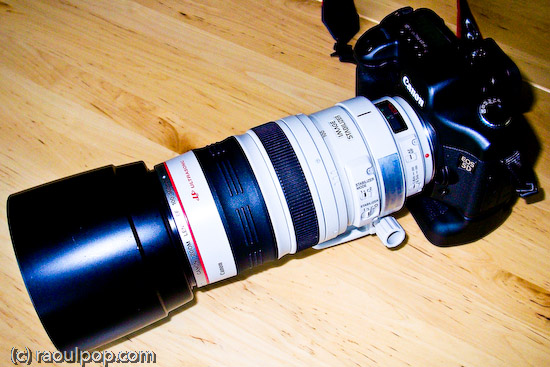
Canon EF 100-400mm f/4.5-5.6L IS Zoom Lens

I had a chance to play with Canon’s affordable 100-400mm L series zoom last week. I rented it for a day from Penn Camera at Tyson’s Corner, mounted it on my 5D, and ran out to chase wildlife as soon as I got home from work. As the sun began to set, I took it up to the roof, set it on my tripod, and took photos of the horizon. In the morning, I snuck out onto the terrace at sunrise and got photos of that as well. All in all, I put the lens through its paces, shooting in daylight, dusk and dawn conditions, handheld and on a tripod. Even though I only used the lens for a day, albeit a pretty full one, I’m fairly comfortable with what I’m about to say.

Leap year for Mr. Chipmunk

Tree cover at sunset

The robin examines me

I liked it. The 100-400mm range is a versatile range, and the fact that you can get this L series lens at around $1,400 makes it a bargain. The lens isn’t as heavy as the 70-200mm L series zoom (which I played with today), and it’s fairly comfortable to hold for moderate amounts of time. It has a push-pull mechanism for extending the focal range, and that has its benefits and drawbacks. The benefit is that it does make it a bit easier to get through the large focal range a little faster. It’s also necessary in order to make the lens affordable. Push-pull lenses are cheaper to make than regular zooms, and require less glass as well, making them lighter.

Bethesda, as seen from the top of Grosvenor

Tuckerman Lane at sunset

➡ Updated 7/4/07: Erik Persson asked me two relevant questions this morning via private email. One is about how the autofocus handled, and the other was about whether autofocus is possible at all with an extender, or whether manual focus needs to be used. Autofocus was a bit slow, but that’s to be expected. This is a big zoom that can focus over a large distance. There is a focus limiter switch that decreases the focusing distance. You tell it to focus either from 1.8m to infinity or 6.5m to infinity. If you know you’re only going to shoot things farther away than 6.5m from you, then set the switch to that, and the autofocus will be a little faster. I’m not sure how to answer Eric’s second question. He suggests autofocus on EOS models up to the 5D is possible only up to f/5.6, and Mark 1D models can autofocus up to f/8.0. Not sure about that. I can only point you to this lens chart at Canon, which talks about the compatibility of the extenders with various lenses, and tells you what the expected aperture will be, and whether or not autofocus will be possible at all. I checked the specs for the 5D and 1Ds, and can’t find the upper f-stop limits for either models. Perhaps a call to Canon will clear this up, but it is the 4th of July today, and I doubt they’re open. Maybe one of you who has more information is willing to comment on this.

Beautiful swallow

Ugly one awaits

➡ Updated 7/6/07: Erik got back to me once more with a link to a review by The Digital Picture, where the AF to aperture specs are discussed. Furthermore, he provided a link to specs from Canon for the EOS 1v SLR (film camera) where the bit of information about being able to use AF with lenses that only open to f/8 is provided. So it looks like you’ll have to use manual focus if you stick extenders on the 100-400mm zoom. Thanks Erik! You know, you could just as well use the comments instead of sending me emails, but whatever works for you. 🙂

Moon rises over Grosvenor

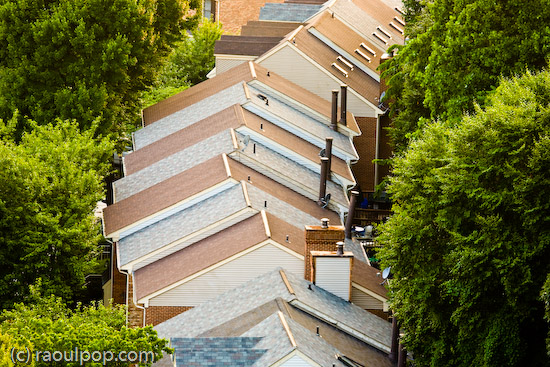
Grosvenor rooflines

If you’ve been looking at the 400mm f/2.8L tele, which retails around $6,500, and you’re wondering why this lens is so inexpensive, you should know there is a reason for the price difference — but I doubt you needed me to tell you that. I stated the reasons in the paragraphs above, and they are: less glass, push-pull mechanism for the EF 100-400mm zoom lens. I haven’t tried out the 400mm tele myself yet, but I have a feeling it’s a great deal sharper and has more contrast than this lens.

Early morning contrails

Clarity

I think you can already guess what my two complaints are: the details are a bit soft when the photos are viewed at 100%, and the push-pull mechanism creates a sort of vacuum between the camera and the innermost lens. Every time I extended or contracted the lens, air rushed in or out through the crevices. I’m sure things are isolated pretty well and dust doesn’t get sucked in, but it feels odd, and it makes it difficult to stop at say, 300mm. It’s certainly a lot easier to either pull the lens all the way out to 400mm or push it all the way back in to 100mm. You know how they say that zoom lenses are soft at either ends of the focal range? Well, it would have been nice to have some sort of limiter switch that could let me stay between 110-390mm, or something like that. With the push-pull mechanism, it was hard to get the focal length just below or above its limit in order to avoid softness.

Wood duck advances

EF 100-400mm lens, wide

Having said all this, let me reassure you that this lens is a bargain at its price. If you’ve had your eye on it, get it. Realize you won’t get the results you might get with a more expensive tele, but you won’t pay through the nose for it either. This lens will definitely shine on cropped sensors like those found in the 30D and Rebel, where the effective focal range will be 160-640mm. How else can you get in the 600mm focal range without spending a ton of money? What’s more, with extenders like the 1.4x or the 2x, you can get up to 800mm on a full sensor or up to 1260mm on a cropped sensor. That’s pretty amazing!

Heron at Grosvenor Lake

Afternoon traipse

There are a few other things to keep in mind though. The maximum aperture at 400 mm is f/5.6, and that means you’ll need pretty good light in order to shoot handheld with it. If you stick an extender on it, the effective aperture will get even smaller, so you’ll either need serious daylight or a tripod. But, as I’ve already said, you get amazing range with this lens, and it’s inexpensive for an L series zoom. If you’re willing to live with the few issues I’ve outlined, then get it.

Many lives

Waterside

Buy the lens

Sun sets over Grosvenor

Standard