Reviews

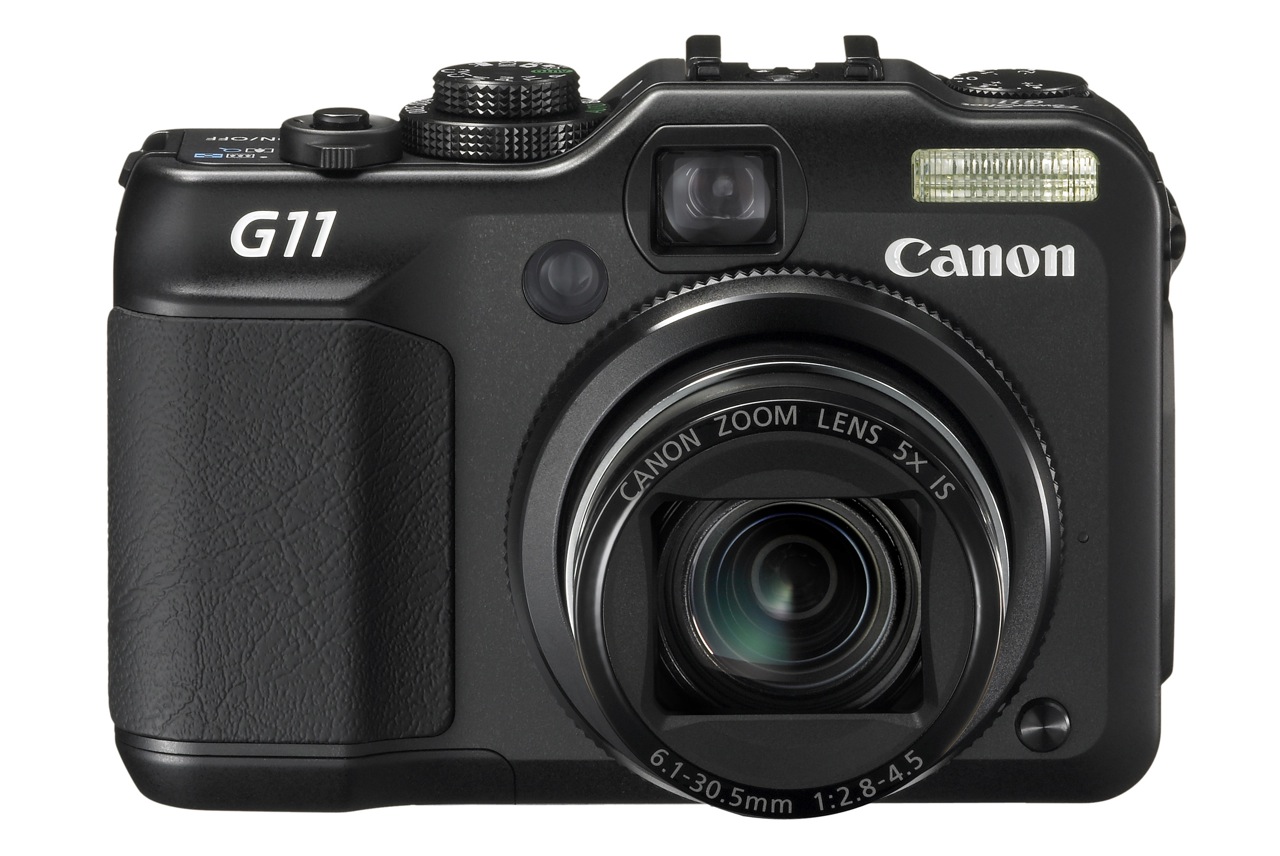
Camera preview: Canon PowerShot G11

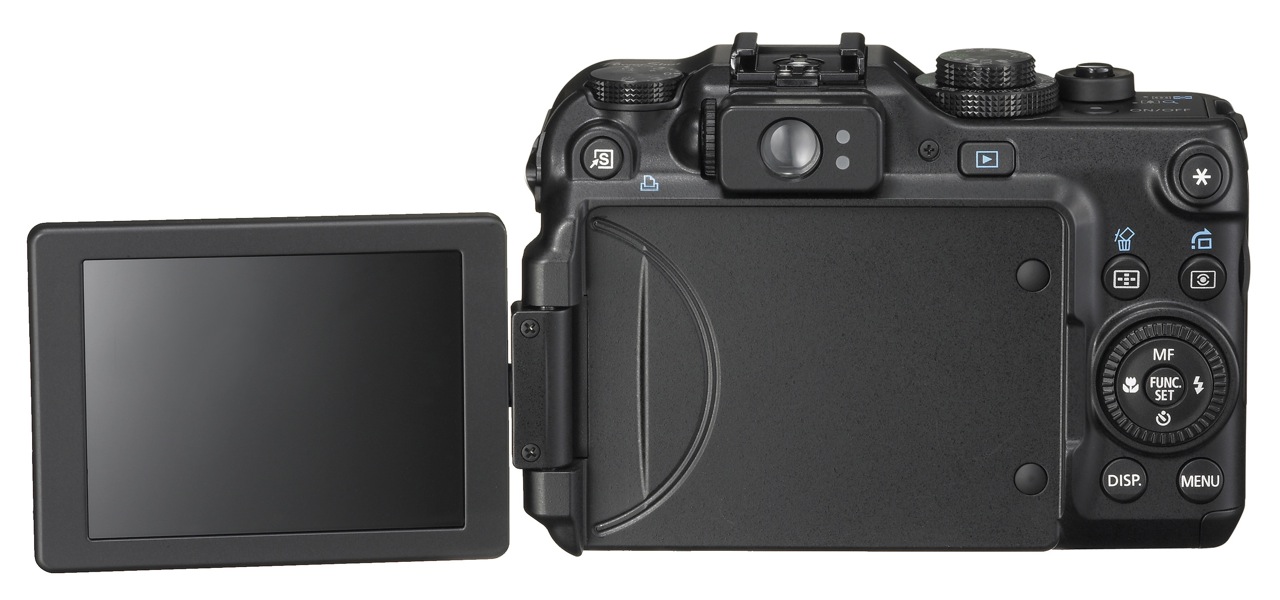
On August 19, Canon announced the launch of the new flagship PowerShot digital camera, the G11. Having shot extensively with a G10 this summer, I’m ambivalent about upgrading to the G11.

For one thing, I welcome the better low light capabilities. While the G10 showed some noise when shooting in low light, it was acceptable when I compared it with other non-DSLRs on the market. If the G11 improves on that, great.

But the G11 is no different from the G10 when it comes to video recording. It still only shoots SD video (480p, 30fps), when other comparable cameras on the market have long since moved to HD video (720p, 30fps). Even other PowerShot cameras from Canon, like the SX20 and the SD980 and SD940, which cost less than the G11, are able to shoot HD video (720p, 30fps). Why has Canon decided to hamstring the G11, unless perhaps they feel that, with its superior collection of features, it cuts into their HD video camera sales? (If that’s the case, then it’s a sorry excuse, because they’d be putting profits before customers.)

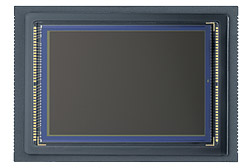
The G11 also has lower resolution than the G10 (10 megapixels instead of 14.7 megapixels). I’m no fan of gratuitous resolution, so I’m reserving my judgment on this until I get my hands on a G11. Canon says they did it to improve low light capabilities, and I believe them — if the low light claims prove to be accurate. There’s only so much resolution you can squeeze out of the same sensor size before noise becomes an issue, even at lower ISOs.

What I’d also like to see from the G11 is a better dpi setting. One of the main differences between DSLRs and consumer-grade digital cameras is the dpi setting of the images they output. A regular digital camera will output its images at 72 dpi, which is the equivalent of screen resolution, while most DSLRs output their images at 240 dpi. That’s why — unless you tinker with the dpi setting in an image editing program — you can get a larger print from a 10 megapixel DSLR image than you can from a 10 megapixel regular digital camera image. The Canon G10 and G11 output their images at 180 dpi. That’s pretty good compared to 72 dpi, but it’s still not 240 or 300 dpi. I would love to see the G11 give me 240 dpi, right out of the camera, without needing to change that setting in post-processing.

The G11 is also slightly more sluggish than the G10 when it comes to shooting speed (1.1 fps vs. 1.3 fps). It’s probably due to the extra computations it performs on each image, but one would think shooting speed would at least stay the same, if not increase, with each camera generation.

The G11 also has a smaller screen than the G10 (2.8 in vs. 3.0 in). I understand this is due to its nature (swivel vs. fixed), but having that larger screen on the G10 was really nice. Still, the swivel screen should allow for more creative angles, so that could count as a plus.

Battery life is also a bit of a downer. On the G10, the specs say the battery lasts for about 400 shots. In real life conditions, it last much less (about 200-300 shots, depending on how sparingly you use the optical zoom). On the G11, the specs say the battery life is about 390 shots, and is likely to be much less than that in real life conditions as well. Couldn’t Canon have used a different battery or done something to improve the battery life? After all, the display is slightly smaller as well, so that should take less juice to power up. Sure, the battery life is said to be markedly better when using the viewfinder, but have you tried using the viewfinder on either the G10 or the G11? It’s more like a fuzzy rangefinder. It’s terrible.

So there you have it. Not much to brag about when it comes to the G11. Nothing revolutionary when it comes to the upgrades, and let’s face it, not even something that I, along with many others, expected, like HD video. The better low light capabilities sound interesting, and if the camera delivers enough on that end to compensate for the decrease in resolution, the G11 may be worth your money. I did like the G10. It’s a great camera with many advanced capabilities. Let’s hope the G11 can live up to its predecessor.

If you’d like to buy the G11, you can do so from Amazon or B&H Photo.

Images used courtesy of Canon.

Standard
Reviews

In-camera HDR now here

Back in November of 2006, I had a few ideas about taking foolproof photos. I predicted that it wouldn’t be long before we might see in-camera HDR. That feature is now here. Let me show you two cameras that have recently become availble. They both do in-camera HDR.

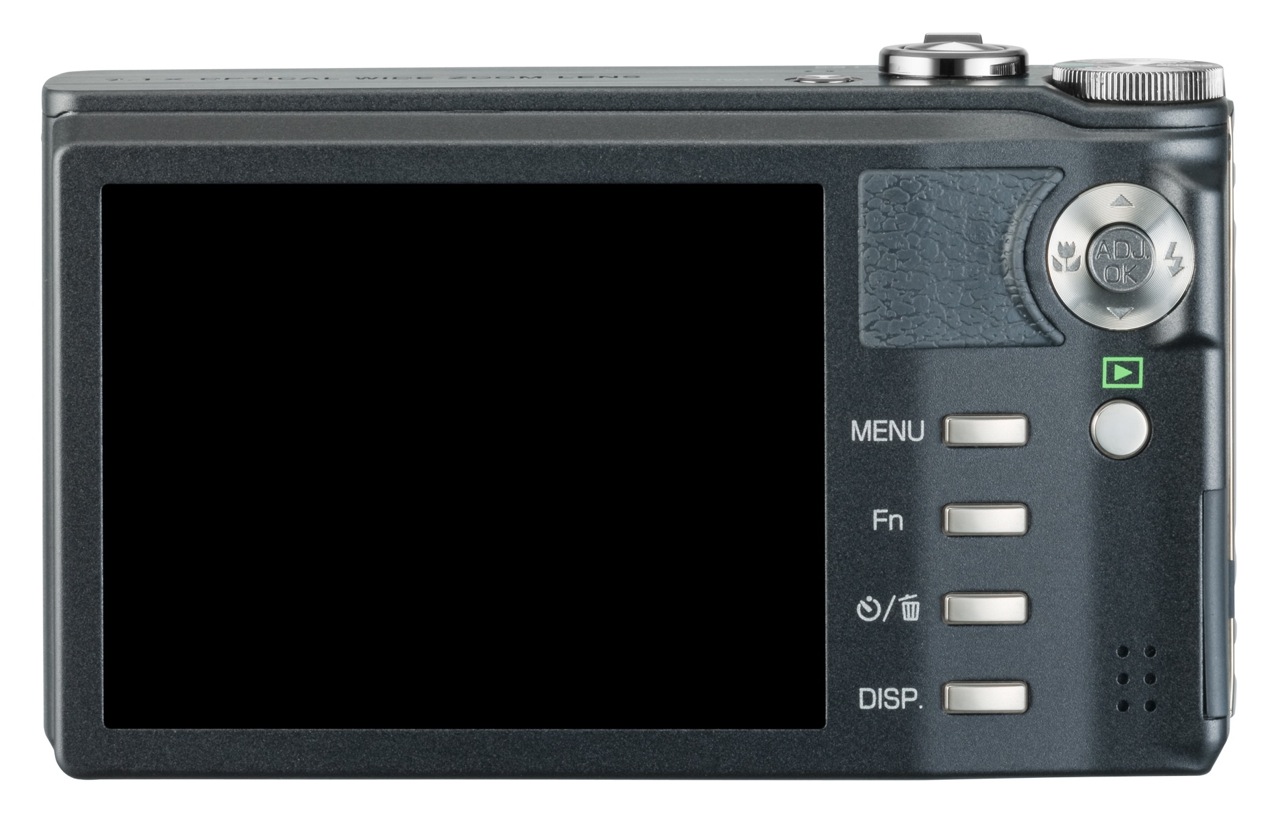
Ricoh CX1

Ricoh CX1 - 1

Here’s what Ricoh says about their in-camera HDR feature:

“It can be difficult to photograph scenes in which the level of brightness varies greatly. With dynamic range double shot mode, the CX1 shoots, consecutively at high speed, two still images with different exposures, and then it records an image that combines the properly exposed portions of each. Expanding the dynamic range up to a maximum equivalent to 12 EV makes it possible to record images that give an almost naked-eye impression.”

Ricoh CX1 - 2

[via Ricoh]

FujiFilm FinePix F200EXR

FujiFilm FinePix F200EXR - 2

Here’s what FujiFilm says about their in-camera HDR feature:

“Just as your eye sees the full range of shadows to highlights in high-contrast scenes, “D-range Priority” simultaneously captures two images to produce a single image with Wide Dynamic Range up to 800%, revealing subtleties in shadow and eliminating washout of the bright areas.”

FujiFilm FinePix F200EXR - 1

[via FujiFilm]

It looks like both companies use a two-exposure method, where one is underexposed to capture the very bright areas, and the other is overexposed to capture the dark areas. The two exposures are combined in-camera to create a single photo that contains the proper details from each exposure. You have to specifically turn on this feature — the camera won’t do it automatically — but the nice thing is that you only press the shutter button once.

I’m really glad to see this feature come to market. In some ways, it’s similar to a feature found on Canon DSLRs, called Auto Lighting Optimizer, except that feature adjusts the sensor signals within a single exposure to render a better photo instead of combining two photos. I imagine the dynamic range compensation obtained through that technique isn’t as pronounced as the in-camera HDR done by Ricoh and FujiFilm.

Standard
Reviews

Camera preview: Canon EOS 5D Mark II DSLR

I’m a little late to the table with my thoughts on the new 5D, but I have an excuse: I’ve been traveling abroad (see this, this and this) and only now managed to sit down and think about it. There’s also an advantage to this: I got to read through the other reviews that have come out before I wrote mine.

So, what sources did I consult?

  • The Canon website was the first place I looked. There’s the official press release for the new 5D, and then the 5D Mark II pages. (I looked at the press release back on September 20th, when it came out.) Canon has also published 1080p HD video clips shot with the new 5D on their website, and they’re definitely worth checking out. They make a point to specify that the clips were shot with a pre-production 5D Mark II, so they may not accurately represent the quality of the production camera.
  • Digital Photography Review put together a very detailed review of the new 5D, as usual. Their review was very helpful to me.
  • The Online Photographer talked about the quality of the 5D’s HD video, and he brought up a good point. I’ll mention it here because I felt the same way when I saw Vincent LaForet’s video: it just wasn’t very good in terms of realization. It didn’t tie together, it felt empty… In a way, this was to be expected when there were only two days to write it, produce it, film it and edit it. But the quality of the video from the 5D Mark II was definitely worth seeing.
  • Robert Reichmann from the The Luminous Landscape posted pre-production video shot with the new 5D and gave his first impressions of the camera. He was in a hurry as well, as he was leaving for a trip to Africa and had only 48 hours with the camera. He says that the video is very high quality (so high that MBPs playing the full resolution video will skip frames), and there is no jellocam effect, where you see balooning artifacts due to slow recording of the data by the CMOS.
  • PopPhoto chimed in with a quick preview that did a little feature comparison between the old and new 5Ds.
  • On Taking Pictures had an interesting first reaction. He pointed out that the AF system should have been improved. It’s still the same 9-point AF found on the original 5D, and it has its limitations, as I can attest.
  • Thomas Hawk wrote up his impressions. He’s excited and plans to get one as soon as they’re available.
  • I found out about a new review aggregation site while I was writing this post. It’s called TestFreaks, and it’s one of the places where I looked for other reviews of the 5D. So far, they’ve posted links to four reviews for this camera, out of which an Italian review was worthwhile, particularly their side-by-side comparison of the old and new 5Ds. The rest of the linked reviews simply spewed the press release, which involves no effort or thought whatsoever. But I think the site is useful as a place to check for reviews when you want to learn more about a product.

What about me? Well, I wrote about the original and new 5D back in August 2007, when I took a shot a predicting the features of its new iteration. And I also wrote another article a little over a month ago, on August 28, where I talked about the coming convergence of DSLRs and video, and predicted that after the launch of Nikon D90’s 720p HD video capabilities, 1080p HD video wouldn’t be far off. Amazingly, Canon had already been at work on that very same feature, and launched it with the new 5D shortly afterward.

Let me first indulge myself and see how right (or wrong) I was in my own predictions about the 5D Mark II:

  • EOS integrated cleaning system (YES)
  • Live View (YES)
  • 16 Megapixels (NO, even better)
  • Up to 3200 ISO (NO, even better)
  • Increased battery life (YES)
  • Weatherproofing (YES)
  • AF upgrade (NO, unfortunately)
  • Increased zones for exposure metering (YES)
  • Shutter durability up to 300,000 cycles (NO, but still increased to 150,000 cycles)
  • 3″ LCD (YES)
  • Retail price $3,300 (NO, it’s $600 lower)

What I did as I read through the official specs found on Canon’s website and through the other reviews was to take notes of the interesting differences between the original 5D and the new 5D.

Original 5D 5D Mark II
12.8 megapixels (4368×2912 pixels) 21.1 megapixels (5616 x 3744 pixels)
DIGIC 2 processor DIGIC 4 processor
12 Bit A/D conversion 14 Bit A/D conversion
Pixel size 8.2 μm Pixel size 6.4 μm and reduced microlens gap
Native ISO capabilities 100-1600;
expanded capabilities 50-3200
Native ISO capabilities of 100-6400;
expanded capabilities 50-25600
Frame rate 3.0 fps Frame rate 3.9 fps
Shutter life 100,000 cycles Shutter life 150,000 cycles
Full HD (1080p) movies encoded with H.264 codec and PCM sound;
1080p movie mode (1920×1080) records clips up to 12 minutes;
480p movie mode (640×480) records clips up to 24 minutes;
Single file size (for movie clips) is limited to 4GB
No internal microphone/speaker;
No microphone input socket
Has microphone input socket to record higher quality audio for video files;
internal microphone on front of camera, and built-in speaker on back of camera
Viewfinder coverage 96% Viewfinder coverage 98%
Can use infrared remotes
Battery BP-511A;
up to 700 shots per charge;
1390 mAh
Battery life LP-E6;
up to 850 shots per charge;
1800 mAh
No additional batter info other than remaining charge improved battery status displayed on screen; camera can memorize batteries by their S/N and show you exactly how much power you have in each one.
RAW shooting enabled in Auto mode
Exposure bracketing +/-2 EV Exposure bracketing up to up to +/-4 EV
Creative Auto mode makes depth of field and exposure adjustments easier (for those that don’t bother to learn the basics…)
Auto Lighting Optimizer evens out harsh highlights and strong shadows
Peripheral Illumination Correction minimizes vignetting effects
Can embed copyright info but not intuitive at all Easier embedding of copyright info and photographer name in each photo taken with camera
Accessory shoe painted black, which leads to paint scratches as speedlites are mounted to camera Accessory shoe now left bare (metal-colored), which is better
2.5″ LCD, not very good at all in sunlight, low resolution 3″ LCD, great in sunlight, high resolution
Uses CF Type I and Type II cards Uses CF Type I, Type II, UDMA and CF+ cards
Auto ISO (100-3200);
can be turned on everywhere but in M mode, which is the way it should be
AF microadjustment
Live View with three AF modes: passive (mirror flips down briefly to focus), contrast detection (mirror stays up) and face detection (self-explanatory)
No water resistance, although I have taken my 5D out in the rain and it did fine as long as I didn’t get it completely wet Water resistance (10mm rain in 3 minutes)
Some dust resistance
2.5″ LCD, not very good at all in sunlight, low resolution 3″ LCD, great in sunlight, high resolution
No Quiet Shooting mode;
mirror slap is pretty loud
Quieter shooting mode available;
mirror will either lock up, or it will move slowly to the halfway position and close normally from there, creating less noise

How could the new 5D be even better?

  • AF should have been upgraded to something faster and more accurate
  • RAW files still CR2 format; it would have been nice to standardize on the DNG format
  • Color space options are still only sRGB or AdobeRGB; what about ProPhotoRGB?
  • HDMI Out miniport puts out great video but NO audio, which is unfortunate
  • Hand grip now slightly thicker, but space between grip and lens barrel slightly smaller, which means you may end up jamming your fingernails into the lens as you hold the camera, should you have thicker fingers. This was a point of contention with the 30D, was addressed in the 40D, and now I see it potentially coming back (though to a lesser degree) in the 5D Mark II.
  • No controls for video other than focus and exposure compensation once you start recording. It really does seem like the video mode was grafted onto the camera, as Luminous Landscape puts it in their review. Plus, the microphone input socket isn’t a pro-level socket, but a plastic one that can easily break if you’re not careful.
  • Recording video will drain the battery a LOT faster than shooting photos. And it will take up space. You’ll go through a single 4GB CF card in about 11-12 minutes if you’re shooting video. I guess this is to be expected given that the camera records full HD video on a huge 35mm sensor.

On the plus side, it’s interesting to note that I paid $100 more for my original 5D back in April of 2007 than what the new 5D Mark II will cost at retail when it hits the market. I bought my 5D for $2800 from Costco, and the new 5D will cost $2,700, but it will have all these incredible new features. Something to think about. I suppose I shouldn’t complain, since I did get about 1 1/2 years about of my 5D before it was rendered outdated by its successor.

So, will I be getting one? Not at the moment, no. My original 5D is still very usable, and I don’t have the deeper pockets of some other folks. I’m still without a good zoom lens. Coincidentally, the same great zoom lens that I like (EF 24-105mm f/4L IS) can be bought as a kit lens with the new 5D, so I definitely encourage you to get it if you don’t have it in your inventory. It will prove its versatility over time, and you will be glad you have it.

At some point in the future, I will be glad to buy the new 5D. Perhaps by that time they’ll have made the video mode more streamlined, and integrated it a little better within the menus and external buttons of the camera, not to mention that I’ll have had a chance to save up for it.

If you’d like to get it though, don’t let me stop you:

Photos used courtesy of Canon.

Standard
Reviews

Camera review: Olympus SP-560 UZ

The Olympus SP-560 Ultra Zoom is just about as good and versatile a camera as you can get, short of a DSLR. I’ve been using this late-model digital camera for the last month, and I’m very impressed with its design and capabilities. A detailed write-up is available below, as well as a video review (approximately 46 minutes long). Sample photographs are enclosed at the end of the review.

How is this camera different from the rest?

  • Amazing focal range (18x zoom or 27-486mm equivalent)
  • Great design
  • Image stabilization (both sensor shift and digital)
  • High ISO capabilities (50-6400 ISO)
  • Both JPEG and RAW shooting modes
  • Face detection
  • Shadow adjustment (brings details out of the shadows)
  • Uses AA batteries
  • 3-15 frames per second
  • 8 megapixels resolution
  • Timelapse (in-camera)
  • Alarm clock (yes, you read that right; it’s got an alarm clock built in)
  • Image editing (in-camera; lighting and redeye fixes, RAW and color editing, frames and labels, calendar creation, face selection and cropping, movie editing)

Let’s get to the details

I was impressed with the great design of the camera as soon as I pulled it out of its box. As a matter of fact, the first thing that attracted me to the camera was its design, and that’s why I requested a review unit from Olympus. I’m glad to say I wasn’t disappointed by either the camera’s design or its capabilities.

The SP-560 UZ is not a camera for a complete beginner to photography. In order to use it fully, you need to be comfortable with basic camera controls, and to know how to change camera settings. The people who will appreciate this camera will be those who want a long focal range, high ISO capabilities, great optics and print-worthy resolution. As a matter of fact, this would be a good secondary body for a DSLR user that wants to get extended focal reach without spending thousands on expensive telephoto lenses. They’ll be able to use their DSLR at close ranges and use the SP-560UZ to fill in for macro photography and far-away shots.

As soon as you look at the camera, you’ll notice something unusual: every portion of the camera that can be gripped is covered with soft rubber. The eyecup and the lens barrel are lined with rubber as well. You’ll also notice the great-looking metal frame on the side of the camera, with eyelets where the camera strap attaches. The frame not only makes the camera look great, but it reinforces the body as well, guarding against bumps.

This camera is called an Ultra Zoom for a very good reason. It has an 18x zoom. That translates to an equivalent focal range of 27-486mm. This was previously unheard of, and it’s one of the largest zooms out there. I believe the only camera that currently tops the SP-560 in zoom length is the SP-570, with its 20x zoom. It is also made by Olympus.

As you can see below, the camera features a 2.5″ color LCD at 230,000 pixels. The LCD display will compensate for exposure and WB changes in order to approximate the look of the finished photograph. It’s pretty accurate in real world practice, which is great, especially when you consider that other digital cameras like the Fuji S9100 do not have accurate LCD displays.

The controls are all well-placed and easy to reach and use, even in the dark. I found myself using them with no problems while shooting at night, after only a day or two of using the camera during daylight hours. One thing I love about Olympus is that they carry their design language through their entire lines. The mode dial, buttons and colors used for the symbols are all easily recognizable and perform the same functions on all their cameras. This means that once you’ve shot with any Olympus camera, you can pick up another and continue using it without having to worry about how to change settings and options. This makes their cameras easy and enjoyable to use.

The great design of the camera becomes self-evident when you look at it from the top. Here you can see that the camera has a proper, nicely-sized grip, and the top controls are well-spaced. When you hold it in your hand, it’s well-balanced, even with the lens barrel extended. It’s a pleasure to use it.

Another couple of characteristics that become visible when you look at the camera from this angle are the lens specs: ED (which stands for Extra-low Dispersion), increases contrast and sharpness, as well as decreases chromatic aberration, 4.7-84.2mm is the focal range (27-486mm equivalent), and f/2.8-4.5 (aperture).

I find the aperture specs amazing. For a lens with this mind-boggling range, the aperture stands out as an achievement. First, the lens starts out wide at f/2.8, which is one of the highest apertures possible for zoom ranges at the moment. (f/2.0 is the lowest, but very few lenses have it.) Then, at its full focal range, its aperture is f/4.5 instead of f/5.6, which is the norm even for much more expensive lenses. Keep in mind this is not a professional zoom lens, but a lens built into a digital camera! That amazes me.

One of the buttons that’s visible from the top view is the Image Stabilization button. It lets you toggle IS on and off. I used IS extensively while shooting with the SP-560 UZ, and it’s definitely worth it. It works by stabilizing the image through shifting the sensor on the X and Y axis, and by providing an extra layer of digital image stabilization as well. It’s a must-have feature on a camera with this focal range, and the fact that it works so well makes it remarkably useful.

Another benefit this camera offers is that it uses AA batteries instead of the custom-made rechargeable batteries of other cameras. I consider this a huge plus in my book, since I can use my existing cache of rechargeable batteries and not have to worry about having to carry the camera’s charger along with me, or purchasing an additional custom battery for it.

The battery life is remarkably good – better than I’d expected. I was able to get about 275 photos with the camera after putting in freshly charged NiMH AA batteries. Keep in mind digital cameras use up batteries a lot more than DSLRs, because they have to power the LCD display all the time, and they also use electricity to power the zoom motor.

The camera is remarkably lightweight without batteries inside, and remains lightweight even with 4 AA batteries inside.

One other detail that speaks volumes about the quality of the camera’s build is the lens cap. You know how lens caps usually work by some latch or notch that extends outward and secures the cap against the lens barrel? Not with this lens. It was fitted with special felt on the inside, and this creates enough friction to hold the cap onto the lens barrel nicely. The result is a beautiful, fluid sliding movement when attaching and detaching the lens cap. It’s poetry in motion.

The camera is sturdy and weather resistant. I took it outside during a snowstorm and took photos while barely shielding it from the weather. It handled the situation without any problems, and even though it was dripping wet when I got it back inside, no damage occurred. I should mention the camera is not waterproof or weatherproof. Its build quality alone sustained it during the wet weather.

With every new Olympus camera I review, the on-screen menus seem to get better and better. They’re well laid-out, the colors are perfectly chosen to increase visibility, settings are easy to find — I’m impressed every time.

The picture quality is there, surprisingly. I say “surprisingly” because I expected the photos to be somewhat fuzzy, or some defects to exist in the lens given its extreme 18x zoom. I was pleasantly surprised when I discovered that the photo quality does not suffer at all, even with the extended focal reach. I saw no chromatic aberration, no fringing, no vignetting (if you see vignetting in my sample photographs, it’s because I added it in post-processing). The photos were slightly less sharp at the upper end of the zoom (14-18x), but the only way you can get sharper optics at those ranges is to pay thousands of dollars for them. Given this camera’s price, and the fact that the lens is built-in, the optics are great, and so is the photo quality. You’ll see what I mean when you look at the sample photographs shown at the end of my review.

A few issues

While high ISO noise is remarkably lower than on other digital cameras and even some DSLRs I have used, there is an odd transition that takes place in noise levels as one goes from ISO 800 to 1600, 3200 and 6400 ISO. Noise levels start to go up around 800 ISO and continue that way up to 3200 ISO, then are drastically reduced at 6400 ISO.

This is because resolution is cut back to 3.3 megapixels at 6400 ISO in order to cut back on noise. This is very effective and yields very usable photographs at that setting. The camera does not reduce the resolution at 800, 1600 and 3200 ISO, noise levels remain higher, and photos taken at those ISO settings, particularly at 3200 ISO, are not that usable. It would have been better to scale back on the resolution starting at 800 or 1600 ISO in order to cut back on noise levels at those settings as well.

Don’t let this make you think the camera has high noise levels. As stated above, the noise levels are lower than on other digital cameras I’ve tried, including some DSLRs. The Olympus EVOLT E-500, for example, only went up to 1600 ISO, and the chroma noise at that setting was unbearably high.

I tried to get the time lapse feature to work on three separate occasions, and couldn’t. I followed the directions as outlined in the manual, and the camera simply wouldn’t obey my instructions. I’m not sure why, and if you’ve managed to get that feature to work, do let me know in the comments. Perhaps I did something wrong, but then again, I followed the instructions to the letter. I think this may be something that will need to get fixed with a firmware update. It is fixable.

The zoom motor is fast, which is needed for the long focal range, but fine zoom adjustments couldn’t be obtained for the very same reason. When I wanted to adjust the framing of a photo, the camera would move past my desired framing when I used the zoom lever, simply because it moved too fast. This is something you may want to keep in mind as you use the camera. Fine zoom adjustments are somewhat possible, but only through very short touches on the zoom lever.

Although RAW capability is present and it works, it’s not usable in situations where you have to depend on a decent frame rate. I used RAW for about a day on the camera, then promptly went back to JPG mode, because it takes over 15 seconds to write a photo to the card when using RAW mode.

The manual focus feature on the camera isn’t accurate. It’s really more like an electronic approximation of the focus, adjusted manually. I don’t think this issue is camera specific. It’s probably present on all digital cameras that don’t have a real manual focus ring on the lens barrel. The camera provides a little picture-in-picture magnification of the photo, in order to help you gauge whether things are in focus as you adjust it manually, so rely on that instead of the feet or meters gradation present on the side of the screen. This will work for close ranges, but will not work for things or objects that are far away. You’ll see what I mean if you try it out.

What you’ll need to do in those situations is to switch the AF to area selector, and to move the focus area to a point in the photograph that the camera can use to adjust its focus automatically. That way things will work properly. You’re pretty much on your own for sky photographs. Switch to a small aperture (up to f/8) and hope for the best there. Again, this is not a camera-specific issue, all non-DSLR digital cameras seem to have this problem.

A few wishes

I would have been thrilled if this camera had a hotshoe mount. It does have a built-in flash, but it would have been great if I could have put an external flash on it. It does, however, have the ability to work with external flashes wirelessly, so if you have those, you’ll be able to use them with this camera just fine.

I would have loved to see it use a remote control. It’s really nice to be able to photograph or start video recordings via remote control.

A dedicated button that could turn the face detection feature on and off would have been very useful. I know the IS button can be programmed to control face detection, but dedicated buttons for each feature are needed. Face detection is a hot feature and should be “featured” more prominently.

Last but not least, a manual focus ring would have been awesome. Maybe even a manual zoom ring — that would have helped with the battery life, although, like I said before, I’m not complaining about that. The battery life is already pretty great.

Video review

You can view it below or here. And you can download it as well.

Summary

This camera feels like a luxury item. Really, it does. It’s beautifully designed and finished, and overall, it works great. Its amazing focal range makes it a very versatile camera that’s worth bringing along everywhere, even indoors in low light. It can yield usable photographs without a flash at 6400 ISO, and that’s remarkable.

Don’t let my few gripes fool you. This is a great and highly usable camera. I really do wish I could have reviewed this camera during spring, summer or fall instead of winter, because you would have been able to see how well it reproduces color and handles details throughout the focal range.

The sample photographs are shown below.

Buy the Olympus SP-560 UZ

More information about the Olympus SP-560 UZ

You can view even more sample photographs taken with the SP-560 UZ by visiting these two posts of mine:

  • Vantage point photography, where I photographed North Bethesda from the top of a local skyscraper (skyscraper being used loosely here, but it was one of the tallest buildings around at 18 stories high)
  • January snowfall, where I photographed a recent snowstorm in our area
  • Watching the skies, where I took photos of my community
Standard
Reviews

Camera preview: Canon EOS Rebel XSi DSLR

This past Thursday, Canon announced their newest DSLR, the Canon EOS Rebel XSi. This camera ups the ante for every entry-level DSLR out there and introduces a host of important new features.

Canon EOS Rebel XSi (front 3q)

In a nutshell, Canon has integrated features from its more expensive DSLRs, like the DIGIC III processing engine and better AF, it has replaced the cheap-looking grip material with soft rubber, and it has increased the resolution from 10 to 12.2 megapixels. There are a number of other significant differences between the XSi and the XTi (which I reviewed a few months ago), and I’m going to talk about them below.

Analysis

  • XSi now uses SD cards instead of CF cards. This was a bit of a shock to me, but there it is. I suppose with such a small camera body, it made more sense, but I prefer CF cards, they’re sturdier.
  • Higher resolution: 12.2 megapixels vs 10 megapixels for XTi
  • Soft rubber grip: no more of that cheap-looking plastic material used on the XTi
  • 3″ LCD at 230,000 pixels
  • Sensor equipped with microlenses over each pixel, to reduce noise and enhance sensitivity
  • 14-bit A/D processor means the XSI can record up to 16,384 colors per channel
  • DIGIC III image processor: previously only available on the 40D and 1D series cameras.
  • Live View now includes AF: on the XTi and 40D, you have to press a button in order to focus the camera in Live View
  • Better AF sensor: higher subject detection capabilities and more precise focusing with fast lenses (f/2.8 or better)
  • Faster frame rate: 3.5 fps vs 3 fps for XTi
  • Thinner, wider, taller than XTi: 5.1 x 3.8 x 2.4 in vs. 4.98 x 3.71 x 2.56 in
  • Different battery: LP-E5 vs. NB-2LH. Press release states 50% more shots per charge than previous battery, but specs state same approximate life. Hmm…
  • Highlight Tone Priority, High ISO Noise Reduction and Auto Lighting Optimizer are three features brought down from Canon’s more expensive cameras to improve image quality.
  • Backup battery now built in, not replaceable. The backup battery is the one that keeps camera time. It used to be a CR2016 Lithium battery, now it’s listed as a built-in battery. Perhaps this is a specs typo, someone correct me if they have more accurate information.
  • Offered with two kit lenses: the EF-S18-55mm f/3.5-5.6 IS and the EF-S55-250mm f/4-5.6 IS

Canon EOS Rebel XSi (back)

By offering the camera with two image-stabilized kit lenses whose 35mm effective combined range goes from 28.8-400mm, and by upping the resolution from 10 to 12.2 megapixels, Canon is clearly going after its competitors. It wants to continue to dominate the DSLR market, and with such an impressive entry-level DSLR, it will likely do so.

The resolution itself is another mind-boggling upgrade. I didn’t think 12 megapixels would be offered in the Rebel or another entry-level DSLR so soon, particularly when the 40D only has 10 megapixels and the 5D (my current camera) is the reigning king at 12.8 megapixels, but here’s the XSi, and there’s no arguing with that figure. If nothing else, this means the new 5D “Mark II”, which is expected to be announced in April, will have at least 16 megapixels resolution, possibly even 18 megapixels. It’s only natural, given that the new 1Ds Mark III stands at 22 megapixels.

Buy the Canon EOS Rebel XSi

Canon EOS Rebel XSi (front 3q with grip)

Get more information

Standard