Reviews

Camera review: Canon EOS 30D DSLR

For the past month, I’ve been using the Canon EOS 30D as my primary camera, and I love it. I’ve taken over 5,000 photos with it. I actually got a bit sad when I had to send it back to the good folks at Canon PR. In the span of 30 days, I’ve come to regard this camera as an old friend, and that’s high praise coming from me. Why? Because it works. It works as advertised, and doesn’t let me down, no matter what the shooting conditions are. I know that when I take it out of the bag, it’s ready to go, and I know what kinds of photos I’m going to get with it — great ones — provided I do my part as a photographer.

Canon EOS 30D (front)

Before you go on, just in case you’re not familiar with my reviews, I need to explain something. I focus on real world use when I look at a camera. That’s what matters to me. Lab tests are nice if you shoot in a lab. Yes, for the most part, they can give you a good idea of a camera’s capabilities. But I’m interested in the performance of a camera in the unpredictable conditions of everyday use. How well does it do when I use it as a primary camera, for a whole month, in widely varying conditions (cold, warm, dry, humid, wet, sunny, evenings, nights, mornings, noons, afternoons, etc.)? With that in mind, here’s what I look for in a great DSLR:

  • A decent amount of resolution (8 megapixels or above)
  • Low or non-existent noise at higher ISO (I tend to shoot a lot in low light and do not like to use a flash)
  • High-quality sensor (ability to produce great photos across varying conditions when coupled with good lenses)
  • Great body with a great grip
  • Ease of use (well-placed buttons and controls, easy to navigate menus)
  • Big, clear viewfinder
  • Good battery life
  • Good screen size (at least 2.5″)
  • Fast auto-focus in various lighting conditions, along with ability to choose various focus points
  • Good automatic exposure (expose photos correctly when in automatic or semi-automatic modes)
  • Fast drive (at least 3 fps)
  • Video out, PC terminal, remote

Did the 30D deliver on all these conditions? Absolutely. It even exceeded some of them. Read on for the details.

I won’t list all of the specs. Nobody bothers to read them anyway. If you need to look something up, they’re readily available on the Canon USA website. I will, however, list the important specifications below, and I’ll refer to them throughout my review:

  • 22.5 x 15.0 mm APS-C CMOS sensor, 1.6x crop factor, 3:2 aspect ratio
  • 8.2 megapixels (3504 x 2336 pixels)
  • Compatible with all EF lenses, including (of course) EF-S lenses
  • ISO range: 100-1600 in 1/3-stop increments, expandable to 3200
  • Shutter speeds from bulb, 30 – 1/8000 seconds, tested to 100,000 exposures, 65ms lag
  • Drive speeds: self-timer, one shot, 3 fps, 5 fps
  • Viewfinder: fixed pentaprism, 95% coverage vert./horiz., 0.9x magnification, 20mm, -3.0 to +1.0 dioptric adjustment
  • LCD: 2.5″ diag., 170-degree viewing angle, 230,000 pixels, 100% coverage
  • Formats: RAW, JPEG, RAW + JPEG
  • DOF preview, mirror lock mode, data verification
  • Battery life: 900-1,100 shots
  • Dimensions: 144 x 105.5 x 73.5mm
  • Weight: 700g (body only)
  • Operating temperatures: 32-104°F/0-40°C

In addition to reviewing the specs listed above, I encourage you to take the 3D camera tour, also available on the Canon website. It’ll give you a better idea of how it looks in real life. And as always, before you purchase any camera, it makes good sense to go to a camera store and try it out in person, just to see how it fits in your hand and whether you’ll like the controls.

I always like to ask myself what makes a camera special or different. Where does it fit in? What’s the point? The answer here is that the Canon EOS 30D is a mid-level DSLR that fits in between the Canon Rebel line and the Canon 1D line. No, I haven’t forgotten the 5D — it fulfills a different purpose, and is meant as a less expensive version of the 1Ds Mark II. The 30D has the same sensor size (APS-C) and can use the same lenses (EF/EF-S) as the Canon Rebel cameras, while providing capabilities more akin to a 1D Mark II N camera: faster drive, better battery life, a very nice magnesium alloy body and grip, better low light sensitivity, and similar controls (Quick Control dial, for example). That means that if you own a Canon Rebel and you want to move up, the 30D is your best bet. You’ll be able to keep using your old EF-S lenses while gaining pro-level capabilities similar to the 1D Mark II N.

Alright, let’s get back to my criteria, and take it step by step.

Resolution

The 30D puts out 8.2 megapixels of beautiful resolution. That’s fine by me. It’s at my megapixel threshold, but I don’t mind it. Keep in mind that higher resolution doesn’t always mean better photos. If you don’t believe me, have a look at my review of the Fuji Finepix S9100. Since I always shoot at maximum resolution and in RAW format, all of my photos came in at 3504 x 2336 pixels. I find that resolution sufficient for creative post-processing. I can crop or rotate photos and still retain enough resolution to make prints of 8×10 or larger dimensions. That’s a good thing. While I talk of cropping, I want to mention a pet peeve of mine. [rant] For goodness’ sake, people, crop proportionally! I see so many photos that have been cropped with no regard for a photo’s aspect ratio whatsoever, and they don’t look good at all. If you shoot at 3:2 aspect ratio, let your crop also be 3:2. If you shoot in 4:3, let your crop be 4:3 as well. (There are some exceptions to this rule, but I can’t address them here. I might write a separate blog post about it.) [/rant]

Canon EOS 30D (body only)

Image Sensor

As you can see from the specs, this is an APS-C sensor, with a 1.6x crop factor. It’s also called a magnification factor, but I don’t like to call it that because there is no magnification involved. A smaller sensor uses less surface from a lens’ field of view (FOV), thus yielding a photo that looks like it was photographed from a smaller distance, but really wasn’t. So while a photo taken with a 5D and a 100mm lens looks like it was shot with a 100mm lens, because the 5D has a full frame sensor, the 30D will yield a photo that looks like it was shot with a 160mm lens. It’s like taking a photo with the 5D and cropping out 4 megapixels of resolution. You get the remaining 8 megapixels, and this makes it appear as if the photo is magnified, but it’s not. Some people tout this as an advantage. They say they can get a higher focal length out of their lenses. But they’re mistaken. It’s the same photo they’d have gotten with a full frame sensor, but cropped. I hope this helps some people understand this. It took me a while to get it. There’s nothing wrong with a smaller sensor that uses a crop factor (for one, they’re much more affordable), as long as you understand what you’re really getting. An unstated advantage of smaller sensors is that you can get away with using cheaper lenses. Whereas a full frame sensor would bring out any imperfections in those lenses because it would use their entire surface area, a smaller sensor would only use their center area, which is usually the sharpest portion of the lens.

In order to avoid the confusion around focal lengths and crop factors, Canon has a line of EF-S lenses which are built specifically for the APS-C sensor size used in the Canon Rebel and 30D models. That means the 18-55mm kit lens that shipped with my 30D review unit really yielded photos that matched that focal range. With EF-S lenses, there’s no crop factor involved, since they are built specifically for the smaller sensor. To really see the difference, pick up an EF-S and an EF lens, turn them upside down, and look at the diameter of the rear lenses on both. The EF-S lens will have a much smaller diameter. Short of looking at the label, that’s how you can tell which sensor they’re built for.

A lot of people are making a big deal out of automatic sensor cleaning features on DSLRs, including me. This involves a mechanism that shakes or vibrates the sensor at ultrasonic speeds, hopefully causing dust present on it to fall down onto an adhesive strip laid down in a groove below it. I say hopefully because some dust will sometimes continue to stick to the sensor, necessitating a manual cleaning. And what people also don’t realize is that they’ve got to service their DSLRs every 6 months to 1 year in order to remove the dirty adhesive strip and lay down a fresh one. Otherwise, dust that can’t stick to it anymore will be drawn back to the sensor instead.

The Canon EOS 30D has no such sensor cleaning, and I can’t say that I missed it during my use of the camera. I did notice right away after receiving my review unit that there was some dust on the sensor. It was likely there from previous uses of the camera by other reviewers. There were about 4 big, persistent dust specks. I tried a manual blower (you can get one for about $10), and that removed two of the particles. To remove all of them, I used sensor cleaning swabs and a good solution (total price, about $40), and they worked as advertised. If you use them too, make sure to follow the directions carefully, otherwise you run the risk of scratching the plastic layer above the sensor. And you know what? After using the swabs, I had no more dust problems with the sensor for the rest of my review period (about 3 weeks). I changed lenses regularly in windy weather, outside, and indoors in rooms charged with static from the dry weather, and dust was not a problem in my photos. So while auto sensor cleaning is a nice feature, it’s not needed, and also doesn’t completely eliminate the headaches caused by dust on the sensor.

There’s one more thing I’d like to mention about the sensor and the DIGIC II processing engine. I always shoot in RAW mode, and I was pleasantly surprised to see that the 30D’s RAW file sizes were smaller than on other cameras producing 8-9 megapixels. Canon really makes good use of their pixels. For example, the Olympus EVOLT E-500, another 8-megapixel DSLR I tested, produced 13-14MB RAW files at 8 megapixels, while the Canon EOS 30D yielded 7-9MB RAW files at the same 8-megapixel resolution. While this may not seem like a big difference to you, it’s huge when you think in terms of CF card sizes. Using the same 4GB CF card on both DSLRs, I was able to get 293 images from the E-500 and 436 images from the 30D. That’s a big difference no matter how you look at it, because it means I can shoot more images on the same card.

Image quality

As for the quality of the sensor, I’ll let my photos do the talking. I can safely say that I’m impressed. As I mentioned at the start of this review, I took over 5,000 photos, and there were only a couple of situations where I was slightly disappointed. Overall, this sensor is superb. It’s no wonder Canon chose to leave it in the 30D when they retired the 20D. Its low light sensitivity is unmatched when I compare it with everything I’ve tried so far. From what I understand, I’m not alone. Other reviewers concur. The only cameras that can top the 30D are all much more expensive (5D, 1D). People who buy the 30D for its excellent low light sensitivity alone will not be disappointed, and at its selling price, it’s a bargain.

The images look great throughout the ISO range. What I really like is how little chroma noise can be seen at higher ISO settings. Indeed, there’s so little in most situations that I need to view the photo at 100% magnification in order to see it. On average, there is more luminescence noise than chroma noise, although I don’t mind it as much. Both kinds of noise can be easily eliminated using Adobe Lightroom’s built-in noise reduction tools. Let me make it clear though that this sensor has very little noise when I compare it with other cameras. And at high ISO (1000 to 1600), while the smaller details and shades would be lost with other cameras, they’re preserved with the 30D.

I started to post-process and publish the photos taken with the 30D a few days ago, and I’ll continue to do so. There are currently 20 published photos, but they’ll grow to several hundred by the time I’m done. Watch for them over here at Flickr or in this set at Zooomr. Before the purists jump on me, let me say that I post-process my photos with artistic goals in mind. In other words, I adjust WB, colors, tone, etc. to get each photo to look the way I want it. In that sense, they’re not “right out of the camera”. If you’re looking for those sorts of photos, no great loss, plenty of other review sites have them. What you will see here are photos that are meant to showcase the capabilities of the camera, all post-processed individually and to my liking.

As long as I mentioned White Balance, let me say that the auto WB feature in the 30D works very well. In low light, it yields warmer colors, which I like, and in daylight hours, it usually yields colors that are very similar to what I see. In that sense, it’s accurate and satisfies my needs.

The Auto Exposure on the 30D also works pretty well in automatic mode, though I saw that it overexposed photos just a tad in Aperture Priority mode (Av), which is where I stay most of the time. This sometimes yielded harsher lights than I desired. To prevent that, I turned down the exposure compensation value (EV) by -0.5 or -1.0. In Shutter Priority mode (Tv), it exposed things the way I wanted it. And of course it didn’t matter in fully Manual mode, since we are each personally responsible for the exposure we get there. 🙂

To give you an idea of the photos you can get at 1600 ISO in low lighting, here’s one I took of our iMac’s iSight camera:
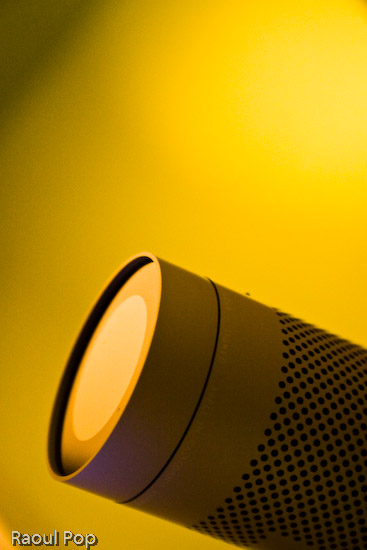
iSee

What I also liked is that I was able to get great photos even with the kit lens, including closeups. Here’s one of a bamboo leaf:
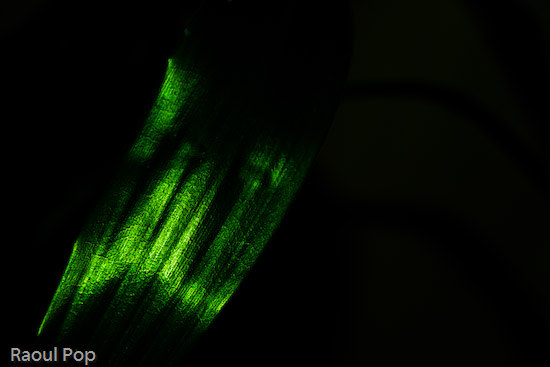
The dream

Or how about this other macro shot?

Better stay inside

Camera body

One of the things I really like about the 30D is its beautiful body. Even if all the specs were the same between it and the Canon Rebel line, and the only difference was the body design, I’d pay the extra money and get a 30D instead of a Rebel. I just don’t like the body of the Rebel line. Both the XT and XTi feel too small and I can’t grip them. The XT body is at least a little larger, but the XTi body is so small I feel like I’m holding some cheap digicam in my hand.

Canon EOS 30D (three quarters)

What you’re basically getting with the 30D is a body design that’s very similar to the 5D in dimensions and weight. It feels like a serious camera when you hold it. The buttons are where they need to be, and the Quick Dial control is awesome. I hope Canon keeps it as part of their design for a long time to come. Using the Quick Dial, I was able to change ISO settings, among other things, without taking my eye off the viewfinder. It’s a huge advantage over the predominant four-button design. It’s also very easy to scroll through photos using the dial instead of pressing arrow keys repeatedly.

The weight of the camera is great. It’s just heavy enough to feel like a solid, pro-level camera, without being too heavy on the wrist. A 50mm lens barely adds weight, so it’s great to carry it around like that. The kit lens is also very light, so it isn’t felt at all.

The interface was also wonderfully simple. After a quick perusal of the user manual to clear up some settings, I was ready to go. The menus were much simpler than on other cameras I used. Given the technical complexity of the 30D, I found this very refreshing. The Quick Dial control made it a breeze to navigate through the options and select the features I wanted. The only thing I would suggest is the ability to mark and delete batches of photos in review mode. I could only delete single photos or all photos on a card, but I often wanted to delete only groups of photos.

I really liked the viewfinder. It’s big and clear. I was able to make dioptric adjustments to fit my vision perfectly, and that was great. It was also easy to see the shutter, aperture and ISO indicators at the bottom of the viewfinder window. The only thing you need to keep in mind is that the viewfinder has 95% coverage, so there are little slivers of space at the edges of your photos that you won’t see in the viewfinder. Frame your shots accordingly or crop afterwards as needed.

The LCD screen size is just right. We’re getting used to larger and larger LCD screens these days, and I don’t mind it one bit. The 2.5″ screen of the 30D is great for reviewing shots on the fly, either as you shoot, or afterwards, in “chimping” mode.

Speed

The EOS 30D emphasizes speed in its mechanisms. This is demonstrated by the fast 5fps drive, the small shutter lag, and the fast, 9-point autofocus. I tell you, there’s a big difference between a 3fps drive and a 5 fps drive. In those critical moments when you absolutely need to capture something, it’s really nice to be able to press the shutter and get a quick burst of photos. The shutter lag of the 30D is really good. At 65 ms, it’s a lot faster than the new Rebel XTi (100 ms). I could not find data right away on the shutter lag of the 1D Mark II N, but I have a feeling 30D’s shutter lag is close to it.

Autofocus is, of course, directly dependent on the lens used. As such, autofocus times will vary widely. On fast lenses, the time is obviously going to be really fast, and on slow lenses (zoom, macro) autofocus times are going to be slow. Light is also an important factor to consider. In low light, pretty much any camera will “hunt” or delay autofocus while it tries to find appropriate focal points. I used two lenses while I tested the 30D: the kit lens, which is an 18-55mm EF-S lens, and an EF 100mm f/2.8 Macro USM. The autofocus times on the kit lens were almost instantaneous, even in low light, while autofocus times on the macro lens were slow, as expected. It was surprising to me to get such fast autofocus times out of the kit lens, especially when considering its maximum aperture is f/3.5. I can only attribute it to the 30D.

Battery life

The 30D’s battery life is great. After the first charge, I was able to get 1,400 exposures before I emptied the battery. I couldn’t wait long enough to drain the second charge. I’d exceeded 1,400 exposures and was getting ready to take a trip where I wanted to use the camera extensively, so I plugged it in. Afterwards, I lost count of the number of photos taken per charge. What I also liked about the 30D is that it gave me ample forewarning of low battery. I was able to take over 300 photos on a low battery, and could have probably gotten more if I hadn’t recharged it.

The long battery life surprised me because the specs state 900-1,100 shots per battery charge, depending on the temperature. I used the camera in decidedly cold weather, in temperatures below 32 degrees Fahrenheit, and yet I was still able to get over 1,400 shots per charge. Although I barely used the flash, I did enable the preview feature that displayed each photo taken for approximately 2 seconds, so it’s not as if I was a battery miser.

Let’s review

I really liked using the Canon EOS 30D. It’s a solid camera with a great sensor that produces quality images, with unmatched low light sensitivity in its class. Its magnesium alloy body feels great and grips very well. Its controls are well-placed and easy to use. Its speed is also unmatched in its class, and its battery life exceeded my expectations. Overall, the camera was a pleasure to use, and inspired a sense of being well made and reliable. Would I purchase one if I were in the market? Absolutely. Given its features and price, you can’t go wrong with this camera.

Here are a few more sample photos.
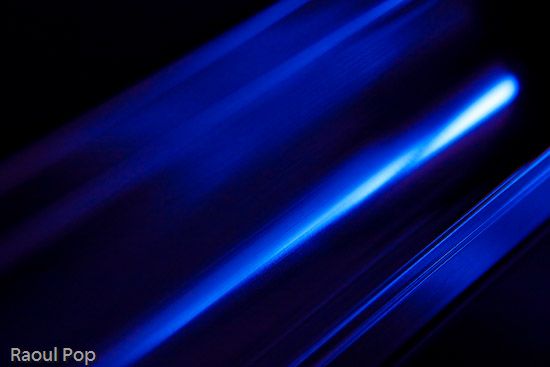
Speed of light

Shaken

Candy striper

Was there ever any doubt?

How to buy it

Standard
Reviews

Camera review: FujiFilm FinePix S9100

Bottom line: love the camera body and the user interface, good lens, good grip, but the CCD sensor is not as good as it should be. Read on for the details.

I won’t bore you with the specs, which you can check out for yourselves. I’m going to focus on real-world use. I purchased the FinePix S9100 because I wanted a good camera that would tide me over until I purchase a great DSLR (I’m eyeing the EOS 5D). I had no DSLR expectations from the S9100. I just wanted a decent digital camera with a good grip. I don’t like smallish cameras made for a woman’s hand, because they’re too light and don’t feel right in my hand. The S9100 was pretty close in dimensions to medium-sized DSLRs, and that was a strong selling point for me. I also liked the FinePix S line’s reputation. People kept saying these cameras take really good photos, and I wanted to see for myself. There were other selling points, such as the much-touted low light sensitivity, the 9 megapixel resolution, the 10x manual optical zoom, and the fact that it used AA batteries. I have a whole slew of rechargeable AA NiMH batteries at home, and I looked forward to the day when I could use them properly.

So, I got the camera this past Tuesday afternoon, and went out immediately to shoot with it. The menus of the S9100 were arranged very well, and I was able to find and set all of the options I wanted within minutes. Within 15 minutes of opening the box, I had the camera configured and the strap and lens cap attached. That made me pretty happy. I like cameras that are easy to use.

I started taking photos before getting out of the house, and that curbed my enthusiasm. The focus time was longer than I expected, comparable to and even longer than the focus on my Kodak EasyShare v610, which is a compact point and shoot. That didn’t bode well. At any rate, I pushed forward, and made it outside. The plan was to get sushi at a local restaurant with my wife, then go out into one of the local parks and take photos as the dark set in. This would give me a chance to shoot across the whole ISO range.

At the sushi place, I took more shots, and found two things that were pretty annoying. First, there was some serious lag time between shots. I shoot in RAW format, and the S9100 apparently takes a really long time to write the photo to the card. There’s no burst mode in RAW mode. You can only take one picture at a time, then wait until it gets processed and written to the card before you can take another one. I had to sit there counting second after second while the write light was on, unable to do anything else. And no, it wasn’t my card’s fault. I’ve used that card (120x CFII) with competent DSLRs like the Canon 30D and Olympus E-500, and it works beautifully. Second, when shooting at ISO 1600 inside the restaurant, there was a whole lot of noise in the shots. That really annoyed me, but I wanted to get out and take plenty of photos in the forest before I made a judgment call.
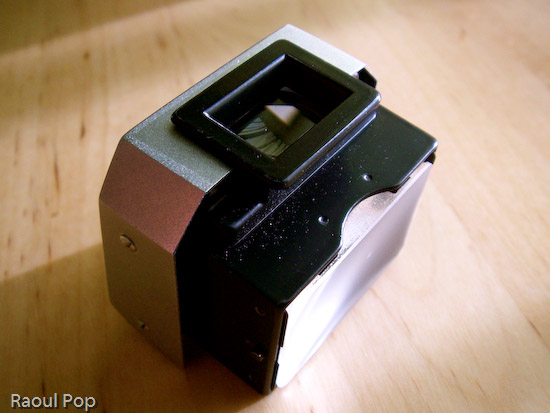
Once we got outside and I got more or less used to the long write times, using the camera was kind of nice. The flip screen was great. It allowed me to use some really interesting angles. I’d have had to guesstimate some of the shots if I only had a viewfinder to look through, since there was no way I could have craned my neck into those positions. I also liked the zoom lens. I like to twist lens barrels, I can’t help it. It gives me that tactile feel I need from my camera. The nice rubberized grip worked very well. Holding the camera in my hand, it was easy to forget that it wasn’t a DSLR. It feels very good, it’s balanced, and the buttons are just where they need to be. I had no problems using them. I loved their placement. I also loved the camera’s two Macro modes, one for closeup shots and one for really close shots of insects or other such tiny things. That’s a great feature!

As it got darker and darker, I switched to a higher ISO, and the camera worked decently up to 800 ISO in the twilight. Every time I’d switch to 1600 ISO, the noise was unbearable. But I figured, hey, I’m in the middle of a forest with no ambient light, and I’m also shooting handheld. Maybe this is to be expected. So I wrapped things up and we went back home. As we pulled into our garage, I looked at the lights in the parking lot and realized there was plenty of ambient light there to test out the 1600 ISO. I ran out, camera in hand, ready to test things, only to be disappointed once more. Every time I switched to 1600 ISO, the noise was too much, and there was serious pixel streaking going on. At the highest aperture (f2.8) and shutter speeds of 1/30 and above, there were no decent images to be gotten with the S9100, even if I stood right underneath a lamp post.

Finally, I switched it back to 100 ISO to try out some long exposure shots. I set it to a shutter speed of 4 seconds, and snuck it between the branches of a tree to stabilize it. The sky was filled with beautiful shades of blue that begged to be captured. After taking each photo, the preview screen, which is supposed to compensate for the shutter speed and show me what the photo will look like given my settings, showed me the sky exactly as I wanted it to look. I took a few shots, trying different angles, and according to the camera’s display, each photo looked fantastic. I couldn’t wait to get back inside and have a look at the photos on my computer.

After the shots were all loaded into Lightroom, Ligia and I sat at my laptop to have a look. What we noticed made us very unhappy. A lot of the shots were out of focus, even though they had seemed to be in focus on the camera’s screen. When we viewed the good shots at 100%, all of them were trashed. I have no better way of putting it. It looks like the sensor isn’t really meant for 9 megapixels. But that results in some really cheap-looking shots at full-size. Most of the detail is lost, and a whole lot of white pixels are seen instead. Really, the photos are that bad! To put things in perspective, the photos from my Kodak v610, which is a 6.1 megapixel camera released last summer, and my Panasonic Lumix FZ20K, which is a 5 megapixel camera that’s about three years old, are better than the photos from the S9100! Both of those cameras are less expensive than the S9100.

But wait, it gets better! I remembered that a cheap camera from Fuji, the FinePix A700, also uses the same 1.6-inch Super CCD HR sensor. Click on that link and see for yourselves. So what we’ve got here is a sensor from a $157 camera, being used in a camera that originally retailed for over $600. (Now it goes for about $420). That hardly seems appropriate to me, and as the say, the photos tell the truth. Have a look at a crop from one of the photos taken with the S9100 below. It’s a detail from a portrait, and it’s cropped directly in Photoshop, at 100%, with no other editing whatsoever.

Do you see what I mean? That photo’s no good, and every single one of the photos looks like this at 100%. All of the detail is gone because of that overworked sensor. Fuji might as well not have released the S9100. The inadequate sensor ruins it.

Oh, and remember those gorgeous long-exposure shots of the sky? They were all completely dark when I viewed them on my laptop. I mean pitch dark! And yet they appeared beautifully exposed on the camera’s screen. What happened? I’ll tell you: the camera can’t adjust the live preview accurately when composing the shot, and what’s worse, instead of reading the real image from the card and displaying it on the screen after taking it, it re-displays the stored live preview image instead. So I had no real way of knowing what those photos looked like when I took them. I suppose I could have switched to playback mode, but who’d have thought that the camera’s display would be this inaccurate?

After we saw all this, Ligia and I looked at each other, and we knew what had to be done. Even though I prefer to test out cameras for a month so I can get a really good feel for their usability, given the S9100’s shortcomings, there was nothing else to do but to wrap it back up and sit it nicely in its box. It’s going back. I was so disappointed. I loved the body, loved the grip, loved the zoom and ease of use, but when it came to its most important feature, the sensor, I just couldn’t live with it.

Here’s hoping Fuji sticks a good sensor in this camera at some point in the near future. Until then, my advice to you is to stay away from it.

Standard
Reviews

Camera review: Olympus EVOLT E-500 DSLR

For the past month, I’ve been testing out the E-500 DSLR from Olympus. It’s an entry-level DSLR with impressive specs for its class. These past 30 days or so, it has been my primary camera. It’s been everywhere with me, every day. I’ve used it in all sorts of conditions (indoors, outdoors, daylight, nights, cold, warm, wet and dry), and I’ve taken over 3,000 photos with it. So what I’m about to write carries a bit of weight — at least the sort conferred by such use. After you read my review, you’ll get to see sample photographs that I took with the camera. They’re at the end, so you may jump there right now if you’d like.

E-500

The E-500 feels good in the hand. It’s light (about 435 grams for the body, plus another 75-100 grams or so for the lens). It has a great grip. It just feels right when I hold it in my hand. One of my complaints with the Canon Rebel XT, another DSLR in the same class as the E-500, is that it’s too small. It feels like it was made for a woman’s hand. I can’t quite grip it right. Not so with the E-500.

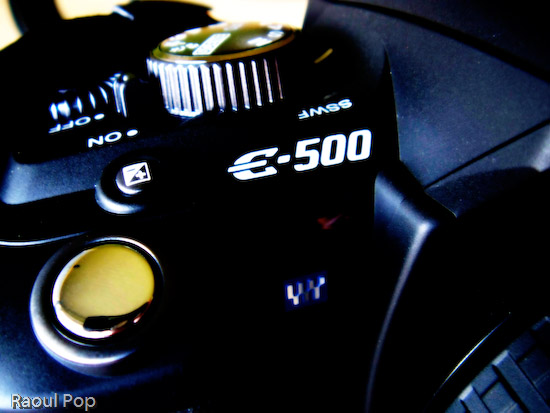
EVOLT E-500 DSLR (top view)

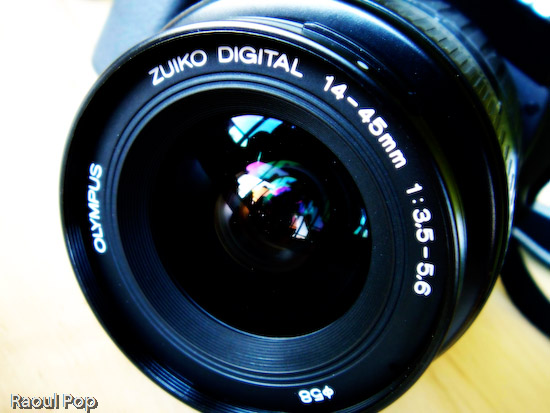
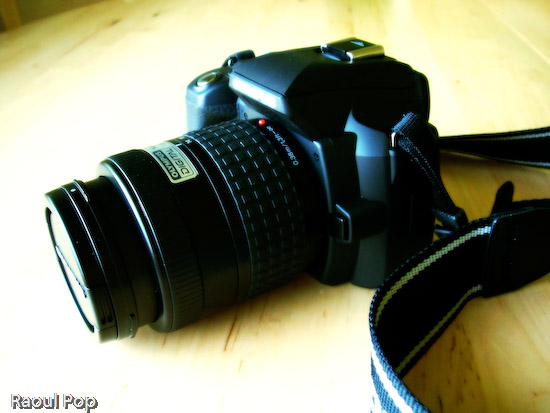
My test model came with a 14-45mm, 1:3.5-5.6 kit lens. Given the sensor size and optics, this is equivalent to a 28-90mm lens on the 35mm system. While the aperture specs of the lens aren’t impressive, its optics and construction are. I’ve held other kit lenses in my hand, and they felt pretty flimsy. This one doesn’t. It has weight to it, and it’s solid. The mount is made of metal, and it feels like a quality product over all. Yes, in order to make the lens affordable, Olympus needed to pare down the specs, but they didn’t skimp on materials and optics, and I’m very glad for that.

Camera body and lens

Zuiko digital lens

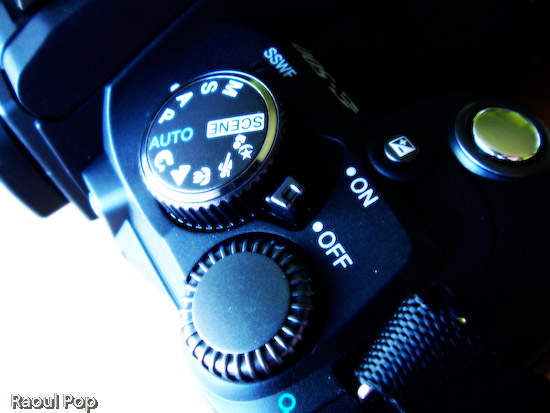
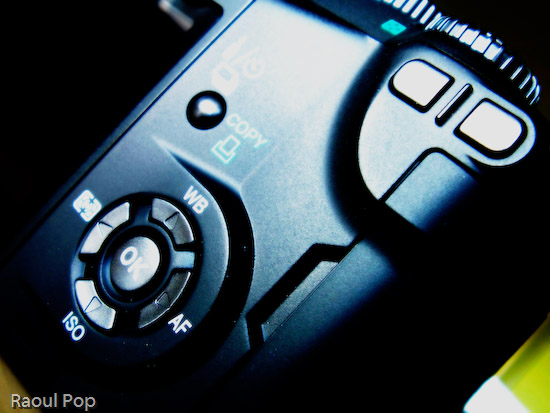
The controls of the camera are easy to use and well-organized. It’s interesting to see how each camera manufacturer designs the interface they think is best for their cameras. Olympus chose to group most of the controls within easy reach of the right hand fingers. There is a main mode dial which can be rotated with the thumb and index finger, and a control dial right next to it that can be rotated with the thumb. Once I got used to the controls, and it took very little time, everything I needed to use frequently could be adjusted easily, and I liked that. My only gripe here is with the White Balance button, which I think is a bit close to the thumb rest and can be accidentally pressed as the camera is held. But as I used the E-500 more, my thumb learned to rest away from this button and things were fine. Incidentally, it would have been nice if the thumb rest were rubberized.

Mode and control dials

WB, AF, ISO and Metering controls

The user manual is great. I like the way the E-500 manual is laid out. It’s organized by sections and indexed well, so I can refer to specific topics right away. Things are also clearly explained, and I know all too well that’s not always the case with other user manuals.

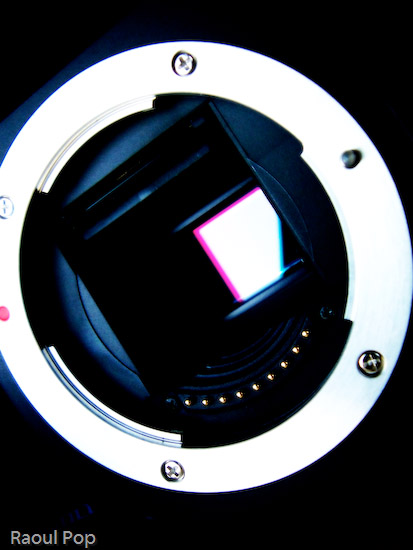
The E-500 has some surprising features for an entry-level DSLR. I was impressed most of all with the supersonic wave filter (SSWF) sensor cleaning. Olympus was the first company to introduce this feature on its DSLRs a couple of years ago, and other companies such as Sony, Pentax and Canon have only more recently followed suit. The SSWF uses ultrasonic vibrations to shake dust off the sensor every time the camera is turned on. This reduces (and may even eliminate) the need to to clean the sensor, though your mileage may vary. It all depends on how much you’ll switch lenses, and how careful you are when you do it. In case you’re worried, the camera has a sensor-cleaning mode that lets you gain access to the sensor for manual cleanings.

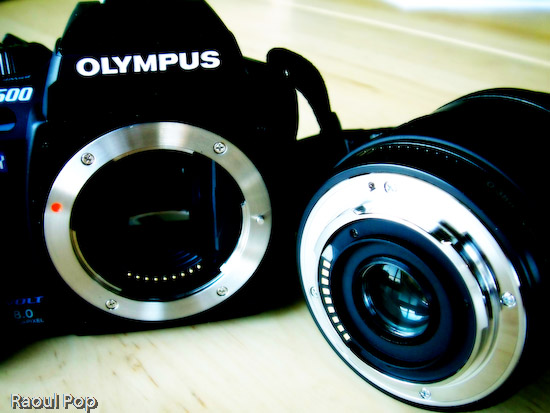
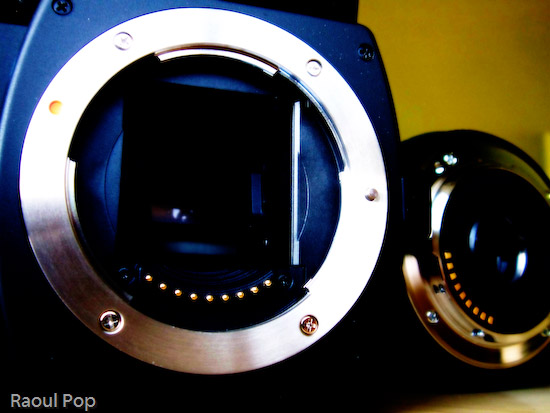
Camera and lens mount

I was pleased to see the camera had four bracketing modes: AE (exposure), WB (white balance), MF (manual focus) and flash. These modes let you vary (or bracket, hence their names) those characteristics when used. For example, AE bracketing will let you take three shots with varying exposures (dark, medium, light). You then choose the best one and delete or keep the others, as you wish. The other modes work the same, and they vary the other characteristics. This is useful for those situations when you’re not quite sure what will give you the best shot possible. Realize though that flash bracketing can get to be pretty annoying for your subjects if they’re people. No one likes being flashed repeatedly. So find the flash intensity that works, do it quickly, then stick with it.

The 2.5-inch LCD screen was a great addition to the E-500. It’s clear, big and displays photos very well, and for its time (2005), fairly unique. Olympus also spent time organizing the menu functions well, and after a short learning period, things are easy to find. The viewfinder is a different story, at least as far as I’m concerned. I found the display of the aperture and shutter information to be hard to read, because it was off to the side instead of at the bottom of the shot. Apparently, I’m not the only one to notice that shortcoming. I also noticed the eyecup (the little rubber piece around the viewfinder) was a little shallow for my eyes, and ambient light distracted me from my shots, particularly in daylight. Thankfully, I see that Olympus offers a bigger eyecup for folks like me.

LCD and other controls

The battery life was surprisingly good. I don’t know if my experience was a fluke, but I managed to get over 1,600 shots on a single charge, and over 400 of those shots were with flash. That’s impressive! I should clarify that on the first charge, I got only 350 shots. But then first charges on all rechargeable batteries don’t last that long. So after I drained the battery that first time and recharged it, the second charge lasted for over 1,600 photographs. And when the camera refused to take more shots because of the depleted battery, I turned it off, then back on, and squeezed more shots. I did this four times, and got an additional 30 shots with a battery that was supposed to be dead. Again, I don’t know if my experience was the norm, but if so, this would be a fantastic selling point. Yet I don’t see battery life mentioned anywhere in the Olympus literature or on their website.

I tried out the Olympus Master software included with the camera, and was less than impressed with its features. I stuck with Adobe Bridge and Photoshop for post-processing my photos thereafter. Incidentally, I wouldn’t advise you to download the photos from the camera to your computer by connecting the two with a USB cable. (This is true for just about any recent DSLR, by the way.) It’ll take forever, particularly if you shoot in RAW format. Because camera manufacturers haven’t updated their USB connectivity hardware, the most you’ll get is the equivalent of USB 1.1 speed. Get a card reader and use that instead. The speeds will be USB 2.0, and you’ll be happy.

I was disappointed to find that the camera’s ISO range only went from 100-400 natively. Yes, the sensitivity can be boosted up to 1600 in whole steps or 1/3 steps, but still, given that other cameras in its class (such as the Nikon D50 and Canon Rebel XT) offer native ISO up to 1600, the E-500 should do so as well. I should note that two noise reduction features are included on the camera. They are useful when using higher ISO settings. One is a noise filter that can be coupled with the ISO boost and works automatically, and another is a noise reduction feature that can be turned on and off as needed, regardless of the ISO setting. Although the noise filter did a good job at 400 and 800 ISO, it couldn’t help much at 1600. The noise reduction feature also wasn’t very helpful unless one used it with long exposures.

Time and time again, as I used the E-500, I found myself wishing for better low-light capability. I tend to take lots of shots in low light conditions, and I prefer not to use the flash, because it’s either disruptive or annoying. When I took photos of people, I found my friends covering their eyes or squinting. And of course, it’s not practical or desired to use the flash when doing street photography at night. Flash would ruin a neon sign, and would shed a harsh light on details best lit by ambient light. Maybe I’m just spoiled in wanting to do handheld night or low-light photography, but those are my expectations.

The autofocus works well and is fast given that it’s only a 3-point AF. That’s important because manual focus is too tedious to use by itself, unless you’re dealing with subjects that won’t move for some time. I also found that the focus ring on the kit Zuiko lens was best used for fine focus adjustments, not for everyday focusing tasks. There were, however, some occasions when the AF didn’t quite work, including daylight conditions. I was never quite sure why, but those times were few and far between. Autofocus was slower in low light, and at times, undesirably slow, by a factor of 3-7x when compared to daylight AF speeds. On the E-500, there is an option to use the flash as an autofocus illuminator (as on other DSLRs), but I didn’t find it useful. It didn’t cut down on the autofocus time at all, and only introduced a strobe-like light that preceded the shots and annoyed my friends even more. So I’d recommend that you plan for long AF times in low ambient light, and realize that you’re going to miss some photo ops because of it.

On the other hand, the built-in flash is surprisingly strong, and that’s good news for those occasions when it does need to be used. I was shocked to see it that it filled a room of 20’x20′ and provided ample light for most shots. Like other reviewers, I was surprised to see that I could not get red eyes in my subjects even if I wanted to, and even when not using the red-eye preflash.

The E-500 has a nice calendar feature built into the photo review mode that lets you view the shots you took on a particular day. I liked that a lot. I also found myself wishing for a bulk delete feature for a particular day. Here’s the scenario: say you take lots of shots, then download them to your computer, and you take more shots the next day, without realizing that you haven’t deleted the other shots first. With a bulk delete feature, you can select all of the shots from the previous day and delete them en masse, without needing to go through and selecting each by hand. But this is just wishful thinking and not a vital feature on an entry-level DSLR.

For those who need it, the E-500 has a mirror lock function that’s called Anti-Shock in the camera menu. It allows you to eliminate the minor vibration caused by the mirror movement as you press the shutter, and it’s useful for macro or night photography.

A surprising feature on this camera was the presence of two custom reset modes. Ever used a car where you could set your seat and steering positions, plus other settings, then store them? This is the same concept. You can choose to adjust certain camera functions, then store them into one of the custom resets. When you want to use those settings, you simply select that reset mode from the menu, and all other settings but yours are wiped out. This can prove useful for day/night photography, when you’d want features like the noise reduction turned off or on, respectively. Or for multiple users of the same camera.

Even though the camera is not dust and splash proof, I can tell you from direct experience that it is a sturdy camera that will work in some pretty harsh conditions. The stated operating temperature of the E-500 is supposed to be 32-100 degrees Fahrenheit. I’ve used it in temperatures as low as 10 degrees Fahrenheit, and it worked great. The user manual says the transitions between temperatures and humidities shouldn’t be sudden. Well, they were sudden, and the lenses didn’t fog up. They worked fine, and what’s more, the camera worked fine. I used it once while it was snowing. Snow accumulated on the camera and lens body, and when I got inside, it melted, leaving drops of water everywhere. I wiped them off, and the camera continued to work just great. I didn’t have a chance to use the camera in dusty or excessively warm conditions, but I certainly put it through its paces here in Washington, DC, and it hardly missed a beat.

I want to talk about the four-thirds standard for a bit (also see the Wikipedia entry for this). The E-500 is built on this standard, so a little background information will help you understand the differences between it and other DSLRs a little better.

As you may know if you own a DSLR, once you’ve bought it and invested in the various accoutrements that go along with that camera body, you’re stuck with the brand, so to speak. You’ve spent thousands of dollars on extra lenses, and if you want to switch to another brand, you’ll need to spend money not only on a new camera body, but on another set of lenses as well. That’s not fun, and most people can’t afford to switch brands, especially if they’ve invested heavily in lenses and other camera accessories like speedlights, batteries, etc. Hence, camera manufacturers are pretty happy (financially speaking) that lens lines aren’t inter-compatible (unless you use special mounts that may or may not work or give you the same image quality), because they have long-term, guaranteed customers.

Olympus came up with the four-thirds standard so they could make lenses that are interchangeable, and can be used by any other camera back built on the four-thirds standard, and they wanted to design them specifically for use in digital photography. But according to Wikipedia, the four-thirds standard isn’t entirely an open standard:

Four Thirds is not an Open Standard, however, as it does not meet the “allowing anyone to use” criteria commonly accepted as the definition of an open standard. It also does not meet the criteria that the standard itself and any associated intellectual property be available on a Reasonable And Non-Discriminatory basis.

So while the standard is good, Olympus needs to be more open about its use in the industry. There also seems to be a drawback. According to Wikipedia, even though the smaller sensor size allows for smaller and lighter lenses, it’s also to blame for the high noise I experienced when taking shots at higher ISO settings. Apparently the sensor just isn’t big enough to function well in low light. Whether that’s accurate, or whether this issue can be solved through creative engineering, I don’t know. What I do know is that I’m not happy with the performance of the E-500 in low light, particularly when shooting without flash, at shutter speeds above 1/25 seconds. But again, my needs are probably more stringent than those of the entry-level DSLR user.

4:3 CCD sensor

This next point is entirely subjective, but I find the 4:3 aspect of the photographs I took with the E-500 more pleasing to the eye than the more prevalent 3:2 aspect found in most photographs. (The 3:2 aspect carries over from film photography.) Have a look at your computer monitor or TV. Chances are (unless you have a wide screen monitor or TV) that you’ve been looking at images made for the 4:3 standard for quite some time, and you didn’t even know it. This aspect ratio has been in use in that medium for decades.

The 3:2 aspect helps the photographer frame a landscape shot a little better, because it’s wider, but when I look at a vertical shot taken with that aspect, it seems as if one side is lopped off. As I said, this is entirely subjective, so I invite you to make up your own minds about it. I ask you to leave brand loyalty aside, and to judge which aspect looks better in each mode. I prefer 4:3 in portrait mode, and I’m on the fence between 4:3 and 3:2 in landscape mode.

So, given all of this camera’s features, capabilities and limitations, does it allow its user to take good photographs? I think so. I was pleased with the color reproduction and image quality. And I’m willing to let you judge this for yourselves as well. As I mentioned, I took over 3,000 photos with the camera, and I posted several of them below, at the end of my review.

EVOLT E-500 DSLR (side view)

Enough talking, let’s wrap things up. Overall, the E-500 is a solid DSLR. It’s sturdy, has a good grip, it’s got good battery life, and the image quality is great. I like the 4:3 aspect of the photos, and I like the fact that the lenses and body are interchangeable with other brands, although currently only Olympus, Panasonic and Leica make DSLRs and lenses based on the standard. That’s about five camera backs altogether, at widely varying prices, so there’s not a whole lot of choice, although that could change in the future. The sensor’s performance in low light is not up to my expectations, and that could or could not be related to the four-thirds standard. Time will tell. I think that it’s a bargain for its class. The current market price hovers around $650 for the body and two lenses, the one I tested and another, the 40-150mm f/3.5-4.5 zoom. I hear that’s a great lens. Bottom line: if I weren’t so bent on being able to use it in low light situations, I’d get one myself.

Here are the sample photographs, as mentioned above.

Valentine for my sweetie

Musing on a fragile life

Those dark shadows that haunt us

Life, reflected

I have this idea

1640 at sunrise

Chat by the country fence

Solitude is peaceful

Waterpainting

The three

Brothers in arms

Green power

Blue mountain

Urge to splurge

Standard
Reviews

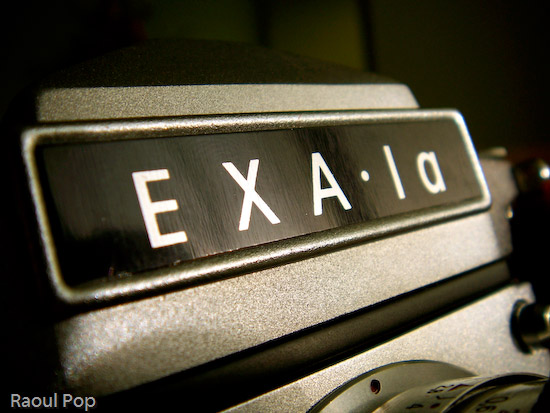
The Exakta EXA Ia analog camera

I got a fantastic present for Christmas from close friends of ours: an Ihagee Exakta EXA Ia analog camera.

Exakta in original box

It apparently sat unused in a shop in Mexico since its factory production days back in the late 60s, still in the original box, waiting for someone to purchase it. It came with a whole kit which included a plastic/leather camera case, camera, lens, lens extension kit (for macro shots), two prisms/viewfinders (one normal, one 90-degree), a mechanical timer, a light meter and a ton of lens filters.

Camera case

You can watch a video review below or here, or scroll past it to see the photos and read my review.

The camera kit also included the original instruction manual (in Spanish). Since I don’t speak Spanish, I had to figure out the camera on my own. Here are the specs as best I can figure them out:

  • Exakta EXA Ia body, fully manual, 1964-1968 production (approximated the year based on the serial number)
  • Analog flash sync for bulbs or electronic speedlights
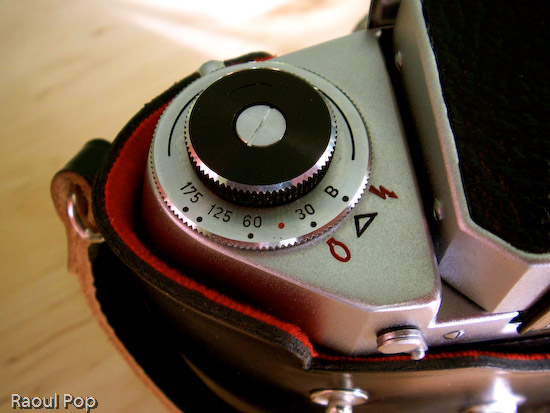
  • Shutter speeds from 1/175 to 1/30 s and Bulb mode
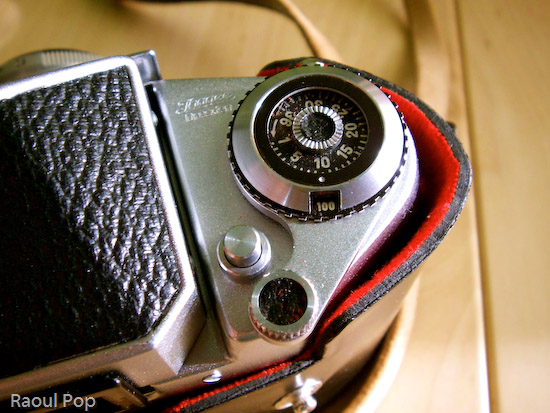
  • DIN sensitivity from 12-30 and ASA from 50-800, including b&w negatives; the list goes as follows: 12, 15, 18, 21, 24, 27, 30 (DIN) and 50, 100, 200, 400, 800 (ASA/ISO), plus C and NC.
  • Exposure counter can accommodate films of up to 36 exposures
  • Shutter release features threads for attachment of mechanical timer (included)
  • Shutter lock
  • Rewind release button and pop-up rewind knob
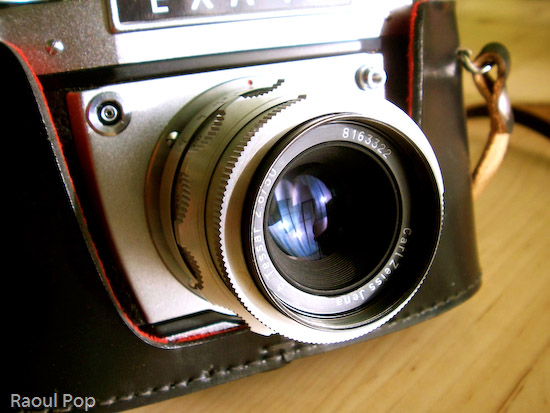
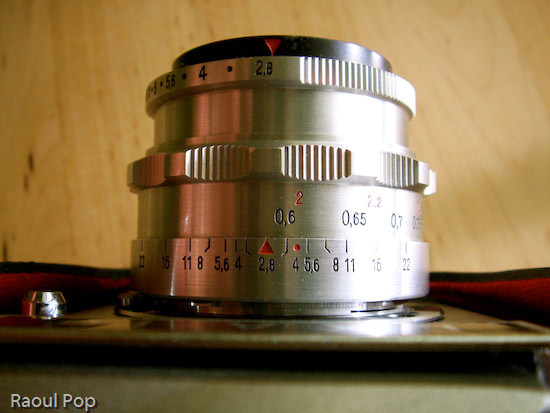
  • Carl Zeiss Jena lens, f2.8/22 50mm, focusing distance 0.6m to infinity
  • Lens extension barrel for macro shots; barrel disassembles into multiple sections to allow for varying focusing distances and macro apertures

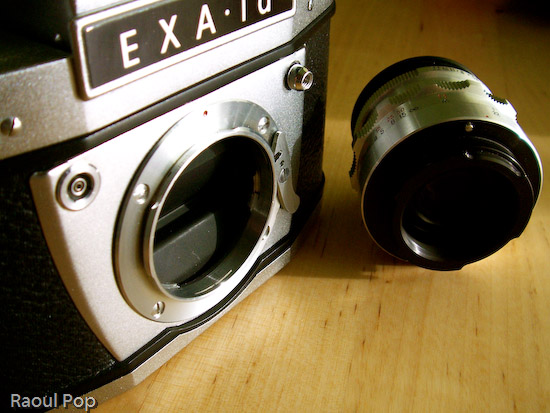
Camera body and lens

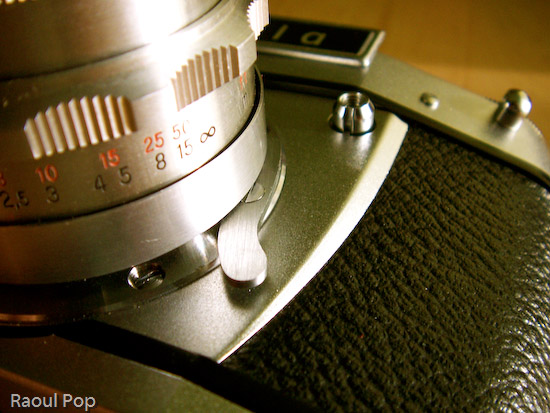
If there’s one expression I could use to describe this camera, it’s ease of use. Once I figured out the controls, it turned out to be a joy to play with them. The focus control is so well made, that at close distances, it turns slower, allowing for some real precise focusing. The aperture adjustment clicks, letting me know when I’ve reached a proper setting. The film advancement lever’s travel is short and also clicks reassuringly. The exposure countdown dial clicks as well. I guess I like controls that click, but it’s the sort of feedback that encourages good use. It also gives the impression of something that’s very well-made.

Camera in case

EXA Ia (front view)

It’s quite easy to take the lens off, and I love the fact that the extension barrel breaks down into multiple sections. It lets me vary the focusing length and also changes the perceived aperture of the lens, allowing me to get closer or further away from the object.

EXA Ia (top view)

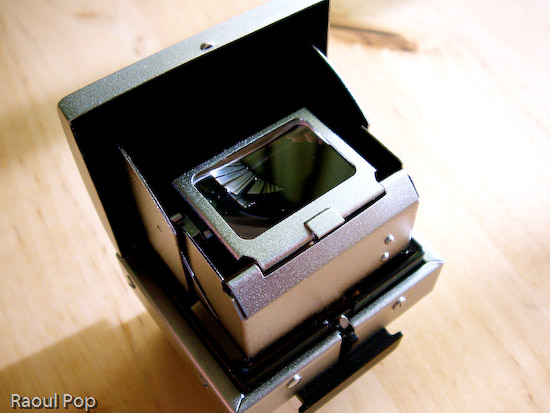
The interchangeable viewfinders are so much fun! I can just slide them out and use a different one, allowing me to customize the way I look at my photographic subjects. Both viewfinders allow me to see right through the lens (TTL), so I get a direct preview of the lighting conditions. When I adjust the aperture, the aperture ring closes or opens, and I can see right through the viewfinder how much light comes through the lens. Of course, as I found out with my first roll of film, you’d better know exactly what shutter speed you’re using, or else the photos aren’t going to come out as you saw them through the lens!

Viewfinder

Rangefinder

Judging from the instruction manual, this camera could be had with some pretty cool accessories when it came out: a lens hood to reduce glare, a tele lens, and a Stereflex Jena viewfinder and lens, that took 3D shots. It could also use a vertical grip and electronic flash, powered by a strap-held, external Braun battery. Pretty nifty! Just goes to show that a great gift doesn’t have to be new!

Macro rings

I need to point out (for those of you that have only used digital cameras) that working with a manual analog camera (especially one as old as this) is a _______ experience. It’s up to you to fill in that blank. Depending on your skill level and willingness to learn new things, it may be an amazing experience, or a completely frustrating one. If you’re only used to point and shoot, there is no such thing on a manual camera. Instead, you have what you see below.

Shutter speed selection

Exposure and ISO indicator

You have to manually adjust the camera settings like aperture and shutter speed based on ambient light. You can guesstimate and live with the results, or use a light meter like this one. If you enjoy using burst mode (where you can shoot 3 or more photos in rapid sequence), you can forget it about it. You have to manually advance the film by cranking on a lever after each photo. Autofocus? Forget about it! Auto-flash? No such thing. You’ll need to manually adjust the power of the flash/strobe based on GN (Guide Number) calculations.

Lens release lever

This may sound discouraging to novices, but believe me, it’s a fantastic learning experience. If you master the use of a manual analog camera, you’ll approach photography with a brand new perspective. The quality of your photos will improve tremendously, and you’ll get real joy out of using your camera, be it analog or digital. Plus, there are other fringe benefits, such as not needing to use batteries (manual cameras don’t need them) and of course, my favorite, the opportunity to pool with a really, really cool gadget. Once you hold one of these cameras in your hand and get to appreciate the fine engineering and craftmanship that went into making it, you’ll know you’ve got something pretty unique, something you don’t see these days, when cameras are made by robots. There’s something captivating about using metal levers and gears and getting real tactile feedback from your camera. I get a really nice feeling when I press the shutter and a mechanical part actually moves inside. It’s not a circuit, it’s not a sensor — it’s a real piece of metal. Now that’s nice!

EXA Ia

Camera itself

Updated 12/25/12: I no longer have the camera, please stop asking for the user manual. Thanks! 

Standard
Reviews

Camera preview: Sigma SD14 DSLR

I’m intrigued by the new DSLR from Sigma, the SD14. It’s a 14-megapixel camera that uses a direct image sensor capable of detecting red, green and blue light at every pixel. The product brochure states:

The elements of this 14-megapixel sensor are arranged in three colorsensing layers, comparable to the three layers of emulsion in photographic film.”

Sure enough, the photos they show on their site and in their brochures are stunning. The level of detail and sharpness are fantastic. Were they taken with the SD14? I don’t know, but my interest is certainly piqued. The camera isn’t in stores yet. It’s going to launch early this year. It looks like the retail price will be around $1,600. In this review, I want to have a closer look at the specs of this beautiful camera, and see how they compare to other mid-level DSLRs. See my analysis below.

➡ Updated 10/29/07: Although the advertised resolution for this camera is 14 megapixels, and additively speaking, it’s correct, the actual resolution is about 5 megapixels. That’s because each sensor layer (there are three) has 4.7 megapixels. Added together, that makes 14 megapixels, but we have to remember that the layers are stacked on top of each other. Even though the pixel data corresponds to 14 megapixels, the printable resolution is still only around 5 megapixels, which is markedly lower than that offered by other DSLRs in that same price range. As some people have pointed out, you can safely increase the resolution of the photos in post-processing, but the camera will still only give you 5 megapixels per photo when you press the shutter button.


Sigma SD14 DSLR

First and foremost, there’s the sensor. It’s a newly developed Foveon X3. Here’s what Foveon says about their new sensor:

Similar to the layers of chemical emulsion used in color film, Foveon X3 image sensors have three layers of pixels. The layers of pixels are embedded in silicon to take advantage of the fact that red, green, and blue light penetrate silicon to different depths – forming the first and only image sensor that captures full color at every point in the captured image.”

So it looks like this sensor is groundbreaking, much more so than any other currently on the market. But is it unique to Sigma? Isn’t it found in Canon and Nikon cameras? We need look no further than the Foveon site, which lists the cameras currently using this sensor as the Sigma SD9, Sigma SD10, Polaroid x530, Hanvision HVDUO-5M and Hanvision HVDUO-10M.

It turns out the Sigma SD14 not only uses a pretty unique sensor, but it uses the latest and greatest version as well, the Fx17-78-F13D, which isn’t yet used in any other camera on the market. As you can see, none of the other cameras that use Foveon can boast 14-megapixels. It’s also reassuring to know this is a third generation sensor, so most of the kinks should have been worked out by now.

Furthemore, it looks like just about any camera on the market that uses regular sensors is inferior to the Sigma, simply because of the Foveon sensor’s capability to reproduce color more faithfully. Instead of having to manipulate the image through computations in order to render proper color, the Sigma can just rely on natural color capture through the Foveon sensor, which I’m pretty sure is a great advantage if it works as advertised.

From what I’ve seen in the brochures, I like the controls. As Sigma says, they’ve simplified them and eliminated extraneous functions. All I see on the mode dial is P (point and shoot), A (aperture priority), S (shutter priority) and M (full manual). The on/off dial turns easily for burst, timer and long exposure settings. I like the shape and size of the camera. The hold is rubberized, and the camera’s exterior is clean and simple.

The simplicity of design is exemplified in the accessories as well. There aren’t a ridiculous number of them. You’ve got the nice battery pack that holds two batteries and screws onto the tripod mount, a remote and cable release, two flash guns, one more advanced yet both featuring a bounce head, and an AC adapter. The standard accessories are what one would expect with a camera: battery, charger, USB cable, strap, caps, software and the product manual.

The built-in flash is a good idea. While an external flash is better, a built-in flash is good for fill-in light during daytime shots, and will also do acceptably for indoor shots when nothing else is available.

As I talk about the rest of the SD14’s specs, I’m going to compare it with Canon EOS 5D and the Nikon D200, which are my favorite DSLRs and are also cameras that have set new standards in the field of digital photography. (I own a Canon 5D)

The SD14 is supplied by default with a dust protector that is “put in place with a single action“. I’m not quite sure what that means, but I assume a button on the camera or in the central menu controls it. This is good. Anything that camera manufacturers can do to minimize dust gathering on the sensor is a good thing. It’s interesting that the camera only has a 5-point distance measurement for autofocus. Certainly Sigma has plenty of experience with AF, having designed lenses for a long time. But the Canon EOS 5D has a 9-point AF with 6 supplemental points, while the Nikon D200 has an 11-area AF. Are 5 points enough? I guess we’ll find out when the SD14 comes to the market.

SD14’s pentaprism is rated at 98%x98%, while the Canon has theirs at 96%x96%. The Nikon D200 doesn’t list this info in their specs, though I’d venture to guess they’re in the ballpark. The LCD monitor is at 2.5 inches and 150,000 pixels, which is the same size as on the Canon 5D and Nikon D200, but lower in resolution than theirs, which are both rated at 230,000 pixels. Coverage for the SD14 and 5D is listed at 100%, while it’s only at 95% for the Nikon. Most of the other specs match the EOS 5D and Nikon D200, so I’ll only note the differences.

The SD14’s ISO sensitivity only goes up to 800, although 1600 is listed in Extended Mode. Both the Canon 5D and Nikon D200 go up to ISO 1600, and the 5D even goes up to 3200 in Expansion Mode, which I assume is similar to the SD14’s Extended Mode. I wonder why the SD14 doesn’t go up to 1600 ISO naturally, and my guess is that it’s a limitation of this generation of Foveon sensors. The sensitivity will likely be extended with the next-generation sensors. I also have to wonder how an ISO800 photo on the SD14 compares to an ISO800 photo on the Canon or Nikon. How does it fare in low light? Will there be noise, or will the photos come out clear and beautiful, like they should? Even better, will its light sensitivity trump that of the Canon and Nikon, even if they do go up to 1600? I’d love to find out for myself.

I also need to point out that the top shutter speed, at 1/4000th of a second, is also only half that of the 5D or D200, which both go up to 1/8000th of a second. I’d venture to guess the sensor is the limiting factor here as well, though I can’t elaborate on that. This also promises to be the compensating factor. If the image quality is as good as promised, I won’t care that it can’t go up to 1/8000th of a second.

Since geotagging photos has become so mainstream nowadays, it would have been nice to see some sort of GPS functionality on the SD14, perhaps like the one on the Nikon D200, which allows the photographer to connect a GPS device to the camera and record coordinates to the EXIF data for every photo.

The dimensions and weight of the SD14 are similar to those of the EOS 5D and Nikon D200. The SD14 is 144mm wide, slightly less than the D200 at 147mm or the EOS 5D at 152mm. It’s also slightly shorter, at 107.3mm, than the D200 and EOS 5D, both of which are 113mm tall. It is, however, thicker, which I like, because there’s more to hold and that tends to stabilize the shots. It’s 80.5 mm deep, whereas the D200 is 74mm and the EOS 5D is 75mm. It’s also lighter than the other two. At 700g for the body, it’s 130 grams lighter than the D200, and 110 grams lighter than the EOS 5D. I welcome that, because when you add an external flash or battery pack to a serious DSLR, it gets so heavy you might as well use it for weightlifting. Any weight that gets trimmed off is okay by me.

Battery life is somewhat lower than that of either the EOS 5D and the Nikon D200. The SD14 can take approximately 500 shots on a single battery charge at normal temperatures, and 400 shots at near zero-degree temperatures. The EOS 5D can take approximately 800 and 400 shots at normal and low temperatures, respectively. The Nikon D200 can take up to 1,800 shots per charge at normal operating temperatures; no stats are quoted for low temperatures on their site. Again, to be fair, I think this has to do with the Foveon sensor. Instead of a single layer that must be kept charged, it has three separate layers. I haven’t dug deeply into the Foveon X3 specs, but I gather the sensor probably uses more power than a regular single-layer sensor. (Someone correct me if I’m wrong on this.)

It looks like the SD14 is a natural, unstrained progression for Sigma. After making lenses, then film SLRs, then 1st and 2nd generation DSLRs using the Foveon sensor, they’ve graduated to the SD14, which looks to be a beauty of a camera. If you’d like more information about the SD14, you can access the brochures easily. Click on each link to download a PDF in English: Concept, Product and Major Specifications, or just visit the Sigma SD14 website.

To sum up, the Sigma SD14’s main strength is its Foveon X3 sensor. I’m impressed with this camera, and plan on having a closer look at it as soon as I can get my hands on one.

Standard