I’m a fan of ioSafe‘s rugged hard drives, which you can trust with your data through very rough conditions. I was glad to write about the ioSafe Solo (their first product), and the ioSafe SSD, because no other company on the market offered such unparalleled protection from destruction.
Now they’re launching a new model, the ioSafe Rugged Portable — their first drive made for travel.
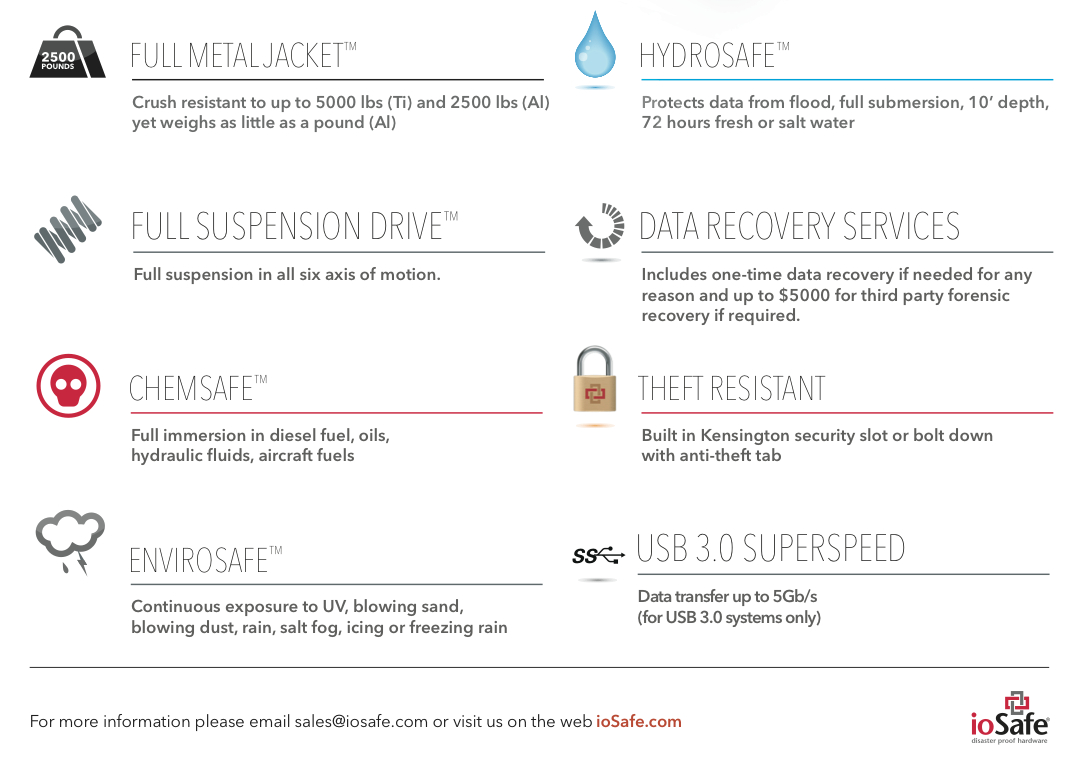
As you can see, they’re using a new design, with a machined Aluminum or Titanium enclosure that can withstand up to 5,000 lbs (Ti) or 2,500 lbs of pressure (Al). The drive is suspended on all six axes of motion, and can withstand a drop from 20′ (SSD version) or 10′ (HDD version).
Of course, the drive can still withstand immersion in water — up to 10′ (Al) or 30′ (Ti), both up to 3 days in duration. And it’s got a whole other bunch of protections built in as well:
ChemSafeTM Technology – Full immersion in diesel fuel, oils, hydraulic fluids, aircraft fuels, 12” depth for 1 hour with no data loss per MIL-STD-810G Method 504
EnviroSafeTM Technology – Continuous exposure to UV, blowing sand, blowing dust, rain, salt fog, icing or freezing rain, 24 hours with no data loss per MIL-STD-810G Methods 505.4, 506.4, 509.4 and 510
AltiSafeTM Technology – High altitude operation. 15K ft. (Alum.) and 30K ft. (SSD and Ti.) rated altitudes per MIL-STD-810G Method 500.4
Theft Resistant Kensington® Lock compatible slot solid metal construction – theft protection
As you’ve no doubt gathered so far, there are multiple flavors of the drive, with HDDs or SSDs inside, and Aluminum or Titanium enclosures. And it ships with USB 3.0, FW800 and USB 2.0 connections — your choice.
Possibly the best feature — given the drive’s title — is its weight, which comes to 1 lbs for the Al enclosure and 1.5 lbs for the Ti enclosure.
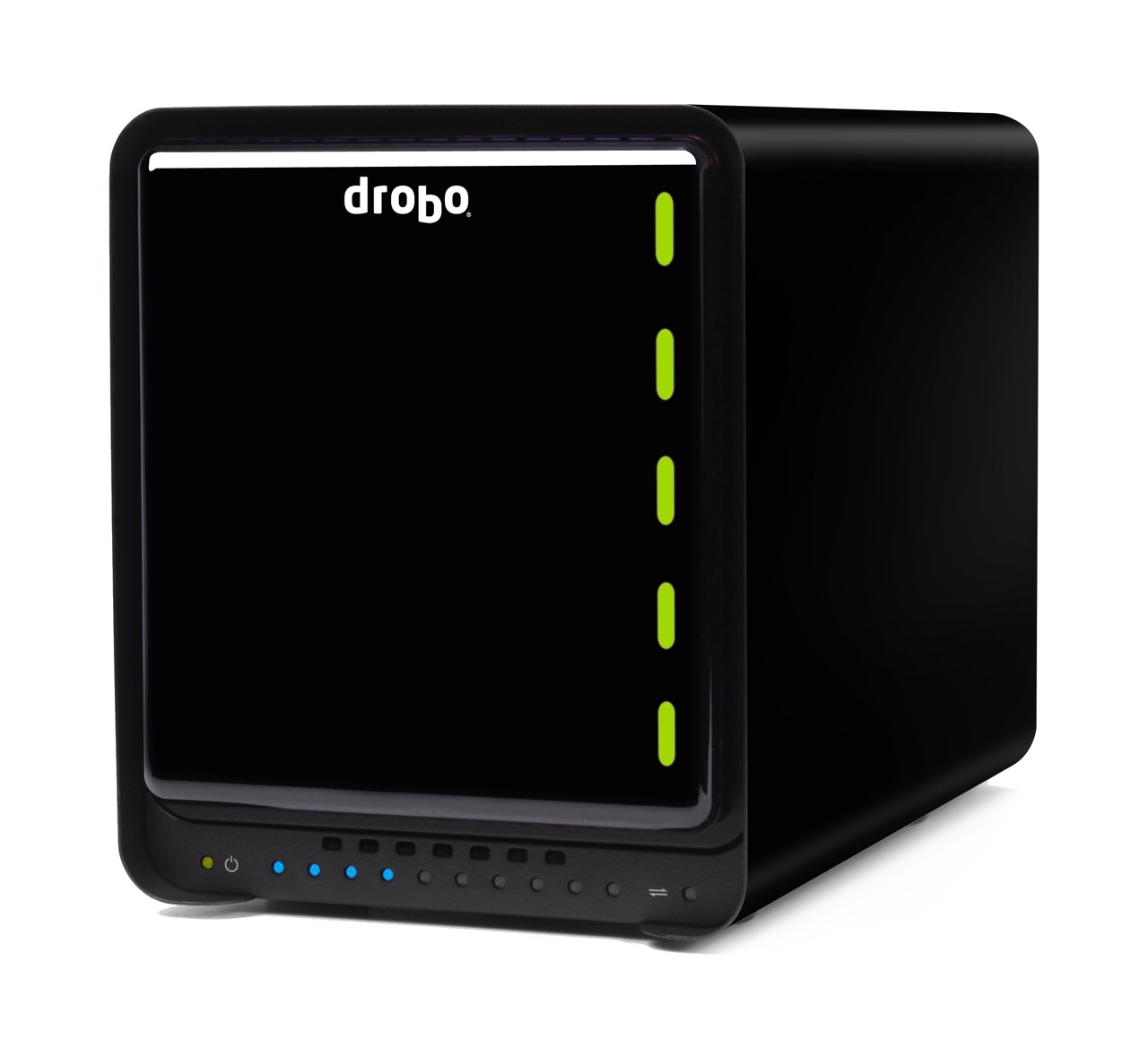
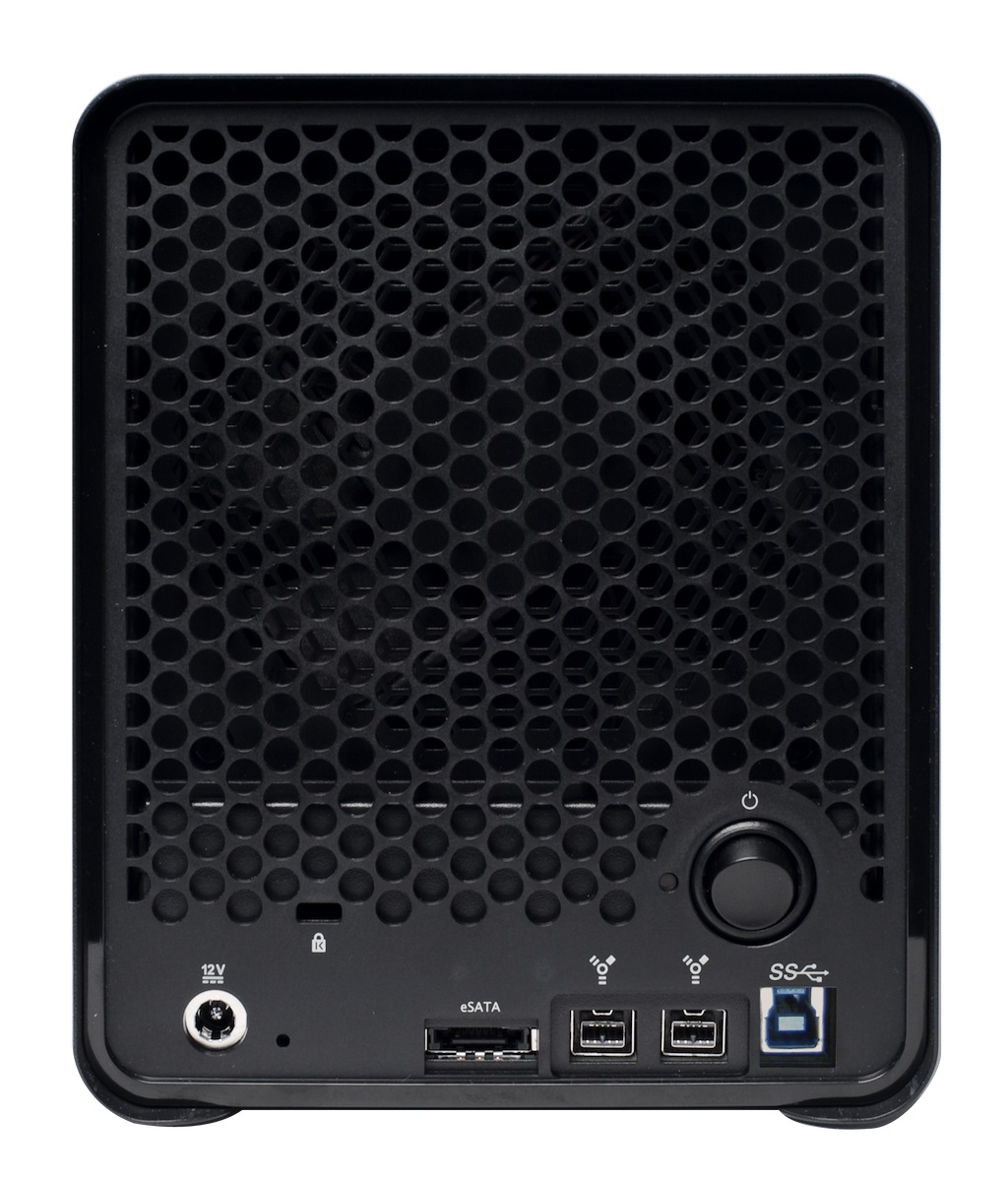
Drobo S, the 5-bay, 3-interface storage array from Data Robotics got a neat upgrade to USB 3.0 today. Instead of USB 2.0, it will now have eSATA, FW800 and USB 3.0 ports on its back. This is a hardware refresh, which means the USB 2.0 model has been phased out. You should expect it to be “up to 50% faster than FW800” when using the USB 3.0 port, according to Data Robotics.
During the press briefing, I asked Mark Fuccio (Data Robotics) whether the 4-bay Firewire Drobo will get a USB 3.0 upgrade as well. He said they have no plans to upgrade it. It will stay as is. Apparently its bandwidth maxes out at FW800 speeds, and adding USB 3.0 to it would be superfluous. Data Robotics recommends that folks get the Drobo S if they want heavy-duty performance.
In other Drobo news, Drobo Sync, the nifty disaster recovery software that was announced for the DroboPro FS, is now available. If you were wondering how Data Robotics is doing these days, they’re growing. And HP has just begun selling Drobos, which is great for them and useful for us. You’ll be able to go online and get a performance HP desktop to help you zoom through your photo or video processing, and also get a Drobo S to help you safely store all those terabytes of data.
The upgraded Drobo S will be available from all the usual retailers like Amazon and B&H Photo, and of course, HP Small Business Direct.
Today, the DroboPro FS will be announced by Data Robotics. It’s the bigger brother of the Drobo FS, and it’s aimed at creative professionals, SOHOs and SMBs.
There was a gap in Drobo’s file sharing lineup. They had a NAS device, sure (the Drobo FS), but it didn’t have the capacity and the bandwidth of the DroboPro FS, which has two Gigabit Ethernet ports and eight drive bays.
Its ethernet ports can be configured two ways:
On two different subnets, for offsite file replication, and
Failover mode, where one port takes over if the other one dies
The really nice part here is the DroboPro FS works seamlessly with a new piece of software (to be introduced shortly) by Data Robotics, called Drobo Sync. The way it works makes the DroboPro FS the perfect candidate for offsite backups, for disaster recovery purposes.
Say you have two DroboPro FS units. You keep the first one in your company’s server room, do your internal backups to it, over the local network, and then run a quick DroboPro FS to DroboPro FS initial sync job using Drobo Sync. When that’s done, you can take the 2nd DroboPro FS unit to your disaster recovery site, plug it in over there, and Drobo Sync will start doing incremental backups automatically, saving you bandwidth and validating each file on a block-by-block level to make sure the data is identical on both Drobos. This is a solution that would be perfect for overworked sysadmins, because the setup and administration are easy, and the total cost is less than that of comparative solutions.
It uses the same form factor as the DroboPro and the DroboElite, which means it shares the same measures, and the same rack-mount kit. And you can also customize it with Drobo Apps, just like the Drobo FS.
A base DroboPro FS costs around $1,999, but you can buy it bundled with hard drive sets (8TB, 16TB and 32TB). It’s available directly from Data Robotics, or from B&H Photo, Amazon and other retailers.
I made a quick video that shows you why it’s always important to check a SATA drive’s jumper settings. Many of us assume that since we’re dealing with SATA, not PATA/IDE drives, the jumper settings are no longer important. After all, the Master/Slave relationship no longer applies to the SATA model. Not so. The jumper settings on SATA drives control other important drive settings, such as their speed of operation.
Have a look at this Seagate 500GB SATA drive, the one in my video. I assumed (wrong) that it was operating at 3.0 Gb/sec all along. It wasn’t. For over 2 years, I had three of these drives in one of my Drobo units, and I thought I was getting 3.0 Gb/sec from them, when in fact I was only getting 1.5 Gb/sec. That’s because they shipped with a jumper set to limit their speed of operation at 1.5 Gb/sec from the factory, and I didn’t check it before sticking them in my Drobo and forgetting about them.
I can understand why Seagate would want to ship the drives set to 1.5 Gb/sec. After all, some older computers might not be capable of 3.0 Gb/sec, and you’d run into compatibility issues. They assume IT geeks would know what to do, and they’re right, they would, if they’d only bother to look…
Back in September 2009, I wrote about the ioSafe Solo, a fireproof and waterproof drive. In January 2010, at CES in Las Vegas, ioSafe, the company behind these disaster-proof drives, launched a new product, the ioSafe Solo SSD.
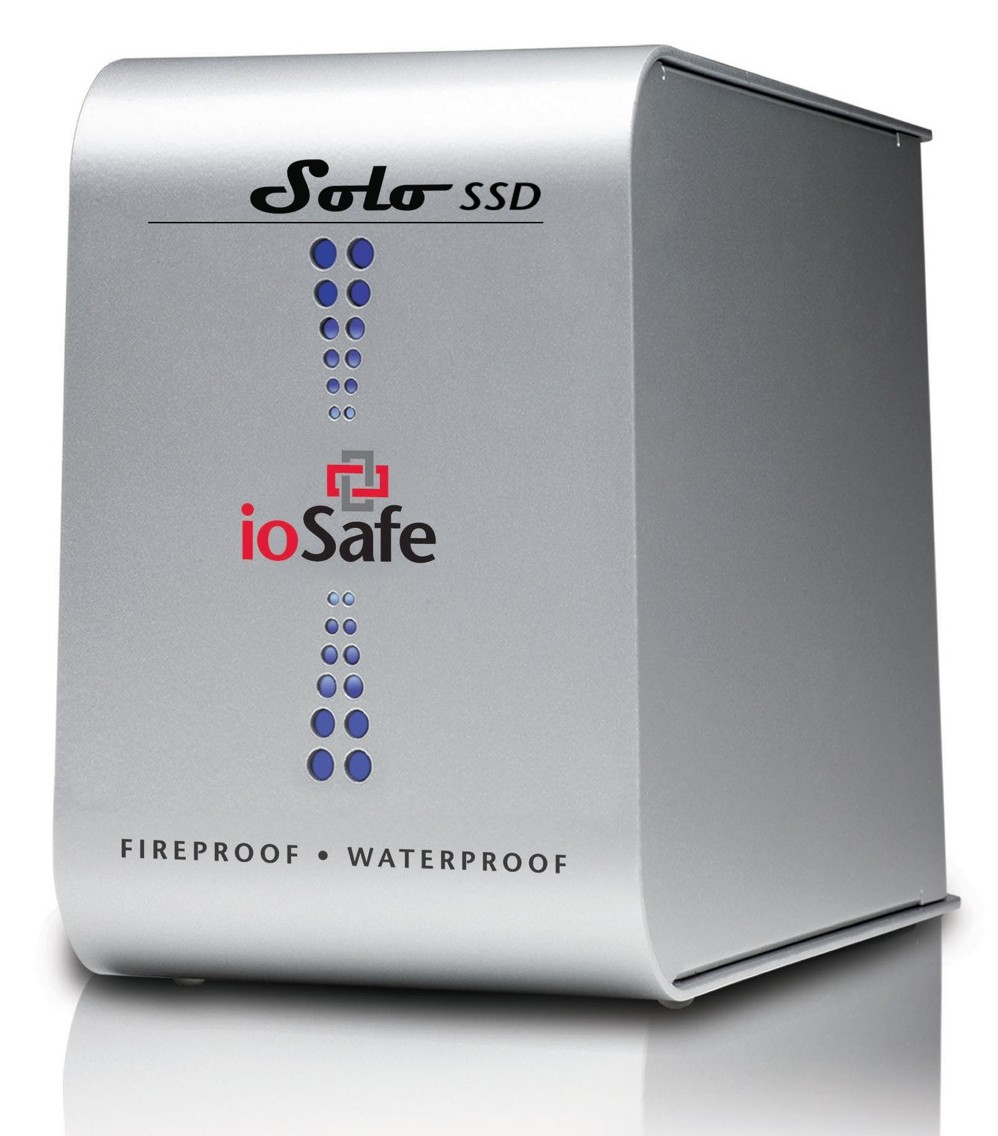
It’s the same size as the ioSafe Solo, it looks the same outside, except for the branding, which now adds “SSD”, but inside, it’s a whole new ballgame. Instead of using a regular 3.5″ SATA drive, they’re using a 2.5″ Solid State Drive. This means they have even more spare space to play with when it comes to disaster-proofing the device — which they certainly did!
The ioSafe SSD isn’t only fireproof (same serious specs as ioSafe Solo), and waterproof (better specs than ioSafe Solo, now with full immersion up to 30 ft for 30 days with no data loss), but it’s also crushproof (5000 lbs, any axis with no data loss) and shockproof (20 ft drop into rubble, 1000g shock for 1ms with no data loss).
Here’s a video from CES where Rob Moore, the company’s CEO, burns the drive, then floods it with a firehose, then has it dropped from about 20 feet, then has it run over with a bulldozer. In the end, even though the enclosure gets destroyed, the data stored onto it remains perfectly safe.
Quoting from the press release:
“Combining ioSafe’s new proprietary ArmorPlate, a military grade steel outer casing with SSD technology, the new ioSafe Solo SSD adds unprecedented shock, drop and crush protection to the existing fire and water protection.
The ioSafe Solo SSD combined with ArmorPlate helps to protect data in a two story building collapse, 5000 lb. crush forces, 20’ drop into rubble and up to a 1000g shock. In addition the original HydroSafe™, FloSafe™ and DataCast™ work to keep the drive cool during normal operation and protect the data from fires up to 1550°F for 1/2 hour and complete water submersion of 30’ for 30 days in fresh or salt water. Like all ioSafe products, the ioSafe Solo SSD comes with ioSafe’s Data Recovery Service, a “no questions asked” policy to help customers recover from any data disaster including accidental deletion, virus or physical disaster.”
The specs say the ArmorPlate military-grade steel is 1/4″ thick. That’s mighty thick. It also makes the ioSafe SSD about 5 lbs heavier than the ioSafe Solo. It now weighs in at 20 lbs.
I wonder if the whole device could withstand bullets, because then it would make a perfect military storage device for use in conflict zones. For example, it could be placed in tanks, humvees and helicopters to store video, audio and coordinate information during patrols. And at 256GB for the largest size drive, it could store plenty of HD video, if the military should want to go in that direction.
But let’s not go into hypothetical situations. The ioSafe SSD can work for disaster recovery right now. Should your place of business burn down or fall down or be flooded, any data stored on the ioSafe SSD will be available to you immediately, as soon as you dig it out of the rubble. That’s a tangible advantage. You can simply add this drive to your server room, or put it in the CEO’s or CFO’s office, and let him or her back up important documents to it, knowing they’ll be there in case of a disaster.
The thought just occurred to me — do you know how they could make it better? If it’s meant to survive disasters and be buried in rubble, it needs a geo chip of some sort, so you can locate it with a proximity device. It could be something simple that beeps faster the closer you are to the drive, so you don’t have to dig through all the rubble to find it, should it come to that.
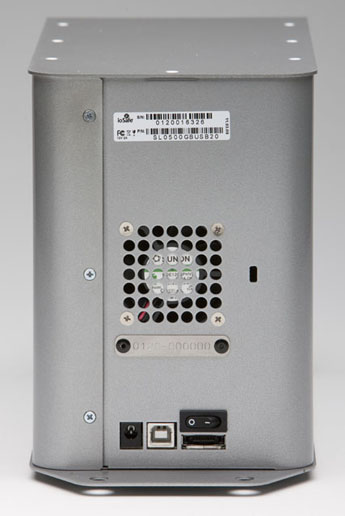
And there’s another goodie packed into the drive: an eSATA interface. This, coupled with an SSD, means you’ll get blazing fast write and read speeds. You can see the eSATA connector on the back, next to the USB and power connectors.
Pricing for the three different Solo SSD models starts at $499 for 64GB, $749 for 128GB, and $1250 for 256GB. It’s a bit steep, but then, SSDs are still expensive, and no other drive on the market (that I know of) offers this level of physical protection for your data.
Images used courtesy of ioSafe. You can see photos, videos, specs and more information about the Solo SSD on their website.




 Raoul Pop