Reviews

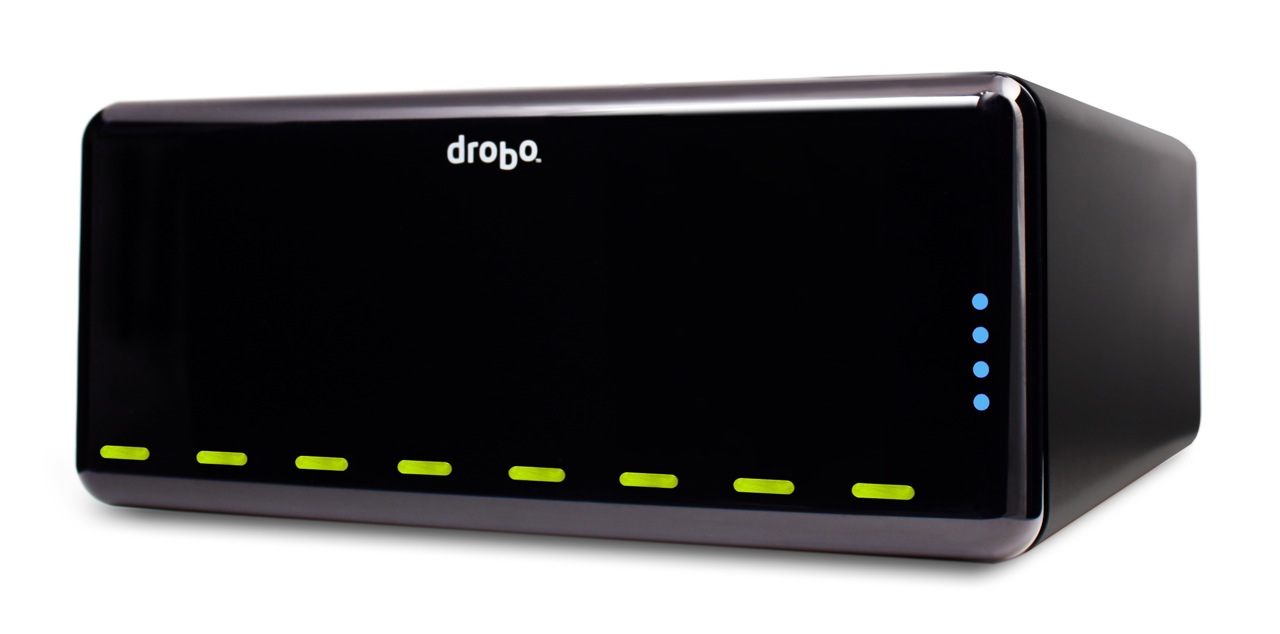
Hardware preview: DroboPro

Updated 1/14/19: I have revised my opinion of Drobo devices. After experiencing multiple, serious data loss events on multiple Drobo models, even recent ones, I no longer consider them safe for my data.

Updated 11/23/09: The new DroboElite is now available. It differs from the DroboPro because it offers two Gigabit Ethernet ports instead of one, multi-host support, and up to 255 Smart Volumes.

Today, April 7, 2009, Data Robotics launches a new product aimed at professionals and SMBs: the DroboPro. I got a preview of it yesterday. Let me share what I learned with you.
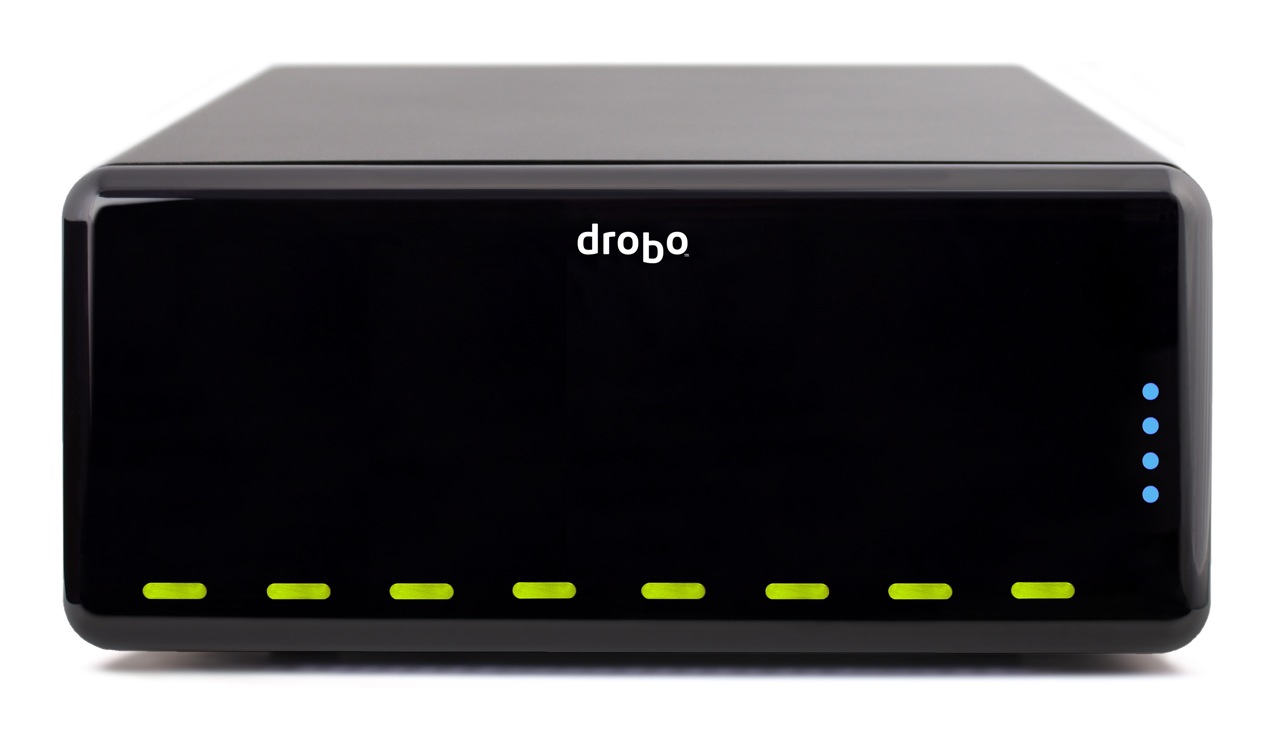
Drobo Pro top

The DroboPro has some really cool features, some of which I, along with others, anticipated and looked forward to seeing. As I wrote in my review of the Firewire Drobo, Data Robotics was looking at making an 8-drive Drobo, possibly rack-mounted. I also thought they might introduce the capability to safeguard against two drive failures. And, as I wrote in this comment on that same review, in response to a reader’s wishlist for the Drobo, I thought they might at some point build networking capabilities right inside the Drobo.

Well, the new DroboPro does all those things and more!

  • 8 (eight) drives
  • 2 form factors: desktop and rackmount
  • Dual drive redundancy
  • Gigabit ethernet
  • iSCSI
  • Smart volumes: create up to 16 different virtual volumes, each of which can grow to 16TB
  • Price is $1,299 for entry level DroboPro or $3,999 for a loaded model with eight 2TB drives
  • Instant $200 rebate with customer loyalty program

Let’s dive into those new features a bit. Keep in mind my knowledge is as yet limited, since I haven’t seen the full specs; I only had a phone briefing.

8 drives

You know how the drives are arranged horizontally in the regular Drobo? They’re arranged vertically in the new DroboPro, which is about the same height, and a little less than twice the width of the original.
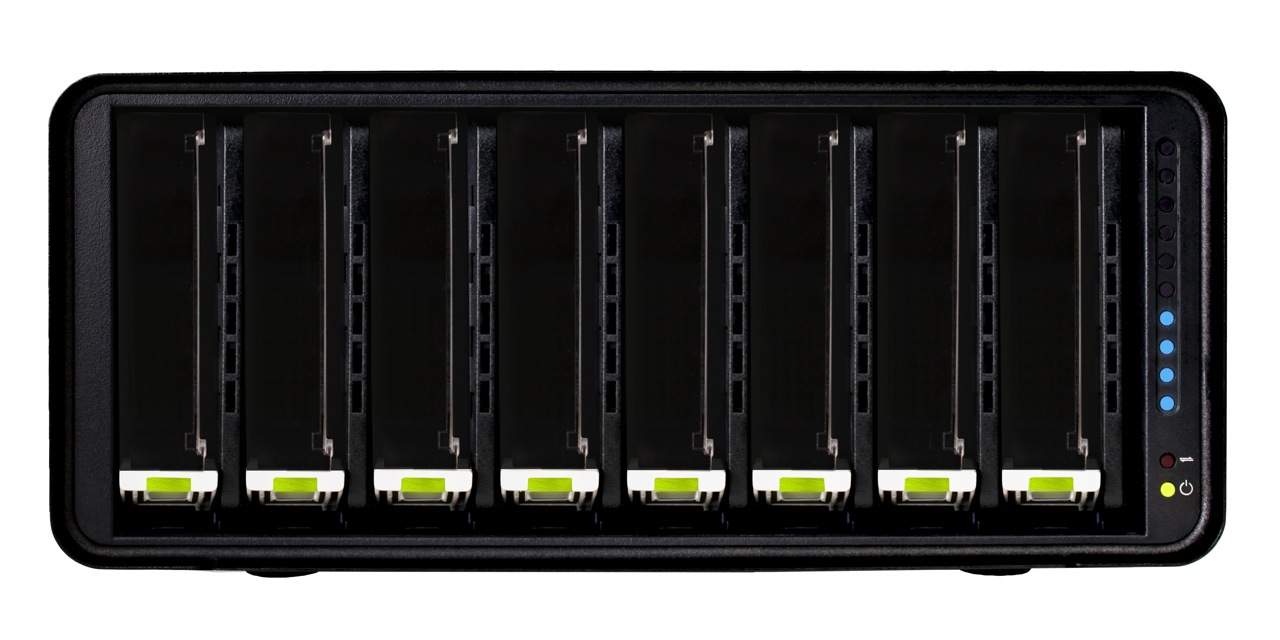
Drobo Pro cover off

Two form factors

The DroboPro comes in a desktop form factor which is 12.17″ wide, 5.46″ high and 14.1″ long. The length is about 3″ more than that of the original Drobo. I think the extra space houses the additional circuitry for the network, power supply and other features.

The other form factor is a rackmount with a 3U height. If I understood correctly, the rackmount kit can be attached and detached as needed, so you can interconvert between the two form factors if you like.

DroboPro dimensions

Drobo Pro rackmount kit

Built-in power supply

One thing that’s easy to miss if you look at the back of the DroboPro is that it no longer has a DC adaptor port, but a regular 120-240V connector. Have a look and see. This means the power brick which converts 120-240V AC to 12V DC has been eliminated. You’ll also notice a power switch on the back. That’s new too.

Drobo Pro back

Dual drive redundancy

As it was explained to me, the DroboPro comes standard with single drive redundancy, and the dual drive redundancy is an option that can be turned on at any time. In case you’re not familiar with the concept, this means two of the drives inside the Drobo can fail, and your data will still be safe.

Gigabit ethernet

Business-class networking is now built right into the DroboPro, along with enterprise-class features, like iSCSI with automatic configuration. The ethernet port on the DroboPro does not replicate the functionality of the DroboShare, as I initially thought. It only works through the iSCSI protocol, which means it needs to be mapped directly to a host, like a server or workstation, which can then share it among multiple servers or workstations. In that sense the DroboPro is not a NAS (Network Attached Storage), but a SAN (Storage Area Network).

iSCSI

If you’ve set up iSCSI volumes in the past, then you know how much of a headache they can be, and how bad the performance can be if it’s not set up correctly or if the hardware isn’t working as it should. I know firsthand about this. With the new DroboPro, the iSCSI setup is automatic. It’s as easy as plugging it into the network. The Drobo Dashboard software then finds it and mounts it as a volume on your machine via iSCSI. The work is done behind the scenes so you don’t have to worry.

For Windows, the DroboPro uses the Microsoft iSCSI initiator, and for the Mac, the folks at Data Robotics wrote their own iSCSI initiator. Those of you who work with Xserve and Xsan use Fibre Channel technology to connect to the network volumes, and you may wonder why Data Robotics went with iSCSI. It’s because iSCSI is more utilitarian. It doesn’t require special network hardware to work; it can use the existing ethernet network infrastructure, so there’s a lower cost of entry and maintenance.

I was assured that iSCSI throughput on the DroboPro is very fast. I guess it’s up to us to do some testing once the DroboPro starts to ship, so we can see just how fast it is. See the iSCSI guide on Drobo’s website for more details.

Smart Volumes

With the DroboPro, you can create up to 16 different virtual volumes, each of which can grow to 16TB. This is very important for the enterprise market, where companies want to be able to separate the data onto separate volumes and assign separate access privileges to each. Those of you who are network admins can readily appreciate how useful this is. Those of you who are creatives can also appreciate being able to assign a volume for Time Machine backups, one for videos, one for photos, and so on. Furthermore, each volume can be resized as needed, which is a huge leap forward compared to the difficulty of resizing LUNs set up over RAID volumes.

Price

The entry level DroboPro (enclosure-only) costs $1,299. The high end DroboPro, which includes the rackmount kit, two drive redundancy and is pre-loaded with eight 2TB hard drives for a total of 16TB of space, costs $3,999. There’s also a handy customer loyalty program which will give you an instant $200 rebate if you’ve purchased a Drobo in the past.

Those of you who might balk at the price should compare the features and ease of use of the DroboPro with other comparable products on the market. I’m going to walk you through a different kind of comparison, one that looks at the cost of the original Drobo and the cost of the new DroboPro.

Think of the DroboPro as two regular Drobos in one. The original Drobo is $499 for the enclosure, so that brings the price to $998. The difference between $998 and $1,299 is made up by the additional networking features and the complexity of the circuitry and auto-management algorithms of an 8-drive array. Keep in mind the DroboPro has enterprise-class features like dual drive redundancy, iSCSI and smart virtual volumes. Those features alone warrant charging several hundred dollars to thousands more for it, as other companies who make similar products have already been doing.
Drobo Pro side

Summary

The DroboPro is a fantastic addition to the Drobo line. Its enterprise-class features, its incredible ease of use, and its unmatched storage flexibility make it the perfect external storage solution for busy professionals with serious storage needs or business server rooms. Users will appreciate all of the space it makes available for their work, and system admins will appreciate how easy it is to set up and maintain. From a design point of view, it’s a drool-worthy beauty. Having been a Drobo user for almost 1½ years, I can tell you it is my storage solution of choice, and I look forward to upgrading to a DroboPro some day.

Images used courtesy of Data Robotics.
Standard
Lists

Gadget Monday – April 6, 2009

Here are this week’s seven cool gadgets.

Dell Studio One

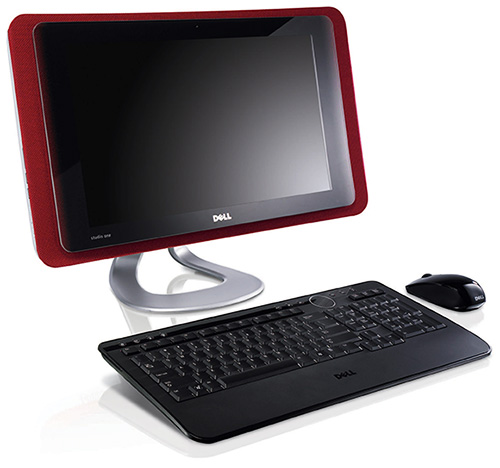
Dell’s design has definitely improved in recent times, and the Dell Studio One is a great example of their new direction. It’s an all-in-one desktop with a 19″ widescreen display. It’s smaller than the 20″ iMac from Apple, but it looks wider because Dell put all the circuitry in the back instead of letting some of it reside under the screen, and because the aspect ratio for its display is 16:9, not 16:10. Hardware-wise, the specs are nice and on-par with the iMac, and the price certainly isn’t bad at $700 for the entry-level model. I do hope, for Dell’s sake, that the Studio One will run Windows 7, not Vista…

dell-studio-one-19

[via LikeCool]

Lenovo Pocket Yoga

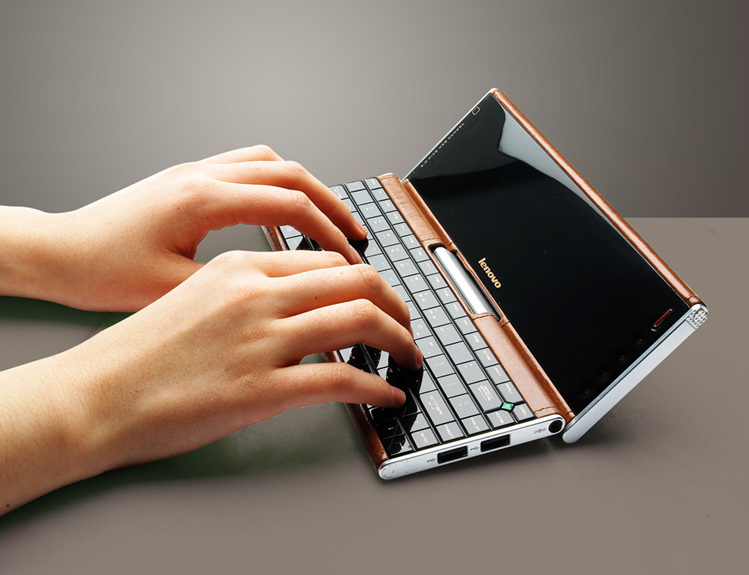
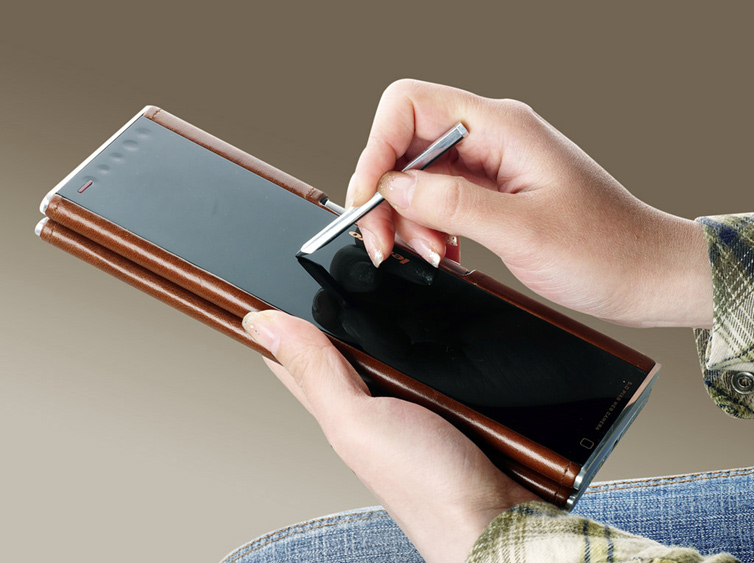
This neat device from Lenovo is a cross between a Pocket PC, a netbook, and a laptop. There are no specs or pricing or availability listed for it anywhere, only some photos in Lenovo’s Flickr account. I like the stylish design and the size, but I have many questions about it, such as OS, specs, tactile feel of the keyboard, battery life, display quality, stylus usability, etc.

lenovo-pocket-yoga-4

lenovo-pocket-yoga-1

lenovo-pocket-yoga-3

[via LikeCool and Lenovo]

LaCie iamaKey USB flash drive

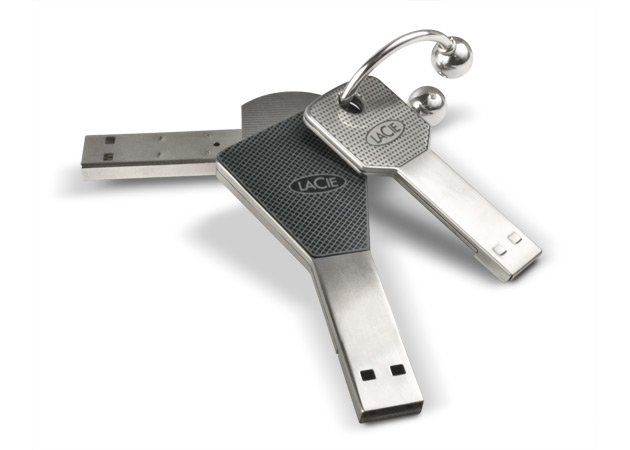
Key-shaped, functional and cool design for a USB flash drive. It’s also a good deal at only $18 for the 4GB version and $30 for the 8GB version.

lacie-iamakey-1

lacie-iamakey-2

lacie-iamakey-3

[via LikeCool and LaCie]

Zero Mouse by Oliver Rosito

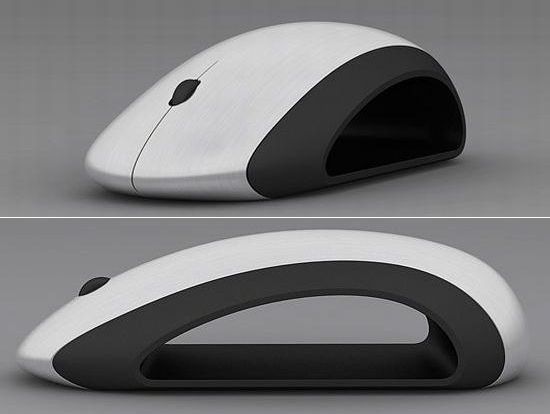
An elegant, hollowed-out mouse concept design, made of aluminum and rubber. I like it, but I do have one question: where will they fit the batteries?

zero-mouse

[via The Design Blog]

JVC Everio X Camcorder

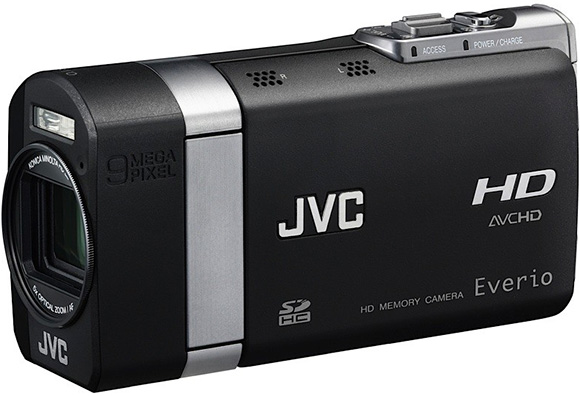
The Everio line of camcorders from JVC have sure come a long way since I last reviewed them. The new Everio X camcorder is both a digital camera and video camera, recording 9 megapixel stills and full HD (1080p) video with a 1/2.33 inch CMOS sensor. One set of features that sets it apart is the ability to shoot photos at high speed. It’ll record 5 megapixel photos at 60 fps (frames per second), and will even go as high as 600 fps, although the image size at that speed is only 640×72 pixels.

jvc-everio-x-camcorder

[via LikeCool and JVC]

Electric Man

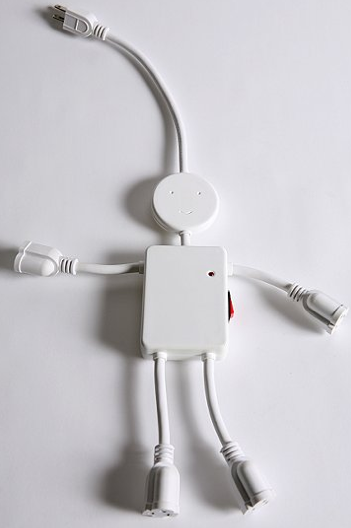
A power strip shaped to look like a smiling stick figure man.  You can use it for those bulky adapters, since there’s plenty of space between each grounded outlet. Only $15 from UrbanOutfitters.

[via LikeCool]

Three doors in one by Slam Doors

Did you ever see “The Three Bears” classic cartoon or read the story as a child? Same concept here. You’ve got a little door for Baby Bear, a medium door for Mama Bear and a big door for Papa Bear. Nice!

three-doors-in-one

[via LikeCool]

Standard
Lists

Gadget Monday – March 30, 2009

Here is this week’s list of cool gadgets. Did you see last week’s edition?

Samsung HZ15W Digital Camera

Available starting this month, the HZ15W digital camera has a 12 megapixel sensor and a 10x Schneider zoom lens that starts at an ultra-wide 24mm. The camera also has built-in optical and digital image stabilization, and it records HD video at 720p and H.264 compression. Users can utilize the zoom freely while shooting HD video, which is still a rare feature on digital cameras. The HDMI output allows it to be connected directly to an HDTV.

The HZ15W replaces the HZ10W, which was launched in January at CES and is pictured below.

Samsung HZ10W Digital Camera

2TB Hard Drive from Western Digital

WDC is the first company to have come out with a 2TB internal hard drive. It’s a 3.0GB/s SATA drive that will make a lot of Drobo owners very, very happy.

Western Digital 2TB SATA Hard Drive - 1

Sony Ericsson Idou mobile phone

A new touch screen mobile phone from Sony Ericsson with a 12 megapixel camera and a big 3.5 inch (16:9, 640×320 pixels) display. It has all the goodies you’d expect from a smartphone, and it’ll go on sale later this year.

Sony Ericsson Idou Phone

[via LikeCool]

Canon PowerShot D10 digital camera

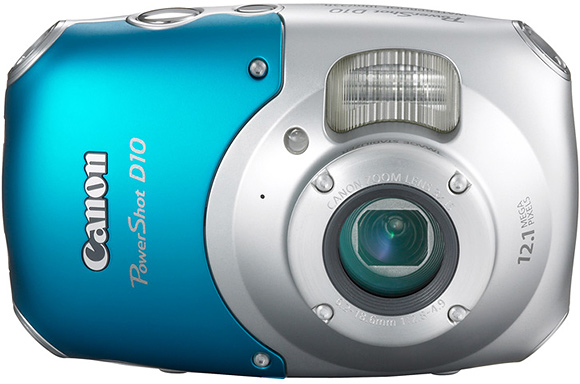
This little camera is waterproof (up to 10m depth), shockproof (up to 1.2m fall) and freezeproof (to -10°C). It’ll go on sale in May for $330 MSRP, street price will be lower. It has a 12 megapixel sensor, 3x zoom and it shoots SD 480p video.

Canon PowerShot D10 - 1

Canon PowerShot D10 - 2

[via Canon and LikeCool]

Studio FRST’s 16943 HDTV

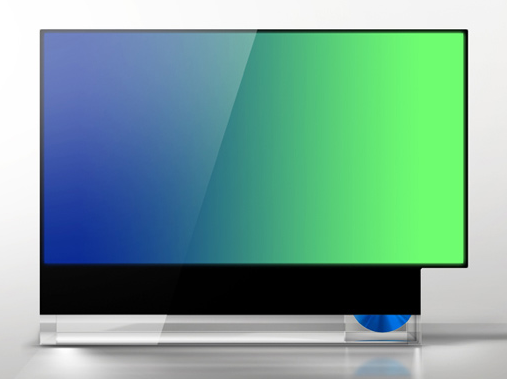
The 16943 is a conceptual design for an HDTV that definitely grabbed my attention. It breaks out of the mold of the squarish TV design and allows one to view 4:3 or 16:9 movies at their intended aspect ratios, without letterboxing or pillarboxing them. The designers also want to include a built-in DVD player on the side, which is a nice touch but not really needed, since most people will play their content from other sources, not DVDs, in the future.

Studio FRST 16943 HDTV - 1

Studio FRST 16943 HDTV - 2

Studio FRST 16943 HDTV - 3

[via FRST and The Design Blog]

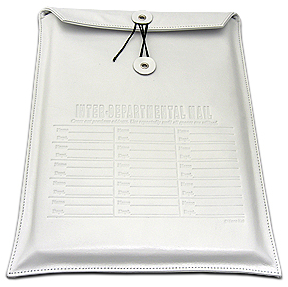
Interdepartment Mail laptop sleeve by Kena Kai

Made of white Italian leather, this is one beautiful laptop sleeve. Available for $70 directly from Kena Kai.

interoffice-mail1

interoffice-mail2

[via TrustyPony]

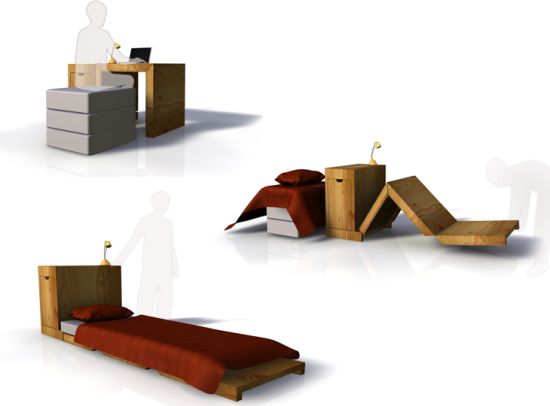
Modular office desk and bed by Florian Jouy

This neat desk can be unfolded and used as a bed at the day’s end. Great for small spaces.

modular-desk-and-bed-1

modular-desk-and-bed-2

[via The Design Blog]

Standard
Lists

Gadget Monday – March 23, 2009

Here are this week’s seven cool gadgets. Did you see last week’s edition?

Terrafugia Transition

I wrote about the Terrafugia vehicle back in March of 2006, three years ago. On March 5th of this year, a couple of weeks ago, their first working prototype, the Terrafugia Transition, made a successful runway-only flight. I’m really glad to see they managed to get their design built and working!

The Transition has foldable wings that extend and lock into place when it’s time to fly. It changes from a car into an airplane in less than 30 seconds. It has a top speed of 65 mph on the ground and 115 mph in the air. Its approximate fuel economy is 30 mpg, and it can fly about 450 miles on a full tank. Retail price is $194,000.

terrafugia_morning_hangar

klwmtaxi

first_flight_chase_plane

first_flight_chase_truck

terrafugia_formation

transitiongasstation

Videos (1st, 2nd, 3rd)

[via Terrafugia and Jalopnik]

KOZO Lamps by Design2009

These lamps from Design2009 are hand-made from old-style galvanized steel pipes and feature a faucet-like switch. They can be used with incandescent or halogen light bulbs.

KOZO1

KOZO2

KOZO3

[via LikeCool]

The Jenga Pistol

It’s a coil-action pistol that can be used to knock out Jenga blocks. Watch the video and see, my description is lamer than what this gadget does.

[via Look At This]

SwitchEasy ThumbTacks

They look like thumbtacks, but they’re microphones for your iPod. So cool! At only $13, I’d grab a couple in a heartbeat, except they won’t work with my 1st generation iPod Touch; they only work with the iPod Nano 4G and iPod Touch 2G.

switcheasy-thumbtack-1

switcheasy-thumbtack-2

switcheasy-thumbtack-3

[via SwitchEasy and LikeCool]

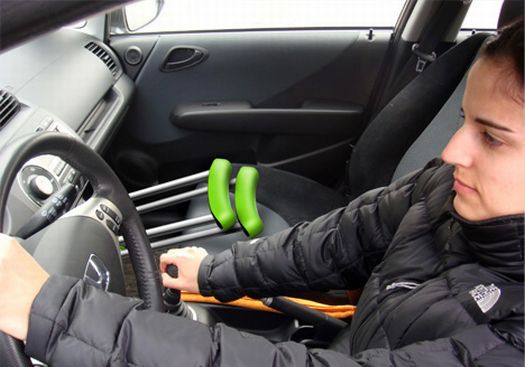
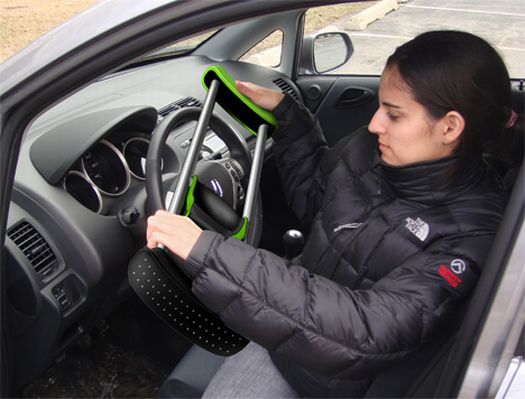
Collapsible Crutch

This may be one gadget I’d rather not use unless it was absolutely necessary, but let me tell you, if it were necessary, I’d rather be stuck with these. I was on crutches almost 10 years ago because of a knee operation, and I found it annoyingly difficult to get them in and out of the car. These collapsible crutches expand and contract very easily, which makes that task a snap.

Collapsible Crutch - 1

Collapsible Crutch - 2

Collapsible Crutch - 3

[via The Design Blog]

D3O

This wonder gel is soft at first touch, but it turns into a solid upon hard impact. It’s already being used in sportswear, and now the British Army has signed a contract with Blue Divine Ltd, the maker of the gel, so it can be used in the helmets of British soldiers. Very cool!

d3o-1

d3o-2

d3o-3

[via Mail Online and Look At This]

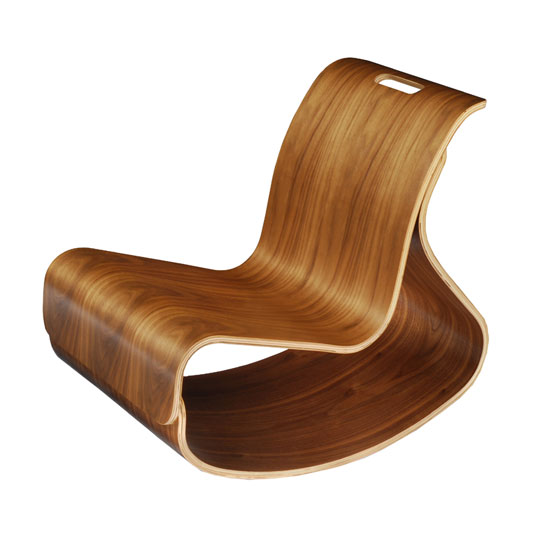
Iglooplay Mod Rocker

Someone tell me why this cool rocker is only made for kids? It’s so nice I’d get one myself. It’s made by ModernNursery of molded plywood, and can take up to 450 lbs of weight.

iglooplay-mod-rocker-1

[via The Design Blog]

Standard
Reviews

Hardware review: Second-Generation Drobo

Updated 1/14/19: I have revised my opinion of Drobo devices. After experiencing multiple, serious data loss events on multiple Drobo models, even recent ones, I no longer consider them safe for my data.

Updated 11/23/09: The new Drobo S is now available. It has five drive slots, single or dual-drive redundancy, and triple interfaces (eSATA, FW800 and USB 2.0).

My review of the new Firewire Drobo is somewhat overdue, but I wanted to spend a few good months with it before I wrote it. I have now spent that time, and am happy to say this new Drobo can be an avid computer user’s single storage device. Whatever reservations I had about the first-generation Drobo were eliminated by this new version, and I can now wholeheartedly recommend it to anyone who needs to store a large amount of data and safeguard against a hard drive failure.

Background

You may or may not know that I also reviewed the original Drobo. I published that review in December of 2007, after spending about a month with a USB Drobo, and updated it frequently since then, outlining the various good or bad points I found during my heavy-duty use of the device. Since that time, I became the owner of four Drobos (three USB Drobos and one Firewire Drobo) and found a couple of firmware bugs — I’m not claiming to be the first one to have found them, just saying I also found them — which were later addressed by firmware upgrades. The bugs were an overestimation of used space, and a significant drop in transfer speeds after the Drobo’s used space reached 80% or greater of the total available space. I had a number of different issues with my Drobos, all of which were detailed in my original review, and are now resolved.

I also wrote about the Drobo from the perspective of product design for the consumer and corporate markets. Tom Loverro, one of the execs from Data Robotics, responded at length to my article with some very interesting insights about the inception and introduction of the product to those markets.

What’s new

What is it that differentiates the new Firewire Drobo from its predecessor? I’ll summarize it:

  • Faster read/write performance thanks to an upgraded core processor and faster transfer method (Firewire vs. USB); slower read/write performance was a big point of contention with the first-generation Drobo
  • Two Firewire 800 connectors in addition to the USB 2.0 connector, so you can daisy-chain other Firewire devices to the Drobo
  • Different design for the cooling grille and a bigger cooling fan (the fan, without the cooling grille, was a silent upgrade that was also applied to some late builds of the first-generation Drobo)

Comparison of the backs of Drobo USB and Drobo Firewire

Faster read/write performance

The official specs from Data Robotics quote the transfer speeds as follows:

  • FireWire 800: Up to 52MB/s reads and 34MB/s writes
  • USB 2.0: Up to 30MB/s reads and 24MB/s writes

I can vouch for the faster read/write performance myself. As a matter of fact, I can safely say that the performance approaches that of my WD My Book Studio Edition II, which is also a Firewire 800 device, that I have used in both RAID 0 and RAID 1 configurations. In layman’s terms, I can copy about 800 MB – 1 GB per minute to my Drobo, while I can copy about 1 GB – 1.2 GB per minute to my WD My Book Studio Edition II drive in RAID 1 config. These are large files I’m copying, ranging in size from 1-4 GB.

If we do some quick math with the official figures, we can see that you could get up 2040 MB or about 2 GB per minute written to the Drobo over a Firewire 800 connection per the specs. In my real world experience, I was able to get about half that, as you can see above. I don’t think that’s a bad thing. Again, you have to compare the Drobo with another Firewire 800 device, and I did. If I can get about the same performance from my Drobo, which has to write the data across four drives, as I can get from my WD Studio Edition II, which only has two drives to worry about, then I’m pretty happy.

Two Firewire 800 connectors and different cooling grille

Have a look at this photo to get a better look at the different back design for the new Drobo. You can see the two Firewire 800 connectors, the USB 2.0 and DC connectors and the different grille design below.

Miscellaneous notes

In the other-things-that-are-different department, I noticed that Drobo now allows people to format its volumes in the EXT3 file system (Linux), in addition to NTFS, FAT32 and HFS+, although they do say that Linux support is in beta on their website. It has nothing to do with the new Drobo 2.0 hardware, as this involved a firmware upgrade and a Drobo Dashboard upgrade, not a parts upgrade, but it’s a pretty cool move on Data Robotics’ part.

Another thing that looks a bit different is the power supply. The original one was a simple plastic brick, but the new one has a line motif going across it, parallel to its long axis. This newer power supply was also shipped with some of the late builds of the previous-generation USB Drobo.

New Drobo power supply brick

If you look at one of the photos I posted above, the one of the new Drobo’s back, you’ll see a Reset slot. Can you see it, to the left of the FW800 connectors? It was present on the back of the original USB Drobo as well, to the left of its main (and only) USB connector. Sure enough, there’s even a tech note about it, which explains how to wipe the Drobo clean. This means it’s a dangerous little slot, so don’t use it unless you really mean it.

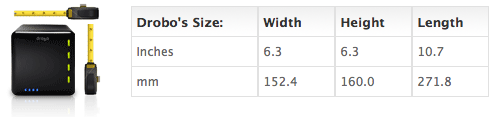
I never got around to posting the Drobo’s dimensions in my original review, so here they are. They haven’t changed with the new Drobo. I like the form factor, I hope it keeps staying the same. In all likelihood, it will stay the same for this four-drive version of the Drobo. I know, thanks to a product survey sent out to selected Drobo customers, that Data Robotics is thinking about or working on an 8-drive and possibly a 16-drive version of the Drobo, one of which (or both) is rack-mountable. Those should be some very interesting products for the enterprise or for those with larger storage needs than what the four-drive Drobo can provide. I understand that Data Robotics is also working on the capability to safeguard against two drive failures in those larger Drobo models, which should be a very cool feature indeed.

In terms of storage flexibility and the safety of one’s data, I believe the Drobo is unmatched. There is no other product like it on the market. The only thing that’s holding it back at the moment, storage-wise, is the capability of the hard drives themselves. Only recently have the problems present in the 1.5TB drives from Seagate been worked out, and only in recent weeks have I seen 1.5TB and 2TB drives from other manufacturers like Samsung and WD. This means, according to the Drobolator, that you can get up to 5.5TB of disk space on a single Drobo unit, which is pretty amazing, but still far from the 16TB limit. I think 16TB is a lot of space to get from a single device, and it should suffice for the needs of most people for the next few years.

Drobo with four 2TB drives

Cheers to the new and improved Firewire Drobo!

The Drobo is available for purchase from Amazon or B&H Photo.

Images used courtesy of Data Robotics.

Standard