Reviews

WD Passport Portable Hard Drive: a new kind of sexy

These new Western Digital portable hard drives have me drooling. They’re reasonably priced, and they come in various sizes: 60 GB, 80 GB, 120 GB and 160 GB. They’re powered solely by the USB port, and they’re bundled with encryption software and a bunch of Google software (probably the Google Toolbar and the Google Desktop.) Not that I give a hoot about that — the design is much too cool for me to care about anything else. Wowza!

If you don’t like the prices on the WD site, PC Mall is running a sale on these and other WD drives.

Standard
Thoughts

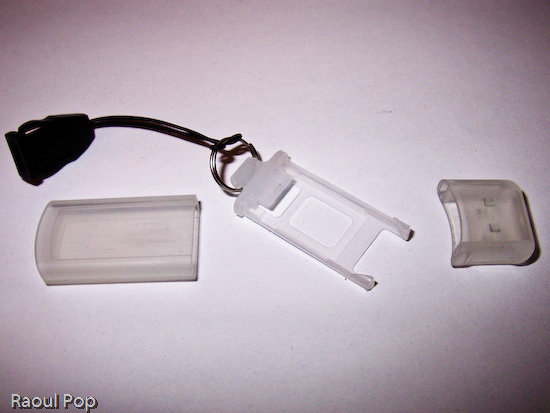
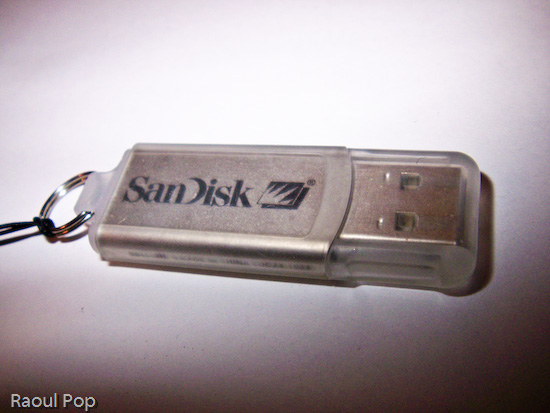
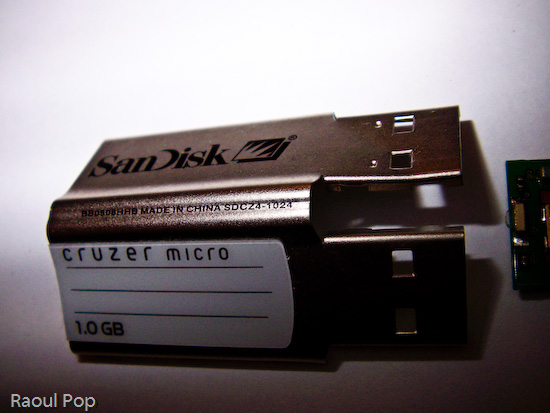
Want to see the inside of a SanDisk Cruzer 1.0GB USB flash drive?

Yes, you read correctly. That is a Google-compliant post title. It may give away the entire post, but I can be sure it’ll get indexed properly now…

Now for the raison d’etre, or the why, as we say in these here parts. My friend Peter is the owner of the USB flash drive in question. Actually, he has two of them, and one stopped working. Ever curious, he wanted to see what was inside, so he took it apart. One of the fringe benefits of having a geeky friend and being a geek yourself (and I mean that in the nicest way, honest) is that you get to share such delightful experiences. So when Ligia and I visited them, Peter showed me the parts, and suggested I post the photos to my site. Well, he didn’t have to ask twice! He had me when he pulled out the broken drive! I mean, what self-respecting geek would say no when presented with the chance to:

  1. Have a look at mini circuit boards,
  2. Take macro photos with his new digital camera,
  3. Post said photos online,
  4. Write a blog entry about it

So, without further ado, here are the photos, starting with the external components and progressing to the internal ones.
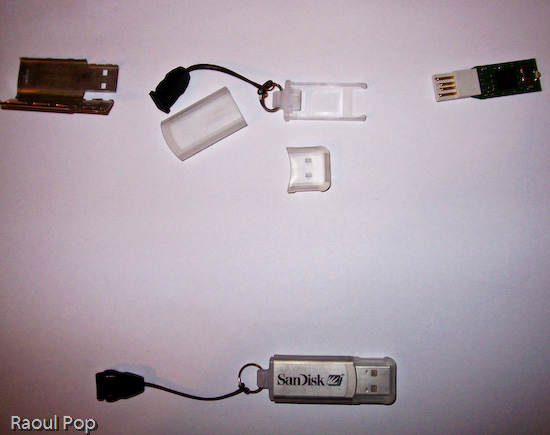
SanDisk Cruzer flash drive

SanDisk Cruzer flash drive

SanDisk Cruzer flash drive

SanDisk Cruzer flash drive

SanDisk Cruzer flash drive

SanDisk Cruzer flash drive

SanDisk Cruzer flash drive

Standard
Lists

Oldies, but goodies

As news go, these are weeks, and even months-old, but they sure are good. Stumbled onto them in a folder full of bookmarks. Enjoy!

  1. Full of nostalgia for the 80’s? Try Engadget, cca. 1985.
  2. Want to donate your old computer? Better wipe that drive first!
  3. The generational gap can be seen in the workplace, too. Seriously, it’s rude to get up and walk out in the middle of a conversation.
  4. Kawaii Not – the web comic for cute gone bad! Cute indeed, and witty to boot!
  5. Want to get a small PC?
  6. The 25 worst tech products of all time, according to PC World.
  7. Ever thought of public spaces as dance floors? “You’ve got to move it, move it… MOVE IT!”
  8. Check out photos of Chicago from the 40’s to the 90’s.
  9. Want to get the scoop on classic movies? Then check out Reel Classics.
  10. In love with USB? Check out this list of flashy USB accessories, like a bra with a USB clasp.
  11. Want the latest in wiretapping devices?
  12. How will the newspaper look in just a few short years?
  13. You thought invisibility cloaks were a sci-fi thing, right?
  14. Great advice on advancing your career as you start over, move, take a part-time job or have money problems.
  15. Video sites, comically analyzed and summarized.
Standard
Reviews

Wireless PC Lock

This USB Wireless PC Lock from Think Geek is pretty innovative. It’s made of two pieces, a USB dongle which attaches to your PC and a battery-powered keychain transmitter. As soon as the transmitter is more than 2 meters away from the PC, the PC is automatically locked. Once you get back within 2 meters, it’s unlocked. Available at Think Geek for $29.99.

Standard