Reviews

An update on CrashPlan

Updated 11/01/16: I’ve revised my opinion of CrashPlan. See here for the details.

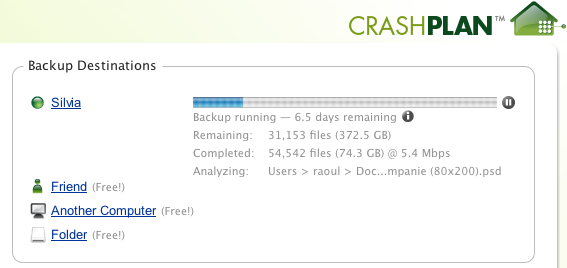
Back in April, I wrote about CrashPlan, a wonderful, multi-platform piece of software that lets you back up to friends’ computers for free. I said that I used it to do trans-Atlantic backups, from my computer in Romania to my parents’ computer back in the USA.

It’s been a while since then, so I thought I’d give you a quick update. I’m still using it, and I still like it. It works.

When I wrote the other post, I mentioned I kept hitting some bandwidth ceiling somewhere along the line between Romania and the US, around 2 Mbps. Somehow, that ceiling has since disappeared. I’m now getting speeds up to 25 Mbps, though it’s usually around 5-7 Mbps.

So if you’re in need of a way to back up to a remote location, inexpensively, then CrashPlan is the way to do it. If you don’t have a friend who’s willing to help, that’s okay, you can back up to the CrashPlan servers for $4.50/month, or you can get the family plan, which covers all of your household computers, for $8.33/month. That’s very reasonable, and it’s definitely worth it.

Standard
Reviews

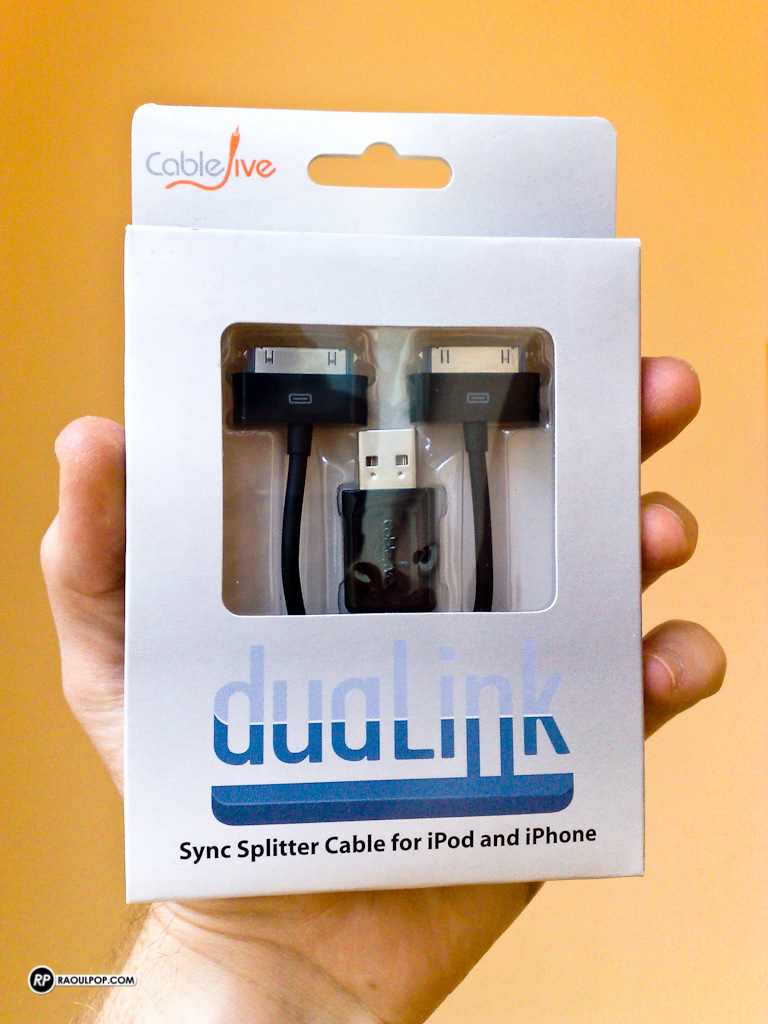
Hardware review: CableJive duaLink sync splitter cable

The duaLink sync splitter cable, made by CableJive, allows you to connect two iPods, iPads or iPhones from a single USB port. This is particularly useful for laptop owners, who may not have a lot of ports on their machines.

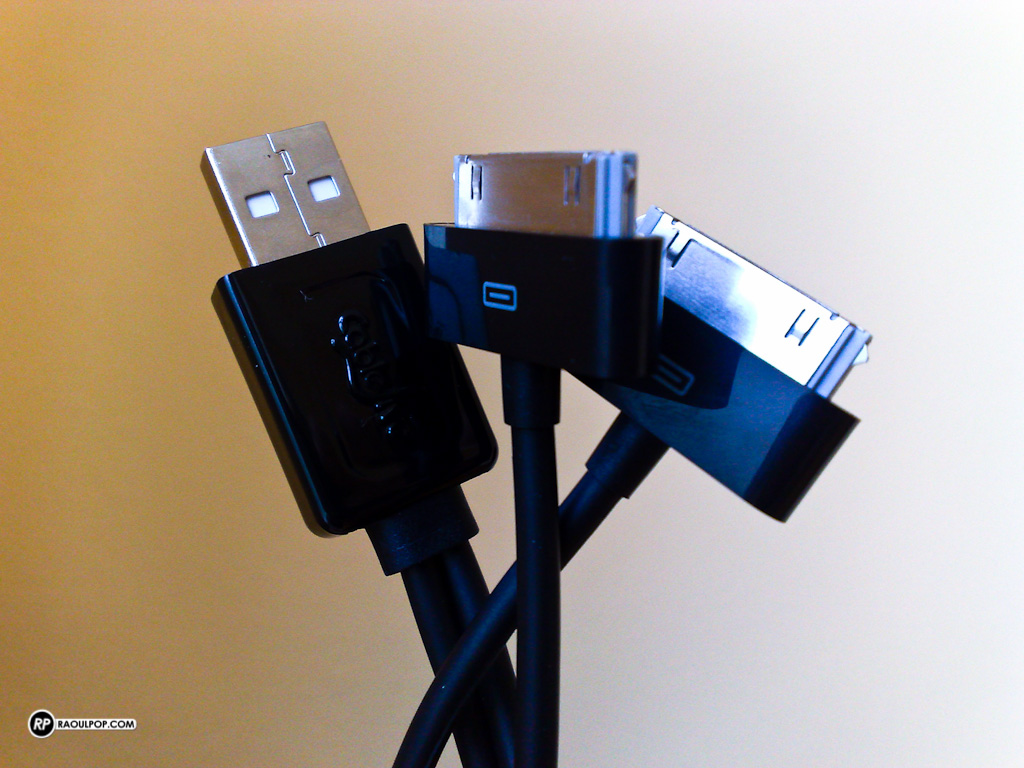
Here’s a closer look at the cable itself.

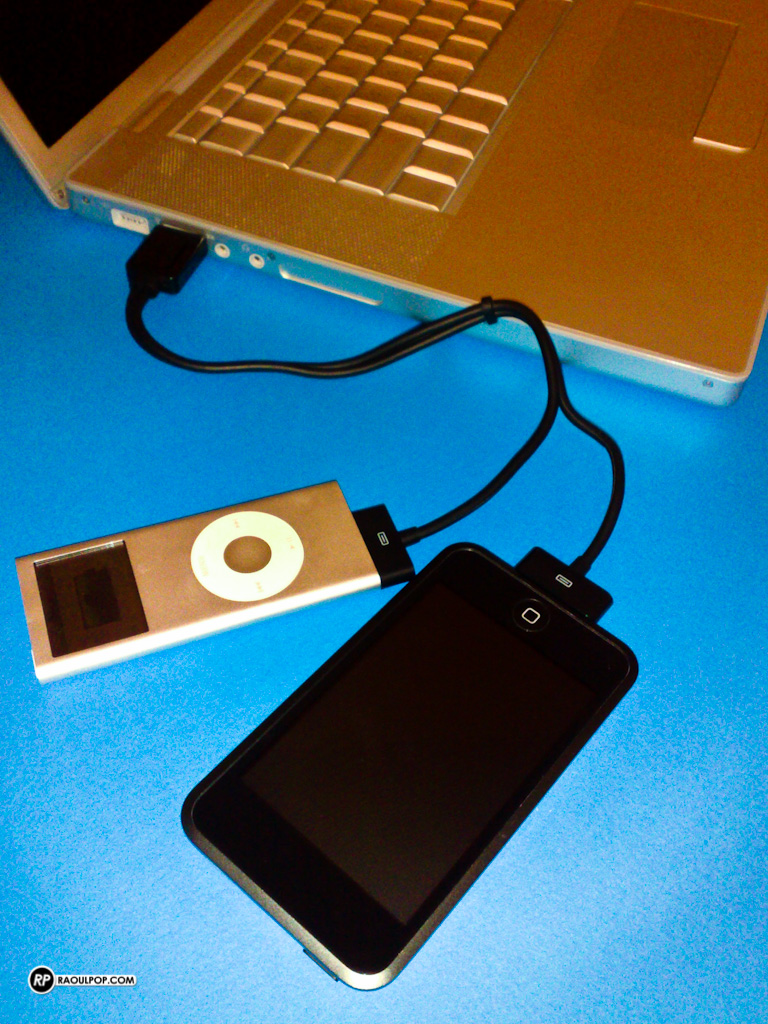
And here’s what it looks like with two iPods connected to my MacBook Pro.

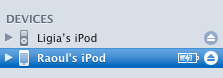
Finally, here’s what things look like in iTunes.

It’s a straightforward product that I think many of us could use. It costs $25.95, and you can get it directly from CableJive.

Standard
Reviews

Hardware preview: DroboPro FS

Updated 1/14/19: I have revised my opinion of Drobo devices. After experiencing multiple, serious data loss events on multiple Drobo models, even recent ones, I no longer consider them safe for my data.

Today, the DroboPro FS will be announced by Data Robotics. It’s the bigger brother of the Drobo FS, and it’s aimed at creative professionals, SOHOs and SMBs.
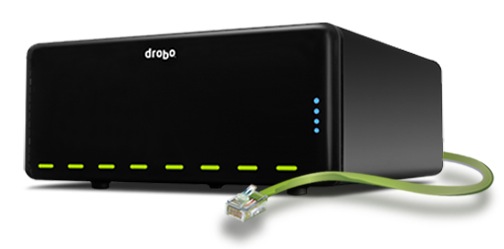
There was a gap in Drobo’s file sharing lineup. They had a NAS device, sure (the Drobo FS), but it didn’t have the capacity and the bandwidth of the DroboPro FS, which has two Gigabit Ethernet ports and eight drive bays.
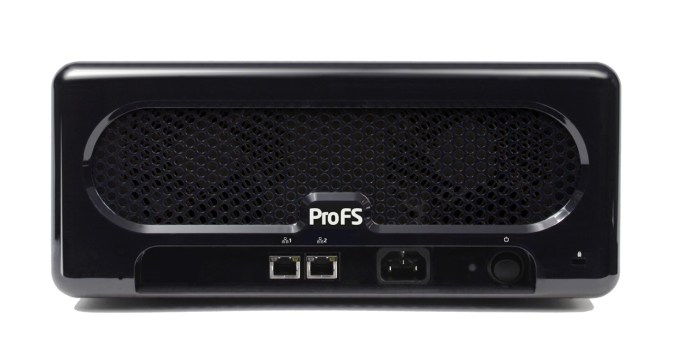
Its ethernet ports can be configured two ways:

  1. On two different subnets, for offsite file replication, and
  2. Failover mode, where one port takes over if the other one dies

The really nice part here is the DroboPro FS works seamlessly with a new piece of software (to be introduced shortly) by Data Robotics, called Drobo Sync. The way it works makes the DroboPro FS the perfect candidate for offsite backups, for disaster recovery purposes.

Say you have two DroboPro FS units. You keep the first one in your company’s server room, do your internal backups to it, over the local network, and then run a quick DroboPro FS to DroboPro FS initial sync job using Drobo Sync. When that’s done, you can take the 2nd DroboPro FS unit to your disaster recovery site, plug it in over there, and Drobo Sync will start doing incremental backups automatically, saving you bandwidth and validating each file on a block-by-block level to make sure the data is identical on both Drobos. This is a solution that would be perfect for overworked sysadmins, because the setup and administration are easy, and the total cost is less than that of comparative solutions.

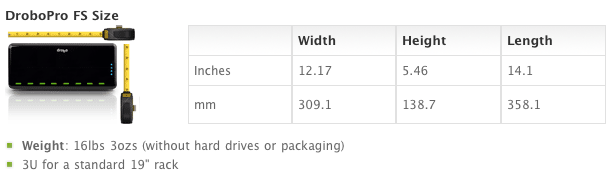
It uses the same form factor as the DroboPro and the DroboElite, which means it shares the same measures, and the same rack-mount kit. And you can also customize it with Drobo Apps, just like the Drobo FS.
A base DroboPro FS costs around $1,999, but you can buy it bundled with hard drive sets (8TB, 16TB and 32TB). It’s available directly from Data Robotics, or from B&H Photo, Amazon and other retailers.


Standard
Thoughts

My wishlist for Flickr

I joined Flickr in December 2004, and stuck with it since then because I like it. In spite of the various censorship issues that have plagued it over time, it’s still one of the best (if not the best) places to share photos. (Videos are another matter…)

Here’s a short list of what could make it even better:

  • Ability to view ALL of the photos that my contacts have uploaded. This is already available in the Flickr app for iPod touch and iPhone, but it still hasn’t been implemented on the Flickr website. It should be a simple option that would allow me to choose between seeing All or Five or One new photo(s) from my contacts. If I choose All, then when I go to my Contacts page, I see everything they’ve uploaded. It would be really useful.
  • Ability to set a licensing price for our photos. Flickr should get a bit of that money, and since they’re in with Getty these days, I suppose Getty ought to get something too, but certainly not what they’re getting now with the “Request to License” option, which is obscene when you consider they’re doing no work whatsoever on behalf of the user to market those photos.
  • Ability to set a custom domain to our Flickr photostreams, if we so choose. WordPress and Blogger already let people do this, so it’s clearly something that’s feasible to do for millions of users — the path has already been paved.
  • Smart sets, that update automatically based on criteria we set. This would eliminate the need to use third-party tools and websites, which are nice, but let’s face it, things would be even nicer if we could do it directly on Flickr.
  • Grey and black backgrounds for our photostreams, in addition to the standard white color.

You can find me here on Flickr.

Standard
Places

Some of the best pizza in Venice, Italy

I mentioned this place back in April, in my two-part article about Venice, but I wanted to tell you about it in more detail. It’s called Al Ponte di Rialto Self Service. It’s an unassuming name for an unassuming edifice, but don’t let its looks fool you. It’s some of the best pizza in Venice, Italy, and for us, some of the best pizza we’ve had in Italy. The prices are modest, which means you can eat yourself full without breaking your budget, then head out for a day of sightseeing.

On a related note, want to know what to avoid in Venice? Avoid pricy restaurants, particularly the one next to this cathedral, with a view over the laguna to one of the neighboring islands.

I’d tell you its name, but I forgot to write it down, and it’s also possible I’m blocking it. My wife and I got a mild case of food poisoning after eating a pizza there. Sure, we felt like kings sitting on a table overlooking the laguna, on a sunny and breezy late-winter day, but our stomachs told us otherwise afterward. And when you’re unfortunate enough to get food poisoning as you’re crossing the laguna on a boat, it can get mighty rough.

This was the pizza that made us sick.

So, keep this in mind while in Venice: avoid pricy restaurants with incredible views, and go for the unassuming places with clean kitchens and delicious food, like the Al Ponte di Rialto Self Service.

Standard