
Thoughts

Why is it that Apple has three messaging apps?


Back when Apple brought out FaceTime, I couldn’t get why it had to make a separate video chat app when it already had iChat. Now we have a third app included with iOS 5, called iMessage. Why?

If the people at Apple are intent on making little messaging apps, each with their micro-purpose, then I’d like to suggest some new ones to them:

  • iShmooze: giving people a direct chat line to their boss or work hierarchy
  • iRx: so you can chat about your medications with your neighbors and know-it-all relatives, and get better prescription advice than from your doctor
  • iExChat: for venomous quips exchanged between ex-spouses and other ex-es…
  • iSeeAds: for people interested in seeing targeted ads; perhaps you can work in a micro-pyramid scheme where people can get something like 1-5 cents when they view an ad or invite their friends to view ads; that should be popular…
  • iSeeDeadPeople: photo sharing for zombie and vampire lovers
  • iPotty: for those who love to share those precious moments in the bathroom
  • iAte: see above and substitute food; this one could come with a photo sharing option, for those who love taking photos of said food; in hindsight, perhaps the photo sharing option could be extended to the iPotty app as well, I saw some folks online who would be interested in that.

For a company renowned for its design and the clear focus of its products, I’m surprised to see three messaging apps. Why? Didn’t anyone put their hand up to say, “Hey, don’t we already have iChat?”

Perhaps it makes sense to have the separation, from a software and procotol perspective. Perhaps iChat was designed for the computer. Perhaps the AOL messaging protocols it still uses aren’t suited for the purposes of FaceTime and iMessage. But it still makes NO sense.

If Apple was able to take OS X and turn it into iOS, then take features from iOS and put them back into OS X, then it’s quite capable of making iChat the go-to app for all its messaging needs. Rewrite it and make it work! It’s already incredibly capable on the desktop. It can do text chat, audio chat, video chat, file sharing and screen sharing. I use it all the time to do video conferencing with my parents, all the way across the Atlantic Ocean, and I use it for screen sharing as well, when I help them troubleshoot issues on their computers or simply teach them how to use them better. Why in the world would you leave a capable app like that behind and write a new one called FaceTime? And then why would you further fragment that segment and make another one called iMessage? Why?

I’d like to see iChat be the one and only app that does everything this set of three apps does and more. I’d like to challenge the people at Apple to make it work the way it should work, tailored to the capabilities of each device where it will be installed.


Standard
Events

New site design

A new site design went live yesterday. If you haven’t checked my site in a while, click through to see it, it’s worth it.

The new header image is a panoramic photograph taken atop the Parang Mountains, on the Transalpina Road, which I just wrote about. The header also celebrates the 10-year anniversary of my website and indicates my presence on various social networking sites.

There’s also a surprise re-design for my iPad readers. I’ll let you see it for yourselves.

Standard
Reviews

Initial thoughts after installing OS X Lion

I thought I’d jot down a few thoughts about OS X Lion, having just installed it on my MacBook Pro. I looked forward to getting it for months, and as luck would have it, I happened to be out of town with little internet access when it was released on the 20th.

  • The upgrade was painless. I bought it from the App Store, it began to download, and when it was done, it ran and finished without any bugs.
  • Without a media disc of some sort, or at least an image file, I am somewhat concerned about a re-install of the OS, should I need to do a fresh install. I hear there’s going to be a Lion Flash Drive available for sale in a month or so, but short of paying for that as well, is there some way for me to burn Lion on a DVD or make a bootable flash drive?
  • Overall, I like it. The design is more refined. It feels like a more mature OS.
  • I like the full-screen functionality of the apps.
  • The login screen is interesting. It’s a departure from what we’ve seen thus far. I like it, but I’m not sure what to think about the round thumbnails for the accounts yet. I’m used to square thumbnails. Photos are rectangular. Square photos? They used to be en vogue in the late 1800s. But who knows, maybe those round thumbnails will grow on me.
  • I do wish iCloud were launched at the same time as OS X Lion. For example, I don’t know if I did something to cause this, but every time I start up Safari, it wants to log me into MobileMe, where I don’t have an account. (I only have a .Mac email address.) If iCloud had been available right now, this glitch wouldn’t have occurred, because .Mac and MobileMe would have been unified already. And I think more people are going to run into it as they poke around in the new OS.
  • The hidden scrollbars are great, but they’ve changed the direction of the scrolling, haven’t they? It’s counter-intuitive… and yet it’s not. You now push up with two fingers on the trackpad to scroll down, and pull down to scroll up. If you think about it, it makes sense, but it’s been the other way around until now, so it’ll take a while to get used to it.
  • I like Launchpad. I think it’s a visually appealing way to present a list of all the Apps on my Mac, and to allow me to easily choose which one I want to run.

A couple of pieces of advice before you upgrade:

  • Run Software Update to make sure you’ve got the very latest version of Snow Leopard and whatever other updates you need.
  • Run Time Machine to make sure all your stuff’s backed up, just in case something goes wrong.

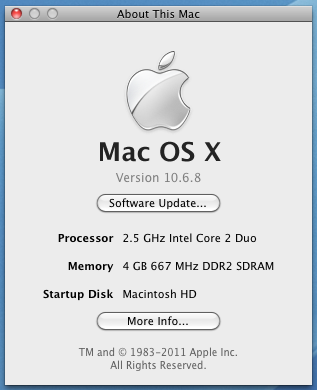
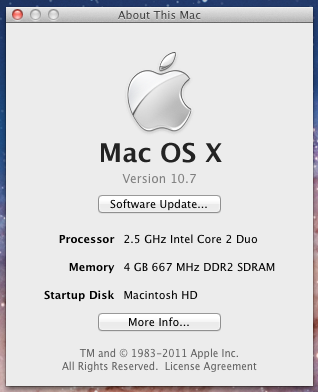
For those who like this sort of thing (I do), I’ve included a couple of before and after screenshots of my “About This Mac” window.

Before the upgrade to OS X Lion

After the upgrade to OS X Lion

That’s it for now.

Standard
Thoughts

Mac Pro line overdue for a hardware refresh

Because of the recent hardware failure on my MacBook Pro, I started to think about getting a new computer.

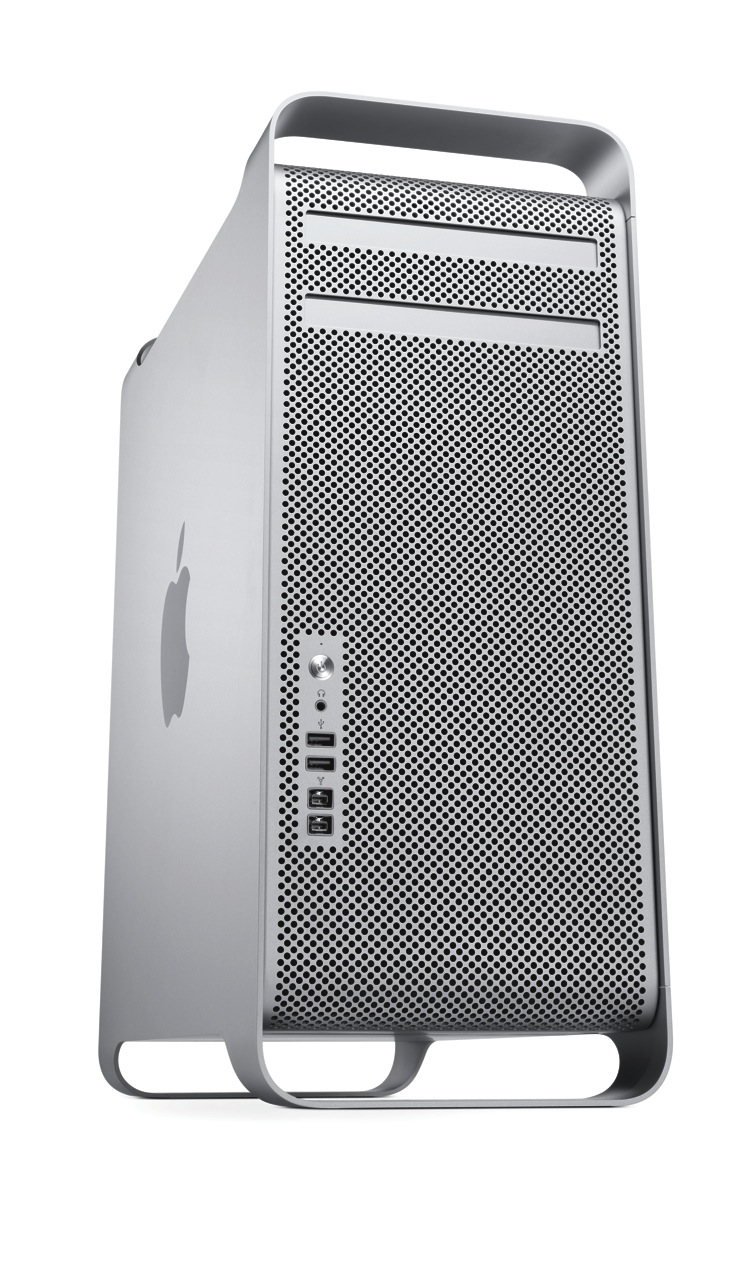
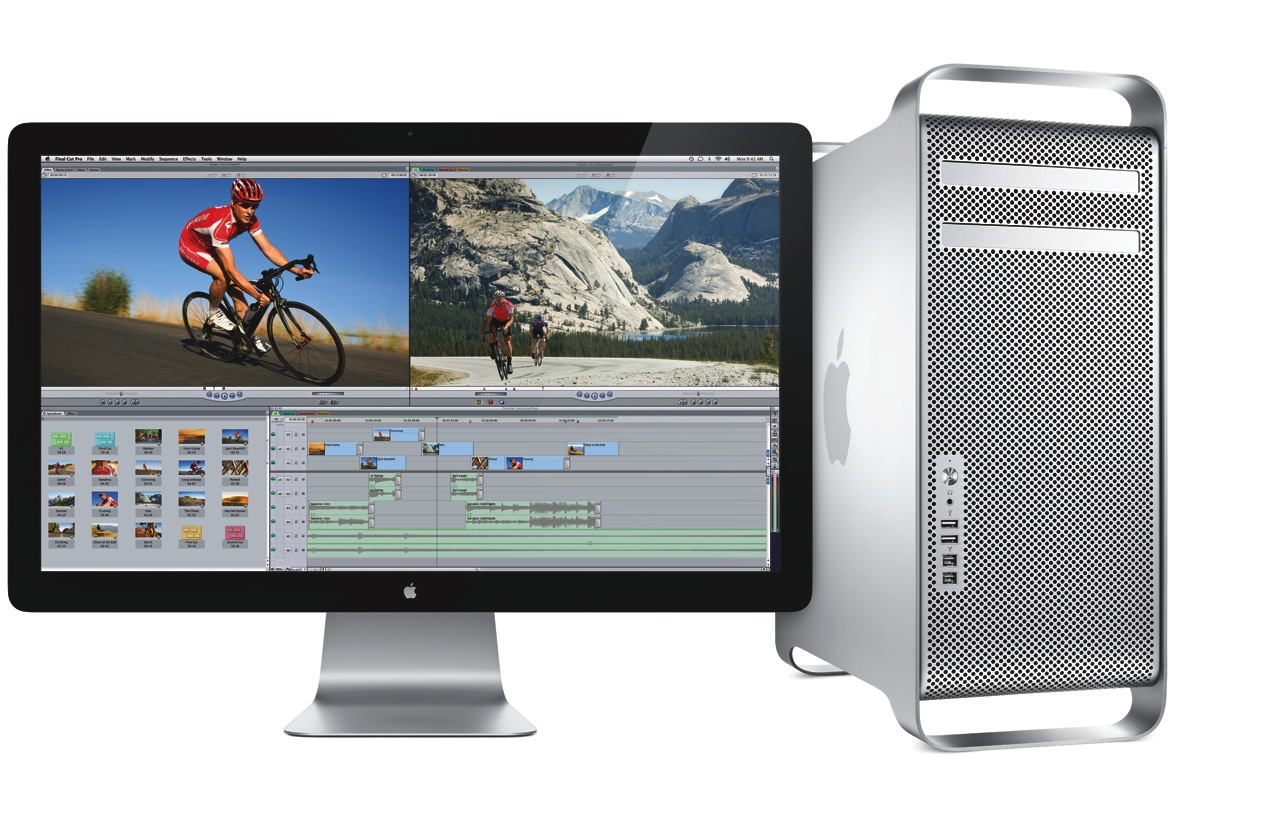
Given my intensive computing needs, I naturally looked toward the Mac Pro, but I was disappointed to find that its specs are lagging behind the times. The differences between it and what other Apple computers offer are enough for me to hold off on making the purchase.

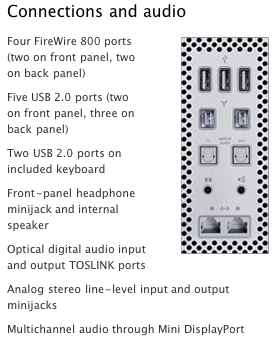
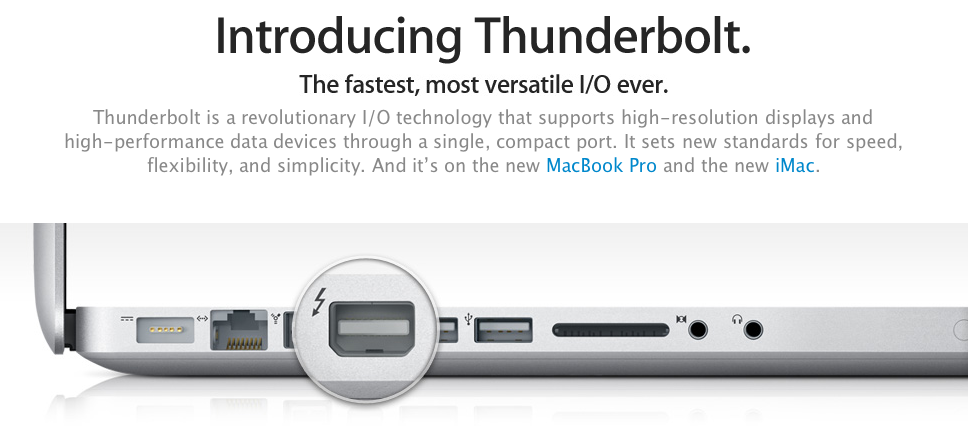
The areas where it needs to improve can (almost) be summarized by this screenshot:

Thunderbolt

The iMac already has Thunderbolt ports, but the Mac Pro (the top-of-the-line model) doesn’t. Why isn’t it there already?

If Thunderbolt is “the fastest, most versatile I/O in a desktop”, why is it MIA on the Mac Pro? Shouldn’t it be on Apple’s most powerful desktop? If it’s got 10 Gbps data channels, and it’s tens of times faster than FW800 or USB 2.0, why isn’t it on the Mac Pro?

It even made it onto the MBP… Will Thunderbolt make it onto the MacBook before it makes it onto the Mac Pro?

SATA 6GB/S

The Mac Pro’s internal architecture can support SATA 6Gb/s speeds. There are already SATA 6Gb/s hard drives on the market, at very affordable prices. Why doesn’t the Mac Pro, where storage bandwidth really matters, include SATA 6Gb/s technology? Why is it still stuck at SATA 3Gb/s?

USB 3.0

Where is USB 3.0 on the Mac Pro? It still only has USB 2.0 ports. I already have USB 3.0 peripherals, which I wouldn’t be able to use at their native speed if I got a Mac Pro.

Furthermore, where is USB 3.0 on any Mac? USB 3.0 is here to stay, it’s fast, and it’s on a lot of peripherals. It goes without saying that Apple needs to include it on the Mac Pro and on the rest of its computers.

What’s worrying is that Mac OS X Lion may not ship with support for USB 3.0, as this article suggests. No, no, no, Apple, please don’t do that…

30-inch Display

This is more of an annoyance, but it’s worth mentioning. Ever since it came out, I always dreamed of owning a 30-inch Cinema Display. Given some of the stuff I’m doing these days, I could really use it, too. But Apple no longer makes it. The only large display they make these days is the 27-inch Cinema Display, which is very nice, and it uses LED instead of LCD technology, but it’s not a 30-inch, is it?

Standard
A Guide To A Good Life

Shaving: art versus design versus profit

Where’s the art?

When I think of shaving razors currently on the market, I think of cartoon fights where everyone pulls out a bigger gun. Razor companies are constantly trying to outdo each other with more blades. If it’s not the blades, then it’s a “microcomb”, or a vibrating handle… which brings all sorts of other imagery to mind, the kind that has nothing to do with shaving, unless you’re into weird fetishes.

It’s the same kind of approach that software companies use these days. Their code gets so bloated, because they never take the time to clean it up, that all they can hope for is that hardware manufacturers can throw more RAM and MHz at the problem so they don’t have to optimize their code. Apple took a different approach with the Snow Leopard operating system: they took almost a year to clean it up, throwing out the junk. That’s why I admire Apple.

Made better through improved design? Not really.

On the other hand, companies like Gillette and their competitors lost sight of the art of shaving and figured everyone was a nitwit who couldn’t learn to shave properly and couldn’t take care of their razor, so they overdesigned their razors for the lowest common denominator. In the process, the razor became a plastic toy, not a tool, a crappy little thing you throw away instead of something you respect and maintain, because it keeps you looking civilized.

Designed for profit? Thank you sir, may I have another?

Because it became a throw-away toy, their profit margins increased. Because the razors no longer lasted a lifetime, they could sell more of them. You just look down the line of razor models from the Gillette over the years, and you’ll see they get more and more plasticky, with less metal parts. If they have metal in them, it’s not in the head (certainly not where the cartridges attach to the handle); that part needs to be plastic so it breaks after a while.

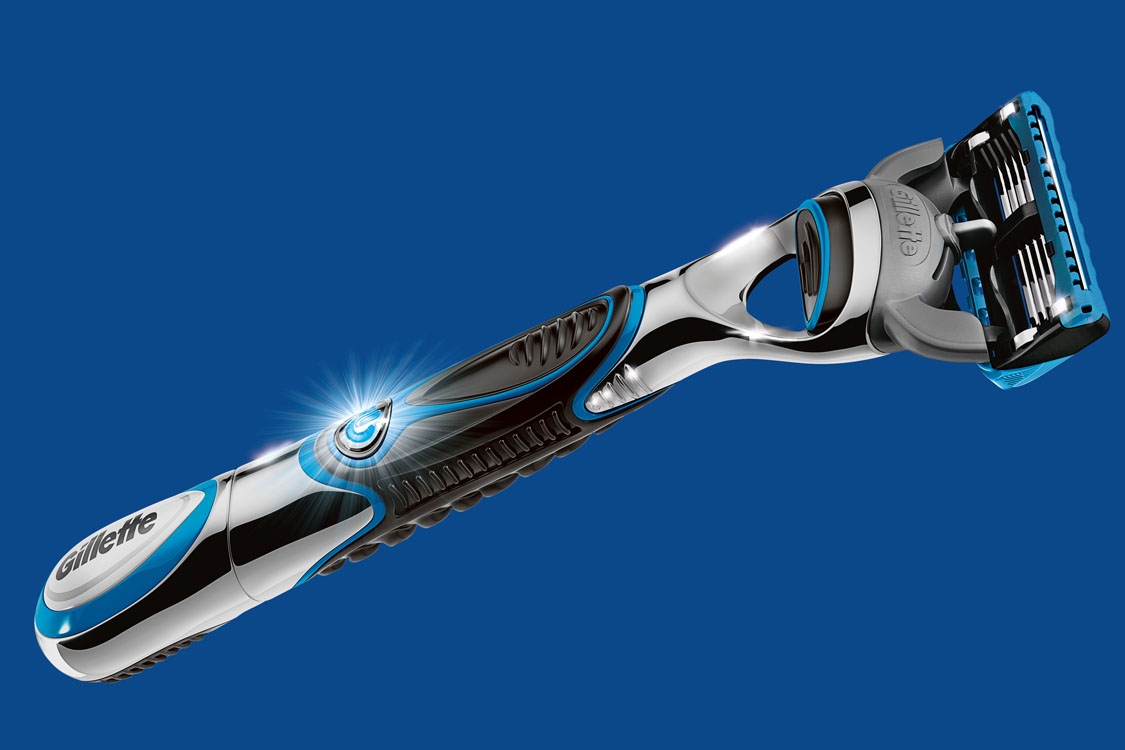
Don't let its flashy looks fool you. It just can't compare to a good safety razor.

The cartridges have started to cost more as well. A pack of eight cartridges for the Gillette Fusion ProGlide razor (the latest flashy gimmick from Gillette) runs about $30 at Amazon. That’s $3.75 per cartridge, and from my experience, they last about 3-4 shaves. By contrast, a pack of 60 assorted safety razor blades costs $18. That’s 30 cents per blade, and they last about 6-7 shaves. (By the way, I’d recommend that pack for those learning to shave with a safety razor, because it’ll let you try different brands to see which blades work best for your face.)

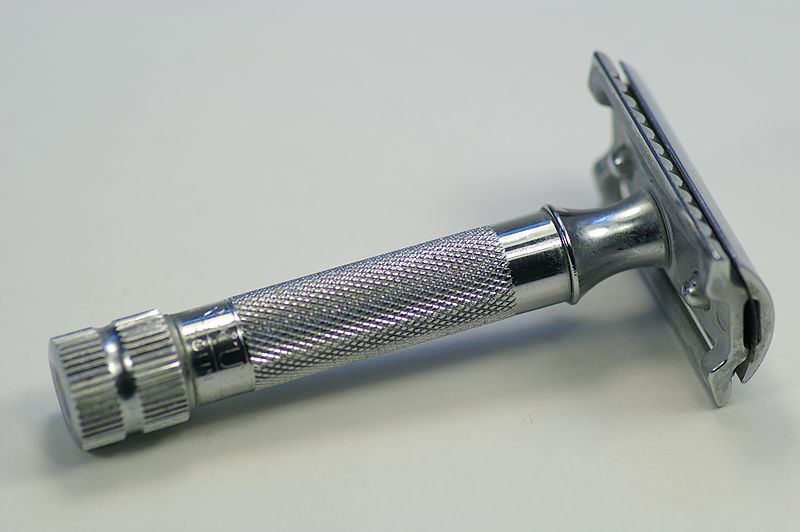
The real deal.

Wait, it gets worse

They also polluted the environment with all that disposable plastic crap. Now you throw away the razor, not just the blades. And the blades aren’t just steel, which is perfectly recyclable, but they’re plastic and metal, which is annoyingly difficult to recycle, because you need to separate the two materials from each other, and it’s just not worth the trouble.

It’s such a shame. I used to admire Gillette about 10 years ago, before I got disappointed with all the stuff they’re doing these days. I still shave with a classic Gillette Safety Razor, pictured below. I still keep my grandfather’s Gillette Heavy Duty Safety Razor, and plan to use that when my own breaks down. Things used to be simple and beautiful. Where did they go wrong?

The classic Gillette safety razor.

If you’d like to learn how to shave properly, check out my wet shaving guide. And there’s also a video, embedded below.

Image of ProGlide Razor courtesy of Gillette. Image of Merkur Heavy Duty Safety Razor courtesy of Wikipedia.

Standard