Reviews

Hardware review: WD My Book Studio Edition II

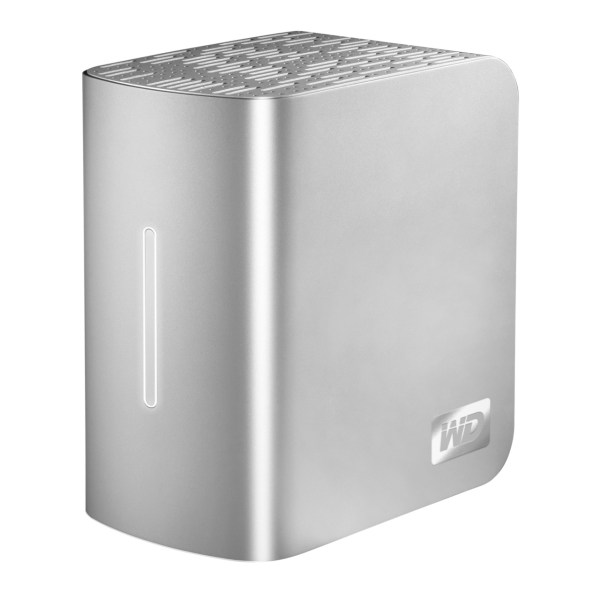
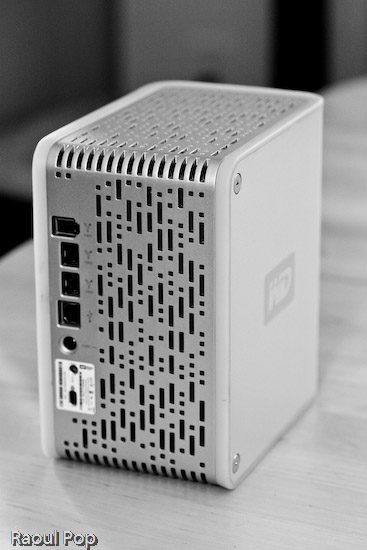
WD MyBook Studio Edition II - 02

I have been working daily with a WD My Book Studio Edition II drive for the past eight months (since April ’08). I mentioned it back in July in my popular “What’s on my desk” post. It is a quad interface (USB 2.0, FW400, FW800, eSATA) 2TB drive that can run in RAID 0 (2TB total space) or RAID 1 (1TB total space). My review can be summed up in these three words: it works great.

I should say here, just as I said in my other two reviews of the My Book Pro Edition drive (see paragraph below for links), that this drive was given to me by WDC as a replacement for my faulty My Book Pro drive. I didn’t purchase it, but at the same time, I am under no obligation to anyone to praise it needlessly. I do so because it has really worked for me.

After all these months of heavy use, I have nothing bad to say about this drive. I have put it through its paces, transferring terabytes of data back and forth from it to my laptop and to my other drives, I have used it daily, I have put it through sustained data writes of several hundred gigabytes at a time, and it has not failed me yet. In stark contrast to my experience with the WD My Book Pro Edition II drive, this drive has outshined all of my other external storage devices, including my Drobo.

True, while nothing beats the Drobo when it comes to sheer storage space and flexibility in terms of its building blocks (the drives themselves), the My Book Studio Edition II drive has been faster than the Drobo when it came to working with my photos in Lightroom, in both RAID 0 and RAID 1 modes, and it has also been faster when it comes to data transfers (writing to the drive itself).

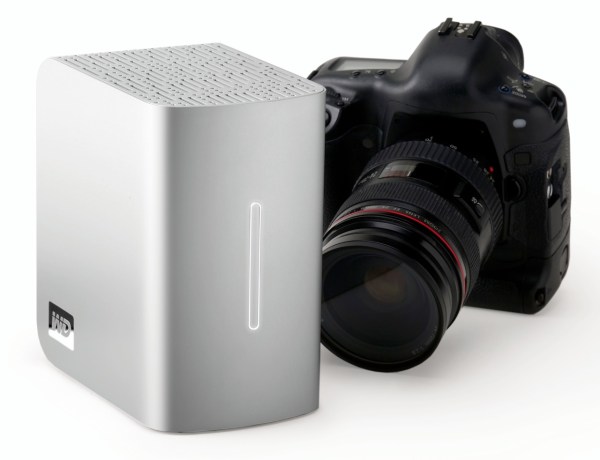
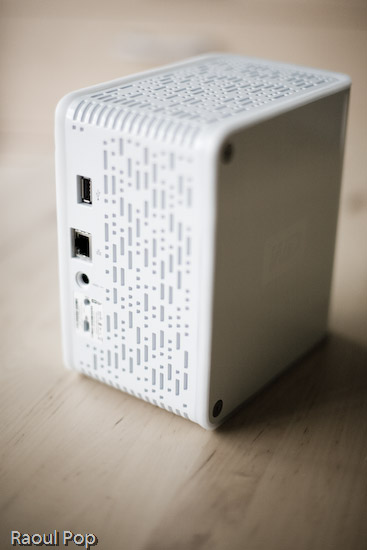
WD MyBook Studio Edition II - 07

I did not have a chance to use the drive through the eSATA interface. I used it mostly through the FW800 interface, and, briefly, through the FW400 and USB interfaces. Given that it can transfer data at up to 3GB/s through eSATA, I might just buy an adaptor for my MacBook Pro in the future. I was pretty happy with the FW800 speeds though (up to 800 Mb/s).

My feelings about this drive are somewhat harder to understand for those of you that have not had to deal with a My Book Pro Edition drive. If you did not have to put up with constant overheating, data loss, fan noises, disconnects and computer resets while using that drive, then you can’t possibly appreciate how WDC managed to get things so right with the My Book Studio Edition drive.

Somehow, they have, and for me, it’s a pleasure to use this drive. It suffers from none of the problems of its predecessor. It works reliably, each and every time. It’s fast. It’s quiet. It doesn’t overheat. It doesn’t cause my computer to crash. It doesn’t lose any of my data. The enclosure looks even better. The white LED on its front is much less annoying than the blue LED on the My Book Pro. It has greater capacity. It has more interfaces. It has a 5-year warranty, which amazes me when I consider that most tech products have a 3-year projected lifespan. The list goes on and on, and I have only good things to say about it.

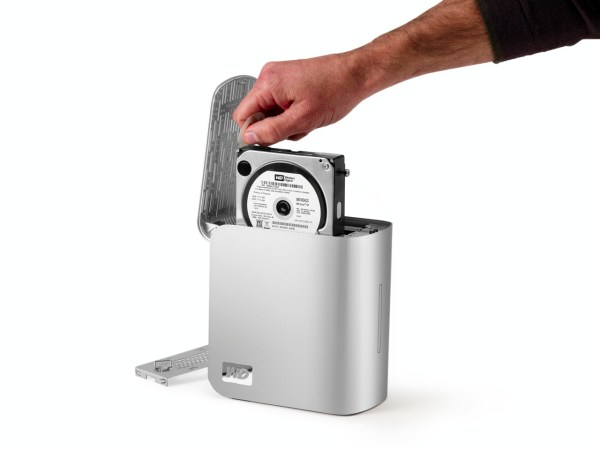
The drive uses the new GreenPower drives from WD, which use 30% less energy and do not get as hot as older hard drives. This means the new enclosure doesn’t need a fan. Another cool thing is that it’s much easier to replace the hard drives, since you won’t need a screwdriver. The enclosure opens easily, and the hard drives pull out with the aid of tabs. Having needed to open the enclosure for the My Book Pro Edition drive, I can tell you it was a lot more convoluted than this.

WD MyBook Studio Edition II - 08

The wonderful thing about this drive is that it’s such a great deal right now. As I pointed out in a previous how to article entitled “A look at hard drives: finding the best deals“, it’s always a good idea to compare the price of the hard drives themselves to the price of the enclosure plus the hard drives, to see how much you’re paying for the packaged, branded product, and whether it’s worth it. Well, 1TB hard drives are anywhere from $100-140 at the moment (there are two of them in the My Book Studio Edition II), and the product itself costs about $280-290 right now. That means, if you factor in the best price scenario for the hard drives, that you’re getting a quad-interface enclosure which is quiet and it actually works on most computers (which isn’t something I can say about other off-the-shelf DIY enclosures) for about $80-90. That’s a great deal in my book.

Detailed specs for the My Book Studio Edition II drive are available from the WDC website. You can buy it from Amazon or from B&H Photo.

Photos used courtesy of Western Digital Corporation.

Standard
Reviews

Hardware review: WD My Passport Studio

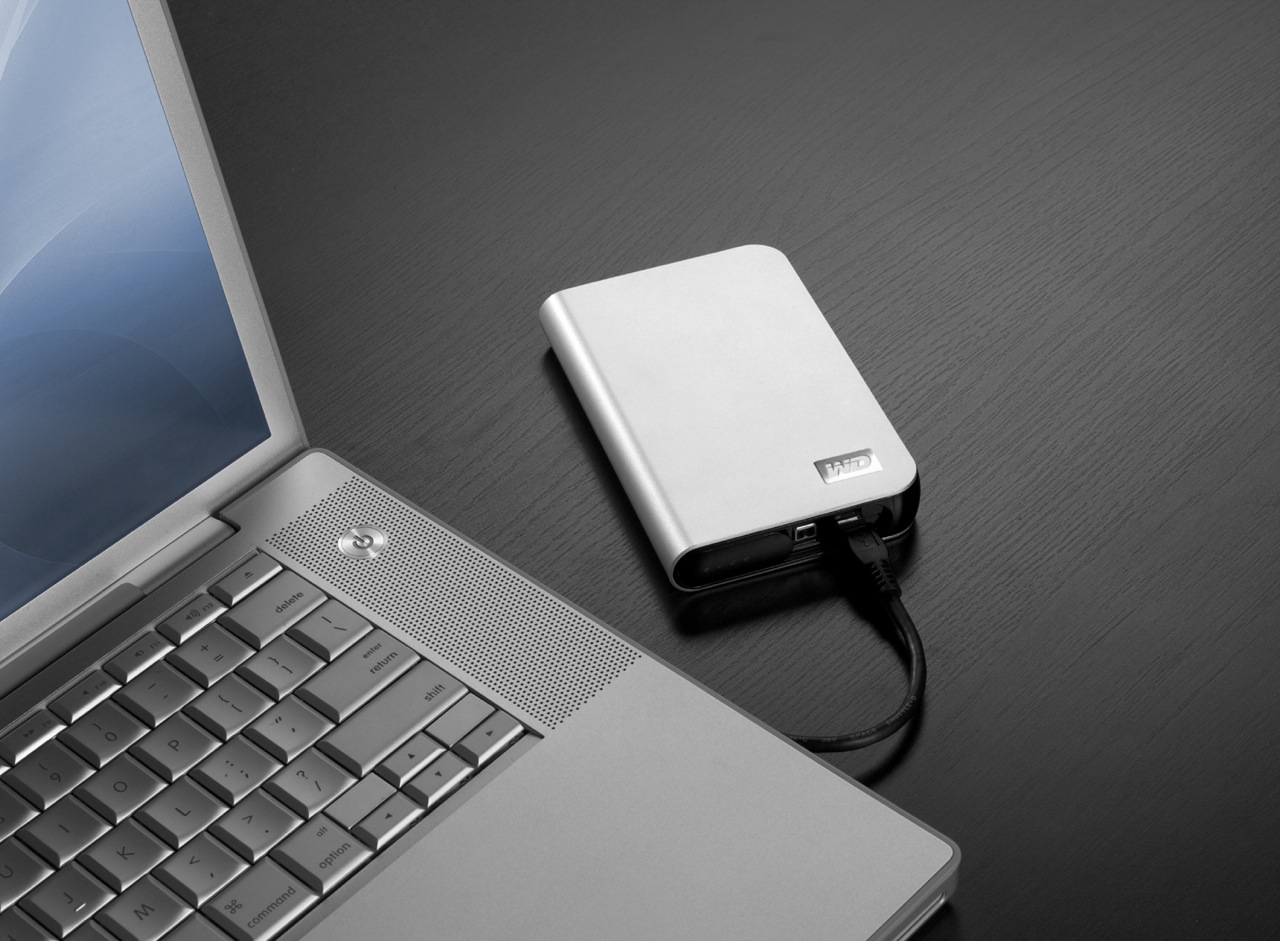
While the WD My Passport line of portable drives is a couple of years old, their My Passport Studio models are new, and their specs and capacities were greatly improved recently. The My Passport Studio line is meant for Mac users and comes formatted in HFS+, although the drives can be used just as well with Windows machines if they are reformatted to NTFS or FAT32.

On 10/30/08, WD introduced Firewire 800 connections and new capacities (400GB and 500GB) for these wonderful little drives. The base capacity was upgraded to 320GB, and the 250GB size was phased out. These latest drives feature triple interfaces (USB 2.0/Firewire 400/Firewire 800), which is something one normally sees only on external desktop hard drives (the 3.5″ size).

Technology moves fast, doesn’t it? Just a few months ago, the My Passport Studio models featured USB 2.0 and Firewire 400 connections. The top capacity was 320GB. I myself have a 1st generation My Passport drive, a 160GB model with a USB 2.0 connection. I bought it in February of 2007, and it’s worked great ever since.

The more recent models from the My Passport line have something that my 1st gen My Passport drive doesn’t have: an external capacity gauge. I think it’s neat to see how much space is used up on the drive at a glance. These latest drives also have something I haven’t seen before: turbo drivers for faster data transfers. The drivers are available for Mac computers only. I haven’t used the drive yet, but when I get it, I’ll be sure to test out data transfers with and without the drivers, to see if there’s an improvement between the two modes. I hope the drivers are well-developed and won’t introduce any sort of OS stability issues. I’ll also test data transfers between USB, FW400 and FW800.

I’m really looking forward to getting a 500GB Studio drive, because of its unbelievable capacity. It is double the size of my MBP’s hard drive, which is 250GB. I’m going to be able to store lots of photos and videos on it when I’m traveling, and use it to back up important files from my MBP and my iMac. I also think the My Passport line of drives are some of the best-designed portable hard drives on the market.

I can’t find the 500GB model in any online stores yet. Newegg still lists the Firewire 400 models, albeit at reduced prices, and Amazon only has the 400GB model. B&H Photo also only lists sizes up to the 400GB model. I don’t think I need to worry, since it’s very likely that by the end of November or sooner, the 500GB model will be available in most stores.

Photos used courtesy of Western Digital Corporation.

Standard
Reviews

Hardware review: LaCie 500 GB external hard drive

Updated 11/3/08: I’ve seen renewed traffic to this post, and wanted to let you know that at this point the drive retails for $99. I think that price point is a little high given that 1TB drives have become affordable, and bare 1TB drives only cost $110-130. This means that if you’re looking for an external 500 GB drive, it should cost you somewhere between $79-89. Keep in mind that the manufacturer has to strike a balance between the cost of the drive and the cost of the enclosure, and while 500GB drives are bargains now, it will soon become impractical to manufacture them at the large scale needed for low price points, because the 1TB drives will become the new commodity hard drive. My message is, get them while you can, or spring for the 1TB external drives. The original review continues below.

This unassuming little black drive is a great product and a great buy at only $120 for 500 GB. It seems that LaCie has discontinued it. Buy.com, where I purchased two of them, no longer has it in stock. Amazon still has it, thankfully. Read below to see why I like it.

500 GB LaCie USB hard drive

The price is right for all that space. C’mon, 500 GB for $120? Sign me up! On top of all that, it’s whisper quiet! My big complaint with a previous 500 GB LaCie drive that I owned was the noise it made. Boy, was it loud! Not this drive. It’s so quiet, I can’t even hear it, unless it’s being actively accessed, and even then, it’s pretty quiet.

What’s also REALLY nice about it is that it doesn’t have a power brick. You know what I’m talking about, right? It’s that big, heavy annoying power adapter that sits in the middle, between the part you plug in the outlet and the part that plugs into the drive. Not on this drive! I love that! It only has a simple, unassuming cable, and that does wonders when it comes to cable management and keeping the underside of my desk neat. These are all the cables you’ll need with the drive.

500 GB LaCie USB hard drive with cables

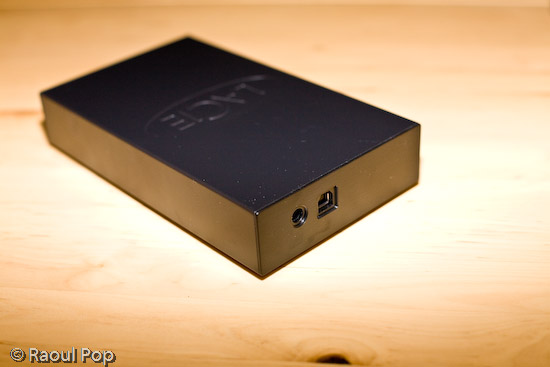
Here’s what the back of it looks like. Again, no annoying and loud cooling vents, just the adapter and USB ports.

500 GB LaCie USB hard drive (back view)

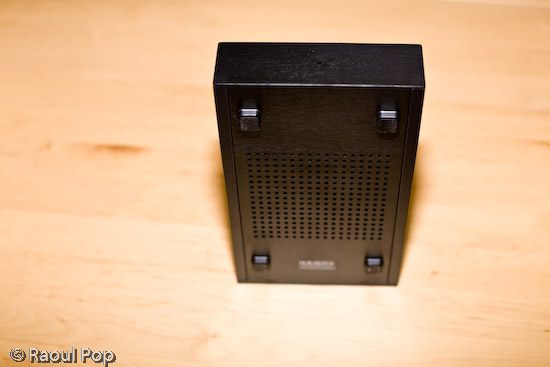
I love the simple, unassuming, but very efficient design. Instead of a cooling fan, the drive cools via a grille built into its bottom.

500 GB LaCie USB hard drive (bottom view)

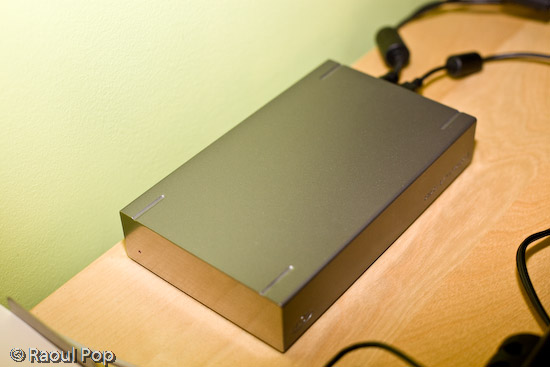
The only other drive that compares to it in terms of how little noise it makes is the LaCie 250 GB external hard drive, which I also own. But I don’t think this drive can be found on the market any more, and besides, why go for 250 GB when you can get 500 GB for $120?

250 GB LaCie external hard drive

If you want a great little drive to store your files, jump for the LaCie 500 GB USB drive before it’s gone. It’s hard to get 500 GB drives by themselves at this price point nowadays, much less already packaged up in a neat little enclosure and with cables. I’m not sorry at all I bought two of them, and I might get one more in the very near future — if there’ll be any left on the market after the Christmas season, that is.

Standard
Reviews

Hardware review: WD My Book Pro Edition II

Less than a month ago, I reviewed the WD My Book World Edition II, a NAS device from Western Digital, and I promised that I’d also review the My Book Pro Edition II, which I also bought. Here are my thoughts.

Updated 12/13/2007: Before I say anything else, I need to discourage you strongly from buying this drive. There are MANY flawed units of this drive on the market. There are serious problems with cooling, which result in excessive fan noise and even random drive shutdowns while in use. Scroll to the end of the review to read the updates and see what sorts of problems I’ve had with the drive.

Design

The Pro Edition II should be a better and faster external hard drive than the World Edition II when it comes to working with my photo library, since it connects directly to my computer instead of going through the network. Its exterior design is just as good as that of the World Edition II, and the photos enclosed below will show it.

I have to confess that I’m design-obsessed. If something looks good, I’m willing to overlook the fact that it may not work as expected, which is definitely the case with this device. Of course, if it were truly designed well, it wouldn’t have the serious problems that it has, but at least it looks good on my desk… I suppose I could call it a very expensive paperweight. It’s so unfortunate that Western Digital couldn’t deliver with this product. It looks so nice, and does so poorly…

WD My Book Pro Edition II (front)

The drive has three interfaces: USB 2.0, Firewire 400 and Firewire 800. A nice touch is the inclusion of two Firewire 800 ports. This is probably because most computers have only one Firewire 800 port, and the WD engineers wanted to give us the ability to daisy-chain other devices onto the drive. In terms of the RAID settings, it has RAID 0 and RAID 1. I’m using my drive in RAID 1, to get the data redundancy I need when it comes to my photo library.

Serious problems

I’ve read complaints about the drive being loud, and I agree. I’ll say this: when it works fine, it’s quiet. When it has problems, it’s VERY loud. There are persistent cooling issues with the drive, that have been partially solved through firmware updates, but they keep showing up even on later builds. I think the WD engineers still have a LOT of work ahead of them when it comes to this model. See below for more on this.

My workflow involves working mainly with Adobe Lightroom, and doing the following:

  • Importing and viewing RAW files
  • Winnowing
  • Adding meta data
  • Editing images and
  • Exporting them to JPG files for the web or for clients

The drive is usually fine with this, but if I spend more than an hour (and sometimes, even less than an hour in Lightroom), it’ll start to overheat. Then the fan speed will auto-switch to what I call “medium speed”, and the drive will get a little louder. If after a few minutes or so, I’m still not done working, the drive fan will kick into high gear, something that I and others call “hairdryer mode”. After a couple of minutes at that speed, the drive will either return to “medium speed” or shut off completely, leaving me and Lightroom wondering where the photo library went.

I’ve learned to save my work and exit Lightroom when the drive fan goes into “hairdryer mode”, because I can almost certainly expect the drive to shut off. I called WD Support on this, and I applied a firmware fix a few weeks ago, but the cooling problem is still there. By the way, the drive has to stand vertically at all times, or you’ll have even more serious cooling problems.

Getting support

I need to say that WD Support are responsive, but they live in serious denial. They will agree to an RMA, but they insist that these drives are just fine, which is definitely NOT the case. Speaking from personal experience, WD Support is better than the support I’ve gotten from other tech companies like Microsoft and HP. At least they try to be helpful and polite. This was one of the main reasons I stuck with the drive through serious, repeated problems.

As I stated at the start of this post, I continue to have problems with my drive, even after two replacements. I like the design, and I like the fact that it has three interfaces. But I cannot use it long-term, because, let’s face it, it’s an unreliable piece of crap, and it’s very frustrating to use it when it overheats and crashes my computer. I’ve already bought a Drobo (which I love) for my photo library, and I’m going to re-purpose this drive to store some other files.

Working with the drive

In my review of the My Book World Edition II, I mentioned how I’m in a mixed OS environment at home. I have both an iMac and a Windows laptop. It’s necessary for me to be able to read and write to my external devices from both computers. This is in case I do large file transfers, which are obviously a lot faster to do over a USB or Firewire connection than a wireless network. So what I did to solve this problem was to format the My Book Pro Edition II in the Mac file system (HFS+ Journaled). Now I can read and write just fine to it from both machines because I purchased MacDrive, a piece of software that lets you access Mac drives on Windows as if they were NTFS or FAT32 volumes.

WD My Book Pro Edition (back)

Let’s review

I like the drive, and the design, but it has SERIOUS quality control problems and manufacturing defects. Make sure to read through the Updates section below for the latest news on the drive, and remember to spare yourself the agony I’m going through by NOT buying it.

Updates

Updated 10/30/07: It turns out the cooling problems with my drive weren’t normal. After calling WD Support a second time, I was offered an RMA. They sent out a replacement drive to me via 2-day Fedex, free of charge, and let me keep my old drive for a month while I transferred my photos over to the new drive. During that month, I worked exclusively on the new drive, to make sure that it wouldn’t overheat and shut off anymore. While it goes into “hairdryer mode” once in a blue moon, the fan speed always returns to “low speed”, which is barely audible, and the drive never shuts off. Whatever problems existed in the earlier builds of this drive, WD fixed them, and the new drives work just fine. If you’re having cooling problems with your My Book Pro, I encourage you to contact WD Support and see if you can exchange it.

Updated 12/03/07: I’ve just arranged to receive my 2nd replacement drive from WD via RMA. While I like the consistently high level of customer support they provide, I have to point out that there are manufacturing defects that still haven’t been ironed out. While my first drive, the one I purchased from a store, only overheated, and worked okay otherwise, the replacement drive had three problems. It also overheated, although less often than the original drive. Its Firewire 400 connector didn’t work. I tried different cables, to no avail. The computer just didn’t see it while it could see other Firewire drives just fine. Most importantly, it kept crashing my iMac every time I connected it. Not right away, but within minutes or less than an hour, it would crash the system so badly that I’d have to reset it. I’d get the standard Apple screen of death with a message that asked me to reset the computer. When I’d look at the logs, they’d always point to the USB as the problem for the crash, and the only drive I had connected via USB was the My Book Pro. Let’s hope this third drive that WD will send me will finally work properly.

Updated 12/13/07: As stated at the top of this post, DO NOT buy this drive, for the reasons already detailed. I am NOT alone in having problems with this drive. Many Mac users are having the same problems with it, and you can see this by doing a search on the Apple forums for “My Book Western Digital“.

The drive also DOES NOT work as advertised. The specs say it works with USB, Firewire 400 and Firewire 800, but it DOES NOT work with Firewire 400. I have not had the chance to test it with Firewire 800, so I can’t speak about that, but I know for sure that Apple computers cannot see it when connected through Firewire 400. It does work with USB, but it tends to crash Apple computers when connected to them through that protocol. Trust me on that last bit, I’ve checked the error logs every time and confirmed it reliably — it’ll crash my iMac, which runs Leopard (the latest Mac OS X), when connected through USB, while other USB or Firewire drives can connect just fine and have no problems. Have a look at this article of mine for a video of the crashes it causes, and for photos of the damaged drives that WD sends out as replacements.

Western Digital is also NOT doing a good job testing these drives before they send them out. I’m now on my third replacement drive from Western Digital (My Book Pro), and it exhibits the same problems: overheating and NOT working with Firewire 400. Western Digital Support refuses to believe it and continues to stubbornly cling to the idea that the drive works just fine since it can connect through USB. They offered to send me out another replacement drive, and I refused. I’m not going to spend my entire life swapping drives and data until Western Digital decides to get their manufacturing and quality control processes in order.

I also want to mention that the re-certified drives they send out can be scratched, scuffed and smudged. They are NOT cleaned, and Western Digital simply DOES NOT care if they send you a drive in bad aesthetic condition. My re-certified drives arrived in progressively worse condition, to the point where this last replacement drive looks absolutely horrible. It looks like it’s been banged up and dragged on the floor. It’s got oily smudge marks on its sides… basically, it’s a mess.

DO NOT BUY this drive unless you want to run into the problems I’m having right now, and believe me, it’s not fun at all. Western Digital needs to get its act in order on this model, because they’re churning out some real duds.

Updated 7/3/08: I updated my other post about the My Book Pro as well with the following information.

On 4/16/08, I received a replacement drive from Western Digital. It’s a 2TB Studio Edition II drive, which works in USB, Firewire 400/800 and eSATA modes. I’ve been using it since in RAID 0, and it’s been working great. To see how I use it, read this recent post of mine, where I talk about the hardware I use on a daily basis. I also plan to write a detailed review of the drive shortly.

I guess the lesson is that the My Book Pro line had serious faults, and WD got things right with the My Book Studio line. So, if you’re in the market for a drive, DO NOT get a My Book Pro. But DO get a My Book Studio drive. They seem to work alright.

More information

Standard
Reviews

Hardware review: WD My Book World Edition II

After looking around for a storage solution to house my growing collection of photographs, I found the Western Digital My Book World Edition II. I’ve been storing my photos on single external hard drives so far, but data loss has always been a concern with that approach. All it takes is a hard drive failure, and I’m going to lose a good portion of my hard work. Naturally, I’ve been looking into various RAID or other failsafe solutions, since they’ve gotten to be fairly affordable.

Great design

I was immediately drawn to the new WD My Book line because of their beautiful design, 1 TB capacity, and the ability to configure the device in RAID 1 format, which would mean my data would be mirrored across the two hard drives inside it. (This would also halve the amount of space available, but that was okay with me — I wanted data redundancy.)

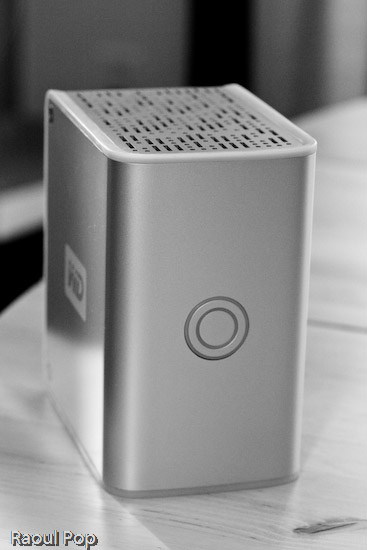
WD My Book World Edition II (front)

For those of you not familiar with WD’s external drives, they have done a beautiful job with their enclosure design, and I raved about their Passport line several months ago. It turns out I now own one of them, a sleek black 160 GB 2.5″ drive just like the one pictured in that post. It’s perfect for data portability, and for a while, I even stored some of my photos on it. But it is just a single drive, and as I said, I’m worried about data loss.

Choosing the product

Back to the My Book line. There were two models I really liked: the My Book Pro and the My Book World. Because I have a mixed OS environment (both PC and Mac), I thought a NAS solution like the My Book World would work best for me, even though its specs said it would only work for Windows. I had a pretty good hunch that I would also be able to access it with my iMac. It runs on Java, it has Samba shares, and those are readily accessible from any Mac. But, this isn’t advertised, and that’s a pity.

By the way, if you’re thinking about getting the My Book Pro drive, make sure to read my review of that model. The takeaway message is to stay away from it, and I explained why in that article.

How it works

The drive itself is beautiful and fairly quiet, except when it boots up. WD has also made firmware upgrades available that make the drives even quieter, so that’s a good thing. I can tell you this right away. If you only plan to use the drive in a Windows environment, it’ll work great. Feel free to buy it, you’ll be happy. But, if you plan to use it in a mixed OS environment, and are looking to access it in more flexible ways, such as with custom drive mappings, and not through the software provided with the drive, you might be very frustrated.

Let me explain. The drive comes with a custom version of something called Mionet. I’ve never heard of it, but it’s software that installs on your machine and makes your files and computer remotely accessible from anywhere. When you run the installer, it’ll prompt you to create an account on the Mionet website, and it’ll register the WD drive, along with your computer, as devices that you can then access remotely. (There’s a monthly fee involved if you want to control your own PC remotely with the software, but you don’t need to pay it to use the WD drive fully.)

Once you install the software, you start up Mionet, and the WD My Book World drive gets mapped automatically to your machine. You also have the option to manage the drive through a browser interface. That’s actually where you configure its volumes (1 TB single volume, or RAID 1, still single volume, but mirrored data and only 500 GB) and other options. Basically, you have to remember that the only proper way to access the drive, whether you’re at home or you’re away, is to start up Mionet and get it mapped to your “My Computer”. If you do that, you’re good to go.

WD My Book World Edition II (back)

Potential problems

The problem with this approach (and this tends to be a problem only for geeks like me) is that the drive is readily accessible over the network without Mionet. I can simply browse my workgroup and find it, then log in with separate accounts I can set up by using the WD drive manager, which is accessible through my browser. So here’s where the frustrating part comes in. I can browse to my drive over the network, without Mionet, from any PC or Mac in my home, administer its options, add users and shares, etc. Then I can use Tools >> Map Drive on my PC or Command + K on my Mac to connect to the share name, and log in using those user accounts I’ve just set up. But, I can only read from those shares. I can’t write to them. The drive operating system assigns weird UNIX privileges to those shares, and they don’t correspond to the accounts I’ve just set up. It makes no sense to me and you’ll only fully know what I mean if you do this yourself. Suffice it to say that it’s really frustrating, and it’s not what I expected.

It would have been alright if Mionet made a version of their software for the Mac, but they don’t, and they don’t seem to have any plans to make any. It would have still been alright if the drive hadn’t been accessible through any Mac whatsoever. But the fact that they are accessible, and that I can log onto the drive with usernames and passwords that I can set up through the admin interface, yet I can only gain read-only access to those shares even though I’m supposed to have full access really gets me. Sometimes it’s a real pain to be a geek…

So, my verdict is that I really like the design and the RAID 1 capability, but I do not like the implementation. I ended up returning this and getting the My Book Pro Edition, which I love, and will review very soon. But remember, if you don’t have a mixed OS environment, and have no problems with starting up Mionet when you want the drive to appear in “My Computer”, My Book World will work great for you, and the remote access capability is a really nice feature.

Updates

Updated 7/19/07: I purchased and reviewed the My Book Pro as well. You can read my review right here.

Updated 8/3/07: Multiple commenters have pointed out (see this, this, this, this, this and this) that you can use the drive just fine with both Macs and PCs, over the network, if you skip the install of the Mionet software altogether. It looks like the clincher is the Mionet install itself. Just forgo it, and you’ll be able to map the drive to both PCs and Macs, and read/write as much as you want. I didn’t realize that I had to uninstall Mionet entirely in order for the read/write to work properly.

But keep in mind, if you don’t use the Mionet software, you won’t be able to access the drive remotely. Well, you might be able to arrange some access, but you’ll need to custom-configure your firewall settings to allow traffic on certain ports, and you’ll need a static external IP or dynamic DNS so you can get at your firewall from the outside. And then you’ll need to worry about data encryption as well, unless you don’t care that your data will travel unencrypted over open networks. If you’re a hardcore geek, feel free to try this last bit out, but if you aren’t, beware, it’s a weekend project, and I can’t help you.

Updated 8/9/07: I’ve had several people comment on how they bought the drive based on this post and the comments made on it by others, believing they could get it working over the network with their Mac. The kicker is that they thought they could connect it directly to their machine and get it working that way. 😐 I don’t know how they got that idea, but let me set the record straight. This is a NETWORK drive. It needs a network in order to work. There’s a chance you might get it working by using a crossed ethernet cable or connecting it directly to your machine, but it probably has to be a crossed ethernet cable.

The best way to get it working is to use a hub or a switch, or best of all, your home router, which can assign IP addresses. The drive ships configured for DHCP. That means it has no IP address to start with, and it’s looking for a place to get them. If you don’t have such a place, you’re going to have a lot of headaches. Get such a place (router) or go buy a USB/Firewire drive. Most people who’ve commented already made it plainly clear that’s what they needed, but they still insisted on using this drive. I don’t know why they enjoy the stress of doing that. I didn’t. As I already said in my post, I returned it and got a WD My Book Pro Edition II.

Last but not least, please do me a big favor. Read through the existing comments before you write one. There are so many already, and there’s a very good chance someone’s already asked your question, and I or someone else has already answered it. Thanks!

Updated 12/11/07: I found out today that Western Digital is going to disallow the sharing of all media files through the Mionet software. In other words, if you’re going to use Mionet to share the files on your drive and make them accessible remotely, you will not be able to see or use any of your media files. I think this is a pretty stupid move on WD’s part, and it’s going to come back to bite them. Until they decide to do away with this boneheaded downgrade, keep it in mind if you’re looking to purchase a My Book World Edition. Do NOT use Mionet. Install the drive without it, and if you’ve got to make the files accessible remotely, find other ways to do it, like through a custom config of your firewall.

Updated 12/18/07: Christian, one of the commenters, has left two very useful comments that are worth mentioning here in the post. The first shows you how to access the drive remotely (when you’re away from home) without using the Mionet software. The second tells you why you don’t need to worry about defragging the drive, and how to troubleshoot its performance if you think it’s not as fast as it should be. Thanks Christian!

Updated 4/5/10: Andrew Bindon has posted an easy-to-follow tutorial on how to remove Mionet completely from your computer and the My Book World Edition drive. If you, like me and many others, think Mionet is an annoyance that would best be removed, then follow his advice.

More information

Standard