
➡ Updated 1/14/19: I have revised my opinion of Drobo devices. After experiencing multiple, serious data loss events on multiple Drobo models, even recent ones, I no longer consider them safe for my data.
➡ Updated 11/23/09: The new DroboElite is now available. It differs from the DroboPro because it offers two Gigabit Ethernet ports instead of one, multi-host support, and up to 255 Smart Volumes.
Today, April 7, 2009, Data Robotics launches a new product aimed at professionals and SMBs: the DroboPro. I got a preview of it yesterday. Let me share what I learned with you.
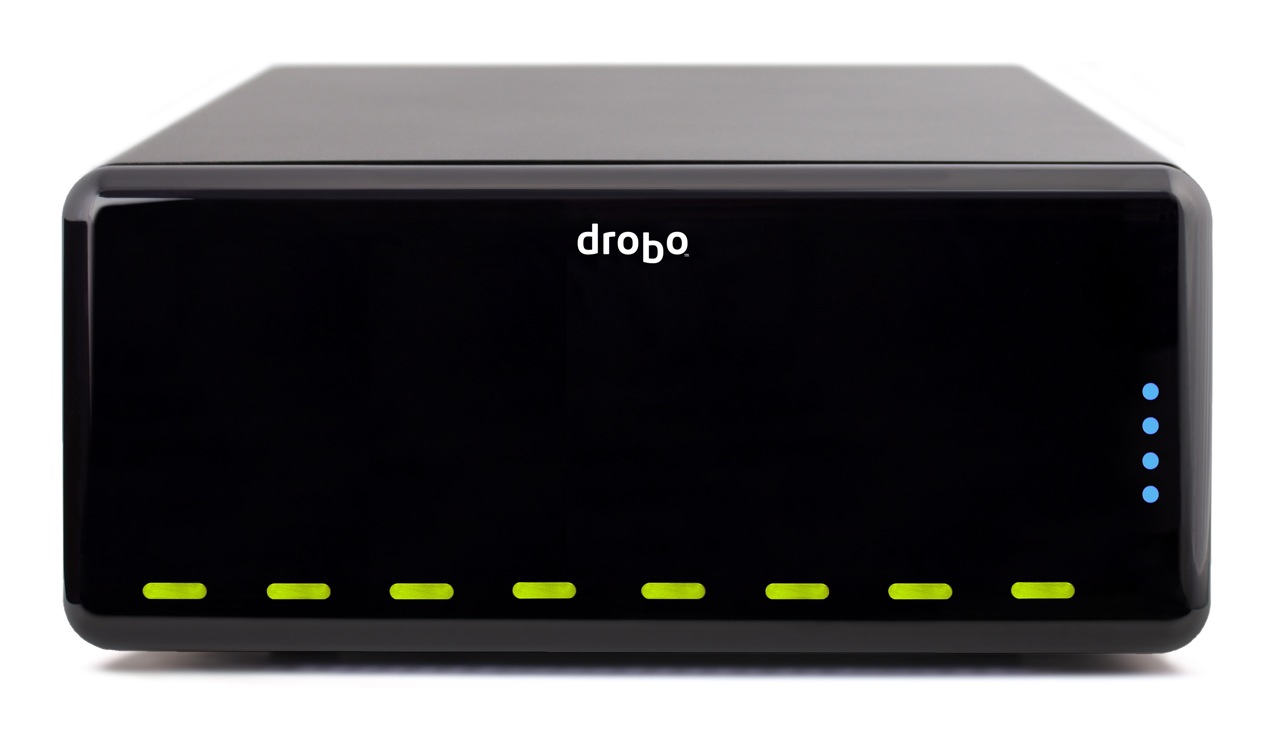
The DroboPro has some really cool features, some of which I, along with others, anticipated and looked forward to seeing. As I wrote in my review of the Firewire Drobo, Data Robotics was looking at making an 8-drive Drobo, possibly rack-mounted. I also thought they might introduce the capability to safeguard against two drive failures. And, as I wrote in this comment on that same review, in response to a reader’s wishlist for the Drobo, I thought they might at some point build networking capabilities right inside the Drobo.
Well, the new DroboPro does all those things and more!
- 8 (eight) drives
- 2 form factors: desktop and rackmount
- Dual drive redundancy
- Gigabit ethernet
- iSCSI
- Smart volumes: create up to 16 different virtual volumes, each of which can grow to 16TB
- Price is $1,299 for entry level DroboPro or $3,999 for a loaded model with eight 2TB drives
- Instant $200 rebate with customer loyalty program
Let’s dive into those new features a bit. Keep in mind my knowledge is as yet limited, since I haven’t seen the full specs; I only had a phone briefing.
8 drives
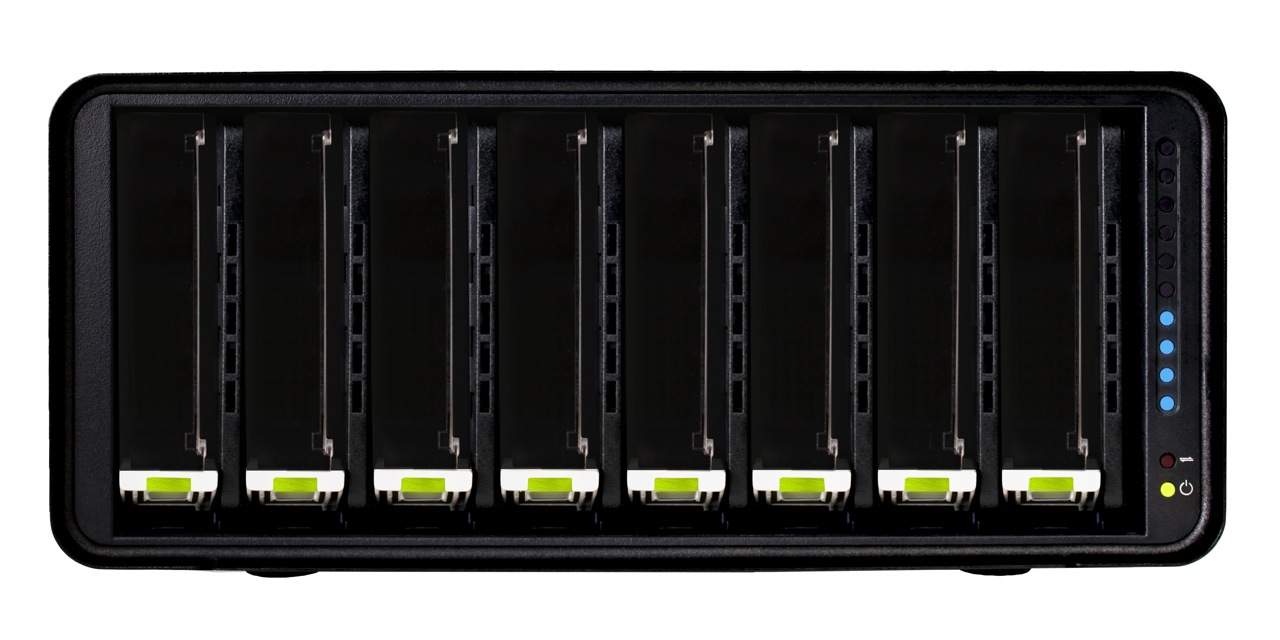
You know how the drives are arranged horizontally in the regular Drobo? They’re arranged vertically in the new DroboPro, which is about the same height, and a little less than twice the width of the original.
Two form factors
The DroboPro comes in a desktop form factor which is 12.17″ wide, 5.46″ high and 14.1″ long. The length is about 3″ more than that of the original Drobo. I think the extra space houses the additional circuitry for the network, power supply and other features.
The other form factor is a rackmount with a 3U height. If I understood correctly, the rackmount kit can be attached and detached as needed, so you can interconvert between the two form factors if you like.


Built-in power supply
One thing that’s easy to miss if you look at the back of the DroboPro is that it no longer has a DC adaptor port, but a regular 120-240V connector. Have a look and see. This means the power brick which converts 120-240V AC to 12V DC has been eliminated. You’ll also notice a power switch on the back. That’s new too.

Dual drive redundancy
As it was explained to me, the DroboPro comes standard with single drive redundancy, and the dual drive redundancy is an option that can be turned on at any time. In case you’re not familiar with the concept, this means two of the drives inside the Drobo can fail, and your data will still be safe.
Gigabit ethernet
Business-class networking is now built right into the DroboPro, along with enterprise-class features, like iSCSI with automatic configuration. The ethernet port on the DroboPro does not replicate the functionality of the DroboShare, as I initially thought. It only works through the iSCSI protocol, which means it needs to be mapped directly to a host, like a server or workstation, which can then share it among multiple servers or workstations. In that sense the DroboPro is not a NAS (Network Attached Storage), but a SAN (Storage Area Network).
iSCSI
If you’ve set up iSCSI volumes in the past, then you know how much of a headache they can be, and how bad the performance can be if it’s not set up correctly or if the hardware isn’t working as it should. I know firsthand about this. With the new DroboPro, the iSCSI setup is automatic. It’s as easy as plugging it into the network. The Drobo Dashboard software then finds it and mounts it as a volume on your machine via iSCSI. The work is done behind the scenes so you don’t have to worry.
For Windows, the DroboPro uses the Microsoft iSCSI initiator, and for the Mac, the folks at Data Robotics wrote their own iSCSI initiator. Those of you who work with Xserve and Xsan use Fibre Channel technology to connect to the network volumes, and you may wonder why Data Robotics went with iSCSI. It’s because iSCSI is more utilitarian. It doesn’t require special network hardware to work; it can use the existing ethernet network infrastructure, so there’s a lower cost of entry and maintenance.
I was assured that iSCSI throughput on the DroboPro is very fast. I guess it’s up to us to do some testing once the DroboPro starts to ship, so we can see just how fast it is. See the iSCSI guide on Drobo’s website for more details.
Smart Volumes
With the DroboPro, you can create up to 16 different virtual volumes, each of which can grow to 16TB. This is very important for the enterprise market, where companies want to be able to separate the data onto separate volumes and assign separate access privileges to each. Those of you who are network admins can readily appreciate how useful this is. Those of you who are creatives can also appreciate being able to assign a volume for Time Machine backups, one for videos, one for photos, and so on. Furthermore, each volume can be resized as needed, which is a huge leap forward compared to the difficulty of resizing LUNs set up over RAID volumes.
Price
The entry level DroboPro (enclosure-only) costs $1,299. The high end DroboPro, which includes the rackmount kit, two drive redundancy and is pre-loaded with eight 2TB hard drives for a total of 16TB of space, costs $3,999. There’s also a handy customer loyalty program which will give you an instant $200 rebate if you’ve purchased a Drobo in the past.
Those of you who might balk at the price should compare the features and ease of use of the DroboPro with other comparable products on the market. I’m going to walk you through a different kind of comparison, one that looks at the cost of the original Drobo and the cost of the new DroboPro.
Think of the DroboPro as two regular Drobos in one. The original Drobo is $499 for the enclosure, so that brings the price to $998. The difference between $998 and $1,299 is made up by the additional networking features and the complexity of the circuitry and auto-management algorithms of an 8-drive array. Keep in mind the DroboPro has enterprise-class features like dual drive redundancy, iSCSI and smart virtual volumes. Those features alone warrant charging several hundred dollars to thousands more for it, as other companies who make similar products have already been doing.
Summary
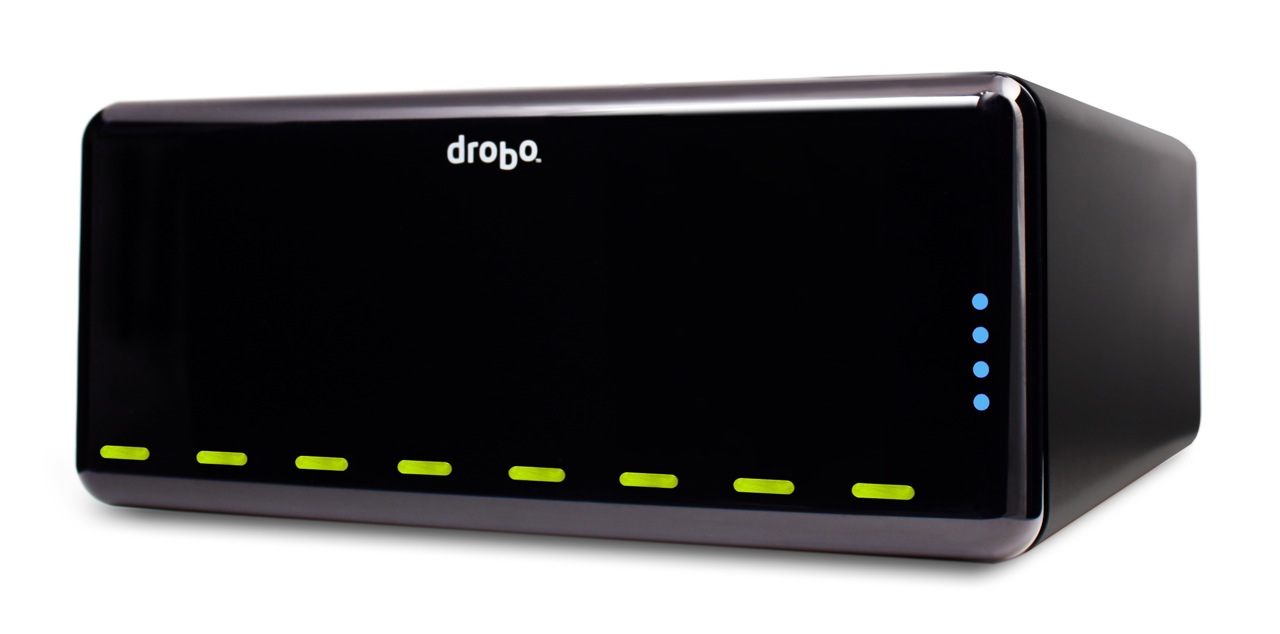
The DroboPro is a fantastic addition to the Drobo line. Its enterprise-class features, its incredible ease of use, and its unmatched storage flexibility make it the perfect external storage solution for busy professionals with serious storage needs or business server rooms. Users will appreciate all of the space it makes available for their work, and system admins will appreciate how easy it is to set up and maintain. From a design point of view, it’s a drool-worthy beauty. Having been a Drobo user for almost 1½ years, I can tell you it is my storage solution of choice, and I look forward to upgrading to a DroboPro some day.


Images used courtesy of Data Robotics.






 Raoul Pop