➡ Updated 1/14/19: I have revised my opinion of Drobo devices. After experiencing multiple, serious data loss events on multiple Drobo models, even recent ones, I no longer consider them safe for my data.
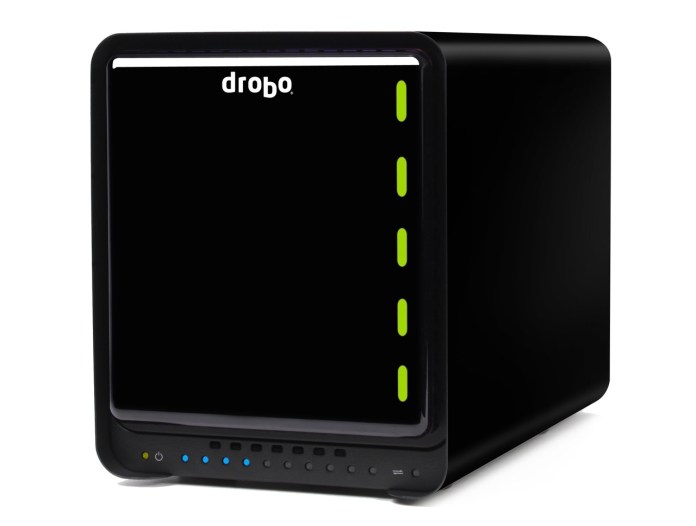
As of today, the Drobo product lineup has a shiny new device: a network version of the Drobo S, called Drobo FS — a NAS device. Its performance is up to 4x greater than that of a DroboShare, which is going to be discontinued. The Drobo FS is a natural at shared file storage, network backup and private cloud applications. You’ll be able to manage it through the Drobo Dashboard application, which will detect it automatically once it’s plugged into your network.
New Drobo Line-up
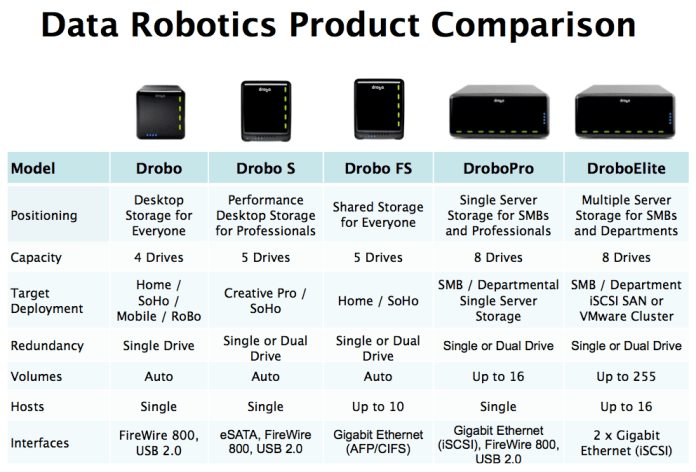
Here’s how the Drobo product line-up is going to look from now on, sorted in ascending order by US list price (at time of writing):
- Drobo, 2nd Gen (2 x FW800, 1 x USB 2.0) $399
- Drobo FS (1 x Gigabit Ethernet, AFP/CIFS/SMB) $699
- Drobo S (1 x eSATA, 2 x FW800, 1 x USB 2.0) $799
- DroboPro (1 x Gigabit iSCSI, 2 x FW800, 1 x USB 2.0) $1,499
- DroboElite (2 x Gigabit iSCSI, 1 x diagnostics-only USB 2.0) $3,499
If know which model to get and are looking for a great deal, you can find the Drobo for $335, the Drobo S for $699, the DroboPro for $1,199 and the DroboElite for $3,495. The Drobo FS isn’t listed for sale yet at online retailers.
Details and Thoughts
The Drobo FS is an all-in-one file serving solution — hence the FS moniker. It’s a plug-and-play file sharing system that gives you the performance and self-healing data safety of the Drobo S, in a NAS package. It’s a 5-drive unit with a single Gigabit Ethernet port that supports Jumbo Frames, AFP, and CIFS/SMB, so it’s compatible with OS X, Windows and Linux. It runs on a dual-core processor — the same processor used in the DroboPro. In the Drobo FS, one core does the Drobo BeyondRAID stuff and the second core runs Linux and — this is the neat part — whatever DroboApps you decide to install on it.
It’s simple and safe data sharing, because, just like the Drobo S, it protects against two hard drive failures, not just one. It can also be customized through third-party DroboApps, which can turn it into a remote file sharing solution, a cloud storage solution, a media server or pretty much anything you’d want a NAS device to do.
DroboApps available at launch are:
- Wake-on-LAN
- NFS
- iTunes compatible media server
- UPnP/DLNA media server
- BitTorrent client
- Web/HTTP server
- FTP server
- rsync server
- SSH client
- DroboApps Admin Utility
- and more, including this next app…
Data Robotics has partnered with a company called Oxygen Cloud, which has written an app that turns the Drobo FS into a “personal cloud”. No matter where you are in the world, you can map your Drobo FS to your laptop and access the files you’ve placed on it over a WAN connection between you and the Drobo, handled by the OxygenCloud app. You can set varying levels of access and give multiple users the ability to access various file sets. The app promises to be intuitive, easy-to-use, and to provide fine-grained controls for data access. It also provides a gateway for cloud backup to either a second Drobo FS or a cloud storage provider like Amazon, Mozy or RackSpace. The app is still in beta, will be released in May, is going to be free for a single user and will have a licensing cost for multiple users.
Keep in mind though that the quality of the WAN connection depends entirely on the quality of the broadband connection you’re using to connect to the Drobo. If, like me, you’re on a 30 Mbps fiber optic connection, you should have very little latency, but if you’re sitting at a crowded hotspot somewhere, tied into a 2 or 3 Mbps asymmetric connection that only gives you 512-768 Kbps upstream, then you’ll experience a fair share of latency. In other words, you’ll double-click on a file that sits on your remote Drobo, which is on another continent, and it’ll take a bit of time until it’s read and opened by your laptop. Just FYI, so plan accordingly.
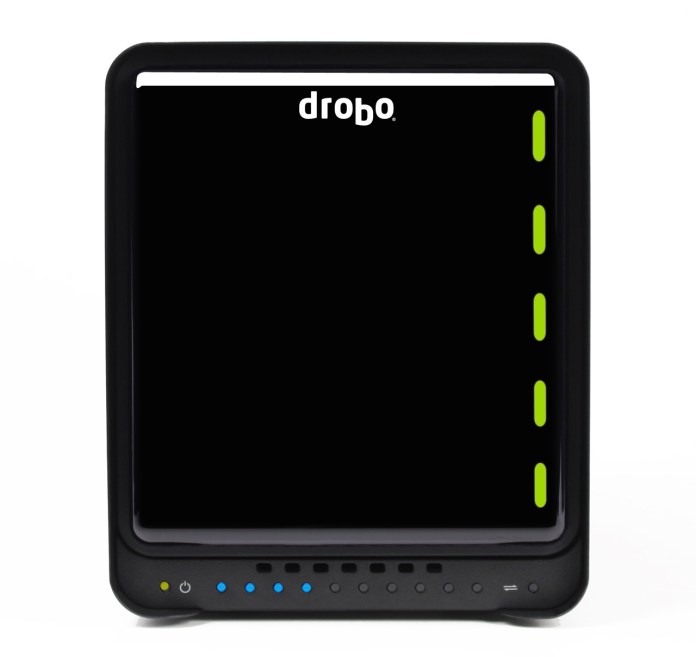
On the front and sides, the device is identical to the Drobo S. Of course, I think it’s beautiful. Gorgeous, actually. On the inside, it’s got 5 drive bays, once again, same as the Drobo S.
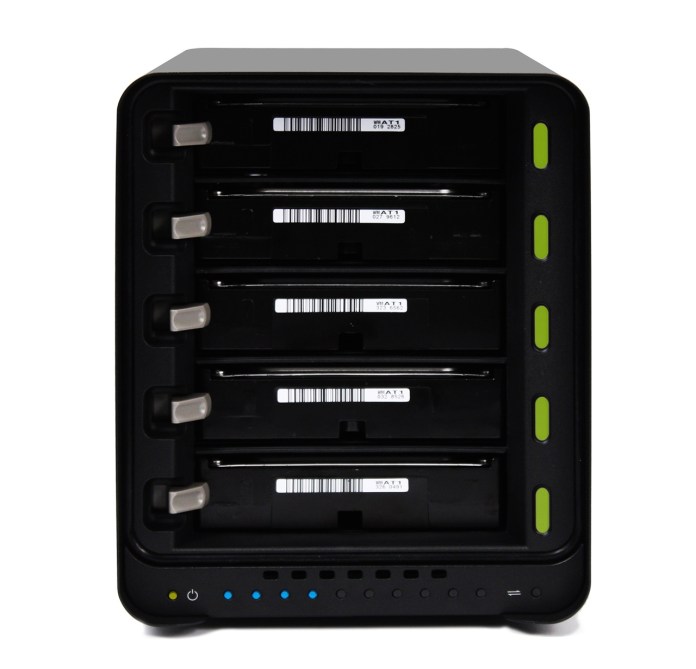
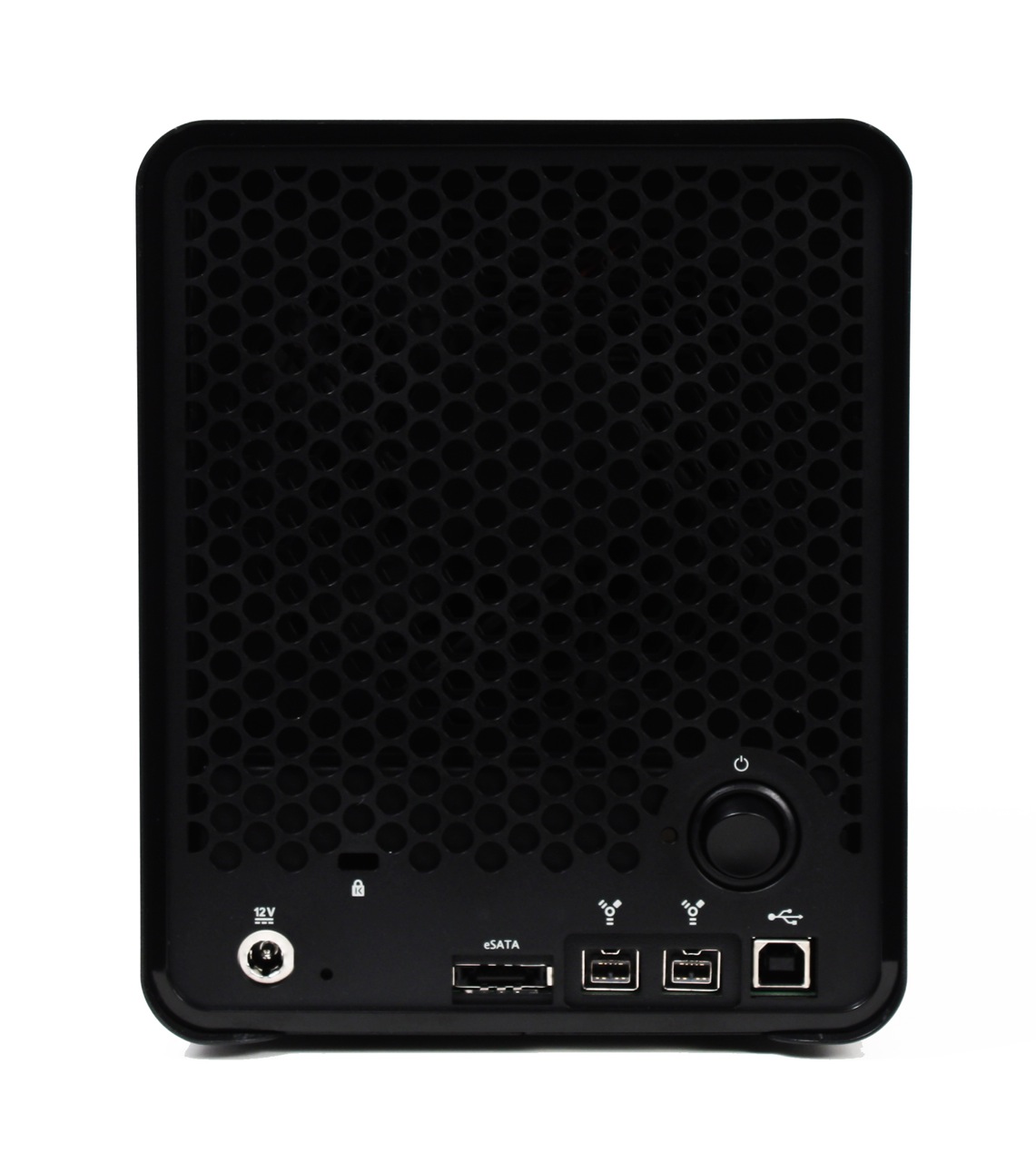
Only the back is different. Whereas the Drobo S has four interface ports on the back (1 x USB 2.0, 2 x FW 800, 1 x eSATA), plus the power supply connection, the Drobo FS has a single Gigabit Ethernet port and the power supply connection.
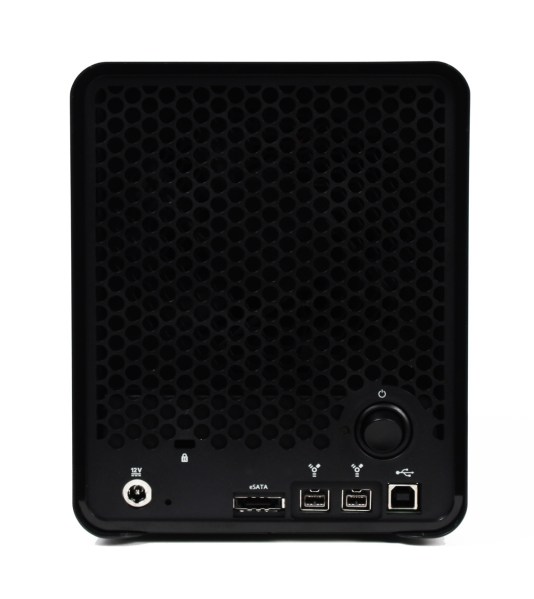

I am very glad to see that it has a power switch. I would have liked to see one on the regular Drobo as well. Who knows, perhaps at some point in the future, it’ll happen. I do think it’s important to have a less expensive, entry-level Drobo, so I hope the base model stays in the lineup for some time to come. I’m also glad that, as I predicted when I reviewed the Drobo S, the same design language was used for the Drobo FS. I like this maturation of the original language, and I look forward to seeing it translated in the enclosures for the DroboPro and DroboElite in the future.
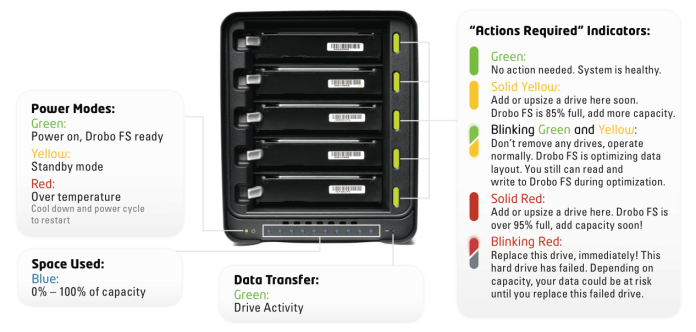
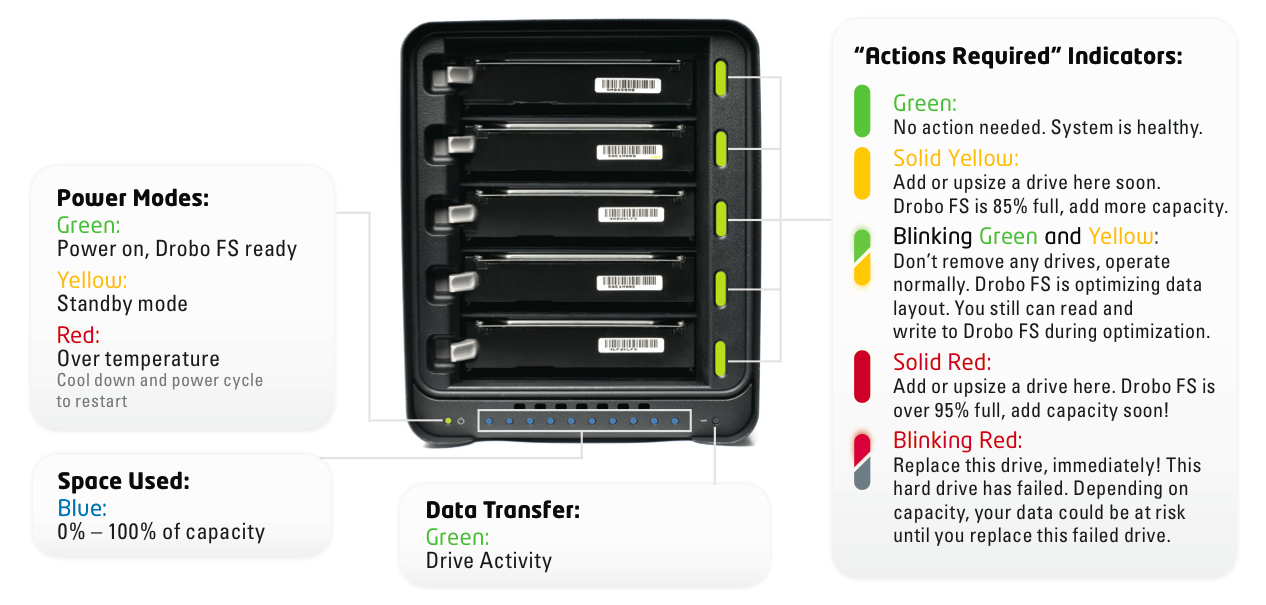
For reference purposes, I’m including the indicator chart for the Drobo FS here. It’s also available in the Drobo FS Data Sheet. It’s standard stuff if you’re already used to the Drobo S, but it differs a bit from the regular Drobo, as that model only has single-light indicators which don’t light up in half-half colors.
The Drobo FS formats the drives using the EXT3 file system, but you won’t need to worry about that. You won’t be asked to format the drives or to choose what file system you want for it, because it’s a NAS device, and it can talk to your Mac, PC or Linux box without any problems. You simply put drives into it, it’ll format them by itself, and share the volume onto your network. Easy as pie.
You can have up to 16 shares on the Drobo FS, and up to 32 users connected to it at any one time, though Drobo recommends up to 16 users as the optimal number for proper performance. This should be plenty for busy professionals or small businesses and workgroups, which together with consumers are its intended target users.
Since it’ll work over both wired and wireless networks (once you plug it into a router, naturally), I asked Data Robotics what sort of typical uses people can expect out of it. File sharing, such as documents, presentations, spreadsheets would be no problems at all, and that goes without saying. I asked, for example, if movie playback would be a problem. Not at all, they said, with one disclaimer: if you’re on a WiFi network, make sure it’s a WiFi-N network. This is not a limitation of the Drobo FS, which can offer maximum read performance of around 50-55 MB/sec (with Jumbo Frames), but a limitation of the bandwidth of a WiFi-G network. So that’s really neat!
There is one use they don’t recommend for it though: editing movies. Because it’s a network device, and certain video codecs have very particular performance requirements, official word from them is that people should get a Drobo S or a DroboPro for that. They say, and I quote, “unless a person is very, very familiar with video codecs and their performance requirements, they should not use the Drobo FS for video editing”. Furthermore, and this is very important, “if you want to use Apple’s ProRes (any of their family of 5 codecs), DO NOT try to edit video on a Drobo FS”. So please keep that in mind.
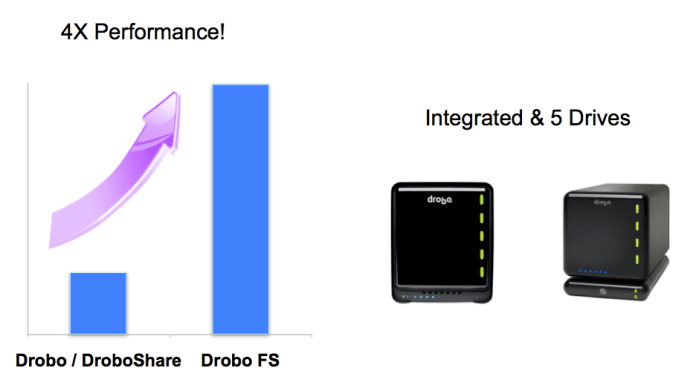
Performance-wise, it’s much faster than a Drobo + DroboShare combo (about 4 times faster), with sustained throughput of 30-40 MB/s. Data Robotics recommends that new buyers check for firmware updates, as they’ve made a number of improvements to the Drobo FS firmware since preparing the units for the first shipments. For comparison purposes, the sustained throughput you get from a Drobo S is 70-90 MB/s when using the eSATA connection.
The Drobo FS gives you about 75% of the performance of a DroboPro, which uses iSCSI. The extra 25% performance is eaten up by the overhead of translating everything for the file sharing protocols (AFP and CIFS/SMB). That’s not a Drobo-only limitation. That’s what happens on any device that has to deal with typical file sharing protocols — they slow things down.
Another neat feature of the Drobo FS is that it will give people the chance to choose a range of time after which the drives will spin down. Those who are concerned with energy use can opt for something like 5-10 minutes, while those who need performance can opt to only spin them down after 30 minutes or 1 hour of inactivity, or more. With the DroboShare, this option wasn’t available, but there was a DroboApp you could install that would periodically write and erase a few bits of data to the drives in order to keep them from spinning down.
Specifications
- Drives: Accommodates from one to five 3.5” SATA I / SATA II hard drives of any manufacturer, capacity, spindle speed, and/or cache. No carriers or tools required.
- Interface: 10/100/1000 Ethernet Port
- Supported data transfer protocols: AFP and CIFS/SMB
- Dimensions: 5.9” wide x 7.3” tall x 10.3” long
- Weight: 8 lbs. (without power supply, hard drives or packaging)
- Includes: Drobo FS, CAT 6 Ethernet cable, external power supply (100v-240v) with U.S. 110v power cord, User Guide and Quick Start Card (printed), Drobo Resource CD with Drobo Dashboard application, help files, and electronic documentation.
- System Requirements: Apple Mac OS X 10.5.6 or greater; Microsoft Windows 2003, 2008, XP, Vista, Windows 7; Unix/Linux client that can connect via CIFS/SMB
Pricing
Suggested retail prices for the Drobo FS are as follows:
- Drobo FS, base configuration: $699
- Drobo FS + 4.5 TB bundle (3 x 1.5 TB drives): $999
- Drobo FS + 7.5 TB bundle (5 x 1.5 TB drives): $1,149
- Drobo FS + 10 TB bundle (5 x 2 TB drives): $1,449
Images used courtesy of Data Robotics. The Drobo FS will be available from major retailers such as Amazon, B&H Photo, NewEgg, CDW, Synnex, Bell Micro, Ingram Micro and datarobotics.com.






 Raoul Pop