Places

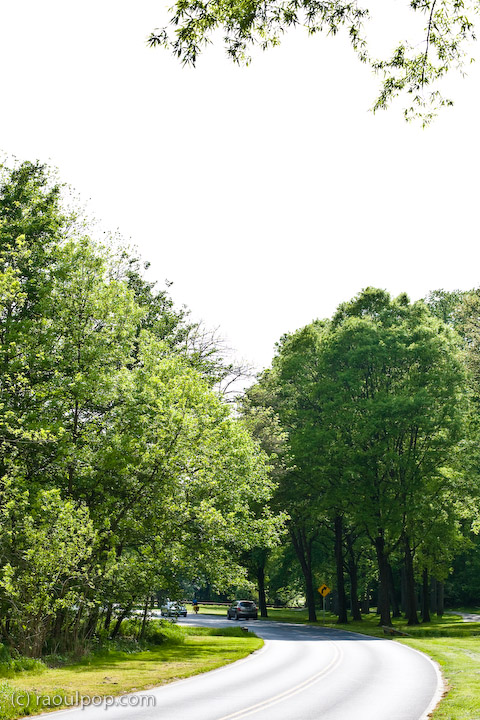
Photos from Beach Drive

Beach Drive is a picturesque road that winds its way through Rock Creek Park in Washington, DC and the surrounding suburbs. Although called by different names along its various portions, it starts at the base of the Lincoln Monument as Rock Creek Parkway, NW, and ends somewhere in Rockville, MD, possibly at the end of Dewey Rd. I’ll let you trace it from end to end — it’s fun to follow it on Google Maps — just remember, the road should be inside the wooded areas at all times, and houses shouldn’t line it on both sides.

Certain portions of it are closed during weekends so that cyclists and pedestrians can take walks alongside it without the danger of cars. Road closure details are listed on the NPS – Rock Creek Park website.

Rock Creek Park and Beach Drive are truly one of the places to see in DC. The regular roads can get so clogged at times, and it can become so inhuman to sit in traffic and stare at buildings and cars on either side, that Beach Drive provides a welcome respite from the city.

Literally surrounded on each side by tall trees and bushy vegetation, it’s easy to forget one is in the middle of DC. It’s just beautiful. The only time the road’s proximity to nearby development is seen is during winter, when the houses and the roads are revealed to be only a few hundred feet away or less on certain portions of the road.

Understandably so, my wife and I go there often, and we also take photos. Here are a few taken on a recent trip. Click on each to enlarge it, then click again to view at full size (currently 720 pixels wide).

Standard
Places

Photos from downtown Baltimore

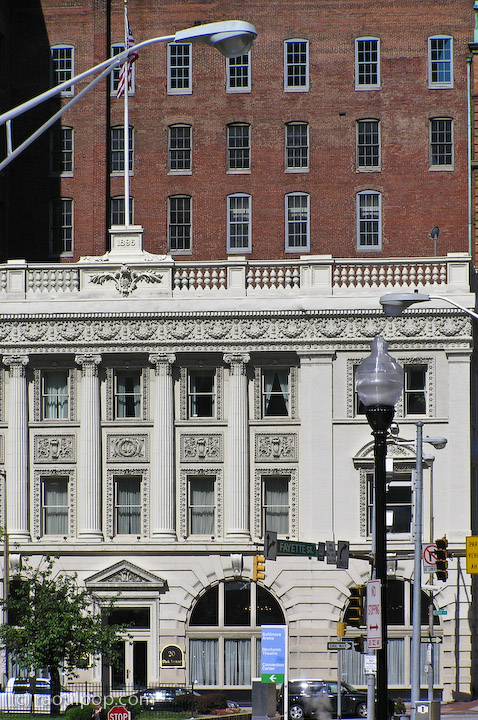
We made a day trip into downtown Baltimore last week. I had our point-and-shoot with us, and took photos of the architecture. I need to specify that it was our point-and-shoot because you’ll see purple fringing on a few of the photos. That can’t be helped much when you have a zoom on a digital camera. It’s the price one pays for versatility.

I do love that long zoom though (equivalent of 38mm-380mm on my Olympus C770-UZ). I can get photos like these without having to haul a big, heavy glass with me. (Let me be the first to admit that this is really more of a case of the fox crying sour grapes. I’d love to be able to afford some nice, big, heavy glass, but it costs several thousand dollars…)

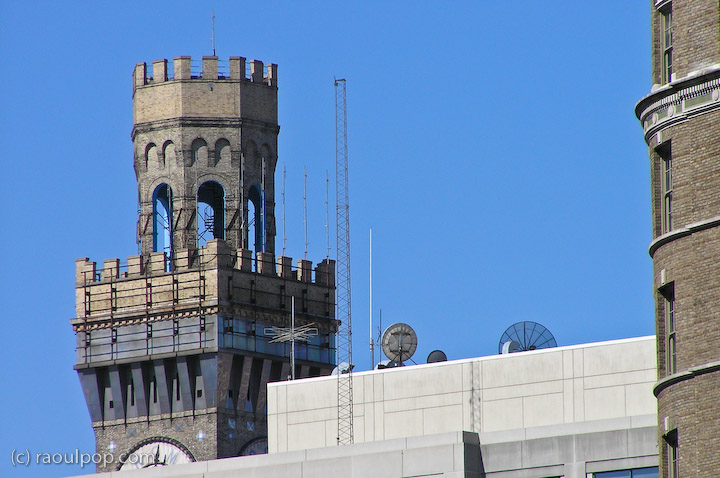
This tower was but a small spot on the downtown skyline with the naked eye. I get my kicks from zooming into distant objects. While I like wide lenses a lot, there’s something really nice about the flatter perspective of telephoto lenses.

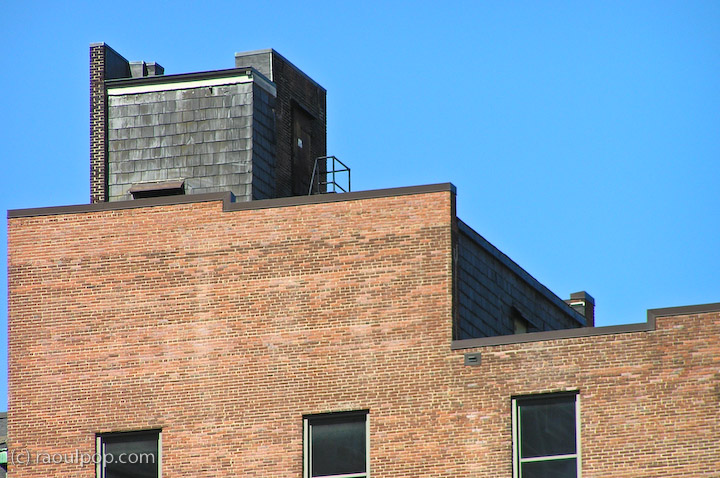
The shoddy appearance of this roof was a surprise. The standing balustrade, seemingly leading nowhere, was another. This is one of the photos where the purple fringing is readily apparent.

A shingle roof on a fairly tall downtown building? Interesting!

I loved the details on this gleaming golden roof. It lit up like fire when the sun shone on it.

Here’s a close-up. I wonder if the top floor is a penthouse. Can you imagine the views?

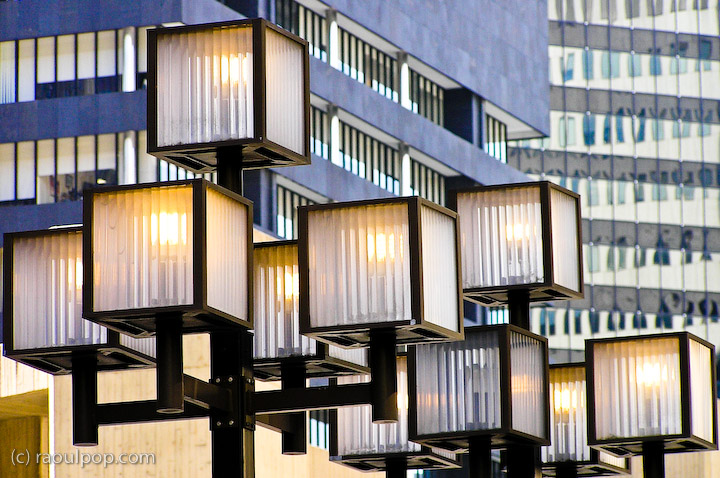
There were so many interesting shapes and colors to be found among the architecture!

Here’s a view of this same building from a different angle.

These two reliefs lined the side of a downtown building (a hotel I believe).

A few street-level photos.

This sign was posted to the side of a building. It names it as the original site of the Baltimore College of Dental Surgery, founded in the year 1840. It was, apparently, the first dental college in the world.

Here are a few views of the Radisson Hotel. I mention it by name because we’re thankful for its inviting lobby with free wifi. We needed to spend a few hours waiting around, and it was such a relief to be able to sit down on a couch and get on the Internet instead of having to deal with the street noise. They also had a Starbucks at street level. Nice.

Here’s a closeup of one of the hotel’s towers. I wonder if there is a room at the top of the tower, and if it’s available. Or is it reserved as the penthouse for the hotel’s owners? The views must be spectacular.

Here’s a view of the entrance to the Mariner Arena.

A few of the rooftop inhabitants showed some interest in our presence.

Standard
Places

A weekend down in Florida

Ligia and I took a mini-vacation this past weekend and flew down to Florida to see my parents. You might remember it as the place where I feel most at home here in the States.

We left our cozy little apartment last Friday morning, and in a couple of hours, thanks to the amazing convenience of modern travel, I found myself wielding a weed whacker in my parents’ yard. After other assorted yard work, a little dazed by the torrid sun, I took refuge under the auspices of a cold shower, where I cleaned bits of grass and plants… from places I didn’t even know I had. There’s something funny about switching computer work for yard work. I just know there is.

So what else did I do? The usual geeky son stuff. I assembled a home theater furniture piece and rewired the various components that made it up, such as the two satellite dish receivers, VCR, DVD player and Apple TV. Now it looks really nice, if I might say so myself.

I installed the latest updates from Apple on their two Macs. Installed SP3 on their XP virtual machine running on Parallels. (Which reminds me, I need to check with my mom soon and see if Parallels will continue to give her grief now that I reinstalled it.)

Also updated their Drobo with the latest version of the Dashboard. By the way, their Drobo is still loud because the fan cranks into high gear prematurely and stays there inordinate amounts of time. I talked about this in my Drobo review, and I’d like to see Data Robotics come out with a firmware update for this problem in the near future.

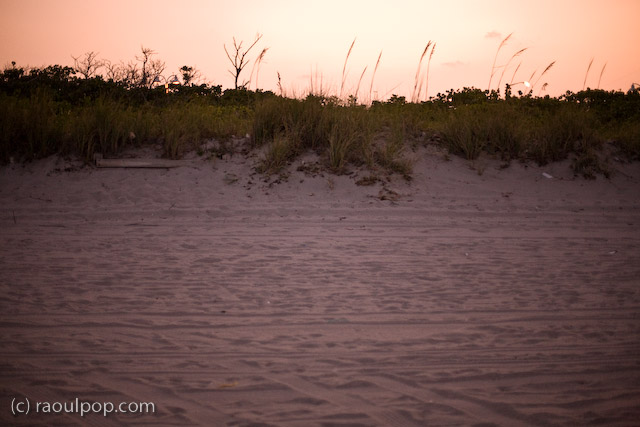
We also found time to go to the beach, twice. I got to blind everyone there with my amazingly white complexion. It felt good — after all, I worked hard to get it. It took months and months in front of the computer to achieve that perfect pasty pallor.

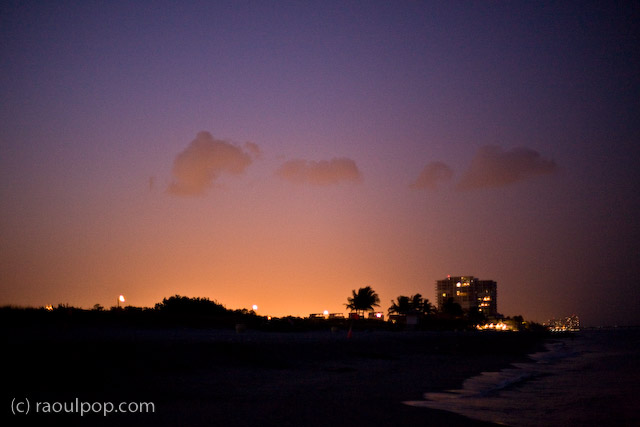
One of our walks on the beach was at dusk.

As night fell and the sky darkened, city lights became more apparent in the distance.

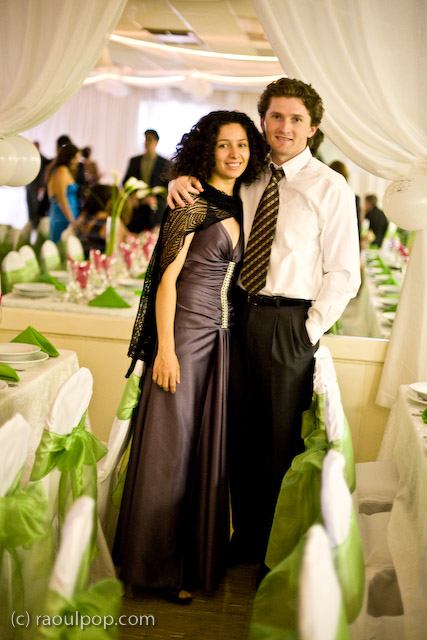
We attended a friends’ wedding as well. I’d post their photo, but I’m not sure how comfortable they’d be with that, so I’ll stick to a photo of Ligia and I, taken by my mom.

I asked my parents if I could post a couple of photos I took of them, and they agreed. Here’s my dad.

And here’s my mom.

I’m happiest about convincing my mom to sit down with us on the last evening to watch The Awful Truth (1937), one of our most favorite movies. Yes, she enjoyed it.

Standard
Places

Shenandoah Valley panoramas

You are about to see several panoramic photos that have taken me well over 35 hours to create — and I’m not counting travel time, setup time, time it took to take the photos, and the time it took to write this post.

This slideshow requires JavaScript.

A couple of weekends ago, Ligia and I got into our MINI and drove up to Shenandoah National Park, for a single purpose: to take a few panoramic photos of the valley from the tops of the Appalachian Mountains. Fortunately, that simply meant driving on beautiful, scenic Skyline Drive and stopping at various points to set up the tripod and take series of shots that would later be stitched together. Unfortunately, the weather wasn’t exactly collaborating, in spite of the cheery weather report. The day was neither sunny nor cloudy. The light was diffuse and had that washed, in-between quality that doesn’t really make it good for anything. But, I was there, and if that’s what I had to work with, so be it.

As it turned out, driving out there and taking the photos was the easiest part of the whole thing. Like I mentioned in the opening paragraph, putting together the panoramas was by far the longest, most excruciatingly slow stretch of processing work I have ever done. I do not recommend it to anyone, for multiple reasons, which I’ll mention below. If you just want to see the photos, skip ahead.

A few thoughts on the whole thing

I will not do panoramas very often in the future, unless I’m commissioned to do specific ones. If and when I do another panorama for myself (not for a client), it will likely only be a 5 to 10 photo image, simply because it takes an enormous amount of time to stitch and process them on the computer if they’re made up of more images than that.

For one thing, you would need a super fast, quad-core or better computer loaded to the gills with RAM to get any sort of decent speed while processing panoramas. A Mac Pro worth about $7,000 or better should do the trick. Seriously, every single simple operation, like cropping or rotating, took at least 10 minutes or more to execute. Sometimes just assembling a single panorama in Photoshop (through the Photomerge feature) took about 45 minutes. I have the latest MacBook Pro laptop (2.5 GHz Intel Core 2 Duo processor, 512 MB video card, 4 GB RAM), and it still took what seemed like forever to get through each panorama.

The resolution of the photos also matters. My individual photos are 12-megapixels each, at 240 dpi, made by a Canon 5D. Just imagine how much processing power is needed to put together 20 or 30 of these photos into a single image!

People don’t appreciate panoramas. I bet you most people will skim this post, unimpressed, and move on. You can’t really appreciate panoramic photos unless they’re printed out in their full size and spread out on a wall, right in front of you. You can’t appreciate their size on your computer monitor, no matter how large it might be. The largest single monitors nowadays are 30″ and have a maximum resolution of 2560×1600. That’s equivalent to about 6 megapixels at 72 dpi. You can’t possibly appreciate a 12 megapixel photo at 1:1 size on a current-day monitor, much less a panorama made up of 20 of those photos.

As an aside, don’t confuse monitor size with resolution. There are LCD HDTVs on the market that are 42″, 46″ or more in size, but they can only display up to 1920×1080 pixels, which is much less resolution than a 30″ monitor.

I can’t show you the full panoramas on my site, because of photo theft. Not that I think my panoramas (these ones in particular) are spectacular and would fetch amazing prices, but I know for a fact that if I post my panoramas at full resolution, there will be people who will steal them and try to profit from them.

How does the new Lightroom 2 Beta handle panoramas?

After I processed the photos in Photoshop CS3, which worked without crashing for the whole bunch, although it ate an amazing amount of space on my hard drive for its scratch disk, I imported them into the new Lightroom 2 Beta, to see how it would handle them.

Most of the photos were over 1 GB in size, uncompressed. Because I saved most as TIFs, using ZIP compression, their file size on disk was significantly lower. Lightroom did amazingly well to start with. It created small previews very quickly, and also created the 1:1 previews much quicker than Photoshop would have been able to render them. I was able to use the spot heal brush to remove sensor dust spots, and also used the new selective retouching brushes, without any problems. Lightroom 2 was able to do these things without significant delays, and would show the effects instantaneously.

LR2 only started hiccuping when I started to add some meta-data to the photos. As I went through and added meta-data, then opened them at 1:1 size once more, it would hang, literally forever. I had to keep force quitting it, and had to do that regularly, for each and every photo that I wanted to look at. Interestingly enough, when I wanted to export the panoramas to use them here on my site, it did it without any problems, and without crashing. It’s certainly odd behavior, but it is in Beta after all.

On to the photos

While I cannot post the panoramas at full resolution here, I did post them at higher sizes than I would normally post, in order to give you a better idea of what they look like. I also created 1:1 previews of regions of each photo, to help you realize how big they really are.

If you click on each panorama (not its 1:1 detail), it will take you to its photo page, where it will tell you how large it is (in megapixels), and how many photos went into making it. If you click on it again (on that page), it will take you to its larger size. Sorry for the double-clicking, but that’s how things work in WordPress these days.

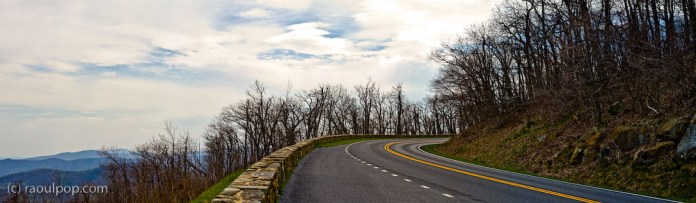
First, a panoramic of Skyline Drive itself. This road is amazing, and I’m so glad the US government decided to build it back in the 1930s. It literally hugs the tops of the Appalachian mountains and lets average John and Jane drive on top of the world (as high as possible in this area of the world, anyway).
We stopped along Skyline Drive, parked our car, and took a hike through the forest on one of the paths marked out there. In the middle of nowhere (literally), we found this cabin, called Range View.

It was a darling little place built out of stone and off the grid (in spite of the fact that wires ran right above it). The fireplace was outside the cabin, by the front door. While the place was locked up and the windows equipped with thick wire and netting, Ligia and I could spot beds and various pieces of old furniture inside. Don’t know what it’s used for nowadays, but it is used, because there was an open bottle of wine standing in plain sight near one of the windows, and it was of recent vintage.

The rest of the photos, including the 1:1 previews, are found in the gallery below. Click on each to get to the photo page, then click again to see it in a larger size. Enjoy!

Standard
Places

Photos from the Bethesda photowalk

On 2/9 at 2 PM, Ligia and I attended the Bethesda photowalk, an event organized by Mark Anderson. It was our first group photowalk — up till now, I took photos by myself and only Ligia accompanied me. The only other similar event I ever attended was the Alexandria photowalk last year, organized by Keith McCammon. I felt much more comfortable there, mainly because there was only one other person in attendance besides Ligia and me: Keith.

I discovered, or rather remembered certain things during the Bethesda photowalk:

  • I don’t like group events. I tend to feel alone and isolated in large groups and feel the need to draw apart and be by myself.
  • I don’t like shaking hands with people when I can’t wash afterwards. This is part of my obsessive-compulsive personality. Even more so, I don’t like shaking hands with people when I’m using my camera and I can’t wash my hands because there’s no bathroom nearby. It’s because I feel their hand germs on my my hand and on the camera, and I can’t concentrate on taking photos. I know it’s odd and probably wrong, but that’s what it is and I have to cope with it.
  • Taking photos in large groups is pretty weird for me. It’s not my bag. I end up feeling like a paparazzi, and that’s not what I got into photography to do. It also breaks my concentration to have all those snapping cameras around me and I don’t end up taking good photos.

None of this has anything to do with the event itself or with the people who attended. The event was a trigger that helped me realize certain things. Everyone was nice, Mark did a great job of organizing the event and mapping out the route, and if only I could enjoy myself, there were plenty of opportunities. But, like I said, large group photowalks aren’t my bag.

Overall, I’m grateful for the photowalk. It got me out of the house and taking photos, and that’s always a good thing. Let’s call this my Week 8 submission for the 2008 Community Challenge.

Standard