
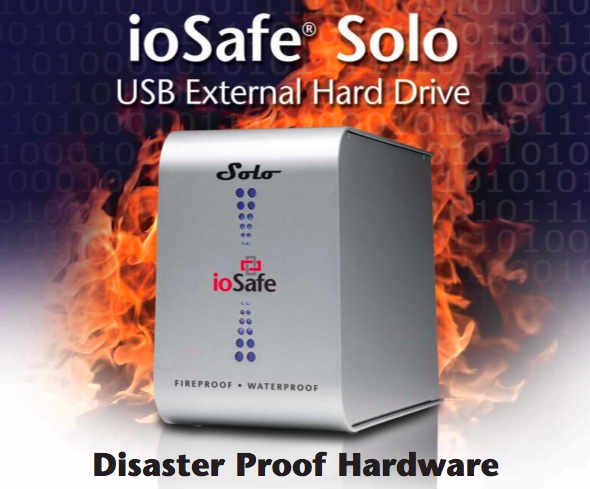
The folks from ioSafe gave me a 500 GB ioSafe Solo drive and asked if I could write about it. The short summary is this: it’s quite different from a regular external drive, and yes, it does exactly what it says it’s supposed to do — it is fireproof and waterproof.
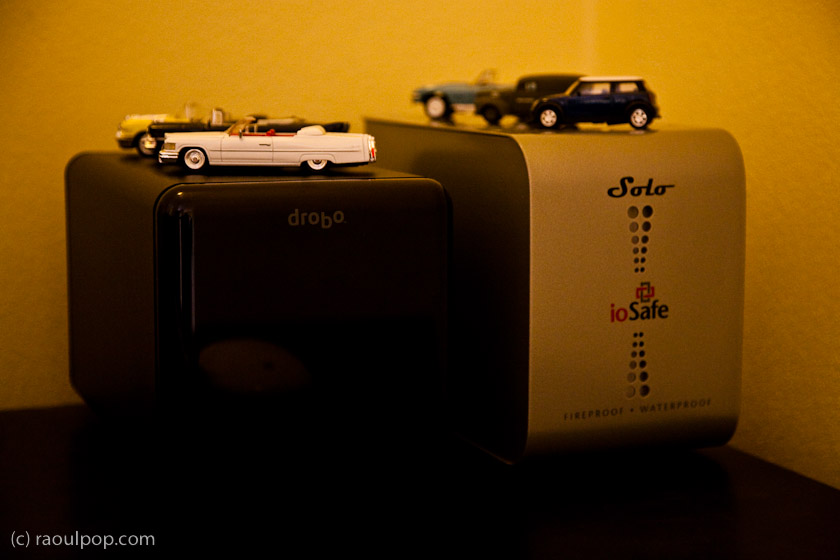
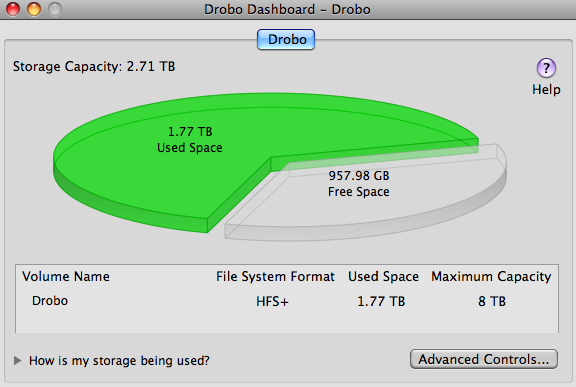
How is it different? For one thing, it’s big — much bigger than a regular external drive, much bigger than even a Drobo. Keep in mind this is a single-drive enclosure, while the Drobo is a four-drive enclosure. It’s also much heavier than a regular external hard drive. The discrepancy is explained solely by its unique purpose, which is to withstand fires and floods. I’ll explain below.
The ioSafe drive is made with technologies like the FloSafe air cooled vent, HydroSafe water barrier and DataCast fire safe — patented technologies which the folks at ioSafe invented.
One of my concerns with the drive, given its watertight and fireproof seals, was how it cools itself. Could it withstand regular use? Wouldn’t the drive overheat during extended use? The answer is no, thanks to the FloSafe vents, which stay open and allow air to circulate through the enclosure as long as the room temperature stays under 200° F. Once the ambient heat passes over that threshold, the vents close and seal automatically, protecting the drive inside. The closing mechanism doesn’t rely on electricity — it’s mechanically triggered, which means it’ll work whether or not the drive is plugged in.
The drive and circuits are packed inside a foam enclosure called the DataCast fire insulation. The DataCast formulation forms a chemical bond with water molecules that, at temperatures above 160° F, releases water vapor to limit the internal temperature of the hard drive. This enables the ioSafe data storage product to protect your data from heat damage while the unit is engulfed in fire. Typical fires last about 30 minutes and have temperatures of approximately 800° F to 1000° F. The ioSafe fire resistant data storage product has been tested up to UL 72 one-hour standards at 1700° F and the ASTM E119 fire curve standard. While the strength and duration of a fire cannot be predicted, the ioSafe drive has been over-engineered to withstand even the toughest fires, and that’s good news for your data.
When it comes to flood protection, the HydroSafe barrier blocks fresh or saltwater damage, including full immersion, while still allowing for the heat dissipation necessary for normal functioning. All ioSafe products are inherently flood resistant, whether or not the vents are open or closed, which is as it should be, since a flood isn’t normally associated with a temperature rise above 200° F.
The official specs of the ioSafe Solo drive which I reviewed say that it’s fireproof to 1550° F up to ½ hour and waterproof to 10 feet of fresh or saltwater up to 3 full days. They also say the drive comes with a 3-year warranty and a $1,000 Data Recovery Service, which works as follows (quoting from ioSafe website):
- The Company or its contracted partner will provide phone or email based support to assist in recovering the data, or
- The Company will pay for the disaster exposed product to be shipped back to the Company’s headquarters for data recovery. If data recovery is successful, a replacement product will be loaded with the original data and shipped back to the original user, or
- At the discretion of the Company, if the data recovery by the Company is not successful, the Company will pay up to the amount shown in the table below for the specific product to a third-party disk recovery service of the Company’s choice to extract the data. Any data extracted will be loaded on a replacement product and shipped back to the original user. The Company has the right to use a factory refurbished product as the replacement product.
| Product Line | U.S. Dollars per Disk |
|---|---|
| S2, R4 | $5,000 |
| 3.5 Pilot, 3.5 Squadron | $2,500 |
| Solo External HDD | $1,000 |
I know of no other company that offers a free data recovery service, particularly after a damaging incident such as a fire or a flood. ioSafe does it, proving their commitment to the safety of your data.
Now let’s talk about the other aspects of the drive, such as its looks, performance and noise levels.
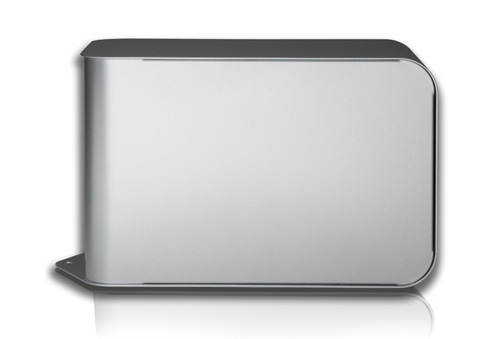
The enclosure of the ioSafe Solo is made of solid sheet metal, particularly the front, top and bottom, which is made of a single piece of 1 mm thick steel. It’s built like a tank — as hard drives go, anyway — and is made to withstand hits and dents. The simplicity of the design — two leaves of sheet metal bent into simple curves that fit together like a dovetail joint — makes it appealing to someone who likes good, solid design.

Other than its size, the enclosure’s exterior isn’t fancy or flashy. The real beauty lies inside, in the fireproof and waterproof padding and seals. Other than a bit of branding and the blue LEDs on the front, the sides, top and bottom feature no adornments at all.
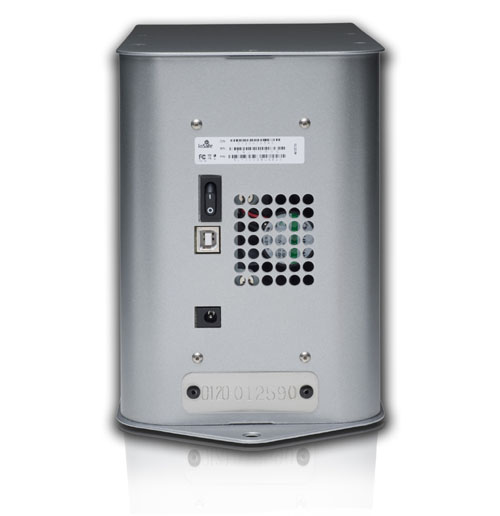
The back side features a lip with a punch hole that can be used to secure the drive physically to a flat surface, or with a security cable. The back of the drive has a power switch, the USB connector, the air grille through which the drive cools itself, the DC power port, and a metal plate with the drive’s serial number etched onto it.
Hardware noise is something I’m always concerned with. I prefer my hardware to be as quiet as possible. I compared the ioSafe drive with other external devices that I own, like the 1st generation Drobo, the 2nd generation Drobo, the WD My Book Studio Edition II, and the LaCie Mini. On an approximate loudness scale, it ranks below a 1st gen Drobo but above all the other devices, like the 2nd gen Drobo, the My Book Studio and the LaCie Mini. It’s the fan that’s the cause of the noise, not the hard drive itself. Given how much padding and sealing there is inside the enclosure, the fan has to work extra in order to cool it, so you’ll always hear its hum. The good thing is that it’s constant, so you tend to get used to it after a while.
The drive has a USB 2.0 interface, so you can expect typical USB 2.0 transfer speeds from it (it tops out at 480 Mbps). For example, I was able to copy 122.25 GB to the ioSafe Solo in 1 hour and 50 minutes, which is par, or perhaps even a little faster, than my prior experiences with USB 2.0 transfers.
Beside the size of the drive, which is considerable but appropriate given its specifications and purpose (5.0″W x 7.1″H x 11.0″L), there’s also its weight to consider (15 lbs). This is a heavy drive. It’s not something you can lug around in a backpack. It’s something that’s meant to be stationary and to withstand fires and floods. It is serious business. I wouldn’t even call the ioSafe Solo a drive you can keep on your desktop. Yes, you can do that, but it’s probably better to keep it bolted to the floor or to your wall, or even better, plug it into a USB to Ethernet device and keep it away from your desk, somewhere in the basement, in the attic, or in a closet. Turn it on every once in a while, copy your vital data to it, then turn it off and forget about it, until you have a disaster. Then dig it out, retrieve your data, and pat yourself on the back for having bought it.
The ioSafe Solo isn’t the only device made by ioSafe. They have a whole range of drives that cater to consumers and businesses alike. They have internal drives, made to fit inside existing computers, that use the same fire and water-resistant technology. They’re 2.5″ drives fitted inside custom 3.5″ enclosures with SATA interfaces. They also have rack-mountable RAID systems configured as RAID 1 (mirrors) and NAS devices that can be configured as RAID 0/1/5.
I initially planned to put the review unit through fire and water in order to test it, but I honestly don’t know what new things I could add to what people have already done to it in order to prove its capabilities. Take this video from the Wall Street Journal for example, where ioSafe’s CEO dunked the drive in a pool, then baked it in an oven to show the data stays safe.
Another reviewer barbecued the ioSafe Solo, only to find out the data stayed safe, as expected. On a local TV station in California, where ioSafe is headquartered, Robb Moore, ioSafe’s CEO, went on camera to torch yet another product — their 3.5″ internal drive that uses the same technology. The result, once more, was the expected one. The data stayed safe even though the drive was put through 30 minutes of 1200° F fire.
Finally, Gear Diary ran the ultimate fire test on the ioSafe Solo. They put it inside a burning car, left it in there for 10-15 minutes, hosed it down with professional fire equipment, then disassembled it to see if the data stayed safe. It did.
Like I said, I don’t know what I could add by torching and dunking my review unit, when it’s already been done much better by others. Gear Diary’s test in a burning car was the ultimate proof for me. That was a real test under real life conditions, and the drive proved that it could withstand it.
If you’d like to buy the Solo, you can do so directly from ioSafe or from Amazon.
After the 49 Fire that destroyed 63 homes in Auburn, CA on 8/30, ioSafe CEO Robb Moore offered free ioSafe Solo drives to the fire victims.
If you’d like to win your very own ioSafe Solo drive, then join ioSafe’s Facebook page. As soon as they have 5,000 fans, they’ll hold a drawing and award one of them the drive.
Images used courtesy of ioSafe.

 Raoul Pop