Events

The reason behind our trip to Romania

You may recall that I mentioned a recent trip to Romania in a few of my posts. The occasion for our trip was a joyous one, thank goodness: my wife’s sister got married. I would have loved to post a few photos of them, but she and her husband would prefer to stay off the Internet, at least for now. Still, I did the next best thing. I put together a list of my favorite photos from the wedding that are okay to show in public.

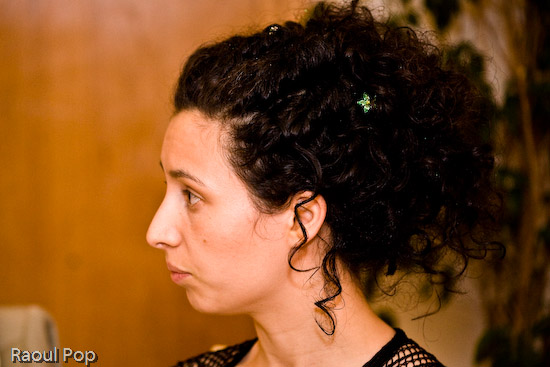
This is an overexposed photo of Ligia, processed in Lightroom. I like the way it came out.

Ligia

My little niece was one of the bridesmaids.

One of the maids of honor

Ligia’s singing in the choir. The bride and bridegroom are in the bottom left corner. I think this photo’s alright to show, since they’re facing away from the camera. 🙂

The bride and bridegroom

One of my nieces and her friend is giving me the tilted head look. I love how this photo came out, in spite of the lens flare visible near my niece’s right eye. The pose was completely spontaneous, and yet they both managed to tilt their heads and bodies at parallel angles. Lovely!

The tilted look

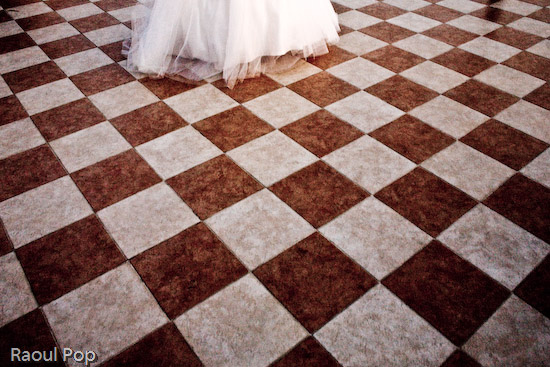
The bride takes a walk outside the restaurant where the wedding party took place.

The bride

I loved this simple yet dramatic chandelier, and the cloth ribbon draped across the ceiling was a great touch.

Chandelier

The bride and bridegroom cut the wedding cake, hand in hand.

The wedding cake

Here we are. My brother-in-law (not the one getting married) took this photo. It came out really nice, don’t you think?

Ligia and Raoul

My lovely wife. I never get tired of photographing her.

Ligia

We had a really wonderful time at the wedding, getting to know the groom and making new friends. It all went just as planned, and came out even better!

Standard
Reviews

Windows Family Safety

Windows Family SafetyWindows Family Safety (WFS) is a new offering from Microsoft that aims to offer protection from questionable or indecent websites to families or individuals. I tried it out for a couple of weeks, and found it to work fairly well, except for a few hiccups here and there.

It is a software-based internet filtering mechanism. The difference between a software-based internet filter and a hardware-based one is that the software needs to be installed on every computer where filtering is desired. A hardware-based internet filter is usually self-contained in a box or appliance that gets placed between the user’s internet connection and the internet. The benefit of such an appliance is readily seen. There’s nothing to install on client computers. Unfortunately, hardware-based solutions have been fairly expensive, historically speaking.

Software-based internet filtering has also cost money, until now. As a matter of fact, Microsoft used to offer one such software-based solution with its premium MSN service. Windows Family Safety may be that same offering, repackaged as a free service.

Having used other software-based internet filters, I can tell you Windows Family Safety is a lot easier to use, and much less annoying than paid products. Those other services, who don’t even deserve to be called by their names, were just plain awful. I had to authenticate every time I tried to access a website, and logins didn’t even take at times. What’s worse, if a single website called out to other websites to display information, as is so common these days, I had to authenticate for every single request. They were a nightmare, and I quickly uninstalled them.

Windows Family Safety requires a simple install, and the selection of a master account which can set the level of access for that computer. It uses Microsoft Passport sign-ons, which means I was able to use my Hotmail account to log in. After that, it was a matter of logging in every time I turned on my computer or came back from standby. This was one area where I encountered a hiccup though. The software had an option to allow me to save my username and password, so I wouldn’t have to enter them so often, but that option didn’t seem to work. I was stuck logging in much more than I cared to do, but still, this was nothing compared to the torture I went through with other software-based filters — as already mentioned in the paragraph above.

Just how does WFS work? It turns out that it uses a proxy to filter the traffic. It means that every time you make a call to a website, that call first goes through the WFS servers, where it gets matched to their content database and the website deemed to be appropriate for the level of safety that you’ve chosen. Here’s where I encountered two hiccups.

The first was that at peak times, the speed of my internet connection was slowed down to a crawl until it could pass through the fairly busy proxy servers and be filtered. That was really annoying, but I assume that’s going to get better as MS dedicates more proxy servers to the service. Perhaps it might be better to download content filters directly to each computer and filter the traffic locally, so the chance of a bottleneck is reduced or eliminated.

The second was the seemingly arbitrary designation of some sites as inappropriate. I chose to filter out adult, gambling and violent websites. Somehow, both of my blogs (ComeAcross and Dignoscentia) didn’t meet that standard, which was very surprising to me. Neither of those sites can even remotely be classified under those questionable categories. Fortunately, there’s a fairly simple process for requesting that a site be reconsidered for proper classification, and it’s built into the Windows Family Safety website. I followed the procedure, and within days, my sites were properly classified. But the fact that I had to go through all of that makes me wonder how they’re classified in the first place.

Overall, I found that WFS still hasn’t gotten proper branding. What I mean by that is that it’s not clearly identified as a product by Microsoft. The Windows Live OneCare Family Safety website is part of the Live Family of sites, true, but it’s not even identified on most of the other sites in that family (Hotmail, SkyDrive, etc.) I also found that configuring one’s WFS account can be pretty unintuitive, as the navigation on the WFS site is cumbersome and lacking focus (much like the Windows Live OneCare site, come to think of it.) I even got code errors when I tried to surf through it recently, which is not what I expected from a public MS site.

On a general note, Microsoft really needs to do some work in associating each MS product with the Windows Live account that uses it, and making it easy for each user to access the online/offline settings for each product. Google does a great job with this, and MS could stand to learn from them here.

Windows Family Safety is a good solution, and it works well considering that it’s free. If you’re looking to set up some easy internet filtering at your home, it could turn out to work great for you. Give it a try and see!


Standard
A Guide To A Good Life

Fat clothes for fat people

This post is a bit of a rant, but it’s something that’s bothered me for some time. Now that I’m married, I’ve found that Ligia has the same problem as me. We have a really hard time finding clothes that can fit us. It seems that clothing manufacturers out there have geared all of their clothes production toward fat people. I would even go so far as to say that we (and by we I mean thinner people) are being discriminated against. (I’m grinning as I write that…)

Every time we go to a department store, we can’t find clothes our size. For example, my pant size is 30″ waist x 32″ inseam. There is no such pant size in most places. I kid you not, try finding it. My shirt size is 16-16 1/2″ neck with 34-35″ sleeves. At that size, the shirt’s waist is gigantic. Somehow, they must think only extremely fat people wear those sizes. Have a look below to see how one of those shirts fits me. It’s absolutely ridiculous.

A shirt made for fat people

Ligia took these photos. As you can see, any way you look at it, there’s a ton of extra material around the waist, and on the sleeves. That material doesn’t belong there. I’m trying my best to manage a goofy expression, and yeah, I look pretty goofy…

A shirt made for fat people

I always have to find all sorts of creative ways of tucking my shirts in my pants, and I’m fed up with it. If I want well-fitting shirts and pants, I have to pay more. I shouldn’t have to pay 40-70% more for a piece of clothing simply because clothing manufacturers think everyone’s fat. Not everyone is fat!

Ligia has it even worse. She wears XS or size 2 clothing, but most of the time, those sizes are much too large for her in adult clothes. She has to go hunting around in the children’s department to find clothes that fit her. She’s a full-grown woman, past 25 years of age. She shouldn’t have to do that just so she can dress herself. We’ve honestly tried all sorts of stores. We’ve been to more expensive stores, including specialty petite stores, and still we have a hard time finding clothes in her size at reasonable prices.

I realize the trend these days is to get fat and fatter. We Americans have it too good. We’ve all got our particular excuses, but that doesn’t excuse our nation’s collectively huge waistline, and the lack of clothes in anything but large sizes.

Some people, like us, choose to remain thin, and it seems we’ve been forgotten by mainstream clothing manufacturers. We’re a persona non grata, an unpleasant reminder of what a waistline could look like. We have to shop in children’s departments to find clothes in our sizes and to get decent prices. Is it so hard to make clothes that fit us? It wasn’t so long ago when things were different. Clothing manufacturers, remember, it takes less material to dress us…

Standard
How To

How to properly clean your keyboard

I found myself needing to clean our iMac’s keyboard a few days ago. I remembered watching a video recently that suggested we should simply stick the keyboard in the dishwasher. I wasn’t about to do that. I doubted the circuitry would have worked afterwards, particularly the Bluetooth link between the keyboard and the computer.

The safer route was to simply remove the keys, wash them separately with warm water and soap, then wash the keyboard base with a cloth moistened with water and a mild soap solution. Ligia also got some cotton swabs and rubbing alcohol ready, just to make sure we’d be able to get into all of the keyboard’s crevices.

This solution should work for all keyboards. A word of caution: before you start doing anything to your keyboard, take a couple of photos of the key layout! You don’t want to find yourself with a bunch of keys in your hand, clueless about where to stick them… Take photos of the keys and have them ready to display on your computer, or print them out ahead of time.

Removing the keys is quite simple. You take a quarter or any larger coin, put it under a key, and pry upwards. The key should pop right out. Be careful though, you don’t want to break them — that would render the keyboard quite useless afterwards.

After the keys are removed, the keyboard should look something like this:

Apple keyboard with keys taken off

Please excuse the distortion caused by the camera lens. I used my 24mm prime to make for fast work.

Once the keys are off, Ligia cleaned the keyboard, and I got to work cleaning the keys. I used a basin filled with warm water and I poured in some detergent, then gave each key a light scrubbing with a brush. You can also use the sink directly, but you’ve got to be very careful there. Sinks have drain holes under the top lip, and your keys might just run into them, since they’re plastic and they float. Once they go into the drain, good luck getting them out. You can open up the P-trap and see if they’re there, but chances are that they’re already gone. So be very, very careful as you wash the keys. You want to make sure that you don’t lose any of them.

After the keys were washed, I put them in an absorbent cotton towel and shook them around a bit to get drops of water dislodged from the keys’ undersides, then, while keeping them bunched up in the towel, I ran a hair dryer in there to make sure they got dry a little faster. Here you’ll need to make sure all of the corners of the towel are raised up, otherwise your keys will start flying around… You can also leave them on a towel overnight if you don’t want to bother with the hairdryer.

Keys from Apple keyboard

You also want to be careful that you don’t get excess liquid on the keyboard itself. The last thing you need after you go through the trouble of cleaning it is some problem with the circuits in there. Use a moistened cloth or paper towel, and clean it carefully, making sure you remove any debris or gunk or crumbs or whatever you find in there. Use cotton swabs moistened with rubbing alcohol to get into the tighter spots. When you think you’re done, examine it carefully under a strong light, to make sure you got everything off. Sometimes keys will stick because you or someone else in your house/office spilled sticky liquids on the keyboard, and if you don’t get that sticky gunk cleaned off, the keys will continue to stick even after you think you’ve cleaned them.

After Ligia got the keyboard base cleaned up, we stuck all of the keys back on the keyboard, and it looked quite beautiful when we got done. It was as if we’d gone out and bought a brand new keyboard. Just think of it! We did our part for the environment by re-using a piece of perfectly good hardware, and we also saved about $60. Pretty cool!

Apple keyboard after thorough cleaning

Standard
Places

One perfect foggy morning

Have you ever woken up to the perfect morning fog? I have. We were staying with relatives in a tiny little village in Moldova, Romania. Their house sat between several hills.

As I got out of the house on day, morning was just starting to break. The soft, diffuse light just barely illuminated the sleepy silhouettes of the trees.

Breaking light

A little while later, the sun started breaking through the fog. The empty country road lay out before me, beckoning.

On the road again

People started to wake up. Here, a man took out his horse to pasture as the sun literally burst onto the scene from top right.

Into the morning sun

The fog found itself overpowered by the sun, and retreated to the valleys between the hills. As far as the eye could see, little hill tops peered out from among the soft white fog, greeting the morning.

Hill top after hill top

I descended into a valley not yet touched by rays of light, and spotted the sun around the corner. A new day had begun, and there were many miles still to go.

Just around the corner

Standard