The BBC reported recently on how TV viewing is becoming a more social experience. When I read through that article, I said, hang on a minute, I had an idea back in October of 2005 along the same lines… I called it audience-inclusive advertising, but the thoughts I wrote in there can be applied to other content on TV, like shows, which is what’s currently happening.
It’s fun to read through my original article and see how much of the stuff has already come to fruition. Here’s one:
A site can be set up and maintained by a consortium of advertising agencies and brand owners or a neutral body, that would either track viewer product preferences through data mining and random surveys, or would actively encourage users to register and provide product preferences. Alternately, existing user data could be compiled from various databases.
Now we have Facebook and Twitter, and advertisers love to mine their data sets for user product preferences, to give them surveys (think of all the annoying quizzes on Facebook), and collect data on them every time an app is authorized. So this has already happened.
Through the medium of the website, brand owners can also take a cue from the users about the kind of products they need to advertise, this time in a more direct way, through hard data. Even more, they can more easily survey the users about the kind of new products they want to see.
Think of all the fan pages set up on Facebook by companies and brands. You can become a fan, learn more about the company, and be surveyed, live, about your preferences. Beautiful.
Another way to keep the audience is to offer prizes for watching the ads and picking through clues that are weaved through both the ads and the shows. Entries can then be registered on the show’s site or at this main site for a chance to win something, perhaps even products featured on the show, or something as banal as an actor’s coat, or the actual bottle of perfume used by an actress on the show. These aren’t things that cost much but mean a lot to the audience.
Do you notice how many product giveaways there are on Facebook and Twitter? Companies are giving away not just stuff that doesn’t cost a lot, like an actor’s wardrobe, but they’re giving fans cars, computers, cameras, TVs and other things that cost a fair bit of money. And it’s all done for the purpose of keeping users (fans, if you will) tuned into the company’s platform and brand.
It’s also fun to see what stuff didn’t get implemented (yet?), but I’ll let you do that by reading through my original article.
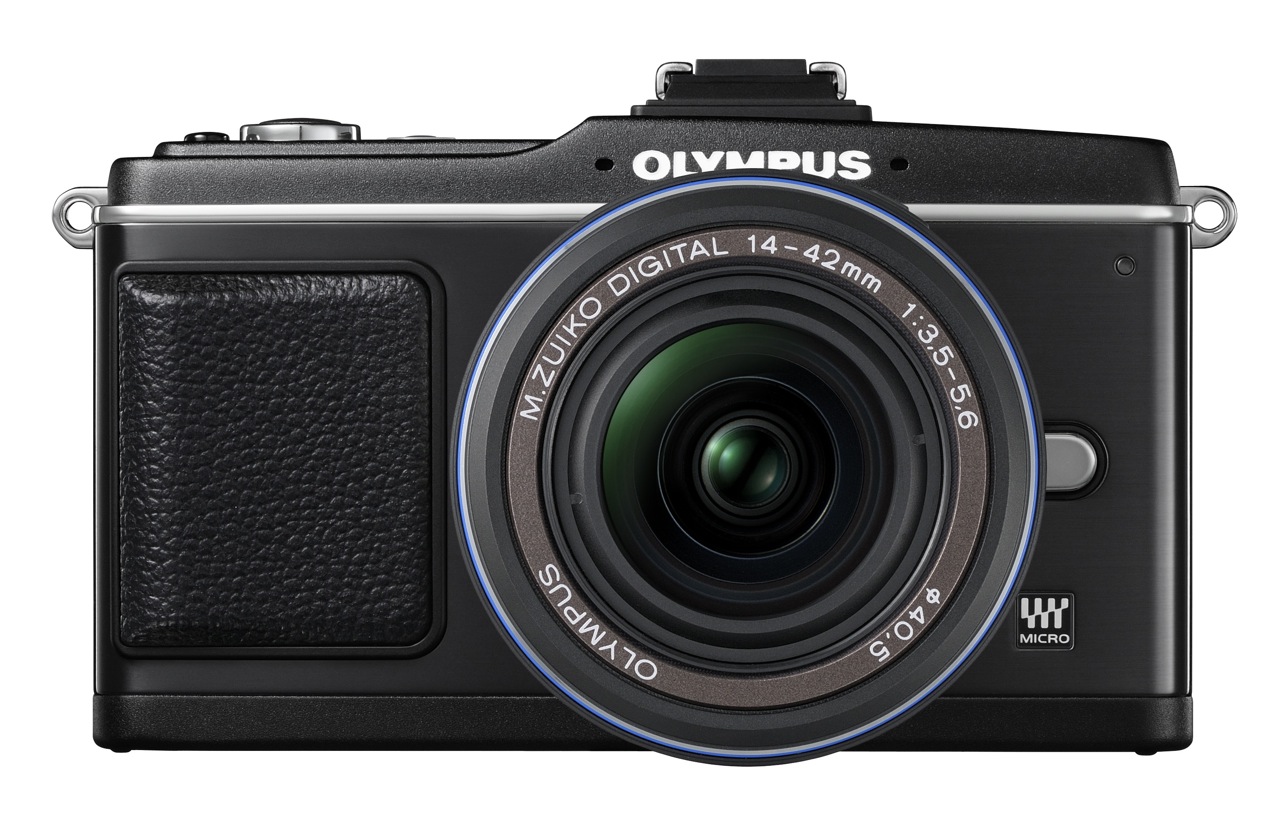
The folks at Olympus sent me a PEN E-P2 for me to review and I got to use it for about a month. As I usually do with the cameras I review, the E-P2 became my primary camera. I took it everywhere with me and I shot both photos and video with it. A succinct description of my thoughts on the camera goes as follows: superb design, diminutive, well-made, clearly thought out, reliable and a joy to use.
Details
This camera made me think seriously about switching to it permanently, and using it as my primary camera all the time. I loved it so much I didn’t want to give it back (I had to give it back in the end). I loved everything about it. Even its few flaws pale in comparison with the advantages it gives you. I’m not the only one who raves about it. My wife loved it too. Other photographers loved it. People on the street would stop me to ask about it. And it’s no surprise, because it looks really good.
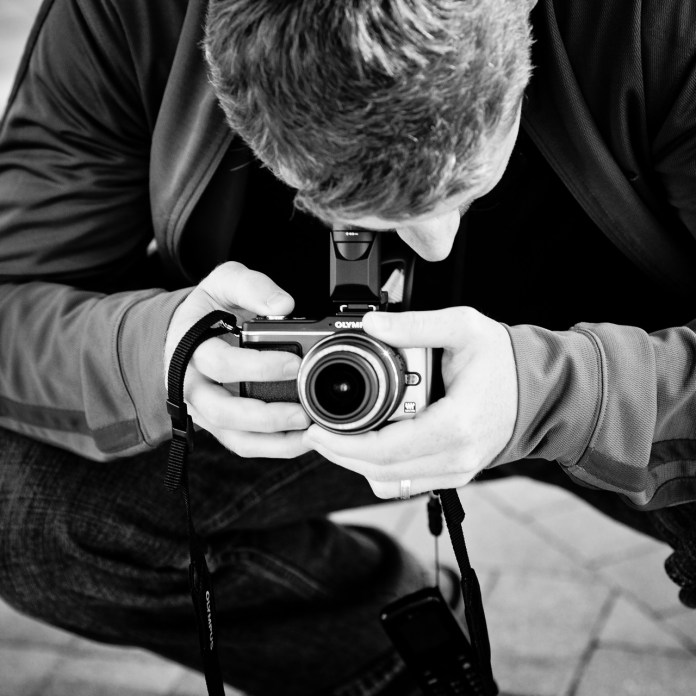
Raoul, using the Olympus PEN E-P2. Photographer: Thomas Hawk.
All that wonderful design and the overall good looks wouldn’t mean much without actual performance, and boy, this camera really delivers! The photos are superb, wonderfully well exposed, details are great at 1:1 (100%), low light performance is beautiful, even with the fairly slow (f/3.5-5.6) kit lens, and auto white balance is right on the money (not too cool in low light, which was the case with earlier Olympus cameras, and not too warm, either).
The PEN E-P2 isn’t perfect. There are a few sticking points. The two you’re likely to notice are battery life and autofocus failure in low light.
I’m used to battery life that hovers around 500-700 shots per charge. Perhaps that’s why I usually take that many photos when I visit a place. Or perhaps it’s just a coincidence, I don’t know. I do carry a spare battery when I shoot with my usual camera, so that means I can usually take 1200-1500 shots before I’m out of juice. The E-P2’s battery runs out around 250-350 shots, and it may run out faster if you take a lot of photos in rapid succession. That was a bit of a surprise to me, and since I didn’t have an extra battery, it did limit the amount of shots I could take. So, my advice to you is to get an extra battery (or two) depending on your shooting habits.
In low light (and I mean fairly low light, with little contrast between lighter and darker colors) the E-P2 will keep searching, trying to focus, and it will finally give up after a few seconds. You can overcome this if you use a faster lens, or if you switch to AF+MF or MF. That way you can choose to focus manually after the camera says it can’t do it, or you can start focusing manually right away.
Expecting the E-P2 to shine all around is a mistake. No camera is going to be perfect. In every camera ever made, some features were taken out, or couldn’t be put in at all. I look at the E-P2 as I look at my MINI Cooper S. It’s diminutive, the design is gorgeous, and the performance is great for my needs. I didn’t buy my MINI expecting it to perform like a Hummer, and by the same token, you don’t buy a PEN E-P2 expecting it to work like a Nikon D3X or a Canon EOS 1D Mark IV. They’re different cameras, designed for different purposes. When you buy an E-P2, you expect it to be light, versatile, stay out of the way, take good photographs (great photographs, actually), and to shoot HD video. It does all those things beautifully, and more.
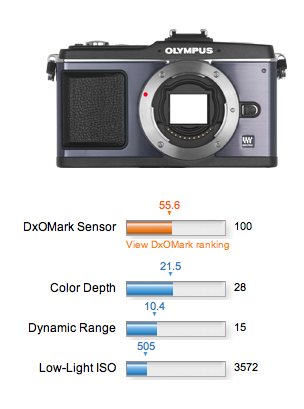
I thought I’d place some weight on the DxOMark ratings for the E-P2 after I saw them, but in the end, it wasn’t a concern. It’s like the iPad, you see. You don’t get it until you hold it in your hands. Then it clicks. It’s the same with the E-P2. After you begin using it, you get it, and you don’t want to let go of it, because you know you can get great pictures with it, and you love the way it works, and the way it feels.
Even my wife, who doesn’t like taking photos with my Canon 5D, because she thinks it’s too much work to get the camera set up and adjusted, and doesn’t like it even when it’s on full auto, loved the PEN E-P2 and was able to take great photos with it. That showed me that Olympus was able to strike a great balance between a DSLR that will cater to the needs of a pro through its many buttons and manual settings, and will also please the amateur by assisting them unobtrusively as they use it.
We’d do well to remember a few things about Olympus here:
First company to come out with a self-cleaning sensor for a DSLR
First company to come out with Live View for a DSLR
First company to come out with magnified view for TTL MF on a DSLR
First company to come out with the idea of capturing video and photos with same DSLR sensor. I call it the “idea”, because what they did was to capture Live View video shown on the camera’s display via the main sensor, and the leap from that to recording video from the sensor is a fairly small one.
First company to come out with the smallest DSLR on the market. The E-420 was the first one, and now the PEN picks up Olympus’ famed lineage of analog cameras and takes it digital.
Even though larger companies like Canon and Nikon are reaping the benefits of implementing things like self-cleaning sensors and live view and magnified focus assist, and HD video, it’s really Olympus who did the hard work to bring these features to the market. Their implementation of these features may not be the flashiest or the loudest, but they were first.
I’m going to repeat a few things I wrote in August 2008, in an article entitled “DSLRs and video to converge“, after the Nikon D90, the first DSLR that could also shoot video, had been launched:
As good as the [Nikon] D90 is though, it will soon be eclipsed. Why? Market forces. How long do you think it will be before we’ll have a DSLR that can record 1080p HD video? Or how about an even smaller and thinner DSLR than currently possible? How about a DSLR that looks and weighs about the same as a point-and-shoot, but gives you photo quality that’s equivalent to (or exceeds) today’s DSLRs? It’s all coming.
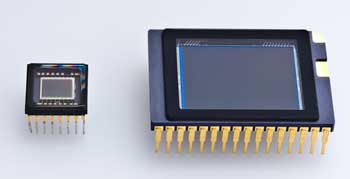
Keep in mind the time when I wrote those things, and what came afterward. Just a few short months later, the Canon 5D Mark II came on the market, and it could record 1080p video. The floodgates had opened. And now we have a smaller and thinner DSLR than ever thought possible (Olympus PEN), one that looks and weighs about the same as a point-and-shoot camera (Olympus PEN), but gives you photo quality that exceeds that of other DSLRs. And there’s a huge difference in sensor size between that of a typical digicam and that of a PEN camera, as you can see below. (The sensor of the PEN camera is on the right.)
Here’s what else I said back then…
You know where else I’ll be proven wrong? Back when I attended the Olympus E-3 launch party, I talked about the camera’s (somewhat) limited 10 megapixel resolution, and I thought they had reached the limitations of the Four Thirds 2x cropped sensor. I thought the sensor’s surface area was too small to get more resolution out of it. But now that Canon has proven you can get 16 megapixels out of a 1.6x cropped sensor, I don’t see why you can’t get 12 megapixels or more out of a 2x cropped sensor.
I had my doubts about whether or not the Olympus engineers would be able to squeeze proper low light performance out of the four thirds sensor while increasing resolution, given the sensor’s size when compared to a full 35mm sensor, but they’ve done it! The PEN E-P2 goes up to 6400 ISO if you want it to, and the photos taken at 1600 ISO are definitely usable. Even the ones taken at 3200 ISO look pretty good to me. I’d reserve 6400 ISO for daylight use, such as when you want to take a high-speed photograph. Nighttime photos taken at 6400 ISO were fairly grainy, but then again, I was using the slower kit lens, whose aperture stops at f/3.5.
One last quote:
Wait, it gets even better. The current aspect ratio of Four Thirds cameras is 4:3. The aspect ratio of Micro Four Thirds cameras will be 16:9. That’s the same aspect ratio used in movies. Where do you think that’s going? It means your photos and your videos will have the same aspect ratio, and the line between photography and videography will get even more blurred, and it’s quite possible that in the near future, we’ll have 1920×1080p HD video recorded by a tiny little DSLR with a tiny little lens on it.
Okay, I was wrong about that one. Things are even better now. The PEN E-P2 will let you shoot at the following aspect ratios: 4:3, 3:2, 16:9 and 6:6. It shoots 720p HD video at 16:9, and it’s only a (short) matter of time before the PEN will be able to shoot 1080p HD video, as predicted. Keep in mind it will still be the tiniest little camera with a fairly large sensor and a mechanical shutter on the market, with a tiny little interchangeable lens on it, and that will make all the difference.
While I’m on the subject of video, do you want to know what else sets the PEN apart from other DSLRs that can shoot HD video? The fact that you can choose between several auto-focus modes, or image stabilization modes, or adjust both aperture and shutter speed, and apply live art filters to the videos, in-camera. I don’t know of another DSLR that lets you do this. As a matter of fact, you can shoot video in P, A, S or M modes, and you can adjust the aperture live, as you’re shooting. You can adjust the zoom, and if you have AF tracking enabled, your subject will continue to stay in focus. And you can see or preview all of the adjustments you’re making, on the screen or in the viewfinder, instantly.
Hands-on Video Review
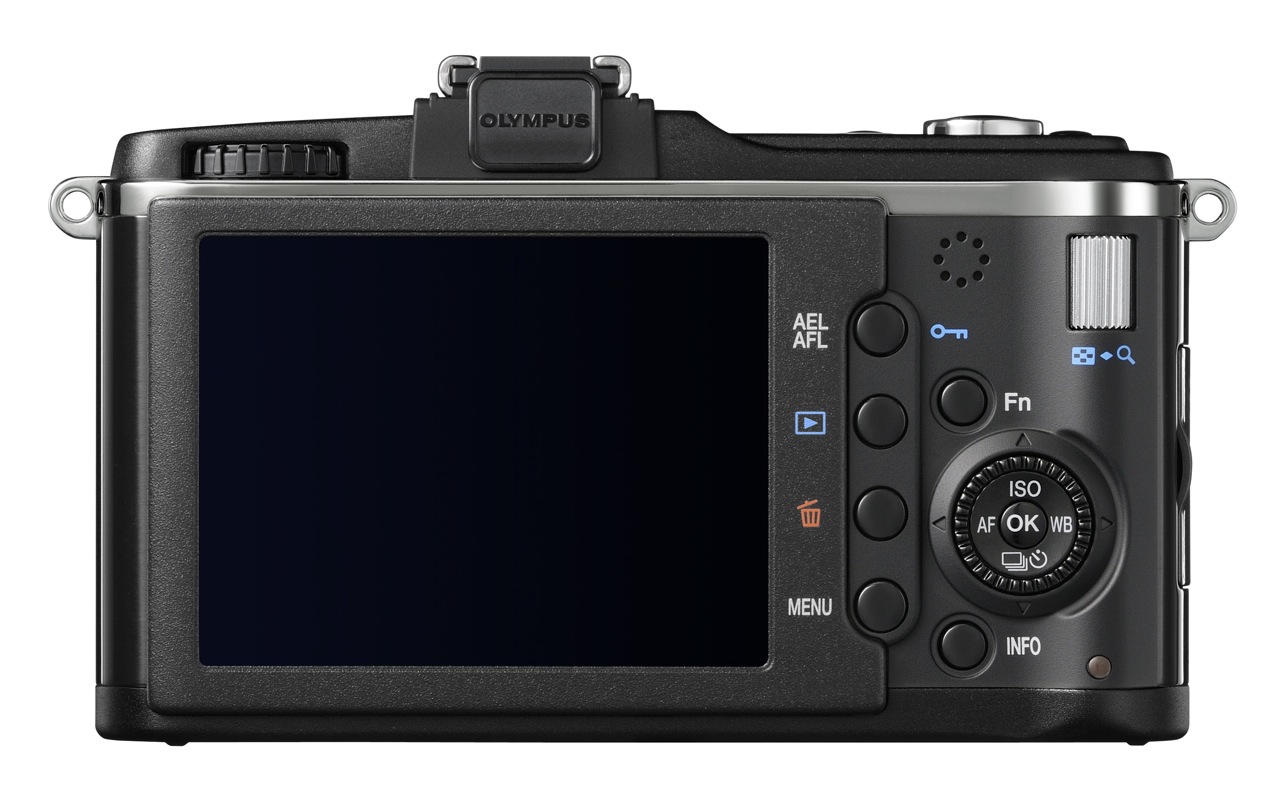
I put together a hands-on video review of the E-P2, which includes the unboxing, a run-down of the camera’s exterior and its accessories, initial impressions and sample photos and video taken with it.
While you can find all the specs you’d want and more on the Olympus PEN website, I’ll point out the more important ones here:
12.3 megapixels resolution (4032 x 3024 pixels)
SSWF (Super Sonic Wave Filter) dust reduction system
Micro four thirds mount (of course)
17.3 mm x 13 mm LCD screen, 3 inches across, 230,000 dots, 100% FOV
11-area AF System: Imager Contrast AF (S-AF, C-AF, S-AF+MF, MF, C-AF+TR)
Shutter, 60 – 1/4000 sec or up to 30 min in bulb mode
3 fps drive, up to 10 sequential RAW images or 12 sequential JPG images
TTL Image Sensor Metering: 324-area multi-pattern metering, center-weighted or spot-metering, EV 0-18
Flash synchronization: 1/30 – 1/180
Photo ISO: Auto 200-6400 or Manual 100-6400 in 1/3 or 1 EV Steps
Movie ISO: Auto or Manual 160-1600
Color Space: sRGB, AdobeRGB
RAW, JPEG, RAW+JPEG for photos
AVI for videos, 30 fps, limited to 2 GB per file, 720p HD (1280 x 720 pixels), 480p SD (640 x 480 pixels), max recording time 7 min for HD, 14 min for SD video
Wave Format Base Stereo PCM/16-bit, 44.1 kHz for sound
SDHC memory card recommended (can use older SD cards, but they’re not recommended for HD video)
Live View, 100% FOV, 7x or 10x magnification assist for MF
Image Stabilizer for photos: 3 modes (2D, Vertical and Horizontal), up to 4EV steps compensation
Image Stabilizer for videos: shifting electronic image (aka Digital IS)
Aspect ratio: 4:3, 3:2, 16:9, 6:6
Battery life: up to 300 shots
Dimensions: 4.74in x 2.75in. (H) x 1.37 in (D) / 120.5 mm x 70mm (H) x 35mm (D) (excluding protrusions)
Weight: 11.1oz/335g (body only), 13.6/385g (body, battery and media)
Sample Photos and Videos
I took the camera with me to the Flagler Museum and The Breakers in Palm Beach, to the Morikami Museum and Japanese Gardens in Delray Beach, to the Boardwalk on Hollywood Beach, where I met with Thomas Hawk, and to the Vizcaya Museum in Miami. If I had gotten it sooner, I’d have taken it with me to Las Vegas as well. I also used it heavily inside and outside the house. I shot photos and video with it in all sorts of light conditions — like this video on shaving. After an initial winnowing process, I have 954 photos taken with it in my photo library, and 2½ (149 minutes) of HD video recorded with it.
I didn’t get the chance to edit and publish all of the photos and video clips taken with the camera yet, but I will get to all of them in the near future, and will post them here on my blog, so stay tuned for that. Until then, here’s a good selection of what I’ve already edited.
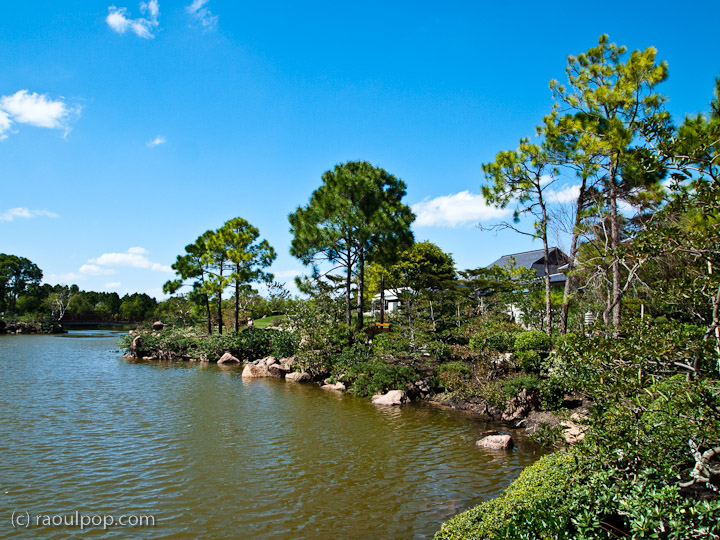
This first photo shows what you can get right out of the camera. I set the E-P2 on i-Auto, and as you can see, the light is a mix between strong daylight and shadows. With other cameras, you’d get more contrast between the light and dark areas, and you wouldn’t see so much detail on the tree bark, for example. But the E-P2 was able to keep the sky blue and still give me vibrant, light greens and browns in the shadowy areas, which is great.
Notice again how it was able to render great detail in the shadowy areas, even when shooting directly into the sun.
Notice the fine detail and soft bokeh in this macro photograph of a palm frond. This was taken with the 14-42mm kit lens. Even though the lens is said to focus properly only from 0.25 m/0.82 ft to infinity, when the camera was set to Macro mode, it could focus much closer, up to a couple of inches away from the subject. Keep in mind this is not a point-and-shoot digicam that you can set to Macro and be done with it, but a DSLR with an interchangeable lens, which is much more complicated and normally has limitations on what it can do. After all, that’s why these lenses are interchangeable, because they’re built for specific purposes. Yet this kit lens proved to be much more versatile than I thought.
These are colors obtained right out of the camera. If you’d like to see the specifics of a photo, feel free to download it and view the EXIF data, it’s included in each sample photograph.
This next photo is unedited once more. It’s what the camera gave me at 14mm (28mm effective) and 1600 ISO. It was a fairly dark room, and I shot this against a bright window with early afternoon daylight (2 pm) coming right at the camera. Notice the detail and lack of noise in the darker areas.
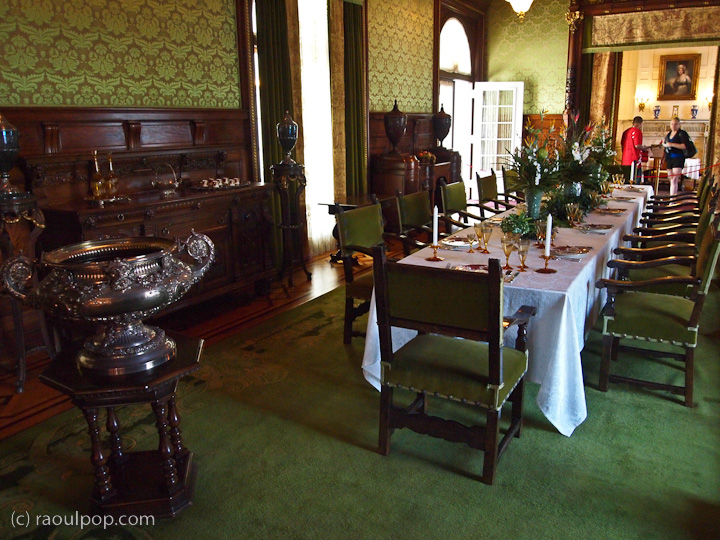
This was a particularly dark room. It appears well lit only because I shot this at 1/20th of a second and 1600 ISO. Notice once more how vibrant the colors are, and how good the auto white balance is.
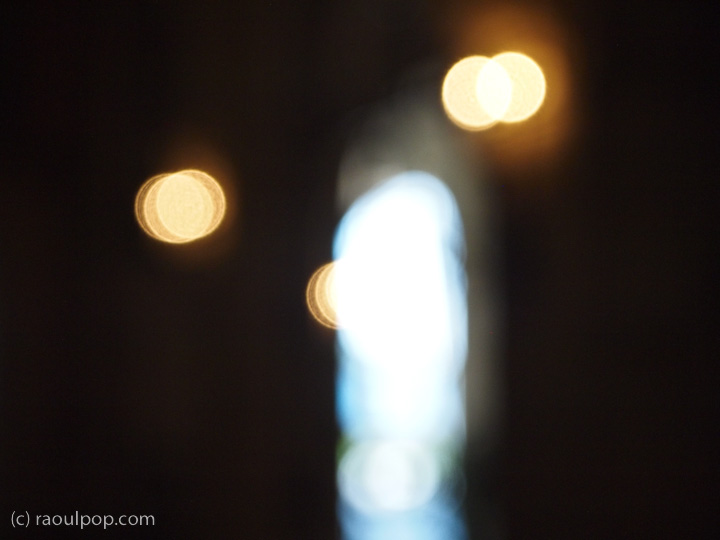
This next photo shows that you can get some neat bokeh effects if you play with the manual focus. The photo is unprocessed, as the camera made it.
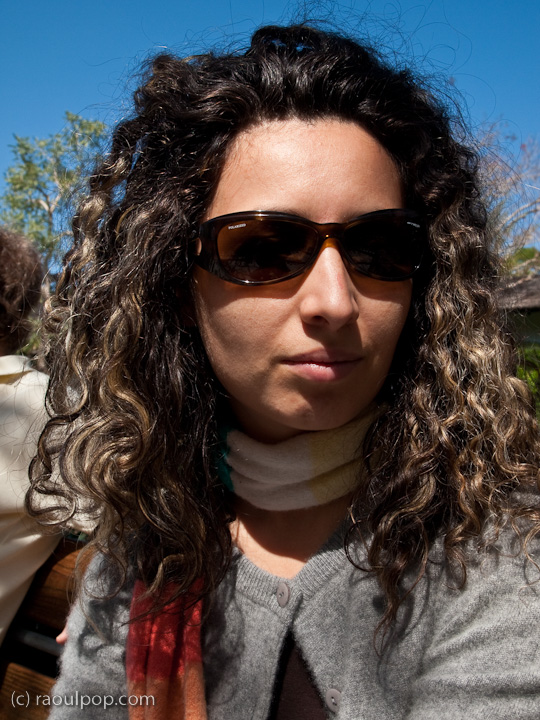
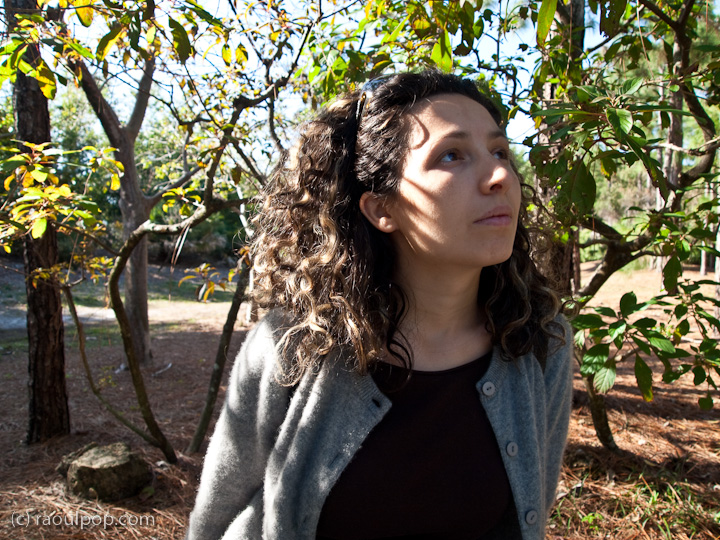
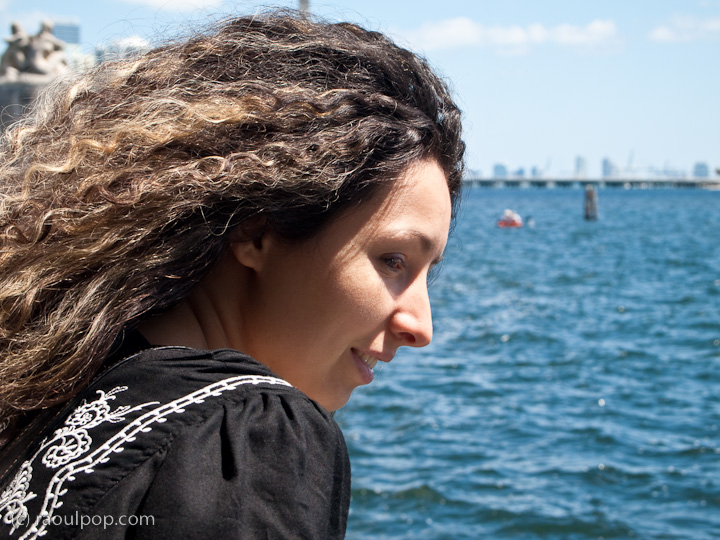
Another reason to like the PEN E-P2 is that I can take great portraits with it. Yes, you’ve got to love the bokeh you can get with really fast lenses like the Canon EF 50mm f/1.4, but you’ve also got to love the clarity of an Olympus camera. The whole face is in focus, and every minute detail can be seen if you zoom in. It feels like you can almost touch the skin of the person whose portrait you’ve taken. It’s a great characteristic, and I noticed this way back when I was shooting with the Olympus C-3000Z, as you can see in this photo from 2005. The photo you see below is of my wife, Ligia, and once again, it’s right out of the camera. It’s incredible how brilliant the colors are.
Here are a few more portraits I took of her with the PEN E-P2. I love this camera.
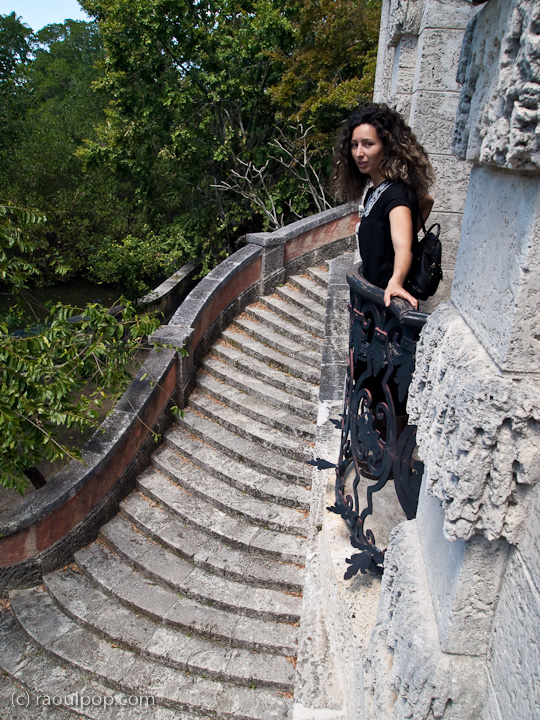
Here are a few more sample photos taken at Vizcaya, in Miami.
A few sample videos (shot in 720p HD) are embedded below. There are more on the way, as mentioned above. I used software motion stabilization on a fair number of the clips, as I shot them handheld, without a tripod or any other sort of external stabilization device, and I foolishly forgot to activate the in-camera stabilization.
16 GB SDHC Card — get whatever brand you like, but make sure it’s SDHC
VF-2 Electronic Viewfinder — if you didn’t get this in a kit with your PEN camera, it’s really worth getting, as it will pivot up and act as a WLF (Waist Level Finder); you can see me using the PEN E-P2 with the VF-2 mounted onto it and pivoted upward in the second photo from the top of the article.
These next accessories come down to personal preference. Get these if you like them:
SEMA-1 Mic Adapter Set — it’s an inexpensive way to get better audio tracks for your video clips
Cable Remote USB RM-UC1 — if you do a lot of night photography, with long exposures on tripods, you’ll need this cable release, particularly as it will allow you to lock the shutter in bulb mode
The current selection of micro four thirds lenses is somewhat slim, but it’s growing. And the beauty of having adapters like the MMF-2 I listed above is that you can use any regular four thirds lenses with PEN cameras, so you don’t have to buy extra micro four thirds lenses if you don’t want to.
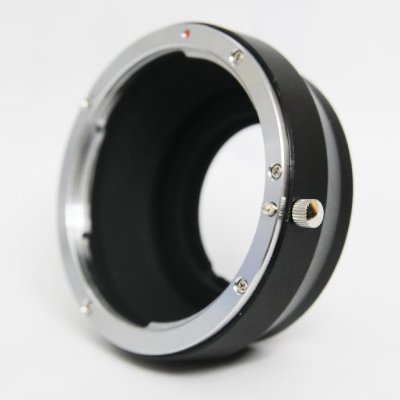
But what if you’re heavily invested in Canon or Nikon gear, and would love to get a PEN camera? That’s okay too, because there’s a Canon lens to Micro Four Thirds mount adapter. It’s the same if you’re a Nikon shooter. There is an adapter that will let you use Nikon lenses with a PEN camera.
Two companies out there make these kinds of adapters: Novoflex, a German company, and Fotodiox, an American company. Since I’m heavily invested in Canon EF lenses, I called Fotodiox and asked them what they have for me. They have a specific Canon EF lens to Micro Four Thirds mount adapter, but it does not let you control aperture, so you’ll be shooting wide open. They did tell me they’re working on a specific adapter for Canon EF lenses that will let you mount them to PEN cameras and control aperture and auto-focus, just like you would with a normal lens. They said the price for it would be around $300 when it comes out later this year. That would be a very cool adapter, if it indeed delivers on its promise!
Then I called Novoflex and asked them whether they have a Canon EF to Micro Four Thirds adapter, but they don’t. They do have a Canon FD to Micro 4/3 adapter, which if I’m not mistaken will let you mount EF lenses as well, but you’ll be shooting wide open, without the ability control aperture, and of course you’ll be focusing manually.
I also found out that Canon makes a nice, simple metal EF lens to Micro Four Thirds mount adapter, and it’s only $40! So if you don’t mind shooting wide open and using manual focus, then definitely get this adapter, because it looks sturdy and it’s inexpensive.
Summary
It’s time to wrap things up. What can I say, other than what I’ve already said? I’m in love with this camera!
A number of significant design and engineering ideas from Olympus came together beautifully in the digital PEN: diminutive size, great sensor, beautiful design, IS, SSWF, Micro Four Thirds, HD video, light and capable lenses, a whole host of features design to make things easier for the photographer, and beyond the hardware, a tangible sense of soul, a certain something that binds you to the camera as you begin to use it.
Just like the analog PEN revolutionized the way people thought of cameras and of how they took photos, the digital PEN is a wonderful continuation of the PEN legacy, a beautiful leap through time, from film to the digital world of today.
Images of PEN E-P2 used courtesy of Olympus. The PEN E-P2 can be purchased from Amazon or B&H Photo.
Just a quick note to let you know the Audit Defense service offered by TurboTax in recent years is probably not worth the price. It’s run by a company called TaxResources, Inc., and they say they’ll represent you to the IRS in case you should have any problems with your return, for the low price of only $39.95.
Someone close to me got to find out exactly what they give you in return for that $39.95 “peace-of mind” fee, when an irregularity popped up on their tax return. They’d made an accounting error, found it out, wanted to report it to the IRS on their own, but contacted these folks because, after all, they did pay for the service.
In the meantime, the IRS also found out about the error and contacted them. This is where the Audit Defense service should have shined. Instead, my contact got the run-around. The Audit Defense team weren’t willing to help them in a timely fashion, didn’t want to contact the IRS on their behalf like they should have done, and only ended up helping them — if you might call what they got help — after several written requests. In the end, my contact lost out on precious time, got extra stress they didn’t need, and will need to pay the IRS additional penalties.
It looks to me like the Audit Defense people failed on three of their basic promises: they didn’t step in right away to deal with the IRS, they didn’t handle the entire tax audit, and they didn’t keep IRS penalties as low as possible.
The name of the employee who “helped” my contact with their IRS audit was Joe Schricker, and the company’s name again is TaxResources, Inc. The service is advertised as Audit Defense on TurboTax, and my advice to you is not to get it.
Updated: Since I wrote this post and made the video, I have learned that Kinder Surprise and Kinder Joy are two different products and what had happened is that Kinder Surprise was temporarily taken off the market due to shipping concerns during the warm months. Now both are back on the market and I’m happy as can be getting the occasional Kinder Surprise and playing with the toy. 🙂
I used to love Kinder Joy, the little egg-shaped chocolate treats. They’d have these nice little toys inside, often cars, wrapped in these reasonably tasty shells made of milk chocolate. Now they’ve changed things completely.
The toys are these cheap things that fall apart as soon as you assemble them, and they’re no longer appealing, and the eggshell chocolate is gone. Even though they’re still wrapped in a plastic egg-shaped shell, the chocolate is now this soft fudge of white chocolate which sits on one side of the egg, while the toy is in the other half.
I guess it’s cheaper to pour the chocolate into half a shell than to mold it into an eggshell shape while the toy is inside. It’s also cheaper to forgo sterilizing the plastic parts for the toy, since they’re now sealed separately into other half a shell. And it’s also much cheaper to go with flimsy things instead of nice little cars.
I made a video of one of these “late-model” Kinder Joy eggs, so you can see this for yourselves.



 x 2.75in. (H) x 1.37 in (D) / 120.5 mm











 Raoul Pop