Lists

Condensed knowledge for 2007-05-10

Like chicken soup, but full of plump bits of juicy data:

  • The Cellar is running a few shots of a nasty deer accident in IotD. Kinda graphic, but thankfully the driver was okay. Watch for those deer, folks! Drive slower when you’re in wooded areas. You never know when one of them will jump out in front of you.
  • There’s a city called Raoul in Georgia (State of Georgia, that is). Funny to me.
  • I’ve posted a Star Wars “Mahna Mahna” mashup yesterday. I’ve also been driving Ligia crazy singing the song at home. I’ve even IM’d her with links to that video. 😀 Now it’s time to post the original video. Ah, good old Mahna Mahna! Jump down to see the video directly, or use the link to view it over at YouTube.
  • DailyMotion’s got a neat video called L’image parfaite (the perfect image). It’s packed full of visual illusions that peel away to reveal sad truths.
  • Fulgerica.ca has a nice compilation of videos and images about and from Romania. I blogged (separately) about those images and videos here and here, some time ago, but it’s nice to revisit them.
  • New Scientist has a great post about spying on other people’s computer displays by tuning into the radiation emitted by the monitors themselves (CRT) or the wires (LCD). Interesting research.
  • Dark Roasted Blend has some really neat photos of newborn hedgehogs. Cute!
  • Urologists have approached the study of erectile dysfunction with engineering tools. The results are… interesting. [via Kottke.org]
  • BlogCritics is running a post on the proposed gas boycott of 5/15. I got news of this via email from my mom a few days ago. It sounded silly from the get-go. Remember that far-fetched idea of last year, when some people suggested we not buy gas on a certain day? What did that do? Absolutely nothing. Now they propose we stop buying from the two largest corporations: Exxon and Mobil. They say it’ll drive prices down. Not only is this silly, but it’s very short sighted. Even if it works, and I’m not saying it will, it’ll only be a short-term patch. Gas prices will still rise. I for one am happy about that. Let them rise. It’ll force people to purchase more fuel-efficient cars, and will provide a much-needed market drive toward the production of even more fuel-efficient cars. Incidentally, it’ll also encourage people to drive less and plan their trips better. I might also mention that it’ll provide added incentive for the oil and energy companies to explore new fuel alternatives, many of which are not financially viable unless the price of gas rises to match the production costs for the other fuels. So forget the boycott, and focus on the long-term solutions instead. It’s smarter and more effective.
  • I had no idea that Bill Gates was a bully at the office. But that’s his management style apparently. And, he curses, too. Who’d have thought? An ex-product manager at MS serves up the goods on his blog. [via Kottke.org]
  • This is absolutely awesome. If you haven’t heard of the movie Baraka, you should watch it. It uses time lapse sequences to explore life. This 10 minute segment published to Google Video is fantastic. You can also watch it below. I could write a whole essay about that segment alone. No wonder they say an image speaks a thousand words. The director looks at modern life and its dehumanizing aspects with a fantastic eye. Just watch the video and you’ll understand. [via Kottke.org]
  • Mental_floss has a post about a new re-telling of Dante’s “Divine Comedy” in modern terms. It features striking paintings by Sandow Birk, and it’s animated in a very captivating way using cutouts. There’s even a trailer you can watch, and I’m making it available below as well.

http://video.google.com/videoplay?docid=-7877306475042790908

Standard
How To

Discerning among LCD monitors

I’ve been looking at various LCD monitors lately, because I’d like to get one for my laptop. Truth be told, I’m more confused than when I started. There’s a dizzying array of prices among various brands, in the same size display, and not a whole lot of explanation as to why that is. Sure, every company touts their higher contrast ratio, higher brightness, more resolution, more inputs, etc., but that still doesn’t explain why the prices differ so much.

I’m looking at 20-22″ LCD monitors, and in that range, I’ve managed to find monitors in three price groups:

  • Around $250, I can buy this Sceptre or or X2gen (brands I haven’t heard of). I can also find similar prices from brands like ViewSonic, Samsung, Dell and HP.
  • From $600-900, I can get the 20″ or 23″ Apple Cinema Displays. The thing is, other than the distinctive design, the specs are actually less impressive than those of the much less expensive monitors in the first group.
  • Then, of course, there are brands like LaCie, with their professional LCD displays that start [*cough*] around $1,800 for the sizes I’m interested in.

So I did a lot of searching, and found out that manufacturers can fake the contrast and brightness measurements, so even though everyone touts their higher specs, you can’t trust them. Many of the monitors also don’t list a measurement that’s harder to fake, the gray-to-gray response time. I wanted to compare apples to Apples, if you will.

After a little more spec comparison, I found that the top of the line LaCie monitors list a spec that no one else seems to list, and that is the “gamma correction”. For example, their 321 LCD has 12-bit gamma correction. Less expensive models have 10-bit gamma correction. And that got me thinking: if, at least for LaCie, the price is proportional to the gamma correction bit depth, a higher spec there might be a good thing. But the less expensive monitors didn’t list it, and Apple didn’t list it either. What was I to do?

I gave Apple a call. After about 15 minutes of alternate talking and holding on the line for a sales rep while he consulted with the engineers, I got nothing but smoke and mirrors. Not that I think it was intended. I just think the rep didn’t have the info. He didn’t know what gamma correction was, and the bit depth of the gamma correction on Apple’s displays isn’t listed anywhere in the specs. The person he spoke with in engineering either didn’t know this or didn’t feel like sharing that bit of data. So the rep kept coming back to me with 16.7 million colors, which works out to 24-bit color.

I kept thinking, that can’t be right! Here LaCie is charging over $1,800 dollars for 12-bit gamma correction and Apple claims 24-bit on that spec at less than half that price? They would be an absolute bargain if that were true! But it’s not, at least not for that spec. I don’t doubt the Apple displays can show 24-bit color overall. But I still don’t know whether their gamma correction engine outputs 8-bit (the normal spec), 10-bit (the higher end), or 12-bit (the really high end), and this determines how well that 24-bit color gets displayed. This is important because the higher the bit depth, the smoother the color is. I’m a photographer, and I shoot in RAW. The files I get are either 12-bit or 16-bit color, and I can see some dithering in color tones when I look at the photos on my laptop’s screen. That means that even though my video card can display 32-bit color, my laptop’s effective display is less than 16-bit.

I have a feeling that given their price range, the Apple Cinema Displays are either 8-bit or 10-bit when it comes to gamma correction. If they’re 8-bit, then they’re overpriced given their specs, and they’re charging hundreds more based purely on design. If they’re 10-bit, that’s interesting, and it warrants a closer look.

So, as you can see, I’ve gotten nowhere. I’d love to have a reason to buy an Apple Cinema Display, but it’s got to be a good reason, based on facts, not sales fluff. I like Apple but I’m not a fanboy. At this point in time, I can’t see why I should spend more than $1,000 on an external monitor, so that rules out the LaCie LCDs and the other high end displays. That means if Apple can’t offer me a compelling reason for their higher price, I’ll go with one of the less expensive monitors and see how things work out. If and when I do, I’ll blog about it, so stay tuned. And by all means, if you’ve got some ideas about this, do let me know.

Standard
How To

My own sort of HDR

I’ve been intrigued by HDR (High Dynamic Range) post-processing for some time. At its best, it renders incredible images. At its worst, average, and even good, it renders completely unrealistic, overprocessed, unwatchable crud. Even some of the best images made with HDR methods seem weird. They’re not right — somehow too strange for my eyes. But, I did want to try some of it out myself and see what I’d get. The challenge for me was to keep the photo realistic and watchable. I wanted to enhance the dynamic range and color of my photos in an HDR sort of way. I also didn’t want to sit there with a tripod taking 3-5 exposures of the same scene. As much fun as that sounds, I don’t always carry a tripod with me.

By way of a disclaimer, I have not researched the production of HDR-processed images thoroughly. I have, however, seen a boatload of HDR images on both Flickr and Zooomr. I did read the tutorial that Trey Ratcliff posted on his Stuck in Customs blog. Of course, we all know Trey from Flickr, where he posts some fantastic HDR images on a daily basis. So, given my disclaimer, realize I don’t say I’m the first to have done this. I’m just saying this is how I worked things out for myself. If indeed I’m the first to do this, cool! If not, kudos to whoever did it before. I’d also like to encourage you to experiment on your own and see how things work out for you. Change my method, build on it, and make something even better. While I’m on the subject, I’m not even sure I should call this processing method HDR. It’s more like WCR (wide color range). What I’m really doing is enriching the color range already present in the photo while introducing new color tones.

When I started, I experimented with Photoshop’s built-in Merge to HDR feature. Using Photoshop, after a few non-starts that I deleted out of shame, I got something halfway usable. Have a look below.
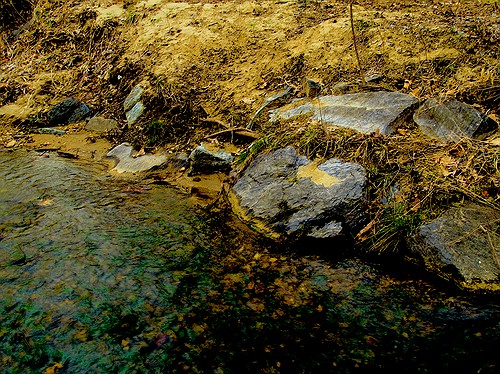
Brook and rocks

Here’s how I processed the photo above. I shot three exposures of that scene in burst & bracket mode, handheld (no tripod), in RAW format. Then, I darkened the low exposure, lightened the light exposure, and exported all three to full-res JPGs. Used Merge to HDR in Photoshop, got a 32-bit image, adjusted the exposure and gamma, converted to 16-bit, adjusted exposure, gamma, colors, levels, highlights, then smart sharpened and saved as 8-bit JPG. It came out okay — not weird, at least not too much, anyway, but still not to my satisfaction. I should mention I also used a sub-feature of the Merge to HDR option that automatically aligned the images. As I mentioned, I shot handheld, and there were slight differences in position between the three exposures. Photoshop did a pretty good job with the alignment, as you can see above. It wasn’t perfect, but definitely acceptable.

I know there are people out there saying Photoshop doesn’t do as good a job with HDR as Photomatix. It’s possible, although I got decent results. Maybe at some point in the future I’ll give Photomatix a try, but for now, I’m pretty happy with my own method — see below for the details.

But first, what’s the point of HDR anyway? When I answered that question for myself, I started thinking about creating my own (WCR) method. The point as I see it is this: to enhance the dynamic range of my images. That means bringing out the colors, highlights and shadows, making all of the details stand out. Whereas a regular, unprocessed photo looks pretty ho-hum, an HDR-processed photo should look amazing. It should pop out, it should stand out in a row of regular images. It should not look like some teenager got his hands on a camera and Photoshop and came up with something worthy of the computer’s trash bin. As I’ve heard it from others, the standard way to postprocess a scene in HDR is to take 3-5 varying exposures, from low to high. Those exposures can then be combined to create a single image that more faithfully represents the atmosphere and look of that scene.

But, what if you don’t have a tripod with you? Can’t you use a single image? Yes, you can shoot in RAW, which is the equivalent of a digital negative, and good HDR software can use that single exposure to create multiple varying exposures, combine them and create an image that’s almost as good as the one made from multiple original exposures.

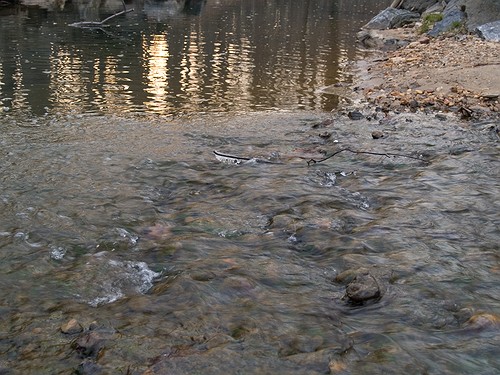
What if you want to make your own HDR/WCR images, in Photoshop, all by yourself? I wanted to do that, and I think I arrived at a result that works for me. Here’s what I did. I took a single exposure of a brook in the forest, which you can see below, unprocessed.

Brook, unprocessed

There’s nothing special about this photo. It’s as the camera gave it to me, in RAW format. The colors are dull and boring. There’s some dynamic range, and the color range is limited. It’s all pretty much made up of tones of brown. I took this single exposure, converted it to full-res JPG (but you don’t have to, you can use the RAW directly,) put it in Photoshop, created three copies of the original layer, called them Low, Medium and High, then adjusted the exposure for Low to low, left the exposure for Medium as it was, and adjusted the exposure for High to high. Then I set all of them to Overlay mode. (The original JPG, preserved in the Background layer, was left to Normal mode and was visible underneath all these layers.) The key word when talking about exposure here is subtle. Make subtle changes, or you’ll ruin the shot.

As soon as I adjusted the layers and changed them to Overlay, things looked a lot better. The dynamic range was there, it just needed to be tweaked. So I went in and adjusted the individual exposures for each layer some more to make sure parts of the photo weren’t getting washed out or ended up too dark. Then I threw a couple of adjustment layers on top for levels and colors. Finally, I duplicated the three layers and merged the duplicates, then used the smart sharpen tool. The adjustment layers were now on top of it all, followed by the merged and sharpened layer, and the three exposure-adjusted layers, which were no longer needed, but I kept them in there because I like to do non-destructive editing. Here’s the end result, exported to a JPG.
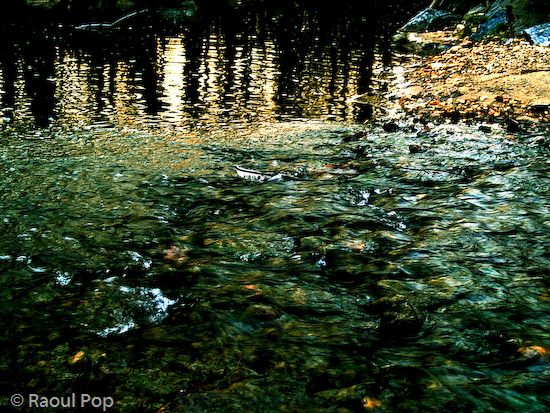
Brook, processed

This is the sort of post-processing that pleases my eye. The details were preserved, the colors came out looking natural yet rich, and things look good overall. Even though some spots are a little overexposed, I like it and I’m happy with it. Let’s do a quick review. Using my own WCR/HDR-like method, I accomplished the following:

  • Used a single RAW/JPG exposure
  • Didn’t need to use a tripod, could shoot handheld
  • Didn’t need special software, other than Photoshop
  • Achieved the dynamic range I wanted
  • The photo looks natural, at least to my eyes
  • The post-processing was fairly simple and took about 30 minutes

There is one big difference between my WCR method and the usual HDR post-processing. Done right, the latter will help bring detail out of the shadows. Because of that single or multiple exposure done at +2 EV or more, spots that would normally be in the dark in a regular photo can be seen in HDR. Not so with my method. Here the darks become darker. The atmosphere thickens. The highlights become darker as well. The whole shot gains character, as I like to call it. So this is something to keep in mind.

Just to clarify things, the image above was the first result I obtained using my method. There was no redo. I then processed some more images, and got a little better at it. It’s worth experimenting with the Shadow/Highlight options for each individual layer. It helps minimize blown-out spots. It’s also very worthwhile to play with the Filter tool for each layer. This really helps bring out some nice colors. It’s sort of like taking three exposures of the same scene with different color filters. The results can be stunning if done well. You also don’t need to use three overlays. It all depends on the photo. Some photos only need one overlay, while others need four or five. Subtle changes in exposure can help bring out areas that are too dark. You can see some photos below where I used my own advice.


Brook, take two, processed

Meeting of the minds

Parallel lines

There you are

I hope this proves useful to those of you out there interested in this sort of post-processing. It’s my dream to see more natural and colorful photos, regardless of whatever post-processing method is used.

Standard
Thoughts

A white MacBook unwrapping

My mother was fed up with multiple crashes on her Windows laptop, and wasn’t sure what to do. Should she get a new Windows laptop? Should she try to fix the existing laptop? It was all very traumatic for her, because she lost precious data with each crash.

When I first suggested she switch to Apple, she said no thanks, she wasn’t going to learn a new operating system. She had little spare time as it was. But with time, she relented. I convinced her to visit the Apple Store at her local mall and play around with the computers. I remember a few months ago, she called me from the store, excited. She was willing to give it a try and consider a purchase. She wanted a laptop, and didn’t want to spring for the expensive MacBook Pro, so I suggested the MacBook. She liked the white one. I advised her to wait till they came out with the Core 2 Duo and fixed the random shutdown and discoloration issues.

Fast forward a couple of months, and I placed the order for her. I expected to wait about a week till Apple shipped it out, like I did with my iMac G5. Was I ever surprised when I got a shipment notification the very next day! I thought boy, they really improved… but in typical Apple fashion, they managed to mess up the order somehow. When I ordered my iMac, they sent me a Spanish keyboard and instruction manual. This time, they didn’t ship the Apple Care plan for the MacBook. [sigh] Some things are just the way they are…

I had the laptop sent to me, since I promised I’d take her through the switch. Now I’ve got my work cut out for me. I’ve got to import all of my parents’ documents , photos, music and other things from the PC backup files to the MacBook. As if that’s not enough, I need to transfer her Outlook-based mail archive to Apple Mail, and that’s not a walk in the park. Fortunately, I’ve done it before. When everything’s set up, I’m going to fly it down to her and hand it over. There may be an official hand-off ceremony, I don’t know, we’ll have to see.

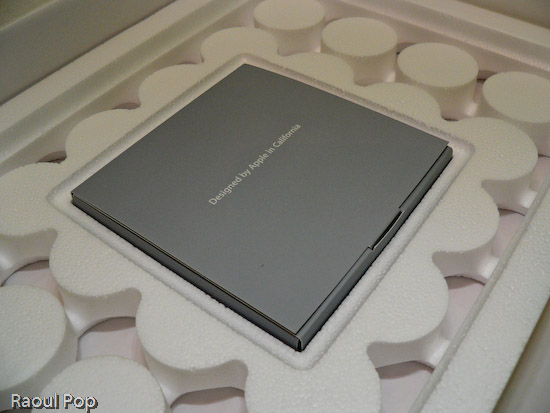
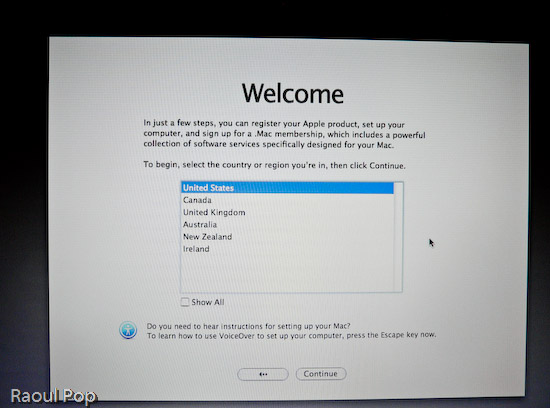
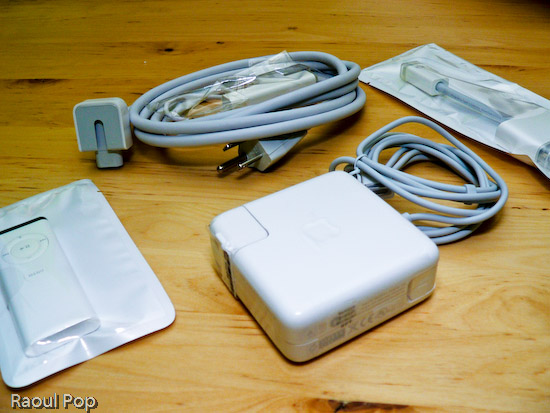
Anyway, the laptop arrived yesterday and I took it out of the box, duly documenting the process with photos. You’re welcome to have a look.

MacBook in its box

MacBook box opened

MacBook wires, adaptors and remote control

MacBook DVDs, manuals

13? White MacBook

13? White MacBook with lid open

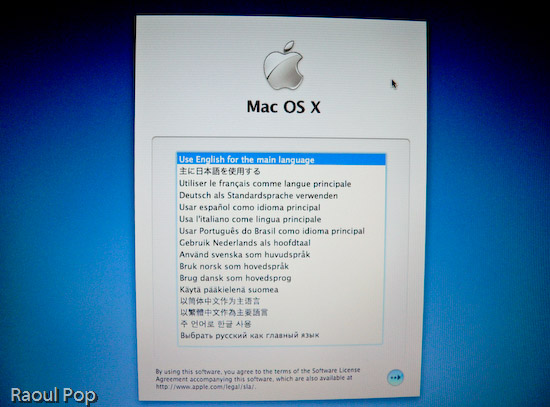
MacBook language selection screen

MacBook welcome screen

Standard
Thoughts

There's hope after all for independent web developers

Three weeks ago, I wrote a post describing my thoughts on the web development industry, and things looked pretty bleak. I did promise a brighter outlook in a short while, and this post is the fulfillment of that promise.

So, what can we do to ensure that we’ll continue to have jobs? Well, we can do any of the following, and these are loose thoughts, in no particular order:

  • Develop our skills even further, and become more specialized in the new and cutting edge technologies, that aren’t yet offered by the “masses”. Make a living from that, although we’ll live in constant stress, always re-learning, always jumping on the next “hot” technology.
  • Form networks of peers, and work together on projects while maintaining our cherished independence. I’m not talking about cheesy networking, I’m talking about finding people who are really good at doing certain separate things, and sticking together in teams, then bidding for projects and sharing the revenues.
  • Who says we can’t lead? We can form our own companies, and hire specialized developers for the projects we have contracts to do. But that would mean we wouldn’t be by ourselves anymore, and I for one like being by myself.
  • If you can’t beat them, join them. We can seek employment with the larger companies that will gobble up the market, or are already doing so. Or, we can seek employment with already established brick and mortar companies that need web developers as they realize more and more of their technologies will need to move from the desktop to the web.
  • Develop free or low cost turn-key solutions, and hope we make enough money from donations or from the sales volume to sustain our efforts and allow us to make a living.
  • Develop systems that fill specific needs, and support those systems. Sell them to niche industries. Question is, how do you gain credibility as a one-man team when companies are looking for long-term solutions where support can be provided indefinitely? If you’re gone, what happens to the system? Those are real questions that demand good answers.
  • Move offshore and do our work from there. I would imagine there’s an offshore market for Americans who understand American business and the Americans as a people.

Furthermore, we can differentiate ourselves on service, on approachability, on geographical closeness, on people-to-people relationships, through networks, because of no language barriers, through innovation, truthfulness, and trustworthiness. Those are all very, very real and tangible assets that we can develop and possess, to our most definite advantage.

I think nowadays, by far the biggest differentiator is innovation. Just look at the slew of Web 2.0 companies that have sprung up, and they’re all getting funding! It’s shocking, even to me. But while innovation opens doors, good work, reliability and good customer service keep people coming through those doors. And the great thing is that while not all web developers are innovators, all web developers can and should strive to do good work, create reliable products, and provide good customer service.

You may think I’m being dismissive, but it’s true, and I speak from personal experience when I say this. Treat your clients well, make good products, and they’ll keep coming back. Not only that, but they’ll recommend you to others. You want to know something? I have never gotten a client solely through my website. It’s shocking to say that about a web development business, but it’s true. My clients may have used my site to research me and to read more about my services, but I get clients after personal meetings with them. And they usually find out about me not from my website, but from my previous or existing clients. Or, they’ll have interacted with me in a completely different setting, like my community or my church, where my occupation didn’t matter that much, they liked what they saw in me, then contacted me for work-related purposes. That’s important to remember!

Another important aspect is trustworthiness, and I can’t emphasize this enough. You’ve got to be credible. Your clients need to be able to trust you. My clients trust me with their SSNs and credit card numbers and passwords to various accounts. I don’t ask them for that information, they give it to me and ask me to help them conduct transactions related to the projects we’re working on. It goes without saying that I do my best to delete that information from my mind and computer, because I don’t need to know it beyond the project itself, but if that’s not trust, I don’t know what is. And that’s the sort of relationship you need to establish with your client. When they trust you like that, you know they’re going to stick with you. And if you continue to be honest and hold to your promises, that relationship will only strengthen.

So it turns out that the secret to a good career as a web developer is no secret at all. It’s simply good business, and that’s a relief! Here’s to our collective entrepreneurial success!

Standard