Places

Photos from Antietam Battlefield

Last weekend, on a fiercely hot Sunday, my wife and I visited the Antietam Battlefield, located near Sharpsburg, MD. It’s quite easy to get to it from DC. You take 270-N to 70-W, then keep going on 70-W until you see the signs for Antietam. Once off the highway, you’ve got another 8 miles or so till you get there. You can’t miss it. There’s a big National Park Service sign by the side of the road. All in all, it’s about a 1 hour and 30 minute drive, give or take 15 minutes, and the history lesson is priceless.

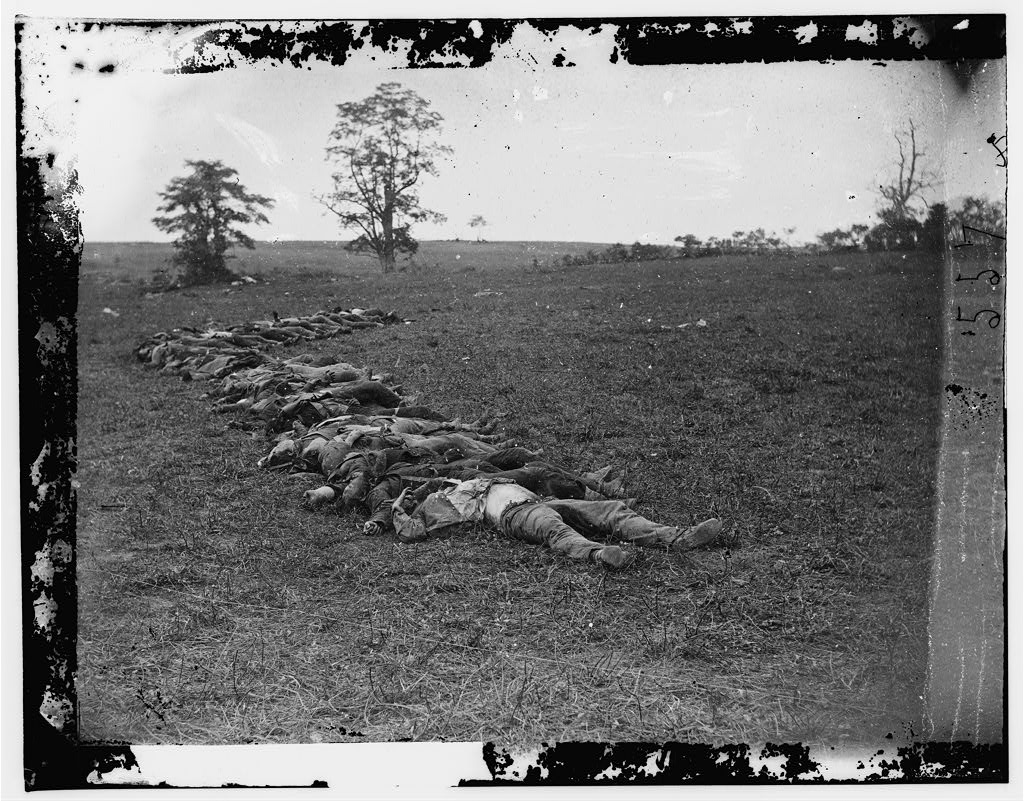
Antietam is “the bloodiest one day battle in American History”, according to the official NPS website. In 12 hours of “savage combat”, over 23,000 soldiers were killed, wounded or missing. Six generals were killed during this battle. The human price of this battle was driven home by a photographer: Alexander Gardner. His haunting photographs of the dead at Antietam were said to have brought them “to our doorsteps” by the New York Times. And it’s true. It’s one thing to sing of battles won and of bravery on the battlefield, and it’s quite another to stare at the dead in front of you and see the horrible price of that thing you call victory.

What always strikes me when I look at war is how senseless it all is. Even when I’m far removed from it, by a century and more, I can’t help shivers from running down my spine when I think the ground I stand on is the same ground where countless men lost their lives.

Why? How many more people need to die horribly until humanity as a whole realizes war is bad? Forget humanity as a whole, how about the United States alone? When will we get it? Ever? At the first sign of trouble somewhere (preferably in the Middle East), we’re more than happy to send our soldiers in there to die for some trumped up cause, and to spend trillions of dollars and bankrupt our economy as well. At least the Civil War had a good reason. The country needed to be kept together, and slavery abolished. Still, in spite of those good reasons, far too many people died during that dark time in American history: around 360,000 lost their lives, and countless more were injured or maimed for life.

I’m going to show you how Antietam looks today. But I want you to have a look at the way it was back then, too, especially through Gardner’s eyes. Never mind the fact that the dead bodies may have been arranged in a photo or two. Death is still death, and it’s still just as grim and nasty regardless of the pose.

First, the Library of Congress has a LOT of scanned negatives from the Civil War — an amazing resource. Here is their collection of Civil War photographs. That’s where I got the few photos shown below (taken by Alexander Gardner). Most of the photos are in the public domain, which means they can be used freely, although it would be nice to give the LoC credit for their work in scanning, archiving and curating the photographs. It’s also worth looking at the October 1862 issue of Harper’s Weekly, which features illustrations and reports by eyewitnesses to the battle.

This is Abraham Lincoln at Antietam, after the battle ended.

Abraham Lincoln with two generals at Antietam

Assorted photos of dead soldiers, in the aftermath of the battle.

Gardner’s notable photographs from the battlefield are listed in an album on the NPS website. Have a look at them, and even download them, should you want to have your own archive.

What does it look like today?

Dunker Church is the spot where truce was called at the end of the battle. If you’re interested, there’s a nice historical summary available.

The church is visible in this photo taken by Gardner as well.

The approximate spot where those soldiers died is now the site for a war monument. I hope you won’t find me irreverent, but I find war monuments woefully inadequate at paying back the men that gave their lives in battle. They’re pretty much useless at teaching people lessons against war as well, since they usually depict some victory symbol, or men charging, or some other idiotic thing like that.

What is that supposed to mean?! Tens of thousands of men died here, and we have an eagle on a column? Whoopee…

You know the expression “war on the doorstep”? Well, the people who had farms at Antietam got to know it full well during that battle.

Just remember, the next time a politician makes the case for war, this is really what he or she means. Those are going to be your sons and daughters.

Historical photographs courtesy of the Library of Congress. Photographer: Alexander Gardner. The recent photographs are naturally, my own.


Standard
Places

Cannon House Office Building

A composite photo (made up of 17 individual 12-megapixel photos) of the left wing of the Cannon House Office Building in Washington, DC. Its total resolution is approximately 64 megapixels. All sorts of interesting little details can be seen at full res.

For example, there’s a “Do Not Remove” sticker on one of the windows, probably left there from the time when the windows were replaced, way back when. And in spite of the fact that there’s electrified wire strung over all edges of the building, to discourage birds from building nests, one enterprising sparrow found a spot where it could build one.
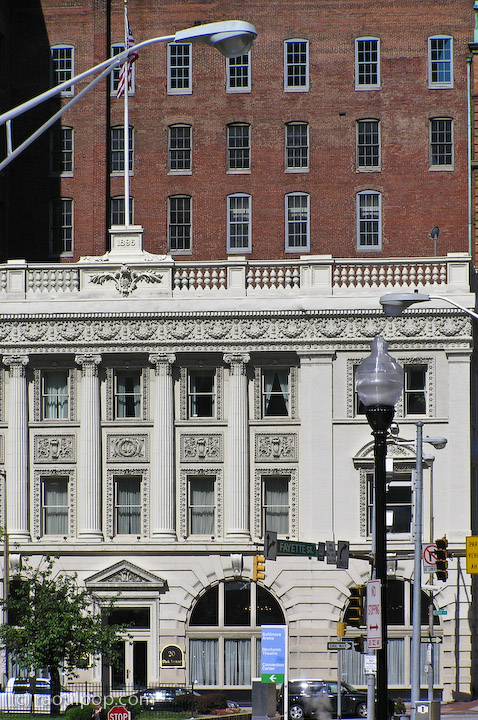
I posted this photo at a width of 1000 pixels, to show more detail. Click through to view it at that size. You can find the full res original in my Washington DC gallery, inside my photo catalog.

Standard
Places

Photos from Beach Drive

Beach Drive is a picturesque road that winds its way through Rock Creek Park in Washington, DC and the surrounding suburbs. Although called by different names along its various portions, it starts at the base of the Lincoln Monument as Rock Creek Parkway, NW, and ends somewhere in Rockville, MD, possibly at the end of Dewey Rd. I’ll let you trace it from end to end — it’s fun to follow it on Google Maps — just remember, the road should be inside the wooded areas at all times, and houses shouldn’t line it on both sides.

Certain portions of it are closed during weekends so that cyclists and pedestrians can take walks alongside it without the danger of cars. Road closure details are listed on the NPS – Rock Creek Park website.

Rock Creek Park and Beach Drive are truly one of the places to see in DC. The regular roads can get so clogged at times, and it can become so inhuman to sit in traffic and stare at buildings and cars on either side, that Beach Drive provides a welcome respite from the city.

Literally surrounded on each side by tall trees and bushy vegetation, it’s easy to forget one is in the middle of DC. It’s just beautiful. The only time the road’s proximity to nearby development is seen is during winter, when the houses and the roads are revealed to be only a few hundred feet away or less on certain portions of the road.

Understandably so, my wife and I go there often, and we also take photos. Here are a few taken on a recent trip. Click on each to enlarge it, then click again to view at full size (currently 720 pixels wide).

Standard
Places

Photos from downtown Baltimore

We made a day trip into downtown Baltimore last week. I had our point-and-shoot with us, and took photos of the architecture. I need to specify that it was our point-and-shoot because you’ll see purple fringing on a few of the photos. That can’t be helped much when you have a zoom on a digital camera. It’s the price one pays for versatility.

I do love that long zoom though (equivalent of 38mm-380mm on my Olympus C770-UZ). I can get photos like these without having to haul a big, heavy glass with me. (Let me be the first to admit that this is really more of a case of the fox crying sour grapes. I’d love to be able to afford some nice, big, heavy glass, but it costs several thousand dollars…)

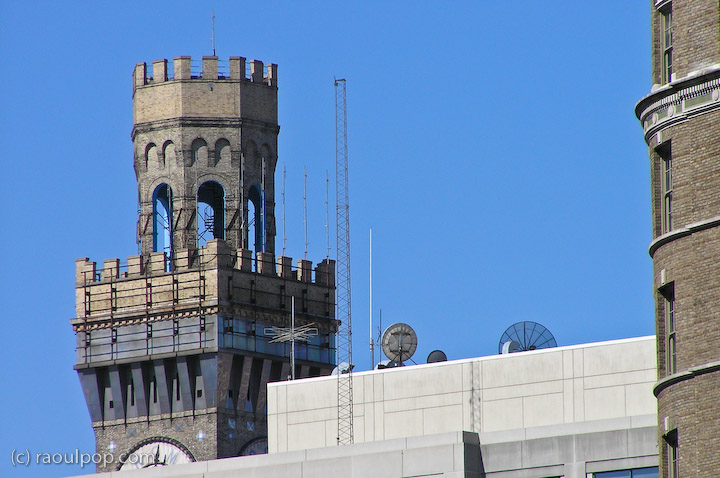
This tower was but a small spot on the downtown skyline with the naked eye. I get my kicks from zooming into distant objects. While I like wide lenses a lot, there’s something really nice about the flatter perspective of telephoto lenses.

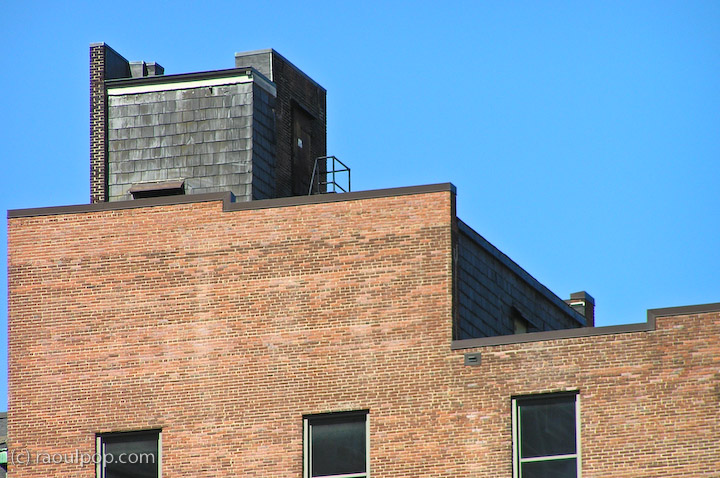
The shoddy appearance of this roof was a surprise. The standing balustrade, seemingly leading nowhere, was another. This is one of the photos where the purple fringing is readily apparent.

A shingle roof on a fairly tall downtown building? Interesting!

I loved the details on this gleaming golden roof. It lit up like fire when the sun shone on it.

Here’s a close-up. I wonder if the top floor is a penthouse. Can you imagine the views?

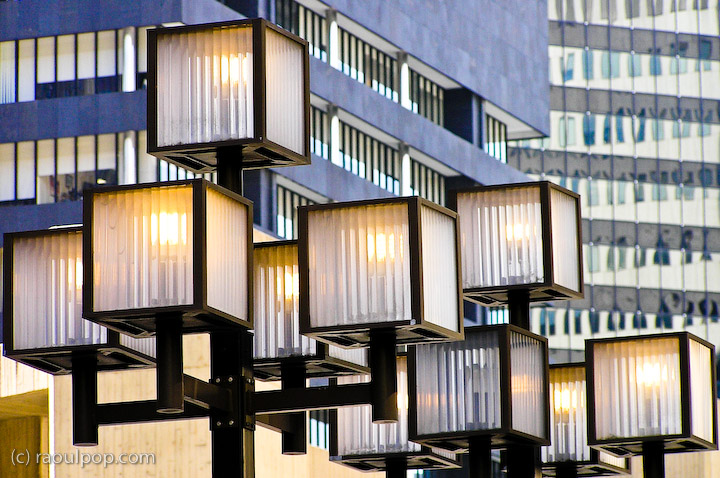
There were so many interesting shapes and colors to be found among the architecture!

Here’s a view of this same building from a different angle.

These two reliefs lined the side of a downtown building (a hotel I believe).

A few street-level photos.

This sign was posted to the side of a building. It names it as the original site of the Baltimore College of Dental Surgery, founded in the year 1840. It was, apparently, the first dental college in the world.

Here are a few views of the Radisson Hotel. I mention it by name because we’re thankful for its inviting lobby with free wifi. We needed to spend a few hours waiting around, and it was such a relief to be able to sit down on a couch and get on the Internet instead of having to deal with the street noise. They also had a Starbucks at street level. Nice.

Here’s a closeup of one of the hotel’s towers. I wonder if there is a room at the top of the tower, and if it’s available. Or is it reserved as the penthouse for the hotel’s owners? The views must be spectacular.

Here’s a view of the entrance to the Mariner Arena.

A few of the rooftop inhabitants showed some interest in our presence.

Standard
Reviews

Use an HDTV as my computer monitor?

A couple of months ago, I had a crazy idea, which I thought might just work: get a 1080p HDTV, a really nice one, and use it as my computer monitor. The advantage: cheaper and bigger than 30″ LCD monitors. I also found a model that I thought couldn’t be beat — one that displayed 10-bit color. If you’re unfamiliar with monitor color depth, you might want to have a look at the following:

Basically, you should have a monitor capable of displaying 8-bit color or better. Why? Because DSLRs capture 12-bit, 14-bit and 16-bit color, and you’re going to miss out on a lot if you can’t see all those colors when you’re editing the photos.

Laptops display only 6-bit color and use dithering to make up for the difference between 6-bit and 8-bit. Normal displays, including Apple Cinema Displays, have 8-bit color. The more expensive computer displays out there have 10-bit, 12-bit and even 14-bit color. LaCie and Eizo seem to be the only companies that build these sorts of high-end monitors.

The prices start around $1,000 for a 21″ or 24″ monitor at 10-bit color, and go up from there, to $2,000 or even $3,000. So you can imagine my delight at finding an HDTV at 40″ that could display 10-bit color and cost only $1,300. Granted, the resolution was only 1920×1080, and at that size, a computer monitor would have been at 2560×1920 or more, but you can’t have everything, right?

The particular HDTV I found is made by Sony and is from their Bravia series. It’s no longer being made — Sony keeps changing models every couple of months. Apparently HDTVs evolve so fast these days there’s a need to do that. I’d give you the model number, but it doesn’t matter any more. The specs were great though:

  • Full 1080p
  • 24p True Cinema
  • 10-bit color processing and 10-bit color display
  • Full digital video processor
  • Advanced contrast enhancer
  • An assortment of ports (HDMI, PC, S-Video, component and composite)

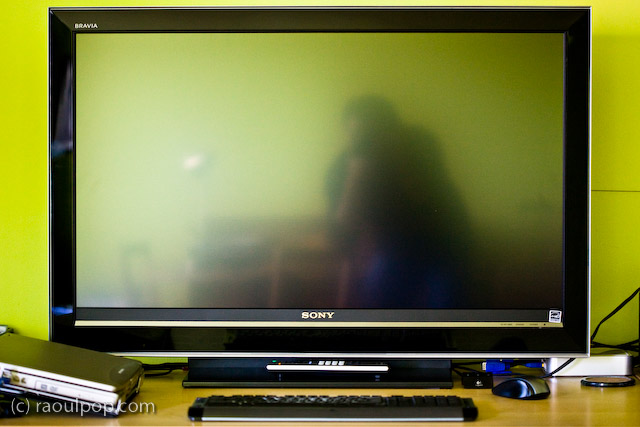
That’s how it looked on my desk. Did it do everything promised in the specs? Yes. Was the quality of the display as I expected? Yes. Editing photos on it was a stunning experience. I was able to see colors like I couldn’t see them before. Believe me, you don’t know what you’re missing until you see your DLSR photos on a high quality display.

So why am I speaking in the past tense about it?! For a single reason: it was much too bright for my eyes. Therein lies the main difference between TVs and monitors. TVs are built to be much brighter, since they’re meant to be viewed from a distance. Monitors are built with a much subtler level of brightness and contrast, since they’re meant to be viewed up close. This didn’t become apparent to me until I had the TV on my desk, about 2 feet from my eyes. I didn’t have a problem with the size of the screen (although it was bigger than expected), but the brightness killed me. Within a half hour, my eyes started to burn and I got a headache. I tried to tune down the brightness and contrast, but I couldn’t get it where it needed to be; I don’t think the TV could go down that low.

After much arguing with myself, and trying all sorts of things, including stepping back from it as much as possible, I had to come to grips with the fact that it wasn’t the fit I needed. Stepping back to an appropriate distance would have defeated the purpose of using it as a monitor, because at that point, it would have become a TV displaying my laptop’s DVI feed. Although it had the display quality I needed — and not a single bad pixel, it was a perfect display — I couldn’t use it.

If you’re in the market for an HDTV, definitely check out the Sonia Bravia line. They’ve got stunning color. They’re amazing TVs. Just don’t try to use them as computer monitors. It won’t work. To their credit, they’re not intended to be monitors. They’re TVs — really good TVs.

Standard