Thoughts

Verizon math

See this video, which features recorded audio between a frustrated Verizon customer and Verizon customer service, whose math skills are below those of a fourth grader. Verizon customer service just cannot grasp the concept of cents and dollars, and the hundred-fold difference between the two, and insist repeatedly that $0.002 equals 0.002¢.

The conversation goes on while the customer tries to explain the difference to them, and why he shouldn’t be charged what he was charged on his bill, given the advertised price, but the Verizon rep, and then a Verizon floor manager, just cannot get it. The customer got the equivalent of blank stares in spite of repeated explanations. Question is, should those reps be allowed to work in the billing department at Verizon when they have little or no math skills and lack the mental capacity to learn such skills when they’re explained to them?

Is it any wonder I (and countless other people, I’m sure) had billing problems with them when I wanted to terminate my service last year?

[via Hacked Gadgets]

Standard
Reviews

Hardware review: Elgato Turbo.264

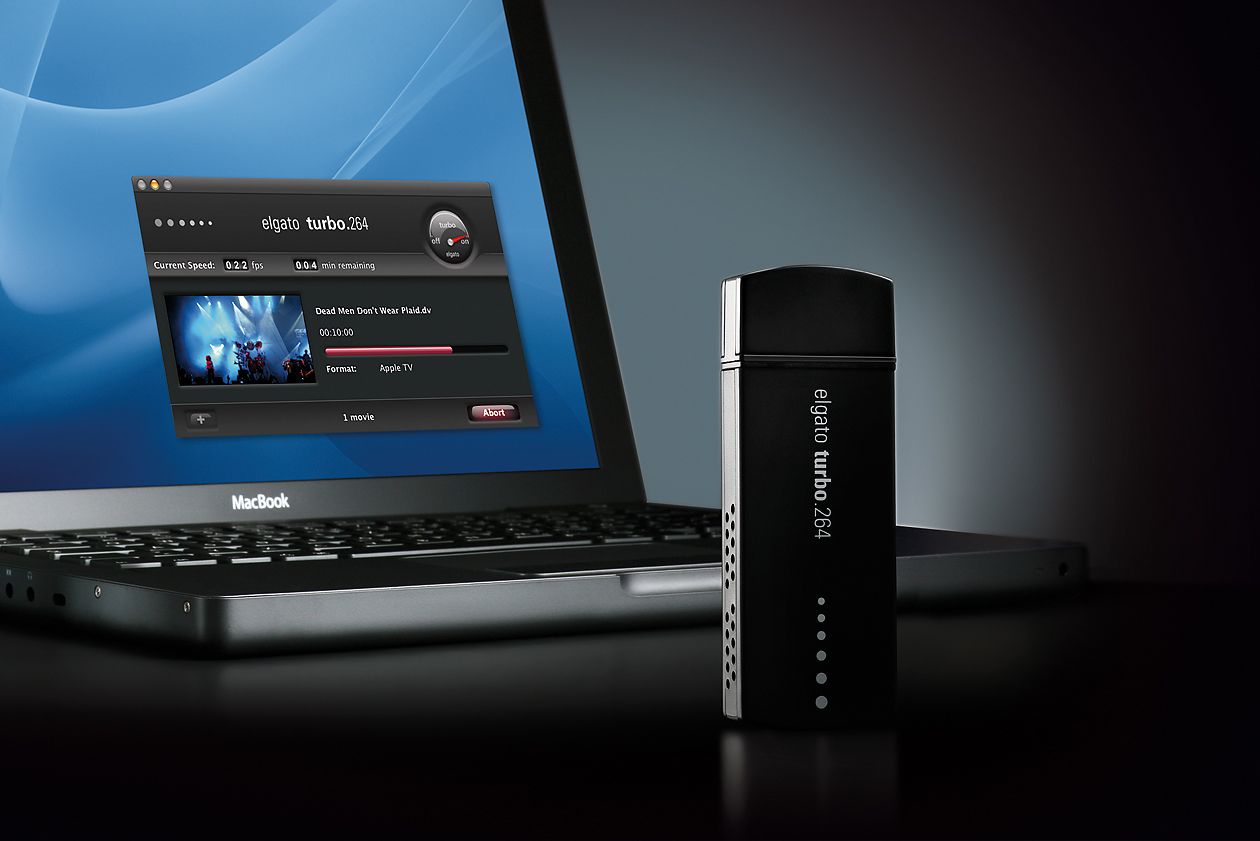
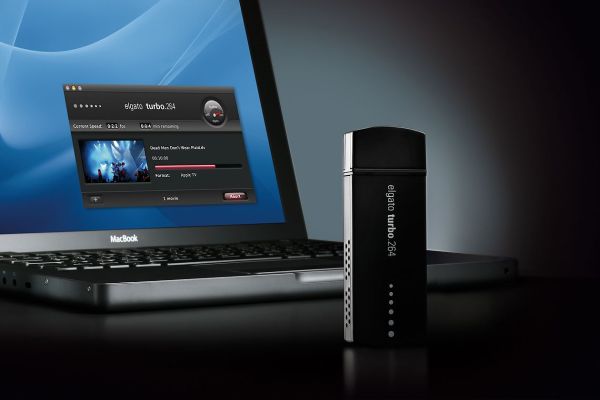
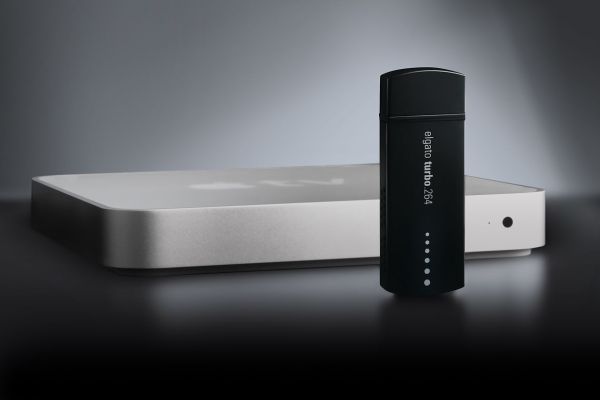
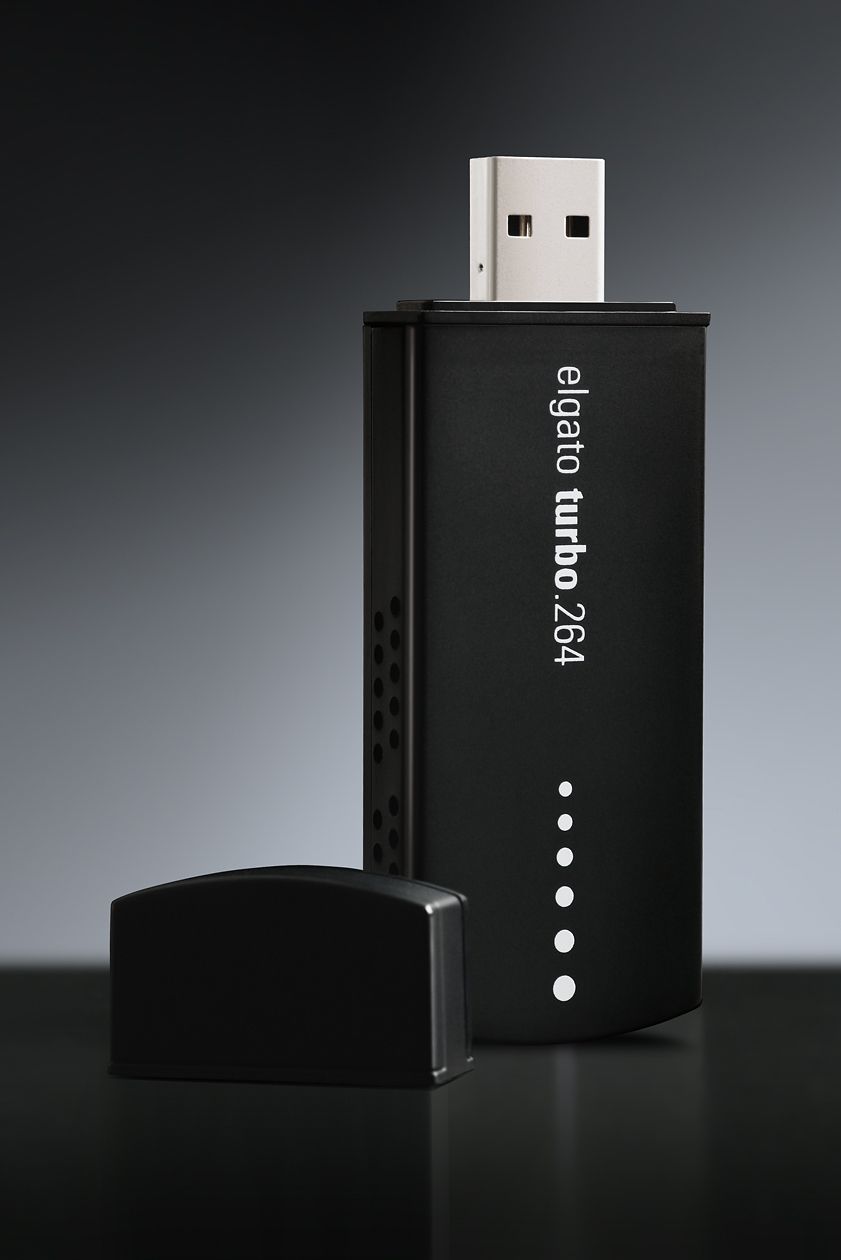
I’ve been using the Elgato Turbo.264 hardware encoder since February of 2008 (see item 5 here) and am happy with it. When I first saw it on the Elgato website, I thought it was a gimmick. After all, what could a little USB stick do that my iMac’s or my MacBook Pro’s CPU and GPU couldn’t do? I was in for a pleasant surprise.
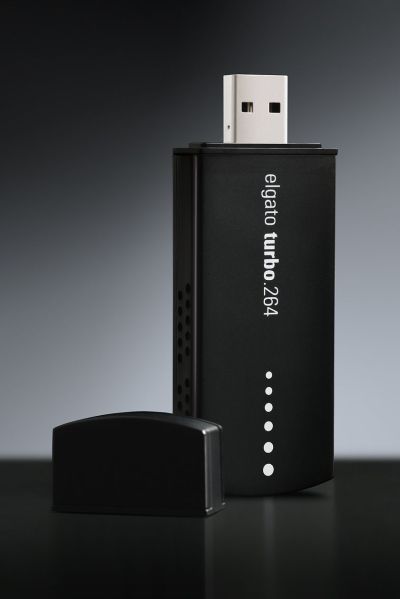
Elgato Turbo.264

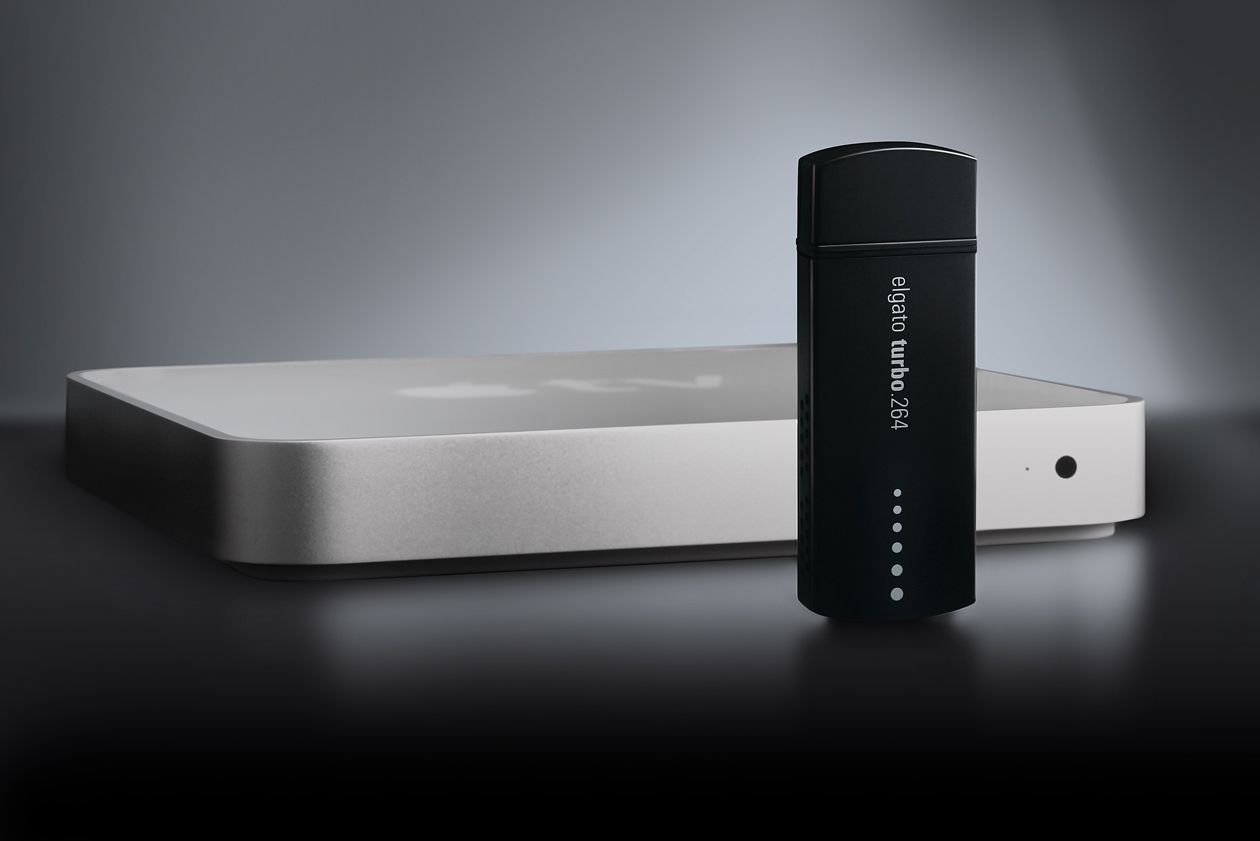
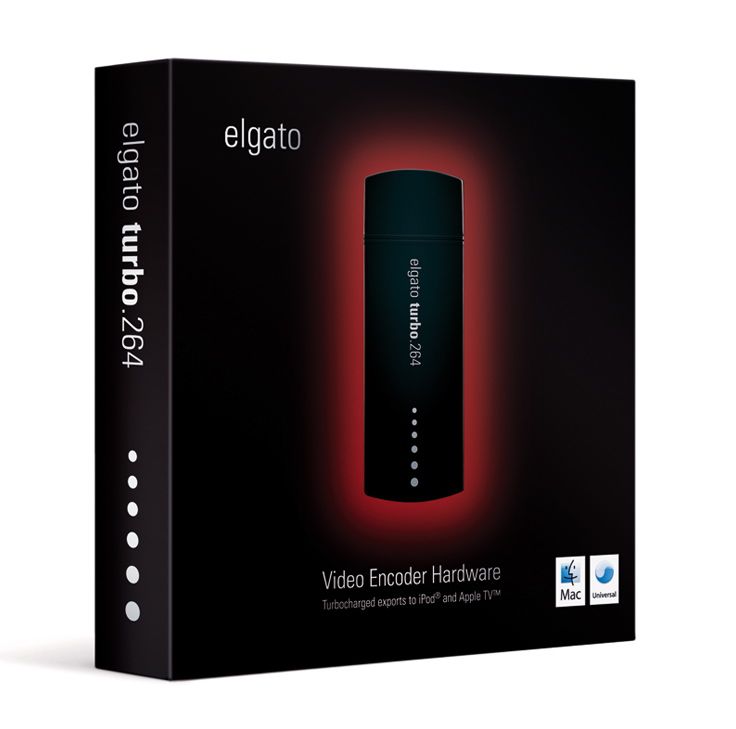
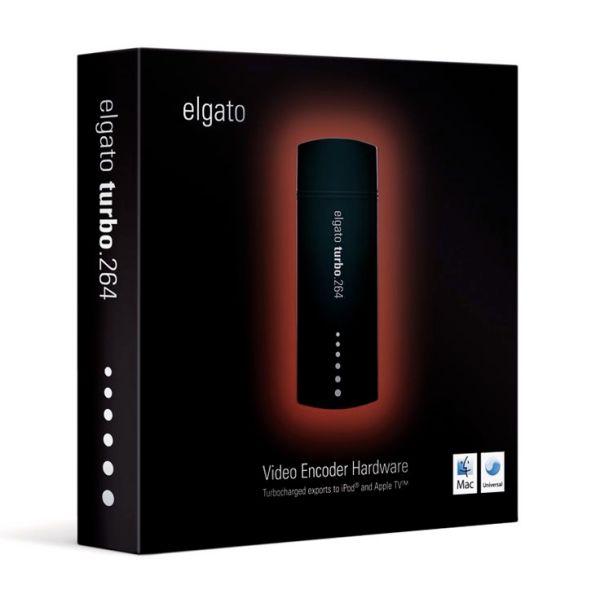
The Turbo.264 was launched on May 16, 2007. The original press release claimed that it would not only speed up encodings to the MP4 format using its own software, but that it would also speed up exports from iMovie, Quicktime Pro and other Mac software. I haven’t been able to figure out how to do the latter, but can definitely vouch for the former. I’ve converted virtually all of my DVDs to electronic format with the Turbo.264, and yes, it has sped up that process significantly.

Encoding speeds will vary depending on what your computer is doing at that time, and on the export quality (Apple TV, iPod, etc). You can easily select the type of output for your exports from a drop-down menu when you drag a movie onto the Turbo.264 app — yes, the UI is that easy to use. The encoding speeds I’m quoting below refer to exports for Apple TV, which are the highest quality in terms of resolution and bit rate.

I should mention that while the Turbo H.264 takes most of the processing load off your CPU, it doesn’t handle all of the computing tasks by itself. From my experience, encoding movies without the Turbo.264 meant the CPU usage stayed somewhere between 90-100%. Encoding movies with the Turbo.264 meant the CPU usage stayed somewhere between 25-35%, allowing me to use my machine for other tasks such as processing photos in Lightroom or working in Dreamweaver.
Elgato Turbo.264

From my own experience, I’ve seen the Turbo.264 take a mere 2-3 hours to encode a movie on my iMac G5 (2GHz PowerPC CPU, 2GB RAM) when it would have taken me somewhere between 24-48 hours to do it with Quicktime Pro. This usually meant encoding speeds were somewhere between 20-24 fps. On my MacBook Pro (2.5GHz Intel Core 2 Duo CPU, 4GB RAM), encoding speeds approach and sometimes excel 30 fps, which means movies are encoded at normal playing speeds.

Speeds will also vary given the type of storage you’re using for the original movies and exported movies. I’ve seen slightly faster encoding speeds on Firewire 400 drives vs. USB 2.0 drives, and I’ve gotten my fastest encoding speed to date, 35-36 fps, when I used a FW 800 drive. In other words, the movie to be encoded should be stored on the FW drive, and you should also be exporting to that same FW drive. If you’re storing and exporting movies to your local drive, encoding speeds will be slower, and you’ll be slowed down even more by Time Machine, because it’ll kick in every hour and try to copy the changed files to the backup drive.

When I encoded movies, I usually had no other apps open, or if I did, it was usually only Firefox or Safari or Mail or some other lightweight app. As a matter of fact, I’m encoding a movie from a portable USB 2.0 drive (see item 4 here) as I write this, and I’m getting 31 fps, which seems to be the usual encoding speed on my MBP.

Encoding speeds were fastest when exporting for my iPod Touch (it’s the iPhone setting in the Turbo.264 app). It took as little as a half hour to encode a full movie for my iPod, which meant I could be done preparing movies for a long plane ride in about 2 hours.

Nothing’s perfect, and I do have a few complaints about the Turbo.264. While the encoding software is intuitive and easy to use, sometimes it’s too easy, and there’s no option that lets me separate chapters from titles. What happens then is for DVDs that aren’t built right — the main feature isn’t a separate title from the ads, previews and other features on the DVD — the Turbo.264 won’t know the difference and it will encode all of those things together with the main feature, which means I have to do extra work afterward cleaning up the file.
Elgato Turbo.264

For example, I’ll sometimes get those annoying and tacky copyright warnings at the start of my encoded movies. I couldn’t care less about them and I don’t want to see them. These are my movies and I’m not doing anything illegal. Or, I’ll get the second title on a DVD appended onto the end of the first title, and then I have to split the file, making me do extra work.

If you’re looking for a product that will let you speed up the encoding of HD videos (720p and 1080p), the Turbo.264 can’t help you there; it can only encode videos up to 800x600p in resolution. On the plus side, it will encode both NTSC and PAL videos, which is to be expected given that Elgato is a German company.

Sometimes, and only for some movies, the Turbo.264 won’t properly mux the audio with the video. The sound will be off by a fraction of a second (or more), which is really annoying. I discussed the muxing issue in more detail in the past. The thing to do is to always check the encoded files carefully. Sometimes you may need to re-encode some files, or use an alternative encoding app, such as Handbrake.

This leads me into a discussion of the Turbo.264 alternatives. There are two that I’ve used and liked: Handbrake, mentioned above, and ffmpegx. They are both faster than using Quicktime Pro, naturally, but both are slower than Turbo.264. Of the two, only Handbrake can encode with the H.264 codec, which is the preferred way to encode MP4 files these days, and it’s much slower than Turbo.264 at that. However, if you use the ffmpeg codec in Handbrake, it is significantly faster than Turbo.264, about 2-3 times faster when exporting for Apple TV, at a similar bit rate (cca 2500 kbps). Of course, then you can get into a discussion of the quality issues between the two codecs, and that’s beyond the scope of this review. The important thing is that the alternative is there if you want it.
Elgato Turbo.264

The question you’ve got to ask yourselves is this: is your time more precious than $100? If you find yourselves with a big library of movies that you want to encode for Apple TV or for WD TV, and you want to encode them using the H.264 codec, then the answer is yes — at least it was in my case. For a few days at least, Elgato is making that decision easier: if you’re in the US, they’re running a special MacWorld deal for this week only (until 1/10/09), and they’re selling the Turbo.264 for $69.95.

Reference: official specs for Turbo.264. Buy it from: Amazon, B&H Photo. Photos used courtesy of Elgato.

Standard
Reviews

Join MP4 files with Front End Digital Media Workshop

Want an easy way to join MP4 clips together? Front End Media Workshop, a nifty piece of Mac software published by the now defunct K-werkx, can definitely help you out. While the folks that put it together aren’t online any longer, the app is still available for download from CNET.

FE_DMW makes it really easy to join video clips

FE_DMW makes it really easy to join video clips

The app (it shows up as FE_DigitalMediaWorkshop in the Apps folder by the way) is meant to do a bunch of other things, but I found it most useful to join together several MP4 clips from my video collection.

For example, I’d purchased a DVD of “The Curious Adventures of Mr. Wonderbird“, a re-titled version of the 1952 original, La Bergère et Le Ramoneur. The film is little known, and features the dramatic escape of a pair of lovers from the claws of a despotic ruler. A curious bird helps them escape and orchestrates the toppling of the ruler’s oppressive regime, which mirrored, at the time, what was going on behind the iron curtain of Eastern Europe. Peter Ustinov voices the bird and also narrates the story.

At any rate, I’d copied the DVD to my computer only to later realize that I’d done it by chapters instead of copying the entire movie as a single file. Front End Digital Media Workshop allowed me to drag the five or six clips for each chapter onto its main window, drag and drop to arrange them in order, then, within minutes, join them together as a single file. The output was saved to the desktop in a folder (one for each join operation), where I could review, rename and archive it.

Sure, if you have Quicktime Pro, you can join video files there, or you can also import them into iMovie, but a small, single purpose app that does it faster and without a lot of fuss scores higher in my book. I may even use it later to snip clips from the beginning and end of some of my other video files, since I see that it has that feature built in as well.

Standard
Events

First snowfall of 2008

As I drove home from work yesterday, a light snowfall started coming down. I took out my mobile phone and recorded this video clip. I was at the Georgetown Rd exit off I-495, in Bethesda, MD.

http://blip.tv/file/3048283

See this video on blip.tv or SmugMug.

If I am to be accurate, I should say it’s not the first snowfall of the season, but the second. It is, however, the first I managed to capture on video. We had another brief snowfall earlier in the week, which, much like this one, melted upon contact and didn’t even wet the ground.

I see that others are getting much more snow [via], but given what they have to go through, I’ll take my little snowfall over this dangerous winter morning any day:


YouTube – Car crash in snow

Standard
Reviews

Camera preview: Canon EOS 5D Mark II DSLR

I’m a little late to the table with my thoughts on the new 5D, but I have an excuse: I’ve been traveling abroad (see this, this and this) and only now managed to sit down and think about it. There’s also an advantage to this: I got to read through the other reviews that have come out before I wrote mine.

So, what sources did I consult?

  • The Canon website was the first place I looked. There’s the official press release for the new 5D, and then the 5D Mark II pages. (I looked at the press release back on September 20th, when it came out.) Canon has also published 1080p HD video clips shot with the new 5D on their website, and they’re definitely worth checking out. They make a point to specify that the clips were shot with a pre-production 5D Mark II, so they may not accurately represent the quality of the production camera.
  • Digital Photography Review put together a very detailed review of the new 5D, as usual. Their review was very helpful to me.
  • The Online Photographer talked about the quality of the 5D’s HD video, and he brought up a good point. I’ll mention it here because I felt the same way when I saw Vincent LaForet’s video: it just wasn’t very good in terms of realization. It didn’t tie together, it felt empty… In a way, this was to be expected when there were only two days to write it, produce it, film it and edit it. But the quality of the video from the 5D Mark II was definitely worth seeing.
  • Robert Reichmann from the The Luminous Landscape posted pre-production video shot with the new 5D and gave his first impressions of the camera. He was in a hurry as well, as he was leaving for a trip to Africa and had only 48 hours with the camera. He says that the video is very high quality (so high that MBPs playing the full resolution video will skip frames), and there is no jellocam effect, where you see balooning artifacts due to slow recording of the data by the CMOS.
  • PopPhoto chimed in with a quick preview that did a little feature comparison between the old and new 5Ds.
  • On Taking Pictures had an interesting first reaction. He pointed out that the AF system should have been improved. It’s still the same 9-point AF found on the original 5D, and it has its limitations, as I can attest.
  • Thomas Hawk wrote up his impressions. He’s excited and plans to get one as soon as they’re available.
  • I found out about a new review aggregation site while I was writing this post. It’s called TestFreaks, and it’s one of the places where I looked for other reviews of the 5D. So far, they’ve posted links to four reviews for this camera, out of which an Italian review was worthwhile, particularly their side-by-side comparison of the old and new 5Ds. The rest of the linked reviews simply spewed the press release, which involves no effort or thought whatsoever. But I think the site is useful as a place to check for reviews when you want to learn more about a product.

What about me? Well, I wrote about the original and new 5D back in August 2007, when I took a shot a predicting the features of its new iteration. And I also wrote another article a little over a month ago, on August 28, where I talked about the coming convergence of DSLRs and video, and predicted that after the launch of Nikon D90’s 720p HD video capabilities, 1080p HD video wouldn’t be far off. Amazingly, Canon had already been at work on that very same feature, and launched it with the new 5D shortly afterward.

Let me first indulge myself and see how right (or wrong) I was in my own predictions about the 5D Mark II:

  • EOS integrated cleaning system (YES)
  • Live View (YES)
  • 16 Megapixels (NO, even better)
  • Up to 3200 ISO (NO, even better)
  • Increased battery life (YES)
  • Weatherproofing (YES)
  • AF upgrade (NO, unfortunately)
  • Increased zones for exposure metering (YES)
  • Shutter durability up to 300,000 cycles (NO, but still increased to 150,000 cycles)
  • 3″ LCD (YES)
  • Retail price $3,300 (NO, it’s $600 lower)

What I did as I read through the official specs found on Canon’s website and through the other reviews was to take notes of the interesting differences between the original 5D and the new 5D.

Original 5D 5D Mark II
12.8 megapixels (4368×2912 pixels) 21.1 megapixels (5616 x 3744 pixels)
DIGIC 2 processor DIGIC 4 processor
12 Bit A/D conversion 14 Bit A/D conversion
Pixel size 8.2 μm Pixel size 6.4 μm and reduced microlens gap
Native ISO capabilities 100-1600;
expanded capabilities 50-3200
Native ISO capabilities of 100-6400;
expanded capabilities 50-25600
Frame rate 3.0 fps Frame rate 3.9 fps
Shutter life 100,000 cycles Shutter life 150,000 cycles
– Full HD (1080p) movies encoded with H.264 codec and PCM sound;
1080p movie mode (1920×1080) records clips up to 12 minutes;
480p movie mode (640×480) records clips up to 24 minutes;
Single file size (for movie clips) is limited to 4GB
No internal microphone/speaker;
No microphone input socket
Has microphone input socket to record higher quality audio for video files;
internal microphone on front of camera, and built-in speaker on back of camera
Viewfinder coverage 96% Viewfinder coverage 98%
– Can use infrared remotes
Battery BP-511A;
up to 700 shots per charge;
1390 mAh
Battery life LP-E6;
up to 850 shots per charge;
1800 mAh
No additional batter info other than remaining charge improved battery status displayed on screen; camera can memorize batteries by their S/N and show you exactly how much power you have in each one.
– RAW shooting enabled in Auto mode
Exposure bracketing +/-2 EV Exposure bracketing up to up to +/-4 EV
– Creative Auto mode makes depth of field and exposure adjustments easier (for those that don’t bother to learn the basics…)
– Auto Lighting Optimizer evens out harsh highlights and strong shadows
– Peripheral Illumination Correction minimizes vignetting effects
Can embed copyright info but not intuitive at all Easier embedding of copyright info and photographer name in each photo taken with camera
Accessory shoe painted black, which leads to paint scratches as speedlites are mounted to camera Accessory shoe now left bare (metal-colored), which is better
2.5″ LCD, not very good at all in sunlight, low resolution 3″ LCD, great in sunlight, high resolution
Uses CF Type I and Type II cards Uses CF Type I, Type II, UDMA and CF+ cards
– Auto ISO (100-3200);
can be turned on everywhere but in M mode, which is the way it should be
– AF microadjustment
– Live View with three AF modes: passive (mirror flips down briefly to focus), contrast detection (mirror stays up) and face detection (self-explanatory)
No water resistance, although I have taken my 5D out in the rain and it did fine as long as I didn’t get it completely wet Water resistance (10mm rain in 3 minutes)
– Some dust resistance
2.5″ LCD, not very good at all in sunlight, low resolution 3″ LCD, great in sunlight, high resolution
No Quiet Shooting mode;
mirror slap is pretty loud
Quieter shooting mode available;
mirror will either lock up, or it will move slowly to the halfway position and close normally from there, creating less noise

How could the new 5D be even better?

  • AF should have been upgraded to something faster and more accurate
  • RAW files still CR2 format; it would have been nice to standardize on the DNG format
  • Color space options are still only sRGB or AdobeRGB; what about ProPhotoRGB?
  • HDMI Out miniport puts out great video but NO audio, which is unfortunate
  • Hand grip now slightly thicker, but space between grip and lens barrel slightly smaller, which means you may end up jamming your fingernails into the lens as you hold the camera, should you have thicker fingers. This was a point of contention with the 30D, was addressed in the 40D, and now I see it potentially coming back (though to a lesser degree) in the 5D Mark II.
  • No controls for video other than focus and exposure compensation once you start recording. It really does seem like the video mode was grafted onto the camera, as Luminous Landscape puts it in their review. Plus, the microphone input socket isn’t a pro-level socket, but a plastic one that can easily break if you’re not careful.
  • Recording video will drain the battery a LOT faster than shooting photos. And it will take up space. You’ll go through a single 4GB CF card in about 11-12 minutes if you’re shooting video. I guess this is to be expected given that the camera records full HD video on a huge 35mm sensor.

On the plus side, it’s interesting to note that I paid $100 more for my original 5D back in April of 2007 than what the new 5D Mark II will cost at retail when it hits the market. I bought my 5D for $2800 from Costco, and the new 5D will cost $2,700, but it will have all these incredible new features. Something to think about. I suppose I shouldn’t complain, since I did get about 1 1/2 years about of my 5D before it was rendered outdated by its successor.

So, will I be getting one? Not at the moment, no. My original 5D is still very usable, and I don’t have the deeper pockets of some other folks. I’m still without a good zoom lens. Coincidentally, the same great zoom lens that I like (EF 24-105mm f/4L IS) can be bought as a kit lens with the new 5D, so I definitely encourage you to get it if you don’t have it in your inventory. It will prove its versatility over time, and you will be glad you have it.

At some point in the future, I will be glad to buy the new 5D. Perhaps by that time they’ll have made the video mode more streamlined, and integrated it a little better within the menus and external buttons of the camera, not to mention that I’ll have had a chance to save up for it.

If you’d like to get it though, don’t let me stop you:

Photos used courtesy of Canon.

Standard