Thoughts

The Internet is not a truck

You may or may not have heard about the serious gaffe on the part of Senator Ted Stevens (R), who is Chairman of the Senate Committee on Commerce, Science, and Transportation. He voted against the Net Neutrality Act, and gave a speech on the Senate floor to explain his actions. He may have been better off not saying anything.

By giving this speech that keeps on truckin’, Senator Stevens has shown that he wasn’t knowledgeable enough about the issue to even speak about it, much less vote on it. It worries me that he’s in charge of a committee charged with deciding on matters as important as science, commerce and transportation, when his understanding of the Internet is that it’s a “it’s not a truck, it’s a series of tubes” that can get “clogged up”. I wonder which telecom lobbyist fed him that analogy. At any rate, the aftermath of the speech is haunting him, and one of the funniest takes comes from The Daily Show’s Jon Stewart.

I am reminded of an Abraham Lincoln quote: “Better to remain silent and be thought a fool than to speak out and remove all doubt.”

Standard
Reviews

Hasselblad H2D-39: A 39-megapixel DSLR!

The Hasselblad H2D-39 DSLR Camera

Hold the presses, because I’ve just stumbled onto an amazing DSLR. I used to think 22-megapixels was really something, but this puppy cooks up 39-megapixels! It records in RAW format, and the photos are so big that it comes with an external 80GB hard drive. You can even connect it directly to your Mac or PC and transfer the images as you take them.

Of course, if you yearn for mobility, it also writes to CF cards. I can’t imagine how big they’d need to be or how many you’d need for a typical commercial photo shoot, but hey, it’s your call, right?

It comes with a rechargeable Li-ion battery that will let you take up to 250 photos, or “captures”, as they call them in 4 hours. Needless to say, you won’t be able to put it in your pocket: the camera plus battery and CF card comes in at 2,175 grams, a little over 2 kilos, or 4 pounds.

So how much will all this megapixely goodness cost you? $29,995 seems to be the going price, although I’ve seen it listed on Froogle for as high as $32,973. I can’t say that I’ve got a burning need to get one, but I suppose if my livelihood depended on delivering really high quality pics, it’d be on my shopping list. Read up on it right here.

Standard
Reviews

Two great bargains: HP Pavilion dv2000 and dv6000 series laptops

As detailed in my last post, I’ve been scouring the market looking for laptop deals, and I found two that were really good. After I compared the specs for these two laptops with similarly equipped laptops, I found them to be hundreds below comparable models, and on top of that, well-made – at least when it came to their exterior.

The HP Pavilion dv2000 and dv6000 series laptops are part of HP’s re-design of its Pavilion laptop line. They feature upgraded hardware and beautiful exteriors. I can’t speak about their reliability, since I only got the chance to use them for a few minutes at a computer store, but when it comes to looks and features, they’ve got it! From the moment I touched the keyboard and used the trackpad, I could tell HP invested serious attention to detail when they made these laptops. If you’ve ever used a Dell laptop, then you know what I’m talking about. The keys are so thin, that your fingers sometimes get pinched inbetween them. Not on these two HP laptops! The keys are thicker, smoother, and have better action. The trackpad is responsive, and the left and right mouse buttons are soft to the touch. I thought the travel could be shortened a bit, but other than that, it’s a very good experience. The lines are well defined, the color tones are well chosen, the overall thickness is kept to a minimum (around 1″ height for either one) – what can I say, they look good!

A well-equipped dv2000 series laptop features Windows XP Pro, a dual core Intel 2.0 GHz processor, a 14.1″ BrightView wide screen, integrated 802.11 a/b/g and Bluetooth, an integrated webcam with dual noise-cancelling microphones, a 120GB SATA hard drive, a 128MB NVIDIA(R) GeForce(R) Go 7200 video card, 2GB of RAM, a LightScribe Super Multi 8X DVD +/- RW with Double Layer drive, a 12-cell battery that lasts up to 8 hours, a 2-year HP Accidental Damage with Express Repair extended service plan, a credit-card sized remote control for the InstantOn feature that lets you play DVDs and CDs without turning on the laptop, an HP Silver Messenger Bag, HP Mobile Noise Cancelling headphones, a retractable phone, ethernet and USB cord kit, and a FREE printer. The price for the whole set is $2,051.93 ($1801.93 without the extended service plan). Try matching these specs with another laptop (Lenovo, Sony, Dell, Acer, Asus) and see if it’s still that low. Go ahead, I’ve done it, and it isn’t.

How about the dv6000 series? A well-equipped dv6000 includes the following: Windows XP Pro, a dual core AMD 1.8 GHz processor, a 15.4″ wide screen, a 256MB NVIDIA(R) GeForce(R) Go 7200 video card, integrated 802.11 a/b/g and Bluetooth, an integrated webcam with dual noise-cancelling microphones, a 120GB SATA hard drive, 2GB of RAM, a LightScribe Super Multi 8X DVD +/- RW with Double Layer drive, a 12-cell battery that lasts up to 8 hours, a 2-year HP Accidental Damage with Express Repair extended service plan, a credit-card sized remote control for the InstantOn feature that lets you play DVDs and CDs without turning on the laptop, an HP Silver Messenger Bag, HP Mobile Noise Cancelling headphones, a retractable phone, ethernet and USB cord kit, and a FREE printer. The price for the set is just $2.111.94 ($1,861.95 without the extended service plan). Again, I dare you to match these specs and see if you can get a similar price.

I have only two bad things to say. I haven’t heard good things about HP reliability from my friends and contacts. I also know from personal experience that once HP decides to discontinue a product, their interest in supporting it goes downhill, and it’s basically forgotten. Perhaps that’s changed now that they’ve re-designed their laptops, but still, I’d recommend getting the extended support plan. The one I mentioned above includes two years (there are 1 and 3 year options as well) of Accidental Damage (in case you drop it or spill something on it) and Extended Repair (when your hardware just plain fails). I would actually recommend getting an extended support plan for any laptop or desktop you purchase, because you don’t want to be left stranded when you’re in a bind.

The second thing is more like a wish, and that is for the dv6000 line to include dual core Intel processors. It currently doesn’t. Although AMD may beat out Intel with its recent line-up of dual core processors, the Core Duo 2 line of processors, code-named Merom, that Intel will come out with in August, are already beating AMD’s line-up. Plus, they’re readily interchangeable with the current dual core Intel chips. That means you can get a laptop now, and upgrade your processor to a screaming fast Merom chip when the price for those goes down.

At any rate, I can’t find a better deal for the specs and looks that these two laptops, so if you’re in the market for a Windows laptop, get your hands on one of these!

Standard
Thoughts

To buy or not to buy an Apple

Updated 3/7/08: My opinion has changed quite a bit since I wrote this post. I am now going to get a 15″ MacBook Pro after working on a Windows laptop for the past two years. Feel free to read this further though, because it shows how far things have come since then.

I’ve been doing a lot of research lately, because I’m looking at buying a new laptop. I’ve got this terrible dichotomy in my head. On one hand, I love Macs, and I’d love to get a Mac, but on the other hand, most of the work I do (web development stuff) is still handcuffed to Windows. It’s not minor stuff, either: Access, SQL Server, ASP, ASP.NET.

Yes, I know, I can run Windows on the Mac with Boot Camp now, but have you taken a look at the caveats? Apple’s had to write the Windows drivers for the Apple hardware, and certain things simply won’t work. Among them are: the Apple Remote Control, the Apple Wireless Bluetooth keyboard and mouse, Apple USB Modem, the sudden motion sensor, the ambient light sensor, and, most importantly, the built-in iSight camera.

The very reasons I want to get an Apple – fantastic design, tight integration when it comes to software and hardware, obsessive attention to detail – are stopping me from getting one. Since I’ll need to run Windows on it, and my cool Apple hardware won’t work with Windows, what’s the point? I’ll be forever shutting down either Mac OS or Windows XP in order to use the features I want out of each system. Want to use iChat to talk with my wife? Oops, need to boot up in Mac OS. Need to do a bit of development work? Oops, got to boot up in Windows. Got to use Skype Video Chat? Double oops there, since only the Windows version can use a webcam, and iSight doesn’t work in Windows!

As if laptop hard drives aren’t small enough, I’ll need to partition the drive and share it with Windows. Not cool! On the one hand, I want to handle photos, music and videos on the Mac, filling up the drive with that stuff. On the other hand, I need to do development work and create large graphics in Photoshop and sites in Dreamweaver, both of which are Windows licenses, by the way. I work with large files there as well, and I know I’ll fill up that drive. What am I supposed to do? Shuffle files between the two operating systems using an external drive? Sounds easy enough, until you realize that Mac OS doesn’t read NTFS partitions and Windows doesn’t read Mac drives. Huh? Yup, it means you can’t copy files bigger than 4GB to that external drive, since it needs to be formatted in FAT.

Oh yes, let me not forget about emulation/virtualization software… Or rather, let me forget. I still shudder at the dismal performance of Virtual PC on my PowerBook G4 or my iMac G5. Yuck! Everything crawled, including the web browser. Copying files back and forth between the operating systems, although it was only a drag-and-drop operation, was excruciatingly slow. Running software like Dreamweaver took forever, needless to say. Virtualization software like VMWare, running Windows on Windows, albeit a little faster, was still slow in the desktop version. Although the speed should improve if virtualization software is run on the new Intel Macs, I don’t hold high hopes for it.

There are plenty of caveats with virtualization, other than performance. Software doesn’t always behave as expected, because it’s not a real computer, and certain things simply aren’t available. Then there’s that always disappointing jump between the real OS and the virtual OS. Although it’s as easy as Alt+Tab on Windows or Command+Tab on the Mac, the performance hit is depressing every time one needs to use the virtual machine. I tried other emulation software as well. Q, was one of them, and although the interface was nicer than Virtual PC’s, it still disappointed. No, no thanks.

I’ll let Parallels talk about how fast their virtualization is all they want. I’ll believe it when I see it encode video and run the latest versions of Photoshop and Visual Studio at near the full speed of the CPU. Meanwhile, I’ve had enough of emulation/virtualization. It may be good for servers, as VMWare is proving with their Enterprise suite of products, but it’s not good when one’s computing needs involve lots of high-availability graphics, memory and processing power.

It seems like I’m hopelessly caught between Scylla and Charybdis, not knowing where to turn, part of me wanting Mac OS and part of me needing Windows. What to do? Nothing to do but to hold off for now, and hope that either Apple or Windows get their act together for people like me.

Standard
Reviews

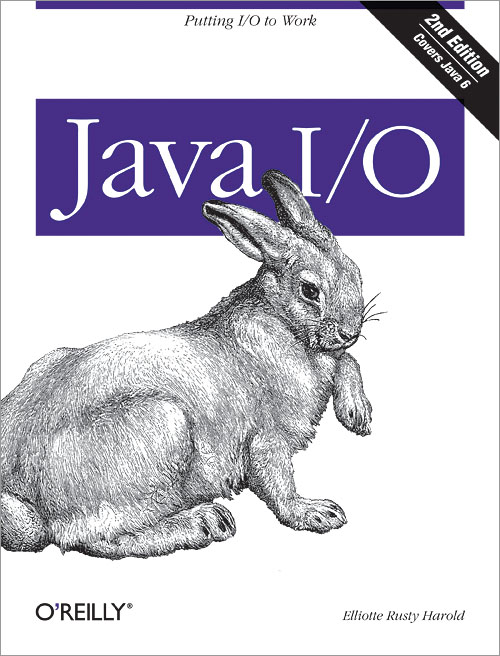
Java I/O 2nd Edition by Elliotte Rusty Harold

Java I/O discusses in great detail a subject that is, in many ways, the bread and butter of Java: input and output. Given the expanded capabilities introduced with Java 1.4, 1.5 and 1.6, this book’s attention to them is timely and on target.

Here are some techniques that the book teaches:

  • Reading and writing files
  • Communicating over network sockets
  • Filtering data
  • Interpreting a wide variety of formats for integer and floating-point numbers
  • Passing data between threads
  • Encrypting and decrypting content
  • Calculating digital signatures for streams
  • Compressing and decompressing data
  • Writing objects to streams
  • Copying, moving and renaming files and directories
  • Choosing files from a GUI
  • Reading and writing non-English text in a variety of character sets
  • Talking directly to modems and other serial port devices
  • Controlling printers and other parallel port devices
  • Managing and communicating with USB devices
  • Transmitting data wirelessly with Bluetooth
  • Communicating with the outside world from small devices such as cellphones and PDAs

The book has 25 chapters, divided into the following logical parts:

  • Basic I/O, or the stream
  • Data Sources, such as files and networks
  • Filter Streams, or processing data as you read or write
  • New I/O, which deals with the changes made in Java 1.4
  • File System: moving, deleting, renaming and choosing files
  • Text: reader and writer streams
  • Devices: the Java Communications API, USB, J2ME and Bluetooth

Java I/O isn’t for everyone. It’s an in-depth book that assumes you already have a basic familiarity with Java, and you know its syntax. You should already know object-oriented programming, and you should already have written simple applications and applets. Although the examples given in the book are straightforward, you will quickly be overwhelmed if you’re a Java beginner, so you may want to pick up another book such as Learning Java or Java in a Nutshell first.

Elliotte Rusty Harold put a lot of hard work and detail into making Java I/O understandable and usable, and it shows. This book will prove an invaluable resource to the Java programmer interested in strengthening his or her I/O knowledge.

Standard