Thoughts

Photography, take two, part five (finis)

I have completed the work of replacing photos hosted with third-party services. All of the photos that are published on my site are now hosted locally. If you’re not familiar with this effort, which took me a few months to complete, you might want to have a look at parts four, three, two and one. The main reason was to gain independence for my photographic content. Depending on third party services that might go down or go out of business for photos used in published articles is not the kind of strategy that can hold up in the long-term.

There were LOTS of posts I re-edited this time. Not only did replace the original images, but I also introduced new ones as well. This means that if you take the time to go through some of my old posts, you will see new photographs.

I’m not going to list all of the posts I modified. The list would be huge and it would dilute my message. Instead, I’m only going to point out the more significant ones. This post is the culmination of countless of hours of work. As a matter of fact, I’m going to have a little celebration. Enjoy!

If you’d like to see all of the posts that I modified in this last round of updates, just have a look through the Photography archives, and go all the way back to April 1st of 2007, starting from August 31st of 2007. Don’t worry, this is no April Fool’s joke…
Standard
Thoughts

A few feed changes for my site

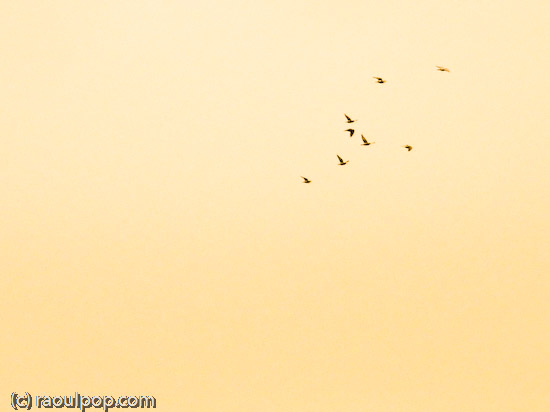
Birds of a feather…

The transfer of all my content from comeacross.info to raoulpop.com has gone smoother than expected, which is great. I’ve been monitoring the feed usage stats, and it looks like everyone has migrated over to the new feed. Just in case, please check your bookmarks and feeds, and correct them as follows, where appropriate:

All of my other feeds have stayed the same. Here they are:

Of course, all URLs are getting automatically redirected (with a 301 status) from comeacross.info to raoulpop.com. That’s been working great, although some people reported issues during the first few days. Thanks for letting me know about those!

If you’re linking to my site in your sidebar, could you do me a big favor and check to make sure you’re no longer linking to comeacross.info but to raoulpop.com? And if you’re not linking to me, would you please?

A big thank you goes out to FeedBurner for migrating my email subscribers and helping with the feed redirect!

Standard
Events

Happy New Year!

Things were quite busy at our home as the New Year arrived. I was working on my site, transferring the content over from ComeAcross and making sure the feeds were pointing the right away. That was my New Year’s surprise, something that I’d planned to do for quite some time. I wanted to move all of my content from ComeAcross to my namesake domain. It’s now pretty much finished, minus a few details that still have to be worked out. By the way, I apologize for the double feed items that occurred overnight. I’ve straightened that out and it shouldn’t happen again.

We also found time to celebrate with a wonderful dinner prepared by Ligia, and a couple of movies. We watched “The Shop Around the Corner” (1940), which was wonderful even for a second time, and “The Secret of NIMH” (1982) an animated movie which could have been much more entertaining, but was so stretched out that it was dull. Children might still enjoy it though, for its animation and colors, which were done quite well.

I leave you with a few photos. This was the last dawn of 2007.

Last sunrise of 2007

New Year’s wouldn’t be New Year’s without the celebratory sparkler.

Celebration

The clear sky allowed us a wonderful view of the New Year’s half moon. The photo is somewhat soft, and I apologize for that, but there was no way I could have gotten that close without the aid of the digital zoom on my trusty Olympus C770UZ (and as you may already know, digital zooms will make things softer).

Have a slice

Happy New Year! May this year bring you many blessings and good health!

Standard
Thoughts

My photographic portfolio

Updated 8/16/09: I now have an entirely new standalone photo catalog with e-commerce enabled, which means you can instantly purchase prints (in varying sizes and finishes) or digital downloads (at varying resolutions according to your needs) of each of my published photos. The link is the same as below: raoulpopphotography.com. See this page for more details.

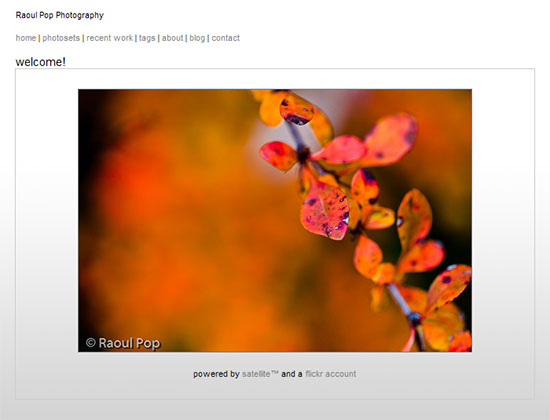
A few weeks back, I announced my portfolio site, Raoul Pop Photography, and I got positive feedback about it, which was nice.

Raoul Pop Photography

Updated 1/12/09: Since I wrote this, I worked to create a standalone photo catalog, outside of my Flickr photo stream, and that’s what you’ll find when you visit my photography site. I’m leaving the thoughts you see below for historical reference, but keep in mind they no longer apply.

Now I’ve gone through an extensive process of sorting, winnowing and re-organizing the photos I’ve posted to Flickr, and I’m happy to announce that my portfolio site is all the better for it. You see, my portfolio site feeds directly from my Flickr account via Satellite. The big advantage is that every time I make a change to my photos and sets on Flickr, the change is reflected instantly on my portfolio site.

On the whole, my photos look significantly better now, because I deleted many, many photos that I didn’t think were good enough any more. Going through my photos has made me think hard about the sorts of photographs I take, and categorizing them into sets and collections has given me a new and deeper understanding of what makes me tick as a photographer. It’s all pretty interesting stuff to me, and I think you can tell it’s gotten me excited. 🙂

Also not to be missed, if you’re interested in that sort of thing, is my list of photos taken with each camera I’ve used over time. These photos are grouped into sets, and they’ll give you a good idea of the sorts of images you can get with each camera. Don’t read too much into it though. Short of various differences that can be limiting or advantageous between camera models and brands, a camera is only a tool. While it’s important that the tool perform as expected and be flexible enough to capture the photo, there are three more parts to a good photo: there’s the photographer, who’s got to know what he or she is doing, then there’s the quality of the light, which can make or break a photo, and finally, the post-processing, to make the photo stand out.

Standard
Reviews

Upgraded to Leopard

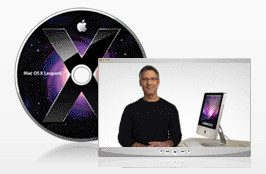
Mac OS X LeopardAlmost two weeks ago, on 11/16/07, I upgraded to Leopard, the new version of Mac OS X. In spite of some negative experiences I’d read about, my upgrade went smoothly and I didn’t lose any data. All of my applications worked afterwards. A couple of them, like 3D Home Architect, required Leopard updates to make them stable again. My version of EyeTV needed to have its most recent upgrade re-applied.

There were a couple of hiccups that I wanted to mention. One occurred during the upgrade process itself, and the other afterwards.

  1. I started the upgrade process and booted from the DVD. Went through the various steps, but when it came time for the Leopard installer to find our iMac’s boot disk, it couldn’t see it. I waited for about 5 minutes, then I clicked the Back button a couple of times, went through those screens again, and after I waited for about 2 minutes, it finally saw the boot disk and allowed me to go on to the next step. I have a feeling this might not have been a hiccup, but that the installer was busy calculating the free disk space on the drive. I thought I’d mention this just case some of you have the same problem.
  2. After the upgrade completed, I configured Time Machine to back up to one of my external drives, and it started the initial backup. It kept going through the evening and overnight, then it crashed in the morning, and the iMac required a hard reboot. In other words, everything was frozen and I had to power it off manually. After I started it back up and restarted Time Machine, it finished the initial backup and it picked things up exactly at the point where it crashed. In other words, it didn’t start backing up the entire drive once more, which I thought was a nice touch.

One thing I did before starting to upgrade was to disconnect ALL peripherals. I figured there was no reason to complicate the upgrade process by having extra USB and Firewire drives, printers and other gadgets connected during that time. When the upgrade process completed, I re-connected them, and found, to my delight, that a new driver for my printer had been packaged with the OS. I didn’t have to run HP’s crummy, old drivers from 2005. Very nice!

I’m very happy with Leopard since we installed it. Our iMac runs a little faster now, thanks to the better memory management and pre-fetching features in Leopard. I love Time Machine and the Remote Desktop features included with the new iChat. These two features were my reasons to upgrade to Leopard, and I’m very glad to see that Apple delivered the goods.

Another feature I love is Spaces. I love being able to separate my applications so easily, and I love being able to assign them to different screens. I know that when I start up a certain app, it’ll run in a certain space and won’t clutter up my primary space. That’s awesome.

One thing I didn’t like about the previous version of OS X (Tiger), was the fact that when I used a key shortcut to access my home folder (Command + Shift + H) or the apps folder (Command + Shift + A), it would commandeer any existing open window and go to that location. I wanted to keep the existing location and open a new window, but Tiger wouldn’t let me do it. The same thing still happens in Leopard, and what’s more, when I use Spaces and I’m in screen 2, for example, pressing a key shortcut to access the apps folder will open it up in Screen 1, defeating the purpose of using separate screens. This is one piece of interaction that should be changed.

Mac OS X Leopard Guided Tour I’m otherwise a very happy customer, and I think Leopard is a worthwhile upgrade from Tiger. The new features are awesome.

If you’re thinking about upgrading, I would highly recommend watching the guided tour so you know what to expect. If you can’t watch the video, the booklet included with the Leopard DVD disc is another great resource.

More information

Standard