Reviews

Editing EXIF data in photos

I’ve been doing a bit of research about the ability to edit a photo’s EXIF data, and I came across four pieces of software, three of them for the PC and one for the Mac.

The first one, recommended by people in various forums, is PowerEXIF Editor, made by a company called Opanda. Everyone seems to say it’s a really powerful editor, but I find it overpriced given its features. What I’m most interested in at this point is being able to batch edit the EXIF data in my photos. I have thousands of photos I’ve got to edit, and being able to select entire sets and change the date and other info directly would be a huge help. Well, the Standard version of PowerEXIF doesn’t do this, even at $49.99, which is a fairly high price for the application’s limited scope. No, I’d have to get their Professional version, at $89.99, in order to do batch EXIF editing. I find that ridiculous. At that price, I might as well add another $100 and spring for Aperture, where I get a professional photo management application that not only edits EXIF data but allows me to work with my images in pretty wonderful ways. I wouldn’t recommend PowerEXIF at their current prices. I think they should price the Standard version at $19.99, and the Professional version at $39.99. Then I’d be tempted to purchase it.

Luckily, I found Exifer. It’s coded by a single person, Friedemann Schmidt, and it comes recommended by LifeHacker as well. It’s “postcardware”, which means you’ll “need” to send a postcard to the author if you like the software. It’s a cool concept that used to be popular in the 90’s and now it’s sort of retro-cool. For those of you unfamiliar with the concept, yes, this means it’s free. It also does batch-editing of photos, so I highly recommend you give it a try.

The third piece of software is called EXIF Pilot, and it’s shareware ($19.99). While it’s got a cleaner interface than Exifer, it won’t let you edit photos in batch-mode until you pay up. It will, however, let you edit the EXIF data of individual photos, so that’s something to keep in mind. Still, $19.99 is a reasonable price to pay given the functionality of the software, and if it indeed delivers on the promise of batch EXIF data editing, then it’s well worth it.

The fourth piece of software is Reveal, made for the Mac. It’s free, and it’s meant to be mainly an EXIF data viewer, with “limited editing capabilities”. It also doesn’t do batch editing of photos. What you do is add it to the Dock, then drag photos from iPhoto onto it to display that photo’s info. You can edit each photo individually, but it’s anyone’s guess as to whether that info gets written to the original photo itself, or to a cached iPhoto copy.

Why am I interested in EXIF data editors? Because I manage my photos in iPhoto, which does not edit EXIF data by itself. This is something that I find truly annoying. I need a way to add dates and other EXIF data to my photos. What I currently propose to do is to export the photos from iPhoto, over the network, to my Windows laptop, where I can edit entire sets with EXIF Pilot or Exifer. This all seems very unnecessary, and I should be able to edit the EXIF data directly in iPhoto, but with things being what they are, this is what I have to go through.

➡ Updated 8/16/07: Since I wrote this post, I discovered two more free utilities for photographers, created by Microsoft. They work on Windows XP, and some of their functionality is built into Vista. I’ve also switched to editing my photos entirely on my PC laptop using Adobe Photoshop Lightroom. I do most of the EXIF and IPTC editing in there, because the batch editing functionality is amazing. Sometimes I also use Microsoft Photo Info (one of the utilities) to do some further EXIF editing. But if you’re not a pro or semi-pro photographer, using the two free utilities discussed in this post should work for most of your needs.

Standard
Reviews

Cannot edit EXIF data in iPhoto

Those of us using iPhoto (up to version 6) are probably pretty disappointed to find out that we can’t edit a photo’s EXIF data. What’s more, whatever data we add to the photo (changing title, date, description, rating) also doesn’t get stored to a photo’s EXIF fields. Instead, it gets put in some other associated file, and gets lost entirely when the photo is exported out of iPhoto — for example, uploaded to Flickr.

This may not be so bad for photos that we take with our digital cameras, because they’ve already got a good amount of EXIF data stored in them, but it absolutely stinks for photos that we’ve scanned in. I’ve got all of my family’s photos in iPhoto, organized and rated and dated. A good chunk of those photos — over 60% of some 17,000 odd photos — are scanned in. That means that when I email those photos or import them into a program like Picasa on my PC, or upload them to Zooomr, all of the date information and other data that shows up in iPhoto is lost, by design (and a poor one at that). Isn’t this ridiculous? It makes all of that time spent working with the photos in iPhoto useless. They pass through the program like a duck through water. All of that “water” drips right off when the photo’s out of the app. It’s just not right.

If I can crop and adjust a photo’s color, brightness, contrast, exposure, sharpness and other parameters in iPhoto, and have those changes be preserved when I drag that photo into an email, it stands to reason that any other changes made to the photo (date, title, description, rating) should also be preserved. Otherwise, iPhoto is really not a full-fledged photo management app.

Now, I understand there are apps like Aperture, Lightroom, and of course, Photoshop, for editing photos and getting at more of a photo’s EXIF data. But not everyone wants or needs those applications. They’re meant for users who do a lot more with photos. To me, even though I have Photoshop, it seems silly to open it up just to edit the EXIF data of a photo. And I’m not going to get Aperture just to edit EXIF data. Aperture is meant for professional photographers and I’m still just an amateur photographer. This is such a basic function that it should be integrated directly into iPhoto. If the EXIF data from a photo can be viewed in iPhoto, it should also be editable, and that same data should be preserved inside the photo when it is exported to the web or for use in other applications.

Standard
Places

Cabin John Regional Park

This summer, Ligia and I visited Cabin John Regional Park here in Potomac, MD. It’s a lesser known park, and it doesn’t really get as many visitors as it deserves, but it’s a pretty beautiful place. To discover that beauty, you need to get off the beaten path, as is the case with many things in life.

We did get off the beaten path when we visited it, so much so that we got lost, and getting back onto the path was an adventure in itself. At least we got some good photos out of it.

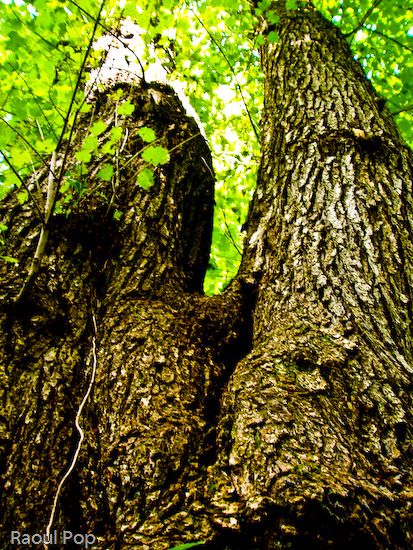
This tree almost looks like someone with their legs in the air.

Looks like legs

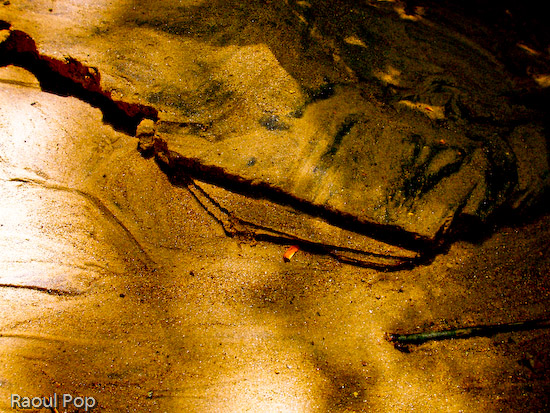
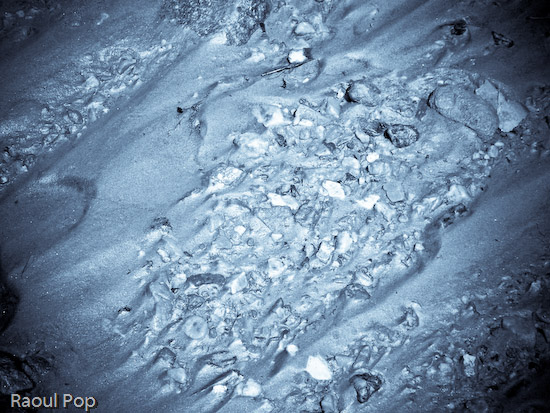
There was a nice little brook running through the forest, and some of its riverbed was exposed. Not only did we find beautiful pebbles, but we also found some great sand patterns.

Wet

Abstract sand patterns

Brook bed imprint

The light reflected beautifully off the water’s surface.

Water patterns

Leaves trapped among pebbles

Beautiful reflection

Lichen grew abundantly on a fallen tree trunk.

Lichen growing on tree bark

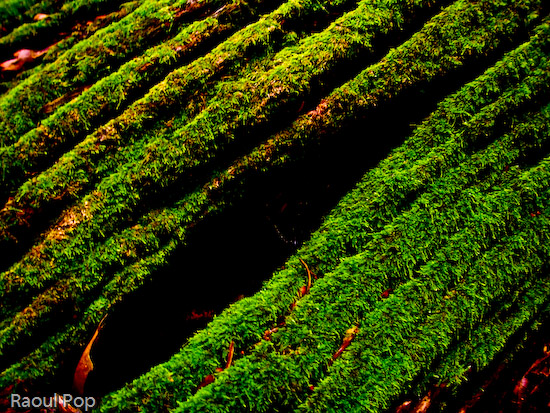
We also found thick moss, colored a deep green, growing on another fallen tree trunk.

Thick moss growing on tree bark

After almost two hours of wandering the forest, we were relieved to find the path once more.

Forest path

Standard
Places

Fantastic fall foliage

If you live in a place where you don’t get to experience the wonder of nature called fall foliage, then you’ll probably enjoy the photos I took on two trips to Shenandoah National Park and its most prominent and well-known feature, Skyline Drive.

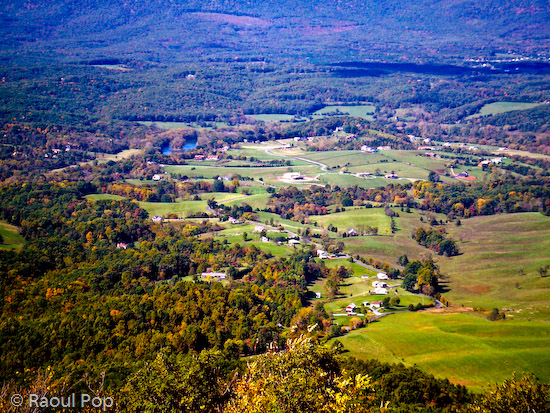
I wrote about our September trip to Shenandoah a few weeks ago. Ligia and I took a trip in October as well, and that’s when I got some pretty cool photos of the changing leaves. I think it’s pretty hard not to get good photos from Skyline Drive. The landscapes are just amazing. The road hugs the very mountain peaks, and you get to peer down into the valleys of Virginia and toward the peaks of the neighboring mountains. The overlooks are plenty and offer tons of scenic opportunities, although sometimes I wished I could just stop the car in the middle of the road to take photos.

It’s a gorgeous place! I’d like to take a week’s camping trip out there with a quality dSLR, batteries, lots of CF cards, and a good tripod, to see what photos I’d get. And maybe a good book to read in the quiet evenings, by the campfire.

Skyline Drive is shown below.

Skyline Drive

The road to color

What’s wonderful is that one can see little villages and houses in the valleys below the mountains. I took these photos from various overlook points on Skyline Drive, and as you can see, the valleys below are quite picturesque.

Little villages

Patches of green

Taking advantage of the wonderful zoom on my Kodak v610 point and shoot, I was able to get fairly close to the lake in this photo, even though it was quite far away.

Lake of color

Some of the slopes were just getting some autumn colors in them.

The colors of fall

Autumn starts

Some slopes were already fully colored, and they were quite a beautiful sight.

The colors of fall

Descent into the valley below

Shenandoah Valley

Barrage of color

A short walk through the forest yielded even more beauty.

Parallel lives

Trees on a mountain peak

A glimpse of the autumn sky

One of the other impressive sights was that of the lone peaks arising from the valleys adjacent to the mountain ridge. I found them quite unusual. In shape, they resembled hills, but they were as tall as the mountains we were standing on.

Peppered with gold

Overlook on Skyline Drive

And with that I close. The Shenandoah valleys and mountains are quite beautiful, and I invite you to visit them if you get the chance.

Incidentally, the Shenandoah Valley is part of the story in “The Howards of Virginia” (1940), a movie about a colonial family that played a part in the American Revolution. The title role there was played by Cary Grant.

Standard
Places

White's Ferry and Edwards Ferry (part 2)

On 10/2, I wrote about our trip to these two sites along the C&O Canal here in Maryland. I couldn’t post the videos at that time. With the aid of YouTube, here they are, in chronological order, for your enjoyment.

I filmed this as the ferry pulled up to the Maryland side of the Potomac, and cars started to drive off:

This one shows the C&O Canal Trail near White’s Ferry. It’s a peaceful walk through the forest, with Ligia up ahead:

These next two show us driving through the Maryland countryside, on an unpaved road in a field somewhere between White’s Ferry and Edwards Ferry. I believe the road is River Road, although the map is unclear on this.

This is the launch point at Edwards Ferry, which has no ferry any more, but it’s a nice and peaceful place to visit. The fact that is has no ferry is actually a plus, since there are no crowds there. You can park your car and hike around, taking lots of photos. What’s also interesting about Edwards Ferry is that the C&O Canal’s water stops right there. The canal wasn’t maintained between it and White’s Ferry. So it’s kind of cool to see water on one side of the lock gate, and grass on the other. This isn’t depicted in the video.

Standard