Lists

Condensed knowledge for 2007-05-08

Here’s the good stuff:

  • XKCD put together a hilarious map of the online communities. 🙂
  • Steve Jobs published an open letter to Apple users outlining the progress Apple is making toward being a completely “green” company. From the looks of it, Apple is ahead of most other folks in the technology field. Then again, it could also seem this way because of his reality distortion field.
  • A man traveling on a plane from Vietnam to Australia vomited a small bag containing something that looked like drugs. The plane promptly turned back, and meanwhile, the man vomited up two more bags. Apparently, this is quite common, and these people are called “drug mules”. Doctors found 30 more bags containing drugs in his stomach.
  • A flavoring agent used in microwave popcorn, by the name diacetyl, is blamed for bronchiolitis obliterans, an obstructive lung disease that affects popcorn workers. It’s also called “popcorn workers’ lung”, and there is no cure. A transplant is the only solution. Something to think about the next time you eat popcorn…
  • Want to see living conditions for coal miners back in 1938?
  • A remote-controlled robot uses thermal imaging to locate and destroy termites.
  • ProBlogger’s put together a post called “9 attitudes of highly creative people“.
  • Packet Garden is a really cool application that constructs 3D maps of your internet traffic.
  • Mental Floss is running a feature called “8 smooches that shook the world“.
  • Who holds the record for being arrested the most times? It turns out to be a man named Henry Earl.
  • Back in 1946, Mike the Headless Chicken roamed the countryside. Looks like Mike was going to be dinner, but the farmer cut too high, and left just enough brain stem for the chicken to still be a chicken. Although it couldn’t feed, it could walk and “socialize” with the other chickens just fine, and even managed to earn the farmer the equivalent of current-day $50K/week.
  • A Japanese firm has developed special packaging that contains an exothermic agent. Pre-cooked rice placed inside can be warmed up simply by pouring cold water inside the packaging. The reaction with the agent creates steam that warms the rice and gets it ready to eat in about 15 minutes.
Standard
How To

Discerning among LCD monitors

I’ve been looking at various LCD monitors lately, because I’d like to get one for my laptop. Truth be told, I’m more confused than when I started. There’s a dizzying array of prices among various brands, in the same size display, and not a whole lot of explanation as to why that is. Sure, every company touts their higher contrast ratio, higher brightness, more resolution, more inputs, etc., but that still doesn’t explain why the prices differ so much.

I’m looking at 20-22″ LCD monitors, and in that range, I’ve managed to find monitors in three price groups:

  • Around $250, I can buy this Sceptre or or X2gen (brands I haven’t heard of). I can also find similar prices from brands like ViewSonic, Samsung, Dell and HP.
  • From $600-900, I can get the 20″ or 23″ Apple Cinema Displays. The thing is, other than the distinctive design, the specs are actually less impressive than those of the much less expensive monitors in the first group.
  • Then, of course, there are brands like LaCie, with their professional LCD displays that start [*cough*] around $1,800 for the sizes I’m interested in.

So I did a lot of searching, and found out that manufacturers can fake the contrast and brightness measurements, so even though everyone touts their higher specs, you can’t trust them. Many of the monitors also don’t list a measurement that’s harder to fake, the gray-to-gray response time. I wanted to compare apples to Apples, if you will.

After a little more spec comparison, I found that the top of the line LaCie monitors list a spec that no one else seems to list, and that is the “gamma correction”. For example, their 321 LCD has 12-bit gamma correction. Less expensive models have 10-bit gamma correction. And that got me thinking: if, at least for LaCie, the price is proportional to the gamma correction bit depth, a higher spec there might be a good thing. But the less expensive monitors didn’t list it, and Apple didn’t list it either. What was I to do?

I gave Apple a call. After about 15 minutes of alternate talking and holding on the line for a sales rep while he consulted with the engineers, I got nothing but smoke and mirrors. Not that I think it was intended. I just think the rep didn’t have the info. He didn’t know what gamma correction was, and the bit depth of the gamma correction on Apple’s displays isn’t listed anywhere in the specs. The person he spoke with in engineering either didn’t know this or didn’t feel like sharing that bit of data. So the rep kept coming back to me with 16.7 million colors, which works out to 24-bit color.

I kept thinking, that can’t be right! Here LaCie is charging over $1,800 dollars for 12-bit gamma correction and Apple claims 24-bit on that spec at less than half that price? They would be an absolute bargain if that were true! But it’s not, at least not for that spec. I don’t doubt the Apple displays can show 24-bit color overall. But I still don’t know whether their gamma correction engine outputs 8-bit (the normal spec), 10-bit (the higher end), or 12-bit (the really high end), and this determines how well that 24-bit color gets displayed. This is important because the higher the bit depth, the smoother the color is. I’m a photographer, and I shoot in RAW. The files I get are either 12-bit or 16-bit color, and I can see some dithering in color tones when I look at the photos on my laptop’s screen. That means that even though my video card can display 32-bit color, my laptop’s effective display is less than 16-bit.

I have a feeling that given their price range, the Apple Cinema Displays are either 8-bit or 10-bit when it comes to gamma correction. If they’re 8-bit, then they’re overpriced given their specs, and they’re charging hundreds more based purely on design. If they’re 10-bit, that’s interesting, and it warrants a closer look.

So, as you can see, I’ve gotten nowhere. I’d love to have a reason to buy an Apple Cinema Display, but it’s got to be a good reason, based on facts, not sales fluff. I like Apple but I’m not a fanboy. At this point in time, I can’t see why I should spend more than $1,000 on an external monitor, so that rules out the LaCie LCDs and the other high end displays. That means if Apple can’t offer me a compelling reason for their higher price, I’ll go with one of the less expensive monitors and see how things work out. If and when I do, I’ll blog about it, so stay tuned. And by all means, if you’ve got some ideas about this, do let me know.

Standard
Thoughts

A white MacBook unwrapping

My mother was fed up with multiple crashes on her Windows laptop, and wasn’t sure what to do. Should she get a new Windows laptop? Should she try to fix the existing laptop? It was all very traumatic for her, because she lost precious data with each crash.

When I first suggested she switch to Apple, she said no thanks, she wasn’t going to learn a new operating system. She had little spare time as it was. But with time, she relented. I convinced her to visit the Apple Store at her local mall and play around with the computers. I remember a few months ago, she called me from the store, excited. She was willing to give it a try and consider a purchase. She wanted a laptop, and didn’t want to spring for the expensive MacBook Pro, so I suggested the MacBook. She liked the white one. I advised her to wait till they came out with the Core 2 Duo and fixed the random shutdown and discoloration issues.

Fast forward a couple of months, and I placed the order for her. I expected to wait about a week till Apple shipped it out, like I did with my iMac G5. Was I ever surprised when I got a shipment notification the very next day! I thought boy, they really improved… but in typical Apple fashion, they managed to mess up the order somehow. When I ordered my iMac, they sent me a Spanish keyboard and instruction manual. This time, they didn’t ship the Apple Care plan for the MacBook. [sigh] Some things are just the way they are…

I had the laptop sent to me, since I promised I’d take her through the switch. Now I’ve got my work cut out for me. I’ve got to import all of my parents’ documents , photos, music and other things from the PC backup files to the MacBook. As if that’s not enough, I need to transfer her Outlook-based mail archive to Apple Mail, and that’s not a walk in the park. Fortunately, I’ve done it before. When everything’s set up, I’m going to fly it down to her and hand it over. There may be an official hand-off ceremony, I don’t know, we’ll have to see.

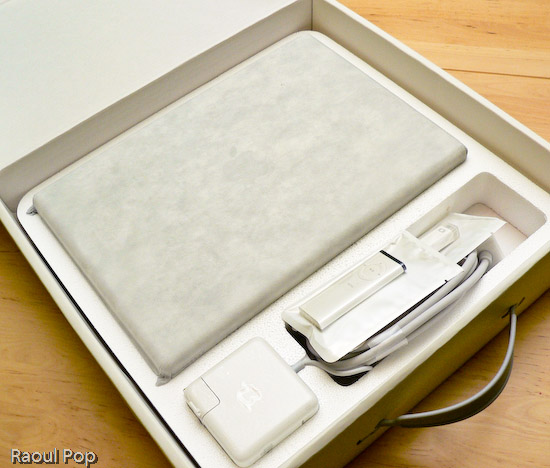
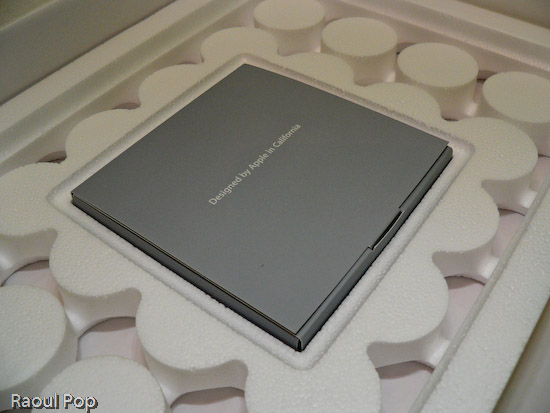
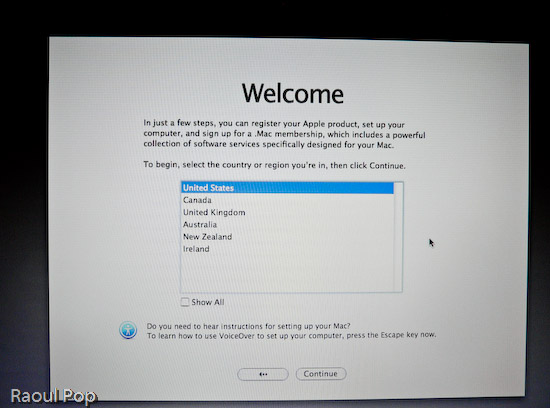
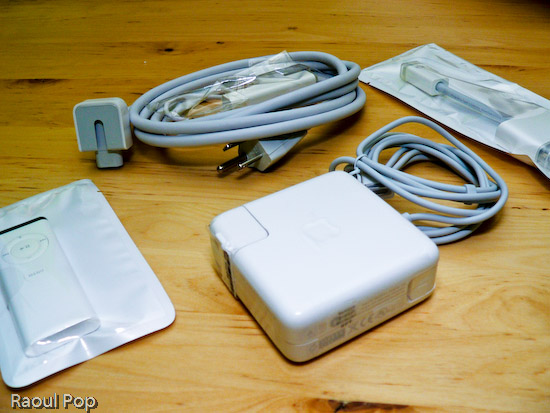
Anyway, the laptop arrived yesterday and I took it out of the box, duly documenting the process with photos. You’re welcome to have a look.

MacBook in its box

MacBook box opened

MacBook wires, adaptors and remote control

MacBook DVDs, manuals

13? White MacBook

13? White MacBook with lid open

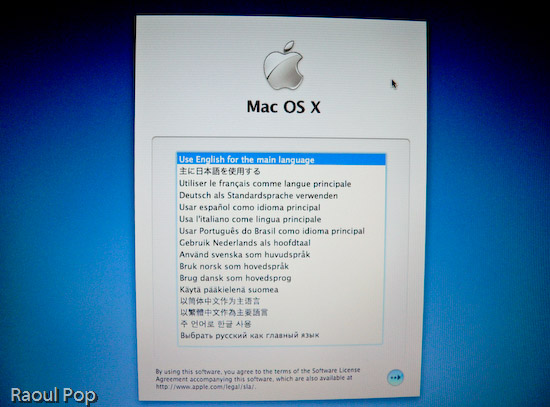
MacBook language selection screen

MacBook welcome screen

Standard
Reviews

Cannot edit EXIF data in iPhoto

Those of us using iPhoto (up to version 6) are probably pretty disappointed to find out that we can’t edit a photo’s EXIF data. What’s more, whatever data we add to the photo (changing title, date, description, rating) also doesn’t get stored to a photo’s EXIF fields. Instead, it gets put in some other associated file, and gets lost entirely when the photo is exported out of iPhoto — for example, uploaded to Flickr.

This may not be so bad for photos that we take with our digital cameras, because they’ve already got a good amount of EXIF data stored in them, but it absolutely stinks for photos that we’ve scanned in. I’ve got all of my family’s photos in iPhoto, organized and rated and dated. A good chunk of those photos — over 60% of some 17,000 odd photos — are scanned in. That means that when I email those photos or import them into a program like Picasa on my PC, or upload them to Zooomr, all of the date information and other data that shows up in iPhoto is lost, by design (and a poor one at that). Isn’t this ridiculous? It makes all of that time spent working with the photos in iPhoto useless. They pass through the program like a duck through water. All of that “water” drips right off when the photo’s out of the app. It’s just not right.

If I can crop and adjust a photo’s color, brightness, contrast, exposure, sharpness and other parameters in iPhoto, and have those changes be preserved when I drag that photo into an email, it stands to reason that any other changes made to the photo (date, title, description, rating) should also be preserved. Otherwise, iPhoto is really not a full-fledged photo management app.

Now, I understand there are apps like Aperture, Lightroom, and of course, Photoshop, for editing photos and getting at more of a photo’s EXIF data. But not everyone wants or needs those applications. They’re meant for users who do a lot more with photos. To me, even though I have Photoshop, it seems silly to open it up just to edit the EXIF data of a photo. And I’m not going to get Aperture just to edit EXIF data. Aperture is meant for professional photographers and I’m still just an amateur photographer. This is such a basic function that it should be integrated directly into iPhoto. If the EXIF data from a photo can be viewed in iPhoto, it should also be editable, and that same data should be preserved inside the photo when it is exported to the web or for use in other applications.

Standard
Thoughts

Apple Keynote Bloopers

Get your Apple schadenfreude here… A blooper reel assembled by MacTV and posted to Google Video. These are the perils that await you when you hold a tech show and the technology refuses to cooperate. Being live makes it a whole lot worse. Anyone know of a Microsoft blooper reel?

http://video.google.com/videoplay?docid=-6529834901915639077

Standard