I was thinking about the difference between hardware and software products designed for the consumer and those designed for the enterprise. In particular, I thought about how vocal consumers can be nowadays vs. companies, and how that affects the process of making and selling products to them vs. the business market. I think it makes it more difficult.
You’d have to be braver, as a company, to put your product out there for the consumers in this day and age when anyone can chime in and voice their opinion on the Internet — even when they’re not well-informed, or worse, they intend to do harm to your brand, for whatever reason. Whatever the pitfalls of this brave new age of feedback, it is a good thing, as you’ll see by the end of this article.
On top of that, consumer needs are a lot more varied than business needs. It’s notoriously hard to figure out what people want. Let me ask you something: when was the last time you spent your own time filling out an online survey? If you’re like me, that’d be years ago. How about filling out a survey at work, on the company’s time, because you got an invitation from one of the vendors? I bet that happens quite often. So you see, businesses making stuff for the enterprise have a much easier time figuring out what customers want, while those making stuff for the consumers are stuck paying people to take surveys and doing focus groups and who knows what else in order to get an idea of what they want.
Individual taste is also something that enters into the equation. Individuals will have different tastes, and while your product may appeal to someone, it might appear downright ugly to the next person. Generally speaking, taste and design have little do with enterprise products, which are utilitarian and function-oriented. They are meant to perform certain duties, and as such, not much thought is given to how they look.
How about the difference in ease of use between enterprise products and consumer products? I don’t think I can think of a single instance when an enterprise product was easier to use than a consumer product. Not one. Sure, they perform more complicated tasks, but still, little thought (if at all) is given to making the user interface easier or more intuitive. Mostly, enterprise products are difficult to use, difficult to navigate (if they’re software), difficult to learn, and overall, frustrating. You simply can’t get away with that when you make stuff for consumers, because no one will buy your products. They’ll laugh you right out of the marketplace.
Finally, how about price? Isn’t it true that enterprise products are insanely expensive when compared to consumer products? And yet, the rationale for that huge price difference is always hard for me to find. Every time I ask why they’re more expensive, the answer I get is because they’re enterprise products. That’s never been a good enough explanation for me. Sure, the market for enterprise products is smaller, and you have to price them higher in order to sustain your business — the economy of scale just isn’t there to make up for a lower price. Plus, the stuff you make for the enterprise has to perform more complicated tasks and be more reliable under heavy levels of use. But I’ve always believed that enterprise products were overpriced simply because they’re marketed for the enterprise and for little else — and I haven’t yet been offered any conclusive proof to the contrary.
A few examples came to my mind as I thought about all this. Let’s call them mini case studies. I want to look at each one in particular. First, we have two consumer products, the Drobo and the WD My Book Pro Edition II:
Drobo
The folks at Data Robotics had a tall order on their hands. They wanted to come up with a consumer-oriented product that would give people the benefits of RAID, the ability to increase storage space on the fly, the flexibility of using drives of any size, and a dead-simple way to replace hard drives. Did they succeed? Yes, I think so. On top of delivering on all of those functional criteria, they managed to design a beautiful enclosure, too.
Were the odds stacked against them? I think they were, and while people are enthralled with the product once they begin to use it, there are a lot of questions they need to answer for themselves before and after the purchase. One of them is the file system, called BeyondRAID. Is it compatible with other file systems? Can you get the data off the drives without a Drobo? Another issue is the price. People find the entry price expensive, and they’re quite vocal about that, wherever you look. (For a representative sample of what people think, just look at the comments section of my Drobo review — the 110 comments posted there should give you a pretty good idea.)
Besides all of this, the Drobo is a new product, literally. There is nothing quite like it on the market. Sure, it works in comparable ways to other external storage products out there, but still, the inner workings are new, and the way in which data is stored is new. That means resistance, automatically. When you go against the grain, you get friction. It’s the way things work. So that’s why I say creating the Drobo, marketing it, and actually selling it and getting people to use it properly was a tall order.
Data Robotics had to work extra hard at this. And it was crucial that they provide good product support, or they would have failed. When I say they provide good support, I mean it. You might say I’ve been a frequent user of their support plan — and the Drobo folks might say they could have done with a little less complaining from me.
If you should read through my Drobo review, you will see what problems I had. My situation was a bit different than most. I have three Drobos, two with me in the DC area, and one with my parents in FL. I got a chance to see how the Drobo would work through the changing seasons of a temperate climate in the DC area, on a PC and on a Mac, and also how it would work in a pure Mac environment, in the sub-tropical climate of South Florida.
Now my primary Drobo is a new, second generation, Firewire unit, which I’ve been using happily for the past couple of months. But over the past year since I bought the Drobos, I had noise issues and various other bugs that surfaced through my intense use of the other units, and I went through a few unit exchanges and many email conversations with the folks at Data Robotics. I can say, without a doubt, that they’ve been responsive, courteous, helpful, and even went out of their way to help me sort through the issues and replace units that I didn’t think functioned correctly.
What was their motivation? Perhaps they’re just good people. That’s quite possible. But that’s not what this article is about, is it? It’s about the difference between making consumer and enterprise products. So I think in the end it boils down to needing to work extra hard as a company, because they’re not only making a product for the consumer, but they’re making a new product and they need to carve out a slice of the storage market. Sure, they’ve got good name recognition now, but they’ve had to work extra hard at it, and I think that played greatly into the level of customer support they provided. For me, it’ll be interesting to see how their customer support evolves over time, as they become a more established company.
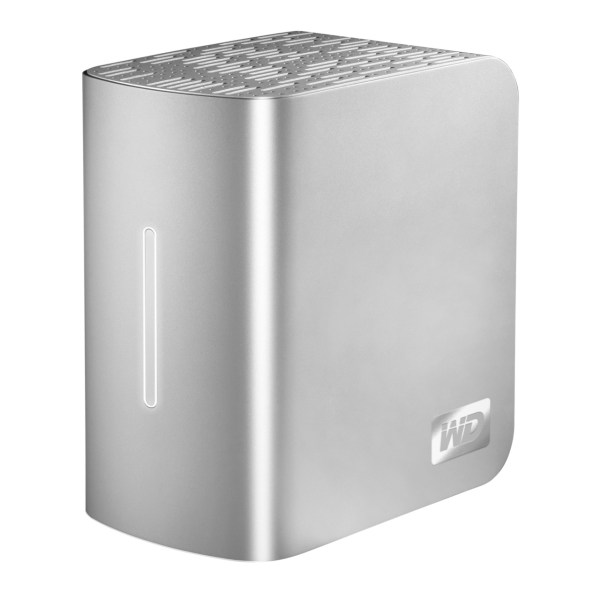
Western Digital My Book Pro Edition II
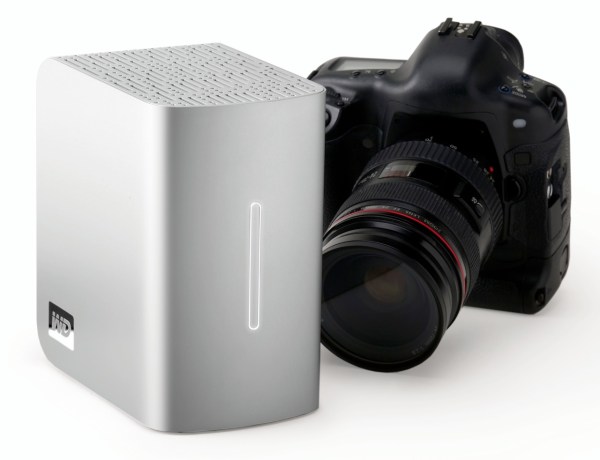
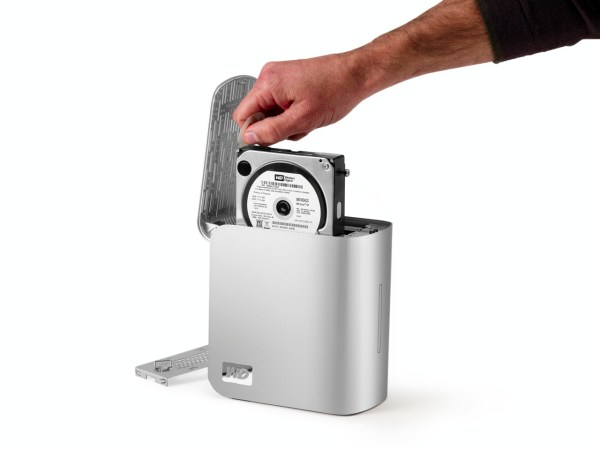
This external storage device was an example of how not to design for the consumer market. The drive was meant for the Mac user, although it could be used just fine on PCs. It was a triple interface (USB2.0, FW400 and FW800) device, but it only worked on USB or FW400, depending on who you talked to. It also overheated frequently, and it sometimes crashed the computers to which it was tethered. As if that stuff wasn’t bad enough, some people experienced data loss, or the inability to get at their data because the drive would either crash their systems or it wouldn’t stay on long enough for people to copy their data off it. For a good summary, see the Wikipedia entry for the WD My Book drives, or have a look at my two articles about the drive, one of them the original review, and the other detailing the problems I’d had with it. (I’m one of the cited references on Wikipedia.)
WD Support were responsive, but, at the first lines of phone support, also clueless. The were willing to help, but all they could was to keep sending me refurbished replacement units, each one in worse cosmetic shape than the other, and all exhibiting the same issues. The problems unfortunately ran deeper than a replacement with this line of drives, and WD never really came clean and confessed, which would have helped their image quite a bit. Instead, they were content to sweep the complaints under the proverbial rug and hope they would somehow go away. That didn’t happen. People were getting even more vocal, and there was quite a bit of talk about a class action lawsuit at one time.
I think the problems with the My Book Pro line were hardware-deep. I know WD tried to fix them via firmware upgrades, but they were only partially successful. While the enclosure design was nice, it didn’t lead to easy cooling of the drives, and they overheated. The circuit board was also not successful, and the USB and FW connections tended not to work properly. The on-board thermometer likely didn’t measure temperature correctly, and shut off the units prematurely because it thought they were overheating. It also caused the fan to run into overdrive, which made an awful racket.
Thankfully, a few people among the WDC executives saw the greater picture and stepped in to help in individual cases. I was one of those lucky cases. I got another replacement unit, this time a My Book Studio Edition II drive, which has worked wonderfully for me since day one. Stepping back from my case, I believe that if Western Digital hadn’t mended its image with the My Book Studio Edition, things could have gone badly for them. Just look at the comments left on my two articles (23 on the review and 104 on the one detailing the problems), and you’ll see that people were getting progressively angrier with the company.
I think the problem with the My Book Pro line of drives is that it was put out by a large company. WD just doesn’t look at the market the same way as Data Robotics does. First, they’re one of the big players in the storage market. They not only make enclosures, but they make the hard drives that go in them as well. That’s actually the biggest chunk of their business. When they launched the Pro line, it was just another model line in their large product lineup. Did they do proper product testing and QA? The tally of the real-world results comes in at a resounding no. Did they listen to the customers as the first problem reports came in? No. Did they address customer issues appropriately? No. I bet there still are plenty of My Book Pro users out there who can’t use their drives properly, if at all. I think things went differently in my case because I was vocal about it. My article gained traction and as it started to come up on the first page of Google search results (it was up among the first results for a while), and it posed a real threat to the company’s public image, which they needed to address.
As a side note, I’m glad they chose to address my case correctly. They were polite and helpful in their interactions with me, and while I had to wait a long time to get the final replacement, I didn’t get bullied in the meantime. That was nice.
To get back to the root of the problem, WD just didn’t look at things properly. They put out a faulty product because they thought they could afford to do so (they probably didn’t think that as they were making it, but when a product is one of many, that’s the unspoken thought). They had a dismissive attitude toward the consumers because they were big and thought they could ignore them, and in the end, it cost them.
Now let’s have a look at two enterprise-level products and see how the rules change in this market. I’ll be talking about a DNF SAN and VMware. First though, I want to look at customer feedback in the enterprise arena.
How feedback works (or doesn’t) in the enterprise market
What you’ll find here is the customers (the companies, rather) will tend to be much quieter than consumers when things don’t work as expected. This happens for multiple reasons.
For one thing, companies as a whole don’t have an outlet where they can complain about things like this. The larger the company, the tighter the rein on public relations, as they call it. You won’t find employees going on the company blog and writing about their bad experience with a product. It just won’t happen, because at traditional companies, every post tends to get vetted by multiple pairs of eyes, each concerned with legal and marketing and general image issues.
If the employees won’t do it, the company executives won’t do it, unless it’s off the record, among themselves, at certain gatherings. It won’t be in the public arena, unless a particular products stinks very badly and the company needs to blame it in order to account for poor results during a quarter or year, etc.
You also have resistance from within to let others know that a product is a real stinker. After all, when you’ve just spent a few tens of thousands or more on some fancy piece of hardware that’s supposed to solve your problems, and you find out it stinks, you can’t very well go to the executives and tell them you need to spend another five or six figures on another piece of hardware, because they’ll think you’re incompetent and you didn’t do your homework before recommending the purchase.
Another reason is that you don’t want to spoil a partnership. If your biz dev guys have just worked for months to get a partnership started and the company has put out marketing materials advertising said partnership, and there is promise of work in the future involving said partnership, you can bet your bottom dollar your company’s not going to go public with allegations that a certain product made by their gold/platinum/diamond partner stinks. And if you raise too much of a stink, internally, about said product, you’ll be told you’re not a team player, and you can’t be trusted to work with the valued company partners. What’s more, if the tone of your emails toward said partner gets angry, you may even be counseled.
There’s another ingredient to throw in this mess: the fact that most (if not all) support forums for enterprise products are behind login screens. Even if you should log on as an enterprise customer and voice your complaints on the company forums, those complaints will not show up on search engines, and other potential customers won’t be able to see that you’re having problems with the product until they, too, spend ridiculous amounts of money for the right to use said product and log onto the product forums, after which they find out they should have stayed away from it.
What you’ve essentially got is a muzzle on the customers in the enterprise market, for the reasons stated above. Is it any wonder then, that the companies making such products have very little incentive to be responsible, and to make good products? They can afford to charge ridiculous amounts of money for buggysoftware, ugly hardware, and despicable user interfaces, because the enterprise customers will pay for them and like it, or else.
Now, I’m not saying this is what happens most of the time, but let’s face it, when you’ve got a muzzle on your customers’ real-world experiences with your products, there’s little to keep you from going in the wrong direction and staying that way.
DNF Storage SAN
At one of the companies where I worked, we used to call it the “Does Not Function” SAN, which was a (sadly) true play on the acronym for its maker (Dynamic Network Factory). This SAN was purchased for the sole purpose of working with a VMware server cluster to act as storage for the company’s virtual servers. It never worked correctly. It was supposed to connect through iSCSI to the servers that controlled the cluster, and the iSCSI kept failing, time after time after time. Sometimes the RAID would fail, too. Throughput could never be maintained, the virtual machines sometimes didn’t want to boot up or took forever to do so, writing to the disks and reading from them was horribly slow, etc.
When the company called DNF, they got some support, but mostly, they were told the issue was with VMware. When they called VMware, they were told the the DNF SAN was no longer approved to use with VMware’s enterprise solutions, although it had been on the list to begin with, and that’s why it had been purchased.
Bottom line is the company got stuck with this thing which didn’t do its job and cost a pretty penny to boot. The staff bandaged it together and kept it going somehow, with frequent outages, until money could be gotten together so they could buy some SAN devices from EMC (VMware’s parent company). Those were on the aproved list of SANs to use with VMWare — funny how that works, isn’t it?
But wait, the fun doesn’t end here. Once the virtual servers were transitioned over to the new EMC SANs, the company wanted to repurpose the DNF SAN and use it as storage for various backups from their other servers — basically, use it as a network hard drive. It failed miserably at that task as well. First, one or more of the hard drives went, corrupting the RAID array. That meant starting from scratch. Once the setup was completed and another server stood up, people started copying data to it, and it got corrupted again. This time, it went down and stayed down for good.
At that point, after 2 years of struggling with this thing, and the support contract expired (not that the support was worth much anyway), the company was stuck with an expensive piece of hardware that took up space in the server racks and served no purpose whatsoever.
VMware
I’ve been working with VMware technology, daily, for the past two years and a half. I worked at a company which I think was at the forefront of using virtualization technology. We had production virtual servers when most companies were still only testing the waters. That was cool. Getting support from VMware with various issues that came up as we transitioned our physical servers to virtual ones and started to use them heavily, was not so cool.
While I wasn’t the main point of contact between our company and VMware, I had to take charge in a couple of situations when the POC was out. I remember quite well this one occasion when one of my production servers went down while live, and I couldn’t get it back up. It simply refused to boot at first, and when it did boot up, the networking went out. I called VMware and filed a support request. I asked them to mark it as urgent. I was promised while on the phone that someone would get back to me within 2 hours. No one did. I called again and was assured someone was researching the issue. I waited several hours. No one got back to me. I then called again, but couldn’t reach anyone. It was already the weekend. I kept monitoring my email account on Saturday and Sunday to see if anyone would get back to me, and no one did. On Monday, the main VMware person at our company was in, and he was able to get the server going again. On Tuesday, a VMware rep finally got back to me and, as if nothing happened, asked how the server was doing. I recounted the story, told him a 5-day delay in his response is not adequate for an issue marked as urgent, and expected an apology. I never got one, nor did I hear from him again. So I had a production server that was basically out of commission for a whole weekend, and VMware didn’t give a damn.
That’s not all. You remember from the DNF SAN story above that VMware kept blaming them for the iSCSI bandwidth/throughput issues. For about a year and half, we had to put up with slower than normal servers that could take as much as a half hour to boot up, not to mention that they’d often lose their networking connection on reboots, causing us to toggle between the internal and external virtual network cards multiple times in order to get it going again. When they did boot up, they just weren’t as fast as they should be. VMware and DNF SAN kept passing the buck on these issues.
When the company finally purchased EMC SANs, the problems didn’t go away, but at least VMware couldn’t play the blame game any more, since it was now their own hardware and software. Even then, it took countless hours on the phone with the VMware and EMC reps to get the issues resolved. After that, it could safely be said that the servers were adequately fast, and they booted up without issues, but bandwidth was still a major issue. Even though the company had a Gigabit network, writing data to and copying data from the virtual servers was still not at Gigabit levels (not by far), and I think that’s an issue with the iSCSI connections between the SAN and the VMware production cluster. This is why I said at the beginning of this diatribe of mine that iSCSI connections are problematic.
Another gripe of mine with enterprise software is that it’s needlessly complicated and badly designed. Sure, their virtual infrastructure client is pretty good, but we tested a piece of EMC (VMware’s parent company) software designed to keep virtual servers in sync (I forget its name), and boy, did it stink… First, it was hard to figure out what do do with it and how to do it. Second, the GUI looked as if it’d been designed in the early 90s by some dude with no taste whatsoever. Third, it cost plenty, too. The company ended up not using it.
Summary
If you’ve read this far, I’d love to hear what you think, although I’ll understand if corporate folks reading this would rather not say anything.
I’d also like to make it clear that I’m not singling out the companies and products I’ve named above because I have something against them. I don’t. I do have something against badly designed and overpriced products, no matter who makes them. I think as Western Digital proved, a company can turn things around if they want to, and in that case, I’d be glad to praise the things they’re doing right (see the WD My Book Studio review).
I hope I’ve made it clear that customer feedback is important. It’s very important as a matter of fact. Furthermore, I believe that public customer feedback, as in the case of people voicing their concerns on the Internet about a certain product, makes a company more responsible and more responsive to the needs of the marketplace. It also makes it harder for a company to create products for consumers, because the pressure to deliver a success is greater. But that’s a good thing, because if you’ve got a hit, word quickly gets out and the potential for profit is greater. That should make the bean counters and the execs happy.
When you muzzle your customers though, as is currently the case in the enterprise market, there is real potential for abuse. Companies have little incentive to price products correctly and to address issues that come up once those products get used. There is also no real incentive to design things well, so they look good and are easy to use, and I’m talking about both software and hardware here.
I think that we need to have a more transparent customer-vendor feedback loop in the enterprise markets. I think business customers ought to feel it’s their right as consumers to voice concerns about vendor products publicly if the vendor fails to address them privately. After all, when you’re paying five and six figures (or even more) for enterprise-level solutions, then you ought to get your money’s worth in every sense of the word.

















 Raoul Pop
