
- Stocks Rocket on Fed Rescue Plan http://tinyurl.com/yvhcfb #
- The IPv6 experience: Are you experienced yet? http://tinyurl.com/38nddr #
- JPEG v. RAW – TWIP http://tinyurl.com/yvv4qq #
- Green light for Northrop Grumman Airborne Laser Mine Detection System http://tinyurl.com/2k6kdq #
- Researchers develop smell based fire alarm to aid the deaf http://tinyurl.com/2jpnzx #
- Funny Animals, Part 10 http://tinyurl.com/32rfrd #
- EXIF and Beyond: Mastering Digital Panoramic Photography http://tinyurl.com/3ytfpe #
- GE demonstrates newspaper printing-like process for OLED manufacture http://tinyurl.com/32ncey #
- The Red Truck: 1940 http://tinyurl.com/3a7ctq #
- DIY Users Set Up ‘Vista Workstation’ http://tinyurl.com/2ts2bf #
- Morning (LOL) http://tinyurl.com/33sug7 #
- Second lease of life: researchers develop online character with reasoning abilities (Waste of time imo) http://tinyurl.com/3a5zns #
- ThruVision’s T5000 security system sees through clothing http://tinyurl.com/2jr2mf #
- Largest wind power transmission project in U.S. underway http://tinyurl.com/3xhbae #
- This is a pretty cool proposal story: http://www.flickr.com/photos/jonathanm71/2328107763/ #
- Lawmaker May Use Antitrust For Net Neutrality http://tinyurl.com/3clo3o #
- Solar-Collecting Roads Heat Buildings in The Netherlands http://tinyurl.com/3x7ycw #
- After the Bath: 1909 http://tinyurl.com/2jh6kn #
- Now bigger, Google prepares to get smaller http://tinyurl.com/2xah8z #
- First Impression: Surly Big Dummy http://tinyurl.com/3y7oz2 #
- Cool Concepts – The iStick http://tinyurl.com/2klqrn #
- Cool Concepts – The Curved iMac http://tinyurl.com/2urbvz #
- How Aware Are You? http://tinyurl.com/24cmxf #
- Neighborhood Watch: Great Scot! http://tinyurl.com/2fc3pu #
- Gates Wants More Professional Visas http://tinyurl.com/39kgqd #
- Proviso Yard: 1942 http://tinyurl.com/2ycmc6 #
Tag Archives: design
Lots to like about new MacBook Pro

On 2/26, Apple updated their entire MacBook line of laptops with better and faster hardware. I expected that announcement some time this month. I think they surprised most people by making it in February.
I’ve been waiting to purchase a MacBook Pro for some time, and with these latest updates to the hardware, Apple has made their laptops irresistible. Not only have they gotten faster processors, bigger hard drives and more video memory, but they also inherited the multi-touch trackpad from the MacBook Air, which should make it easier for me to work with my photos.
I wrote recently about my frustration with Apple’s less than transparent specs for its hardware. One of my points of contention was the display of the MacBook Pro. Well, I’m willing to forgo that point in view of the MBP’s plentiful other advantages. I need a fast laptop, desperately so, and my only choice if I want to run Mac OS X (which I very much want to do) is to get the MacBook Pro. (The regular MacBook doesn’t have the dedicated video card I need, and its display is too small for my eyes.)
I also know about Hackintoshes, but I’d rather stay on the legal side of things. I hope that at some point, Apple will decide to make OS X available on non-Apple hardware that meets stringent hardware compatibility tests, but for now, I can only get OS X on Apple computers.

I’m looking at the 15″ MBP, and it’s quite possibly the best laptop on the market in that size, barring a few issues that I’ll outline below. First, here’s the configuration that I plan to get. I’m very pleased with Apple’s new pricing. I can get this configuration for about $300 less than a comparable high-end config (2.4GHz/2GB RAM/200GB drive) on the previous 15″ MBP.
- 2.5GHz Intel Core 2 Duo
- 2GB 667MHz DDR2 SDRAM – 2x1GB (I plan to upgrade this to 4GB RAM with modules from OWC)
- 250GB Serial ATA Drive @ 5400 rpm (I wish I could get a 300GB drive, but that’s only available on the 17″ MBP)
- SuperDrive 8X (DVD±R DL/DVD±RW/CD-RW)
- MacBook Pro 15-inch Glossy Widescreen Display
- Apple Remote
- iWork ’08 Preinstalled
- Backlit Keyboard/Mac OS – U.S. English
- AppleCare Protection Plan for MacBook Pro
Now here are the things that bug me.
No HDMI port
I don’t know why Apple still insists on DVI connections when HDMI ports are much smaller and carry both video and audio. The MBP would be perfect with an HDMI port, and I would be able to hook it directly to an HDTV and play movies with full digital video and audio directly from the laptop, without needing to connect both a bulky DVI cable and a separate audio cable. This sort of thing just doesn’t go with Apple’s design philosophy. An HDMI connection means less clutter and it’s simpler to use than DVI. Why not go to it?
Top lid is flimsy
Here’s a test for you. If you already have an MBP, press down on the center of the top lid (Apple logo or its immediate area) and see how much it caves in. That’s just not strong enough. The aluminum enclosure is too thin, and it’s not bolstered by cushioning underneath. It needs some support under there. It’ll easily dent and possibly damage the LCD if pressed or bumped lightly against something. I had an aluminum 17″ G4 PowerBook a couple of years back, and I remember its top lid being sturdier than the MBP’s.
Another problem caused by the flimsy top lid is that the keyboard ends up scratching the LCD when the MBP is transported. The simple act of holding the laptop under your arm or in your hand, or putting it in a case and hauling it around will put pressure on the lid and rub the LCD against the keyboard. Over time, the keys will leave scratches on the LCD. That’s not right. I’d rather not carry around a felt cloth and put it between the screen and the keyboard, like I’ve seen some people do. The lid should be made sturdier, and either the display or the keyboard should be sunk lower in the laptop frame, so there’s less likelihood of them rubbing together.
LCD is 6-bit color with dithering
It looks like most, if not all laptops, have 6-bit displays, with varying qualities of dithering engines and color capabilities. So while it’s unfortunate that Apple can’t pull away from the pack on this one and offer 8-bit color in its laptop displays, at least the MacBook Pro display is great to look at for extended periods of time and does a decent job of displaying colors properly, which is more than I can say about most laptop displays.

Bottom line
Other than the few things described above, I can’t find any faults with the new MBP laptops, and look forward (eagerly) to getting my very own soon.
[Photos courtesy of Apple]
Condensed knowledge for 2008-03-05
- Bourne Energy’s RiverStar: a fresh approach to hydropower http://tinyurl.com/34j39h #
- Analysts see ‘ringback tones’ becoming an $800 billion industry http://tinyurl.com/2nbd6x #
- Ringback tones are one more way for fiscally dumb people to spend their money. Completely pointless ways to show off. #
- Nokia Trips the Silverlight Fantastic http://tinyurl.com/3cftxs #
- New colors, button-shift and accelerated market expansion for 3-wheel Can?Am Spyder roadster http://tinyurl.com/367mf2 #
- The good, the bad, and how to make me cry http://tinyurl.com/3dxp2c #
- Creating and Entrapping Terrorists http://tinyurl.com/22x6pk #
- The way infants and adults see color is processed in… http://tinyurl.com/33t9ud #
- How to Inoculate Your Children Against Advertising http://tinyurl.com/37w87u #
- Creating Sidebars That Work http://tinyurl.com/34mhx9 #
- Secrets: Another Way to Manage Secret Prefs in your Mac http://tinyurl.com/3543eq #
- Airship Dreams http://tinyurl.com/37kkjz #
- Daylight savings is found to waste energy http://tinyurl.com/3br78v #
- Economical dual-fuel TSI concept from Volkswagen http://tinyurl.com/3agevd #
- A new type of car door – the dragonfly wing http://tinyurl.com/3dfum4 #
- Illustration: Mabel Lucie Attwell’s Peter Pan and Wendy http://tinyurl.com/32lgdx #
- AOL swings doors to its IM service wide open http://tinyurl.com/2zu5ck #
- Brace yourselves for a possible actors strike http://tinyurl.com/2ly4qy #
- 14 Awfully Simple Things to Be Grateful for in Your Daily Life http://tinyurl.com/3y8kg7 #
- Are we actually ready for the multicore and virtualization era? http://tinyurl.com/2rul7w #
- Prospects for Flash on iPhone dim with Jobs comment http://tinyurl.com/25z7wn #
- Tiny Ferris: 1914 http://tinyurl.com/2j2mqg #
- All (Baby) Bottled Up in Montmartre http://tinyurl.com/2knaxx #
- AT&T to invest 1 Billion worldwide for expansion http://redir.internet.com/rss/click/www.internetnews.com/breakingnews/article.php/3732261 #
- Apparently the Google Reader + Twitter Greasemonkey script has a problem with ampersands in the article title. #
- 8 Lessons Bloggers Can Learn From Sony http://tinyurl.com/2lhnj5 #
- Set a Blank Password in Windows XP To Protect the Computer from Internet Attacks http://tinyurl.com/2fwevp #
Reagan National Airport
As you read this, Ligia and I are supposed to be in Florida. Instead, I’m back at work. We were supposed to fly out yesterday. Everything was set. We were really looking forward to it.
We got to the airport, checked in, went to the gate, and noticed that our flight was listed as leaving at 6 PM instead of 4:50 PM. A few minutes later, an elderly lady came by and asked if we’d heard that the flight was canceled. No, we hadn’t. Five minutes later, the notice was posted — the flight was canceled indeed, because of bad weather in FL.
To make matters worse, there were no other outgoing flights. All were full. The earliest available flight was on Saturday. No thanks. We went around to all the other airlines and checked. They had nothing, unless we were willing to pay Monopoly prices and fly tonight or on Friday. That would have been okay if only we could have paid with Monopoly money…
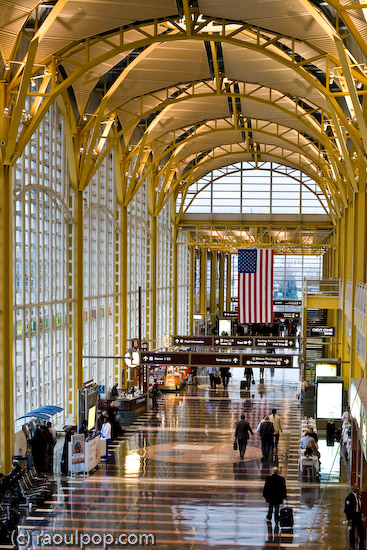
What were we to do? We could have gotten angry, but that would have been pointless. So I took out my 5D and started taking photos of the airport. I’d always wanted to do it and never got around to it. Isn’t DCA beautiful?
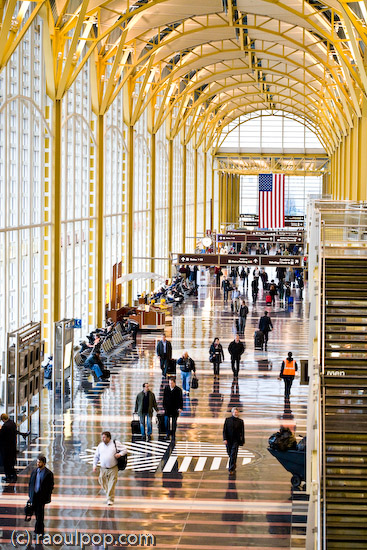
The main floor is shown above. I love the pillars and arches supporting the roof.
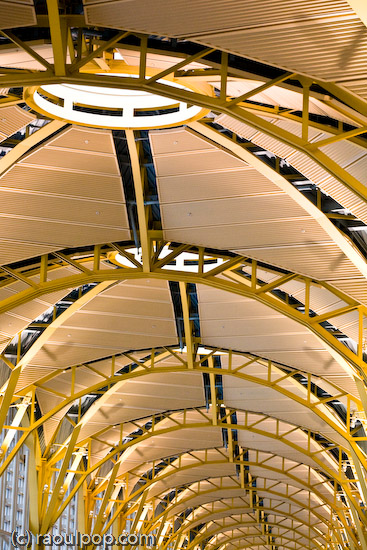


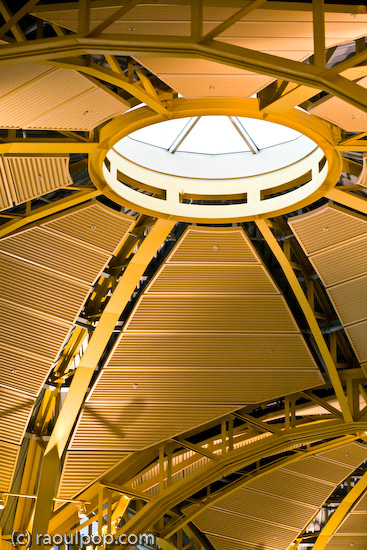
The ceiling is made up of repeating cupolas, as you can see above, and each cupola has a skylight in its center. It’s such great design!
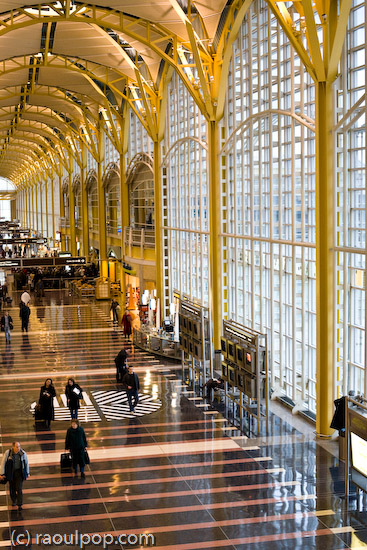
I think I could spend a few days walking around the airport and taking photos. There are so many possibilities with the light, as it comes through the wall of glass or the skylights and reflects off the floor… It’s just beautiful, and if you get the right mix of people walking through (not too many, not too few), it really makes the place look great!
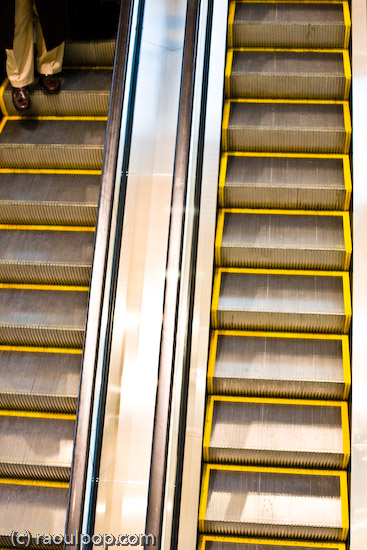
I leave you with an outside shot of the control tower, taken from the Reagan National metro station. It felt pretty painful to get right back to it a few hours after we’d just left it, on our way to FL…

Grosvenor metro station
There’s a neat tunnel that goes under 355 (one of the main roads in our area) and surfaces right at the Grosvenor-Strathmore metro station, under a beautiful canopy of curved glass, framed with steel ribs and anchored with pillars.


If you’ve ever seen one of the old classic cars (early 1910s and 1920s) that had the pull-down roof which folded in the back, the glass canopy follows the same concept, except (of course) it’s anchored in the up position all the time. Come to think of it, the design also recalls the large, see-through fuselages of the big bomber planes of WWII. The effect is a successful combination of post-modernism with industrial-age design elements.

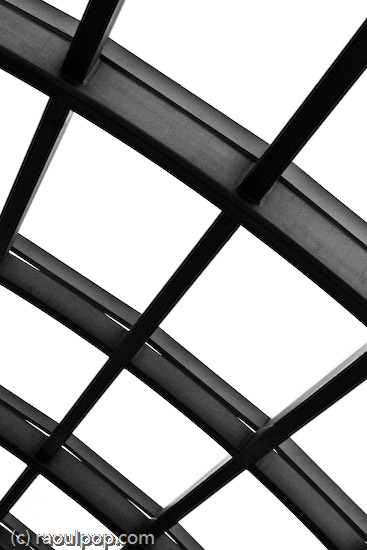
The same canopy design (initially restricted to just a few metro stations) has now been extended to all of the stations I’ve visited. The canopy sizes are varied based on the size of the tunnel that leads down to the metro. I’m glad to see a good design philosophy being consistently applied and adapted to existing conditions, and I congratulate WMATA on making sure the work was carried through to completion.
This is my Week 6 submission for the 2008 Community Challenge.
 Raoul Pop
