Reviews

Hardware review: WD My Book Studio Edition II

WD MyBook Studio Edition II - 02

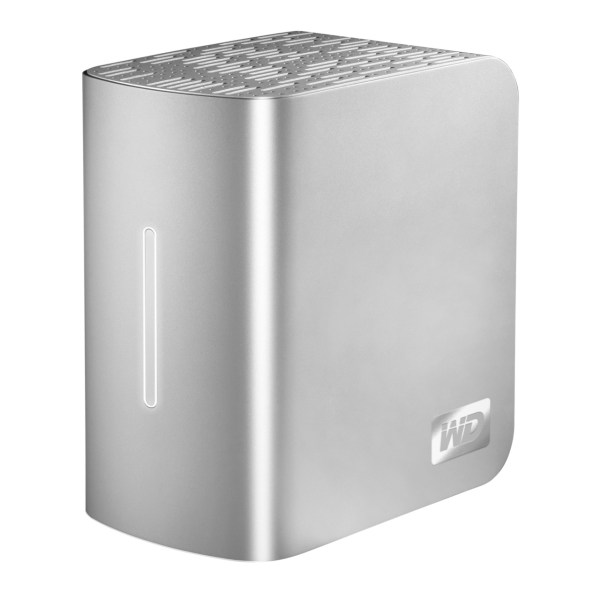
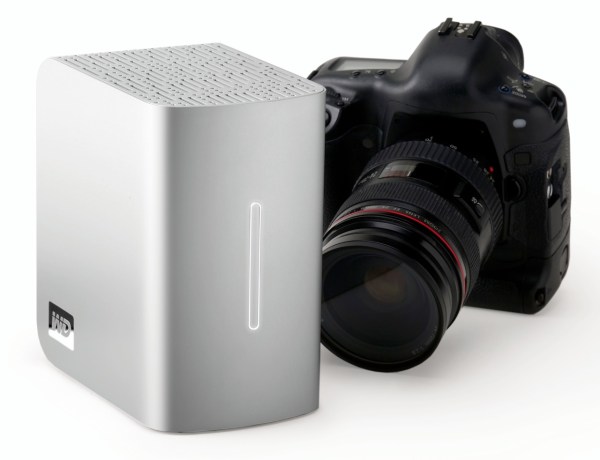
I have been working daily with a WD My Book Studio Edition II drive for the past eight months (since April ’08). I mentioned it back in July in my popular “What’s on my desk” post. It is a quad interface (USB 2.0, FW400, FW800, eSATA) 2TB drive that can run in RAID 0 (2TB total space) or RAID 1 (1TB total space). My review can be summed up in these three words: it works great.

I should say here, just as I said in my other two reviews of the My Book Pro Edition drive (see paragraph below for links), that this drive was given to me by WDC as a replacement for my faulty My Book Pro drive. I didn’t purchase it, but at the same time, I am under no obligation to anyone to praise it needlessly. I do so because it has really worked for me.

After all these months of heavy use, I have nothing bad to say about this drive. I have put it through its paces, transferring terabytes of data back and forth from it to my laptop and to my other drives, I have used it daily, I have put it through sustained data writes of several hundred gigabytes at a time, and it has not failed me yet. In stark contrast to my experience with the WD My Book Pro Edition II drive, this drive has outshined all of my other external storage devices, including my Drobo.

True, while nothing beats the Drobo when it comes to sheer storage space and flexibility in terms of its building blocks (the drives themselves), the My Book Studio Edition II drive has been faster than the Drobo when it came to working with my photos in Lightroom, in both RAID 0 and RAID 1 modes, and it has also been faster when it comes to data transfers (writing to the drive itself).
WD MyBook Studio Edition II - 07

I did not have a chance to use the drive through the eSATA interface. I used it mostly through the FW800 interface, and, briefly, through the FW400 and USB interfaces. Given that it can transfer data at up to 3GB/s through eSATA, I might just buy an adaptor for my MacBook Pro in the future. I was pretty happy with the FW800 speeds though (up to 800 Mb/s).

My feelings about this drive are somewhat harder to understand for those of you that have not had to deal with a My Book Pro Edition drive. If you did not have to put up with constant overheating, data loss, fan noises, disconnects and computer resets while using that drive, then you can’t possibly appreciate how WDC managed to get things so right with the My Book Studio Edition drive.

Somehow, they have, and for me, it’s a pleasure to use this drive. It suffers from none of the problems of its predecessor. It works reliably, each and every time. It’s fast. It’s quiet. It doesn’t overheat. It doesn’t cause my computer to crash. It doesn’t lose any of my data. The enclosure looks even better. The white LED on its front is much less annoying than the blue LED on the My Book Pro. It has greater capacity. It has more interfaces. It has a 5-year warranty, which amazes me when I consider that most tech products have a 3-year projected lifespan. The list goes on and on, and I have only good things to say about it.

The drive uses the new GreenPower drives from WD, which use 30% less energy and do not get as hot as older hard drives. This means the new enclosure doesn’t need a fan. Another cool thing is that it’s much easier to replace the hard drives, since you won’t need a screwdriver. The enclosure opens easily, and the hard drives pull out with the aid of tabs. Having needed to open the enclosure for the My Book Pro Edition drive, I can tell you it was a lot more convoluted than this.
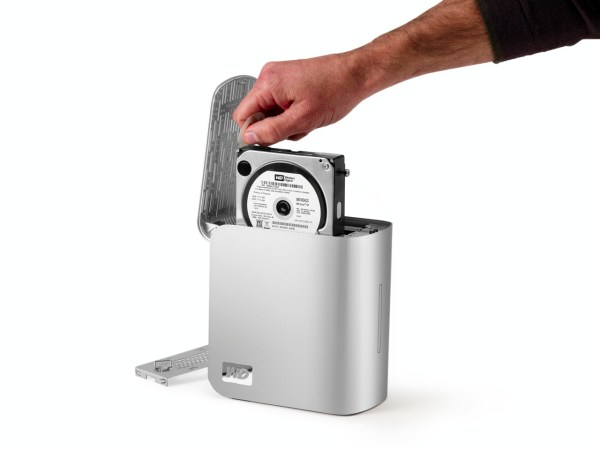
WD MyBook Studio Edition II - 08

The wonderful thing about this drive is that it’s such a great deal right now. As I pointed out in a previous how to article entitled “A look at hard drives: finding the best deals“, it’s always a good idea to compare the price of the hard drives themselves to the price of the enclosure plus the hard drives, to see how much you’re paying for the packaged, branded product, and whether it’s worth it. Well, 1TB hard drives are anywhere from $100-140 at the moment (there are two of them in the My Book Studio Edition II), and the product itself costs about $280-290 right now. That means, if you factor in the best price scenario for the hard drives, that you’re getting a quad-interface enclosure which is quiet and it actually works on most computers (which isn’t something I can say about other off-the-shelf DIY enclosures) for about $80-90. That’s a great deal in my book.

Detailed specs for the My Book Studio Edition II drive are available from the WDC website. You can buy it from Amazon or from B&H Photo.

Photos used courtesy of Western Digital Corporation.
Standard
Lists

Condensed Knowledge – November 24, 2008

Shared from among my feed subscriptions:

Standard
Reviews

Hardware review: WD My Passport Studio

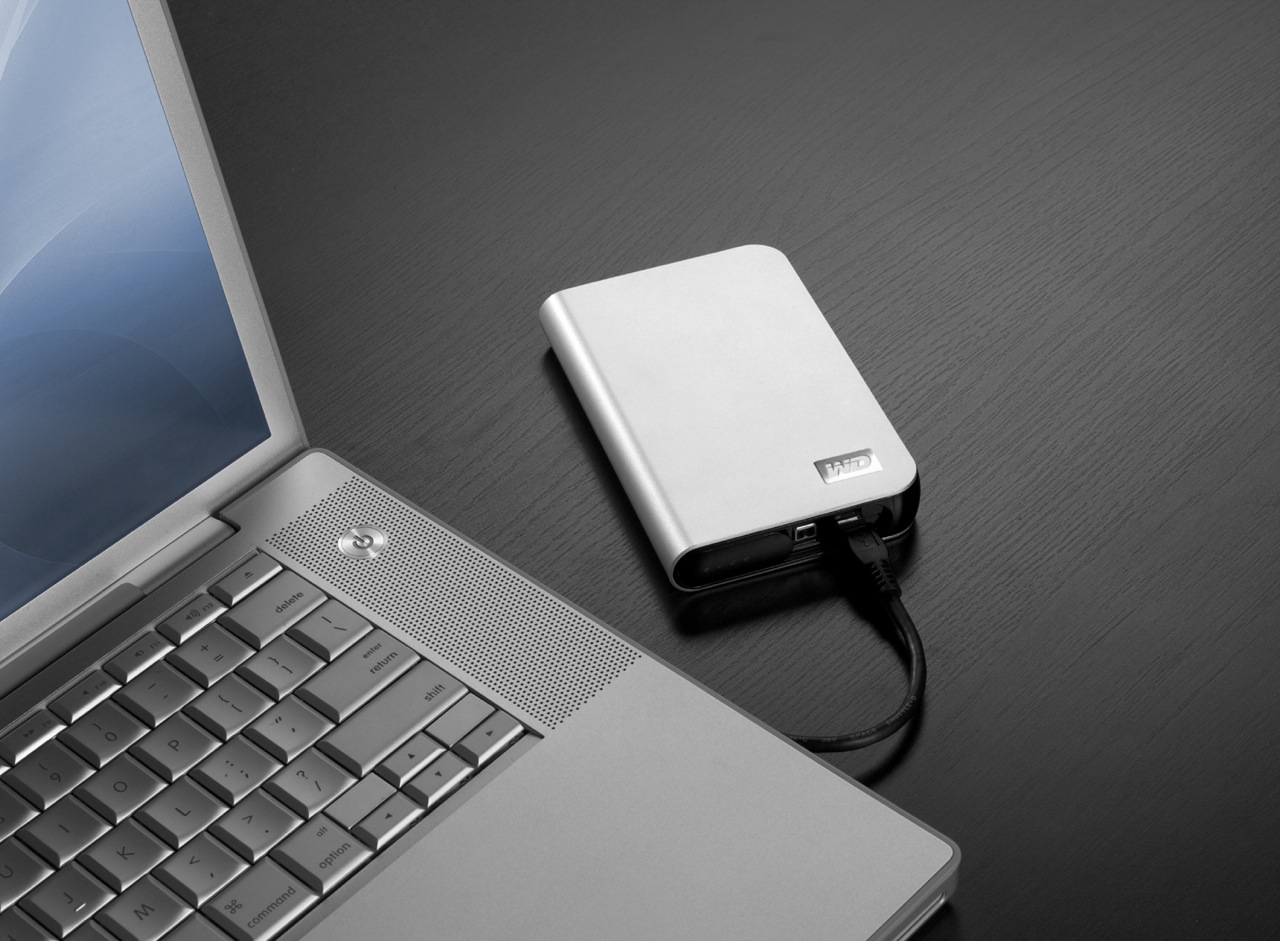
While the WD My Passport line of portable drives is a couple of years old, their My Passport Studio models are new, and their specs and capacities were greatly improved recently. The My Passport Studio line is meant for Mac users and comes formatted in HFS+, although the drives can be used just as well with Windows machines if they are reformatted to NTFS or FAT32.

On 10/30/08, WD introduced Firewire 800 connections and new capacities (400GB and 500GB) for these wonderful little drives. The base capacity was upgraded to 320GB, and the 250GB size was phased out. These latest drives feature triple interfaces (USB 2.0/Firewire 400/Firewire 800), which is something one normally sees only on external desktop hard drives (the 3.5″ size).

Technology moves fast, doesn’t it? Just a few months ago, the My Passport Studio models featured USB 2.0 and Firewire 400 connections. The top capacity was 320GB. I myself have a 1st generation My Passport drive, a 160GB model with a USB 2.0 connection. I bought it in February of 2007, and it’s worked great ever since.

The more recent models from the My Passport line have something that my 1st gen My Passport drive doesn’t have: an external capacity gauge. I think it’s neat to see how much space is used up on the drive at a glance. These latest drives also have something I haven’t seen before: turbo drivers for faster data transfers. The drivers are available for Mac computers only. I haven’t used the drive yet, but when I get it, I’ll be sure to test out data transfers with and without the drivers, to see if there’s an improvement between the two modes. I hope the drivers are well-developed and won’t introduce any sort of OS stability issues. I’ll also test data transfers between USB, FW400 and FW800.

I’m really looking forward to getting a 500GB Studio drive, because of its unbelievable capacity. It is double the size of my MBP’s hard drive, which is 250GB. I’m going to be able to store lots of photos and videos on it when I’m traveling, and use it to back up important files from my MBP and my iMac. I also think the My Passport line of drives are some of the best-designed portable hard drives on the market.

I can’t find the 500GB model in any online stores yet. Newegg still lists the Firewire 400 models, albeit at reduced prices, and Amazon only has the 400GB model. B&H Photo also only lists sizes up to the 400GB model. I don’t think I need to worry, since it’s very likely that by the end of November or sooner, the 500GB model will be available in most stores.

Photos used courtesy of Western Digital Corporation.

Standard
Reviews

Synkron and I don't see eye to eye

I’ve been using Synkron lately to keep several directories synced up across a couple of external drives — a backup of sorts, just in case one of the drives decides to kick the bucket. I’ve also been cleaning up my drive, and something drove me bonkers: I couldn’t figure out why, in spite of my best efforts to clean up the drive, I couldn’t get 100GB free or more on my MBP (total HD size is 250GB). It just didn’t make sense; after all, I’d been able to do it just a couple of months ago, before I filled up my drive with photos from Austria and Romania. Why couldn’t I do it now?!

I decided to download Disk Inventory X, a drive space analysis tool based on WinDirStat, which I’d already used on a couple of Windows machines. What do you think was the biggest culprit on my MBP’s hard drive? The Synkron cache.

It was eating up 30.6GB of my space, without me even realizing it…

Look, Synkron, you may have a nice, shiny icon, and you may be able to put a nice GUI on rsync or subversion (not sure which you’re built on), but I’m sorry, when you can’t clean up after yourself or at least take up less space on my drive, you’re no good to me — into the Trash you go.

If you’re using Synkron as well, and you’ve noticed your free space shrinking inexplicably, you may want to give Disk Inventory X a try, and to consider whether another utility to sync your files may be a better option. I’m not ruling out Synkron completely, and I hope that its developers decide to fix this cache issue at some point.

Standard
Reviews

WD TV is better than Apple TV

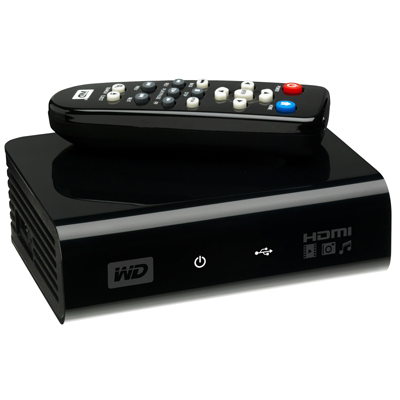
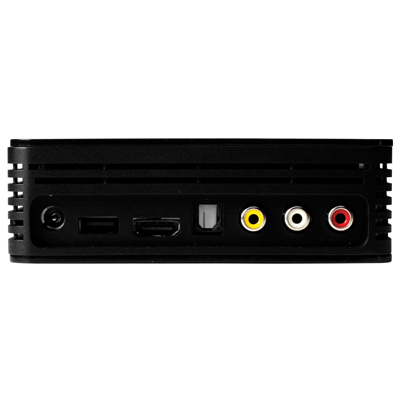
WD has put a new device on the market, and it’s called the WD TV HD Media Player. It’s a small box that can connect to a TV via HDMI or Composite output cables, and can take most USB external hard drives as input (it should even read USB flash drives as long as they’re formatted in FAT32). Once a device is connected, the WD TV will read the media from that drive (movies, photos, music) and let you browse through them and play them on your TV. What sets this device apart for me is that it has gone beyond other similar devices like the LaCinema Premier, or Apple TV. I’ll explain below.

The LaCie product, for example, doesn’t play as many formats as WD TV, and can only support NTFS and FAT32 file systems.

You’re limited in the amount of content you can play with LaCinema Premier, since the drive is integrated within the device itself, and because not as many video formats are supported (see the specs on the LaCie website). That means you have to lug the whole thing from your home office to your living room, re-connect it at each place, and copy files onto it when you want to refresh its inventory. The remote also leaves something to be desired (too many buttons).

I know and like Apple TV myself, having bought one and configured it for my parents, but frankly, I find it overpriced and under-featured. The more you use Apple TV, the more limitations you find:

  • It has an internal hard drive that syncs with content over a wireless network, which means you have to wait forever to get a movie onto it. The drive can also fill up quickly, depending on which size you pick. (Yes, you can also connect it via a Gigabit network, if you’ve pre-wired your living room and home office with Gigabit wires already — but most people have not.)
  • You can stream to it, but then you always have to keep iTunes open, and it’s a hassle to remember that, especially when you’ve just sat down on the living room couch and turned on the TV.
  • You also need to be able to troubleshoot WiFi issues in case you’re not getting enough bandwidth and Apple TV playback stutters.
  • You have to add every single video clip you want to play on Apple TV to the iTunes library, and I don’t care for that sort of thing. I just want to store my stuff in folders and browse it from a device (like WD TV).
  • Apple TV has a USB port on the back, but you can’t use it for anything but “diagnostics” unless you hack the device. This is stupid. I can’t use the port to connect Apple TV to my computer and copy content onto it, I can’t use it to connect an external hard drive to it and have it read the content from it (like WD TV), and it just sits there, unused, unless I pay for a hacking device like aTV Flash.
  • It overheats like crazy. It can burn your fingers if you’re not careful.

I love the design of Apple TV and its diminutive remote. I love the fact that I can swap remotes between it and my laptop if I want to. I think the on-screen menus are well done. I also like the fact that it can stream Flickr photos and YouTube videos, but these extra functions are just that: extra-neous. It simply cannot do its basic job well, and that is to play my media conveniently.

I’m not alone in being frustrated with it. Thomas Hawk has written repeatedly against Apple TV, and for the very same reasons I describe in this post. Steve Jobs recently said he’s not sure what to do with Apple TV. He’s treating it like an unwanted step child. It’s not listed in the Mac product lineup on Apple’s website. It sits off to the side in a section of its own, and you have to do a search for “Apple TV” in order to find it. Corrected 11/11/08: It’s listed in the iTunes and More line-up along with the iPods.

For one thing, Mr. Jobs, you can stop being so greedy in your approach to the device and let people use the USB port on the back. Or how about letting people stream Netflix videos with it, so they don’t have to buy a separate device? I’m a Mac user and have a Netflix account. Until Netflix release Roku and opened up its streaming program to Mac users, I was in the dark. You probably don’t want to do these things because it’ll cut into your video rentals and purchases, and you like that extra revenue stream, but the fact remains that sales of the device will always remain low if you insist on hamstringing it.

The WD TV Player, on the other hand, is made to suit most people. It has a USB port where you can connect most external hard drives. It will read NTFS, FAT32, and HFS file systems too. (I found that out from WD Support, because the info isn’t listed among the specs. They pointed me to KB article #2726.) There seems to be an issue with HFS+ file systems, but they’ll still work, only differently. I’ll have to look into that later.

Also not listed among the specs is an Optical Audio port, but when I look at the back of the device, it seems to me I can see one there.

To me, WD TV is the long-awaited answer to my media player needs. At around $99 (street price), this is one device that will make its way to my Christmas stocking pretty soon, because I’ve got a Drobo full of content I’d like to play my way, not to mention that I also have two WD Passport drives.

I may even get one for my parents, to replace their Apple TV. They’ve had to keep their Drobo connected to their iMac in the home office, with iTunes open, all this time, just so they could watch a movie or two from the Drobo. That’s not right. Once I get the WD TV, I can take their Drobo, put it in the living room, and hook it up right there, without worrying about WiFi, streaming, iTunes, and a whole bunch of nonsense. Apple dropped the ball with Apple TV, and WD picked it up and started running with it.

The WD TV supports the following file formats:

  • Music: MP3, WMA, OGG, WAV/PCM/LPCM, AAC, FLAC, Dolby Digital, AIF/AIFF, MKA
  • Photo: JPEG, GIF, TIF/TIFF, BMP, PNG
  • Video: MPEG1/2/4, WMV9, AVI (MPEG4, Xvid, AVC), H.264, MKV, MOV (MPEG4, H.264). It will play MPEG2/4, H.264, and WMV9 videos up to 1920x1080p 24fps, 1920x1080i 30fps, 1280x720p 60fps resolution. That’s awesome.
  • Playlist: PLS, M3U, WPL
  • Subtitle: SRT (UTF-8)

I plan to get one soon, and I’ll let you know in this post if it lives up to its specs and my expectations. If you’d like to get one too, Amazon lists them. See below.

You can buy the WD TV Player from:

Standard