Places

Passing through Cheile Bicazului (part 2)

I realized something after I read through yesterday’s post on Cheile Bicazului a couple of times. I hadn’t included any photos of the actual mountain pass, which made my comments about how it was carved out of the rock seem a bit superfluous. That was an oversight that needed to be corrected.

This time, you’ll get to see what the road looks like. I have to confess I was too much in awe of those abrupt and incredibly tall walls on each side of me to notice the road very much. Maybe I’ll get my head out of the clouds the next time I visit the place. Till then, here’s what I’ve got.

This was taken before going into the pass. You can see the fog and bad weather hovering above the pass a few kilometers ahead. That’s Ligia walking toward me in the photo.
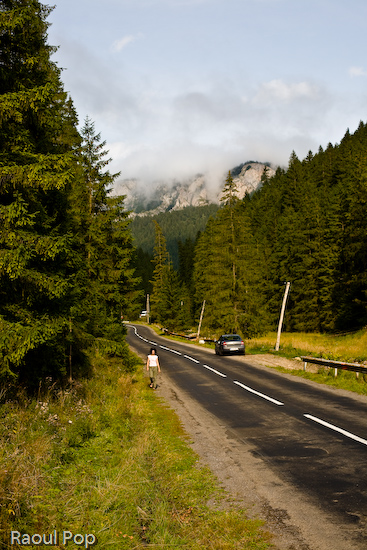
Walk toward me

After we entered the pass, my eyes kept wondering upwards toward those impossibly abrupt mountain faces. Not only were they almost vertical, some were even leaning inward. This very next photo reminds me of an impenetrable hold, or fort of medieval times.
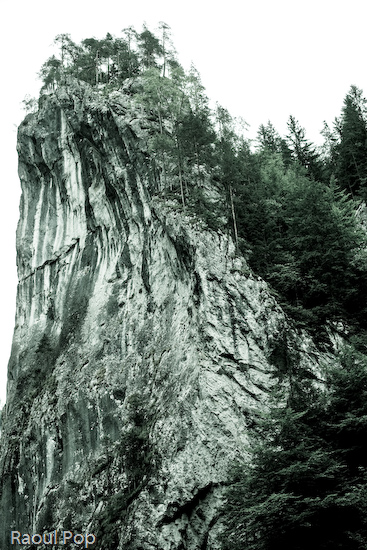
Hold

It’s amazing how efficient trees are at finding places to grow! You wouldn’t think it possible, but those evergreens managed to find their ecological niche growing right on sheer rock!

Find a niche

I finally managed to get my eyes on the road for this next photo. It’s narrow all through the pass as it squeezes between the mountain peaks, and there are no lane markers. At strategic points along the road, you’ll find shops that sell various folk items such as earthen vessels, carved ladles and other kitchen utensils, sheepskin vests and coats, and other such things.
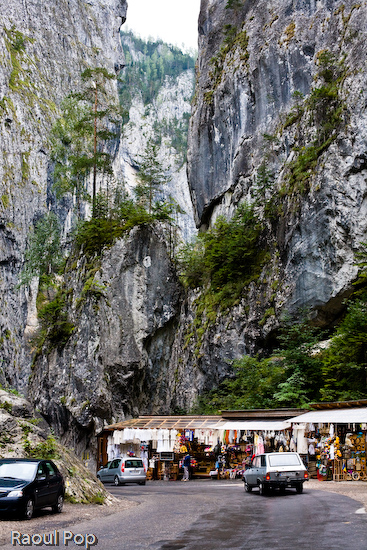
Mountain shops

When I think of how they made the road, this photo comes to mind. Notice the deep cuts in the stone? It was by brute force alone they managed to get through that impregnable granite.
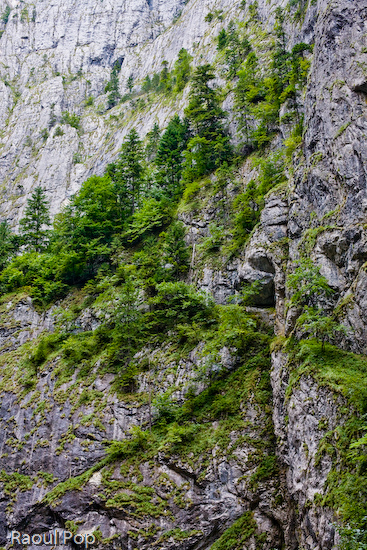
Deep cuts

This next photo will get across the sheer size of the stone walls surrounding the visitor. Those are fully grown evergreens sitting on top of that ridge!

Tall and taller

Remember the brook in yesterday’s post? That same happy little mountain brook has grown a little wider by the time I took this photo. It winds along through the pass, accompanying the road.
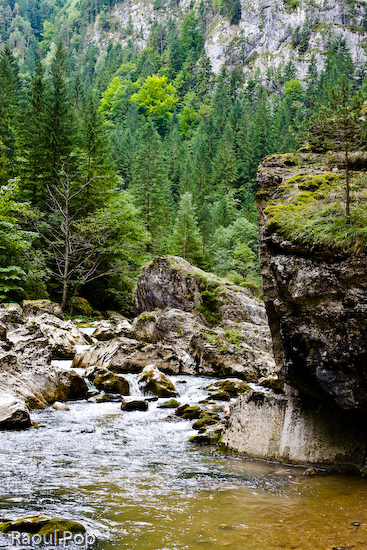
You’ve grown

I can’t resist showing that impressive wall of granite one more time.

Try climbing that

Once we made it through to the other side, the road widened, and we entered a village. Yes, that’s the very same brook shown above. Notice how high the stone walls are on either side? That bridge is also placed high for a good reason. Our happy little brook turns into a furious torrent when the snows melt every spring. The villagers need all the protection they can get to make sure they don’t get swept away with the water. It’s very possible that even that high wall doesn’t protect them enough, and their courtyards flood every once in a while.
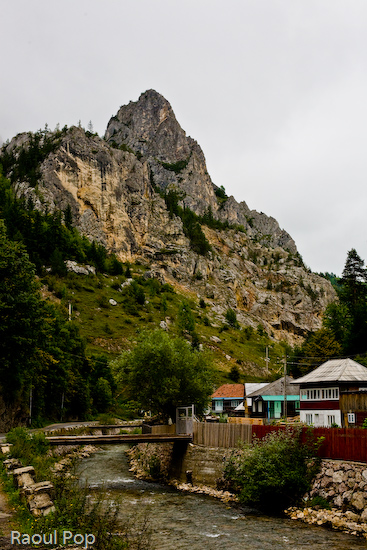
On the other side

Cheile Bicazului is such a wonderful and photogenic place! I’ll do my best to return there with Ligia in the near future.

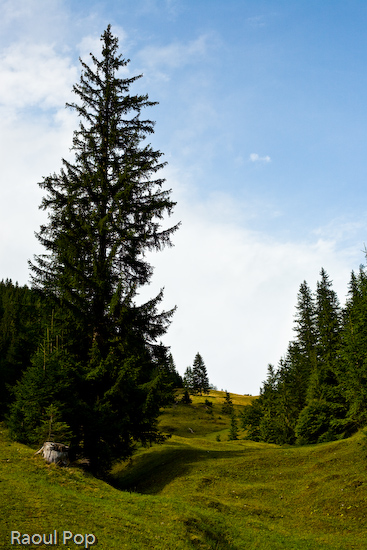
Standard
Places

Passing through Cheile Bicazului

This is Part 1 of a two-part post on Cheile Bicazului. You can read Part Two here.

During our recent trip to Romania, we passed through Cheile Bicazului, a stunning, narrow pass carved through the Carpathian mountains. We started out on the Transylvania side, where the weather was beautiful and sunny, though we could see the clouds hovering over the mountains far into the distance.

Zigzag into the horizon

As we got closer, the weather got chillier, and we could see the mountain peaks enshrouded in fog. This mountain meadow was still bright and sunny, though the cold wind made us shiver.

Steep slope

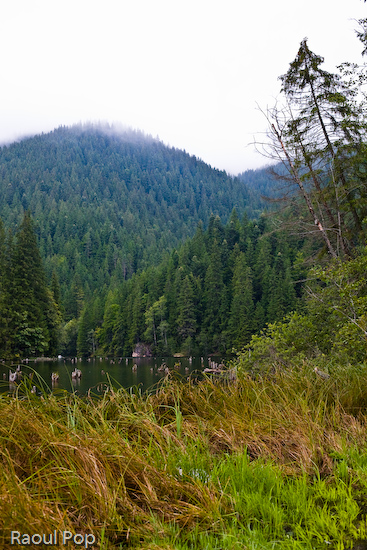
Just a few kilometers away from the meadow pictured above, we stopped at Lacul Rosu, a lake whose origin is uncertain. It seems falling rocks blocked the path of a river, and a lake accumulated in that valley hundreds or thousands of years ago. The trunks of the flooded evergreens can still be seen in the water. Here the weather got even colder and wetter. There was no question about it — we were high up in the mountains.

At the edge of Lacul Rosu

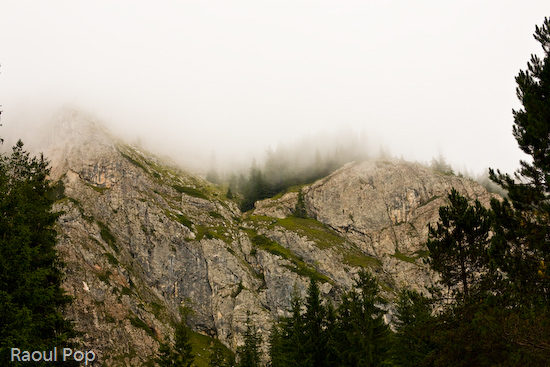
That same punishing weather proved truly beneficial to my photography. Without it, the mountain peaks wouldn’t have looked quite as good. Here are a couple of peaks seen at the start of the pass.

Enshrouded in fog

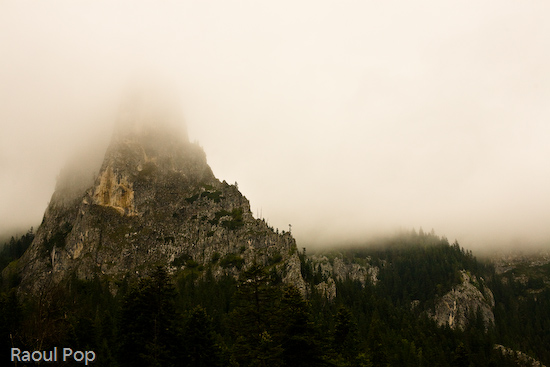
Here’s a truly majestic peak seen from inside the pass. That fog was just perfect!

High above Cheile Bicazului

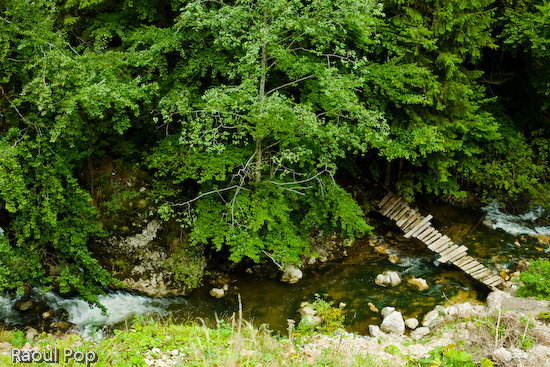
The sharply winding road broke through the peaks onto a meadow set in a small valley. I stopped the car and peered over the edge of the cliff to get this photo of the mountain brook passing below us. I love that little wooden bridge, twisted into a precarious position by spring torrents and autumn storms.

The little bridge down in the valley

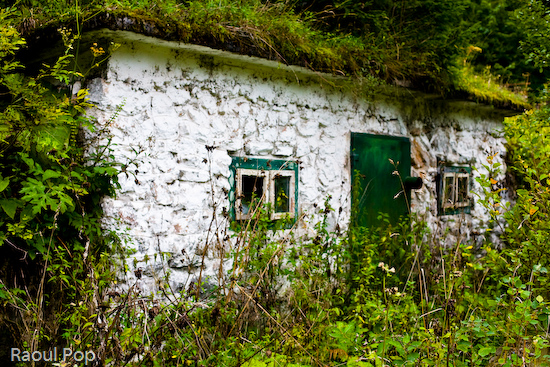
There was a group of cabins in the meadow, and off to the side, I found this deserted hut, built out of stone right into the side of the hill. Grass grew on its roof, and overgrown shrubs surrounded it. I wonder what purpose it once served.

Deserted and overgrown

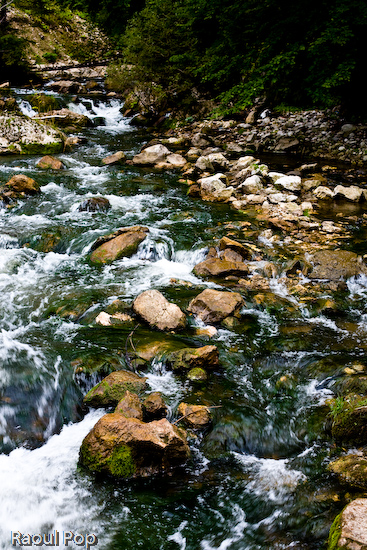
That same mountain brook seen just above can be seen in the photo below. The same bridge can now be spotted in the top left corner. I really like mountain streams. They flow fast, and the water’s clean, cold and invigorating.

A happy mountain brook

We weren’t dressed for the weather, and we ended up with slightly sore throats by the time we made it to the other side, but it sure was worth it! It was my first time through Cheile Bicazului. Ligia used to come there with her parents quite often as a child. We want to go back again and hike through those mountains should we get the chance.

Standard
Thoughts

Catching a code injection hacker in the act

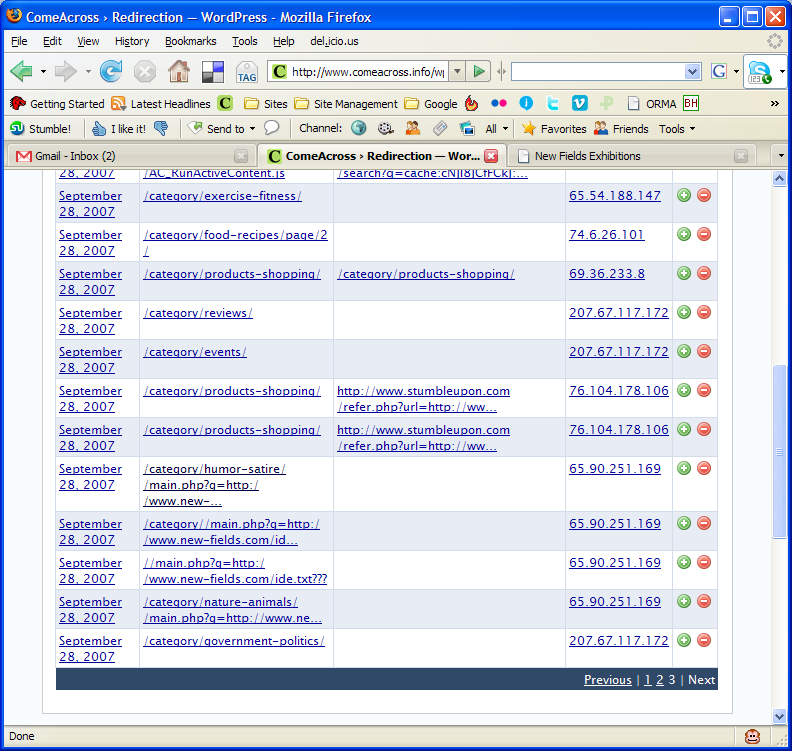
Several days ago, I installed the Redirection plugin from Urban Giraffe. It’s truly awesome, in more ways than one. John Godley, you are an amazing programmer! As I re-arranged the categories on my blog, I tracked the 404 errors through the plugin. On Saturday morning, I noticed the following bit of information in my log:

You can click on the thumbnail to view the screenshot at full size. Look at the entries for IP address 65.90.251.169. Notice something peculiar? That’s a hacker trying to inject malicious code into my pages. He was trying to call to code contained in a text file by the name ide.txt located on a possibly compromised domain.

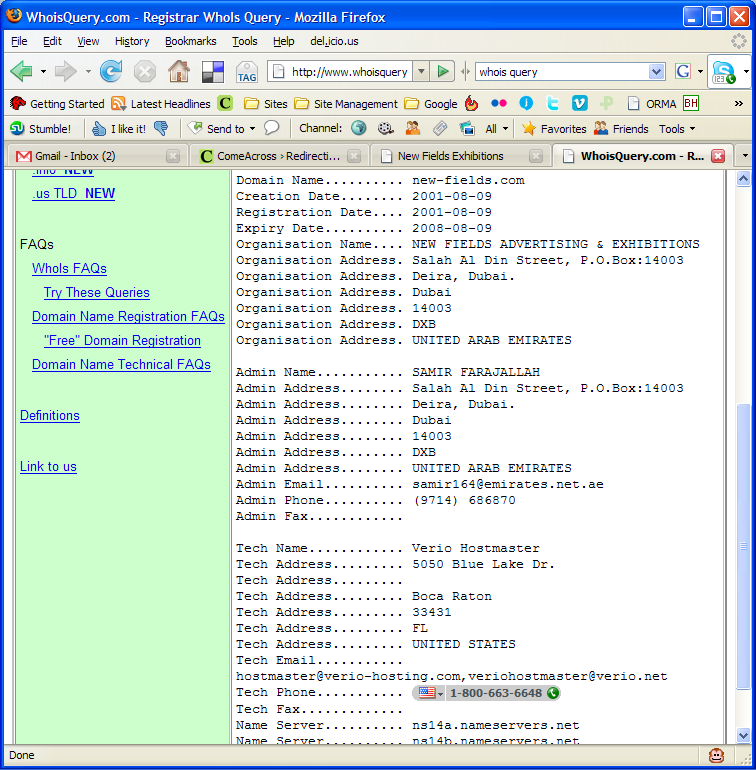
First, I checked out his domain, new-fields.com. It looked legitimate. The text file was another story altogether. Have a look at the screenshots above. I also saved the code to my computer in case it ends up disappearing from the hacker’s website.

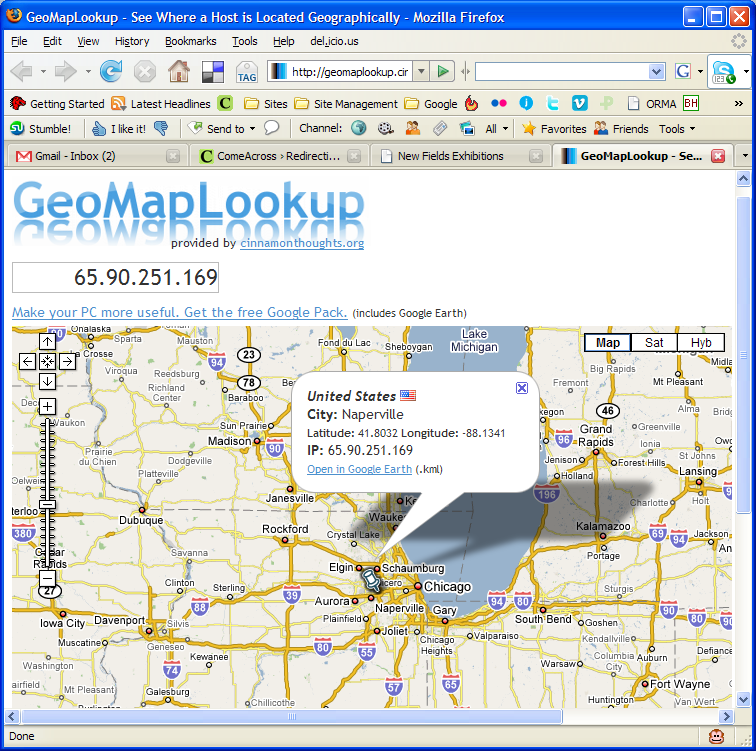
I tested the code, and it looks like some pages from the podPress plugin are targeted or affected — at least that’s what the error message given by WP referenced when I ran the code. I had that plugin enabled at the time, and I’ve disabled it since. It seems that the code tries to modify one of the header.php pages, along with checking disk space (?). So I thought, let me find out who this hacker is. Apparently, he’s from Napperville, IL, US, or at least that’s where his IP address lives.

What’s more, I thought it’d be interesting to see who owns that domain name where his text file resides. It turns out to be one Samir Farajallah from Dubai.

So what we’ve got so far is some dude in Dubai who owns the domain where the malicious code resides, and some hacker in Napperville, IL, trying to exploit my blog using that malicious code.

Wait, it gets better… On Saturday evening, I have another look at my blog’s 404 log, and I find that some other hacker from Vietnam (IP address: 203.171.31.19) is trying to hack into my blog using that exact same code, but this time the text file’s located on some domain in Argentina. That last link leads directly to the text file with the malicious code, but it’s harmless if you browse it. It only works if you run it as PHP code, like these hackers are trying to do.

So far, it looks like I’ve got two hackers, who may or may not be working together, using the same malicious code, located on two different, possibly compromised domains, and trying to modify my header files, possibly to insert code in there that will display splog content or some other stuff.

Update: It looks like three more hackers are trying their luck today, on Sunday morning, 9/30/07. Their IP addresses are 65.98.14.194, 66.79.165.19 and 66.11.231.48.

What I can tell you is that they haven’t been successful. I checked all of my files, and none of them have been touched. Everything’s fine. At this point, I’m not going to waste any more of my time trying to hunt them down. If I see that the attacks continue, I’ll notify my web hosting provider, along with the hosting providers of the other domains, and I’ll also notify the ISPs who own the IP addresses used in the attacks.

My thanks go out to John Godley for the wonderful Redirection plugin. I wouldn’t have been able to catch these hackers without it. I don’t often check my 404 log files, although I should.

I’ve been working in IT for 13 years or so. Maybe I’m naive, maybe I’m too honest for my own good, but I’ve stayed away from this hacking business, and I’ll continue to do so. It’s just not a sustainable lifestyle. I believe that the bad stuff you do in life will catch up with you sooner or later. It’s inevitable. These hackers will get what’s coming to them, and I won’t even have to lift a finger beyond what I’ve done so far.

Standard
Thoughts

The winner of the "Object-Oriented PHP" book drawing

Trevor Carpenter… is Trevor Carpenter! I announced the drawing on Tuesday, 9/25, and the deadline was the evening of Friday, 9/24. I’m going to mail the book to Trevor shortly.

Trevor has a few websites, and they’re all worth mentioning. First we have his personal site/blog, then his photoblog, called CamarilloWalk, his professional photography site, called Scribe Photography, and finally, Photowalking, a site dedicated to photowalks. Anyone interested in organizing such events can request an author account on the site and write about them there. The goal is to turn the site into the main place to check for group photowalking events in one’s local area. Pretty cool!

Standard
Reviews

Bugs in Lightroom 1.2

The latest version of Adobe’s Lightroom, 1.2, introduced corrections for several issues such as XMP auto-write performance, Vista grid display errors, and noise reduction for Bayer-patterned sensors (the majority of digital sensors on the market user Bayer patterns in their color pixel distributions). It also introduced support for new cameras such as the Canon EOS 40D and the Olympus EVOLT E-510. The upgrade was a marked improvement upon 1.1 and 1.0, but I’ve noticed a few bugs:

  1. Time-shifted capture times don’t transfer properly on import from catalog to catalog. While on a recent trip in Romania, I took along my laptop but didn’t take my WD My Book Pro Edition II, since I wanted it to stay safely at home. (That’s where I keep my photo library.) I thought, no problem, I’ll just start a new catalog directly on my laptop, work with my photos there, and do a catalog to catalog import when I get home. In theory, that should have worked just fine — in practice, it was somewhat different. You see, I’d forgotten to set my 5D to Romania’s local time, and that meant that all of the photos I’d taken for the first few days lagged behind local time by 7 hours. I corrected those times by selecting those photos in Lightroom and choosing Metadata >> Edit Capture Time >> Shift by set numbers of hours. That fixed those times in the catalog on my laptop, but when I imported those same photos, I found out that very few of those corrected times transferred during the catalog import operation. What’s worse, the capture time for others was somehow shifted by seemingly random values to something else altogether, so I had to fix that as well.
  2. There’s an annoying and somewhat destructive color shift that takes place when I import photos into Lightroom. For a few moments after I open a photo, it’ll look just like it looked on my 5D’s LCD screen, but then Lightroom will shift the colors slightly as it loads and develops the RAW file. It seems to do less of it now than in version 1.0, but it’s still happening, and then it’s really difficult, if not impossible, to get my photos to look like they’re supposed to look. Canon’s own RAW viewer doesn’t do this, and neither does Microsoft’s RAW viewer.
  3. Batch-editing photos selected from the filmstrip (instead of the grid view) does not apply the actions to all of the photos, only to the first photo selected from that bunch. In other words, if I were to select the same group of photos in grid view and apply a set of modifications to all of them (keywords, etc.), these modifications would be applied to all of the photos selected. When the same group of photos is selected in the filmstrip, the modifications are not applied to all of them, only to the first selected photo. By the same token, if I select multiple photos from the filmstrip in develop view and apply a sharpening change to all of them, it doesn’t take. It only gets applied to the first selected photo.
  4. Changes to ITPC meta data are often not written to the files until Lightroom is restarted. For example, if I select a group of photos, and specify location information for them, Lightroom will not write that data to the XMP files right away. Instead, it’ll wait until I exit, then start Lightroom again. Only then will it start to write those changes to each photo’s meta data. I’m not sure why it’s like this, but it’s confusing to the user.

As frustrating as these bugs are — especially #3 — I can’t imagine working on my photographs without Lightroom. It’s made my life a whole lot easier, and it’s streamlined my photographic workflow tremendously. I can locate all of my photos very easily, and I can organize them in ways I could only dream about before. It’s really a wonderful product, and I look forward to future versions with rapt attention. I hope Adobe continues to dedicate proper focus to Lightroom as it goes forward with its market strategy.

More information:

Standard