Reviews

Windows Family Safety

Windows Family SafetyWindows Family Safety (WFS) is a new offering from Microsoft that aims to offer protection from questionable or indecent websites to families or individuals. I tried it out for a couple of weeks, and found it to work fairly well, except for a few hiccups here and there.

It is a software-based internet filtering mechanism. The difference between a software-based internet filter and a hardware-based one is that the software needs to be installed on every computer where filtering is desired. A hardware-based internet filter is usually self-contained in a box or appliance that gets placed between the user’s internet connection and the internet. The benefit of such an appliance is readily seen. There’s nothing to install on client computers. Unfortunately, hardware-based solutions have been fairly expensive, historically speaking.

Software-based internet filtering has also cost money, until now. As a matter of fact, Microsoft used to offer one such software-based solution with its premium MSN service. Windows Family Safety may be that same offering, repackaged as a free service.

Having used other software-based internet filters, I can tell you Windows Family Safety is a lot easier to use, and much less annoying than paid products. Those other services, who don’t even deserve to be called by their names, were just plain awful. I had to authenticate every time I tried to access a website, and logins didn’t even take at times. What’s worse, if a single website called out to other websites to display information, as is so common these days, I had to authenticate for every single request. They were a nightmare, and I quickly uninstalled them.

Windows Family Safety requires a simple install, and the selection of a master account which can set the level of access for that computer. It uses Microsoft Passport sign-ons, which means I was able to use my Hotmail account to log in. After that, it was a matter of logging in every time I turned on my computer or came back from standby. This was one area where I encountered a hiccup though. The software had an option to allow me to save my username and password, so I wouldn’t have to enter them so often, but that option didn’t seem to work. I was stuck logging in much more than I cared to do, but still, this was nothing compared to the torture I went through with other software-based filters — as already mentioned in the paragraph above.

Just how does WFS work? It turns out that it uses a proxy to filter the traffic. It means that every time you make a call to a website, that call first goes through the WFS servers, where it gets matched to their content database and the website deemed to be appropriate for the level of safety that you’ve chosen. Here’s where I encountered two hiccups.

The first was that at peak times, the speed of my internet connection was slowed down to a crawl until it could pass through the fairly busy proxy servers and be filtered. That was really annoying, but I assume that’s going to get better as MS dedicates more proxy servers to the service. Perhaps it might be better to download content filters directly to each computer and filter the traffic locally, so the chance of a bottleneck is reduced or eliminated.

The second was the seemingly arbitrary designation of some sites as inappropriate. I chose to filter out adult, gambling and violent websites. Somehow, both of my blogs (ComeAcross and Dignoscentia) didn’t meet that standard, which was very surprising to me. Neither of those sites can even remotely be classified under those questionable categories. Fortunately, there’s a fairly simple process for requesting that a site be reconsidered for proper classification, and it’s built into the Windows Family Safety website. I followed the procedure, and within days, my sites were properly classified. But the fact that I had to go through all of that makes me wonder how they’re classified in the first place.

Overall, I found that WFS still hasn’t gotten proper branding. What I mean by that is that it’s not clearly identified as a product by Microsoft. The Windows Live OneCare Family Safety website is part of the Live Family of sites, true, but it’s not even identified on most of the other sites in that family (Hotmail, SkyDrive, etc.) I also found that configuring one’s WFS account can be pretty unintuitive, as the navigation on the WFS site is cumbersome and lacking focus (much like the Windows Live OneCare site, come to think of it.) I even got code errors when I tried to surf through it recently, which is not what I expected from a public MS site.

On a general note, Microsoft really needs to do some work in associating each MS product with the Windows Live account that uses it, and making it easy for each user to access the online/offline settings for each product. Google does a great job with this, and MS could stand to learn from them here.

Windows Family Safety is a good solution, and it works well considering that it’s free. If you’re looking to set up some easy internet filtering at your home, it could turn out to work great for you. Give it a try and see!

Standard
Thoughts

Photography, take two, part two

I continued to work on replacing photos hosted with third party services. The list of modified posts is provided below. This has proven to be a huge effort. I had to locate the photos in my digital library — not all of which is keyworded yet, though I’ve got location information for all my photos — but I also chose to re-process, keyword and re-title the photos. You see, most of these photos were keyworded through bulk uploaders, for the purpose of displaying that data on third party photo sharing sites, not for my own library. Clearly that effort was wasted, but I didn’t know that back when I did it… Where applicable, I am also re-writing some of the text.

I want to make sure that the content I provide here at ComeAcross is truly top tier, as much as possible. What does that mean? Well, it means I spent my entire weekend, including Monday, working on the posts listed below, and on the posts listed in part one. I still have more posts to go. I don’t mind doing this — actually, I look forward to it — but I do hope that you, the reader, appreciate the effort that goes on behind the scenes. 🙂

Also see Photography, take two, part one.

Standard
Thoughts

Photography, take two

Over this weekend and the last several days, I’ve gone through posts that contain photographs, and replaced all of the images with ones hosted directly at ComeAcross. In the past, I’ve used photos hosted with third party photo sharing services, and I realize now that’s a folly.

If a third party service goes down, which is very likely with beta services, my photos become unavailable. Even if that service is not in beta, a simple action like closing one’s account shuts down access to all of the photos uploaded there. It’s much more practical to host the photos together with my website. That way, I am fully responsible for making sure that all of my content is accessible. If something goes down, I can take care of it. If I need to change web hosting providers, I simply transfer all of my files over to another server.

It’s not as simple to transfer one’s content with photo sharing services, no matter what they may promise. Image and meta data portability is still not 100% there, and it doesn’t help when a photo sharing service advertises their API’s availability for more than a year, yet fails to put it out for public use. It also doesn’t help when said portability is rendered useless by the amount of compression used on the uploaded originals, or the deletion of meta data embedded in the originals…

You see, everyone is ready to promise the world to you when they want to sell you on something. Quite often, that “world” is nothing more than an empty little shell. I speak in general terms here, from the things I’ve learned through my various experiences — mostly recent ones…

At any rate, I’ve still got to modify a number of posts, but I thought I’d point out the ones I’ve already worked on. They’re quite a few, and I’m happy with the results so far. Here they are:

Also see Photography, take two, part two for more updated posts.

Standard
Thoughts

Catching a code injection hacker in the act

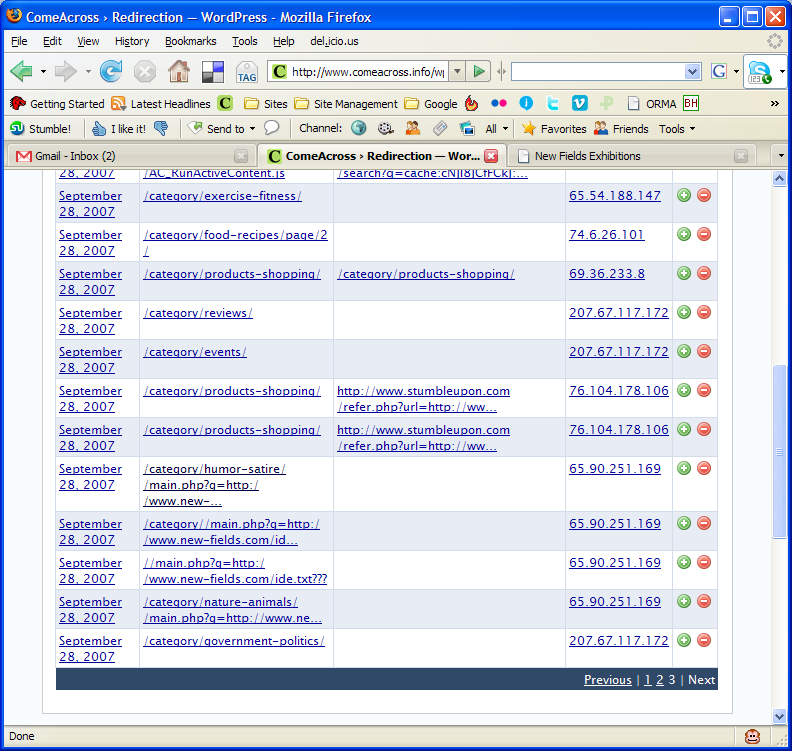
Several days ago, I installed the Redirection plugin from Urban Giraffe. It’s truly awesome, in more ways than one. John Godley, you are an amazing programmer! As I re-arranged the categories on my blog, I tracked the 404 errors through the plugin. On Saturday morning, I noticed the following bit of information in my log:

You can click on the thumbnail to view the screenshot at full size. Look at the entries for IP address 65.90.251.169. Notice something peculiar? That’s a hacker trying to inject malicious code into my pages. He was trying to call to code contained in a text file by the name ide.txt located on a possibly compromised domain.

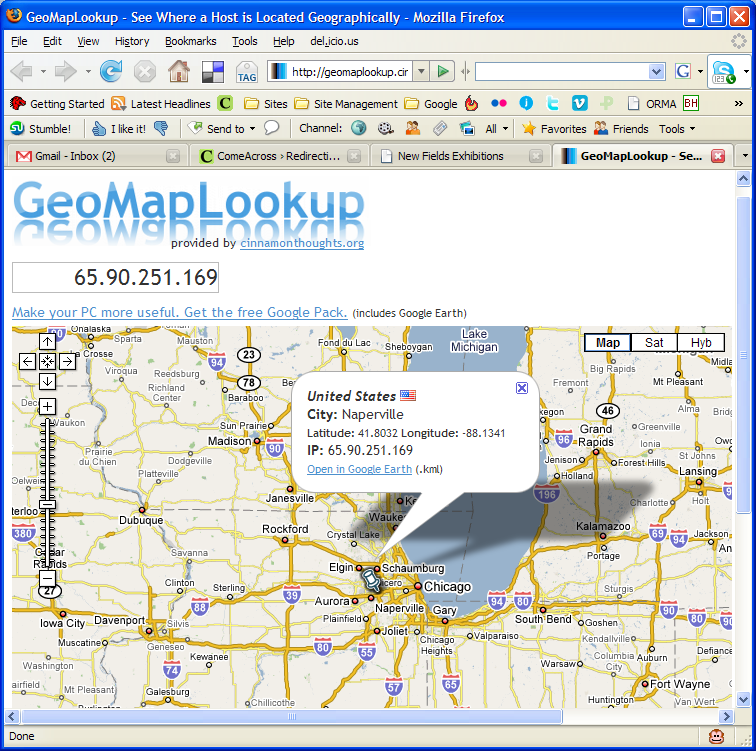
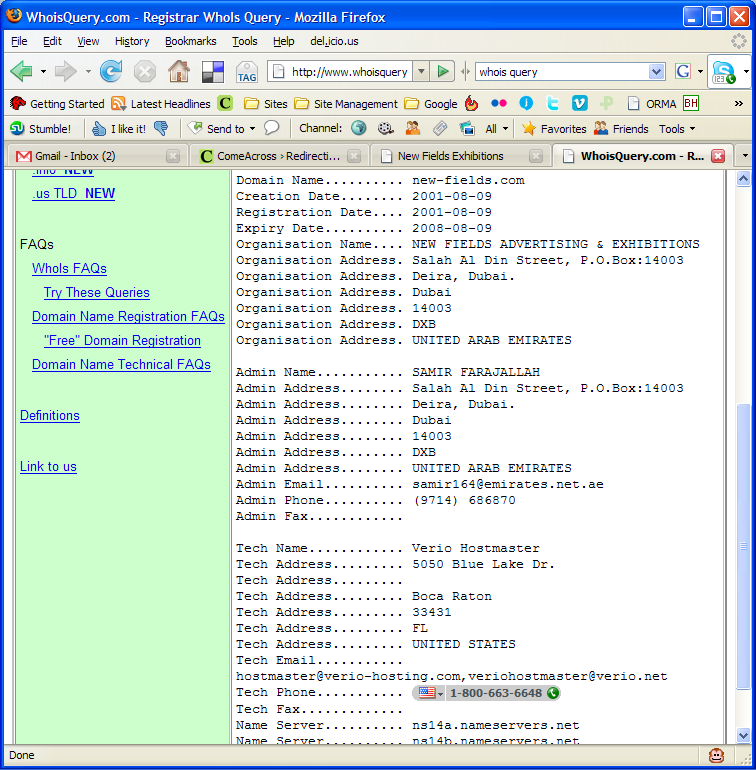
First, I checked out his domain, new-fields.com. It looked legitimate. The text file was another story altogether. Have a look at the screenshots above. I also saved the code to my computer in case it ends up disappearing from the hacker’s website.

I tested the code, and it looks like some pages from the podPress plugin are targeted or affected — at least that’s what the error message given by WP referenced when I ran the code. I had that plugin enabled at the time, and I’ve disabled it since. It seems that the code tries to modify one of the header.php pages, along with checking disk space (?). So I thought, let me find out who this hacker is. Apparently, he’s from Napperville, IL, US, or at least that’s where his IP address lives.

What’s more, I thought it’d be interesting to see who owns that domain name where his text file resides. It turns out to be one Samir Farajallah from Dubai.

So what we’ve got so far is some dude in Dubai who owns the domain where the malicious code resides, and some hacker in Napperville, IL, trying to exploit my blog using that malicious code.

Wait, it gets better… On Saturday evening, I have another look at my blog’s 404 log, and I find that some other hacker from Vietnam (IP address: 203.171.31.19) is trying to hack into my blog using that exact same code, but this time the text file’s located on some domain in Argentina. That last link leads directly to the text file with the malicious code, but it’s harmless if you browse it. It only works if you run it as PHP code, like these hackers are trying to do.

So far, it looks like I’ve got two hackers, who may or may not be working together, using the same malicious code, located on two different, possibly compromised domains, and trying to modify my header files, possibly to insert code in there that will display splog content or some other stuff.

Update: It looks like three more hackers are trying their luck today, on Sunday morning, 9/30/07. Their IP addresses are 65.98.14.194, 66.79.165.19 and 66.11.231.48.

What I can tell you is that they haven’t been successful. I checked all of my files, and none of them have been touched. Everything’s fine. At this point, I’m not going to waste any more of my time trying to hunt them down. If I see that the attacks continue, I’ll notify my web hosting provider, along with the hosting providers of the other domains, and I’ll also notify the ISPs who own the IP addresses used in the attacks.

My thanks go out to John Godley for the wonderful Redirection plugin. I wouldn’t have been able to catch these hackers without it. I don’t often check my 404 log files, although I should.

I’ve been working in IT for 13 years or so. Maybe I’m naive, maybe I’m too honest for my own good, but I’ve stayed away from this hacking business, and I’ll continue to do so. It’s just not a sustainable lifestyle. I believe that the bad stuff you do in life will catch up with you sooner or later. It’s inevitable. These hackers will get what’s coming to them, and I won’t even have to lift a finger beyond what I’ve done so far.

Standard
Thoughts

The winner of the "Object-Oriented PHP" book drawing

Trevor Carpenter… is Trevor Carpenter! I announced the drawing on Tuesday, 9/25, and the deadline was the evening of Friday, 9/24. I’m going to mail the book to Trevor shortly.

Trevor has a few websites, and they’re all worth mentioning. First we have his personal site/blog, then his photoblog, called CamarilloWalk, his professional photography site, called Scribe Photography, and finally, Photowalking, a site dedicated to photowalks. Anyone interested in organizing such events can request an author account on the site and write about them there. The goal is to turn the site into the main place to check for group photowalking events in one’s local area. Pretty cool!

Standard